> ## Documentation Index
> Fetch the complete documentation index at: https://docs.rdrive.io/llms.txt
> Use this file to discover all available pages before exploring further.
# Company Level Process Overview
> Overview of the Company-Wide Process Analysis Dashboard
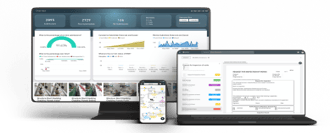
 **Overview of the Company-Wide Process Analysis Dashboard**
This dashboard delivers a structured and insightful overview of process management across projects, focusing on form statuses, team contributions, and trends over time. With detailed breakdowns by category, project, and drawing hierarchy, it allows users to monitor form statuses, such as open, closed, and subcontractor-handled forms.
Key trends and performance metrics, like average status duration and open forms by team, provide actionable insights for identifying bottlenecks and optimizing workflows.
The inclusion of monthly process tracking and visual distribution of status groups ensures comprehensive monitoring to improve team performance and project outcomes.
**Navigating through your Dashboard**\\
**Overview of the Company-Wide Process Analysis Dashboard**
This dashboard delivers a structured and insightful overview of process management across projects, focusing on form statuses, team contributions, and trends over time. With detailed breakdowns by category, project, and drawing hierarchy, it allows users to monitor form statuses, such as open, closed, and subcontractor-handled forms.
Key trends and performance metrics, like average status duration and open forms by team, provide actionable insights for identifying bottlenecks and optimizing workflows.
The inclusion of monthly process tracking and visual distribution of status groups ensures comprehensive monitoring to improve team performance and project outcomes.
**Navigating through your Dashboard**\\
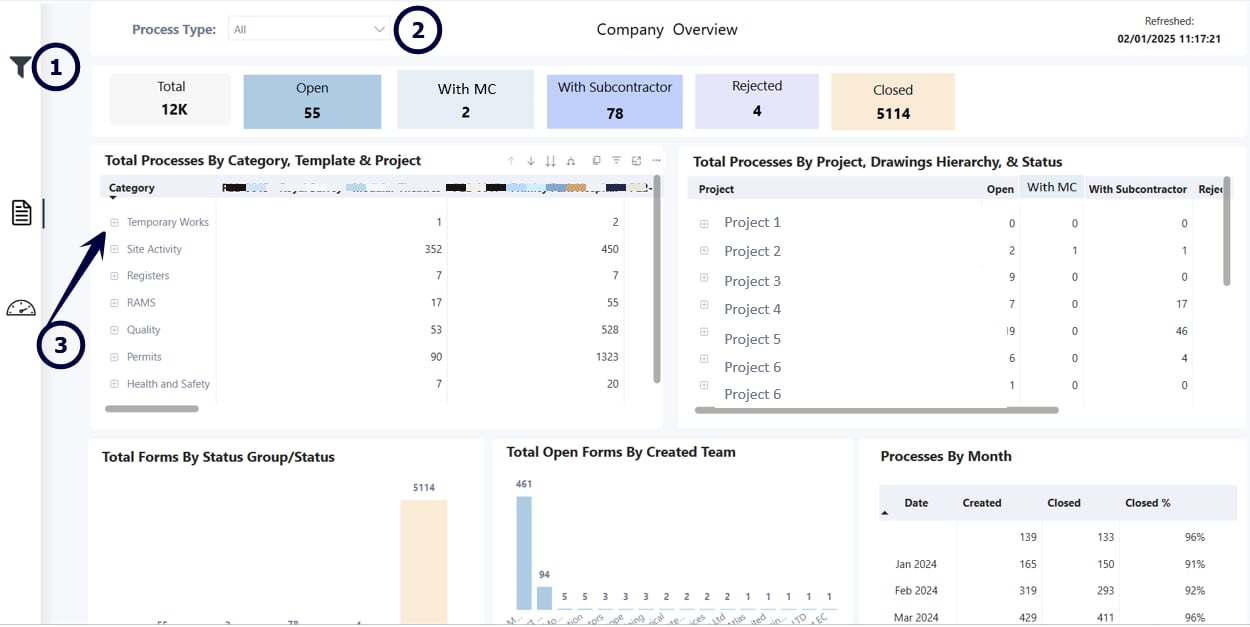 1. **Attribute Filters** - Redraw data by various attributes such as
2. **Process Filter** - Quick access to filter by Category and Template
3. **Embedded Data** - Drill Down into Table Date by pressing the **+** button
**Visuals**
**
1. **Attribute Filters** - Redraw data by various attributes such as
2. **Process Filter** - Quick access to filter by Category and Template
3. **Embedded Data** - Drill Down into Table Date by pressing the **+** button
**Visuals**
** **
1. **Status Groups -** Visual breakdown of forms grouped by status for a simplified overview.
2. **Embedded Data -** The left table shows a breakdown of processes by category (e.g., Quality, Permits) and their distribution across projects. The right table provides a status breakdown of processes within each project, such as open, subcontractor-handled, or rejected.
3. **Performance and Status Tracking Visuals**
* **Total Forms By Status Group/Status**: Displays the number of forms categorized by their status, including open, closed, rejected, and handled by subcontractors.
* **Total Open Forms By Created Team**: Highlights the teams responsible for creating the most open forms, showing their contributions.
* **Average Status Duration By Project (In Days)**: Shows how long, on average, forms stay in a particular status for each project, helping identify delays.
* **Processes By Month**: Tracks the number of processes created and closed each month, along with the percentage closed, to monitor monthly progress.
This documentation is built and hosted on [Mintlify](https://mintlify.com), a developer documentation platform.
**
1. **Status Groups -** Visual breakdown of forms grouped by status for a simplified overview.
2. **Embedded Data -** The left table shows a breakdown of processes by category (e.g., Quality, Permits) and their distribution across projects. The right table provides a status breakdown of processes within each project, such as open, subcontractor-handled, or rejected.
3. **Performance and Status Tracking Visuals**
* **Total Forms By Status Group/Status**: Displays the number of forms categorized by their status, including open, closed, rejected, and handled by subcontractors.
* **Total Open Forms By Created Team**: Highlights the teams responsible for creating the most open forms, showing their contributions.
* **Average Status Duration By Project (In Days)**: Shows how long, on average, forms stay in a particular status for each project, helping identify delays.
* **Processes By Month**: Tracks the number of processes created and closed each month, along with the percentage closed, to monitor monthly progress.
This documentation is built and hosted on [Mintlify](https://mintlify.com), a developer documentation platform.