> ## Documentation Index
> Fetch the complete documentation index at: https://docs.rdrive.io/llms.txt
> Use this file to discover all available pages before exploring further.

# Edit the bundle

> You may edit the name and dot colour of the bundle or delete it.

You may [edit the name](#h_367c0dcf20) and [dot colour](#h_e9df2461c0) of the bundle or [delete](#h_38f08a5694) it.

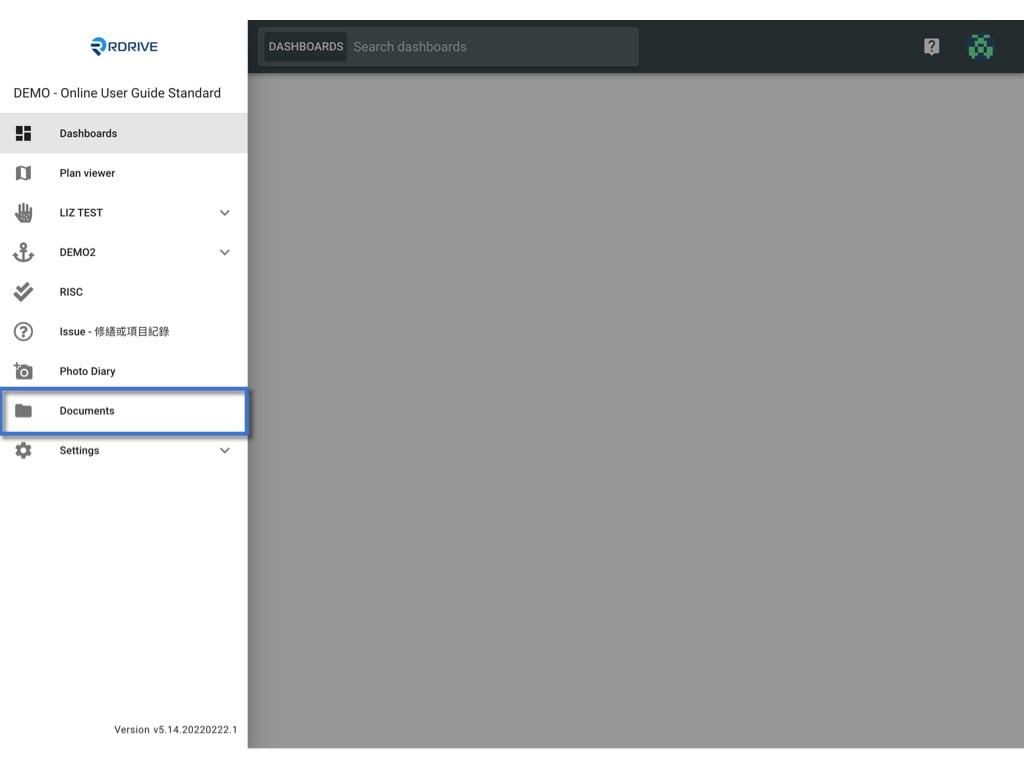
First of all, access the Documents page by clicking the menu icon **≡** on the top left corner ➡ **Documents**.
<img src="https://mintcdn.com/rdrive/-lAFuVhvy25Hs0xd/images/kb/103000035030/UGJES9J4QYHWygw4RQ6Or70YJt1OpS4OZw.jpeg?fit=max&auto=format&n=-lAFuVhvy25Hs0xd&q=85&s=5a63ce2434491a0a60eafacdf08b2d89" alt="Edit the bundle" width="1024" height="768" data-path="images/kb/103000035030/UGJES9J4QYHWygw4RQ6Or70YJt1OpS4OZw.jpeg" />

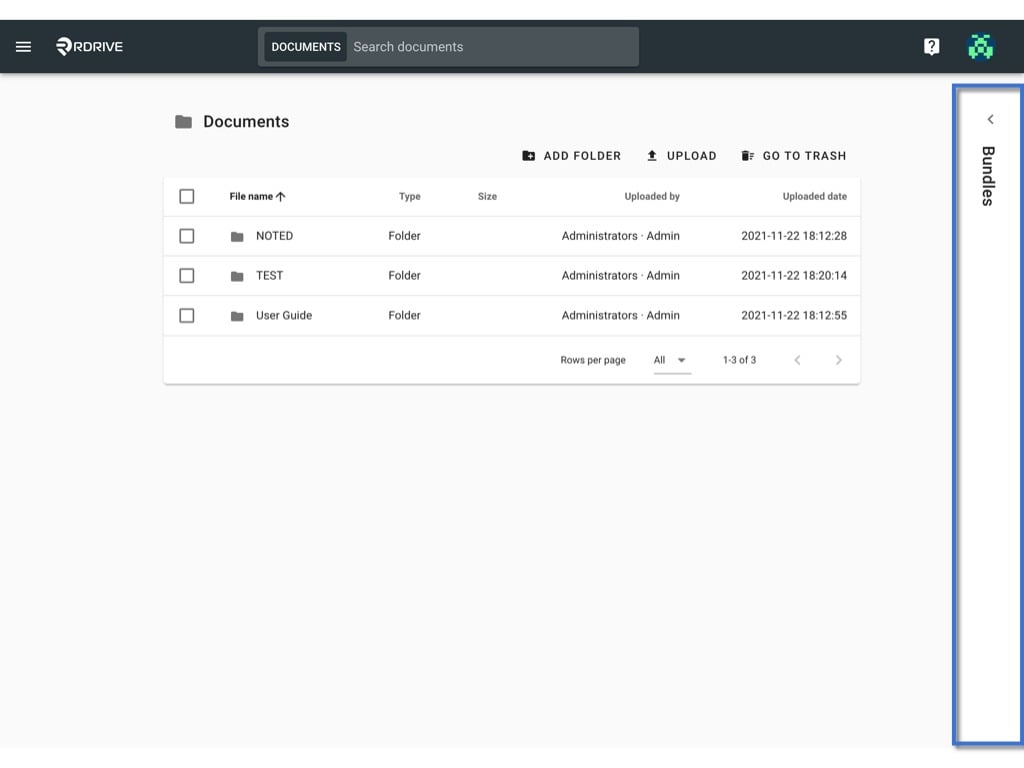
Unfold the bundle window.

<img src="https://mintcdn.com/rdrive/-lAFuVhvy25Hs0xd/images/kb/103000035030/yiQCzK-RR16dLzqcUmrlddSnDxYNF3l2Xg.jpeg?fit=max&auto=format&n=-lAFuVhvy25Hs0xd&q=85&s=97818289709a695bb562c529c3eed350" alt="Edit the bundle" width="1024" height="768" data-path="images/kb/103000035030/yiQCzK-RR16dLzqcUmrlddSnDxYNF3l2Xg.jpeg" />

## Edit the name

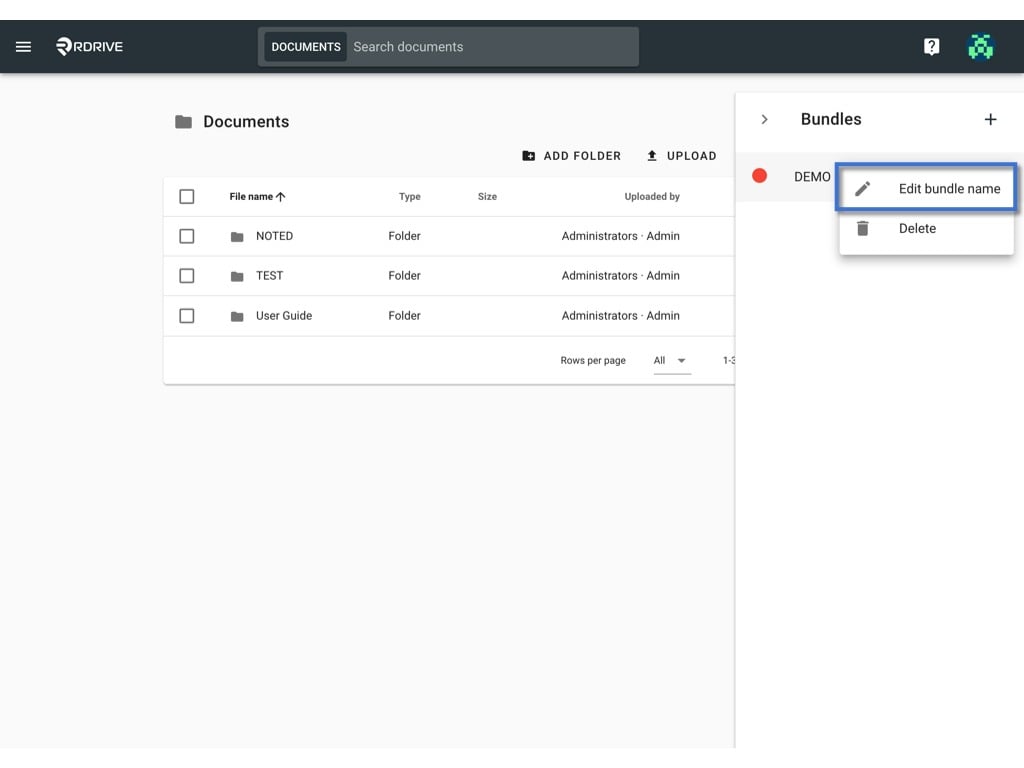
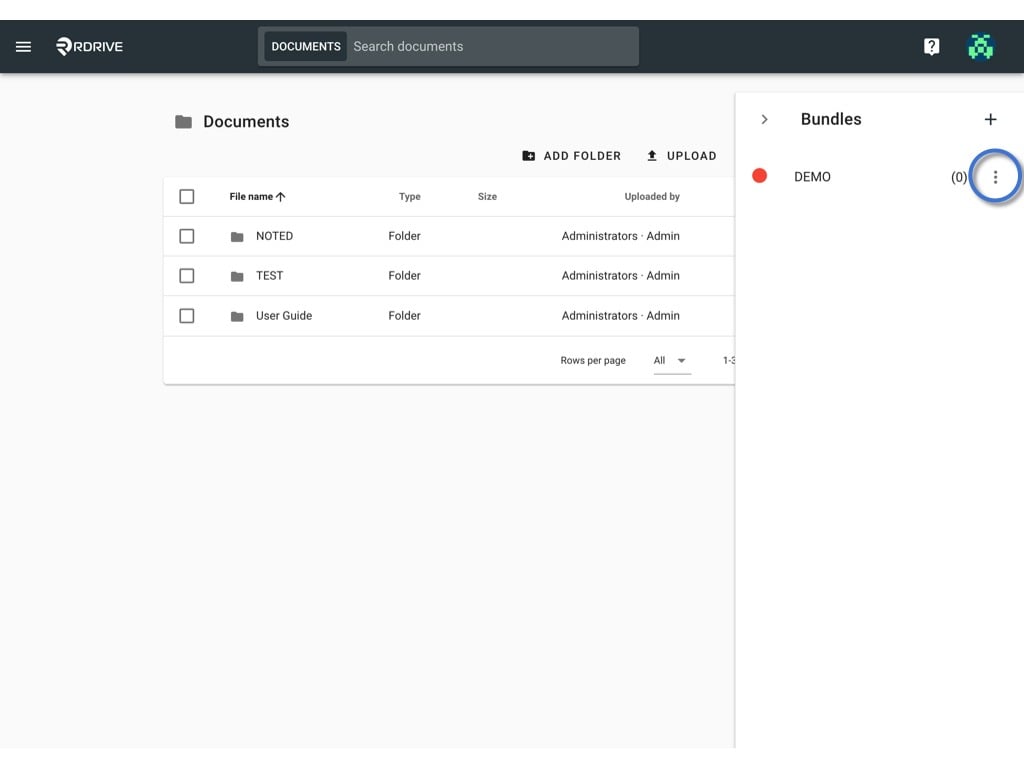
Click the **⋮** button and select **Edit bundle name**.
<img src="https://mintcdn.com/rdrive/-lAFuVhvy25Hs0xd/images/kb/103000035030/xj1ov0yHRSuU6rV-LM4Q3DQhY0hrMvxKNQ.jpeg?fit=max&auto=format&n=-lAFuVhvy25Hs0xd&q=85&s=c7ffab646e4fbcf98bbd2fbcf2971b07" alt="Edit the bundle" width="1024" height="768" data-path="images/kb/103000035030/xj1ov0yHRSuU6rV-LM4Q3DQhY0hrMvxKNQ.jpeg" />

<img src="https://mintcdn.com/rdrive/-lAFuVhvy25Hs0xd/images/kb/103000035030/BGP76ZVBXCaRSFaiorewmFK98tDLXEYl7A.jpeg?fit=max&auto=format&n=-lAFuVhvy25Hs0xd&q=85&s=7d0ea4ef5b7b0061e659a48bcf2146d8" alt="Edit the bundle" width="1024" height="768" data-path="images/kb/103000035030/BGP76ZVBXCaRSFaiorewmFK98tDLXEYl7A.jpeg" />

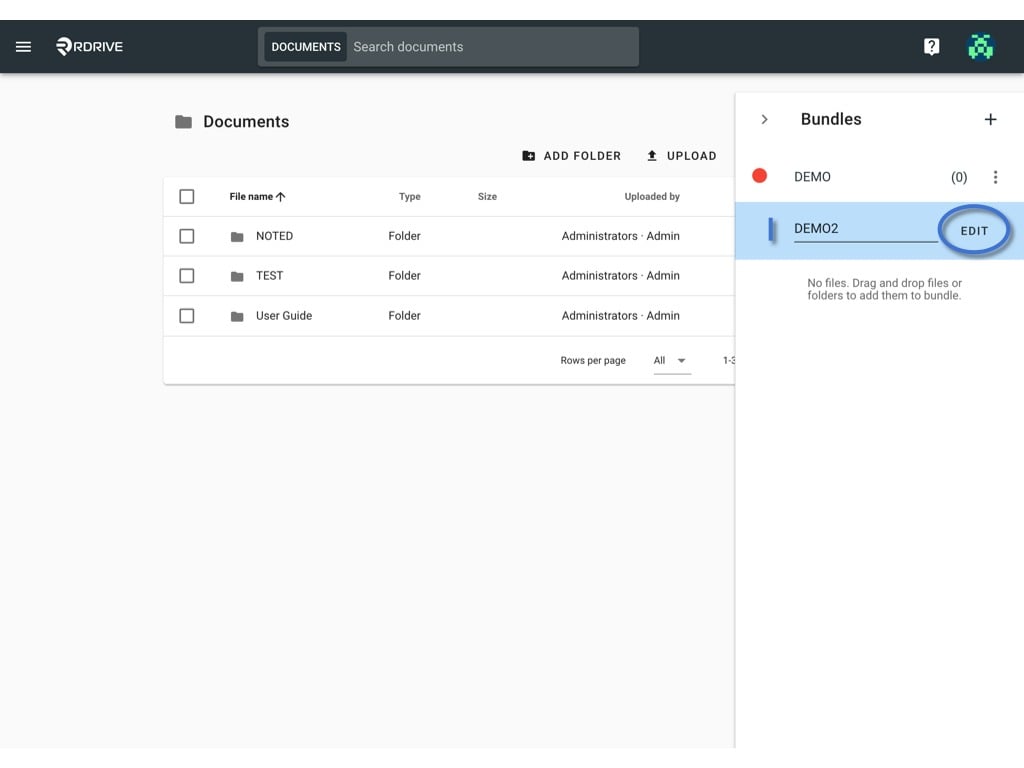
Edit the name and click **EDIT** to save.
<img src="https://mintcdn.com/rdrive/-lAFuVhvy25Hs0xd/images/kb/103000035030/QJGkEq4sPJmD-6Sys1fgej_QZLtfhHjvew.jpeg?fit=max&auto=format&n=-lAFuVhvy25Hs0xd&q=85&s=e5b2b2f697ff23dc1f391fccff67c8c0" alt="Edit the bundle" width="1024" height="768" data-path="images/kb/103000035030/QJGkEq4sPJmD-6Sys1fgej_QZLtfhHjvew.jpeg" />

***

## Change the dot colour

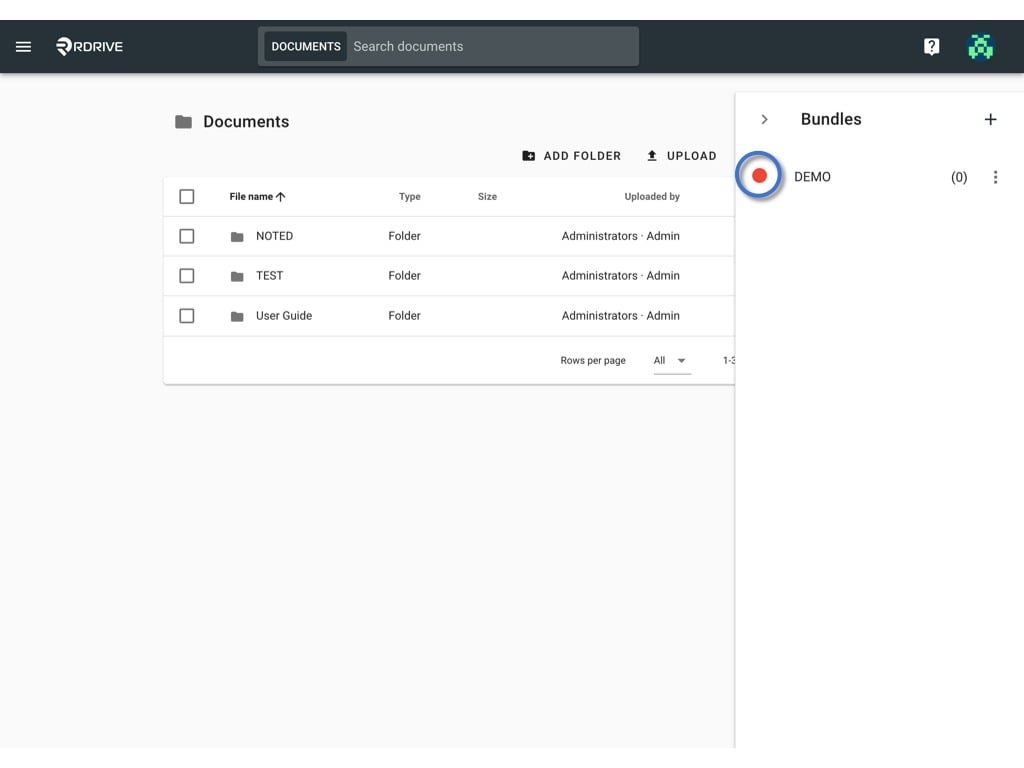
Click on the current dot colour.
<img src="https://mintcdn.com/rdrive/-lAFuVhvy25Hs0xd/images/kb/103000035030/V0WAYZzBfFg4LH4cfB4Z4b3VBOnh9qbXWg.jpeg?fit=max&auto=format&n=-lAFuVhvy25Hs0xd&q=85&s=665cbd7994d7d76ecbccab31d0c6be97" alt="Edit the bundle" width="1024" height="768" data-path="images/kb/103000035030/V0WAYZzBfFg4LH4cfB4Z4b3VBOnh9qbXWg.jpeg" />

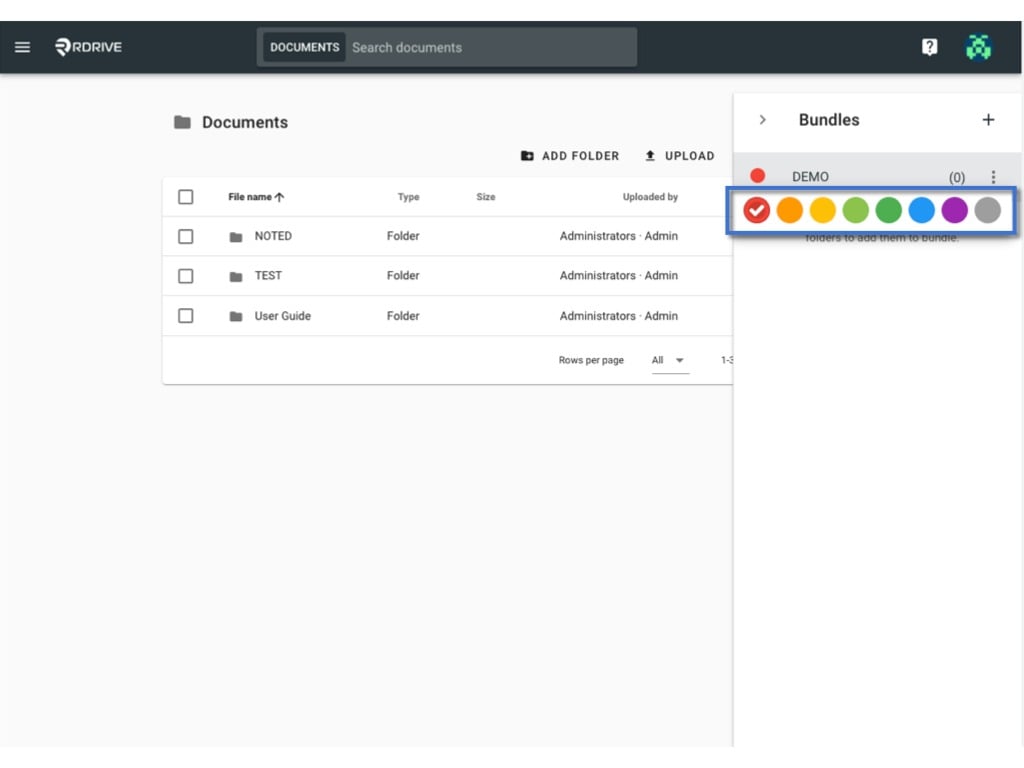
the colour selection will pop up for you to select.

You may click on it to change.
<img src="https://mintcdn.com/rdrive/-lAFuVhvy25Hs0xd/images/kb/103000035030/Li6tMYAwdohREOS8JCxxauq5BikTNhtAbw.jpeg?fit=max&auto=format&n=-lAFuVhvy25Hs0xd&q=85&s=d8959d259de1d818cb084d70411b2a4c" alt="Edit the bundle" width="1024" height="768" data-path="images/kb/103000035030/Li6tMYAwdohREOS8JCxxauq5BikTNhtAbw.jpeg" />

***

## Delete

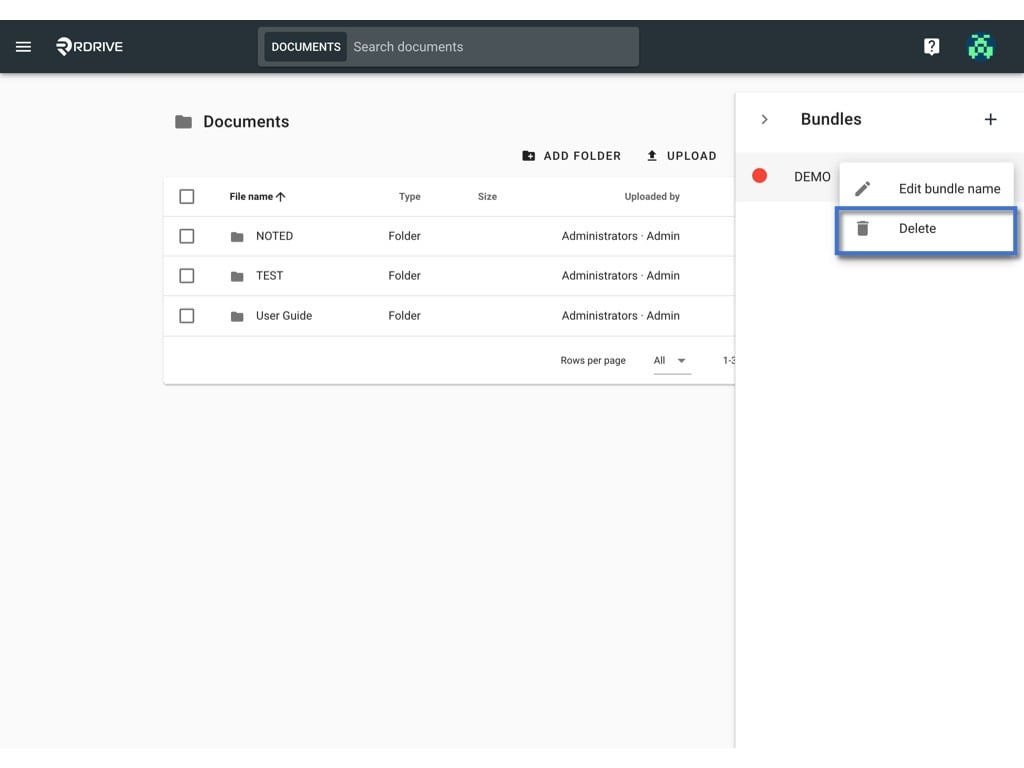
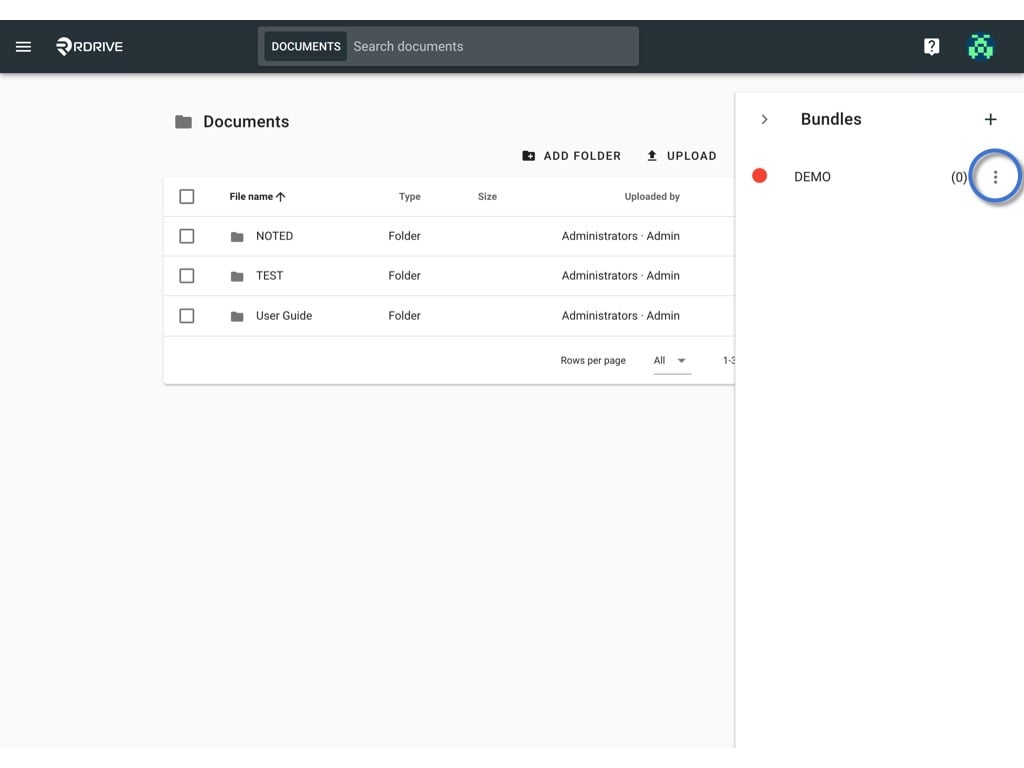
Click the **⋮** button and select Delete.
<img src="https://mintcdn.com/rdrive/-lAFuVhvy25Hs0xd/images/kb/103000035030/eFHUkUm5W2L-HrUPSQiFz88A8yWBCLP4EA.jpeg?fit=max&auto=format&n=-lAFuVhvy25Hs0xd&q=85&s=ba7f8f6a19bc779a2d58a94020bd3888" alt="Edit the bundle" width="1024" height="768" data-path="images/kb/103000035030/eFHUkUm5W2L-HrUPSQiFz88A8yWBCLP4EA.jpeg" />

<img src="https://mintcdn.com/rdrive/-lAFuVhvy25Hs0xd/images/kb/103000035030/KZlBwyC_dz6iMODjZI8V-fu-0aLPd41xLQ.jpeg?fit=max&auto=format&n=-lAFuVhvy25Hs0xd&q=85&s=b29dab88fbe9e4074fe466c81acb20e7" alt="Edit the bundle" width="1024" height="768" data-path="images/kb/103000035030/KZlBwyC_dz6iMODjZI8V-fu-0aLPd41xLQ.jpeg" />

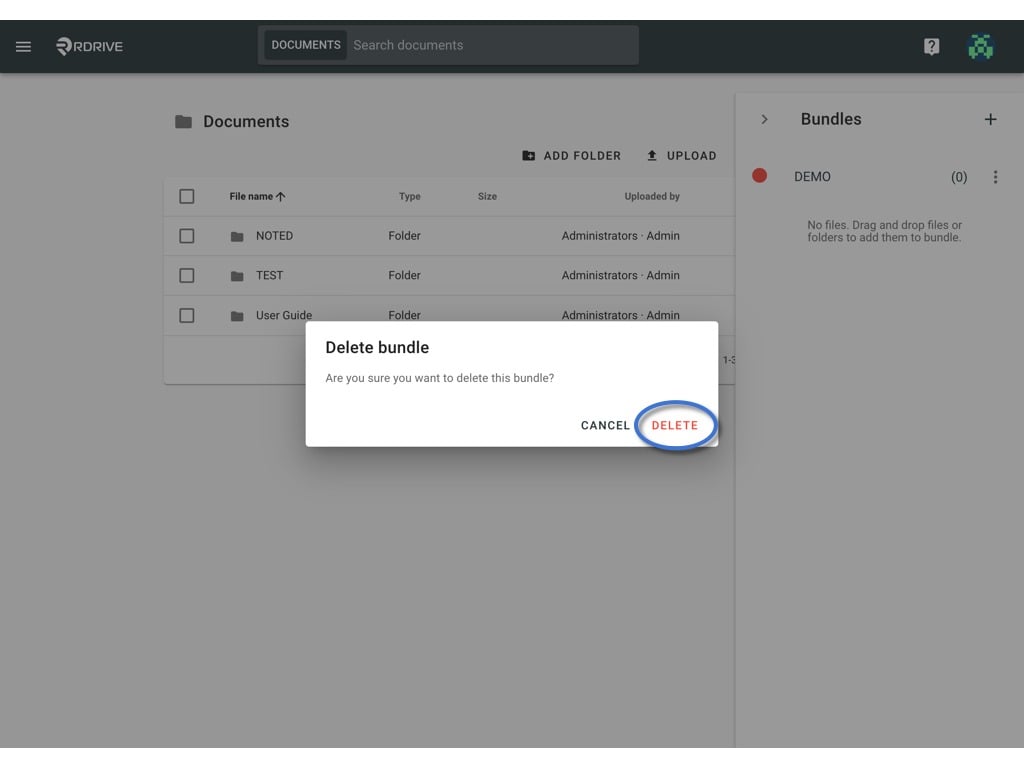
**DELETE** to delete.

<img src="https://mintcdn.com/rdrive/-lAFuVhvy25Hs0xd/images/kb/103000035030/ZExEmsDjJgpYUYvf5ePC8Rn0pzg_yLkVCg.jpeg?fit=max&auto=format&n=-lAFuVhvy25Hs0xd&q=85&s=d208507d916059151f810f4c2c6f070a" alt="Edit the bundle" width="1024" height="768" data-path="images/kb/103000035030/ZExEmsDjJgpYUYvf5ePC8Rn0pzg_yLkVCg.jpeg" />