> ## Documentation Index
> Fetch the complete documentation index at: https://docs.rdrive.io/llms.txt
> Use this file to discover all available pages before exploring further.
# Generate a Site Daily Report
> RDrive simplifies the process of generating Site Daily Reports, allowing you to keep track of daily activities on your project sites efficiently. Follow this gu
## **How to Generate a Site Daily Report via the RDrive Dashboard**
RDrive simplifies the process of generating Site Daily Reports, allowing you to keep track of daily activities on your project sites efficiently. Follow this guide to create a report that meets your project documentation needs.
* [Step 1: Access the Dashboard](#step-1%3a-access-the-dashboard)
* [Step 2: Select Report Options](#step-2%3a-select-report-options)
* [Step 3: Trigger Report Generation](#step-3%3a-trigger-report-generation)
* [Step 4: Receive the Notification and Download the Report](#step-4%3a-receive-the-notification-and-download-the-report)
***
## **Step-by-Step Guide**
### **Step 1: Access the Dashboard**
* Log in to your RDrive account.
* Navigate to the *Site Daily Report Dashboard*. This is where you can generate daily reports for your projects.\_\
 \_
### **Step 2: Select Report Options**
* Choose the **MONTH** for which you want to generate the daily report(s). Or, select the **DATE** range. \
*Note: Each report may take about 5 minutes to generate. Avoid selecting too many dates at once, as this may cause delays or increased server load.*
* Select the recipient's **EMAIL** address where the report will be sent.
\_
### **Step 2: Select Report Options**
* Choose the **MONTH** for which you want to generate the daily report(s). Or, select the **DATE** range. \
*Note: Each report may take about 5 minutes to generate. Avoid selecting too many dates at once, as this may cause delays or increased server load.*
* Select the recipient's **EMAIL** address where the report will be sent.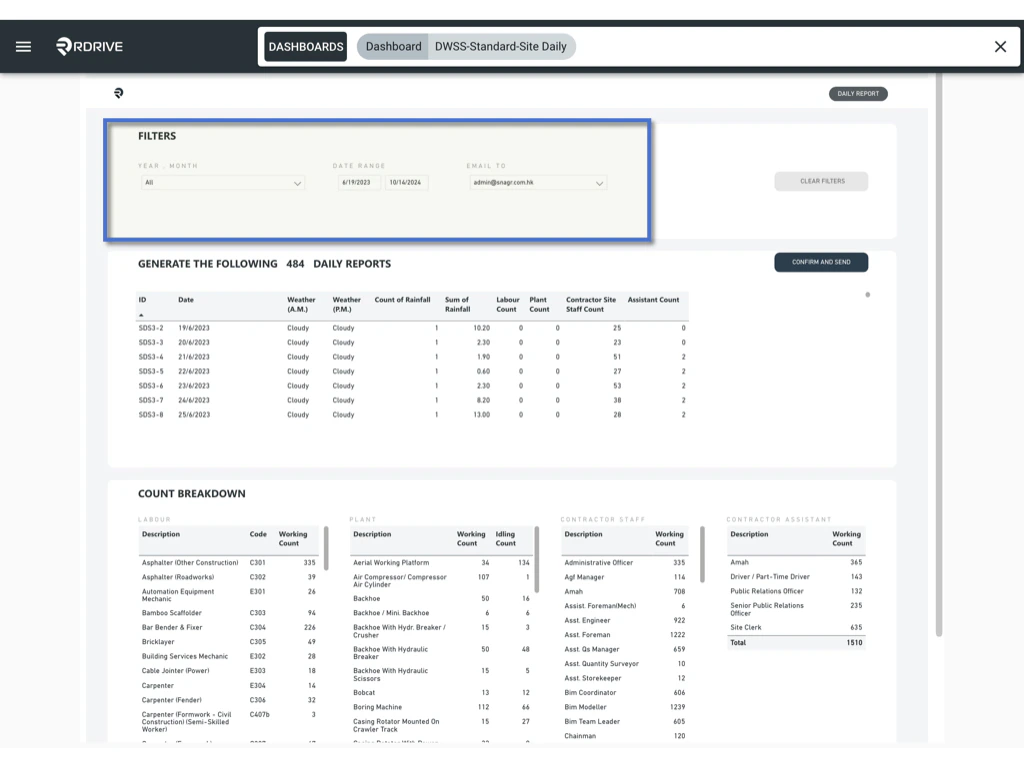 ### **Step 3: Trigger Report Generation**
* After selecting your options, click the **CONFIRM AND SEND** button.
### **Step 3: Trigger Report Generation**
* After selecting your options, click the **CONFIRM AND SEND** button.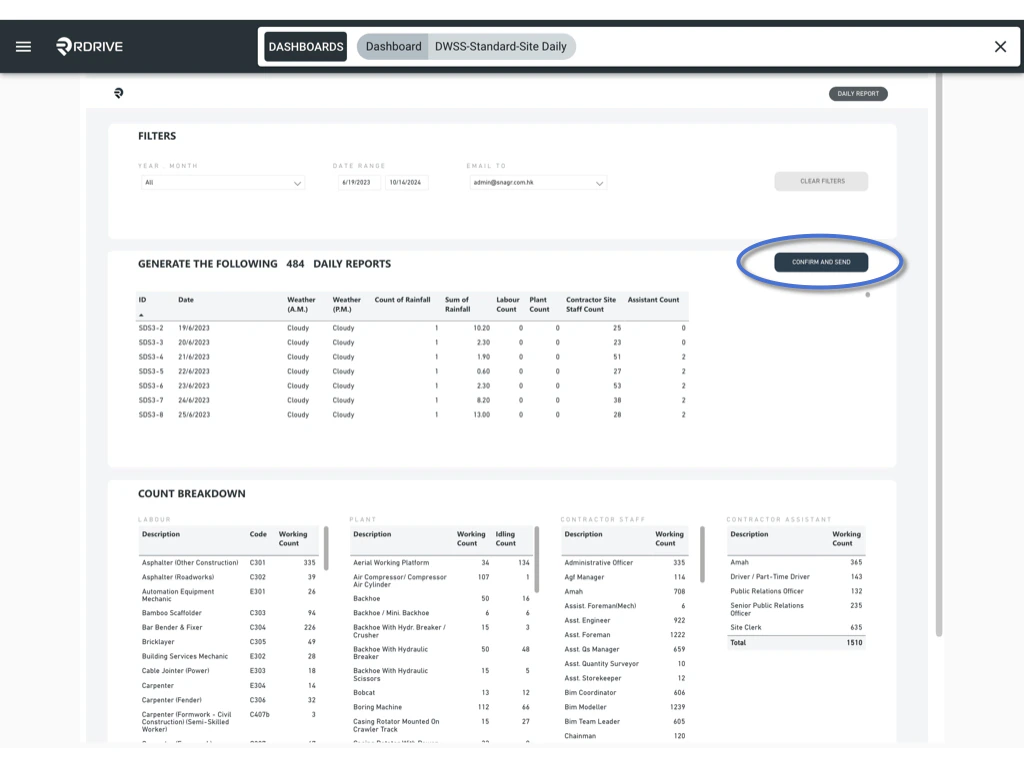 * The report generation process will begin in the background, allowing you to close this page and continue with other tasks.
 ### **Step 4: Receive the Notification and Download the Report**
* Once the report is ready, RDrive will automatically send a notification email to the specified recipient. This email will include a link to access the report.
### **Step 4: Receive the Notification and Download the Report**
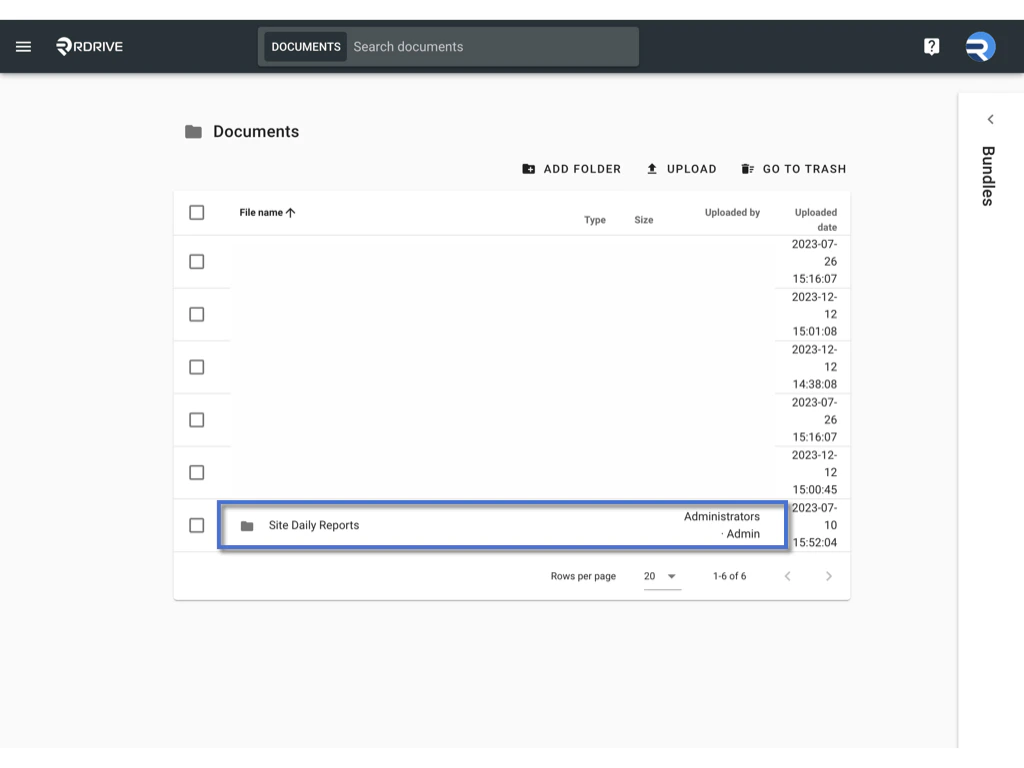
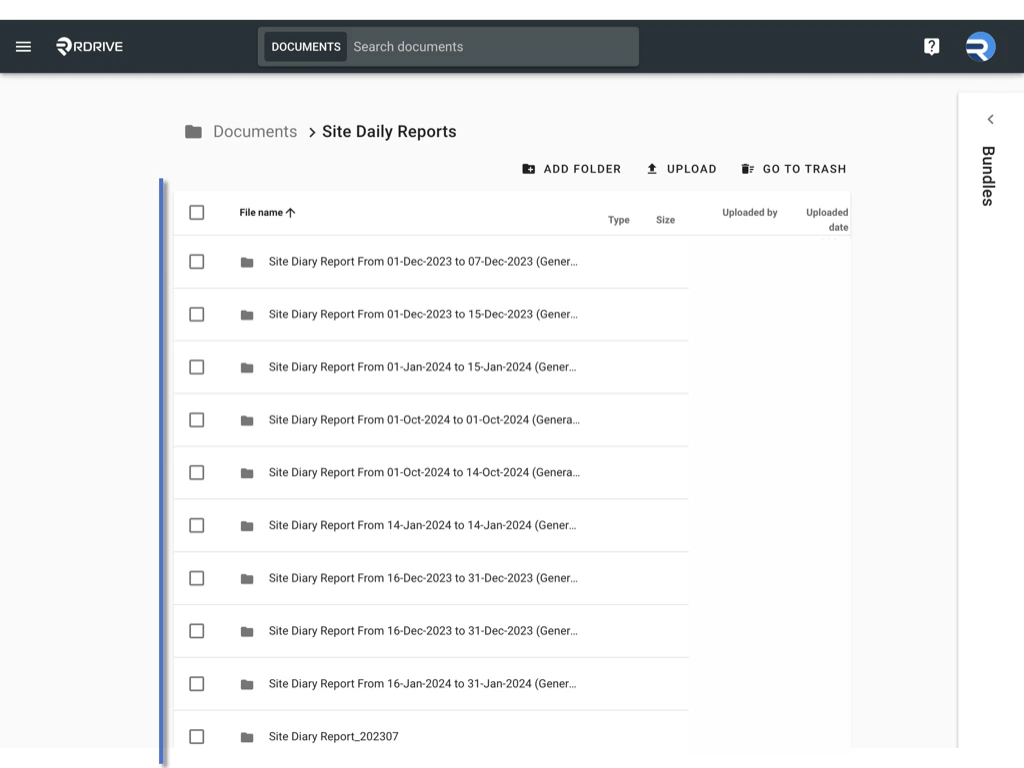
* Once the report is ready, RDrive will automatically send a notification email to the specified recipient. This email will include a link to access the report.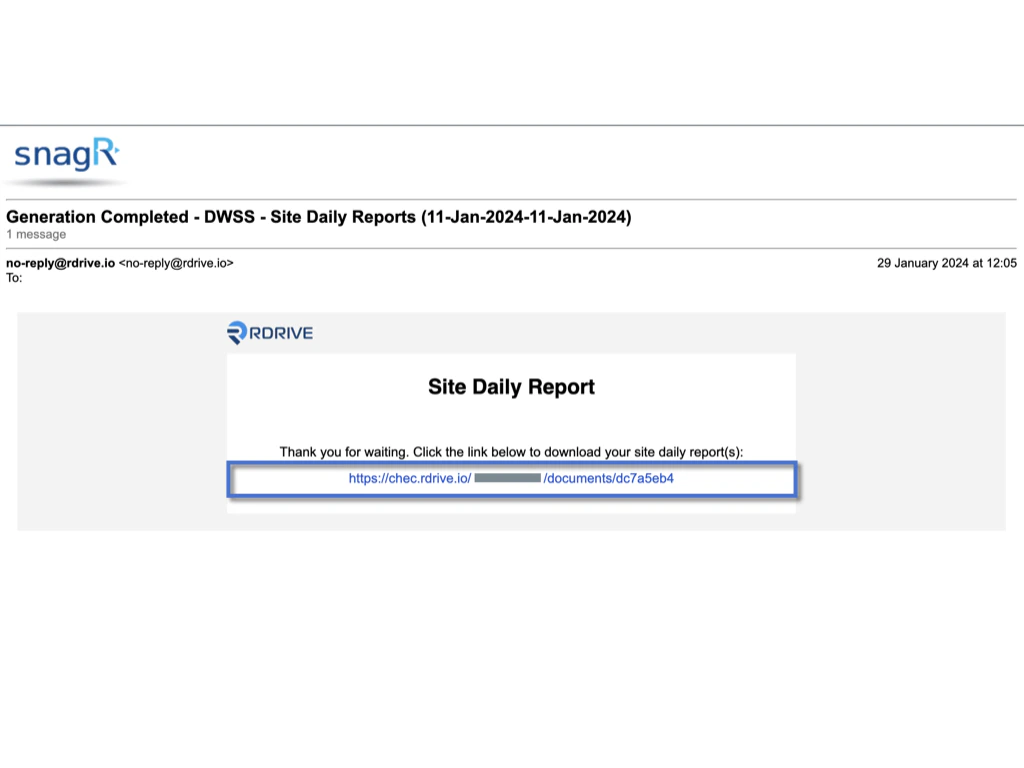 * The generated report will also be uploaded to the RDrive document repository. You can either use the email link or access the repository directly within RDrive to download the PDF report.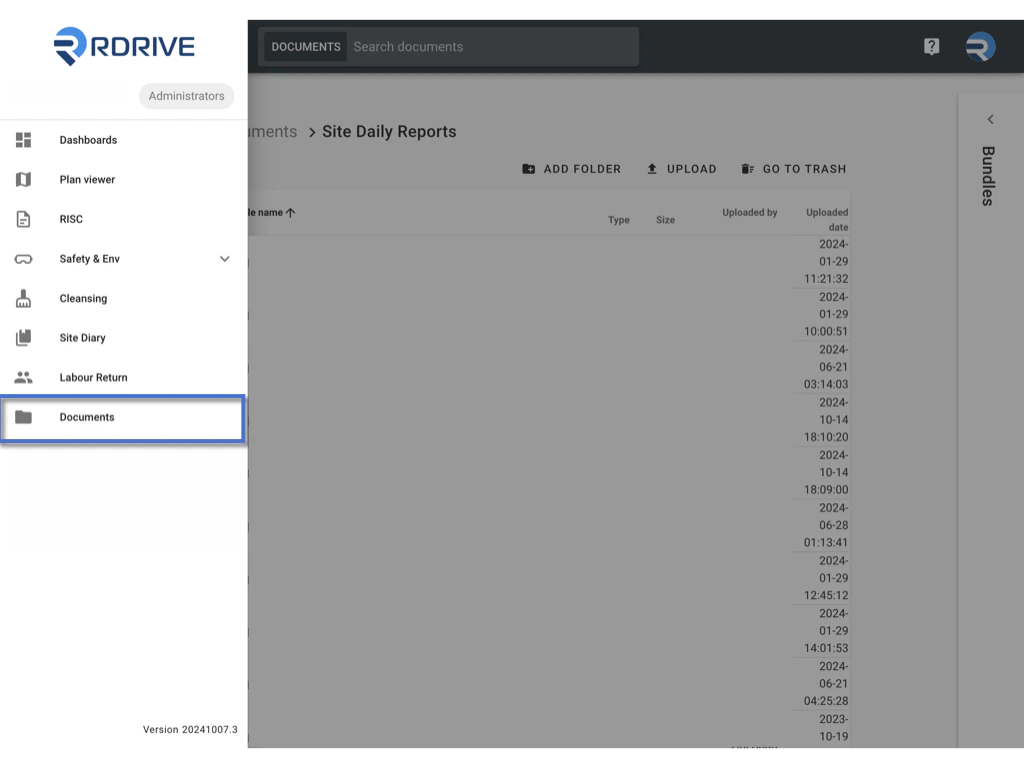
 ### ***Important Tip: Data Refresh on the Dashboard***
*Please note: The data displayed on the RDrive dashboard is not real-time. It refreshes according to a scheduled time, visible at the bottom-right corner of the dashboard.*\
*Only data entered before the last refresh time will be included in the report. If you need to refresh the data urgently, please contact RDrive Support for assistance.*
***
## **Conclusion**
Generating Site Daily Reports using RDrive’s dashboard is a quick and efficient way to maintain up-to-date records of your project activities. By following these steps, you can easily create accurate daily reports that meet your documentation needs. Use RDrive to streamline your reporting process and keep your projects on track.
### ***Important Tip: Data Refresh on the Dashboard***
*Please note: The data displayed on the RDrive dashboard is not real-time. It refreshes according to a scheduled time, visible at the bottom-right corner of the dashboard.*\
*Only data entered before the last refresh time will be included in the report. If you need to refresh the data urgently, please contact RDrive Support for assistance.*
***
## **Conclusion**
Generating Site Daily Reports using RDrive’s dashboard is a quick and efficient way to maintain up-to-date records of your project activities. By following these steps, you can easily create accurate daily reports that meet your documentation needs. Use RDrive to streamline your reporting process and keep your projects on track.