> ## Documentation Index
> Fetch the complete documentation index at: https://docs.rdrive.io/llms.txt
> Use this file to discover all available pages before exploring further.

# How to reset the password for the user?

> Only the company admin can reset the password for all users.

Only the company admin can reset the password for all users.

**via Website**

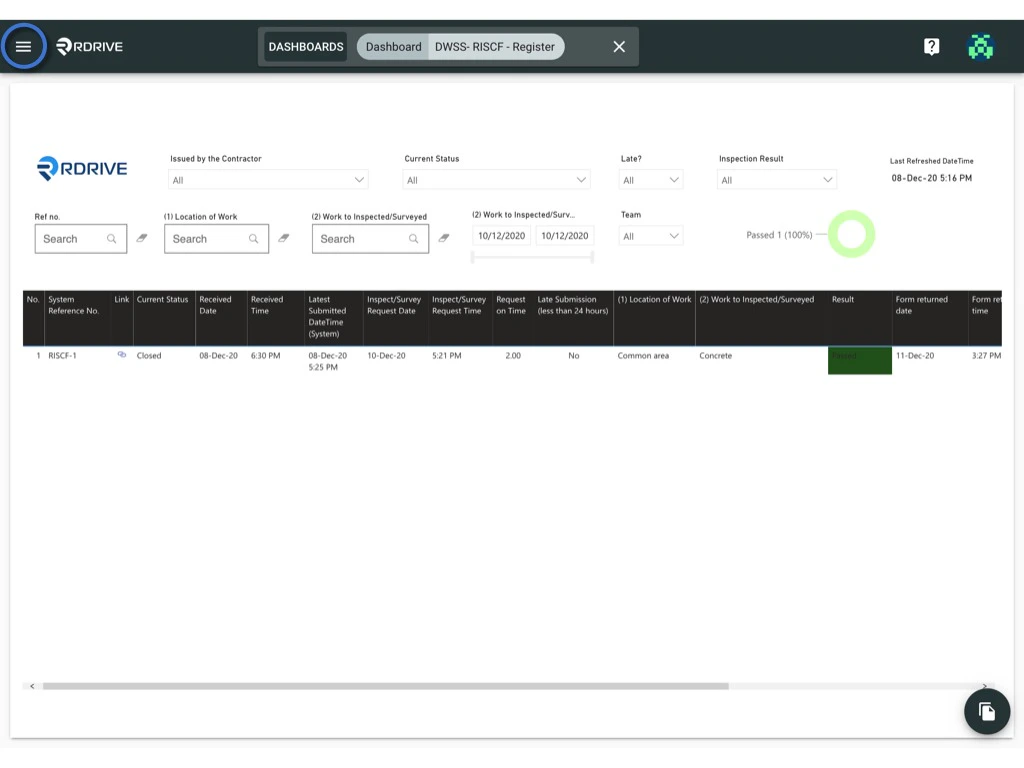
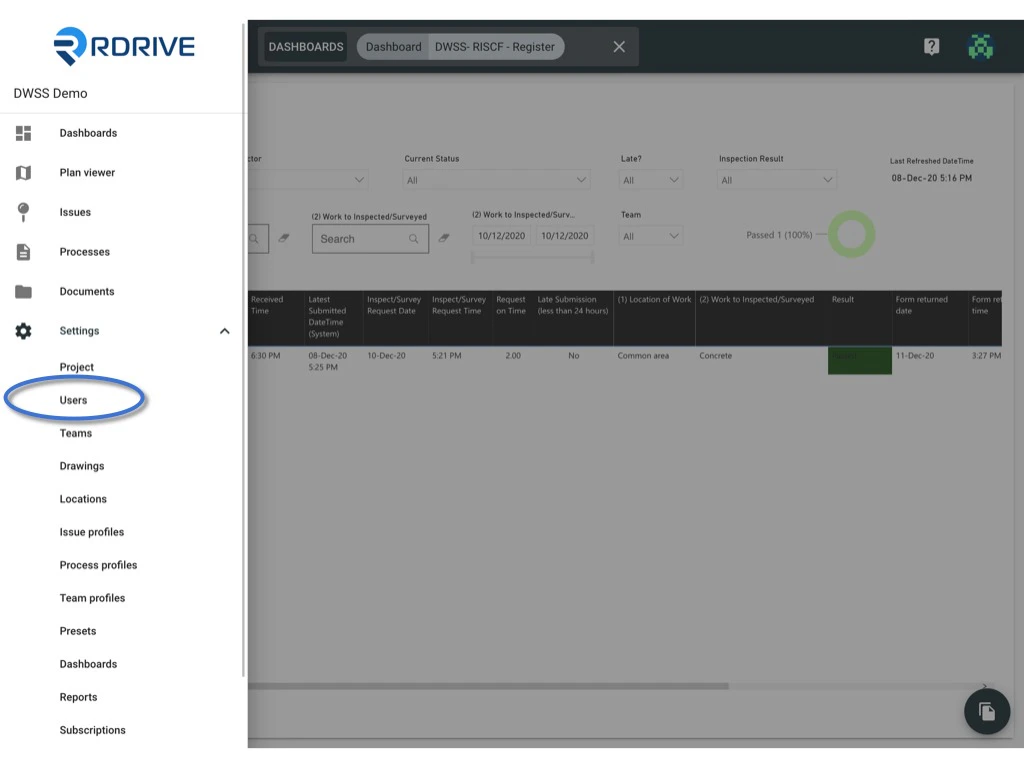
click the **≡** menu icon on the top left corner to unfold the Menu, get entry to the **Setting** > **Users** page.
<img src="https://mintcdn.com/rdrive/B03Wr1cTLOF6xGiT/images/kb/103000035142/JuOHnirtGF34td3cYruhez1HeWnP0HY0BA.jpeg?fit=max&auto=format&n=B03Wr1cTLOF6xGiT&q=85&s=019e2b116eacdd0f994cb26753cd976f" alt="How to reset the password for the user?" width="1024" height="768" data-path="images/kb/103000035142/JuOHnirtGF34td3cYruhez1HeWnP0HY0BA.jpeg" />

<img src="https://mintcdn.com/rdrive/B03Wr1cTLOF6xGiT/images/kb/103000035142/AfufiC64BS6jpZsVTbnYJSCQPzulJX-gOA.jpeg?fit=max&auto=format&n=B03Wr1cTLOF6xGiT&q=85&s=32d7d23942f9c8c645aa442ab1f66b6e" alt="How to reset the password for the user?" width="1024" height="768" data-path="images/kb/103000035142/AfufiC64BS6jpZsVTbnYJSCQPzulJX-gOA.jpeg" />

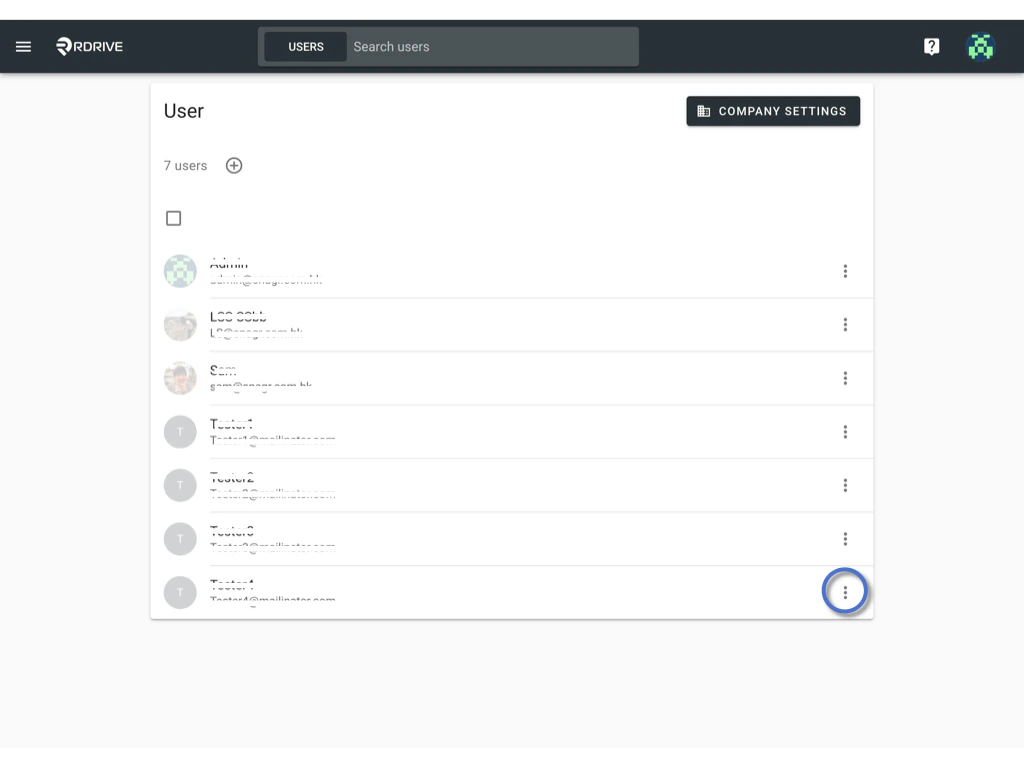
Click the **⋮** button on the right-hand side of the user detail > **Change authentication settings**
<img src="https://mintcdn.com/rdrive/B03Wr1cTLOF6xGiT/images/kb/103000035142/B8Z5Tw_bUao1hKf8YAaVUklVC-TKtXBydQ.jpeg?fit=max&auto=format&n=B03Wr1cTLOF6xGiT&q=85&s=109546a91b88bc0dbe03d6f0108f16a1" alt="How to reset the password for the user?" width="1024" height="768" data-path="images/kb/103000035142/B8Z5Tw_bUao1hKf8YAaVUklVC-TKtXBydQ.jpeg" />

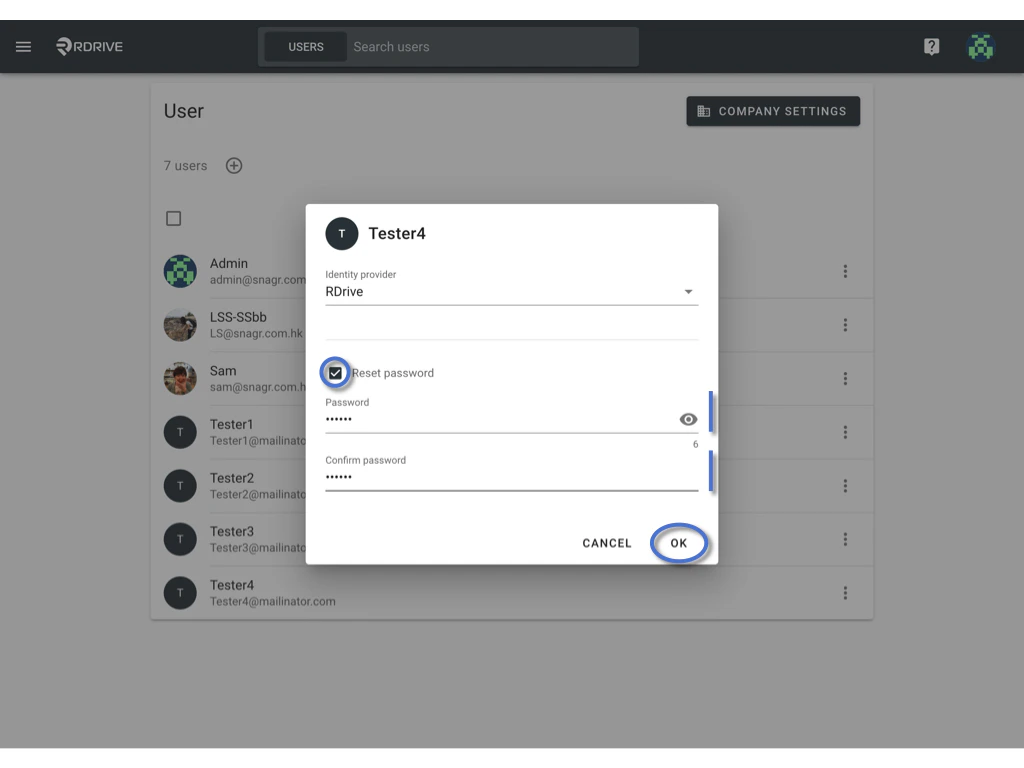
<img src="https://mintcdn.com/rdrive/B03Wr1cTLOF6xGiT/images/kb/103000035142/pj2JtT_e7LBc0m4TXM6YTwccRXHbxOSsdQ.png?fit=max&auto=format&n=B03Wr1cTLOF6xGiT&q=85&s=c1b04d348f35e243751a3a43ef455197" alt="How to reset the password for the user?" width="1024" height="768" data-path="images/kb/103000035142/pj2JtT_e7LBc0m4TXM6YTwccRXHbxOSsdQ.png" />From here you are able to reset the password.

Please check the Reset password box and enter the new password twice.
<img src="https://mintcdn.com/rdrive/B03Wr1cTLOF6xGiT/images/kb/103000035142/muAVxTPQoVI7o8AU4ZEN9popWhk59GOHuw.jpeg?fit=max&auto=format&n=B03Wr1cTLOF6xGiT&q=85&s=97d4de0483842ac3eb7350b01f931c43" alt="How to reset the password for the user?" width="1024" height="768" data-path="images/kb/103000035142/muAVxTPQoVI7o8AU4ZEN9popWhk59GOHuw.jpeg" />

Click **OK** to save.
