> ## Documentation Index
> Fetch the complete documentation index at: https://docs.rdrive.io/llms.txt
> Use this file to discover all available pages before exploring further.
# Login with Passwordless
> After the Passwordless activation, user can now login with an email address and passcode.
After the Passwordless activation, user can now login with an email address and passcode.
First of all, may I please know which application are you going to log in to?
* [Login to Website](#login-to-website)
* [1️⃣ Approved by the authenticated device.](#1%ef%b8%8f%e2%83%a3-approved-by-the-authenticated-device.%c2%a0)
* [2️⃣ Use Passcode - send passcode to email](#2%ef%b8%8f%e2%83%a3%c2%a0use-passcode---send-passcode-to-email)
* [3️⃣ Use Passcode - from RDrive APP](#3%ef%b8%8f%e2%83%a3-use-passcode---from-rdrive-app)
* [Login to Device](#login-to-device)
* [1️⃣ Approved by the authenticated device.](#1%ef%b8%8f%e2%83%a3-approved-by-the-authenticated-device.%c2%a0-1)
* [2️⃣ Use Passcode - send passcode to email](#2%ef%b8%8f%e2%83%a3%c2%a0use-passcode---send-passcode-to-email-2)
* [3️⃣ Use Passcode - from RDrive APP](#3%ef%b8%8f%e2%83%a3-use-passcode---from-rdrive-app-3)
* [Hints and Tips](#hints-and-tips%c2%a0)
* [Do I need to remember the 6-digit verification code?](#do-i-need-to-remember-the-6-digit-verification-code?)
* [How can I reset the authenticated device?](#how-can-i-reset-the-authenticated-device?%c2%a0)
***
## **Login to** **Website**
You need below 2 detail to log in RDrive:\
**1. User credential** (Email address)\
**2. 1️⃣** **[Approved by the authenticated device](#1%ef%b8%8f%e2%83%a3-approved-by-the-authenticated-device.%c2%a0).** \
or\
**Passcode generated by RDrive**. (2️⃣ [Send by email](#2%ef%b8%8f%e2%83%a3%c2%a0use-passcode---send-passcode-to-email) or 3️⃣ [get from RDrive APP](#3%ef%b8%8f%e2%83%a3-use-passcode---from-rdrive-app))
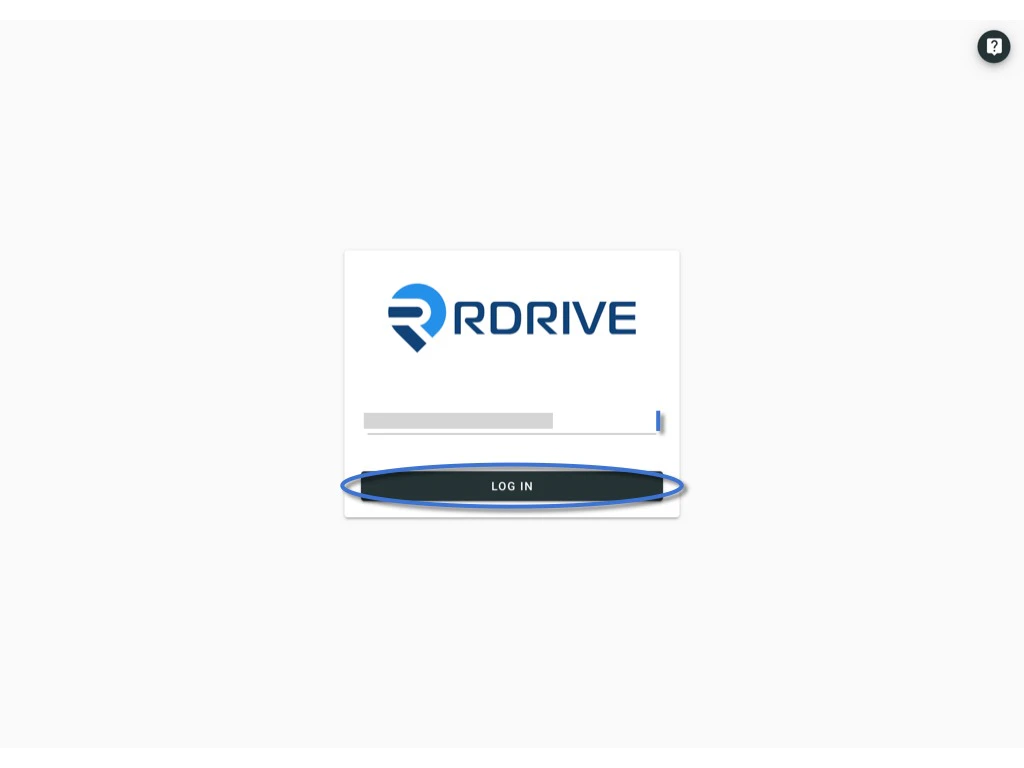
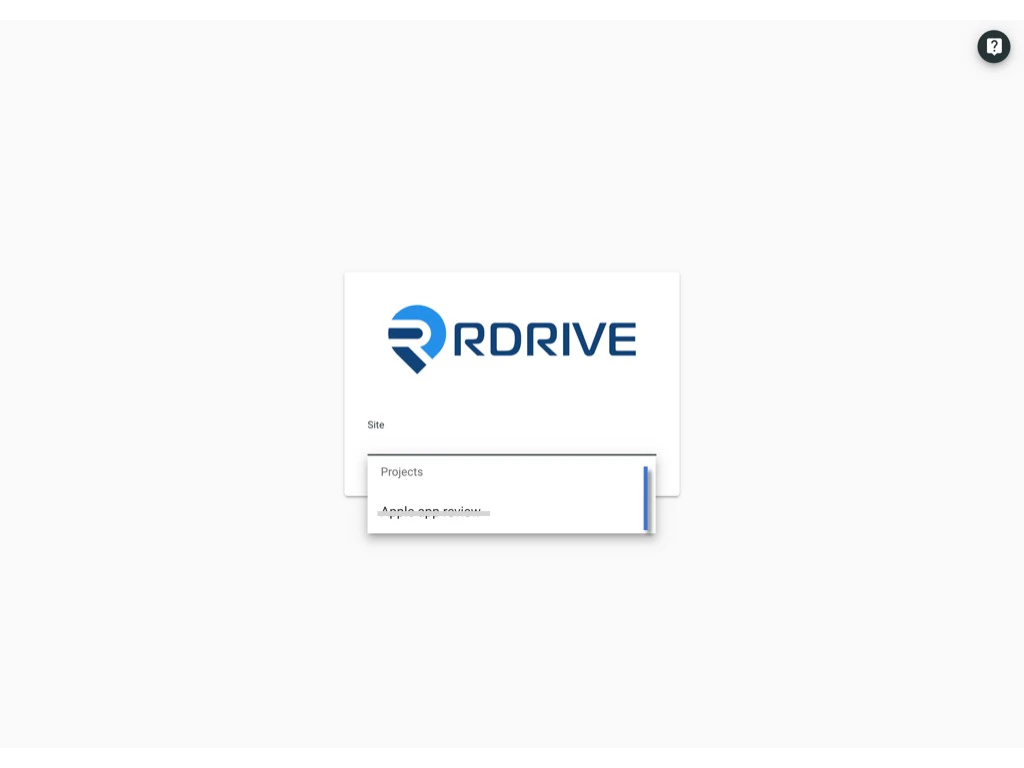
Enter the **Email address** and click **log in.**
 ***
## **1️⃣** **Approved by the authenticated device.**
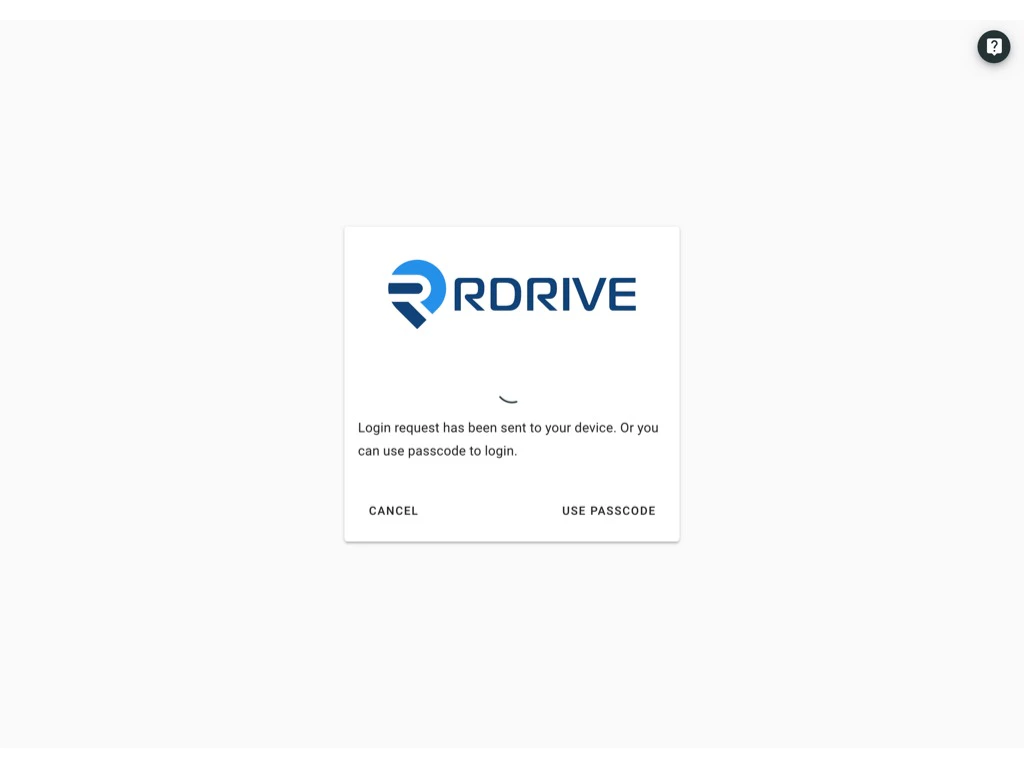
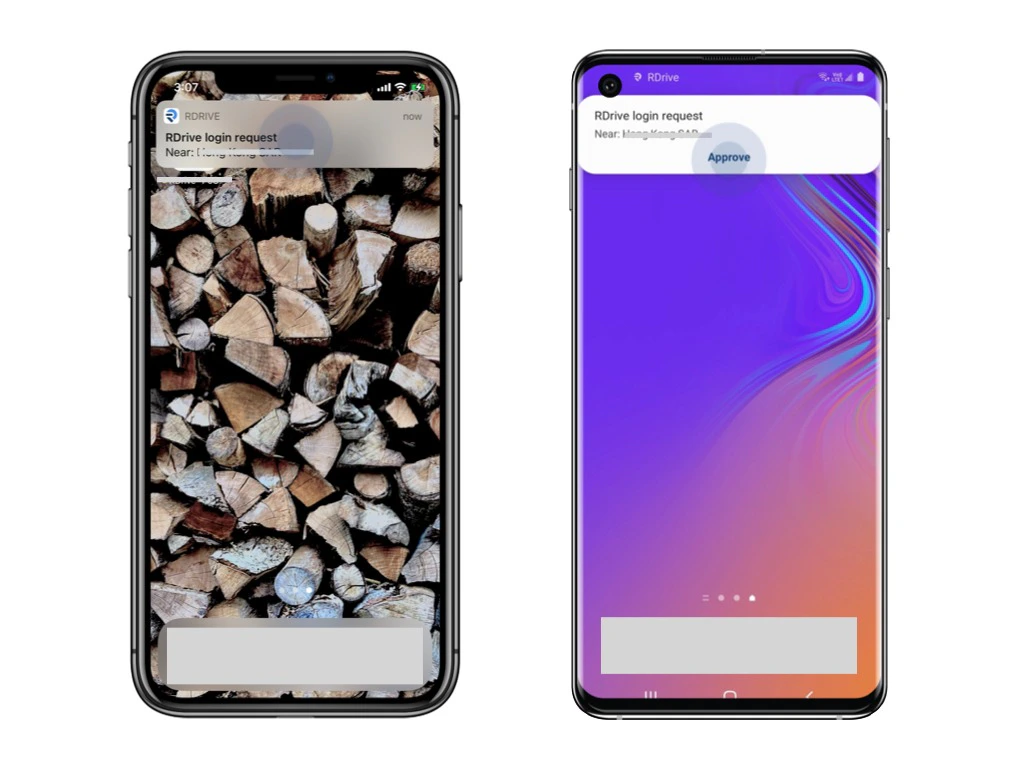
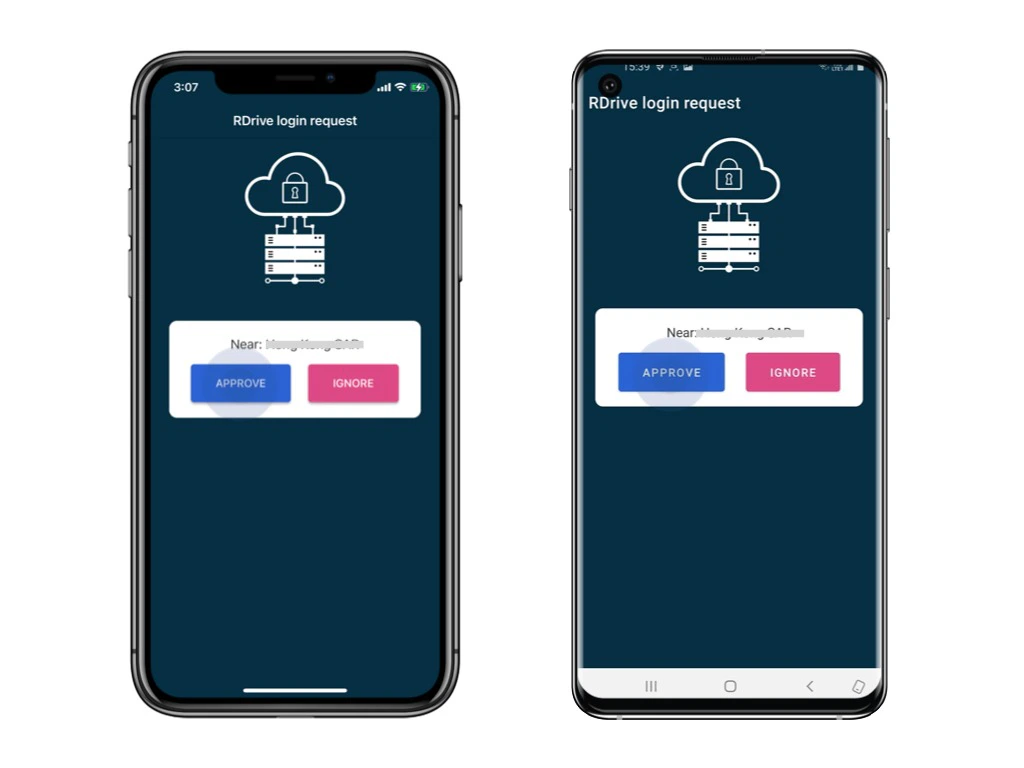
Login request will send to the authenticated device as a push-up notification.\
Please unlock the device and click **Approve.**
*[Authenticated device is means a device already logged in with 2FA. For the first log in, you have to authenticate by the PASSCODE from email.](#2%ef%b8%8f%e2%83%a3%c2%a0use-passcode---send-passcode-to-email-2)*
***
## **1️⃣** **Approved by the authenticated device.**
Login request will send to the authenticated device as a push-up notification.\
Please unlock the device and click **Approve.**
*[Authenticated device is means a device already logged in with 2FA. For the first log in, you have to authenticate by the PASSCODE from email.](#2%ef%b8%8f%e2%83%a3%c2%a0use-passcode---send-passcode-to-email-2)*
 You now successfully log in to the project!
 ***
## 2️⃣ **Use Passcode - send passcode to email**
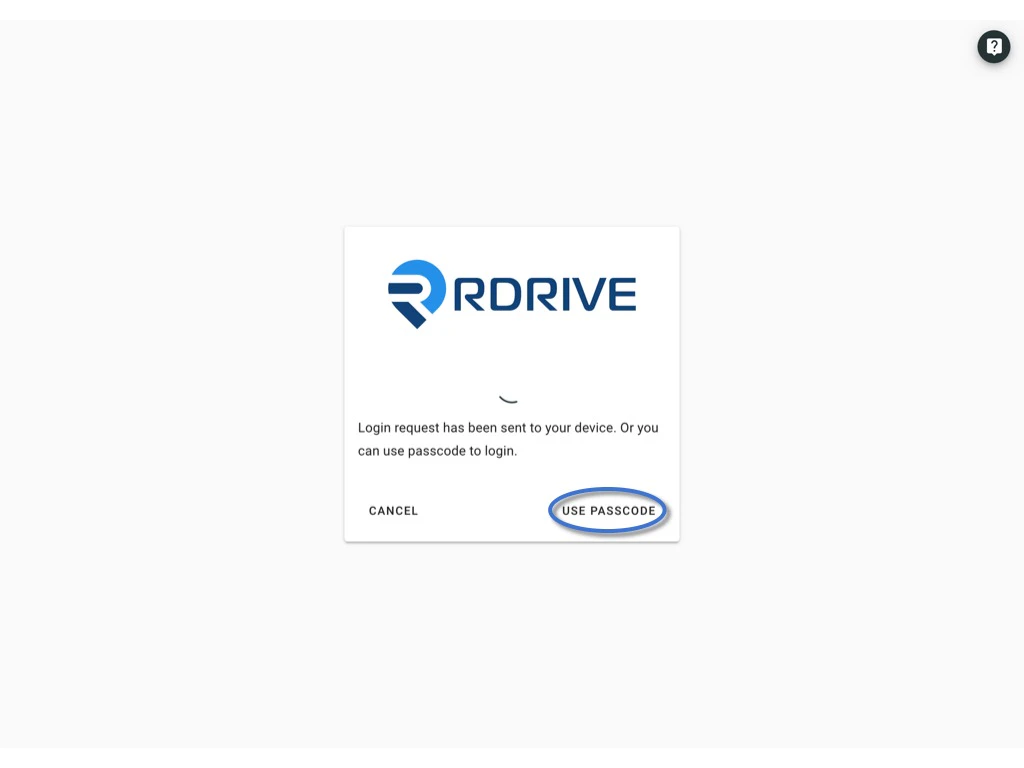
Click **Use Passcode** and **Send Passcode to Email**
***
## 2️⃣ **Use Passcode - send passcode to email**
Click **Use Passcode** and **Send Passcode to Email**
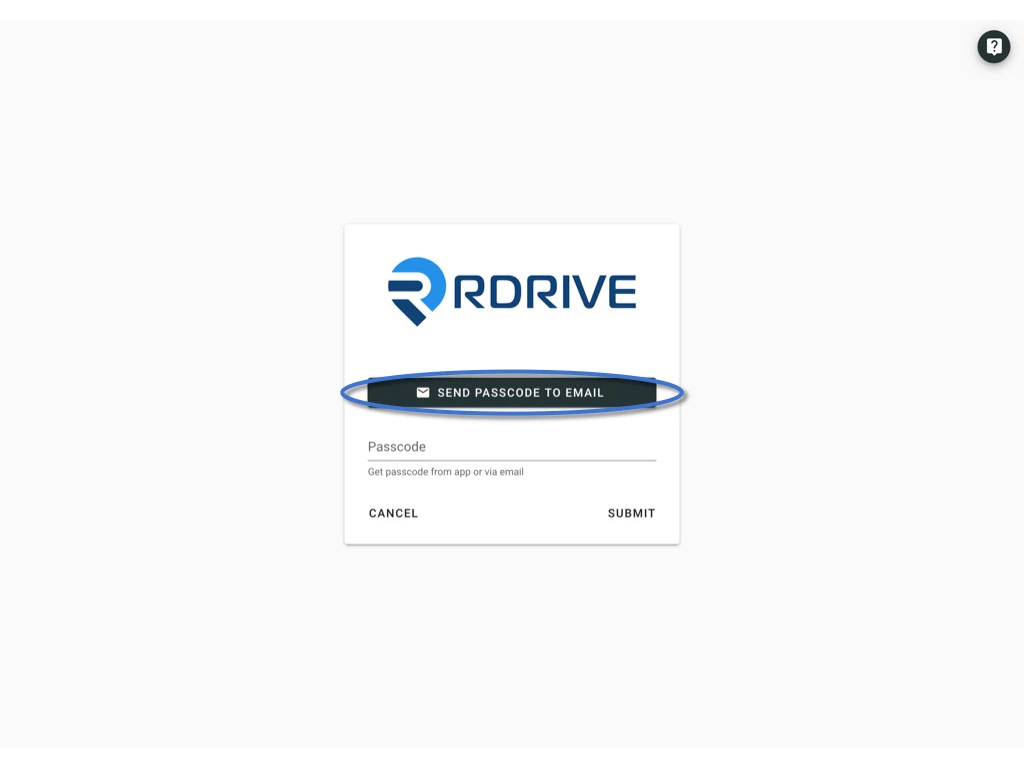 6-digit passcode email will send to your registered email.
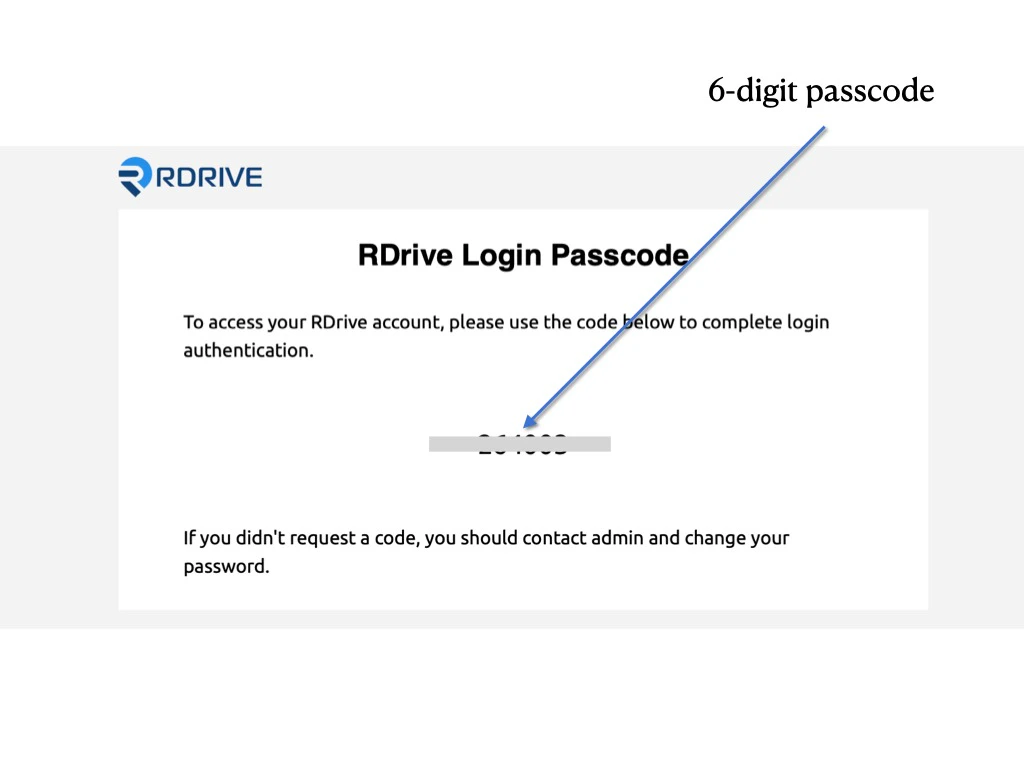 Enter the 6-digit code and **submit**.
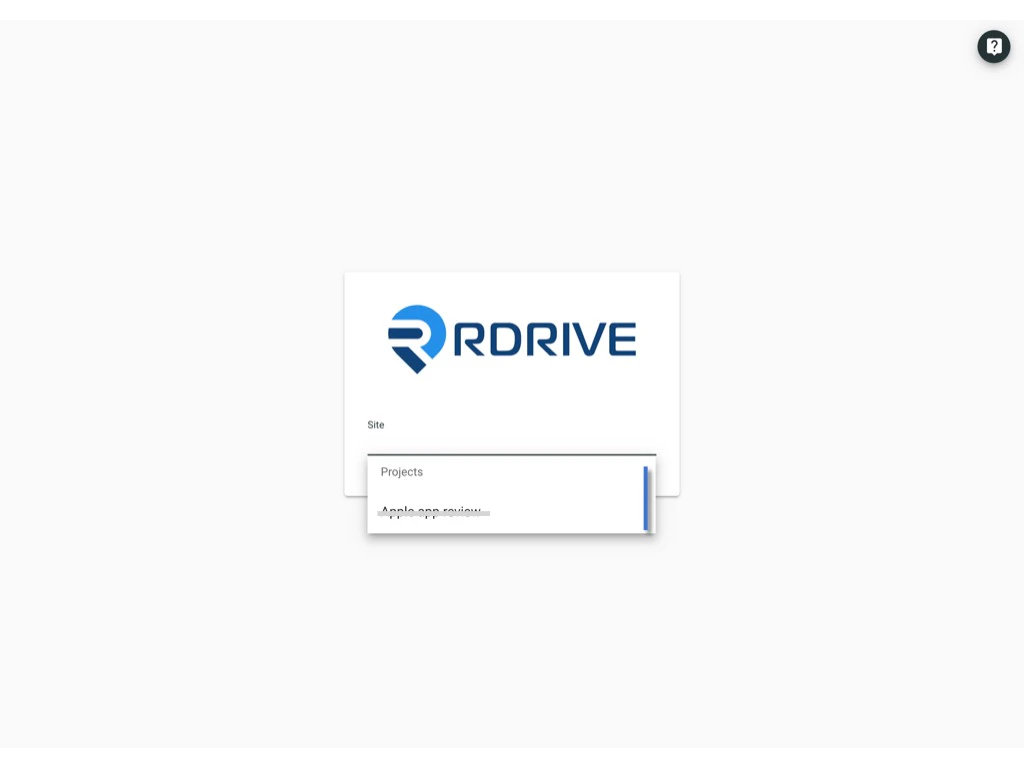
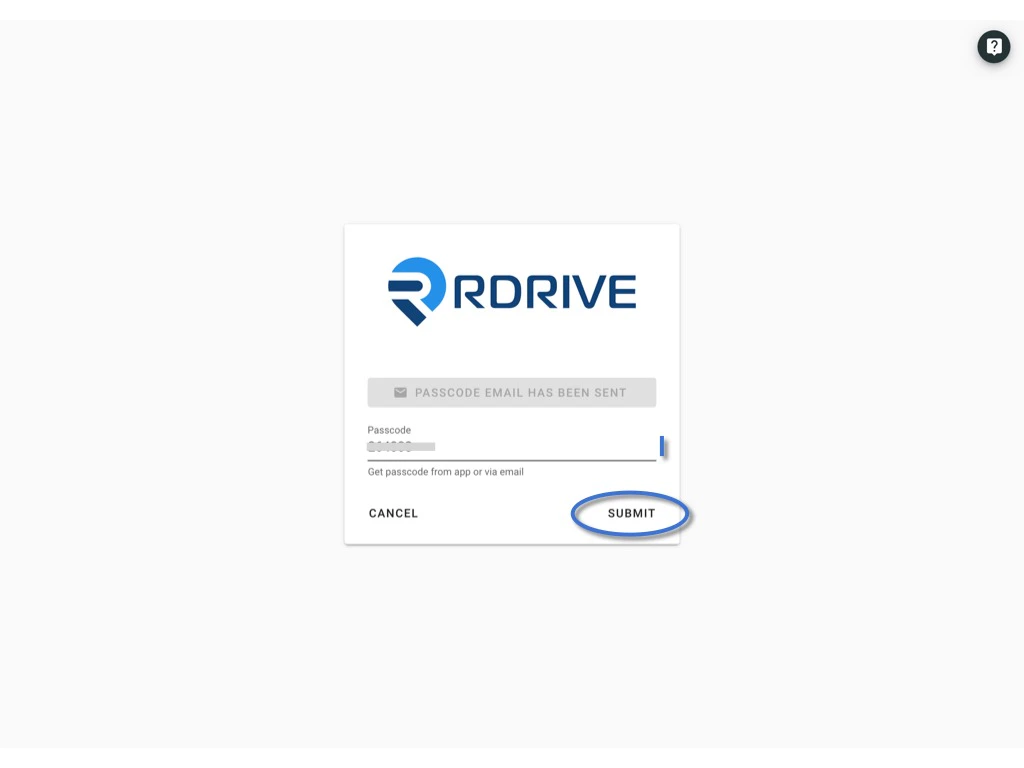 You now successfully login to the project!
 ***
## 3️⃣ **Use Passcode - from RDrive APP**
Click **Use Passcode** to enter the passcode.
***
## 3️⃣ **Use Passcode - from RDrive APP**
Click **Use Passcode** to enter the passcode.
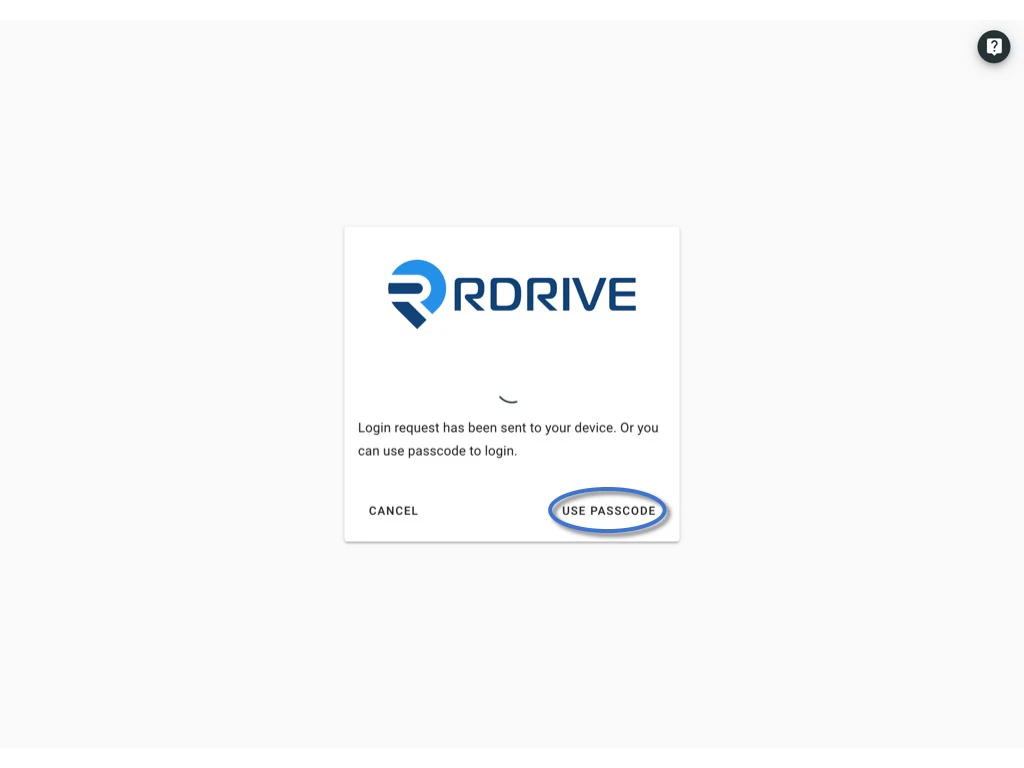 Open and login to the app via the device.\
Click the menu icon ≡ on the top left corner, Unfold **Menu** > **Passcode generator.**
Open and login to the app via the device.\
Click the menu icon ≡ on the top left corner, Unfold **Menu** > **Passcode generator.**
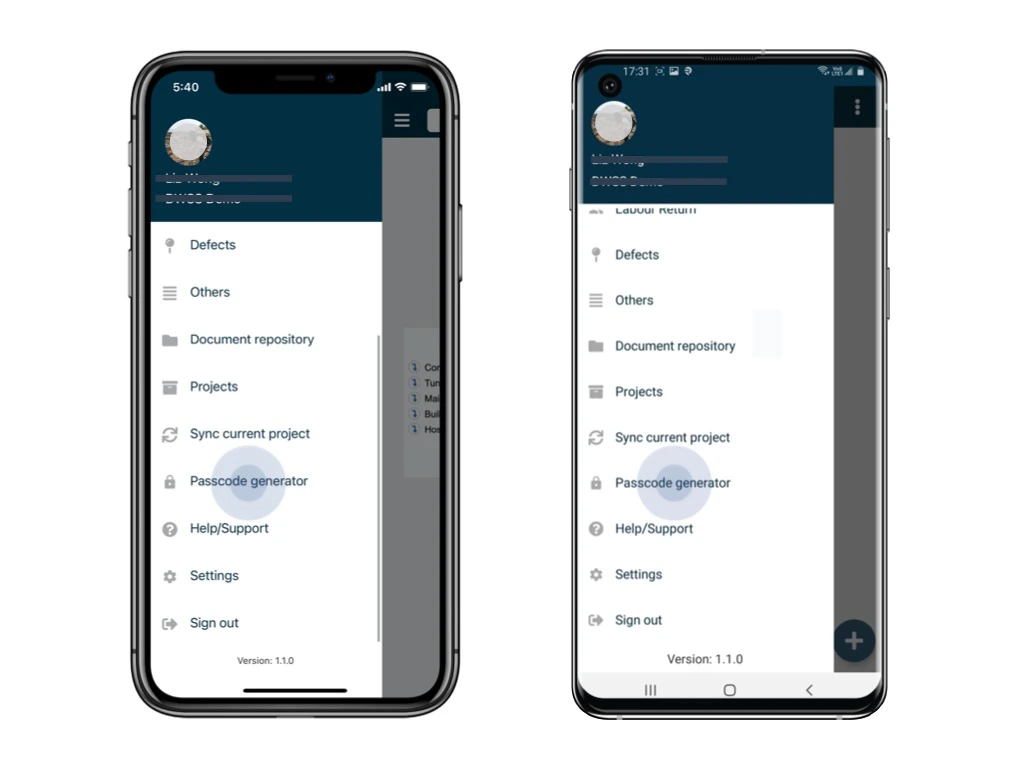
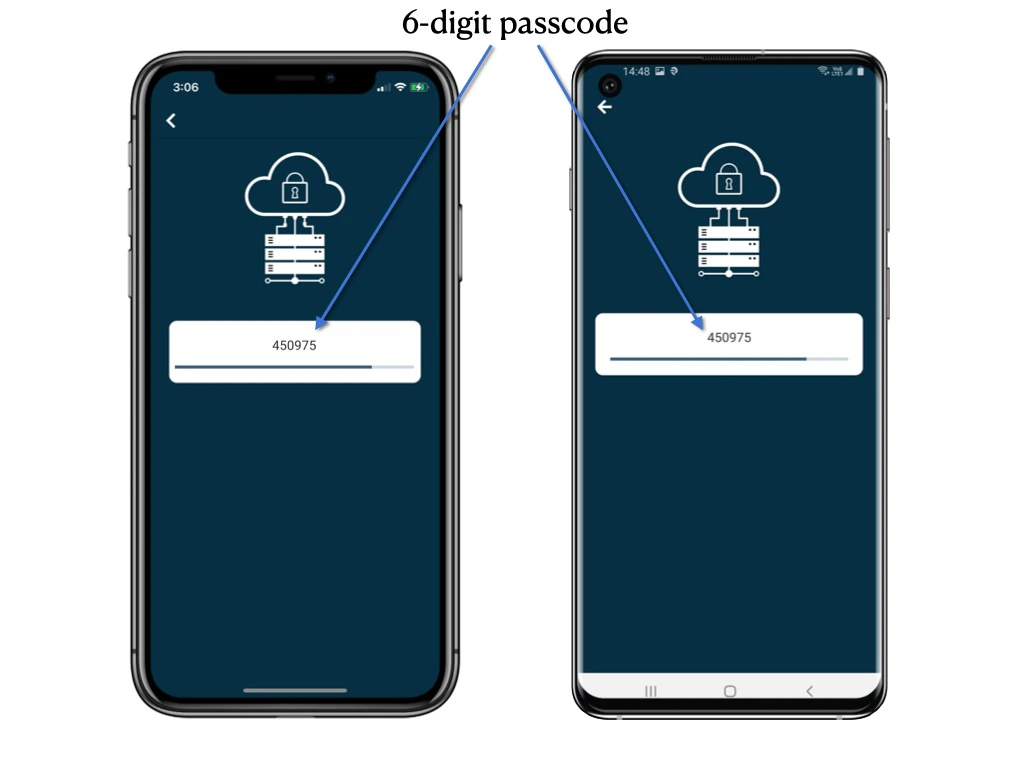 Enter the 6-digit code from the APP and **submit**.
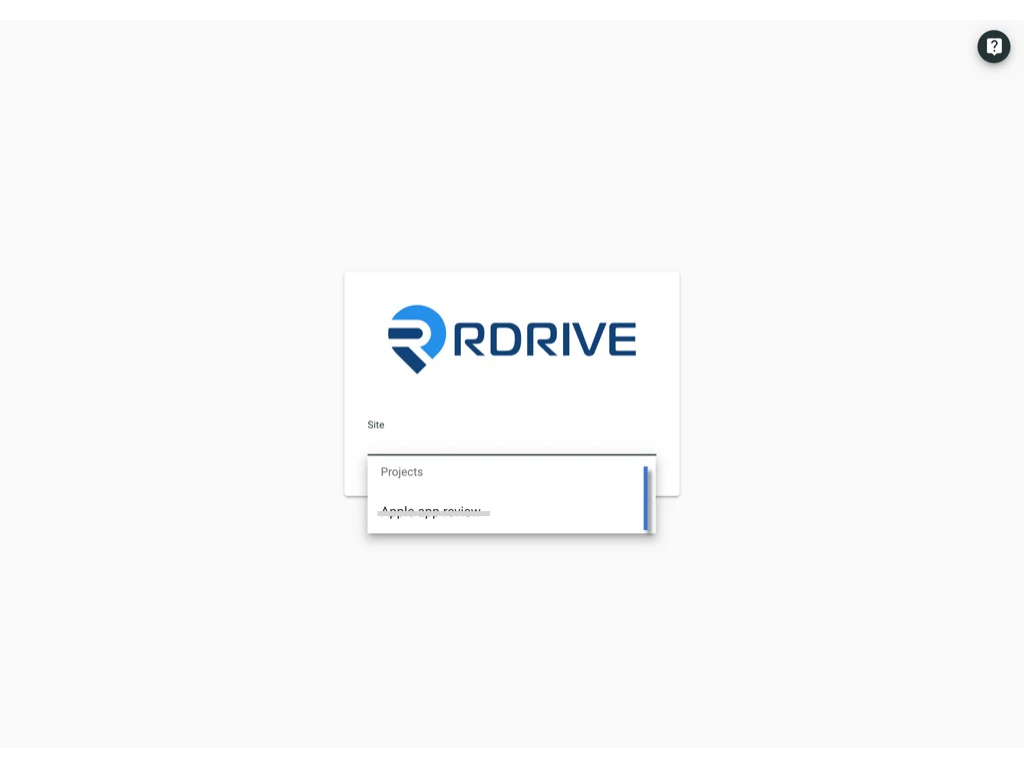
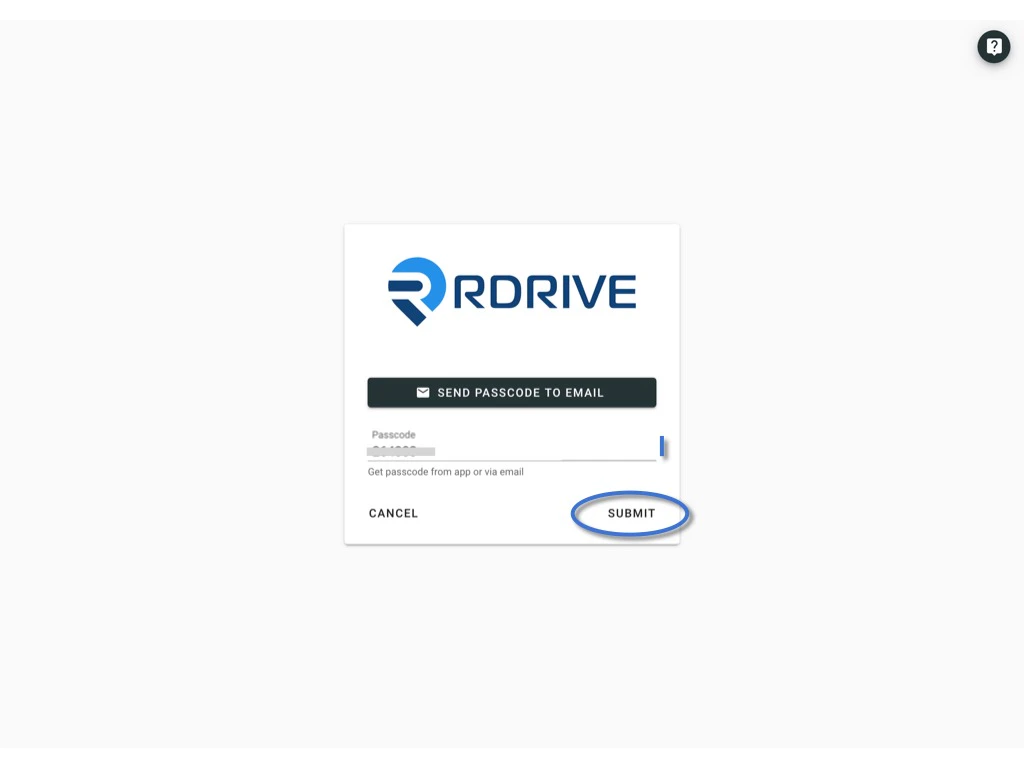 You now successfully login to the project!
 ***
## **Login to** **Device**
You need below 2 detail to log in RDrive:\
**1. User credential** (Email address)\
**2. 1️⃣** **[Approved by the authenticated device](#1%ef%b8%8f%e2%83%a3-approved-by-the-authenticated-device.%c2%a0-1).** \
or\
**Passcode generated by RDrive**. (2️⃣ [Send by email](#2%ef%b8%8f%e2%83%a3%c2%a0use-passcode---send-passcode-to-email-2) or 3️⃣ [get from RDrive APP](#3%ef%b8%8f%e2%83%a3-use-passcode---from-rdrive-app-3))
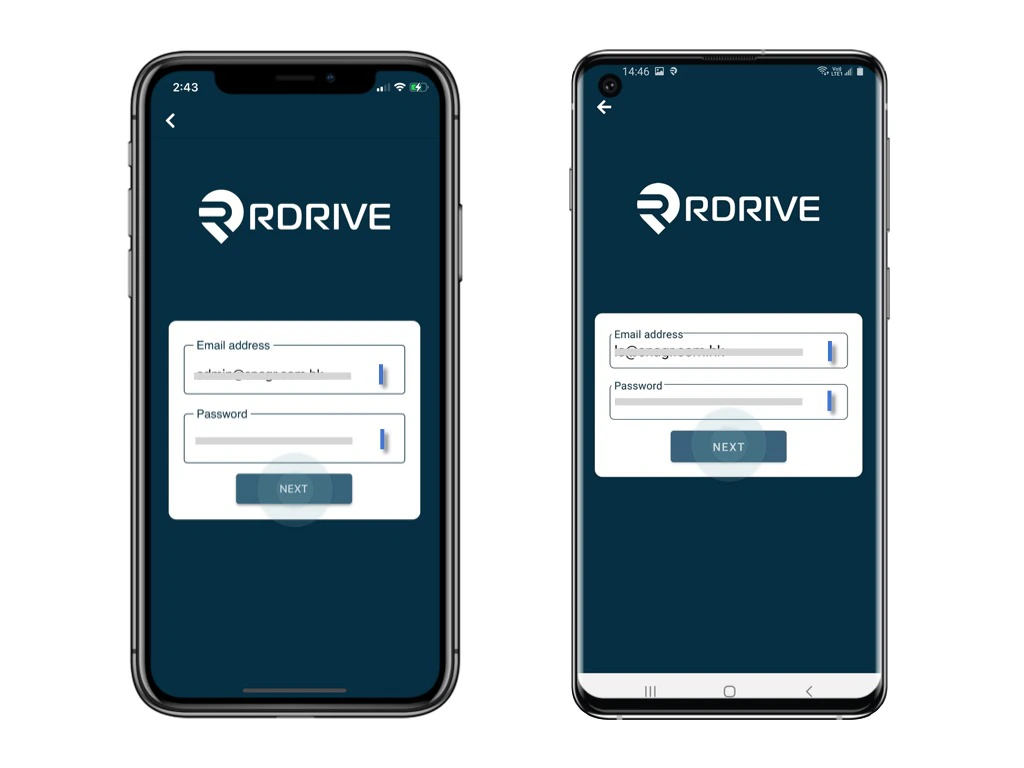
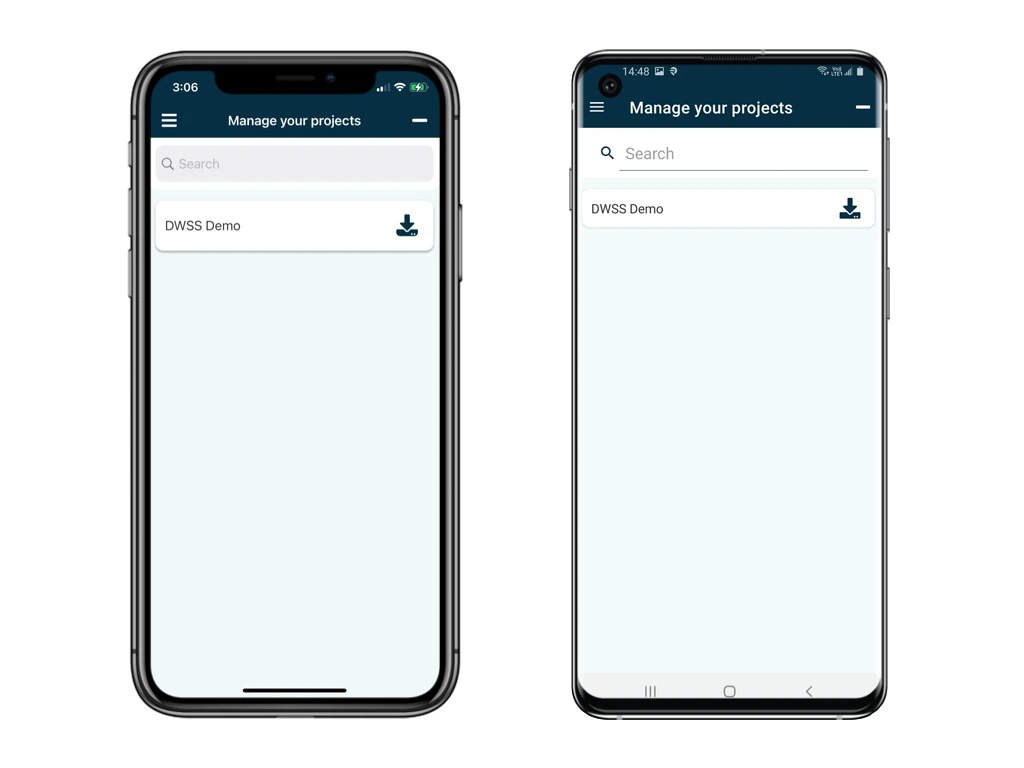
Enter the **Company code, Next,** enter the **email address** and **Next.**
***
## **Login to** **Device**
You need below 2 detail to log in RDrive:\
**1. User credential** (Email address)\
**2. 1️⃣** **[Approved by the authenticated device](#1%ef%b8%8f%e2%83%a3-approved-by-the-authenticated-device.%c2%a0-1).** \
or\
**Passcode generated by RDrive**. (2️⃣ [Send by email](#2%ef%b8%8f%e2%83%a3%c2%a0use-passcode---send-passcode-to-email-2) or 3️⃣ [get from RDrive APP](#3%ef%b8%8f%e2%83%a3-use-passcode---from-rdrive-app-3))
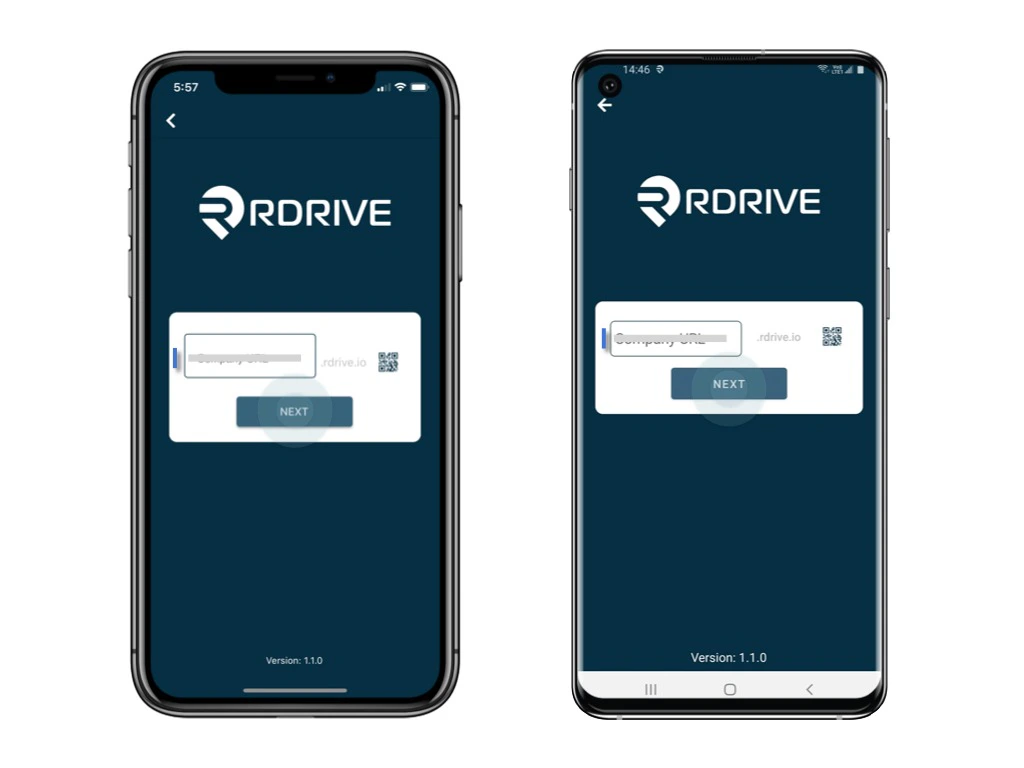
Enter the **Company code, Next,** enter the **email address** and **Next.**
 ***
## **1️⃣** **Approved by the authenticated device.**
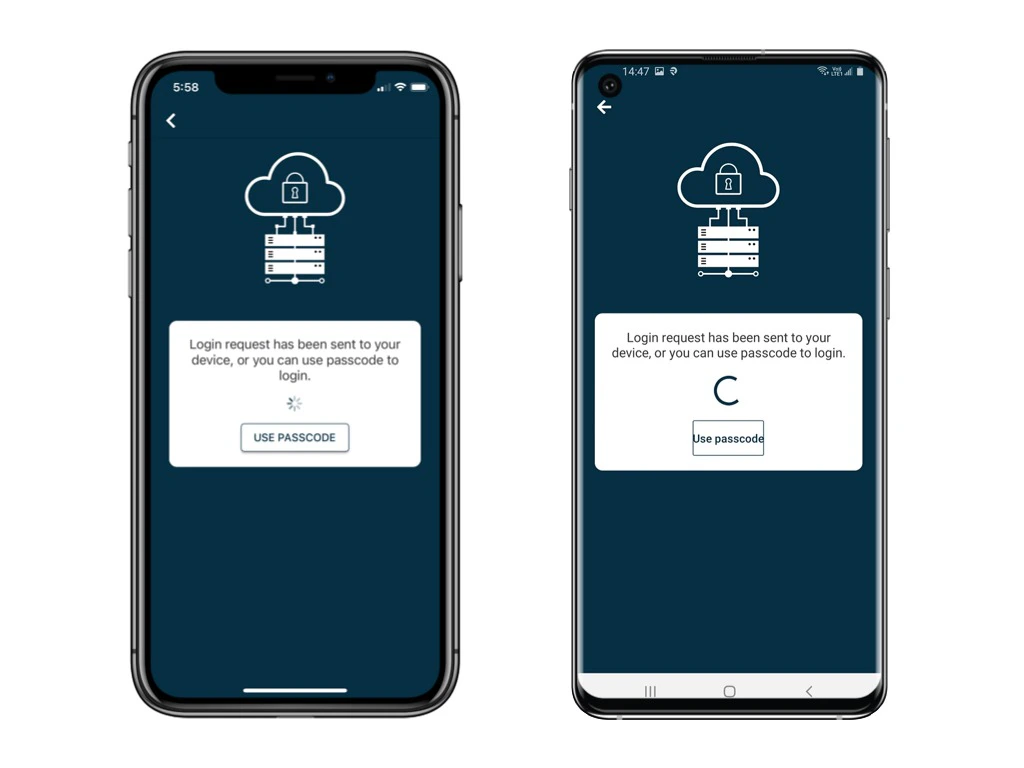
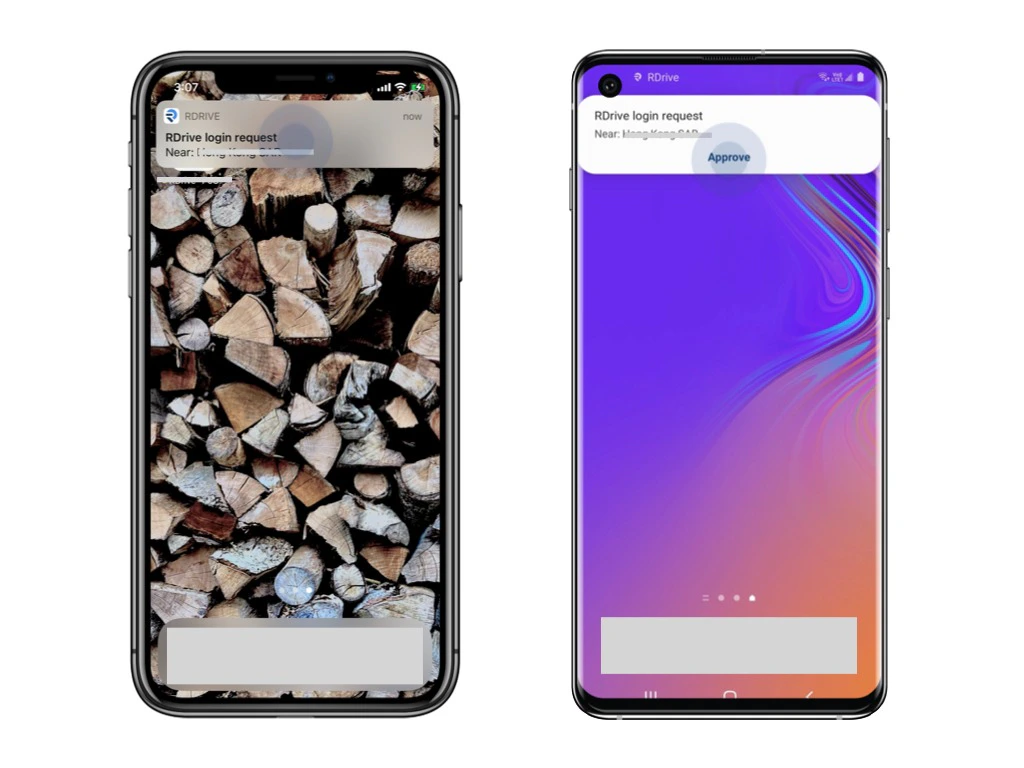
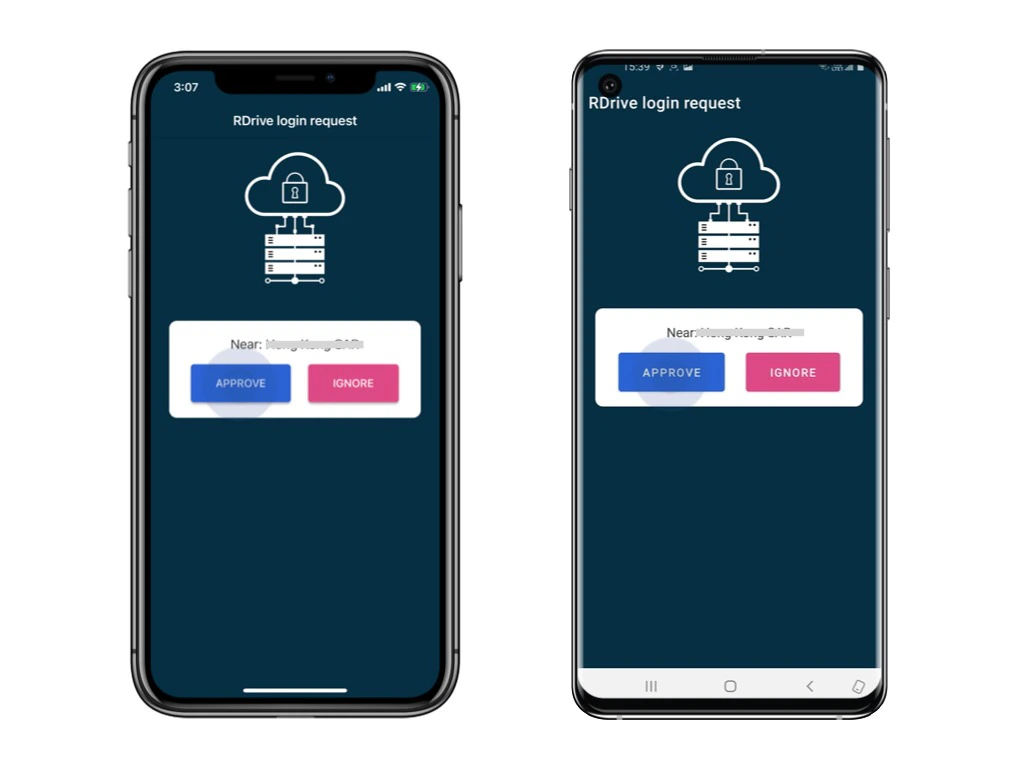
Login requests will send to the (another) authenticated device as a push-up notification.\
Please unlock that device and click **Approve.**
*[Authenticated device is means a device already logged in with 2FA. For the first log in, you have to authenticate by the PASSCODE from email.](#2%ef%b8%8f%e2%83%a3%c2%a0use-passcode---send-passcode-to-email-2)*
***
## **1️⃣** **Approved by the authenticated device.**
Login requests will send to the (another) authenticated device as a push-up notification.\
Please unlock that device and click **Approve.**
*[Authenticated device is means a device already logged in with 2FA. For the first log in, you have to authenticate by the PASSCODE from email.](#2%ef%b8%8f%e2%83%a3%c2%a0use-passcode---send-passcode-to-email-2)*
 You now successfully log in to the project!
 ***
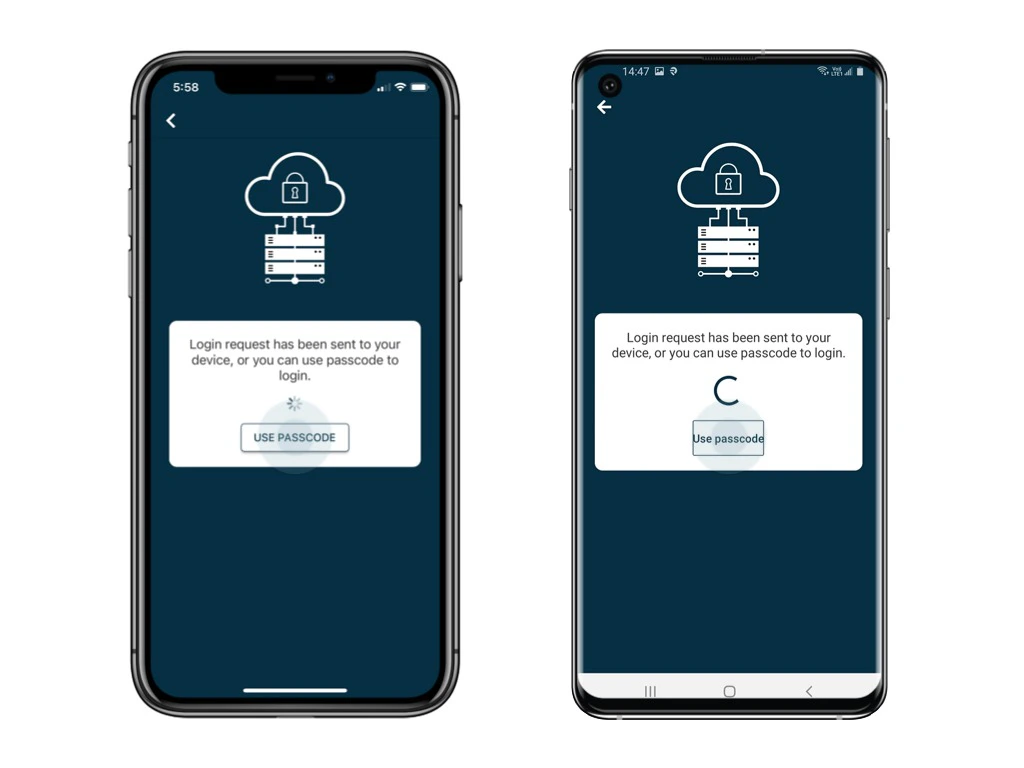
## 2️⃣ **Use Passcode - send passcode to email**
Click **Use Passcode** and **Send Passcode to Email**
***
## 2️⃣ **Use Passcode - send passcode to email**
Click **Use Passcode** and **Send Passcode to Email**
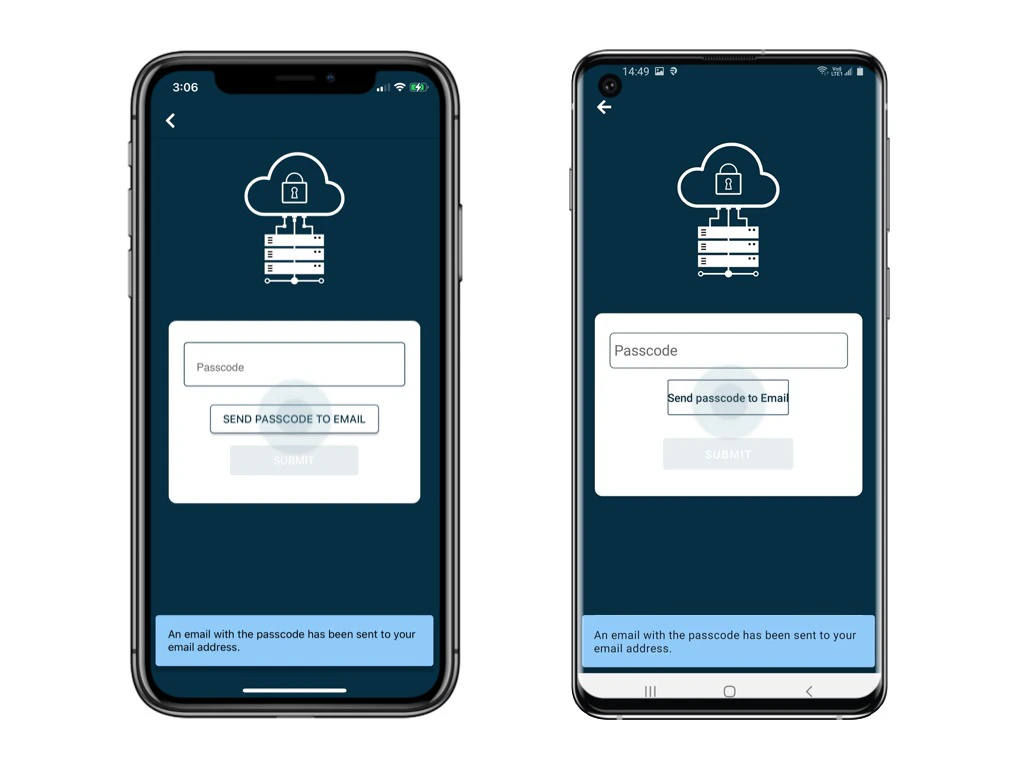 6-digit passcode email will send to your registered email.
Enter the 6-digit code and **Submit**.
6-digit passcode email will send to your registered email.
Enter the 6-digit code and **Submit**.
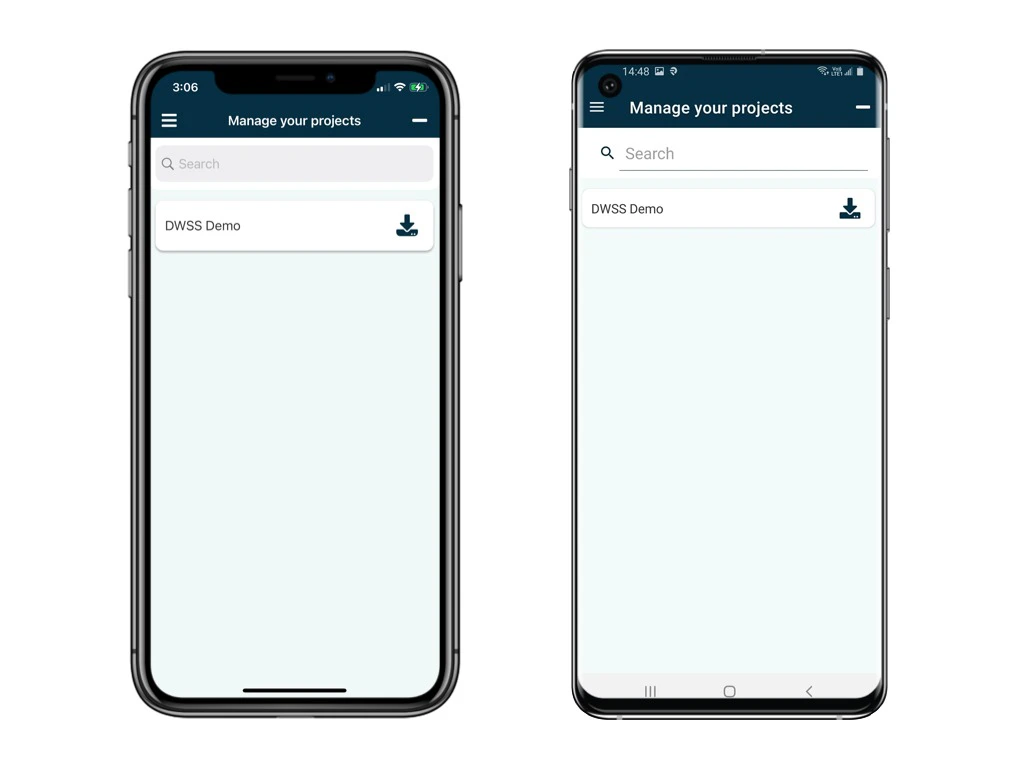
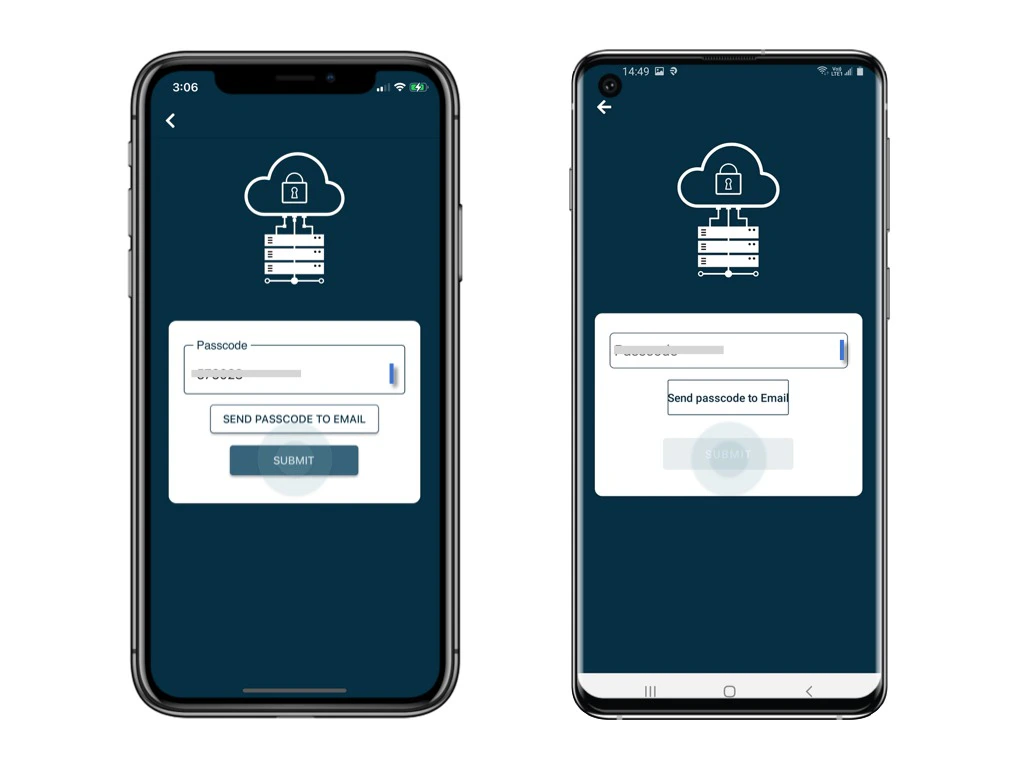 You now successfully log in to the project!
 ***
## 3️⃣ **Use Passcode - from RDrive APP**
Click **Use Passcode** to enter the passcode.
***
## 3️⃣ **Use Passcode - from RDrive APP**
Click **Use Passcode** to enter the passcode.
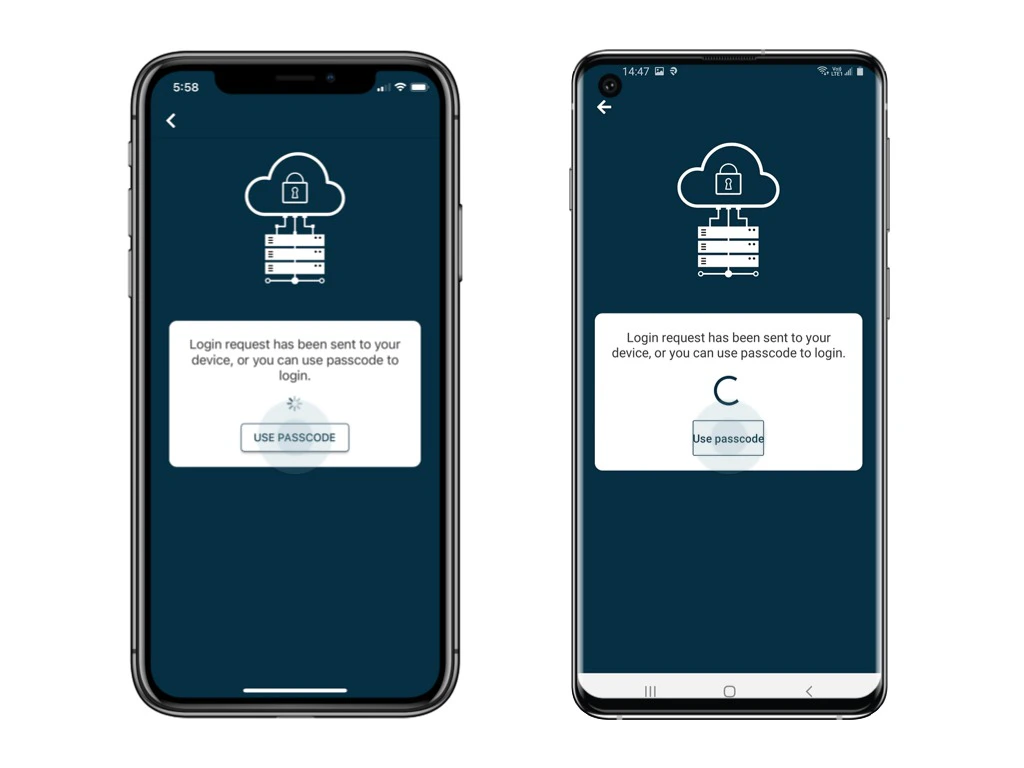 Open and login the app via **another device.** \
Click the menu icon ≡ on the top left corner, Unfold **Menu** > **Passcode generator.**
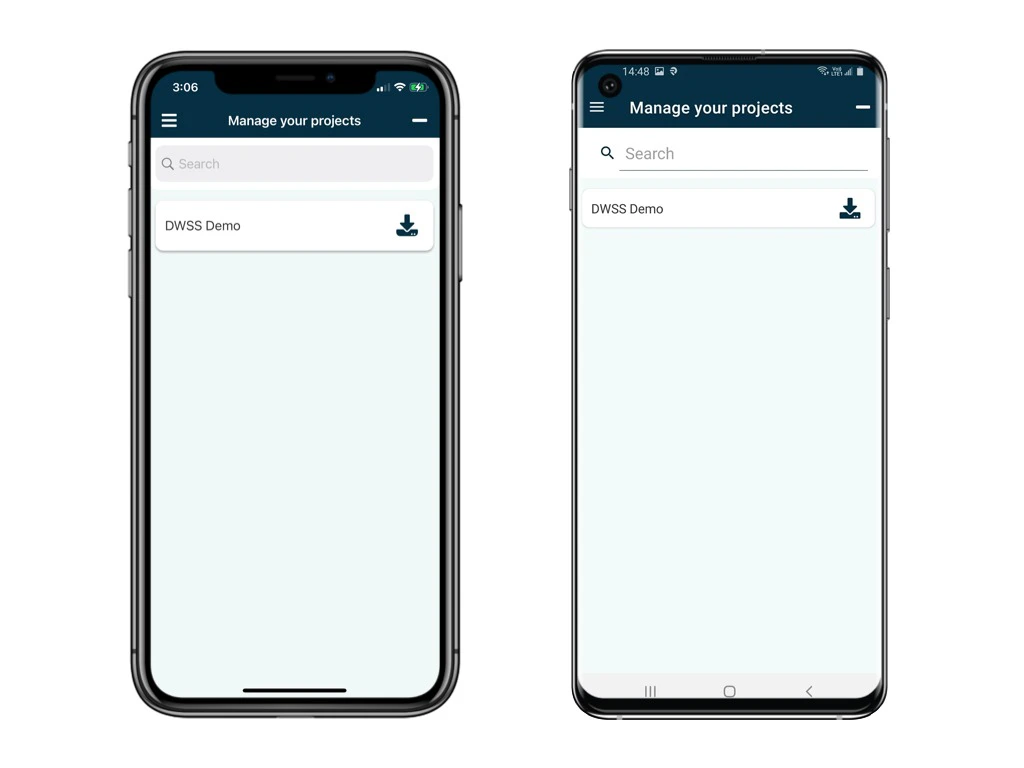
You now successfully login to the project!
Open and login the app via **another device.** \
Click the menu icon ≡ on the top left corner, Unfold **Menu** > **Passcode generator.**
You now successfully login to the project!
 ## *Hints and Tips*
### *Do I need to remember the 6-digit verification code?*
No, the 6-digit passcode **regenerates automatically every 30 seconds** from RDrive.
###
*How can I reset the **authenticated device**?*
Click [here](https://docs.rdrive.io/faq/setup/edit-my-account-settings) to know more.
## *Hints and Tips*
### *Do I need to remember the 6-digit verification code?*
No, the 6-digit passcode **regenerates automatically every 30 seconds** from RDrive.
###
*How can I reset the **authenticated device**?*
Click [here](https://docs.rdrive.io/faq/setup/edit-my-account-settings) to know more.