> ## Documentation Index
> Fetch the complete documentation index at: https://docs.rdrive.io/llms.txt
> Use this file to discover all available pages before exploring further.

# Login with Two-Factor Authentication

> After the two-factor authentication activation, user can now log in with 2 different authentication factors.

After the two-factor authentication activation, user can now log in with 2 different authentication factors.

First of all, may I please know which method are you going to log in to?

* [Login to Website](#login-to-website)
  * [1️⃣ Approved by the authenticated device.](#1%ef%b8%8f%e2%83%a3-approved-by-the-authenticated-device.%c2%a0) 
  * [2️⃣ Use Passcode - send passcode to email](#2%ef%b8%8f%e2%83%a3%c2%a0use-passcode---send-passcode-to-email)
  * [3️⃣ Use Passcode - from RDrive APP](#3%ef%b8%8f%e2%83%a3-use-passcode---from-rdrive-app)
* [Login to Device](#login-to-device)
  * [1️⃣ Approved by the authenticated device.](#1%ef%b8%8f%e2%83%a3-approved-by-the-authenticated-device.%c2%a0-1)
  * [2️⃣ Use Passcode - send passcode to email](#2%ef%b8%8f%e2%83%a3%c2%a0use-passcode---send-passcode-to-email-2)
  * [3️⃣ Use Passcode - from RDrive APP](#3%ef%b8%8f%e2%83%a3-use-passcode---from-rdrive-app-3)
* [Hints and Tips](#hints-and-tips%c2%a0) 
* [Do I need to remember the 6-digit verification code?](#do-i-need-to-remember-the-6-digit-verification-code?)
* [How can I reset the authenticated device?](#how-can-i-reset-the-authenticated-device?%c2%a0) 

***

## **Login to** **Website**

For log in to RDrive, the two authentication factors are:\
**1. User credential** (Email address and account password)\
**2. 1️⃣** **[Approved by the authenticated device.](#1%ef%b8%8f%e2%83%a3-approved-by-the-authenticated-device.%c2%a0)** \
or\
**Passcode generated by RDrive**. (2️⃣ [Send by email](#2%ef%b8%8f%e2%83%a3%c2%a0use-passcode---send-passcode-to-email) or [3️⃣ get from RDrive APP](#3%ef%b8%8f%e2%83%a3-use-passcode---from-rdrive-app))

Let's start.

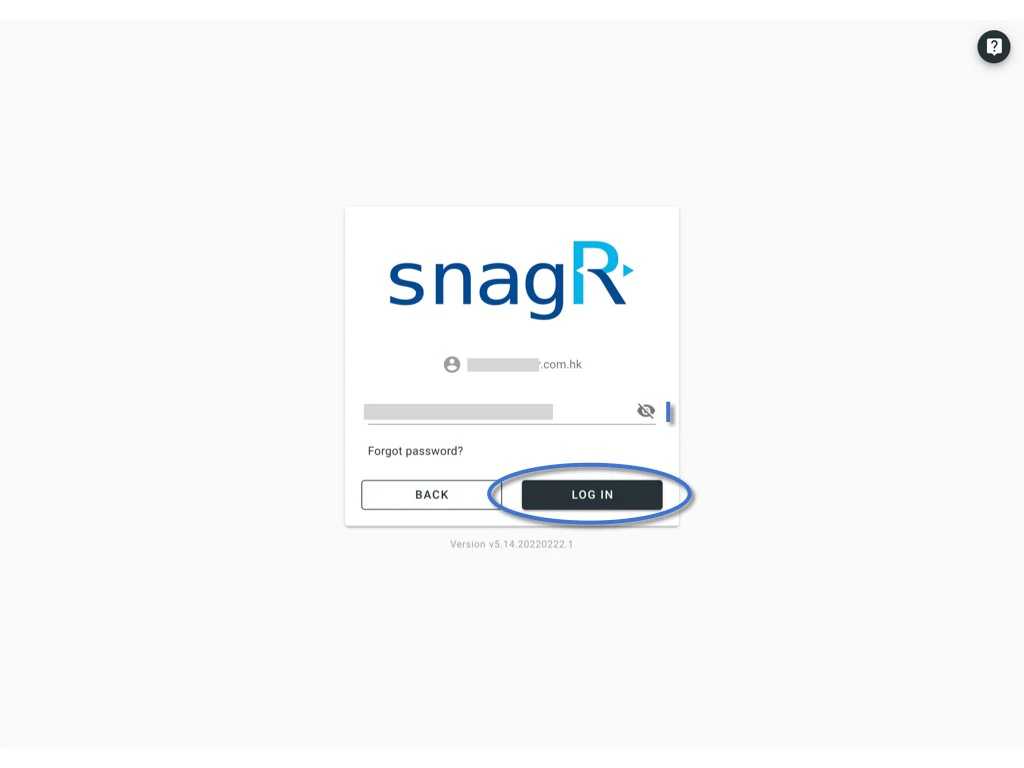
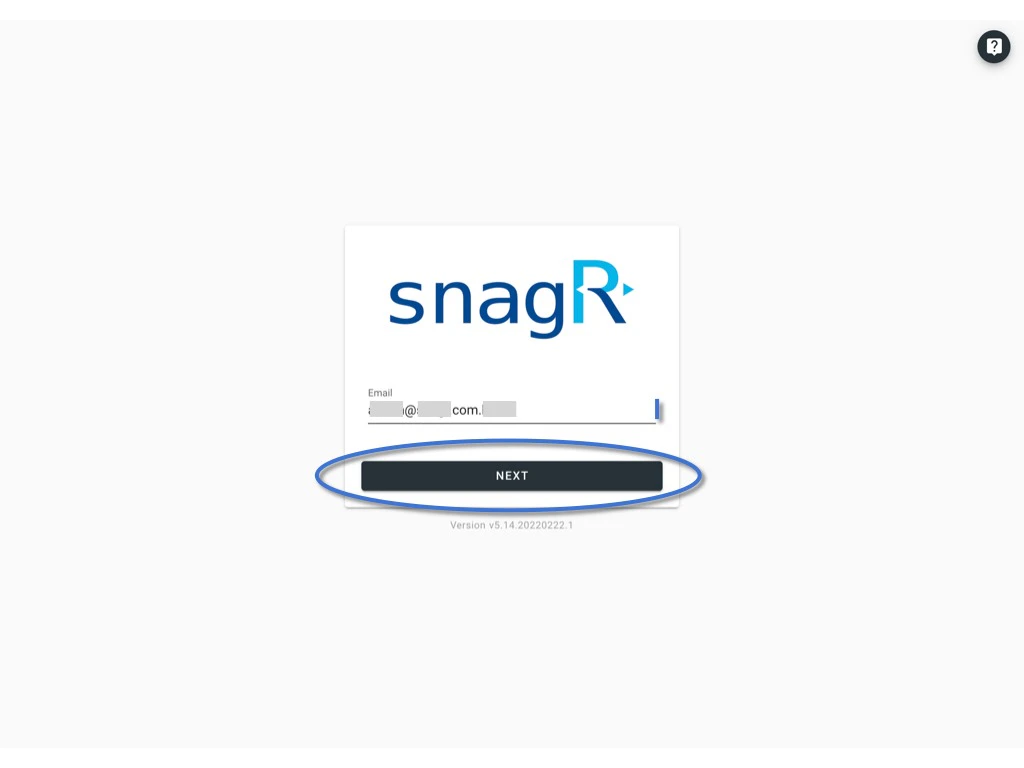
Enter the **Email address, password**, and click **LOG IN.**
<img src="https://mintcdn.com/rdrive/qQgQF7rykBpqQcBv/images/kb/103000035152/AUQQ4fEZMFH0iqenqsAMiVQbE3m4ELGeJQ.jpeg?fit=max&auto=format&n=qQgQF7rykBpqQcBv&q=85&s=0ceff08b77fc8243063520690528c3a9" alt="Login with Two-Factor Authentication" width="1024" height="768" data-path="images/kb/103000035152/AUQQ4fEZMFH0iqenqsAMiVQbE3m4ELGeJQ.jpeg" />

<img src="https://mintcdn.com/rdrive/qQgQF7rykBpqQcBv/images/kb/103000035152/uZJmagxnkmMPKe4Ipzj8HKdvVY-y_YgkVQ.jpeg?fit=max&auto=format&n=qQgQF7rykBpqQcBv&q=85&s=e83f92eb234b1c0af396af5734eb02da" alt="Login with Two-Factor Authentication" width="1024" height="768" data-path="images/kb/103000035152/uZJmagxnkmMPKe4Ipzj8HKdvVY-y_YgkVQ.jpeg" />

***

## 1️⃣ Approved by the authenticated device\*\*.\*\* 

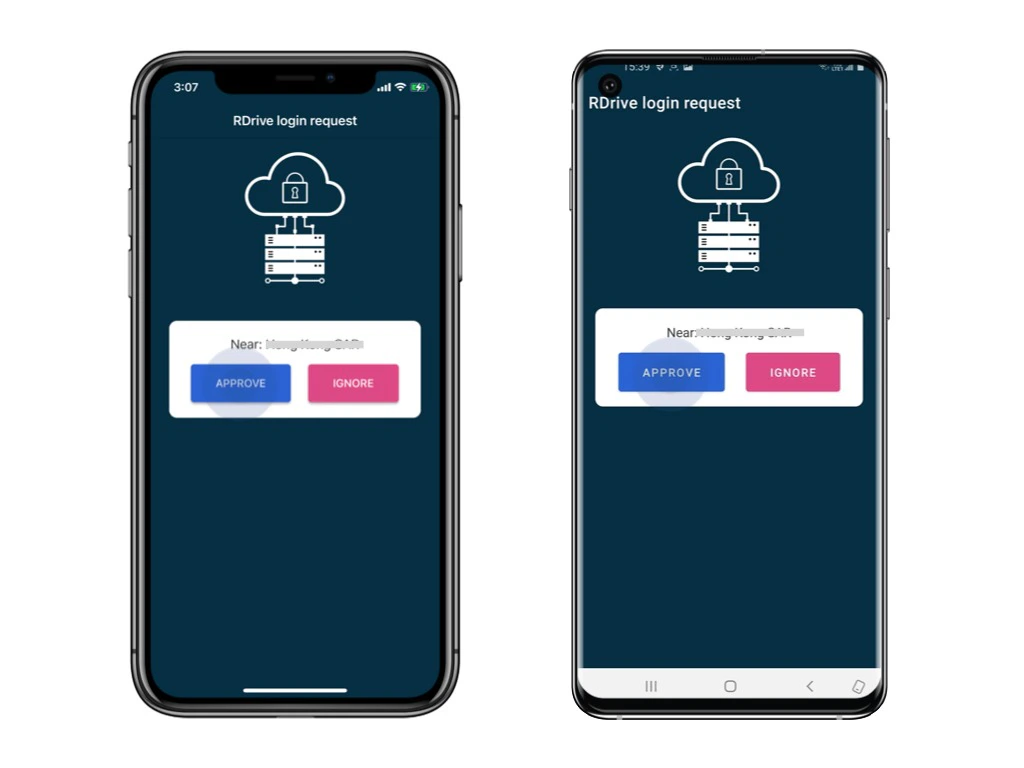
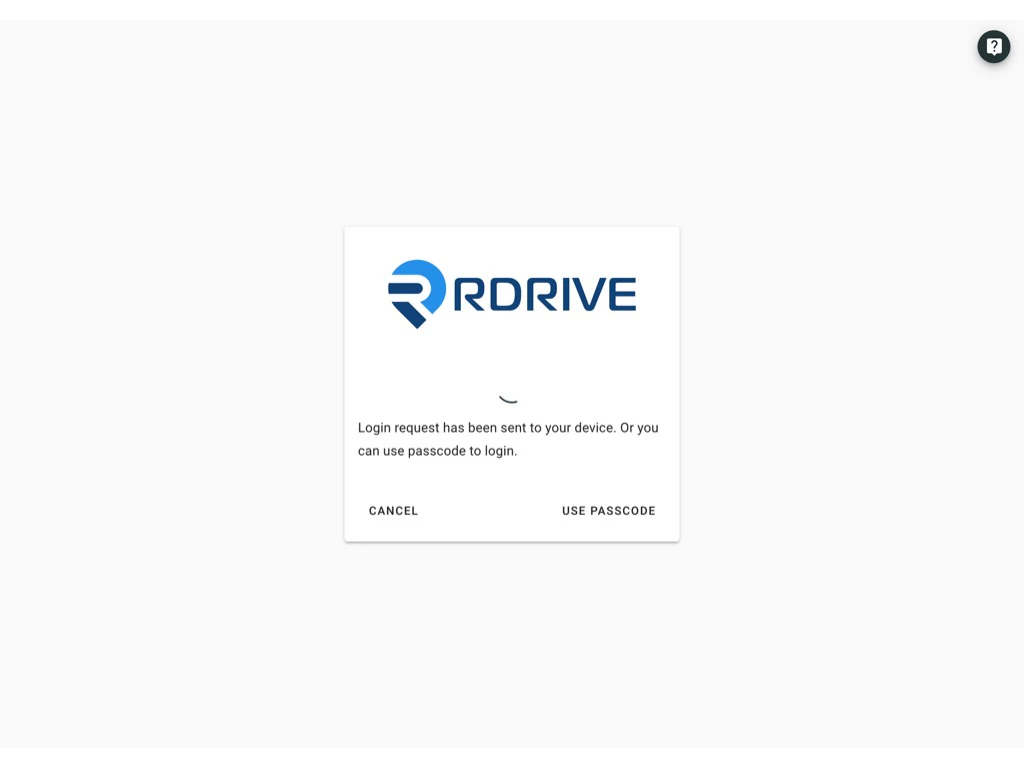
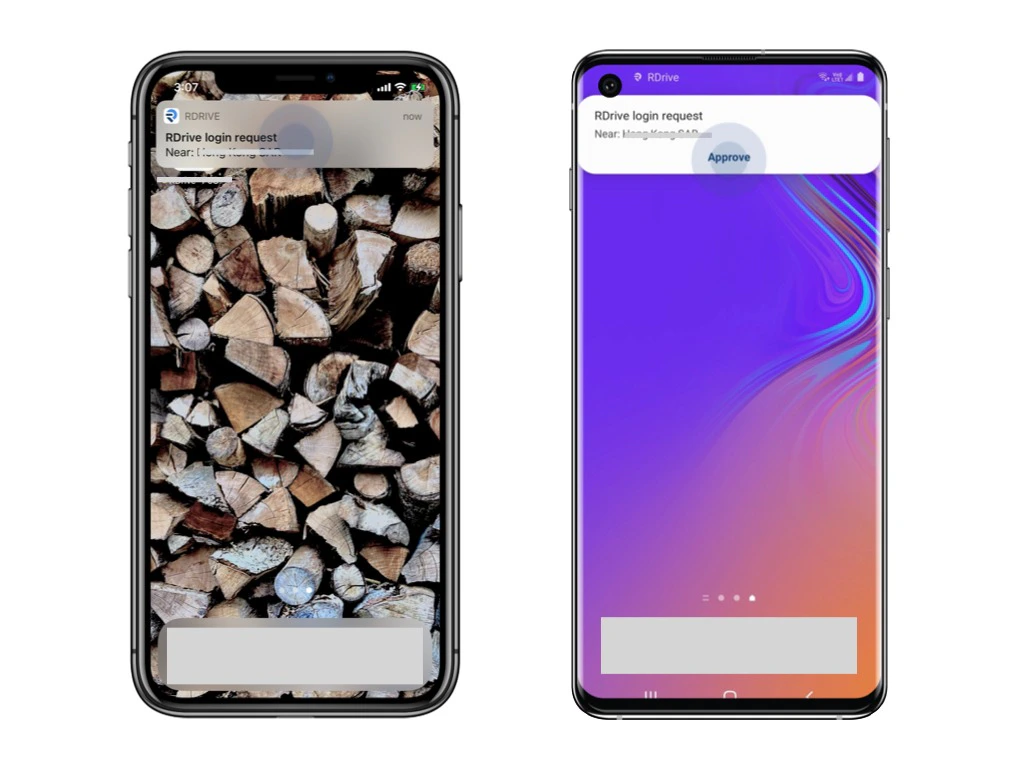
Login requests will send to the **authenticated** device as a push-up notification.\
Please unlock the device and click Approve.

*[Authenticated device means a device already logged in with 2FA. For the first log in, you have to authenticate by the PASSCODE from email.](#2%ef%b8%8f%e2%83%a3%c2%a0use-passcode---send-passcode-to-email-2)*
<img src="https://mintcdn.com/rdrive/qQgQF7rykBpqQcBv/images/kb/103000035152/NeeO1i4G1SMI9gZt-ZYXRPskCnLheIHvyw.jpeg?fit=max&auto=format&n=qQgQF7rykBpqQcBv&q=85&s=ef9f8a2a97216c73003ffe72543558bd" alt="Login with Two-Factor Authentication" width="1024" height="768" data-path="images/kb/103000035152/NeeO1i4G1SMI9gZt-ZYXRPskCnLheIHvyw.jpeg" />

<img src="https://mintcdn.com/rdrive/qQgQF7rykBpqQcBv/images/kb/103000035152/6dxmk8p06_BHRwLiSr_1ycPnEyHvqvEZ5Q.jpeg?fit=max&auto=format&n=qQgQF7rykBpqQcBv&q=85&s=0406e4b42f04abedd258fd7727527af6" alt="Login with Two-Factor Authentication" width="1024" height="768" data-path="images/kb/103000035152/6dxmk8p06_BHRwLiSr_1ycPnEyHvqvEZ5Q.jpeg" />

<img src="https://mintcdn.com/rdrive/qQgQF7rykBpqQcBv/images/kb/103000035152/CvsiDcSOJWxj5bjawx4KT6zUItqjUFh4VA.jpeg?fit=max&auto=format&n=qQgQF7rykBpqQcBv&q=85&s=aee39963c881bead73bce08d411341b9" alt="Login with Two-Factor Authentication" width="1024" height="768" data-path="images/kb/103000035152/CvsiDcSOJWxj5bjawx4KT6zUItqjUFh4VA.jpeg" />

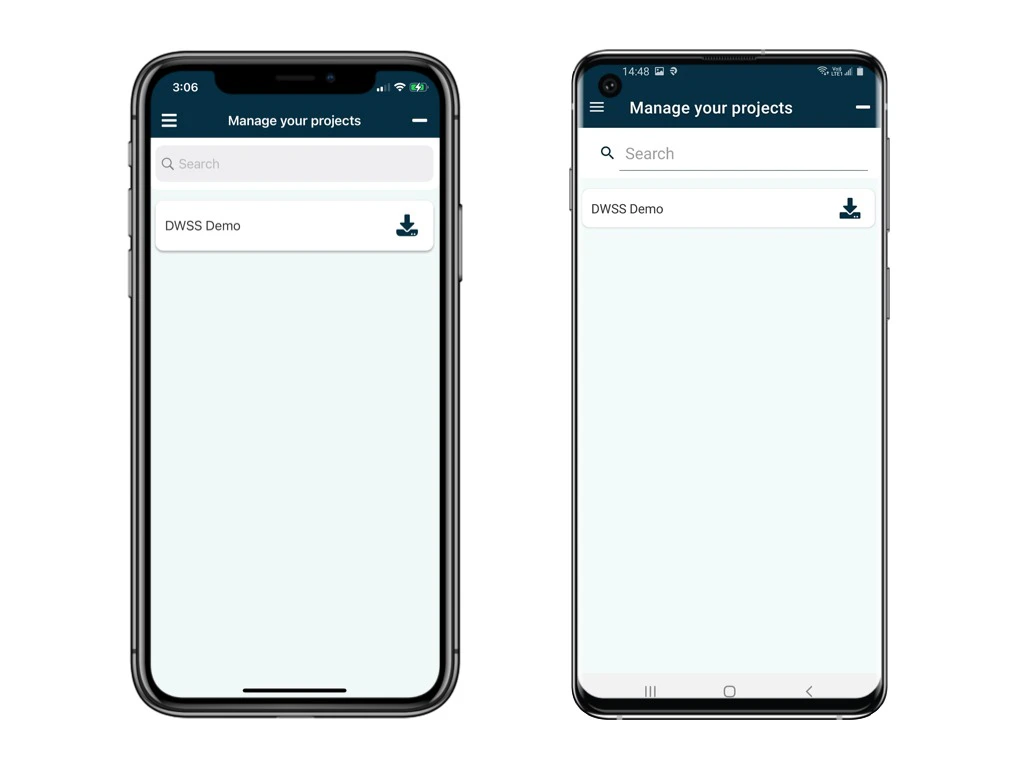
You now successfully log in to the project!

<img src="https://mintcdn.com/rdrive/qQgQF7rykBpqQcBv/images/kb/103000035152/erqtt5y_W6dwepslPKP2RzMvR3rIj1yRHg.jpeg?fit=max&auto=format&n=qQgQF7rykBpqQcBv&q=85&s=8572db4daa5c4a8db4637d3758a87464" alt="Login with Two-Factor Authentication" width="1024" height="768" data-path="images/kb/103000035152/erqtt5y_W6dwepslPKP2RzMvR3rIj1yRHg.jpeg" />

***

## 2️⃣ **Use Passcode - send passcode to email**

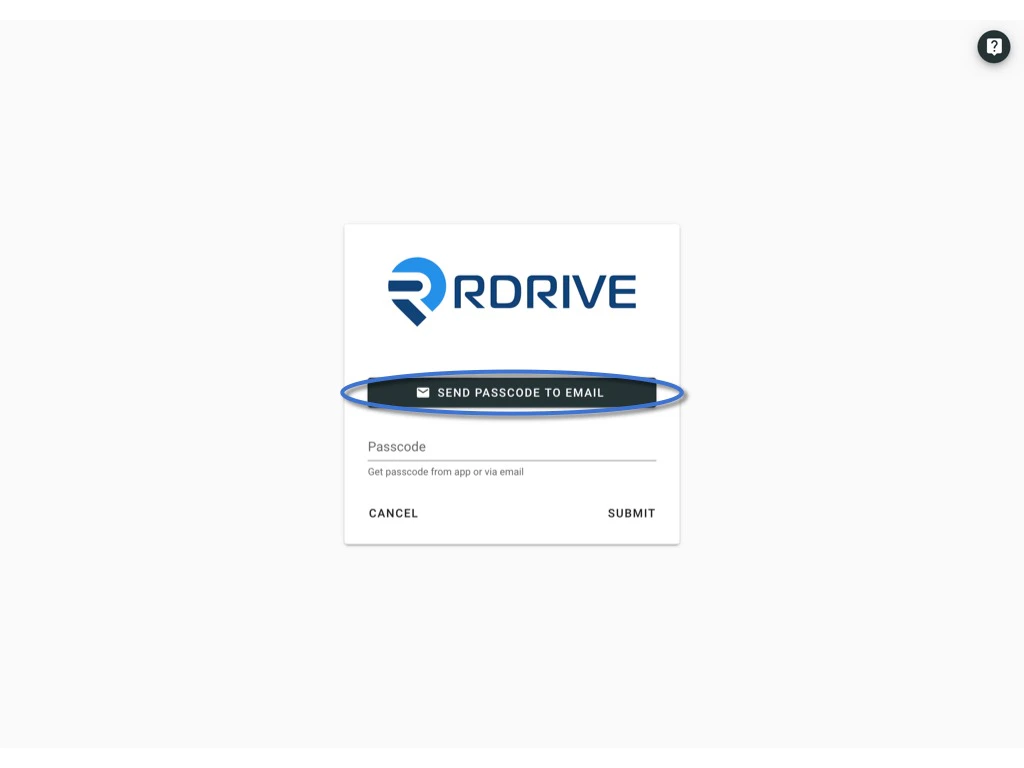
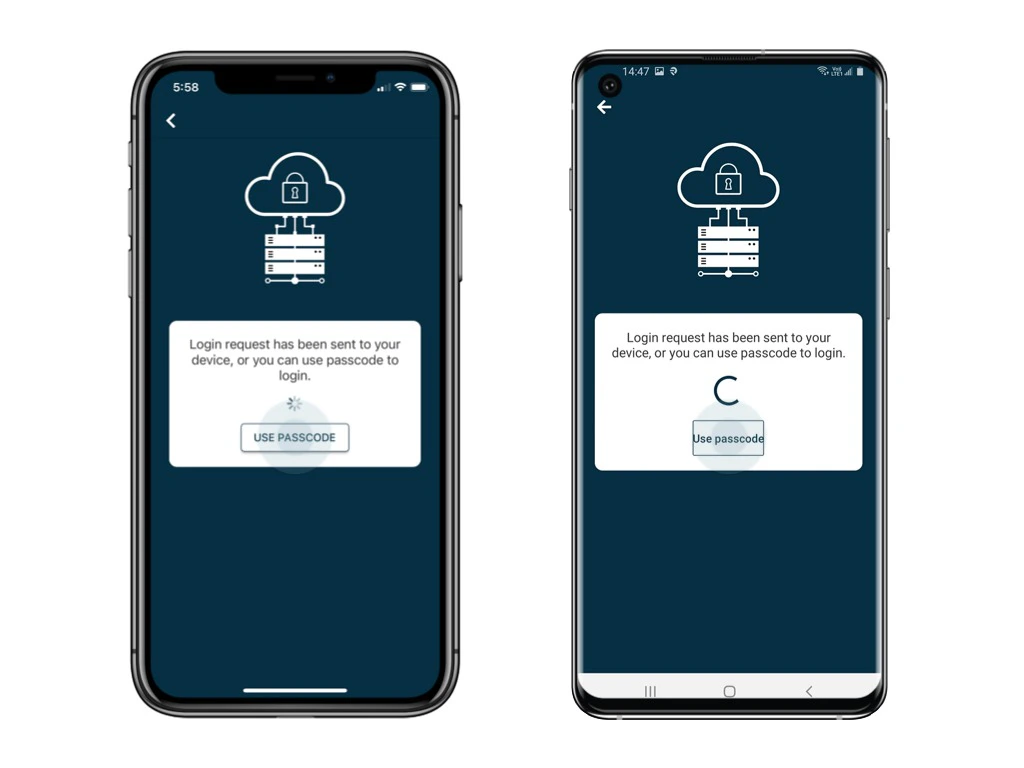
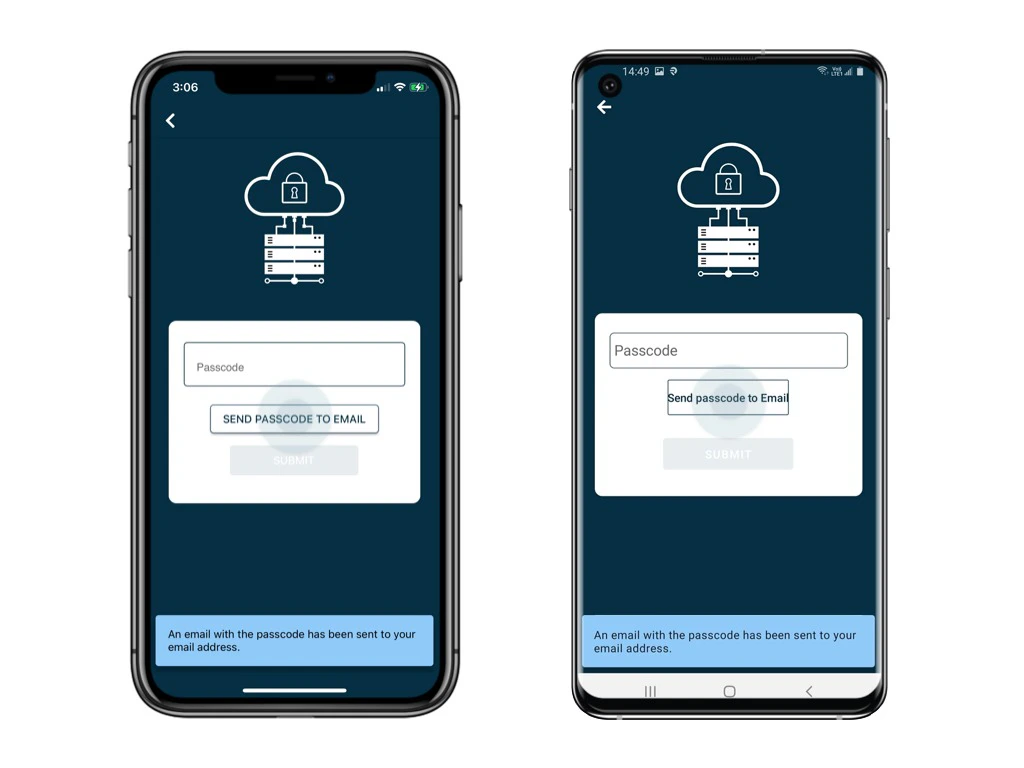
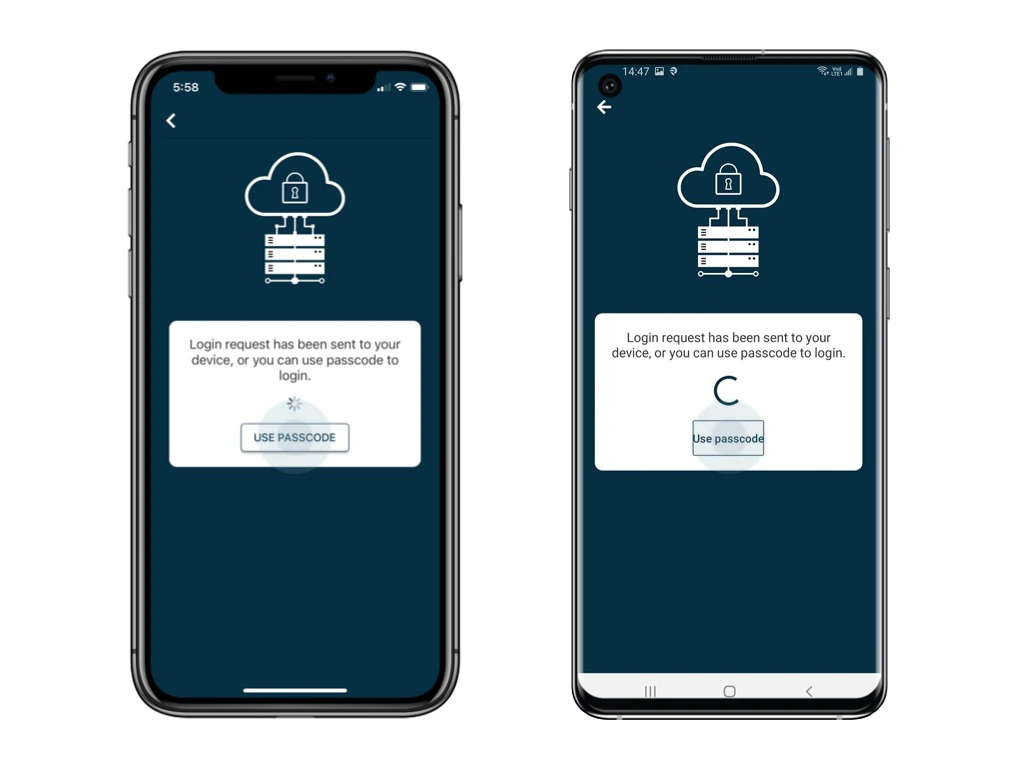
Click **Use Passcode** and **Send Passcode to Email**

<img src="https://mintcdn.com/rdrive/qQgQF7rykBpqQcBv/images/kb/103000035152/CX04hEeZVr8Y8uSImb_dgKNg7ZUbGOdnEg.jpeg?fit=max&auto=format&n=qQgQF7rykBpqQcBv&q=85&s=df5196ada1e00e7d4924c92763a79bb7" alt="Login with Two-Factor Authentication" width="1024" height="768" data-path="images/kb/103000035152/CX04hEeZVr8Y8uSImb_dgKNg7ZUbGOdnEg.jpeg" />

<img src="https://mintcdn.com/rdrive/qQgQF7rykBpqQcBv/images/kb/103000035152/Ijw0-G5EH1VudrNe-s_RchJvjAecqLs28A.jpeg?fit=max&auto=format&n=qQgQF7rykBpqQcBv&q=85&s=fdd1d93ec33093054d8dd4a12d8ed59a" alt="Login with Two-Factor Authentication" width="1024" height="768" data-path="images/kb/103000035152/Ijw0-G5EH1VudrNe-s_RchJvjAecqLs28A.jpeg" />

6-digit passcode email will send to your registered email.

<img src="https://mintcdn.com/rdrive/qQgQF7rykBpqQcBv/images/kb/103000035152/8G_XyFvcFX_sF4FIAgWc7NAqI26u-UmpcA.jpeg?fit=max&auto=format&n=qQgQF7rykBpqQcBv&q=85&s=aeba633a3c04fa7d6de458fc2d427d16" alt="Login with Two-Factor Authentication" width="1024" height="768" data-path="images/kb/103000035152/8G_XyFvcFX_sF4FIAgWc7NAqI26u-UmpcA.jpeg" />

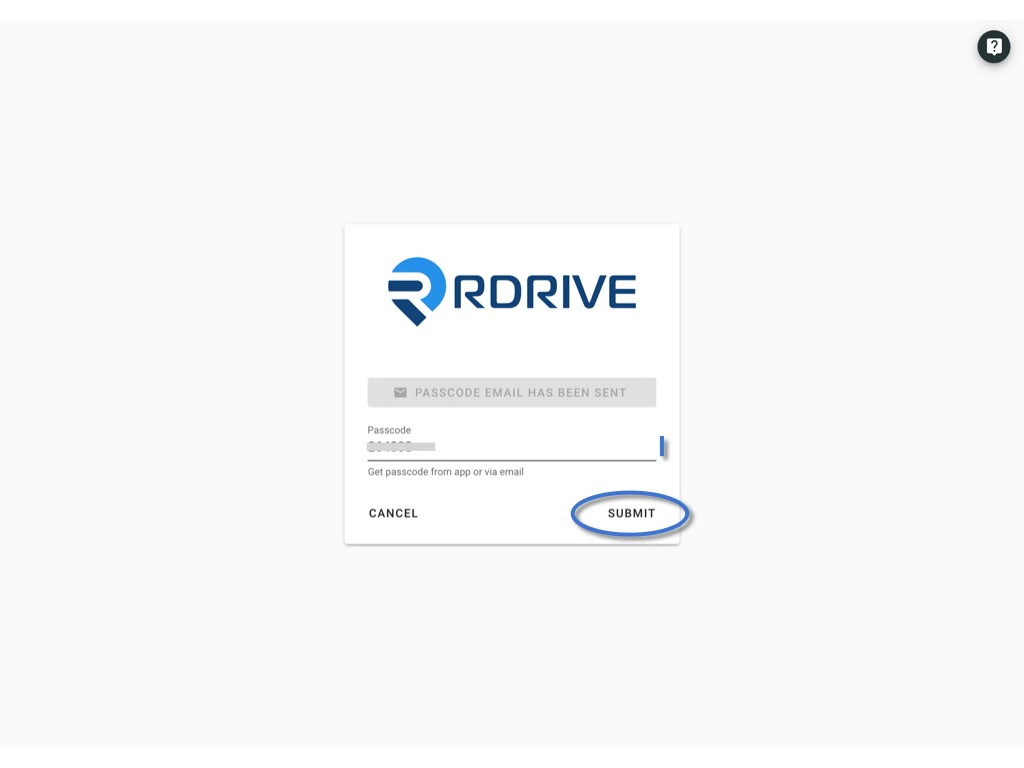
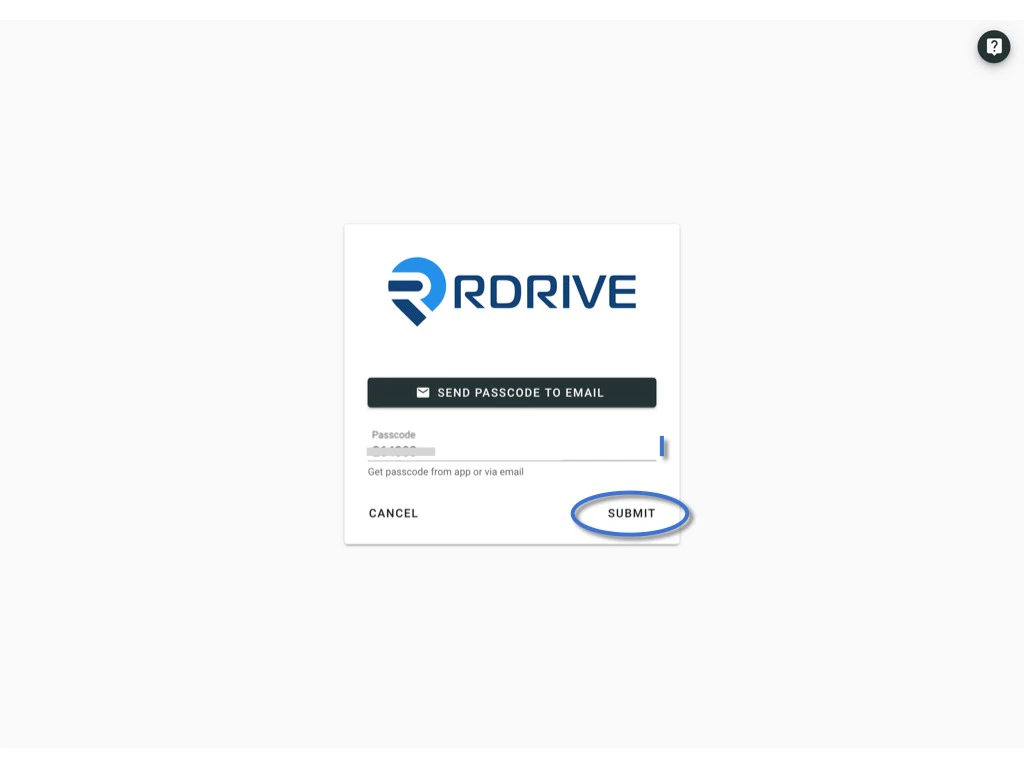
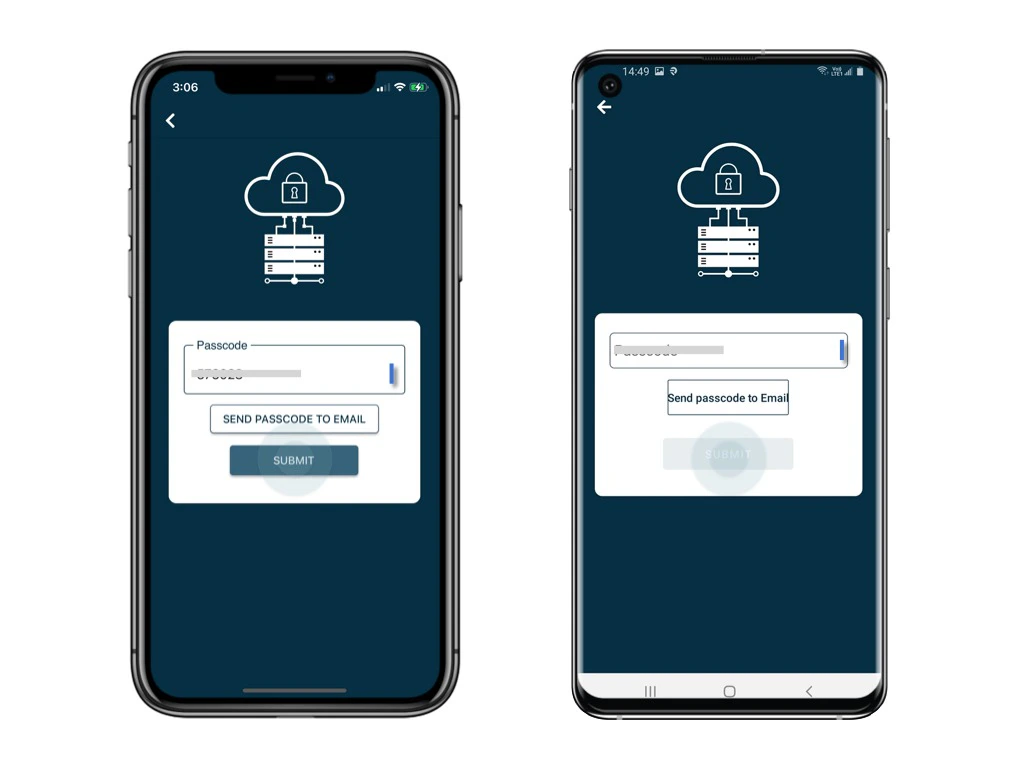
Enter the 6-digit code and **submit**.

<img src="https://mintcdn.com/rdrive/qQgQF7rykBpqQcBv/images/kb/103000035152/wE1n5CsMAeHNZhrS9LqeJl0Uvxu3pbupnA.jpeg?fit=max&auto=format&n=qQgQF7rykBpqQcBv&q=85&s=dcae330eab286aa88704f04948a5e5ce" alt="Login with Two-Factor Authentication" width="1024" height="768" data-path="images/kb/103000035152/wE1n5CsMAeHNZhrS9LqeJl0Uvxu3pbupnA.jpeg" />

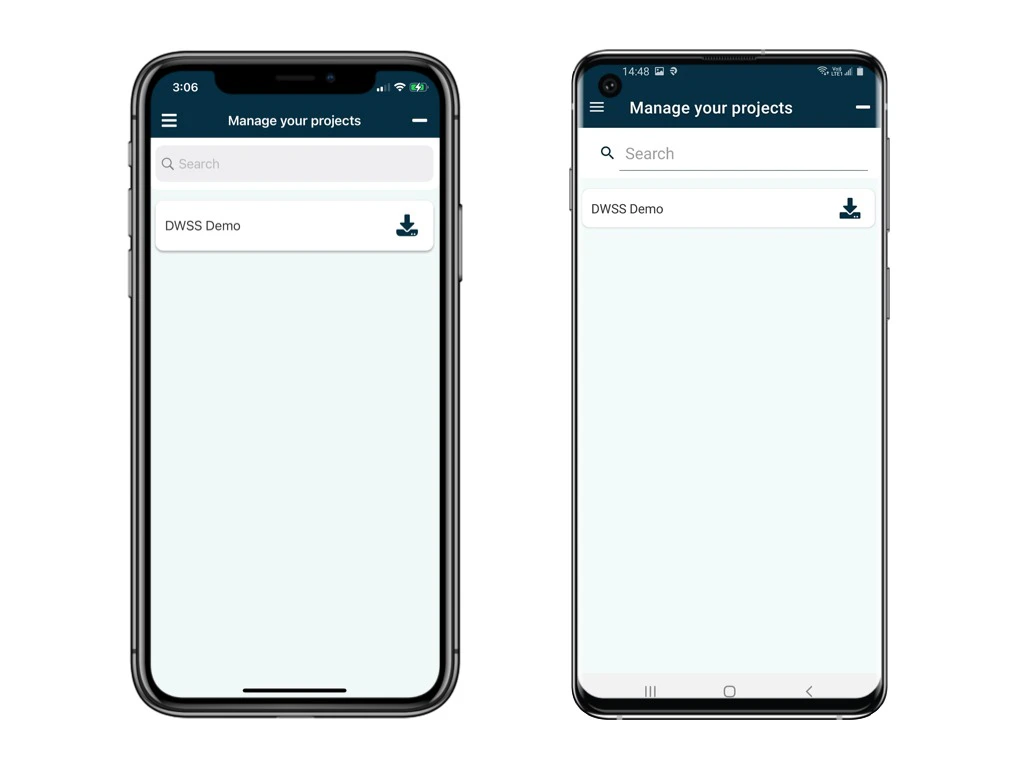
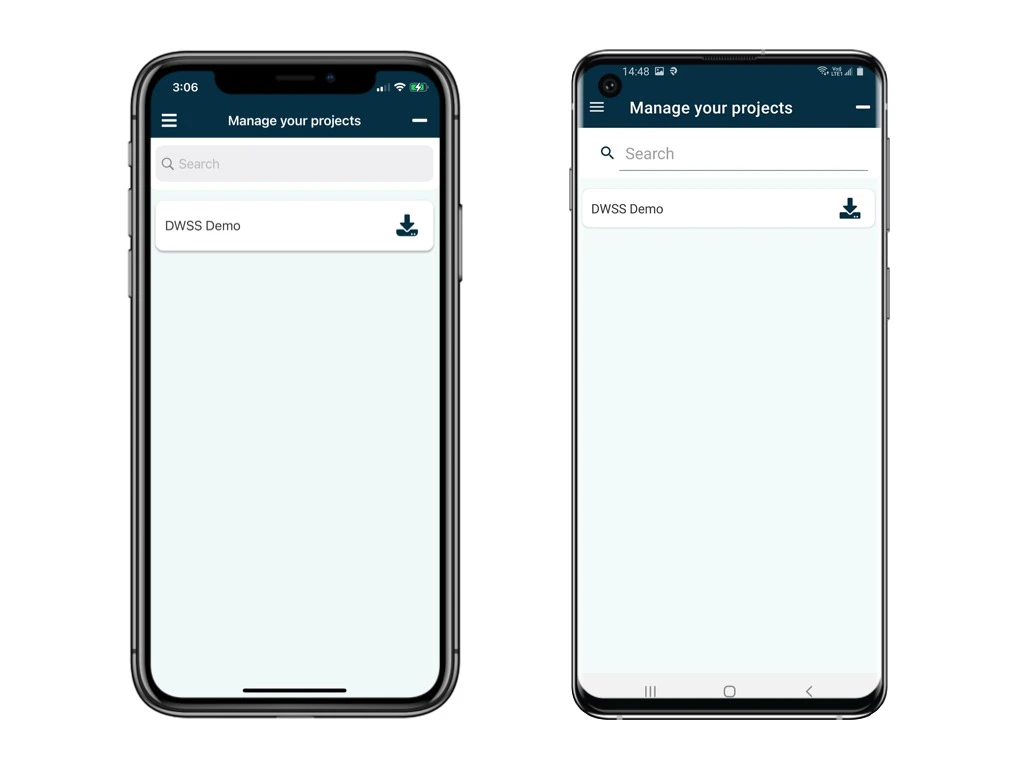
You now successfully login to the project!

<img src="https://mintcdn.com/rdrive/qQgQF7rykBpqQcBv/images/kb/103000035152/e6Rl1WttMUdIaTJG1-WIHDpnBAz-lAUkWQ.jpeg?fit=max&auto=format&n=qQgQF7rykBpqQcBv&q=85&s=71c51b72bb3776b4502b5136ee44ad45" alt="Login with Two-Factor Authentication" width="1024" height="768" data-path="images/kb/103000035152/e6Rl1WttMUdIaTJG1-WIHDpnBAz-lAUkWQ.jpeg" />

***

## 3️⃣ **Use Passcode - from RDrive APP**

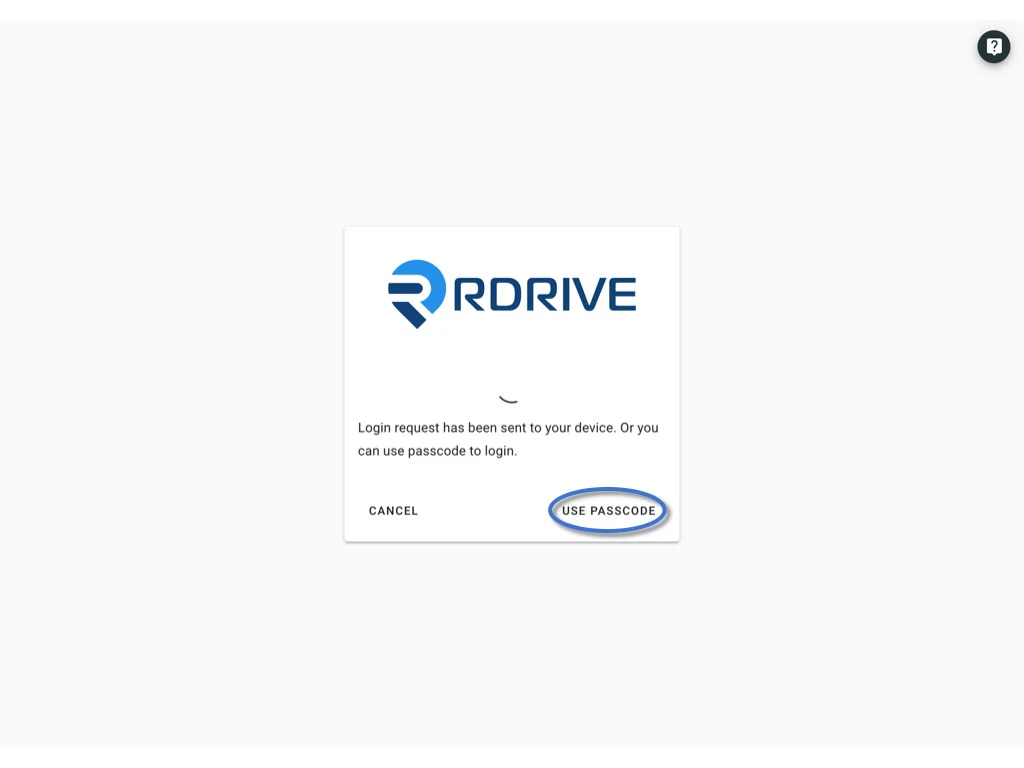
Click **Use Passcode** to enter the passcode.

<img src="https://mintcdn.com/rdrive/B03Wr1cTLOF6xGiT/images/kb/103000035152/2HvYsf9SQjZldX9_hv5ekXwc0nh1f7dBhg.jpeg?fit=max&auto=format&n=B03Wr1cTLOF6xGiT&q=85&s=979dc41b08f58cf7eba2d99fdb48e13c" alt="Login with Two-Factor Authentication" width="1024" height="768" data-path="images/kb/103000035152/2HvYsf9SQjZldX9_hv5ekXwc0nh1f7dBhg.jpeg" />

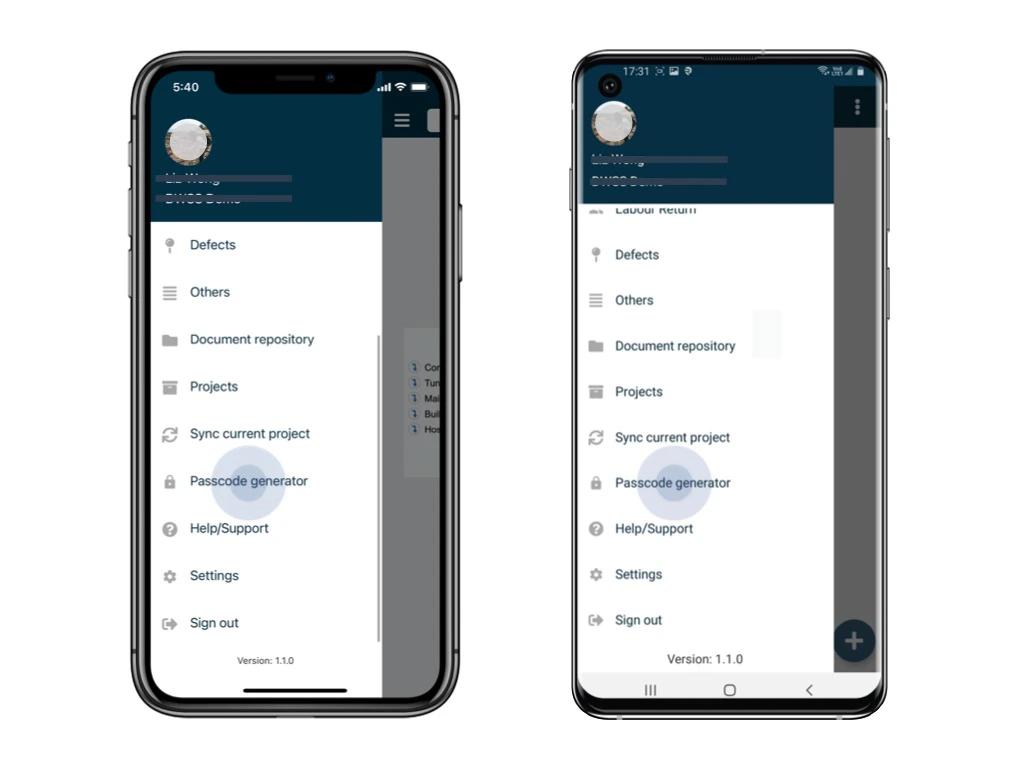
Open and login to the app via the device.\
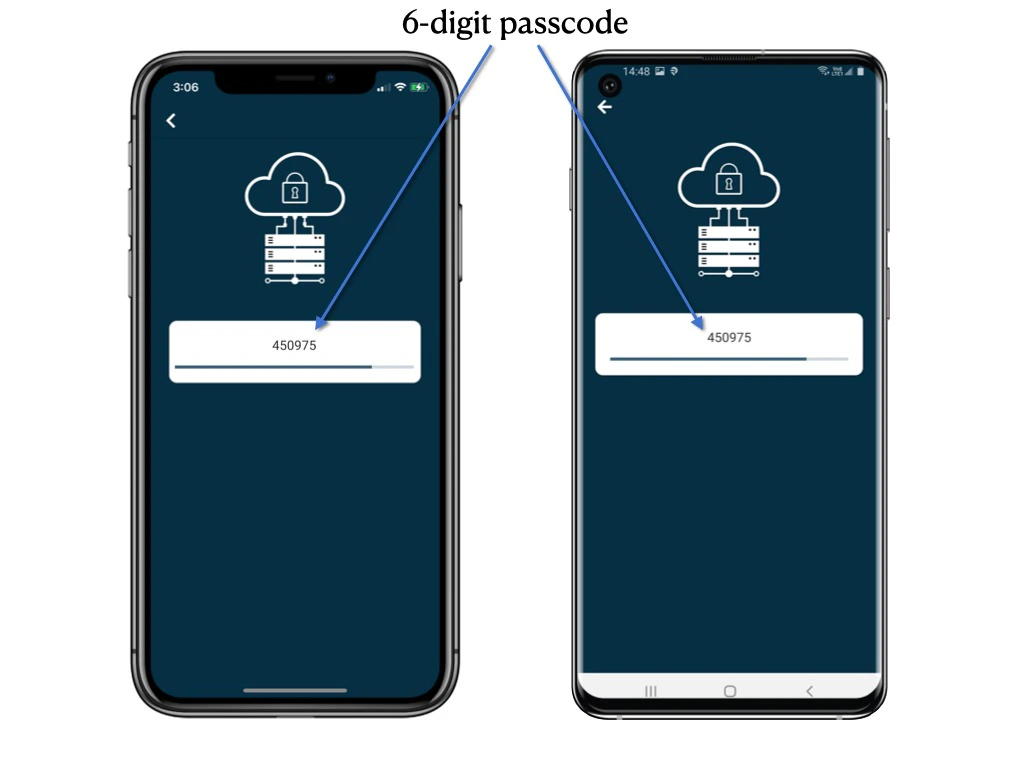
Click the menu icon ≡ on the top left corner, Unfold **Menu** > **Passcode generator.**

<img src="https://mintcdn.com/rdrive/qQgQF7rykBpqQcBv/images/kb/103000035152/XVAAuKZJxoLjHbonpkUvPE-e8wX5DNs86Q.jpeg?fit=max&auto=format&n=qQgQF7rykBpqQcBv&q=85&s=2e4e36426b44964c3ba429908468bfd1" alt="Login with Two-Factor Authentication" width="1024" height="768" data-path="images/kb/103000035152/XVAAuKZJxoLjHbonpkUvPE-e8wX5DNs86Q.jpeg" />

<img src="https://mintcdn.com/rdrive/qQgQF7rykBpqQcBv/images/kb/103000035152/SSsCJlw2-RIdmzalRTja-N0qCMrre1CV8g.jpeg?fit=max&auto=format&n=qQgQF7rykBpqQcBv&q=85&s=81536ff50156d15020ac8c7615515abd" alt="Login with Two-Factor Authentication" width="1024" height="768" data-path="images/kb/103000035152/SSsCJlw2-RIdmzalRTja-N0qCMrre1CV8g.jpeg" />

Enter the 6-digit code from the APP and **submit**.

<img src="https://mintcdn.com/rdrive/qQgQF7rykBpqQcBv/images/kb/103000035152/WMQ2a8sp_XhzdWw7Uc2Jvp1H_7y2Nl6Vvg.jpeg?fit=max&auto=format&n=qQgQF7rykBpqQcBv&q=85&s=56ecfde1280d7fc888db2f5dd72239bd" alt="Login with Two-Factor Authentication" width="1024" height="768" data-path="images/kb/103000035152/WMQ2a8sp_XhzdWw7Uc2Jvp1H_7y2Nl6Vvg.jpeg" />

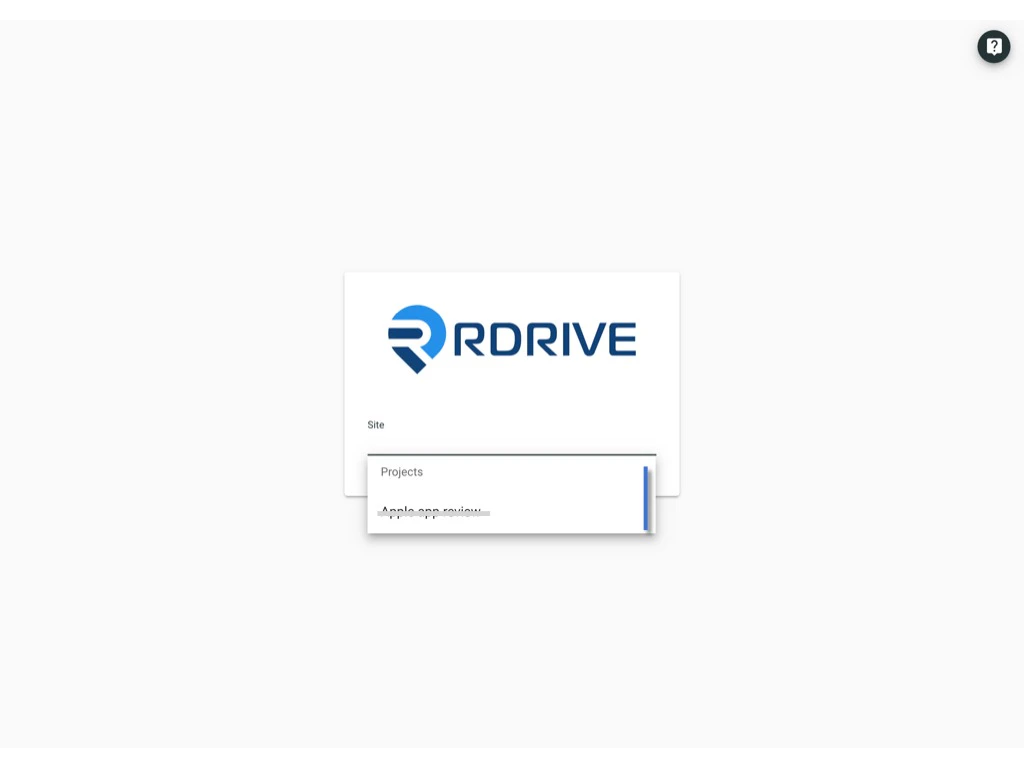
You now successfully login to the project!

<img src="https://mintcdn.com/rdrive/qQgQF7rykBpqQcBv/images/kb/103000035152/tK61UVOZSMQO2d8ySJy5Vqcii5cd8h2cig.jpeg?fit=max&auto=format&n=qQgQF7rykBpqQcBv&q=85&s=184f2d6f275300675d950a84b1fe31ef" alt="Login with Two-Factor Authentication" width="1024" height="768" data-path="images/kb/103000035152/tK61UVOZSMQO2d8ySJy5Vqcii5cd8h2cig.jpeg" />

***

## Login to **Device**

To log in to RDrive, the two authentication factors are:\
**1. User credential** (Email address and account password)\
**2. 1️⃣** **[Approved by the authenticated device.](#1%ef%b8%8f%e2%83%a3-approved-by-the-authenticated-device.%c2%a0-1)** \
or\
**Passcode generated by RDrive**. (2️⃣ [Send by email](#2%ef%b8%8f%e2%83%a3%c2%a0use-passcode---send-passcode-to-email-2) or 3️⃣ [get from RDrive APP](#3%ef%b8%8f%e2%83%a3-use-passcode---from-rdrive-app-3))

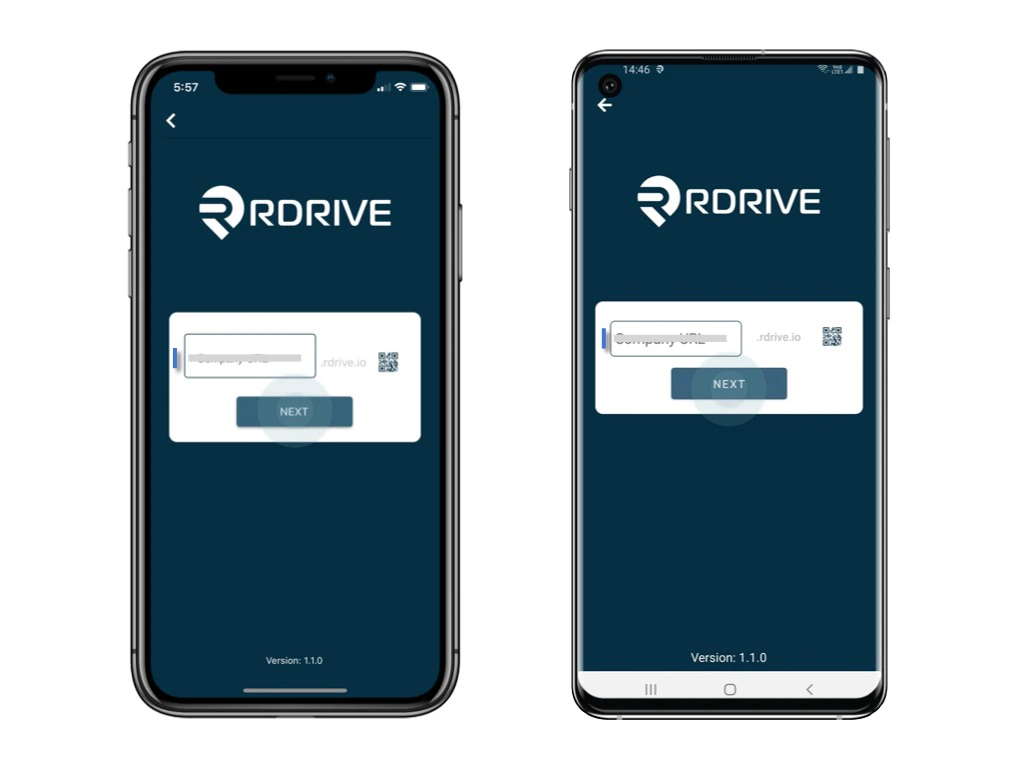
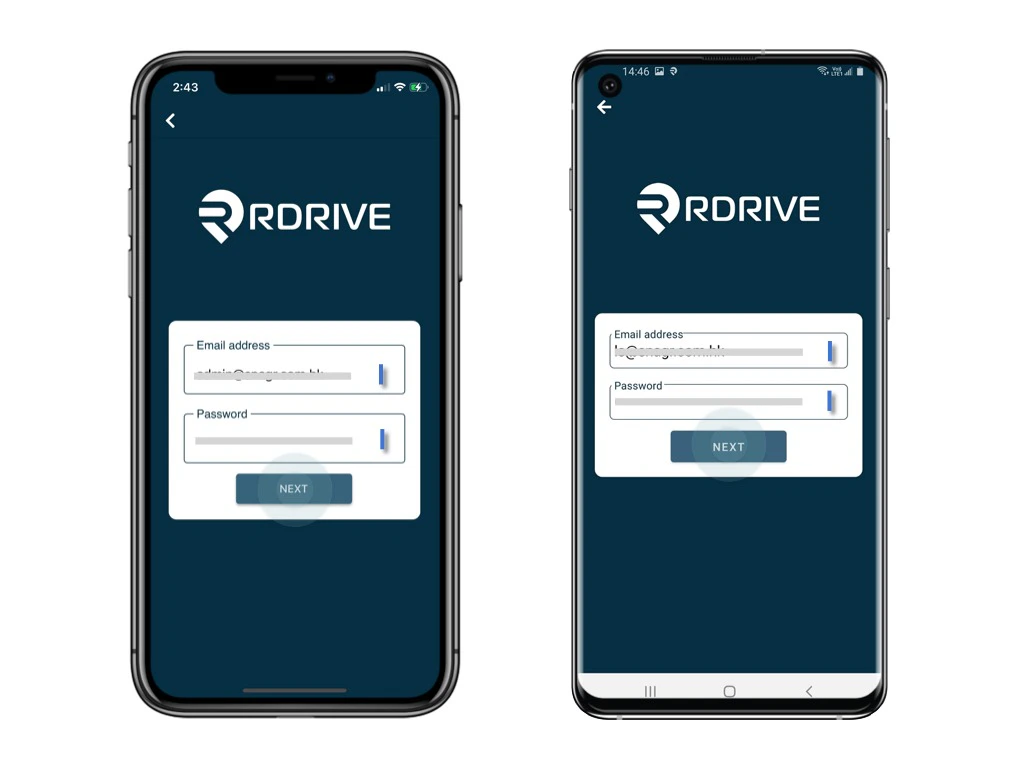
Enter the **Company code, Next,** enter the **email address** and **password,** and **Next.**

<img src="https://mintcdn.com/rdrive/qQgQF7rykBpqQcBv/images/kb/103000035152/ap59sewugdi8RtVpLcv3CVtZFPVt7y3pDQ.jpeg?fit=max&auto=format&n=qQgQF7rykBpqQcBv&q=85&s=aeef4af06d1051ae5dcb180156c36816" alt="Login with Two-Factor Authentication" width="1024" height="768" data-path="images/kb/103000035152/ap59sewugdi8RtVpLcv3CVtZFPVt7y3pDQ.jpeg" />

<img src="https://mintcdn.com/rdrive/qQgQF7rykBpqQcBv/images/kb/103000035152/C6nk_m6wqKLGUmoEvSaRQxxBP8pzJWKbjA.jpeg?fit=max&auto=format&n=qQgQF7rykBpqQcBv&q=85&s=7d83267130b6aaacb1b56b97a78995da" alt="Login with Two-Factor Authentication" width="1024" height="768" data-path="images/kb/103000035152/C6nk_m6wqKLGUmoEvSaRQxxBP8pzJWKbjA.jpeg" />

***

## **1️⃣** **Approved by the authenticated device.** 

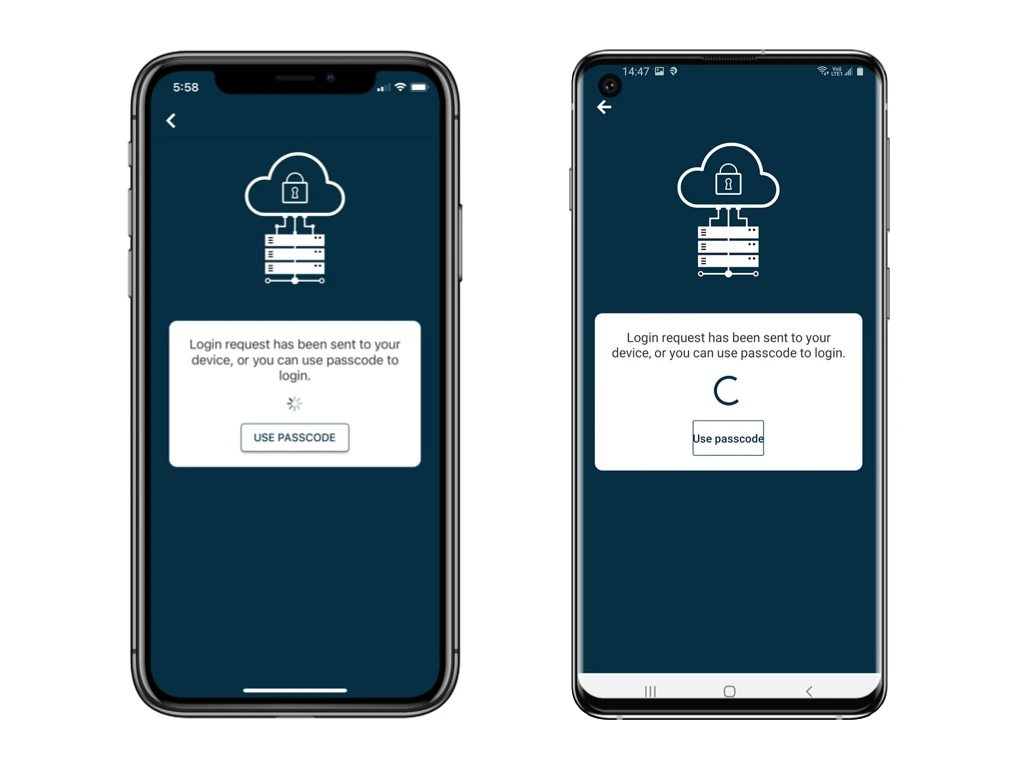
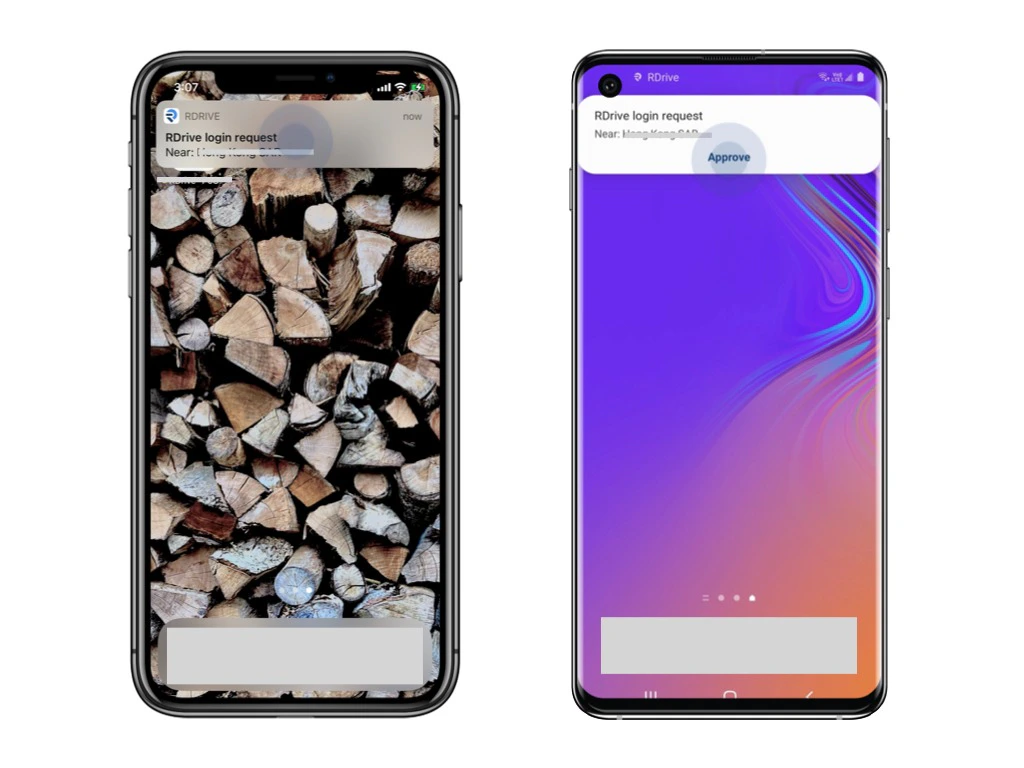
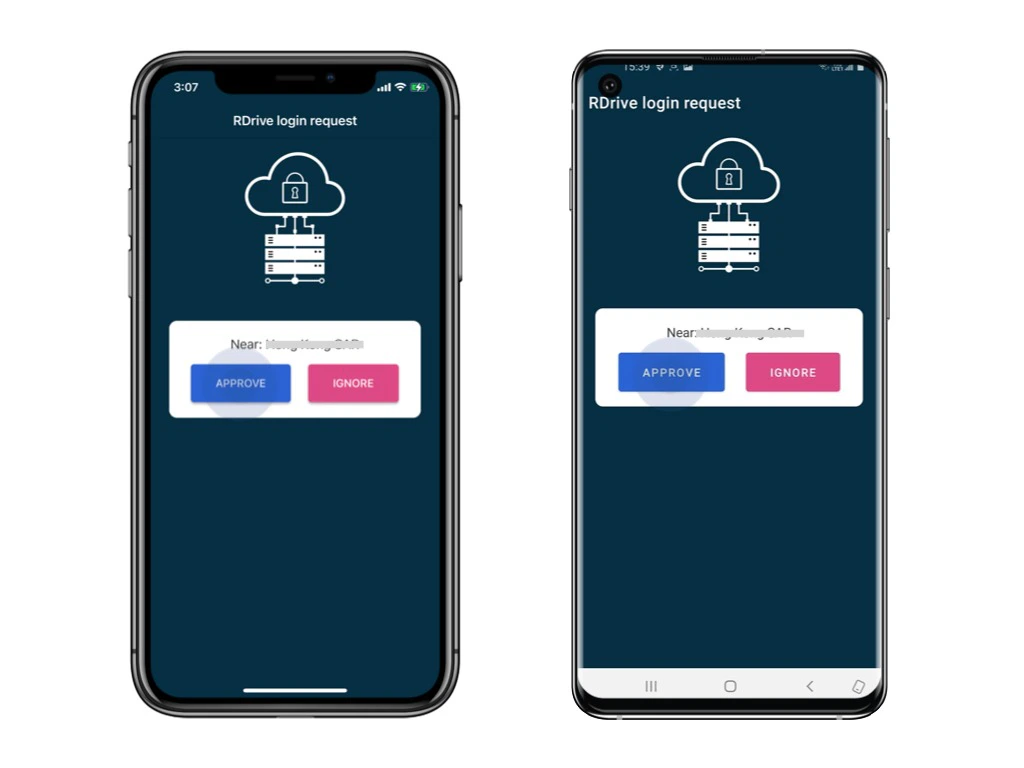
Login requests will send to the (another) authenticated device as a push-up notification.\
Please unlock that device and click **Approve.**

*[Authenticated device means a device already logged in with 2FA. For the first log in, you have to authenticate by the PASSCODE from email.](#2%ef%b8%8f%e2%83%a3%c2%a0use-passcode---send-passcode-to-email-2)*
<img src="https://mintcdn.com/rdrive/qQgQF7rykBpqQcBv/images/kb/103000035152/ZBP4zs_xEYZpsFjtKDWVLj4OW6e6rUbjNA.jpeg?fit=max&auto=format&n=qQgQF7rykBpqQcBv&q=85&s=747ac83273485d6e8e14b8856b6ce31e" alt="Login with Two-Factor Authentication" width="1024" height="768" data-path="images/kb/103000035152/ZBP4zs_xEYZpsFjtKDWVLj4OW6e6rUbjNA.jpeg" />

<img src="https://mintcdn.com/rdrive/qQgQF7rykBpqQcBv/images/kb/103000035152/DZE2U4vnyrNVntCc2A2dHuGy585Crm8bkw.jpeg?fit=max&auto=format&n=qQgQF7rykBpqQcBv&q=85&s=7cc577e7a076a8e594f9e7f363322cf4" alt="Login with Two-Factor Authentication" width="1024" height="768" data-path="images/kb/103000035152/DZE2U4vnyrNVntCc2A2dHuGy585Crm8bkw.jpeg" />

<img src="https://mintcdn.com/rdrive/qQgQF7rykBpqQcBv/images/kb/103000035152/H7F8KvXa8oo2UDZnRn0Upu3yYb7aGKzUIg.jpeg?fit=max&auto=format&n=qQgQF7rykBpqQcBv&q=85&s=7d6c2ec4130cfaf0296b1862a366d0e3" alt="Login with Two-Factor Authentication" width="1024" height="768" data-path="images/kb/103000035152/H7F8KvXa8oo2UDZnRn0Upu3yYb7aGKzUIg.jpeg" />

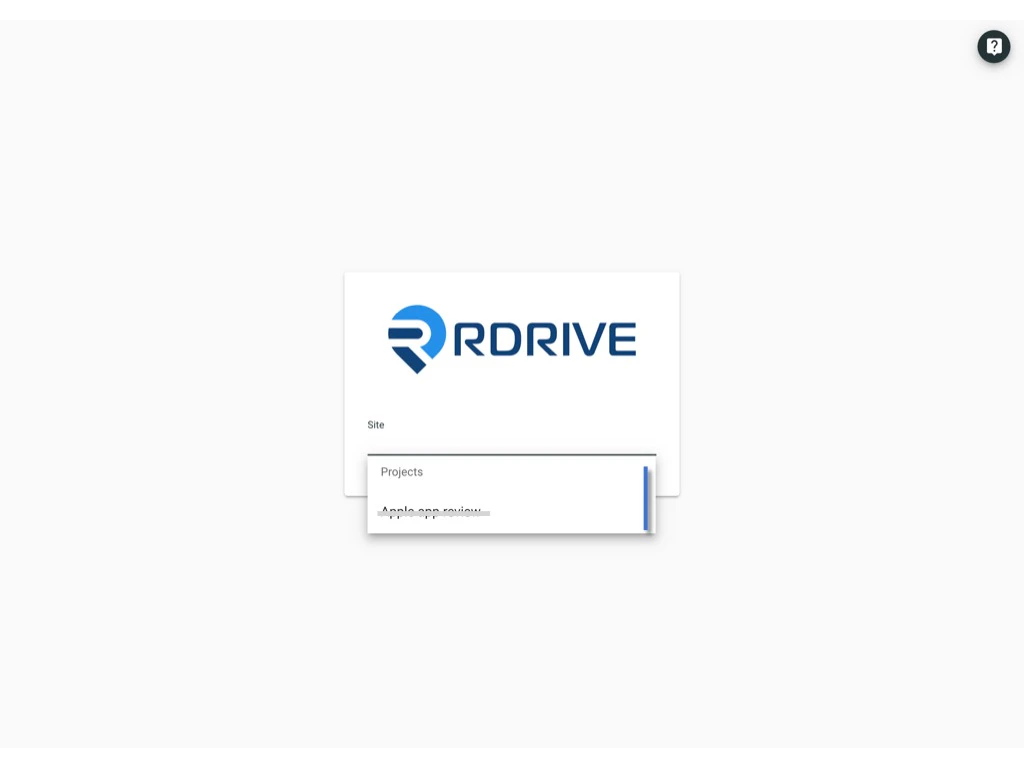
You now successfully log in to the project!
<img src="https://mintcdn.com/rdrive/qQgQF7rykBpqQcBv/images/kb/103000035152/AW9YUtYqm46o7IrMf9rw-kksBXbZdUAI0Q.jpeg?fit=max&auto=format&n=qQgQF7rykBpqQcBv&q=85&s=aacc36f0c3f3a644e82c49951904b1c7" alt="Login with Two-Factor Authentication" width="1024" height="768" data-path="images/kb/103000035152/AW9YUtYqm46o7IrMf9rw-kksBXbZdUAI0Q.jpeg" />

***

## 2️⃣ **Use Passcode - send passcode to email**

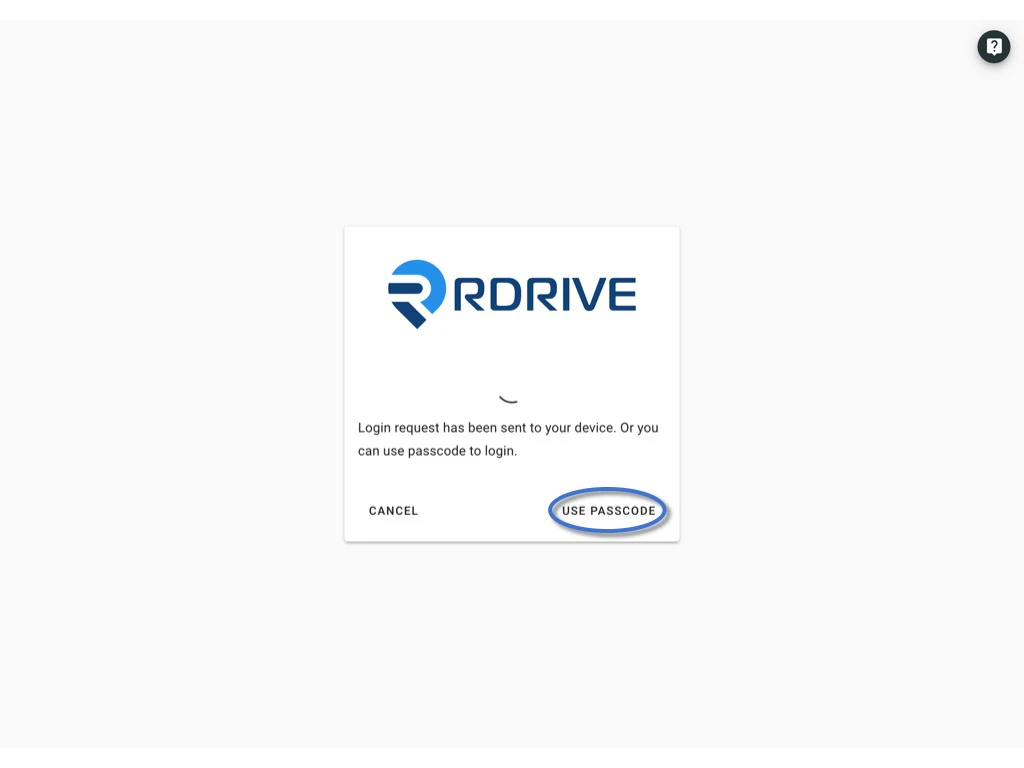
Click **Use Passcode** and **Send Passcode to Email**
<img src="https://mintcdn.com/rdrive/qQgQF7rykBpqQcBv/images/kb/103000035152/hTOFd1i4akN1UPnBht5Jz-T0YNBVN8_L1A.jpeg?fit=max&auto=format&n=qQgQF7rykBpqQcBv&q=85&s=d839becda3060ebe37961702e69c07ff" alt="Login with Two-Factor Authentication" width="1024" height="768" data-path="images/kb/103000035152/hTOFd1i4akN1UPnBht5Jz-T0YNBVN8_L1A.jpeg" />

<img src="https://mintcdn.com/rdrive/qQgQF7rykBpqQcBv/images/kb/103000035152/heljm8omi4ZCaRsNoLVjUlUAZayD-HHOuA.jpeg?fit=max&auto=format&n=qQgQF7rykBpqQcBv&q=85&s=ad6223ea997c2c6ff2a7edbaf979fbac" alt="Login with Two-Factor Authentication" width="1024" height="768" data-path="images/kb/103000035152/heljm8omi4ZCaRsNoLVjUlUAZayD-HHOuA.jpeg" />

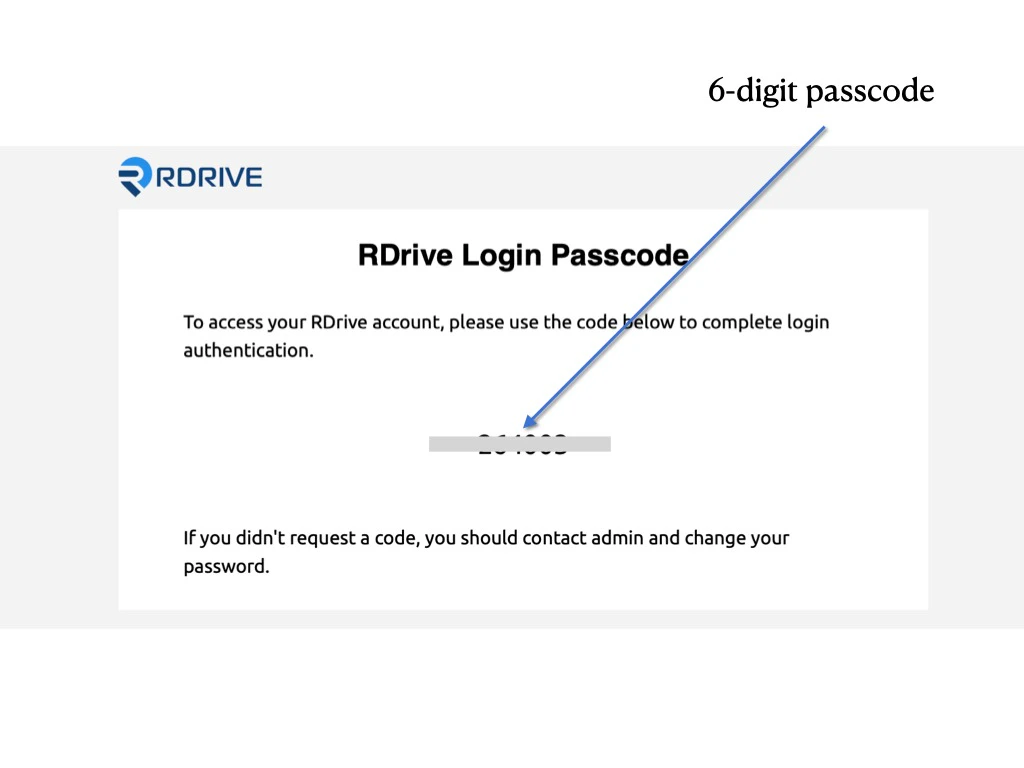
6-digit passcode email will send to your registered email.
<img src="https://mintcdn.com/rdrive/qQgQF7rykBpqQcBv/images/kb/103000035152/8G_XyFvcFX_sF4FIAgWc7NAqI26u-UmpcA.jpeg?fit=max&auto=format&n=qQgQF7rykBpqQcBv&q=85&s=aeba633a3c04fa7d6de458fc2d427d16" alt="Login with Two-Factor Authentication" width="1024" height="768" data-path="images/kb/103000035152/8G_XyFvcFX_sF4FIAgWc7NAqI26u-UmpcA.jpeg" />

Enter the 6-digit code and **Submit**.

<img src="https://mintcdn.com/rdrive/qQgQF7rykBpqQcBv/images/kb/103000035152/euljTaYAe5selD2nhpMxGi9GKforCUxWQQ.jpeg?fit=max&auto=format&n=qQgQF7rykBpqQcBv&q=85&s=ace1c2effdd1413ce41d32f75f039de6" alt="Login with Two-Factor Authentication" width="1024" height="768" data-path="images/kb/103000035152/euljTaYAe5selD2nhpMxGi9GKforCUxWQQ.jpeg" />

You now successfully log in to the project!

<img src="https://mintcdn.com/rdrive/qQgQF7rykBpqQcBv/images/kb/103000035152/KZOJRO72BYh6L2MYqgjCGhhwNO1XRi_SDQ.jpeg?fit=max&auto=format&n=qQgQF7rykBpqQcBv&q=85&s=ff4cd9fa5462451841a039297e288bb1" alt="Login with Two-Factor Authentication" width="1024" height="768" data-path="images/kb/103000035152/KZOJRO72BYh6L2MYqgjCGhhwNO1XRi_SDQ.jpeg" />

***

## 3️⃣ **Use Passcode - from RDrive APP**

Click **Use Passcode** to enter the passcode.

<img src="https://mintcdn.com/rdrive/B03Wr1cTLOF6xGiT/images/kb/103000035152/0hCnaJL3dlGZXnonJN-OrPJbtL8CFQn35Q.jpeg?fit=max&auto=format&n=B03Wr1cTLOF6xGiT&q=85&s=4fd563c7e4b3150625c7361523345eb1" alt="Login with Two-Factor Authentication" width="1024" height="768" data-path="images/kb/103000035152/0hCnaJL3dlGZXnonJN-OrPJbtL8CFQn35Q.jpeg" />

Open and login the app via **another device.** \
Click the menu icon ≡ on the top left corner, Unfold **Menu** > **Passcode generator.**

<img src="https://mintcdn.com/rdrive/qQgQF7rykBpqQcBv/images/kb/103000035152/XVAAuKZJxoLjHbonpkUvPE-e8wX5DNs86Q.jpeg?fit=max&auto=format&n=qQgQF7rykBpqQcBv&q=85&s=2e4e36426b44964c3ba429908468bfd1" alt="Login with Two-Factor Authentication" width="1024" height="768" data-path="images/kb/103000035152/XVAAuKZJxoLjHbonpkUvPE-e8wX5DNs86Q.jpeg" />

<img src="https://mintcdn.com/rdrive/qQgQF7rykBpqQcBv/images/kb/103000035152/SSsCJlw2-RIdmzalRTja-N0qCMrre1CV8g.jpeg?fit=max&auto=format&n=qQgQF7rykBpqQcBv&q=85&s=81536ff50156d15020ac8c7615515abd" alt="Login with Two-Factor Authentication" width="1024" height="768" data-path="images/kb/103000035152/SSsCJlw2-RIdmzalRTja-N0qCMrre1CV8g.jpeg" />

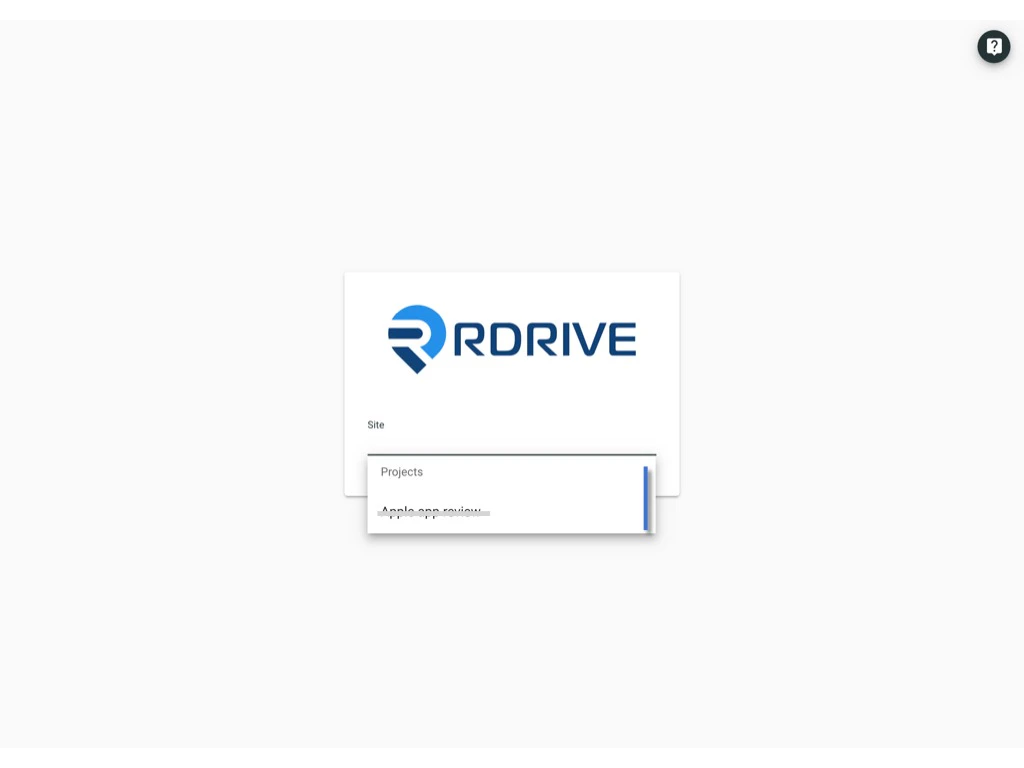
You now successfully login to the project!
<img src="https://mintcdn.com/rdrive/qQgQF7rykBpqQcBv/images/kb/103000035152/lWupEYZPYesBf6I2WFpEiaiJWEch-dDXog.jpeg?fit=max&auto=format&n=qQgQF7rykBpqQcBv&q=85&s=bdff935eeff9193de6b82663ec70c5ff" alt="Login with Two-Factor Authentication" width="1024" height="768" data-path="images/kb/103000035152/lWupEYZPYesBf6I2WFpEiaiJWEch-dDXog.jpeg" />

## *Hints and Tips* 

## *Do I need to remember the 6-digit verification code?*

No, the 6-digit passcode **regenerates automatically every 30 seconds** from RDrive.

##

*How can I reset the **authenticated device**?* 

Click [here](https://docs.rdrive.io/faq/setup/edit-my-account-settings) to know more.