> ## Documentation Index
> Fetch the complete documentation index at: https://docs.rdrive.io/llms.txt
> Use this file to discover all available pages before exploring further.
# What is Controller and how to change?
> A controller serves as the responsible team overseeing a particular item. Initially, control is assigned to the team that creates the item and can be transferre
A controller serves as the responsible team overseeing a particular item. Initially, control is assigned to the team that creates the item and can be transferred to different teams as needed.
To modify the controller, follow these steps:
## Changing Controller via Control Option:
* [- Process](#--process)
* [- Issue/record](#--issue/record)
### - Process
1. Find the Process from Plan viewer or Finder.
2. Click the ⋮ button to reveal a menu.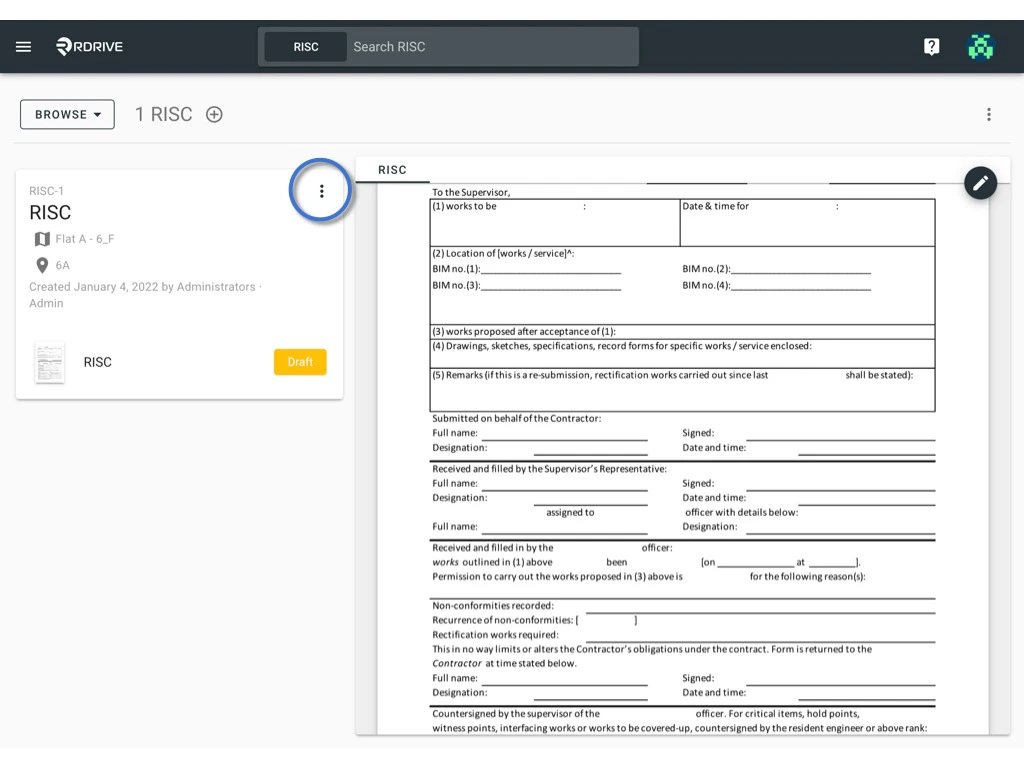 3. Select "Control" from the options available.
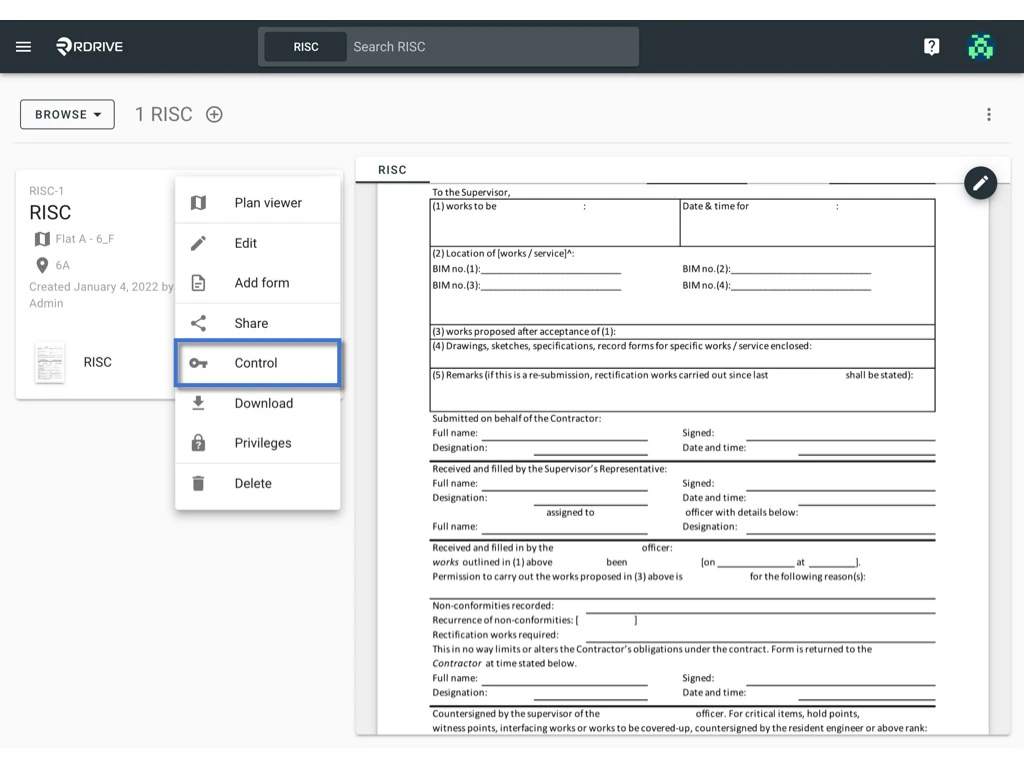 The current controller will be displayed.
By default, the team that created the item becomes the initial controller.
1. Click on "CHANGE" to initiate the controller change.
The current controller will be displayed.
By default, the team that created the item becomes the initial controller.
1. Click on "CHANGE" to initiate the controller change.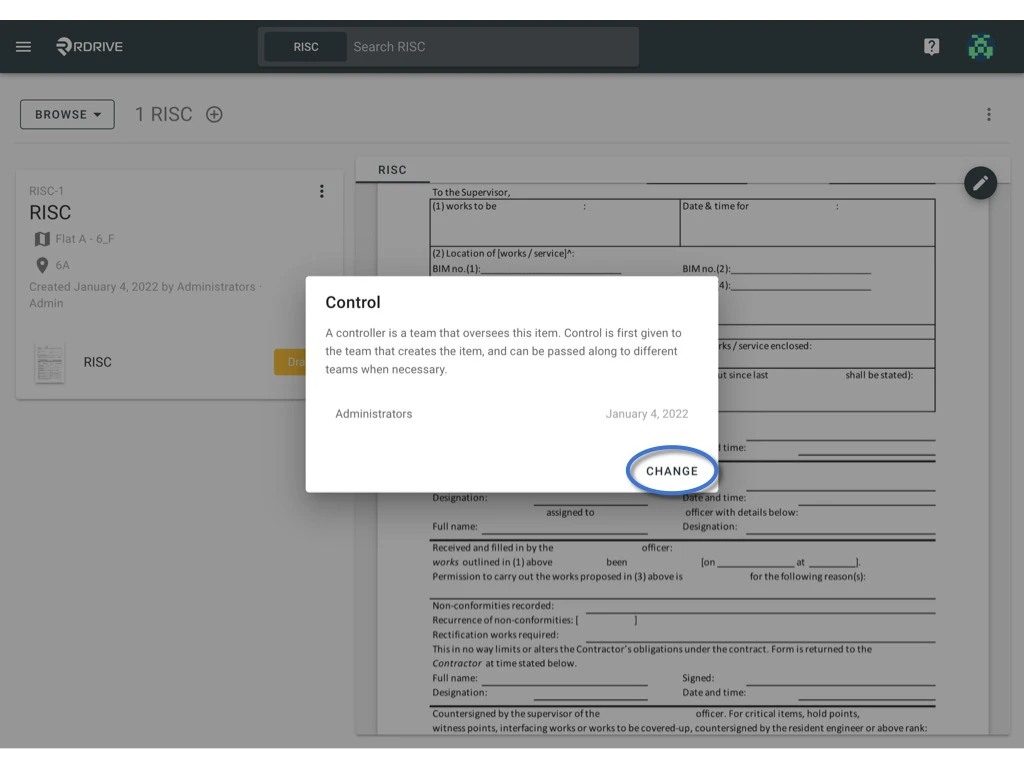 2. Choose the team you wish to assign control to, then confirm by selecting "OK."
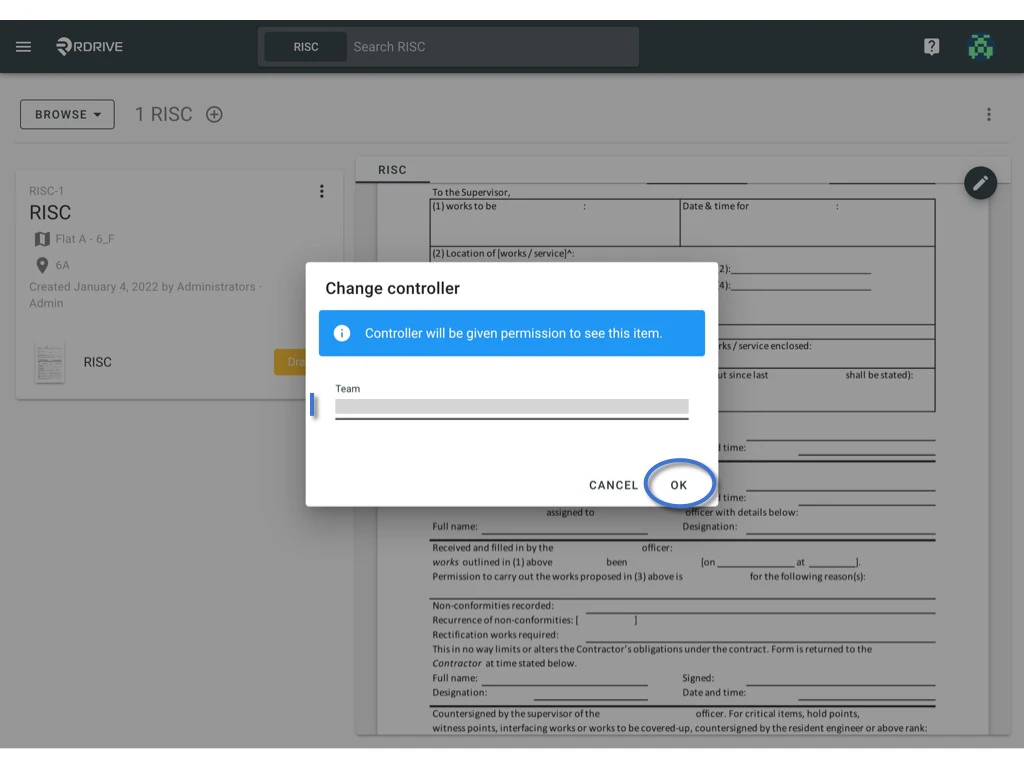 It's worth noting that the controller can also be modified through [assignment rules.](https://docs.rdrive.io/setup/project/category-issue-profiles/assignment-rule-issue-profile) This process ensures the appropriate team is in control of the item.
***
### - Issue/record
1. Find the issue/record from Plan viewer or Finder.
2. Click the ≡ button to reveal a menu.
It's worth noting that the controller can also be modified through [assignment rules.](https://docs.rdrive.io/setup/project/category-issue-profiles/assignment-rule-issue-profile) This process ensures the appropriate team is in control of the item.
***
### - Issue/record
1. Find the issue/record from Plan viewer or Finder.
2. Click the ≡ button to reveal a menu.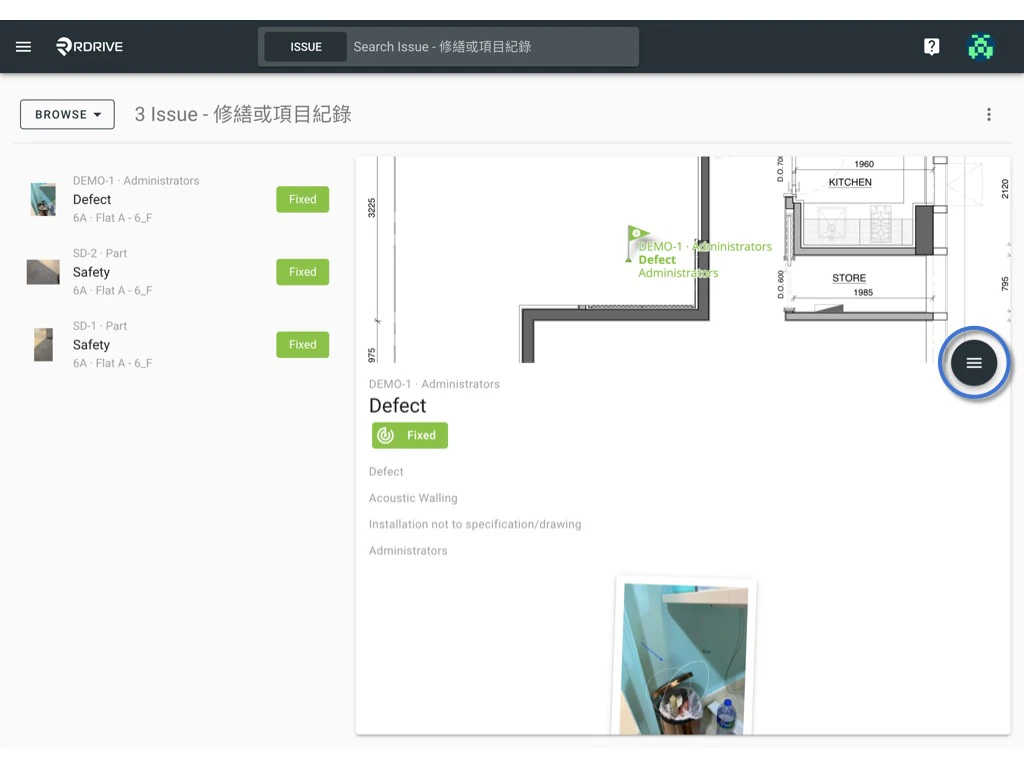 3. Select "Control" from the options available.
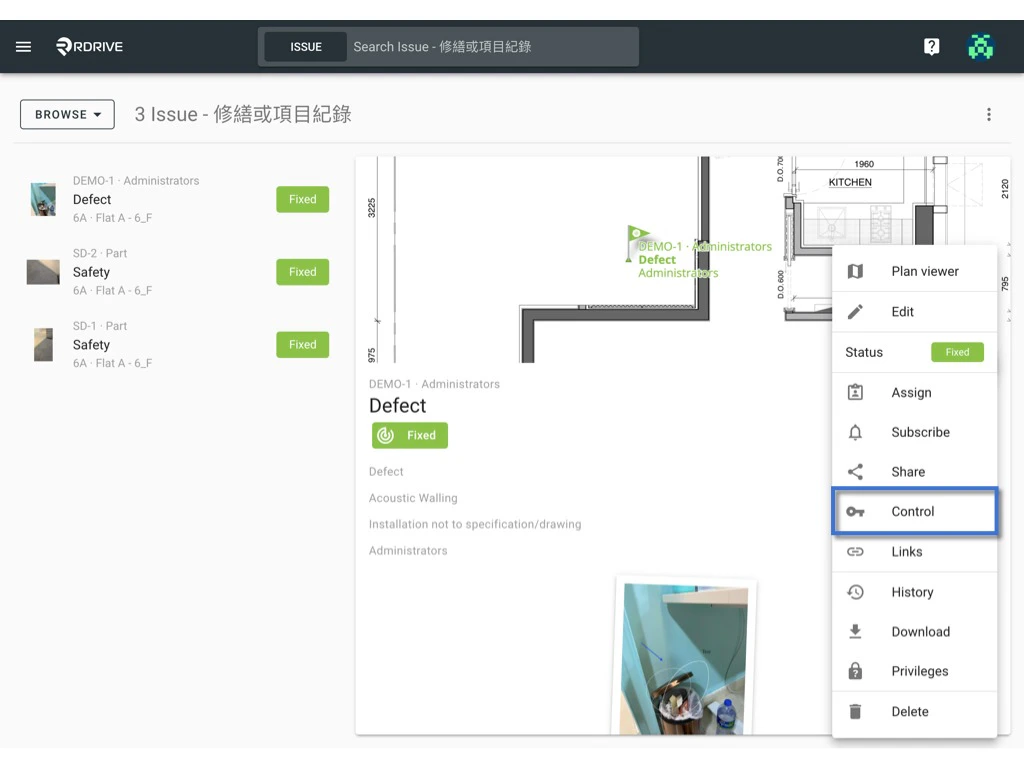 The current controller will be displayed.
By default, the team that created the item becomes the initial controller.
1. Click on "CHANGE" to initiate the controller change.
The current controller will be displayed.
By default, the team that created the item becomes the initial controller.
1. Click on "CHANGE" to initiate the controller change.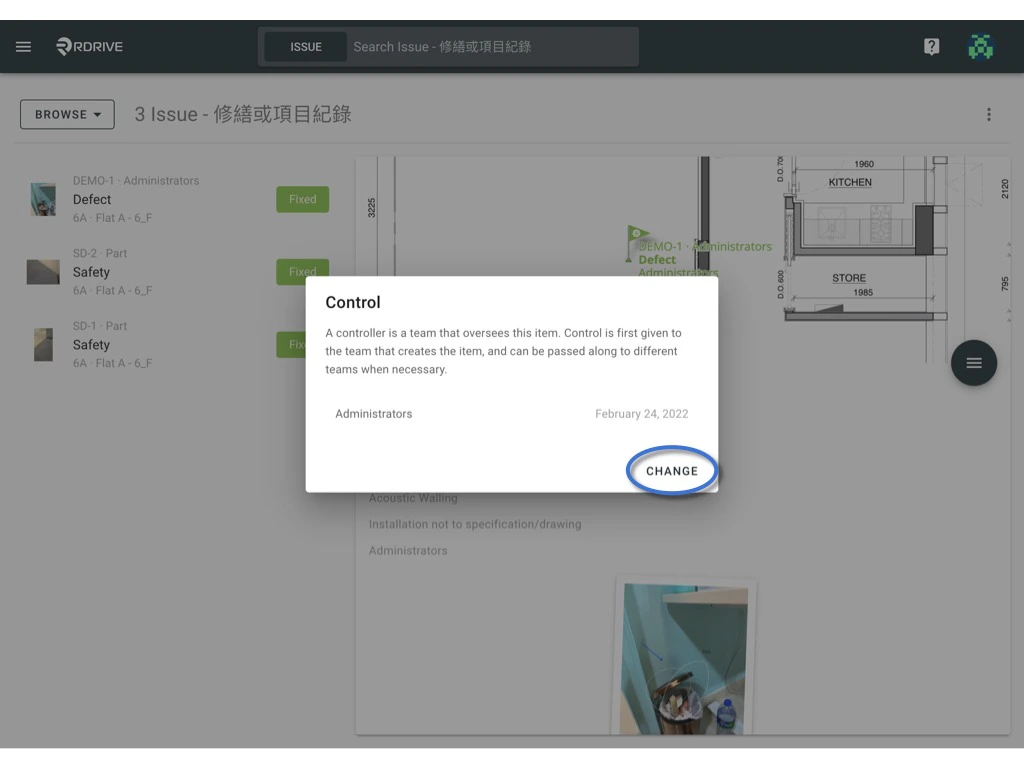 2. Choose the team you wish to assign control to, then confirm by selecting "OK."
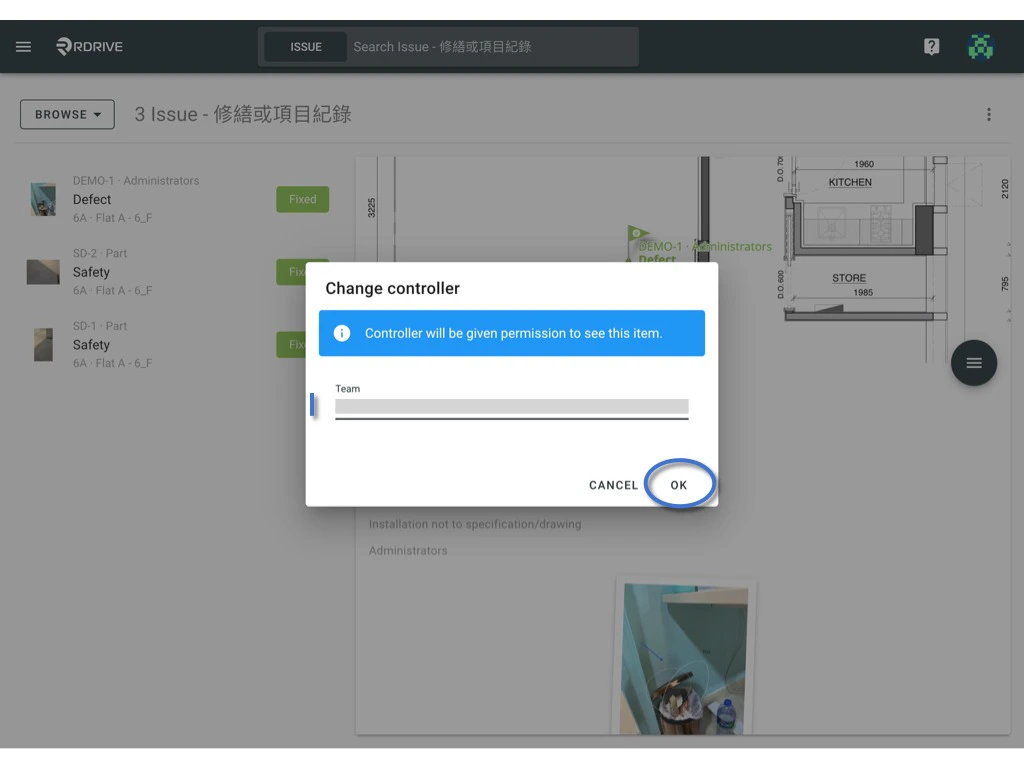 It's worth noting that the controller can also be modified through [assignment rules.](https://docs.rdrive.io/setup/project/category-issue-profiles/assignment-rule-issue-profile) This process ensures the appropriate team is in control of the item.