> ## Documentation Index
> Fetch the complete documentation index at: https://docs.rdrive.io/llms.txt
> Use this file to discover all available pages before exploring further.
# How to get my API key?
> An API key serves as a unique identifier or code used by computer programs to authenticate and control access when making requests to an API (Application Progra
An API key serves as a unique identifier or code used by computer programs to authenticate and control access when making requests to an API (Application Programming Interface). It ensures that the requesting program is authorized to access the API.
In RDrive, users can generate their own API keys through a simple three-step process.
* [Step 1: Access the Account Settings Page](#step-1%3a-access-the-account-settings-page)
* [Step 2: Add API Key](#step-2%3a-add-api-key)
* [Step 3: Copy the API Key](#step-3%3a-copy-the-api-key)[](#to-delete-an-api-key,-follow-these-steps%3a)[\
](#to-delete-an-api-key,-follow-these-steps%3a)[](#to-delete-an-api-key,-follow-these-steps%3a)[\
](#to-delete-an-api-key,-follow-these-steps%3a)
* [To Delete an API key](#to-delete-an-api-key,-follow-these-steps%3a).
***
## **Step 1: Access the Account Settings Page**
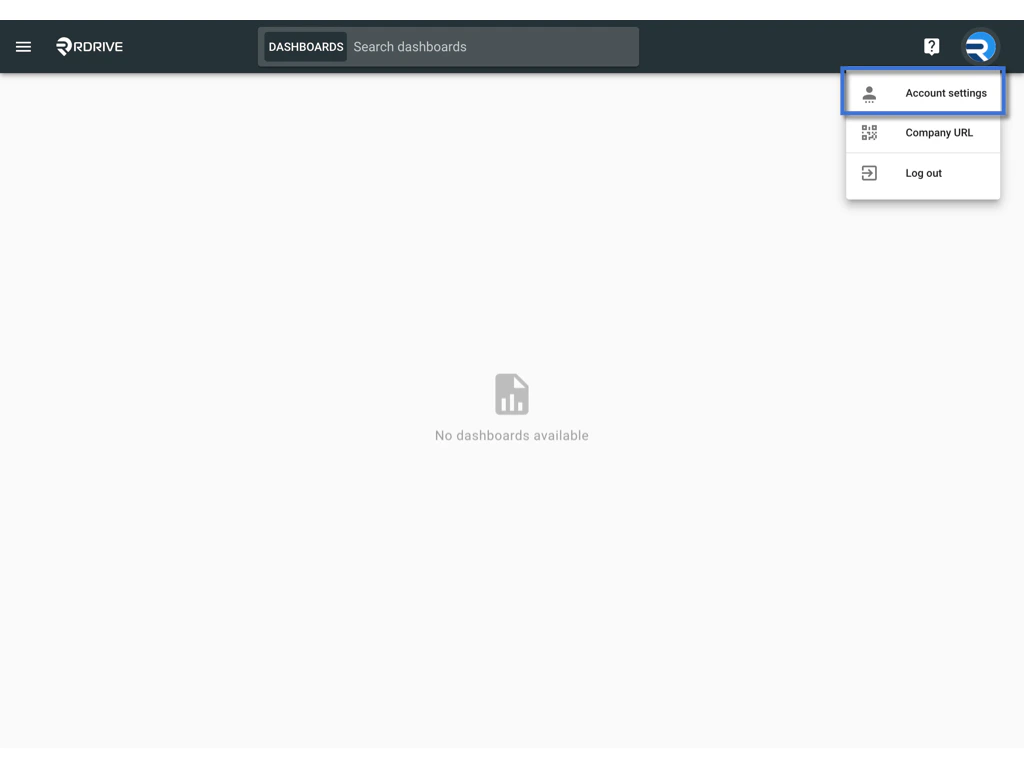
* Log in to the system and navigate to the top right corner where your profile icon is located.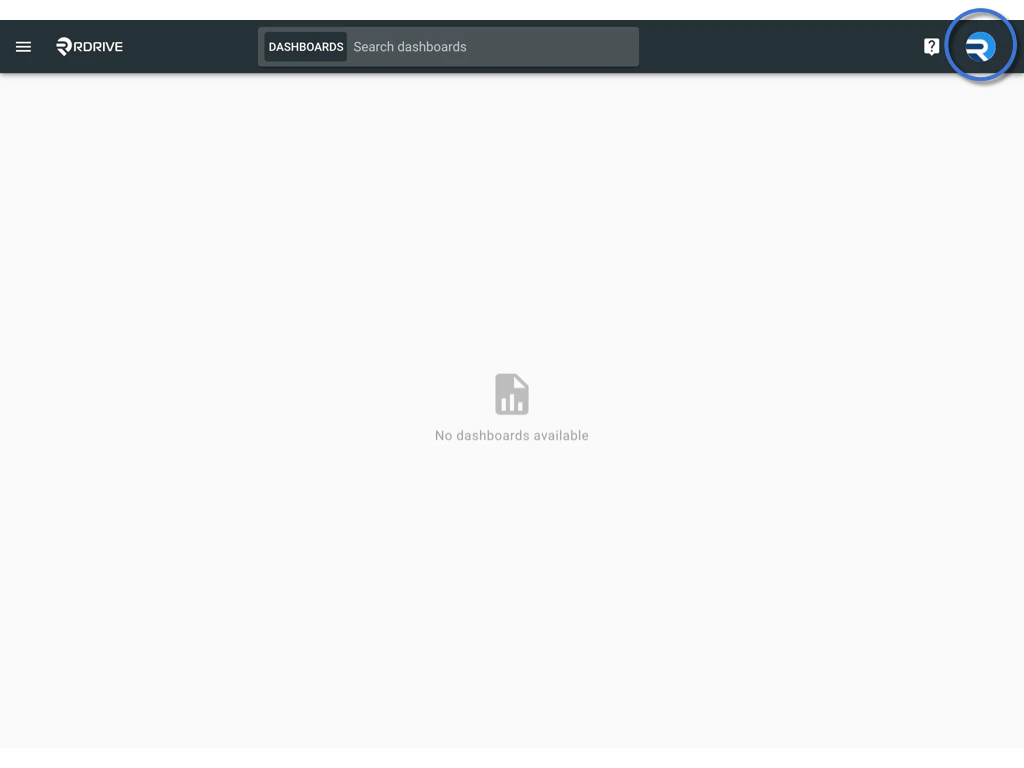 * Click on the profile icon and choose "**Account Settings**".
 ## **Step 2: Add API Key**
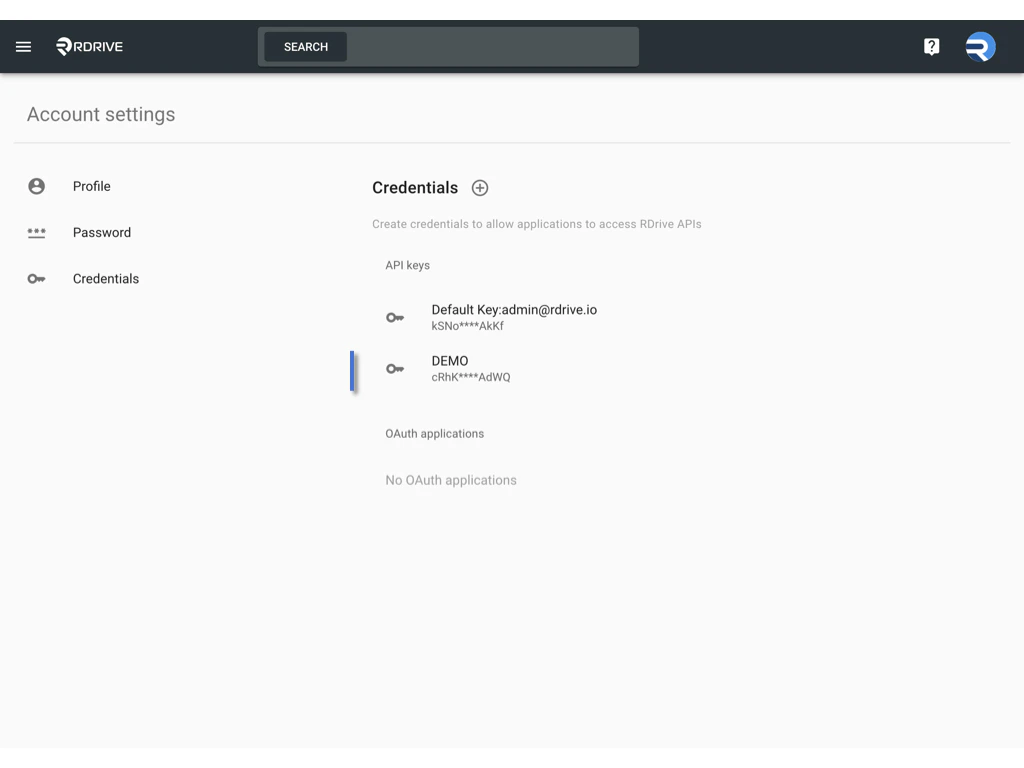
* Click the "+" button on the Credentials page to add a new API key.
## **Step 2: Add API Key**
* Click the "+" button on the Credentials page to add a new API key.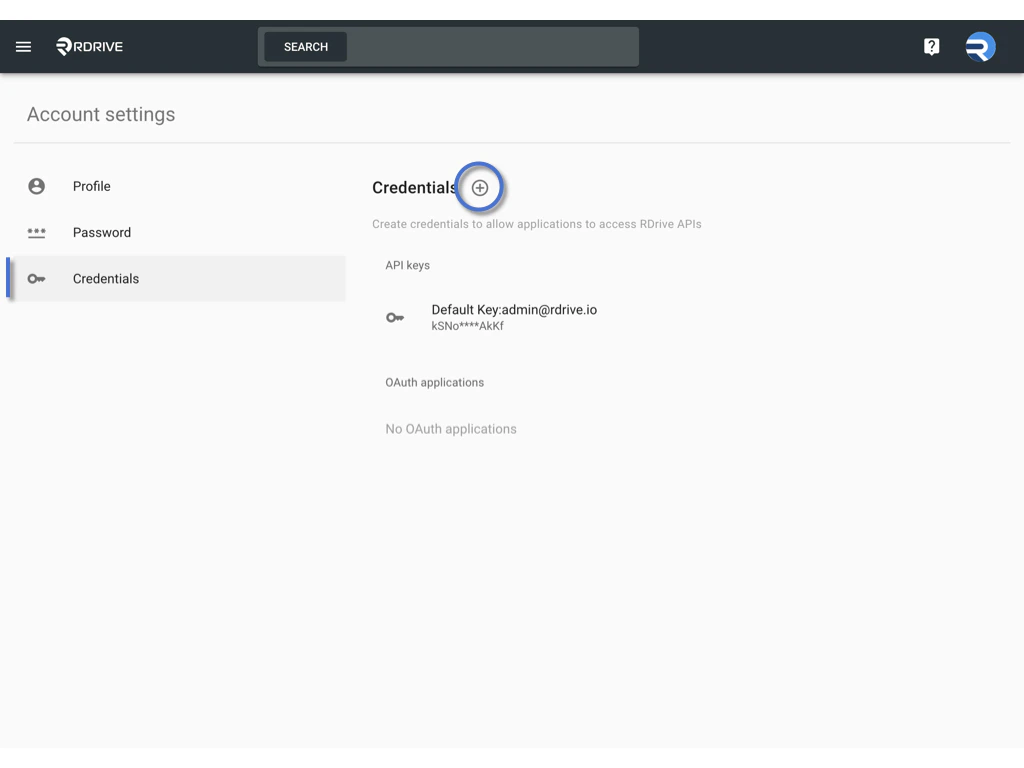
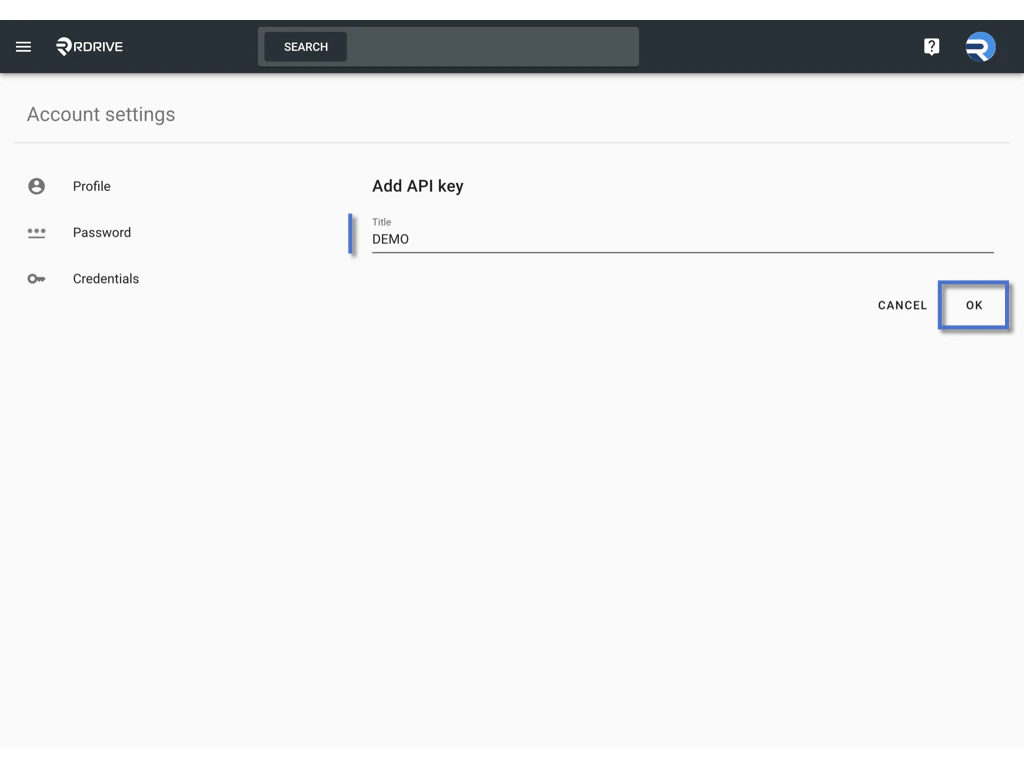
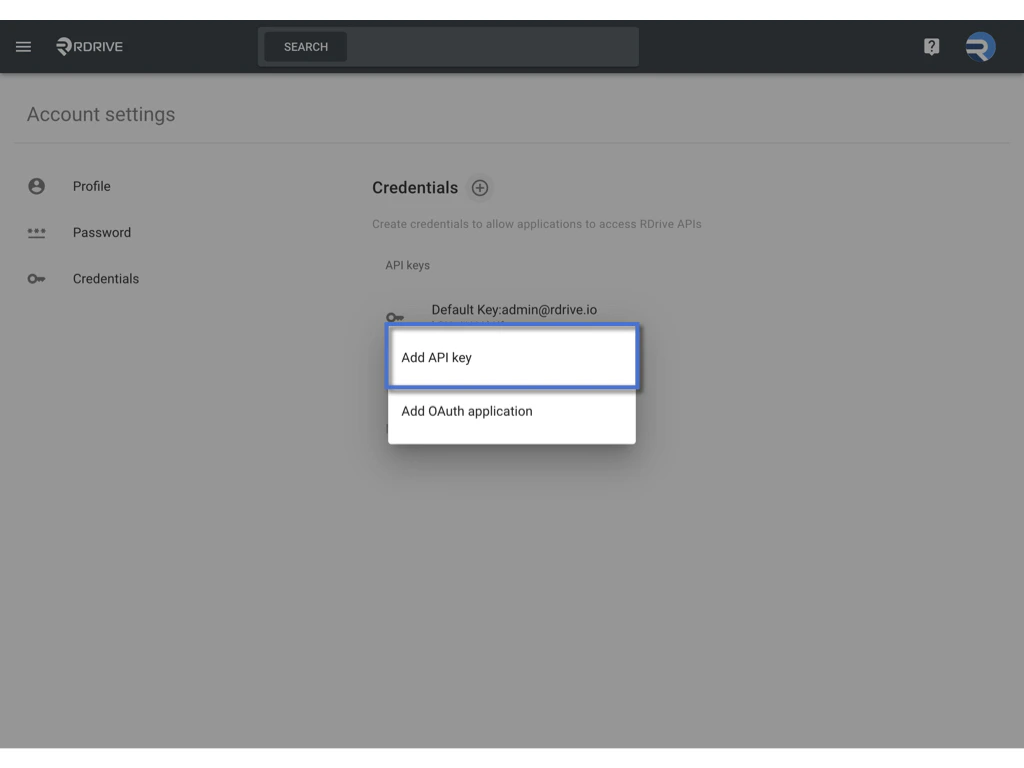 * Assign a title for the key to enhance identification, and click **OK**.
 ## **Step 3: Copy the API Key**
* The API key is generated and ready for use. Copy the key for API requests.
## **Step 3: Copy the API Key**
* The API key is generated and ready for use. Copy the key for API requests.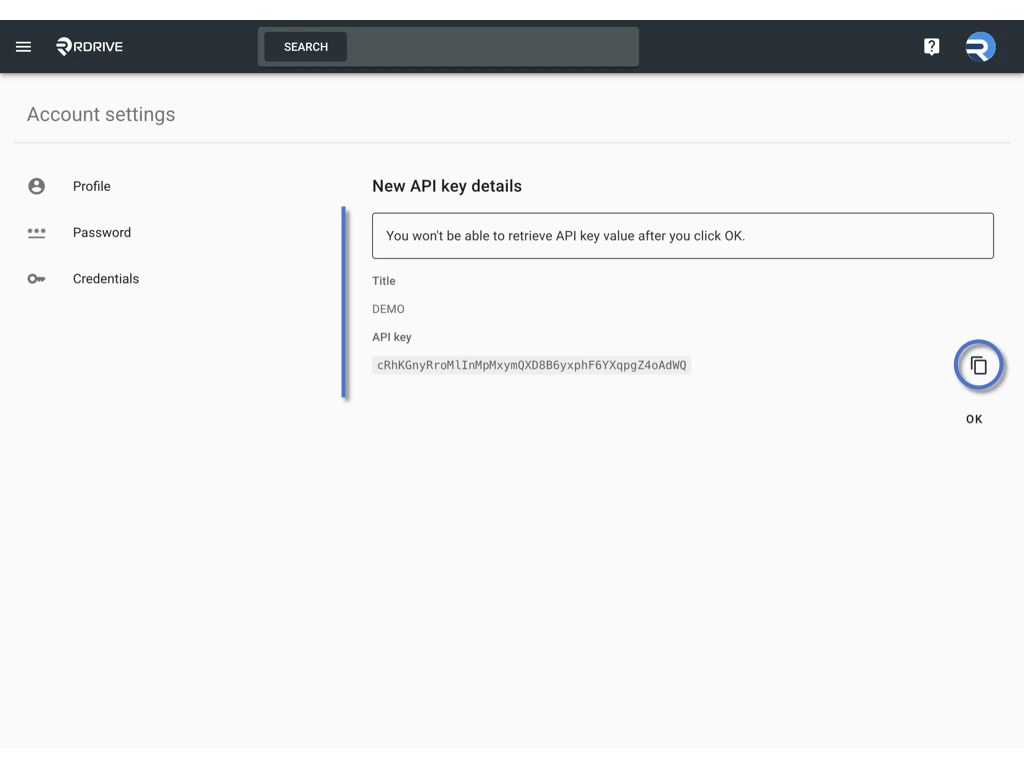 API key will be hidden. You won't be able to retrieve API key value after you click OK.
 Safeguard your API key and refrain from sharing it publicly for security reasons.
***
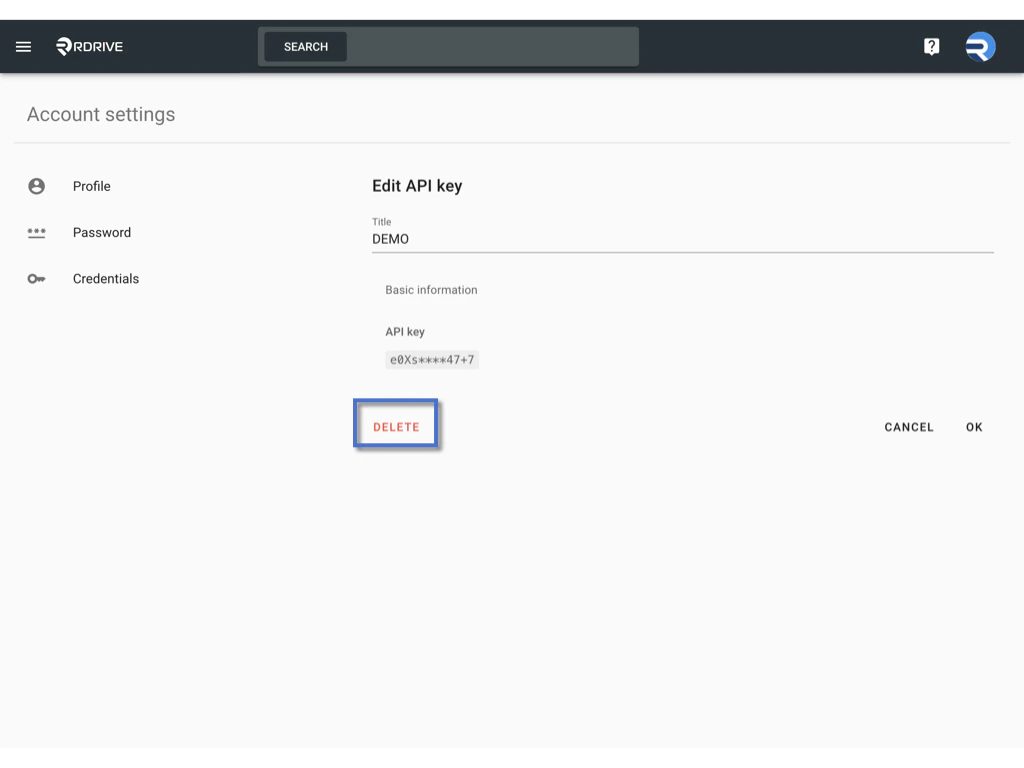
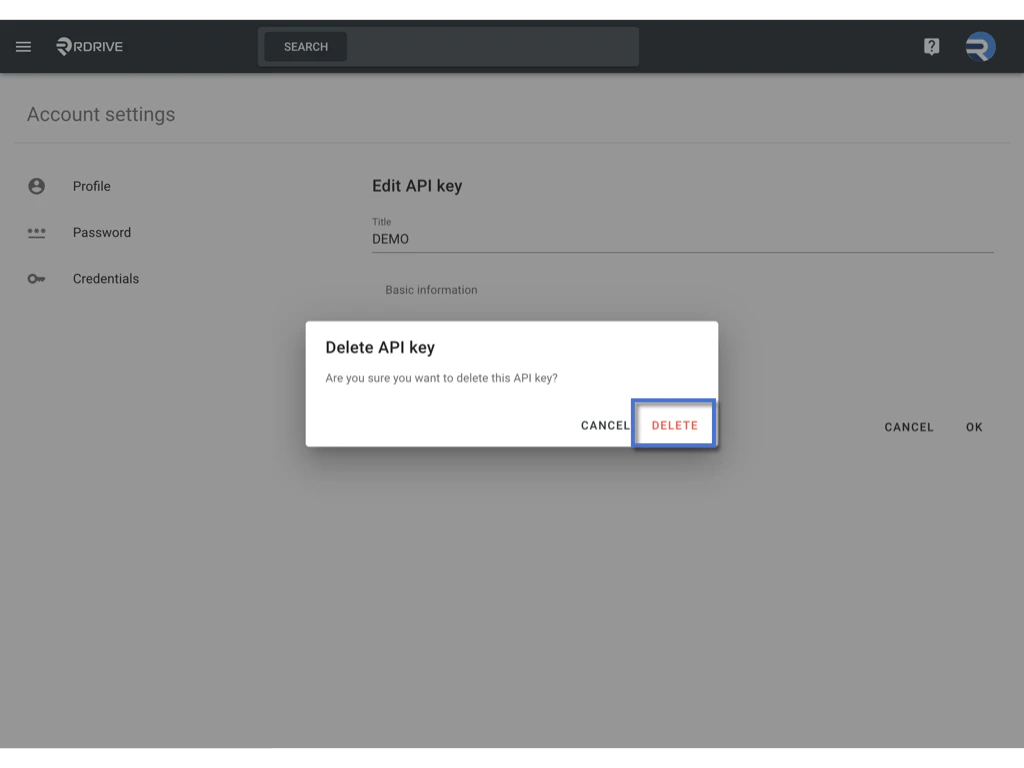
#### **To delete an API key, follow these steps:**
1. Click on the key you want to delete.
2. Pause for a moment and select "Delete."
3. Once deleted, the key will become invalid.
> Exercise caution when deleting API keys, as this action renders the key unusable. Ensure that you no longer require the key before proceeding with deletion.
Safeguard your API key and refrain from sharing it publicly for security reasons.
***
#### **To delete an API key, follow these steps:**
1. Click on the key you want to delete.
2. Pause for a moment and select "Delete."
3. Once deleted, the key will become invalid.
> Exercise caution when deleting API keys, as this action renders the key unusable. Ensure that you no longer require the key before proceeding with deletion.