> ## Documentation Index
> Fetch the complete documentation index at: https://docs.rdrive.io/llms.txt
> Use this file to discover all available pages before exploring further.
# How to add a reusable signature to your account on the Application
> How to add a reusable signature to your account within the app
 ###
###  ### **Overview**
*How to add a reusable signature to your account within the app*
* **Purpose:** Adding a digital signature within the app to reuse on items within RDrive.
* **Who It’s For:** General users
Prerequisites: RDrive Access
***
## **Step-by-Step Instructions**
### **✅ Step 1: Accessing your Account Settings**
1. Once logged into the app, click your name at the top of the screen
### **Overview**
*How to add a reusable signature to your account within the app*
* **Purpose:** Adding a digital signature within the app to reuse on items within RDrive.
* **Who It’s For:** General users
Prerequisites: RDrive Access
***
## **Step-by-Step Instructions**
### **✅ Step 1: Accessing your Account Settings**
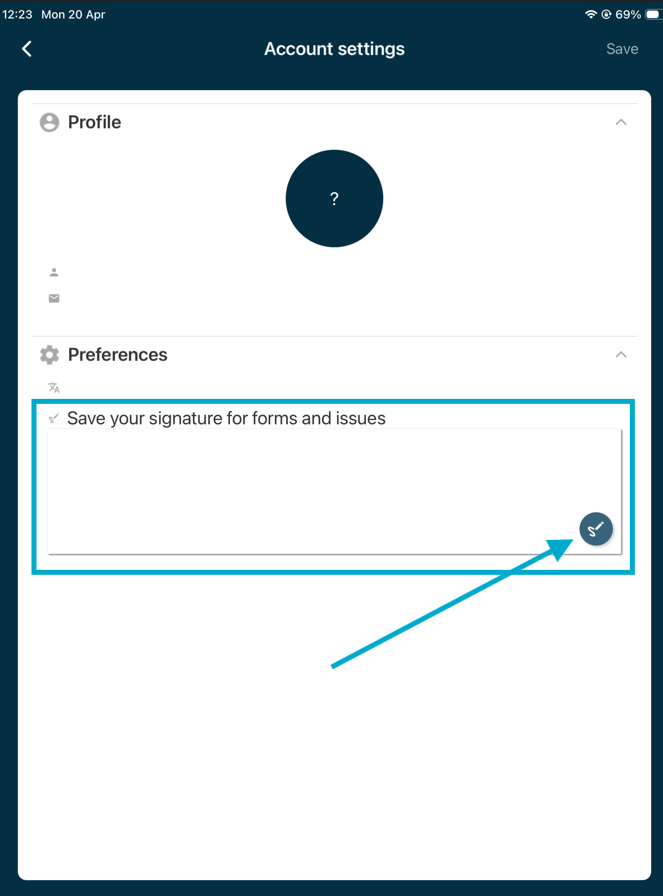
1. Once logged into the app, click your name at the top of the screen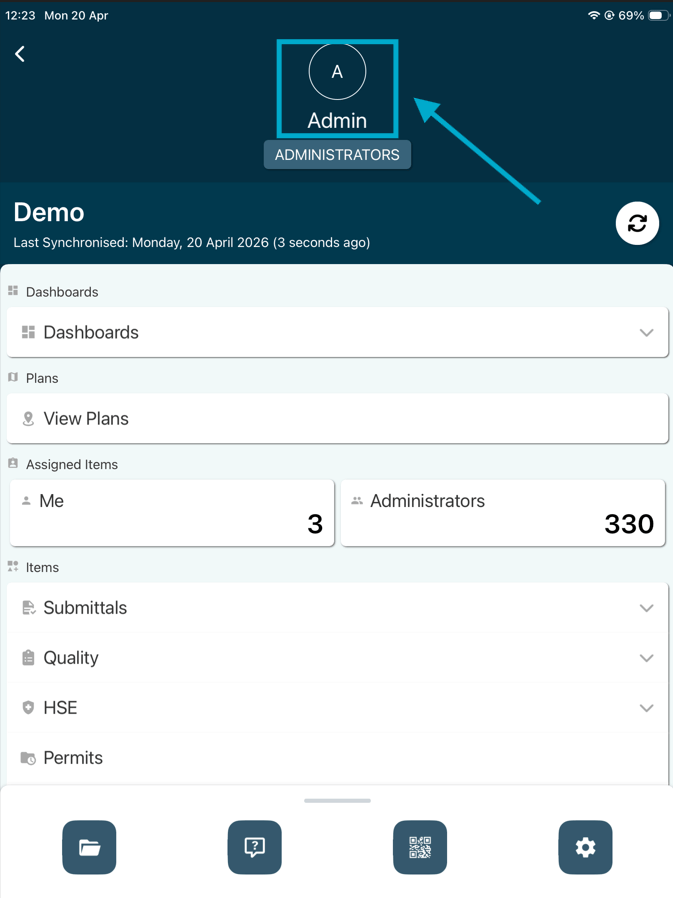 2. From the preference tab, click into the signature box or press the pen icon to add your signature.
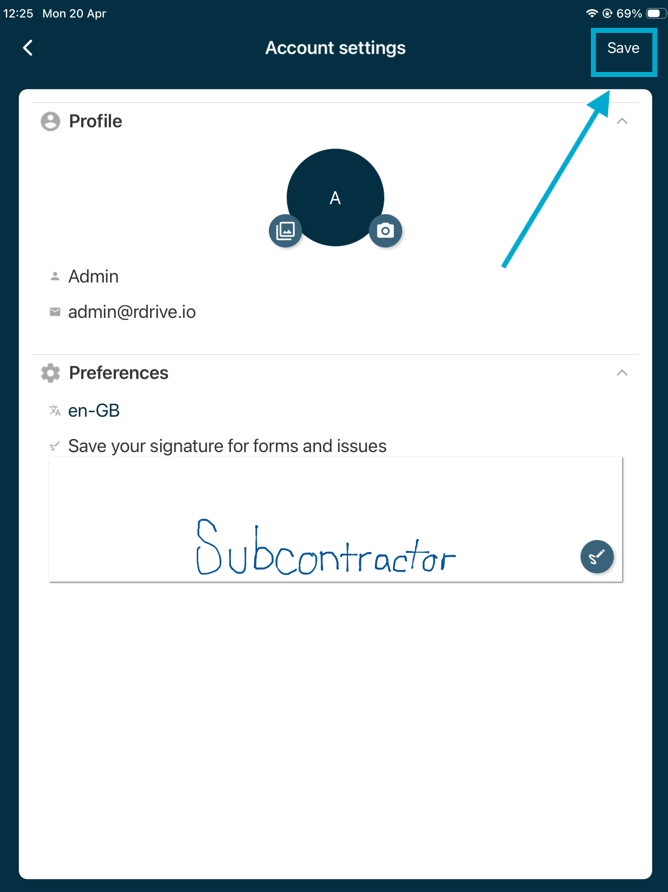
 3. Add your signature by dragging on the screen then click **"Save"** in the top left corner. You will now be able to use this signature repeatedly from now on.
 ##
This documentation is built and hosted on [Mintlify](https://mintlify.com), a developer documentation platform.
##
This documentation is built and hosted on [Mintlify](https://mintlify.com), a developer documentation platform.