> ## Documentation Index
> Fetch the complete documentation index at: https://docs.rdrive.io/llms.txt
> Use this file to discover all available pages before exploring further.

# How does the comment function work?

> On RDrive, there is a comment function for you to leave a comment to your co-workers. An email notification will send to an user if you @mention him in the comm

## **Getting tired of using online messaging app / email / telephone to communicate on the work progress of a process/form? ?**

On RDrive, there is a comment function for you to leave a comment to your co-workers. An email notification will send to an user if you @mention him in the comment. You can make use of this function to achieve different purposes! There are plenty of possibilities! Explore it! 

To add a comment to a form, here are the steps:

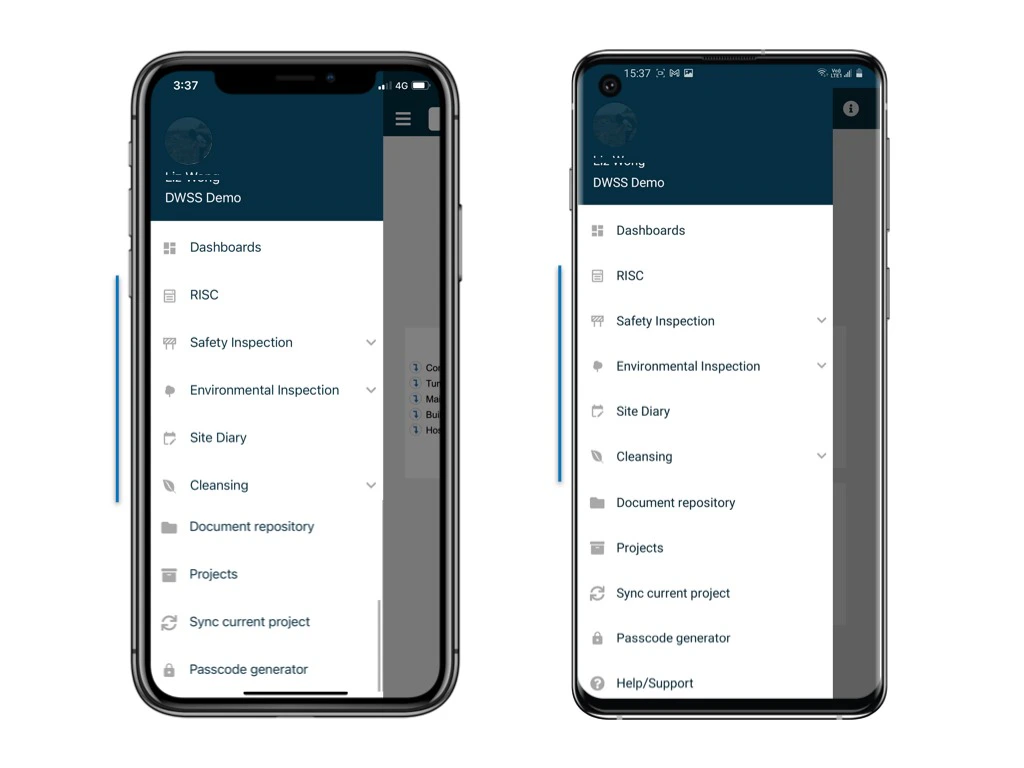
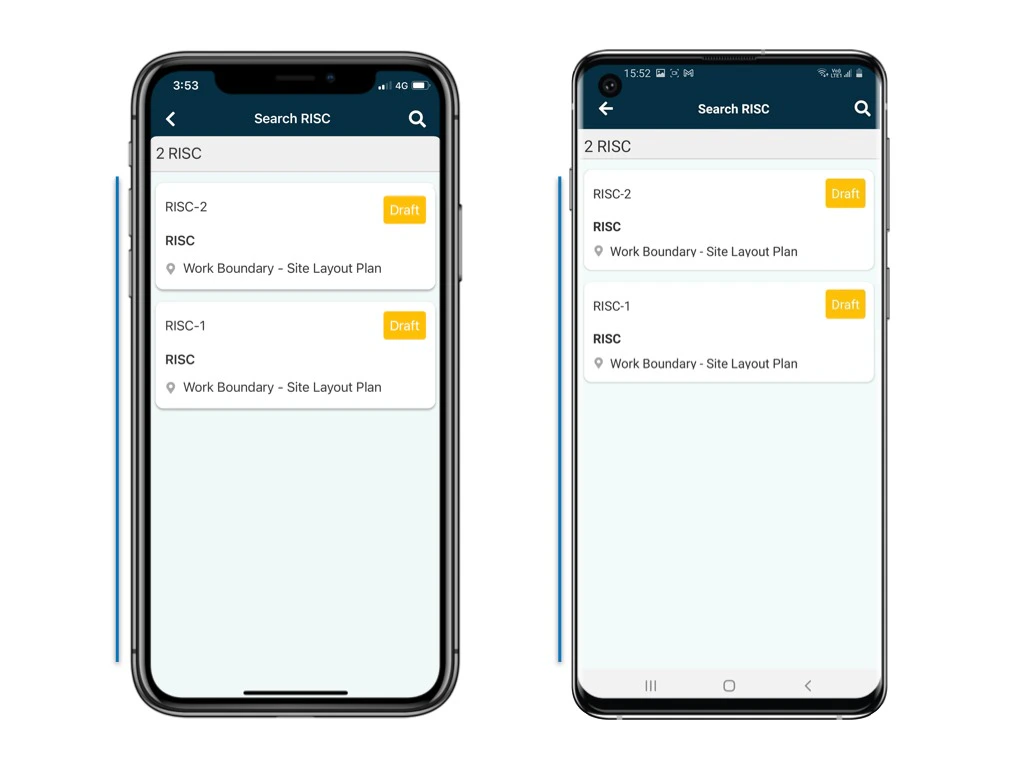
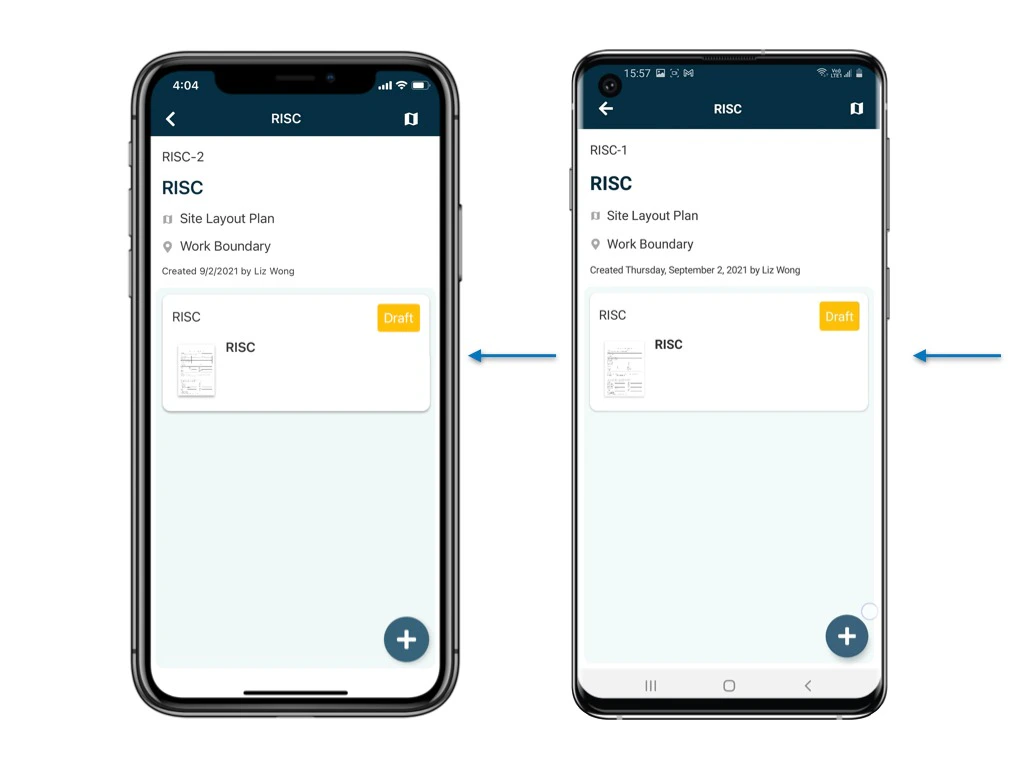
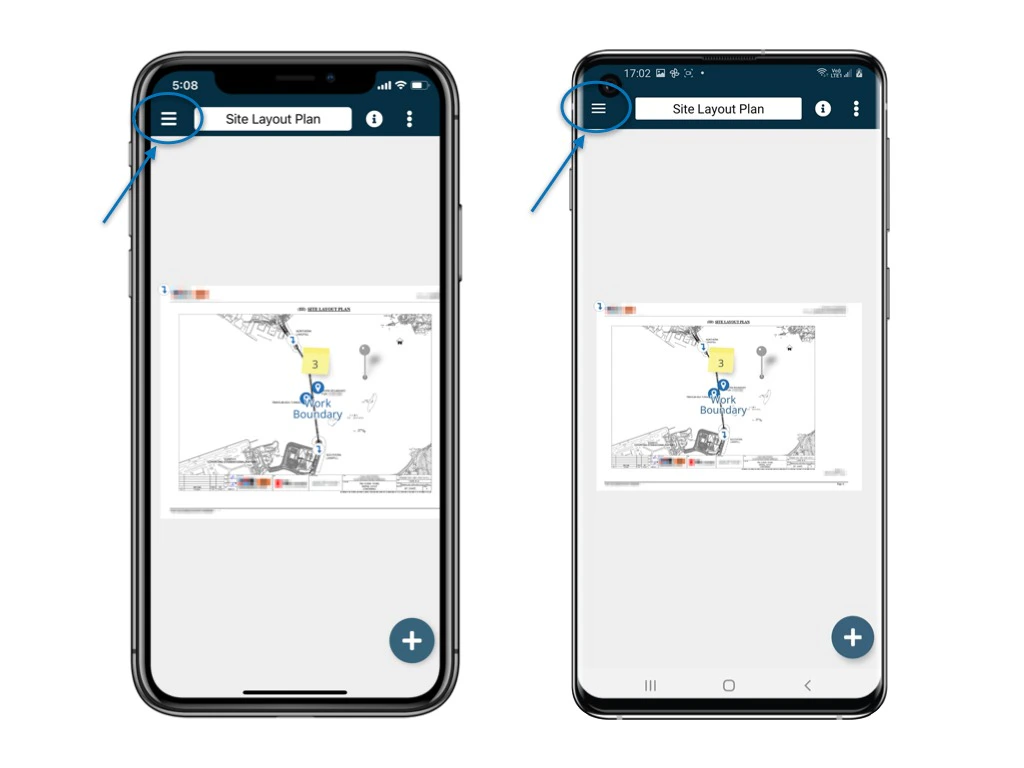
Go to Finder and access to the process and form.
<img src="https://mintcdn.com/rdrive/hmdjAtzAV1Xti41C/images/kb/103000035162/bjnlIxLMhnrEJCsOZfRlSRV1G3dzP5jTiA.jpeg?fit=max&auto=format&n=hmdjAtzAV1Xti41C&q=85&s=fdd14aa0cb4c4452be7ab7544d909dfe" alt="How does the comment function work?" width="1024" height="768" data-path="images/kb/103000035162/bjnlIxLMhnrEJCsOZfRlSRV1G3dzP5jTiA.jpeg" />

<img src="https://mintcdn.com/rdrive/hmdjAtzAV1Xti41C/images/kb/103000035162/4EnUqMsFkK74trfWX7JpKD_yVeOmSx1uoA.jpeg?fit=max&auto=format&n=hmdjAtzAV1Xti41C&q=85&s=b01f01f9ef67c4c3b395e7a15f3d28d5" alt="How does the comment function work?" width="1024" height="768" data-path="images/kb/103000035162/4EnUqMsFkK74trfWX7JpKD_yVeOmSx1uoA.jpeg" />

<img src="https://mintcdn.com/rdrive/hmdjAtzAV1Xti41C/images/kb/103000035162/MW--dtChrtAjxLAmTQipVbJlXXzMgiu4pA.jpeg?fit=max&auto=format&n=hmdjAtzAV1Xti41C&q=85&s=8b7682d44abf6f669c732b83805eb6e2" alt="How does the comment function work?" width="1024" height="768" data-path="images/kb/103000035162/MW--dtChrtAjxLAmTQipVbJlXXzMgiu4pA.jpeg" />

<img src="https://mintcdn.com/rdrive/hmdjAtzAV1Xti41C/images/kb/103000035162/VNiYC540bMaifPf7Y_vSbFVUrTmOEn5BFw.jpeg?fit=max&auto=format&n=hmdjAtzAV1Xti41C&q=85&s=58fbe5c54a66c1ed1db63bc0584fb19b" alt="How does the comment function work?" width="1024" height="768" data-path="images/kb/103000035162/VNiYC540bMaifPf7Y_vSbFVUrTmOEn5BFw.jpeg" />

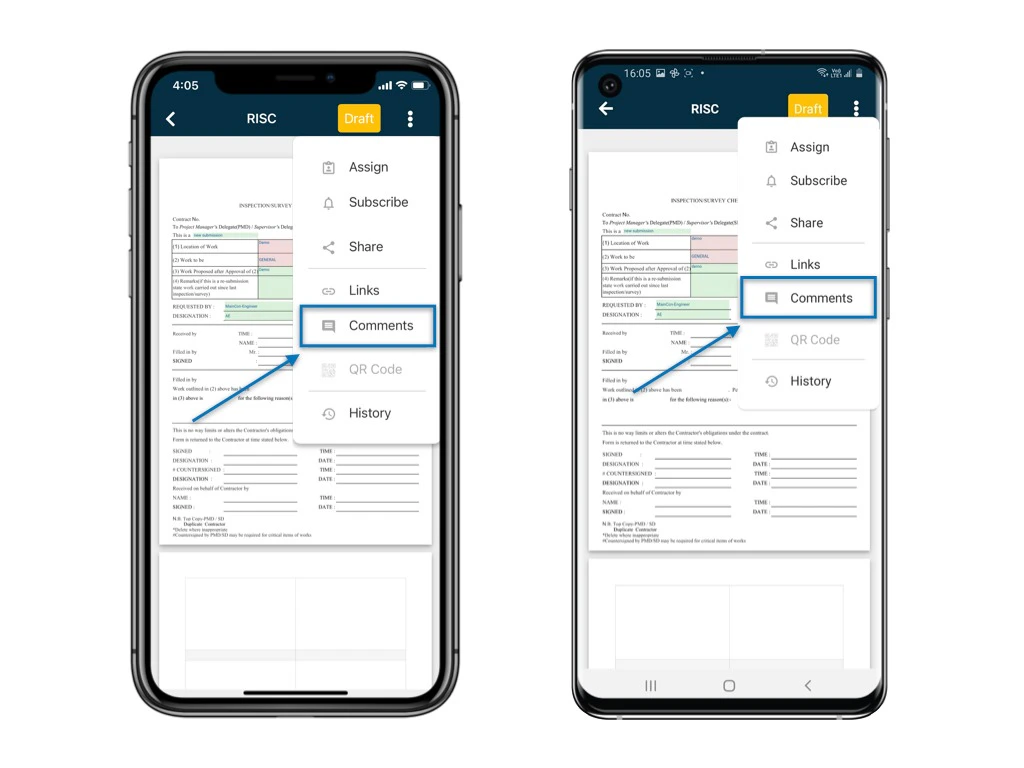
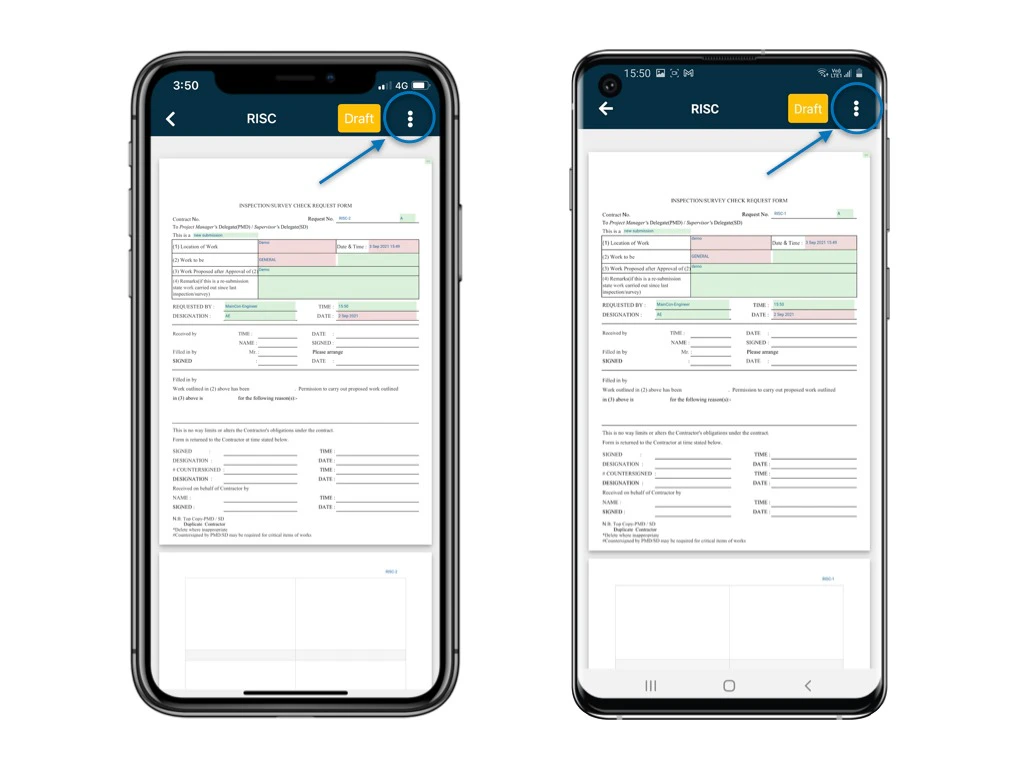
A form is now opened in the form viewer, click ⋮ to select "Comment"
<img src="https://mintcdn.com/rdrive/hmdjAtzAV1Xti41C/images/kb/103000035162/EZEP2IKxSYB-70je48t-IJcuu9R1wrOeFw.jpeg?fit=max&auto=format&n=hmdjAtzAV1Xti41C&q=85&s=ac90a7c4252d9f8867fc21d8de81ec23" alt="How does the comment function work?" width="1024" height="768" data-path="images/kb/103000035162/EZEP2IKxSYB-70je48t-IJcuu9R1wrOeFw.jpeg" />

<img src="https://mintcdn.com/rdrive/hmdjAtzAV1Xti41C/images/kb/103000035162/_AbJLjk9bfGdh9NTkuRz7_72og6DnOyg5A.jpeg?fit=max&auto=format&n=hmdjAtzAV1Xti41C&q=85&s=cc226e69158f51be1c0af2e6ad5e4058" alt="How does the comment function work?" width="1024" height="768" data-path="images/kb/103000035162/_AbJLjk9bfGdh9NTkuRz7_72og6DnOyg5A.jpeg" />

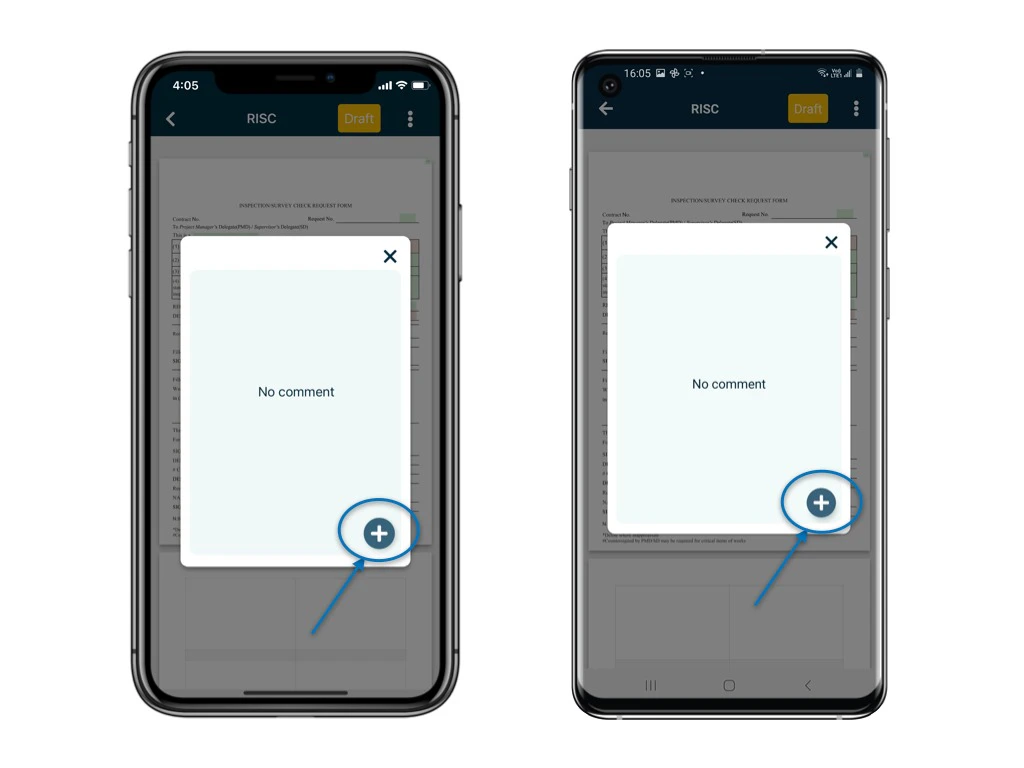
Click "**+**" button to add a comment

You can either

1️⃣ Simply leave a comment\
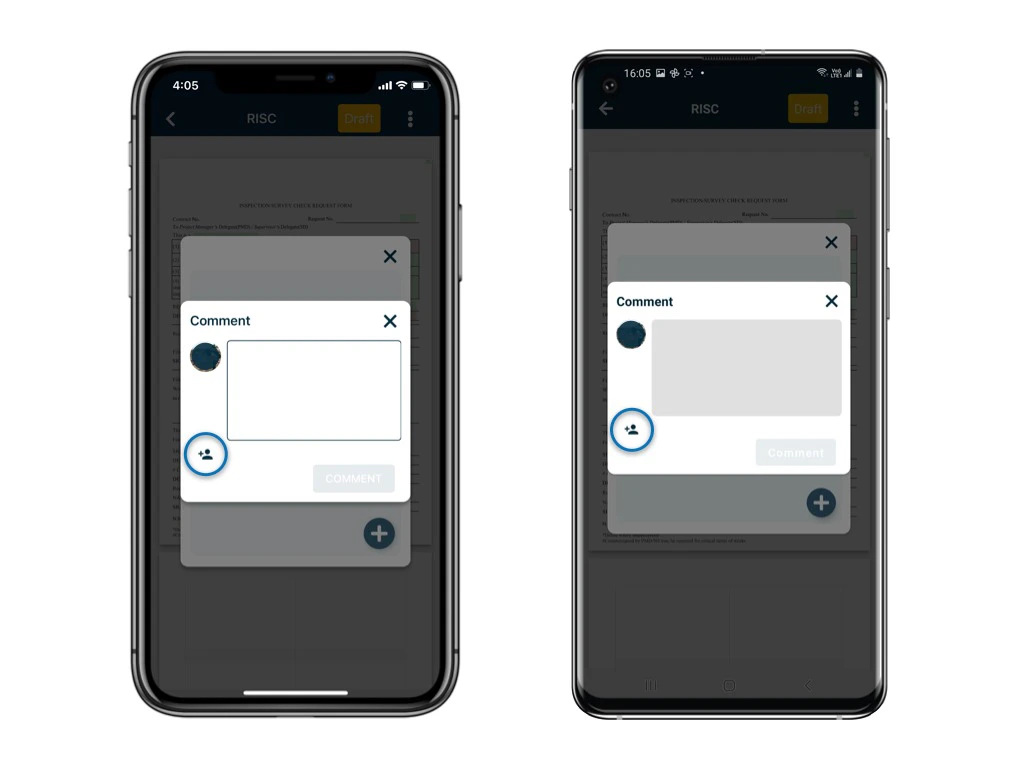
2️⃣ Leave a comment and @mention user by clicking notify user icon
<img src="https://mintcdn.com/rdrive/hmdjAtzAV1Xti41C/images/kb/103000035162/FkpD4wyuY0Y6qwfH_0CH2KEa9nsnsMeTDg.jpeg?fit=max&auto=format&n=hmdjAtzAV1Xti41C&q=85&s=ebb183bf123bf61c5694c5e8a2cf8b16" alt="How does the comment function work?" width="1024" height="768" data-path="images/kb/103000035162/FkpD4wyuY0Y6qwfH_0CH2KEa9nsnsMeTDg.jpeg" />

If you go for 2️⃣ , once user(s) is picked , click "**OK**"
<img src="https://mintcdn.com/rdrive/hmdjAtzAV1Xti41C/images/kb/103000035162/esSwj6a7hVhTfI7Vg97ZmCYTV607caVpug.jpeg?fit=max&auto=format&n=hmdjAtzAV1Xti41C&q=85&s=62565b1c71eb2e03251527ffcb83600b" alt="How does the comment function work?" width="1024" height="768" data-path="images/kb/103000035162/esSwj6a7hVhTfI7Vg97ZmCYTV607caVpug.jpeg" />

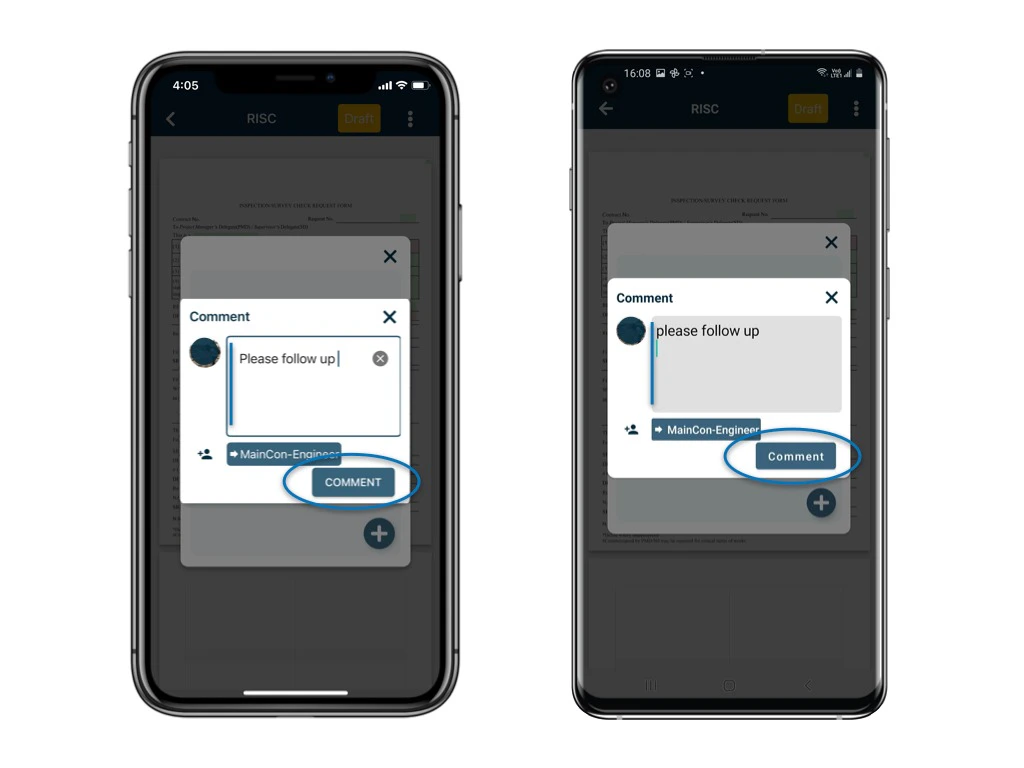
When you finish entering your comment, click "**Comment**" to save
<img src="https://mintcdn.com/rdrive/hmdjAtzAV1Xti41C/images/kb/103000035162/lwlMgGu1Wg-QGfl2Kl_L6gyRoSkafFd8QA.jpeg?fit=max&auto=format&n=hmdjAtzAV1Xti41C&q=85&s=e690141e5dfb36ab69af3f3c33962bce" alt="How does the comment function work?" width="1024" height="768" data-path="images/kb/103000035162/lwlMgGu1Wg-QGfl2Kl_L6gyRoSkafFd8QA.jpeg" />

<img src="https://mintcdn.com/rdrive/hmdjAtzAV1Xti41C/images/kb/103000035162/POaJP8t3rrJ5yVohamXAS7XBrTbHtikS_Q.jpeg?fit=max&auto=format&n=hmdjAtzAV1Xti41C&q=85&s=f69fee0924a45953d39462628f1f9fb7" alt="How does the comment function work?" width="1024" height="768" data-path="images/kb/103000035162/POaJP8t3rrJ5yVohamXAS7XBrTbHtikS_Q.jpeg" />

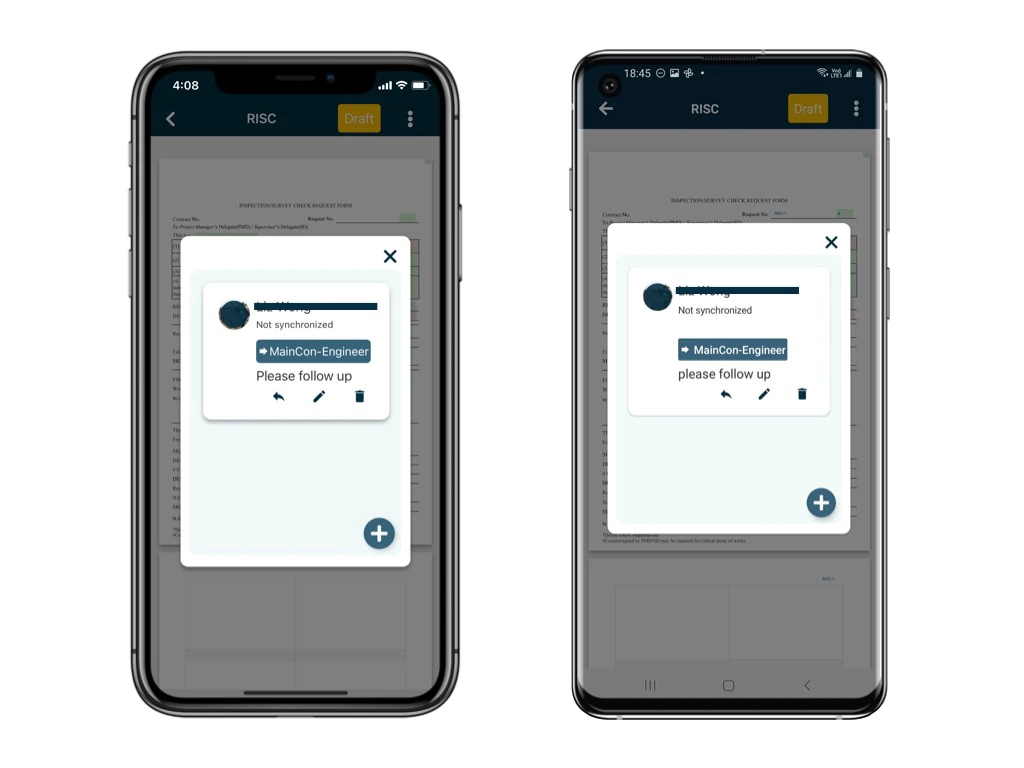
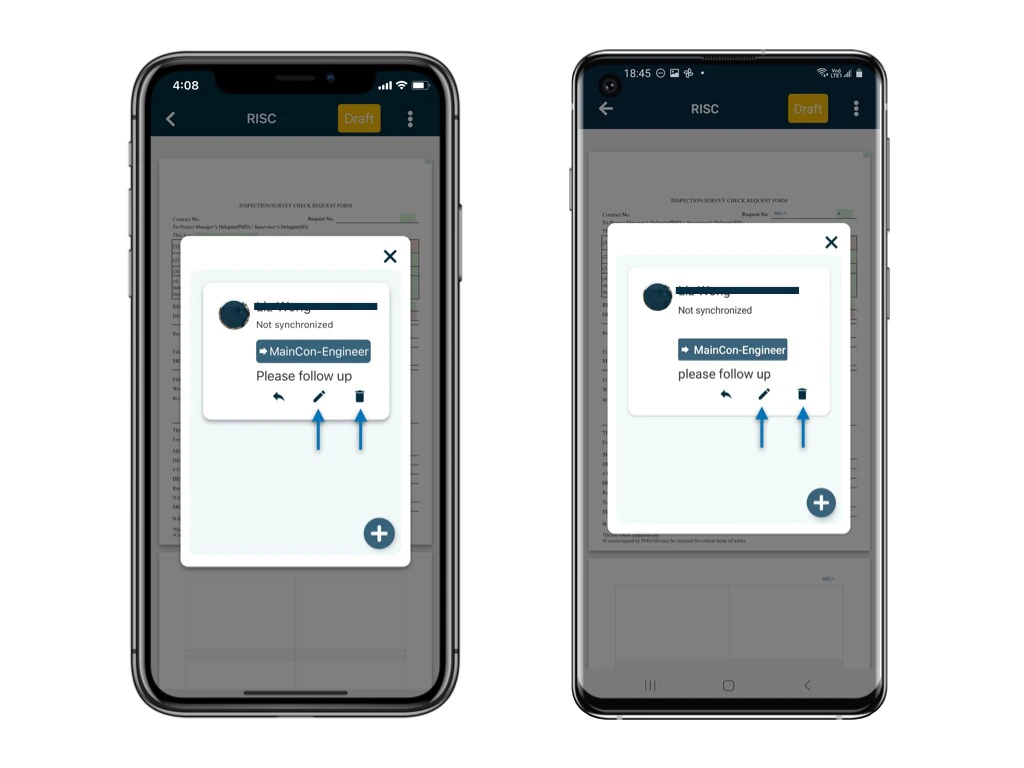
You can edit and delete the un-sync comment.

<Info>
  Once it is synced, the comment is unable to be edited and deleted.
</Info>

<img src="https://mintcdn.com/rdrive/hmdjAtzAV1Xti41C/images/kb/103000035162/833WUEN63PEiMHyfxZ2MTdX3Fq4YvSO-HA.jpeg?fit=max&auto=format&n=hmdjAtzAV1Xti41C&q=85&s=c2a8c89b412dad78ac6e9bf61d0e55f7" alt="How does the comment function work?" width="1024" height="768" data-path="images/kb/103000035162/833WUEN63PEiMHyfxZ2MTdX3Fq4YvSO-HA.jpeg" />

After it is synced, the user(s) you picked will receive an email / app notification!

<Note>
  ⚠️ After completing your onsite work, don't forget to synchronize. This action ensures data backup and updates for your project team.
</Note>