> ## Documentation Index
> Fetch the complete documentation index at: https://docs.rdrive.io/llms.txt
> Use this file to discover all available pages before exploring further.
# How to update the status of a form?
> Yeah! You finish filling in relevant part(s) on a form. What's next?
**Yeah! You finish filling in relevant part(s) on a form. What's next?**
It is time to know how to change the form status so that the next party can continue working on it!
How to update the status of a form on RDrive app? Let's take a look!
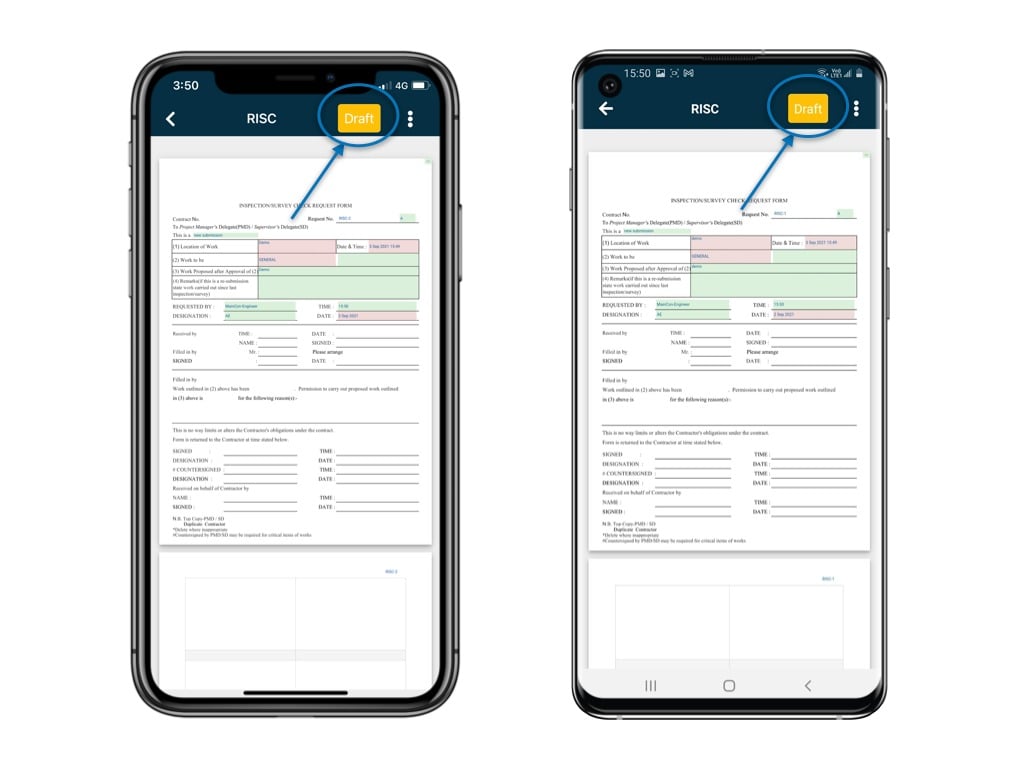
On the form viewer, click on the status box at the top right corner
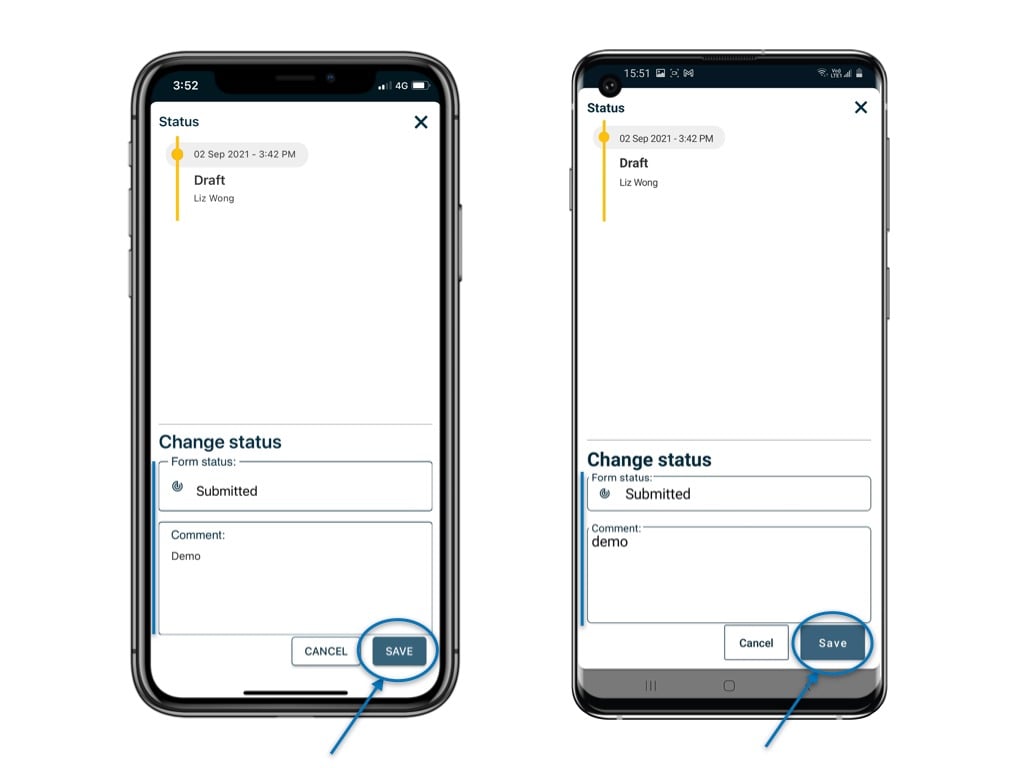
 Select the status, enter a comment if need, and hit "Save".
 It's done!
⚠️ After completing your onsite work, don't forget to synchronize. This action ensures data backup and updates for your project team.
It's done!
⚠️ After completing your onsite work, don't forget to synchronize. This action ensures data backup and updates for your project team.