> ## Documentation Index
> Fetch the complete documentation index at: https://docs.rdrive.io/llms.txt
> Use this file to discover all available pages before exploring further.

# How to add form(s) to a process via APP?

> You may have to add optional form(s) to existing process due to operational needs.

You may have to add optional form(s) to existing process due to operational needs.

This article is going to show you how to add optional form(s) on RDrive app?

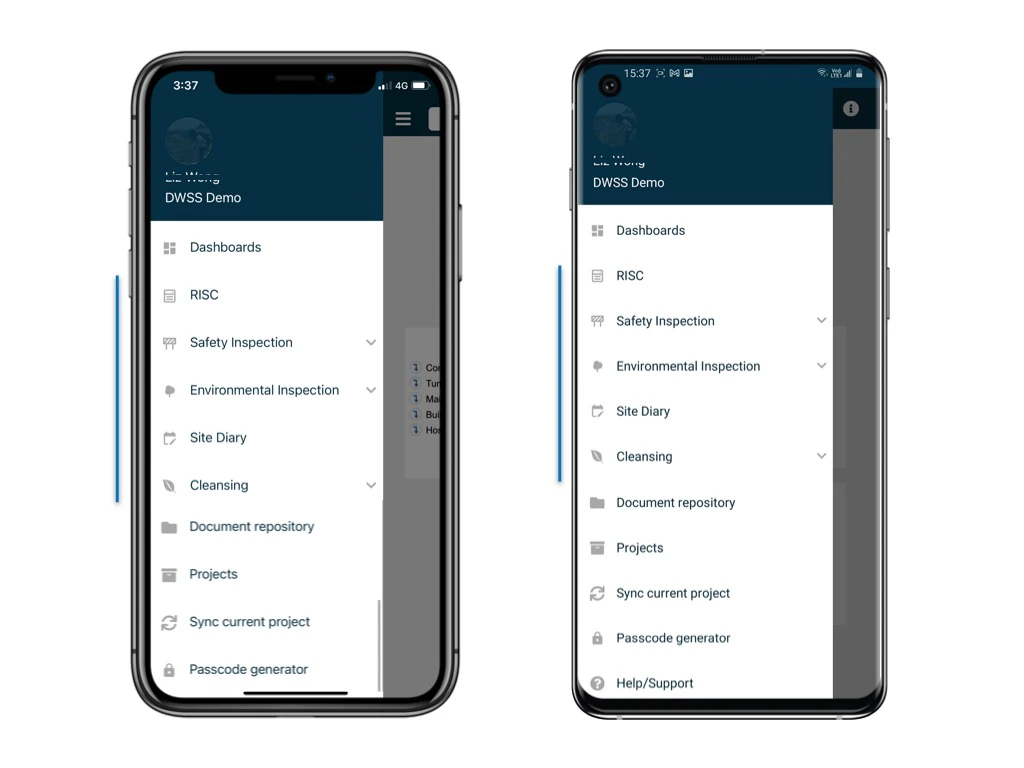
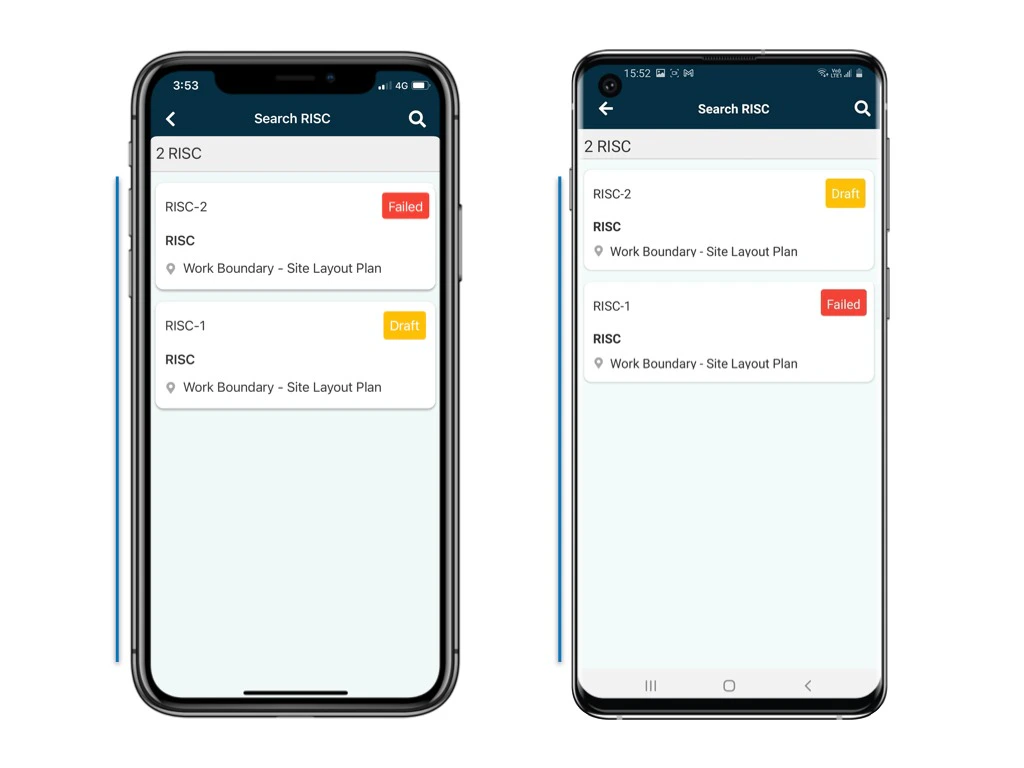
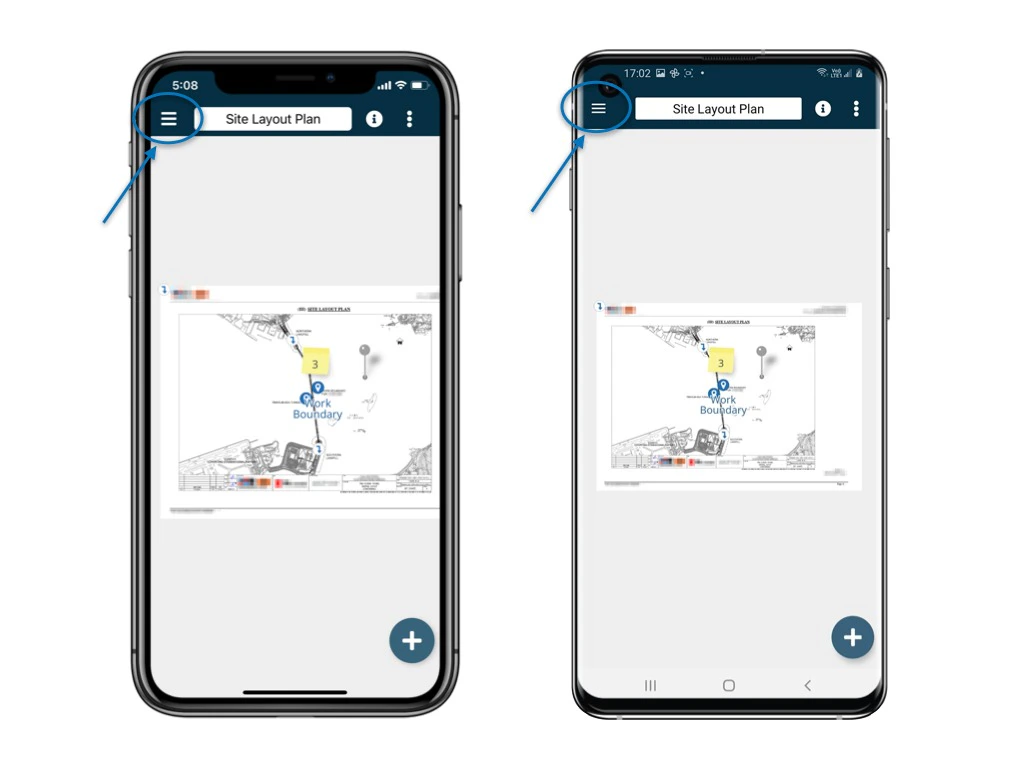
First of all, access to the process.
<img src="https://mintcdn.com/rdrive/xVEvck_7sRkiQEtB/images/kb/103000035205/BVPjkSOAJEo94F_Au8-pnpYehkagKffhHQ.jpeg?fit=max&auto=format&n=xVEvck_7sRkiQEtB&q=85&s=97dcbd7c5f42806d5479f87ef9f263ea" alt="How to add form(s) to a process via APP?" width="1024" height="768" data-path="images/kb/103000035205/BVPjkSOAJEo94F_Au8-pnpYehkagKffhHQ.jpeg" />

<img src="https://mintcdn.com/rdrive/xVEvck_7sRkiQEtB/images/kb/103000035205/92DabZQMhjBCsYKPDQ_G4RZRnuNA29SF7g.jpeg?fit=max&auto=format&n=xVEvck_7sRkiQEtB&q=85&s=c6bfe8375c9c074aaa41893e1b312c98" alt="How to add form(s) to a process via APP?" width="1024" height="768" data-path="images/kb/103000035205/92DabZQMhjBCsYKPDQ_G4RZRnuNA29SF7g.jpeg" />

<img src="https://mintcdn.com/rdrive/xVEvck_7sRkiQEtB/images/kb/103000035205/BeSXJlYke2_lx_OTuY8dznURqI93ssAjSQ.jpeg?fit=max&auto=format&n=xVEvck_7sRkiQEtB&q=85&s=0e1758c600d2e6168173a2a241794ed2" alt="How to add form(s) to a process via APP?" width="1024" height="768" data-path="images/kb/103000035205/BeSXJlYke2_lx_OTuY8dznURqI93ssAjSQ.jpeg" />

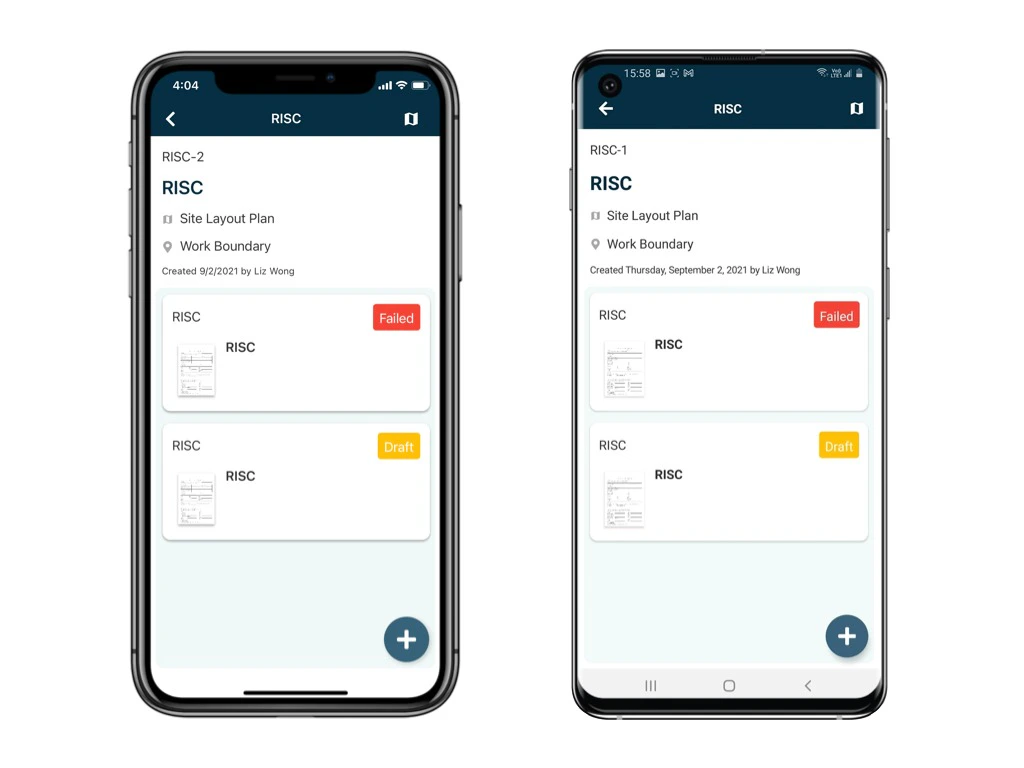
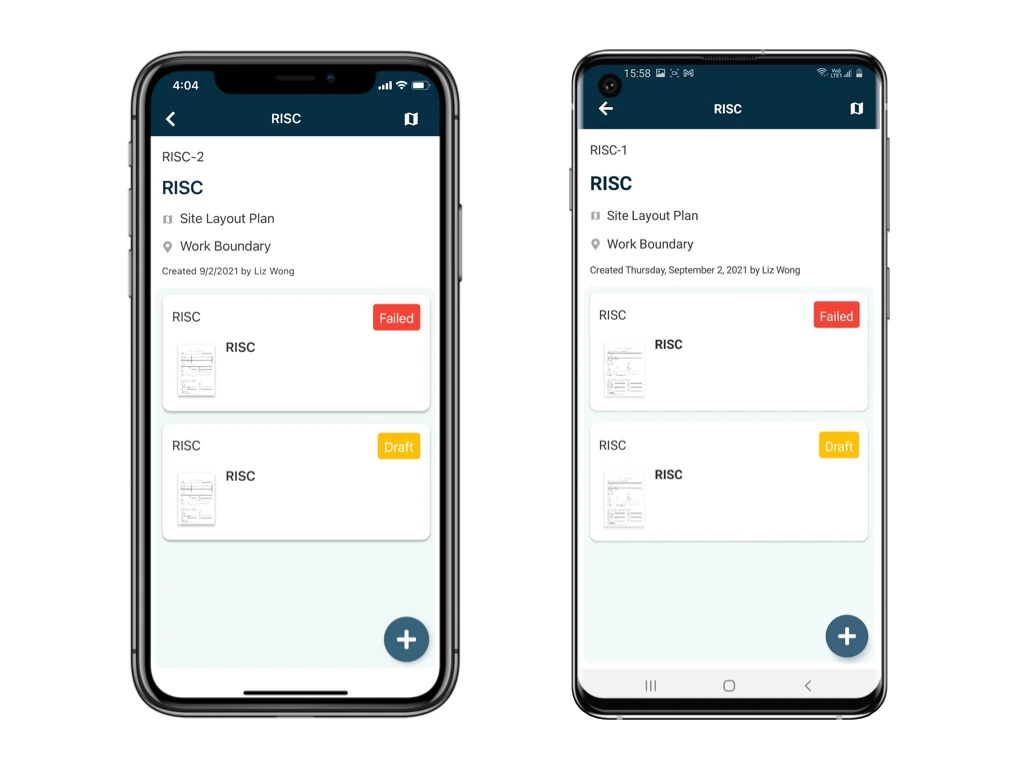
Once you get to the process, click the "+" button at the bottom right corner.

<Note>
  Opps! Cannot see the "+" button?
  Not everyone can add an optional form! Probably you do not have the permission to add it. Please reach out to your project administrator for more details.
</Note>

<img src="https://mintcdn.com/rdrive/xVEvck_7sRkiQEtB/images/kb/103000035205/NbNseL0r1nNdGQ5sce1e2nVMr6wMOmBdHw.png?fit=max&auto=format&n=xVEvck_7sRkiQEtB&q=85&s=e4d9d23c6a3a048b793b7ed642efaaf0" alt="How to add form(s) to a process via APP?" width="1024" height="768" data-path="images/kb/103000035205/NbNseL0r1nNdGQ5sce1e2nVMr6wMOmBdHw.png" />

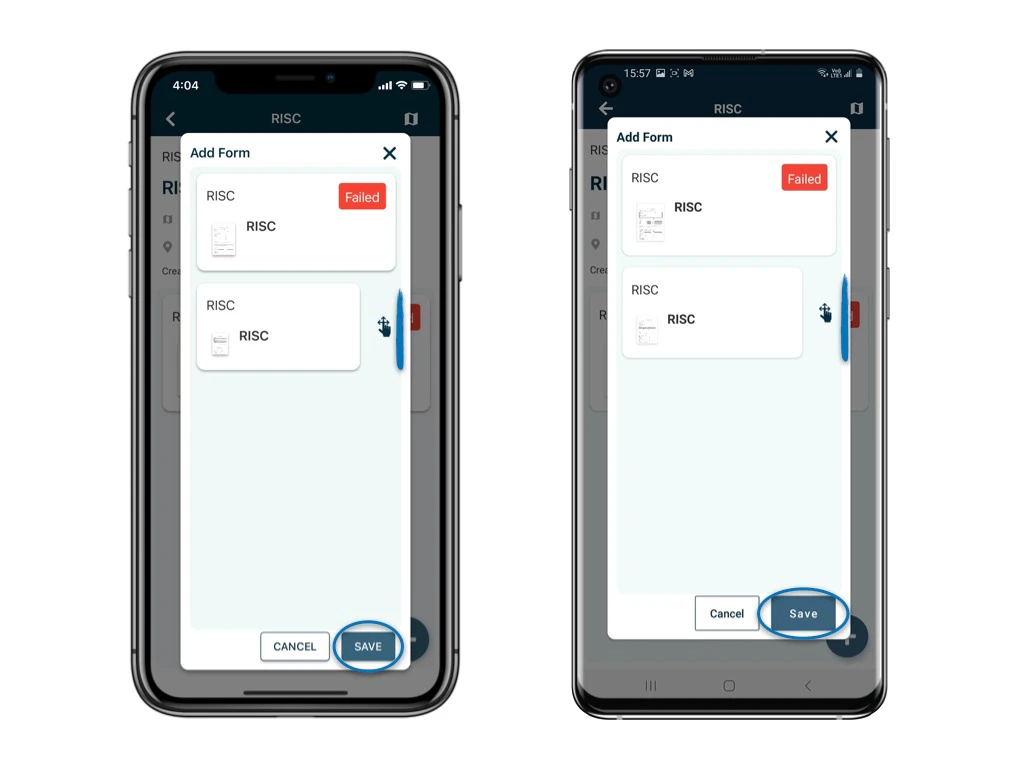
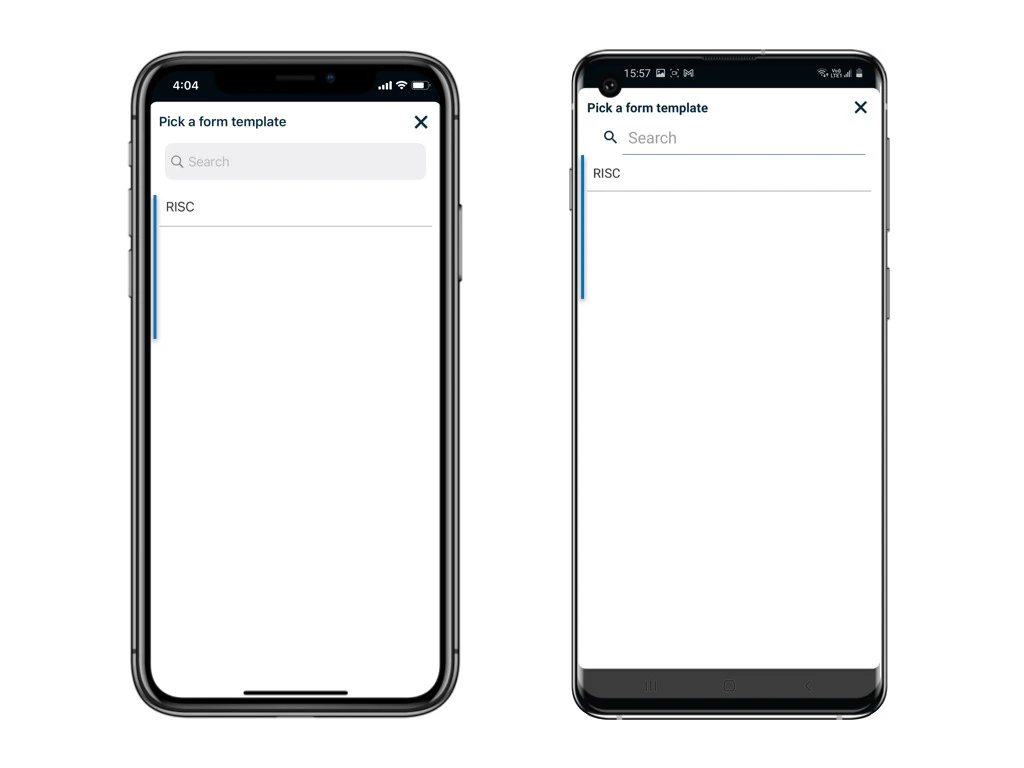
Choose the form template that you would like to add to the process
<img src="https://mintcdn.com/rdrive/xVEvck_7sRkiQEtB/images/kb/103000035205/JvPO488UXyzwaq7bIH9Yi8KqkOLC1B7t8w.jpeg?fit=max&auto=format&n=xVEvck_7sRkiQEtB&q=85&s=44e9ecdb72f5968ef407b7719ad2f907" alt="How to add form(s) to a process via APP?" width="1024" height="768" data-path="images/kb/103000035205/JvPO488UXyzwaq7bIH9Yi8KqkOLC1B7t8w.jpeg" />

Reorder it if necessary.

<img src="https://mintcdn.com/rdrive/xVEvck_7sRkiQEtB/images/kb/103000035205/dcHOVnE0y_jPYYV8Ia_L4HliZfxjRtB5tw.jpeg?fit=max&auto=format&n=xVEvck_7sRkiQEtB&q=85&s=93c55f1245f9e852d472798ef8092115" alt="How to add form(s) to a process via APP?" width="1024" height="768" data-path="images/kb/103000035205/dcHOVnE0y_jPYYV8Ia_L4HliZfxjRtB5tw.jpeg" />

Here you go\~

<img src="https://mintcdn.com/rdrive/xVEvck_7sRkiQEtB/images/kb/103000035205/BKVfJe8WHTZsp5yGwWqEFu93J9XF4_gzEQ.jpeg?fit=max&auto=format&n=xVEvck_7sRkiQEtB&q=85&s=405d532ba707ba04cbd683b3f1980d06" alt="How to add form(s) to a process via APP?" width="1024" height="768" data-path="images/kb/103000035205/BKVfJe8WHTZsp5yGwWqEFu93J9XF4_gzEQ.jpeg" />

<Note>
  ⚠️ After completing your onsite work, don't forget to synchronize. This action ensures data backup and updates for your project team.
</Note>