> ## Documentation Index
> Fetch the complete documentation index at: https://docs.rdrive.io/llms.txt
> Use this file to discover all available pages before exploring further.

# How to search/find processes?

> If you need to manage processes, for sure you have to know where they are.Let's find it out!?This article will show you how to do it on the RDrive app.

If you need to manage processes, for sure you have to know where they are.\
Let's find it out!?

This article will show you how to do it on the RDrive app.

* [via Plan Viewer](#via-plan-viewer)
* [via Finder](#via-finder)
* [Filter](#filter)

***

# Via Plan Viewer

If you would like to search/find the process by drawing, this is the way for you!

1\. Go to plan viewer

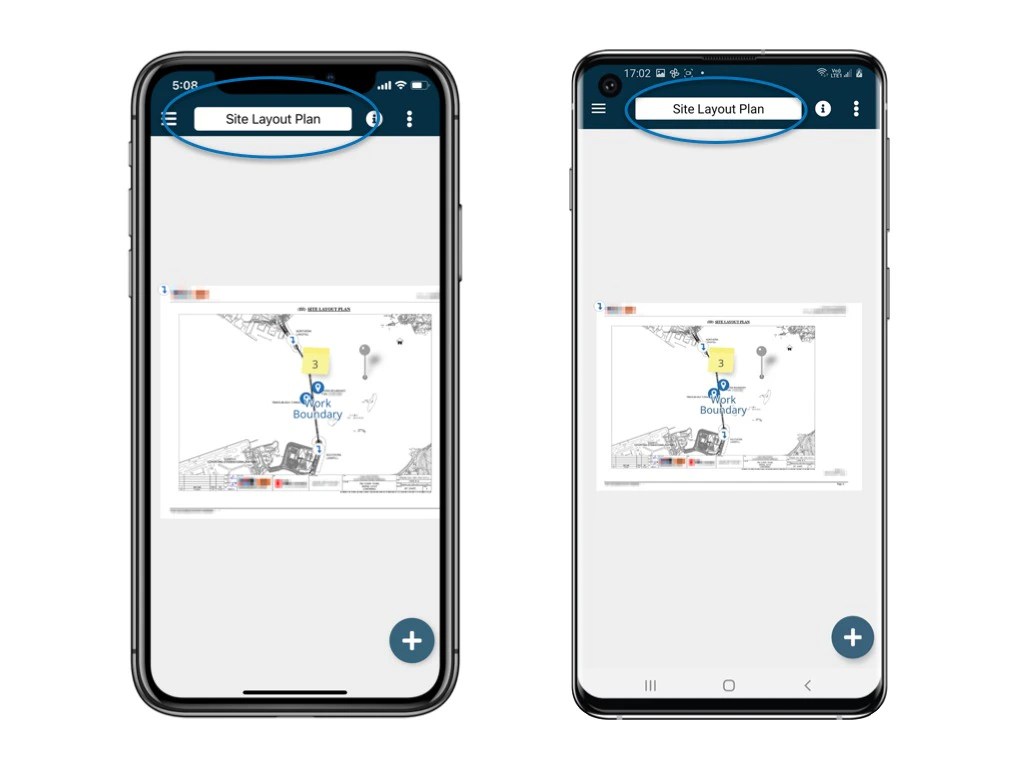
<img src="https://mintcdn.com/rdrive/xVEvck_7sRkiQEtB/images/kb/103000035202/fdk3Zq9h2dSEmJRazx_UOdIfSZpBXk7x2Q.jpeg?fit=max&auto=format&n=xVEvck_7sRkiQEtB&q=85&s=00ab06f6b273e4cfdeaf5276ab31afe1" alt="How to search/find processes?" width="1024" height="768" data-path="images/kb/103000035202/fdk3Zq9h2dSEmJRazx_UOdIfSZpBXk7x2Q.jpeg" />2. Click on the drawing title at the top
<img src="https://mintcdn.com/rdrive/xVEvck_7sRkiQEtB/images/kb/103000035202/QBRjJLqrz9cwrfrQTP1sCvTClzURA-3cOA.jpeg?fit=max&auto=format&n=xVEvck_7sRkiQEtB&q=85&s=41a54dac137397c7205fdf6691efdd60" alt="How to search/find processes?" width="1024" height="768" data-path="images/kb/103000035202/QBRjJLqrz9cwrfrQTP1sCvTClzURA-3cOA.jpeg" />

You are now on the drawing list. Pick one of the drawings.<img src="https://mintcdn.com/rdrive/xVEvck_7sRkiQEtB/images/kb/103000035202/4GIQOKyLTd_nJ1un5jFQbo0-hLMB8gXUQw.jpeg?fit=max&auto=format&n=xVEvck_7sRkiQEtB&q=85&s=ac561b0cebb2d791b402fb59a893292b" alt="How to search/find processes?" width="1024" height="768" data-path="images/kb/103000035202/4GIQOKyLTd_nJ1un5jFQbo0-hLMB8gXUQw.jpeg" />

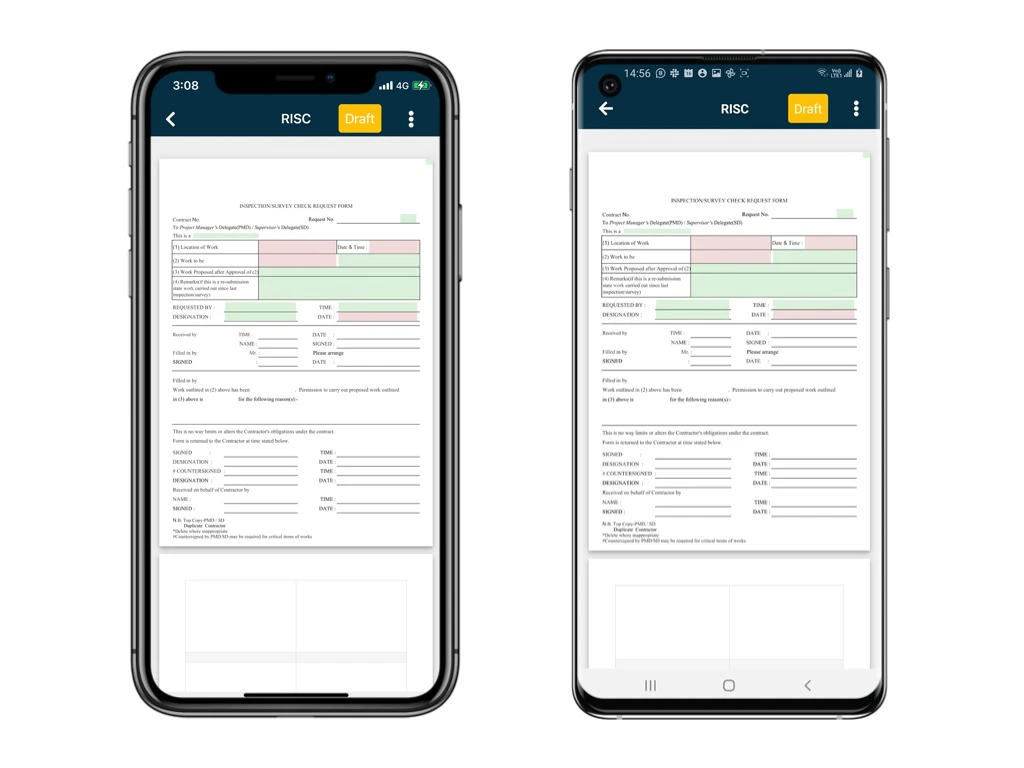
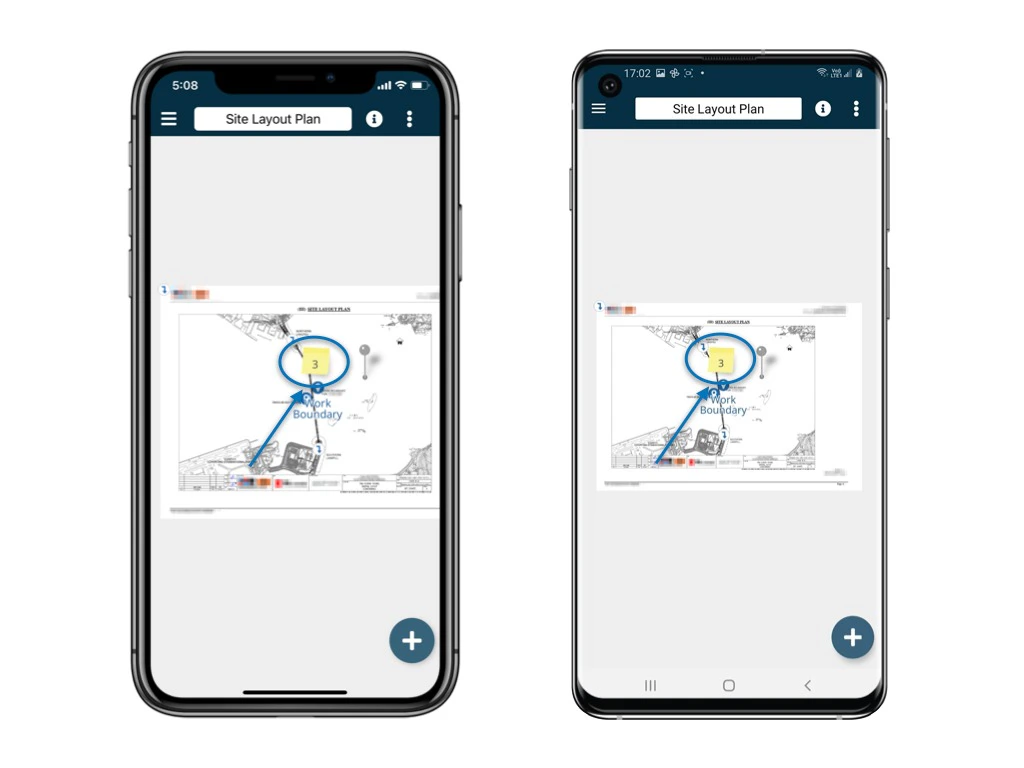
Then, you can view the selected drawing as well as the location pins and the processes created.

Click the Memo icon above each location pin.
<img src="https://mintcdn.com/rdrive/xVEvck_7sRkiQEtB/images/kb/103000035202/szuMU7A6nW6spbCAVqMvlYr2mwqWXiDtLg.jpeg?fit=max&auto=format&n=xVEvck_7sRkiQEtB&q=85&s=b8a9297e80711f5c283d4f5f6347452e" alt="How to search/find processes?" width="1024" height="768" data-path="images/kb/103000035202/szuMU7A6nW6spbCAVqMvlYr2mwqWXiDtLg.jpeg" />

<Info>
  What are those numbers shown on the memo?

  1. The number on the memo represents the number of processes of that particular location.
  2. On the app, the number includes closed processes while it does not include closed processes on the website.
  3. Different users may see different numbers subject to their access permission to different process templates.
</Info>

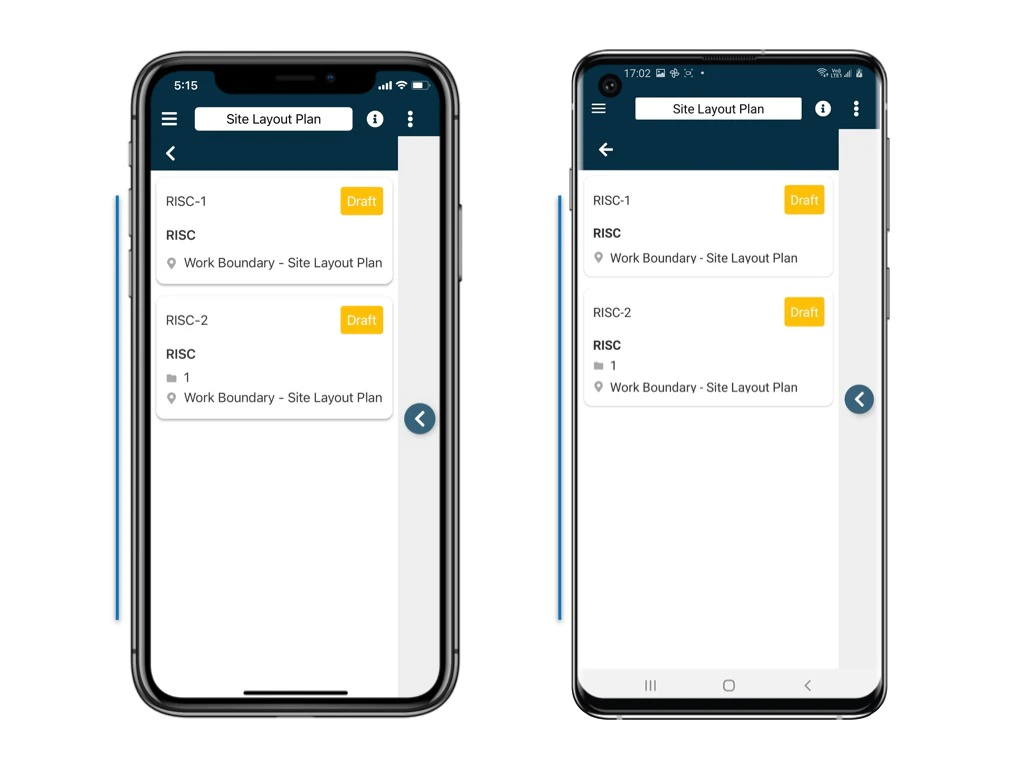
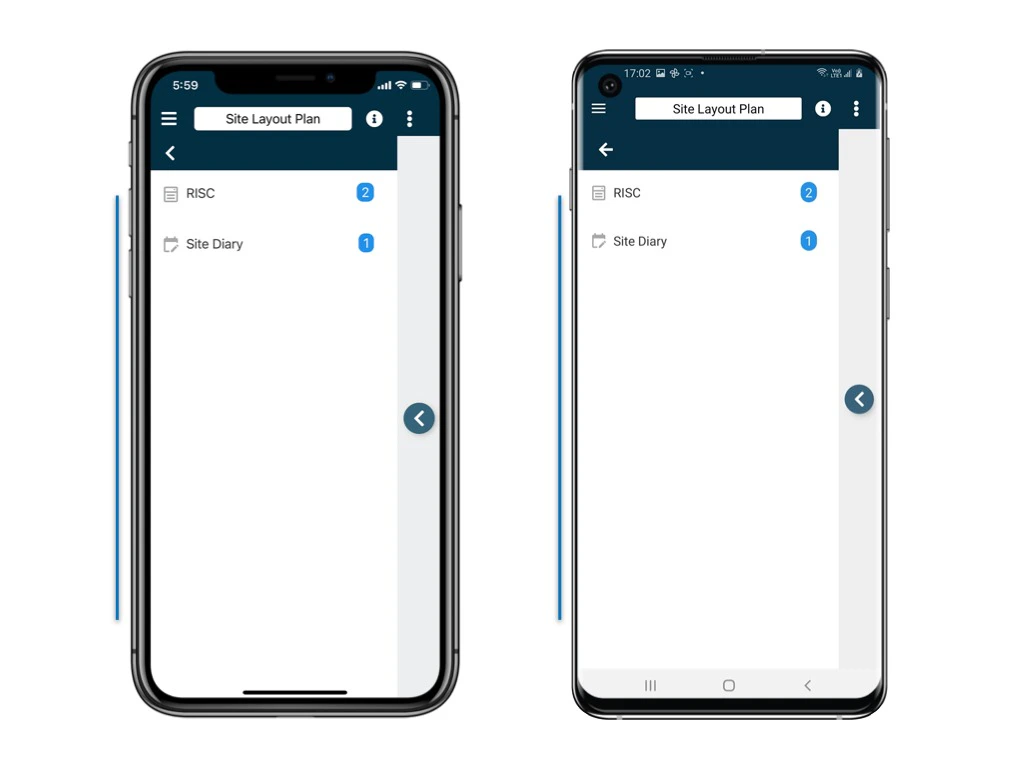
Next, you will see a list of categories at that particular location! 

Kindly select the process from the **categories** > **subcategory**.
<img src="https://mintcdn.com/rdrive/xVEvck_7sRkiQEtB/images/kb/103000035202/c1-kTkD8HStEAXw5Z3OlXYSXcXusDTLGXQ.jpeg?fit=max&auto=format&n=xVEvck_7sRkiQEtB&q=85&s=7af681e4768a7dccfb389956f123a676" alt="How to search/find processes?" width="1024" height="768" data-path="images/kb/103000035202/c1-kTkD8HStEAXw5Z3OlXYSXcXusDTLGXQ.jpeg" />

<img src="https://mintcdn.com/rdrive/xVEvck_7sRkiQEtB/images/kb/103000035202/anDFhThaCvQ1Vwxtt61zFvYrBniOvtc38A.jpeg?fit=max&auto=format&n=xVEvck_7sRkiQEtB&q=85&s=50669000e9a59ff9bd3e9b2a8c7b4ce5" alt="How to search/find processes?" width="1024" height="768" data-path="images/kb/103000035202/anDFhThaCvQ1Vwxtt61zFvYrBniOvtc38A.jpeg" />

<img src="https://mintcdn.com/rdrive/xVEvck_7sRkiQEtB/images/kb/103000035202/l_mlHN6ekIwX5coFYsLGLO0esu2qYgQMYw.jpeg?fit=max&auto=format&n=xVEvck_7sRkiQEtB&q=85&s=1dcdd69c02223e102caaf4728b76190c" alt="How to search/find processes?" width="1024" height="768" data-path="images/kb/103000035202/l_mlHN6ekIwX5coFYsLGLO0esu2qYgQMYw.jpeg" />

<img src="https://mintcdn.com/rdrive/xVEvck_7sRkiQEtB/images/kb/103000035202/mrcGbTHV_JEBGQ9NA0PXtprBf8gSjE2v4g.jpeg?fit=max&auto=format&n=xVEvck_7sRkiQEtB&q=85&s=0b8f73fb5e502882b614ddc61526aaae" alt="How to search/find processes?" width="1024" height="768" data-path="images/kb/103000035202/mrcGbTHV_JEBGQ9NA0PXtprBf8gSjE2v4g.jpeg" />

<Note>
  Having too many processes on the list?
  Alternatively, you can search the process via Finder. This would help! Let's have a look!
</Note>

***

# Via Finder

Back to the main menu.\
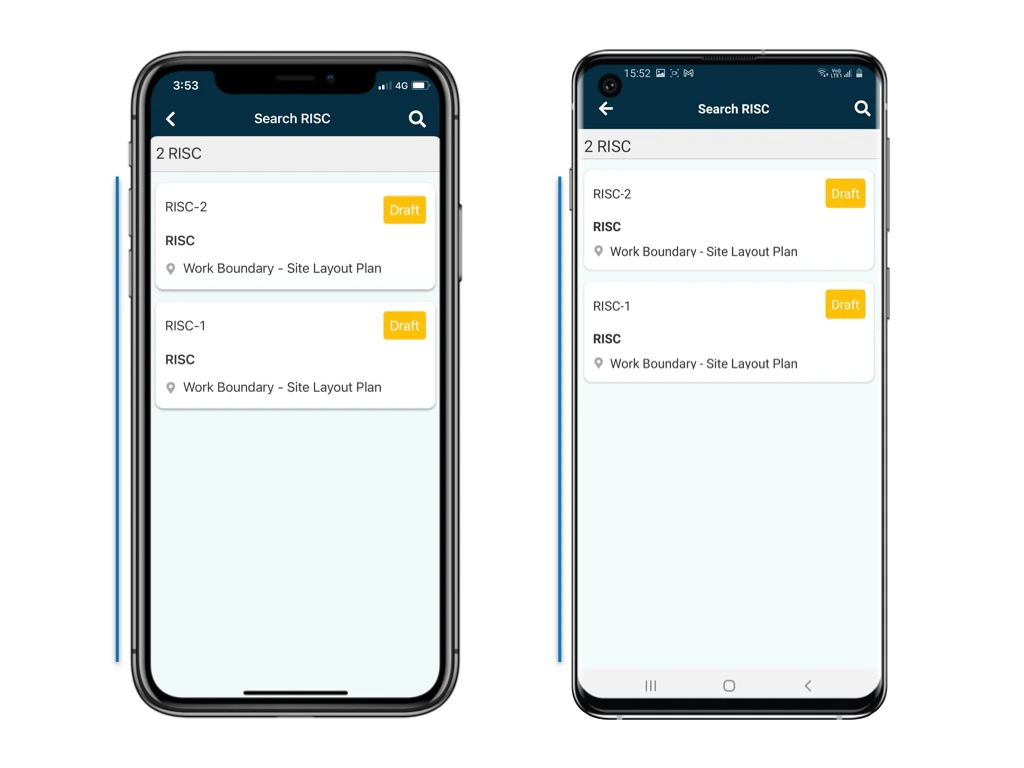
Select Categories > Subcategory.

<img src="https://mintcdn.com/rdrive/xVEvck_7sRkiQEtB/images/kb/103000035202/r3A5fEq3L5cCPFD9DTL5jS3s0LgN2WOufQ.jpeg?fit=max&auto=format&n=xVEvck_7sRkiQEtB&q=85&s=f54f181bf0bcb18de22a7914e9693d95" alt="How to search/find processes?" width="1024" height="768" data-path="images/kb/103000035202/r3A5fEq3L5cCPFD9DTL5jS3s0LgN2WOufQ.jpeg" />

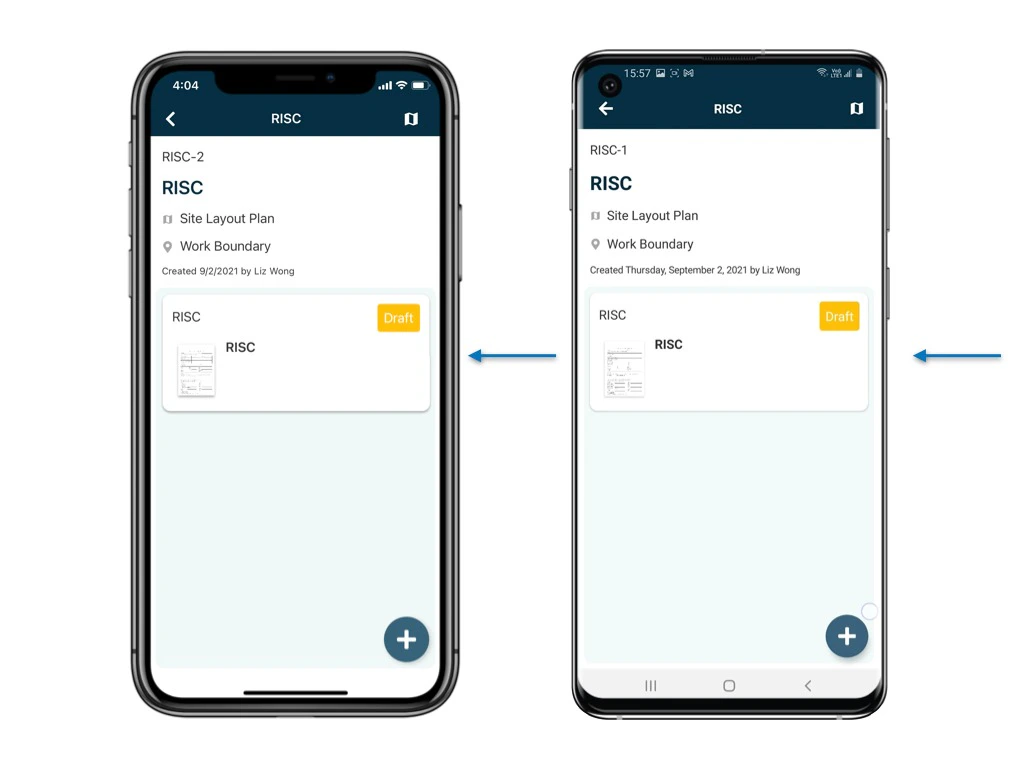
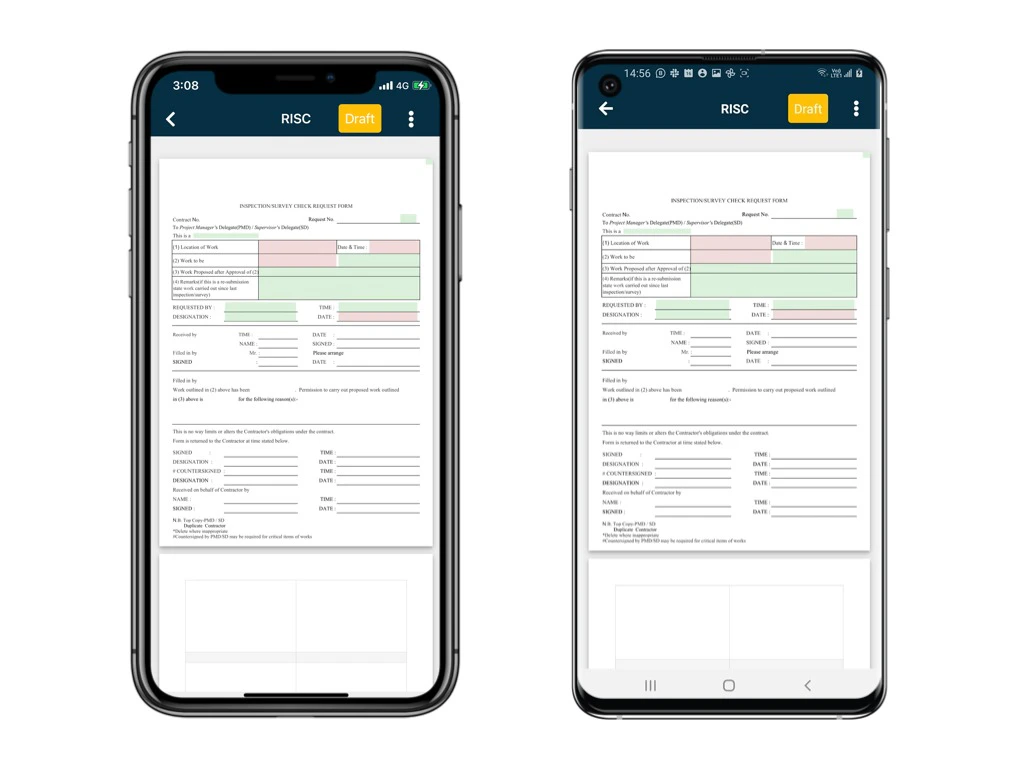
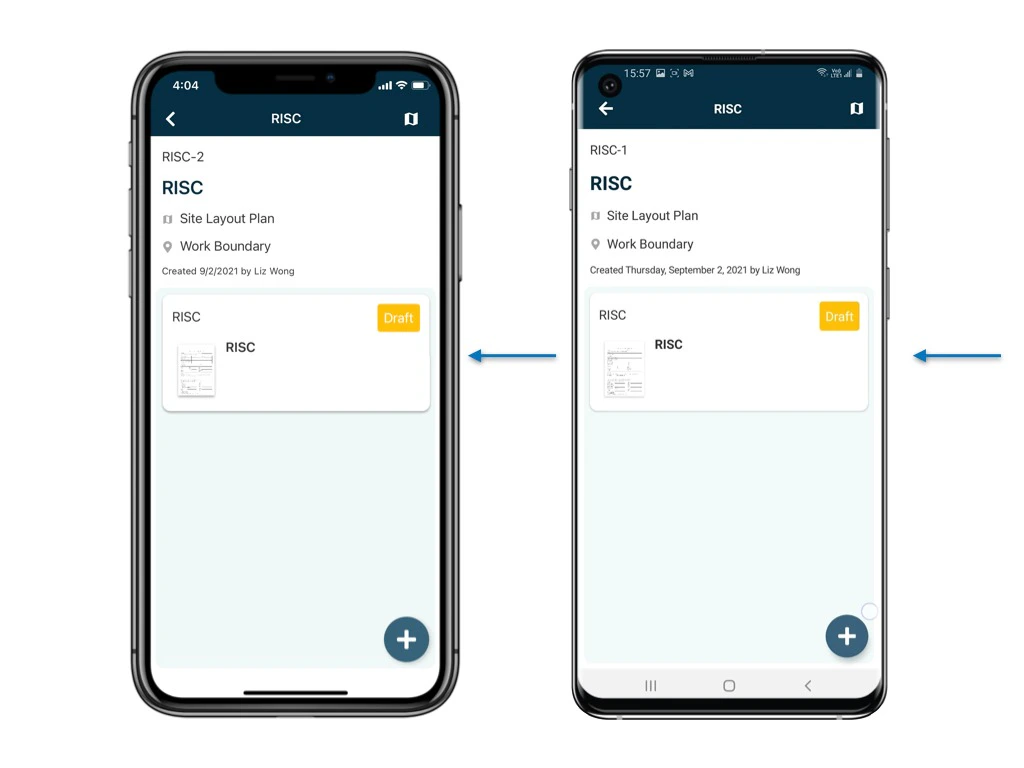
You can click on the process directly and view the details of it.
<img src="https://mintcdn.com/rdrive/xVEvck_7sRkiQEtB/images/kb/103000035202/J7GOrC3XmbiWg6rD5wq-pWcElS3HP6zzuA.jpeg?fit=max&auto=format&n=xVEvck_7sRkiQEtB&q=85&s=7acddcc1e0c0262217f3eef2ace71126" alt="How to search/find processes?" width="1024" height="768" data-path="images/kb/103000035202/J7GOrC3XmbiWg6rD5wq-pWcElS3HP6zzuA.jpeg" />

<img src="https://mintcdn.com/rdrive/xVEvck_7sRkiQEtB/images/kb/103000035202/5Sy6s_Es3FS5Jjbwy9npiP1oZdTYem4NvQ.jpeg?fit=max&auto=format&n=xVEvck_7sRkiQEtB&q=85&s=f699202d475c06a5671f36f06f062b78" alt="How to search/find processes?" width="1024" height="768" data-path="images/kb/103000035202/5Sy6s_Es3FS5Jjbwy9npiP1oZdTYem4NvQ.jpeg" />

<img src="https://mintcdn.com/rdrive/xVEvck_7sRkiQEtB/images/kb/103000035202/8IsMWqxcFDJ7jDoTKhG7fMcxWv8RADrRyg.jpeg?fit=max&auto=format&n=xVEvck_7sRkiQEtB&q=85&s=bd110671bf4119e3d7c596789bfd9ce2" alt="How to search/find processes?" width="1024" height="768" data-path="images/kb/103000035202/8IsMWqxcFDJ7jDoTKhG7fMcxWv8RADrRyg.jpeg" />

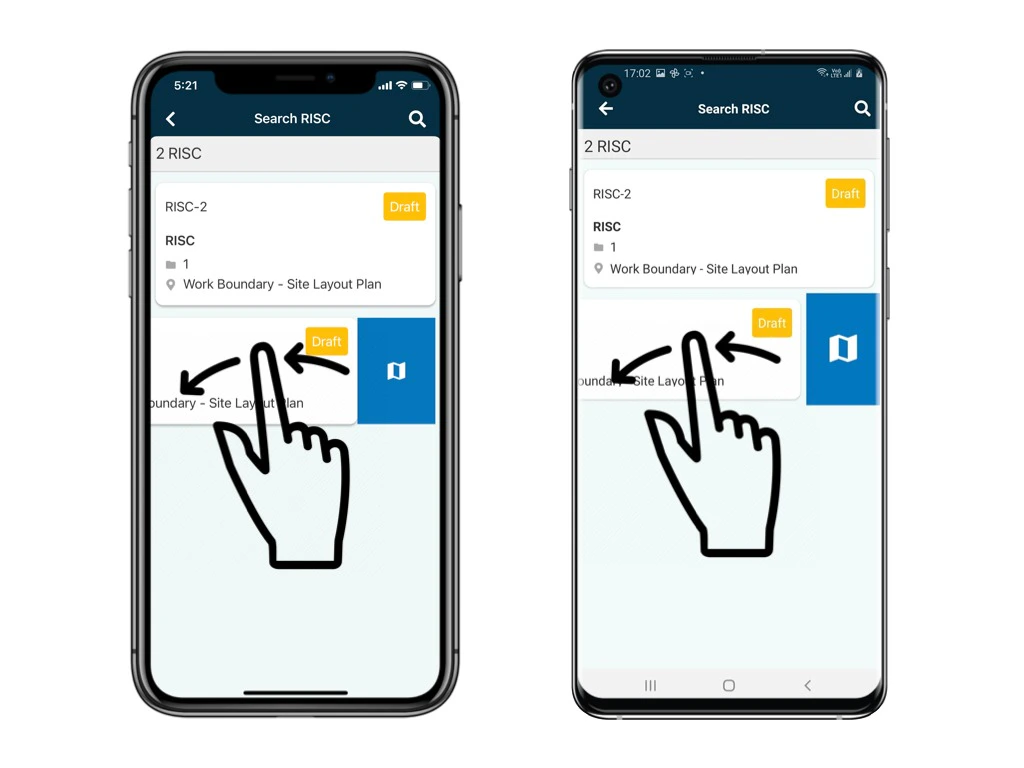
If you swipe the process to the left, you can open the process on the plan viewer to check the location.
<img src="https://mintcdn.com/rdrive/xVEvck_7sRkiQEtB/images/kb/103000035202/J7GOrC3XmbiWg6rD5wq-pWcElS3HP6zzuA.jpeg?fit=max&auto=format&n=xVEvck_7sRkiQEtB&q=85&s=7acddcc1e0c0262217f3eef2ace71126" alt="How to search/find processes?" width="1024" height="768" data-path="images/kb/103000035202/J7GOrC3XmbiWg6rD5wq-pWcElS3HP6zzuA.jpeg" />

<img src="https://mintcdn.com/rdrive/xVEvck_7sRkiQEtB/images/kb/103000035202/jmcbwDmvYmkpbLtxJw-SYuF1olc17TSP7Q.jpeg?fit=max&auto=format&n=xVEvck_7sRkiQEtB&q=85&s=310e1d5951fb4bf8cd797600b26f577c" alt="How to search/find processes?" width="1024" height="768" data-path="images/kb/103000035202/jmcbwDmvYmkpbLtxJw-SYuF1olc17TSP7Q.jpeg" />

***

## Filter

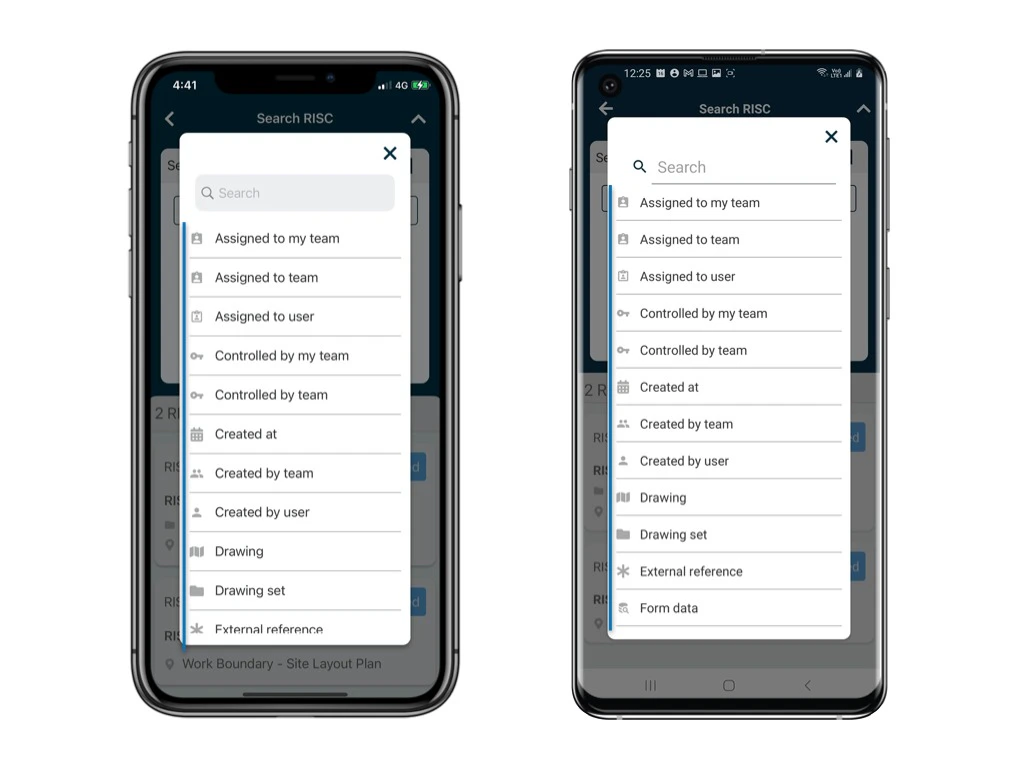
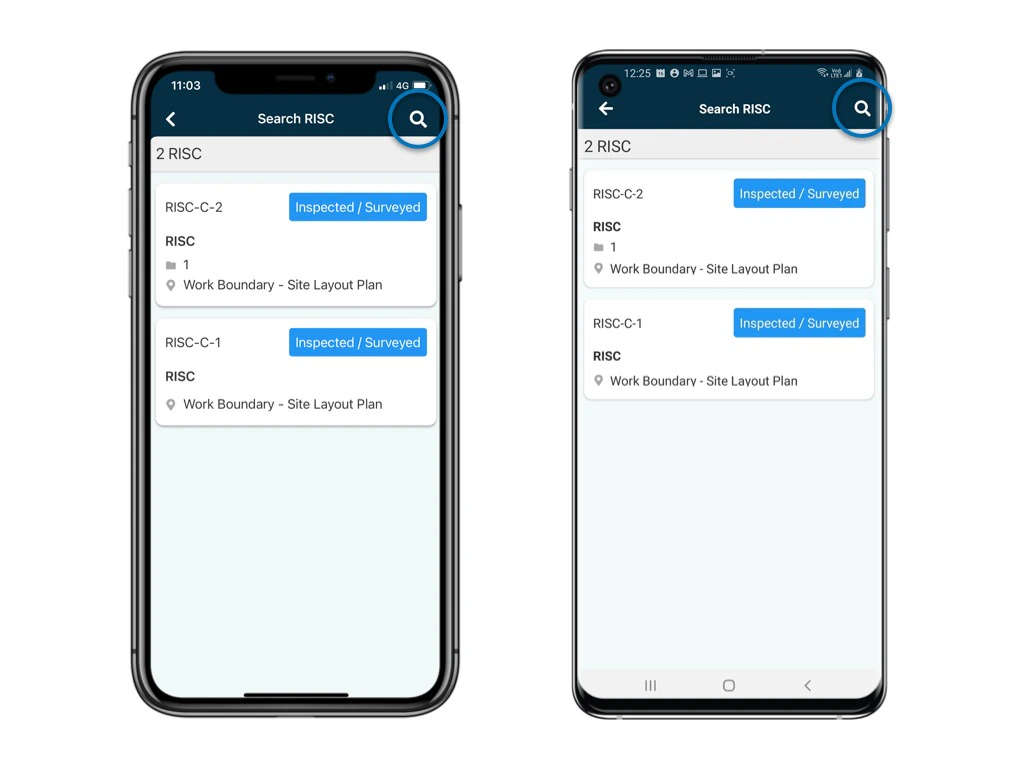
You can add **filters** by any critical to search the processes on Finder.

Click the magnifier icon at the top right corner to search for specifics.
<img src="https://mintcdn.com/rdrive/xVEvck_7sRkiQEtB/images/kb/103000035202/EAV-FIoI_VV4Q42TSn6Di6fmEj816aoqRA.jpeg?fit=max&auto=format&n=xVEvck_7sRkiQEtB&q=85&s=136be66d585351497418367afd19089c" alt="How to search/find processes?" width="1024" height="768" data-path="images/kb/103000035202/EAV-FIoI_VV4Q42TSn6Di6fmEj816aoqRA.jpeg" />

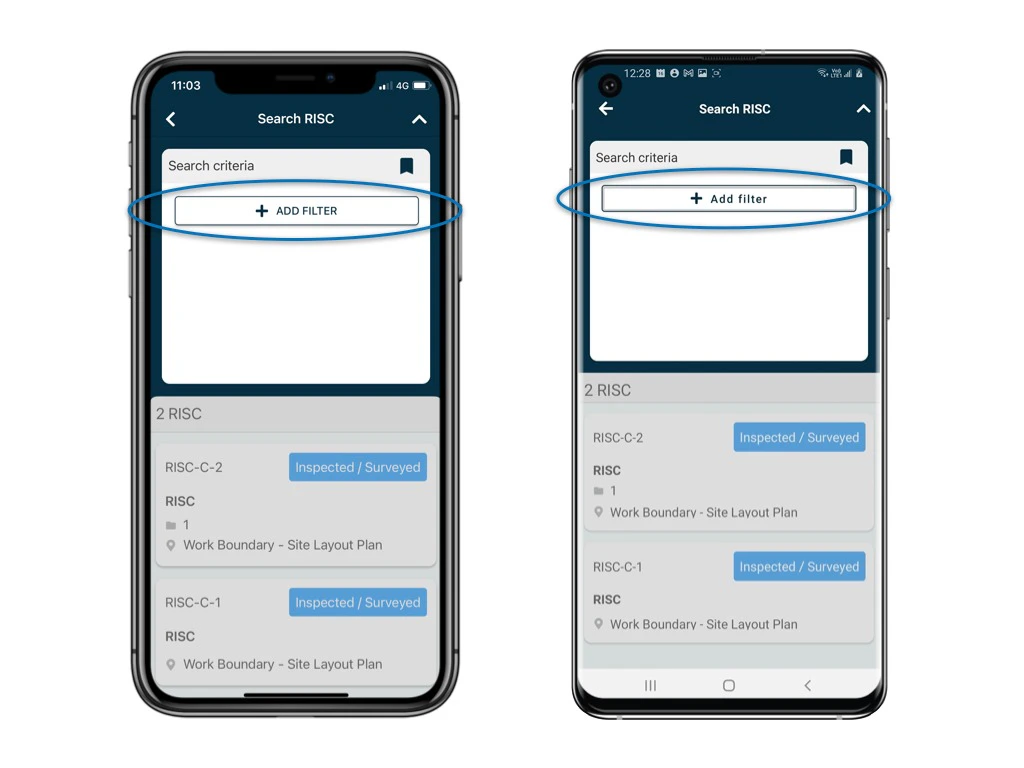
Next, apply your search criteria to filter results.
<img src="https://mintcdn.com/rdrive/xVEvck_7sRkiQEtB/images/kb/103000035202/OgCaz7CU4J_zfu4Y_714Q0XUDEsXwR37zA.jpeg?fit=max&auto=format&n=xVEvck_7sRkiQEtB&q=85&s=8bd27bf4cd1185c1898bd6f4976a442a" alt="How to search/find processes?" width="1024" height="768" data-path="images/kb/103000035202/OgCaz7CU4J_zfu4Y_714Q0XUDEsXwR37zA.jpeg" />

<img src="https://mintcdn.com/rdrive/xVEvck_7sRkiQEtB/images/kb/103000035202/ZtzczRYwB_FuRTKkFHhPHHWCbE2DmdcQ6w.jpeg?fit=max&auto=format&n=xVEvck_7sRkiQEtB&q=85&s=d5af93e1de85775a3766d774a5cb7bc0" alt="How to search/find processes?" width="1024" height="768" data-path="images/kb/103000035202/ZtzczRYwB_FuRTKkFHhPHHWCbE2DmdcQ6w.jpeg" />

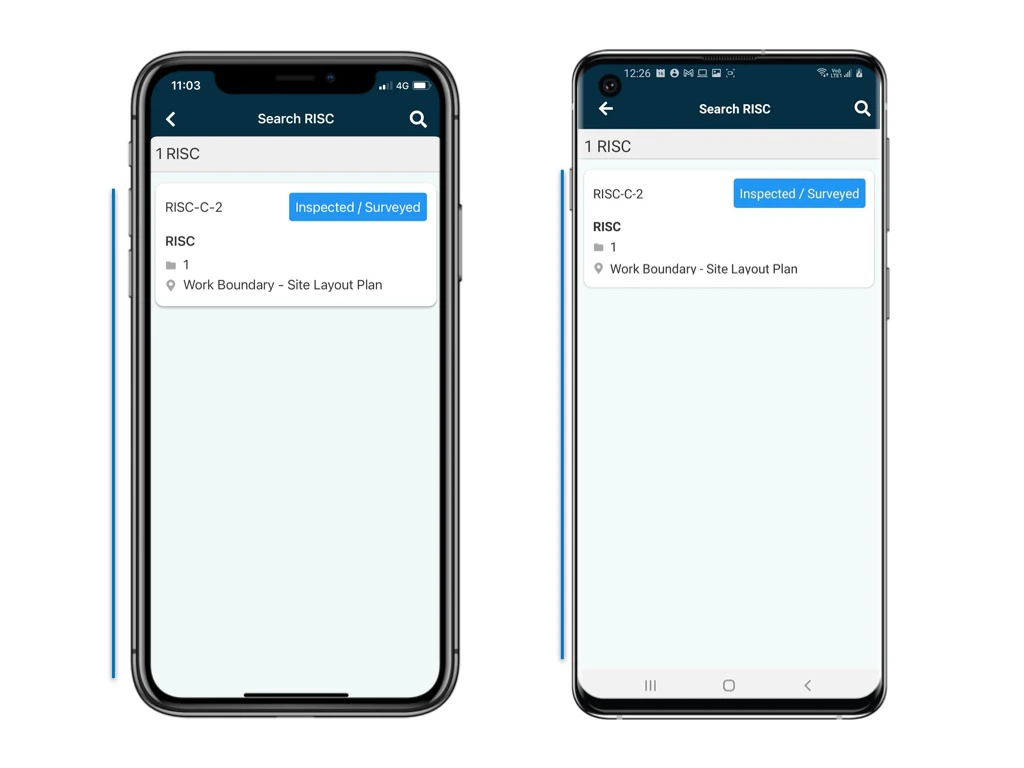
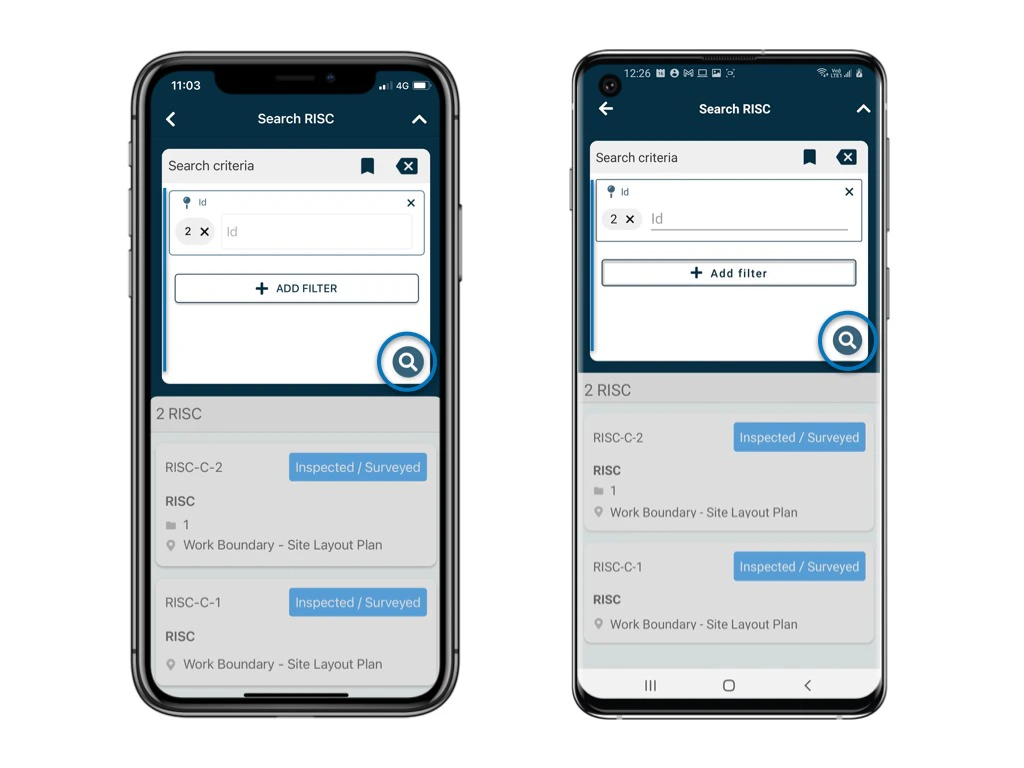
Click on the magnifier icon to apply the search.
<img src="https://mintcdn.com/rdrive/xVEvck_7sRkiQEtB/images/kb/103000035202/Mrg4U0VL6G8m_8_3GZcGGhGpfjhOR_g3vQ.jpeg?fit=max&auto=format&n=xVEvck_7sRkiQEtB&q=85&s=61b8a52cda71bc554917301ffb6807ea" alt="How to search/find processes?" width="1024" height="768" data-path="images/kb/103000035202/Mrg4U0VL6G8m_8_3GZcGGhGpfjhOR_g3vQ.jpeg" />

<img src="https://mintcdn.com/rdrive/xVEvck_7sRkiQEtB/images/kb/103000035202/acVzMQNAr7PGkxPR1sOGmVbjgu6CqMVOrQ.jpeg?fit=max&auto=format&n=xVEvck_7sRkiQEtB&q=85&s=df0a1c16852b14e8c0696524c46e0b06" alt="How to search/find processes?" width="1024" height="768" data-path="images/kb/103000035202/acVzMQNAr7PGkxPR1sOGmVbjgu6CqMVOrQ.jpeg" />

You may save the filter selection as a **[bookmark](https://docs.rdrive.io/mobile/general/save-a-bookmark-for-filter)** for next time.

***

<Note>
  Don't panic if you cannot see all of the processes created. Users may have different permission settings associated with them. Therefore, it is possible that you are only viewing some of the processes that you are allowed to.
</Note>

You may redirect to [**Mastering Universal Search Flexibility**](https://docs.rdrive.io/faq/general/mastering-universal-search-flexibility) to know more.