> ## Documentation Index
> Fetch the complete documentation index at: https://docs.rdrive.io/llms.txt
> Use this file to discover all available pages before exploring further.

# How to add a comment to the issue/record via APP?

> To communicate on an issue specifically, you can make use of the comment function.

To communicate on an issue specifically, you can make use of the comment function.

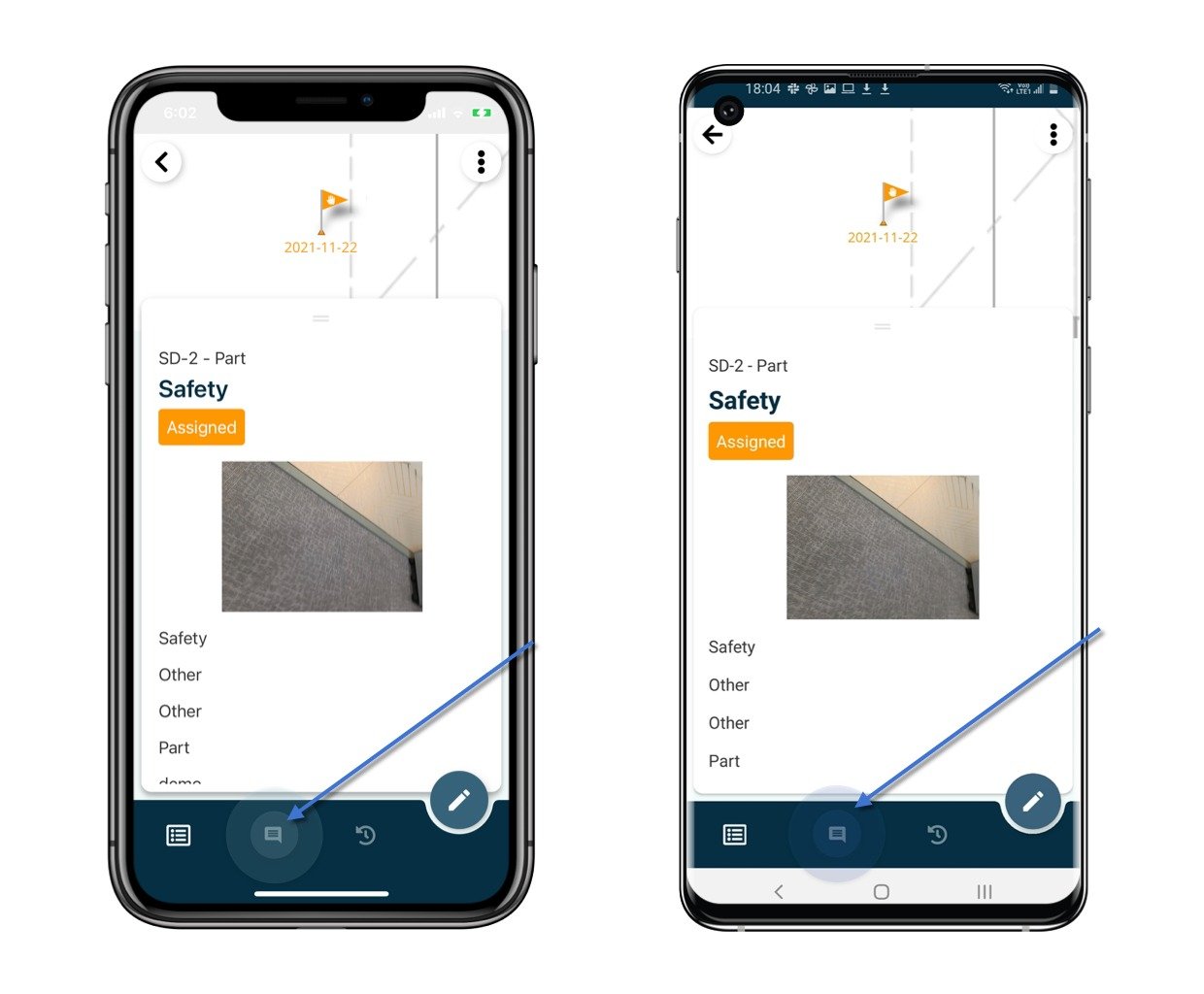
Open the issue/record detail from the Plan viewer or Finder.
<img src="https://mintcdn.com/rdrive/LuKvp80R1o0mPrKg/images/kb/103000035179/ToD7oCEw0HL1Bp0xX8gLFa6jSFLlzjn5dw.jpeg?fit=max&auto=format&n=LuKvp80R1o0mPrKg&q=85&s=0d61e54a91355d4b3e816237969165f0" alt="How to add a comment to the issue/record via APP?" width="1240" height="1024" data-path="images/kb/103000035179/ToD7oCEw0HL1Bp0xX8gLFa6jSFLlzjn5dw.jpeg" />

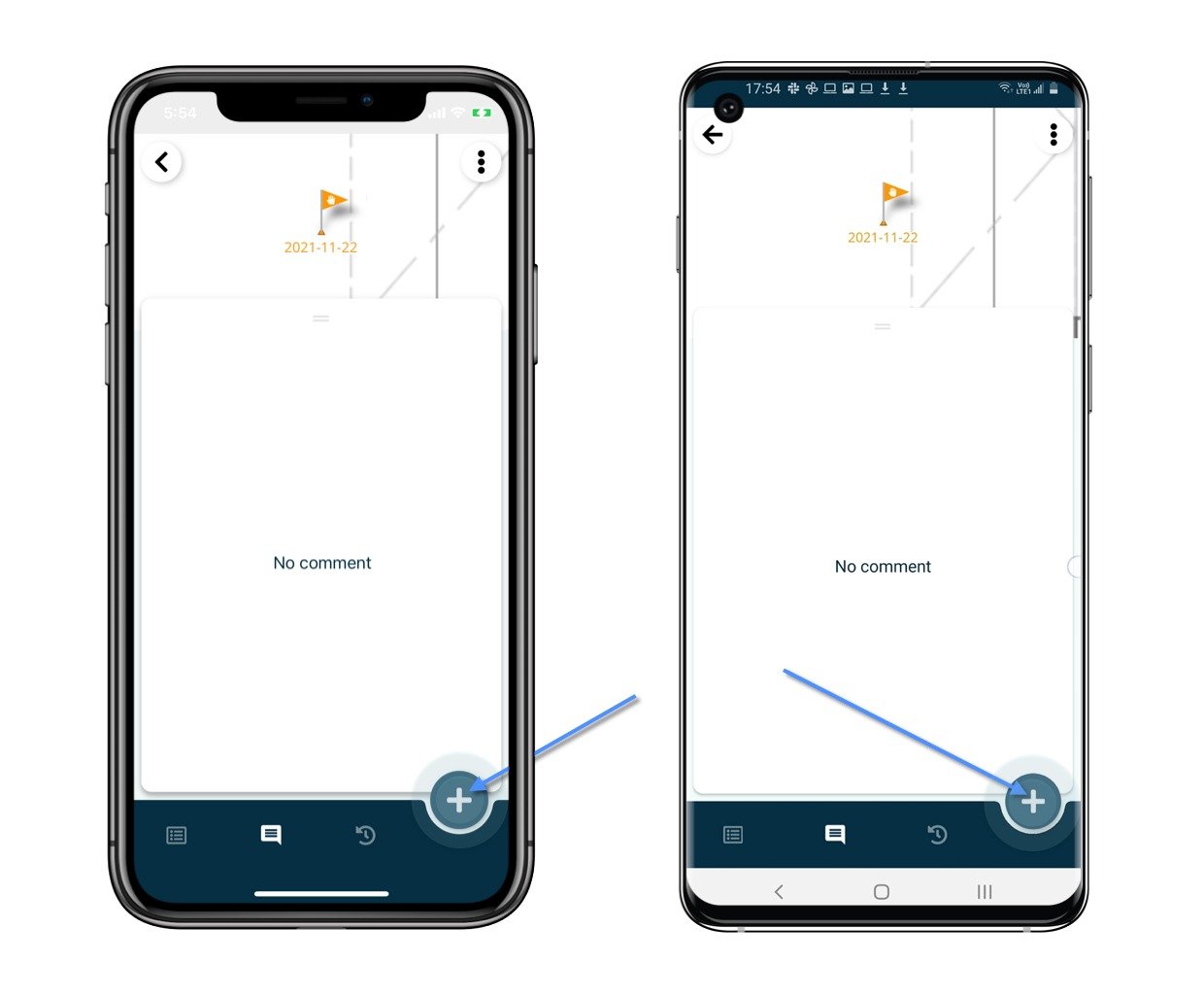
Click the **Comment** icon\*\*,\*\* and click the "+" button.
<img src="https://mintcdn.com/rdrive/LuKvp80R1o0mPrKg/images/kb/103000035179/c-vujaIsFgmGU6XBCJFYIeXbanIfXXD7IA.jpeg?fit=max&auto=format&n=LuKvp80R1o0mPrKg&q=85&s=d3d61a7306fc00c2ca8abf9518ce9437" alt="How to add a comment to the issue/record via APP?" width="1240" height="1024" data-path="images/kb/103000035179/c-vujaIsFgmGU6XBCJFYIeXbanIfXXD7IA.jpeg" />

<img src="https://mintcdn.com/rdrive/LuKvp80R1o0mPrKg/images/kb/103000035179/CQeN6TG5xFkMbsONUxsGNA2hTb0ZKDTQ5Q.jpeg?fit=max&auto=format&n=LuKvp80R1o0mPrKg&q=85&s=2c9955579c4ecfc0a7ee8a2dd2f34ec9" alt="How to add a comment to the issue/record via APP?" width="1240" height="1024" data-path="images/kb/103000035179/CQeN6TG5xFkMbsONUxsGNA2hTb0ZKDTQ5Q.jpeg" />

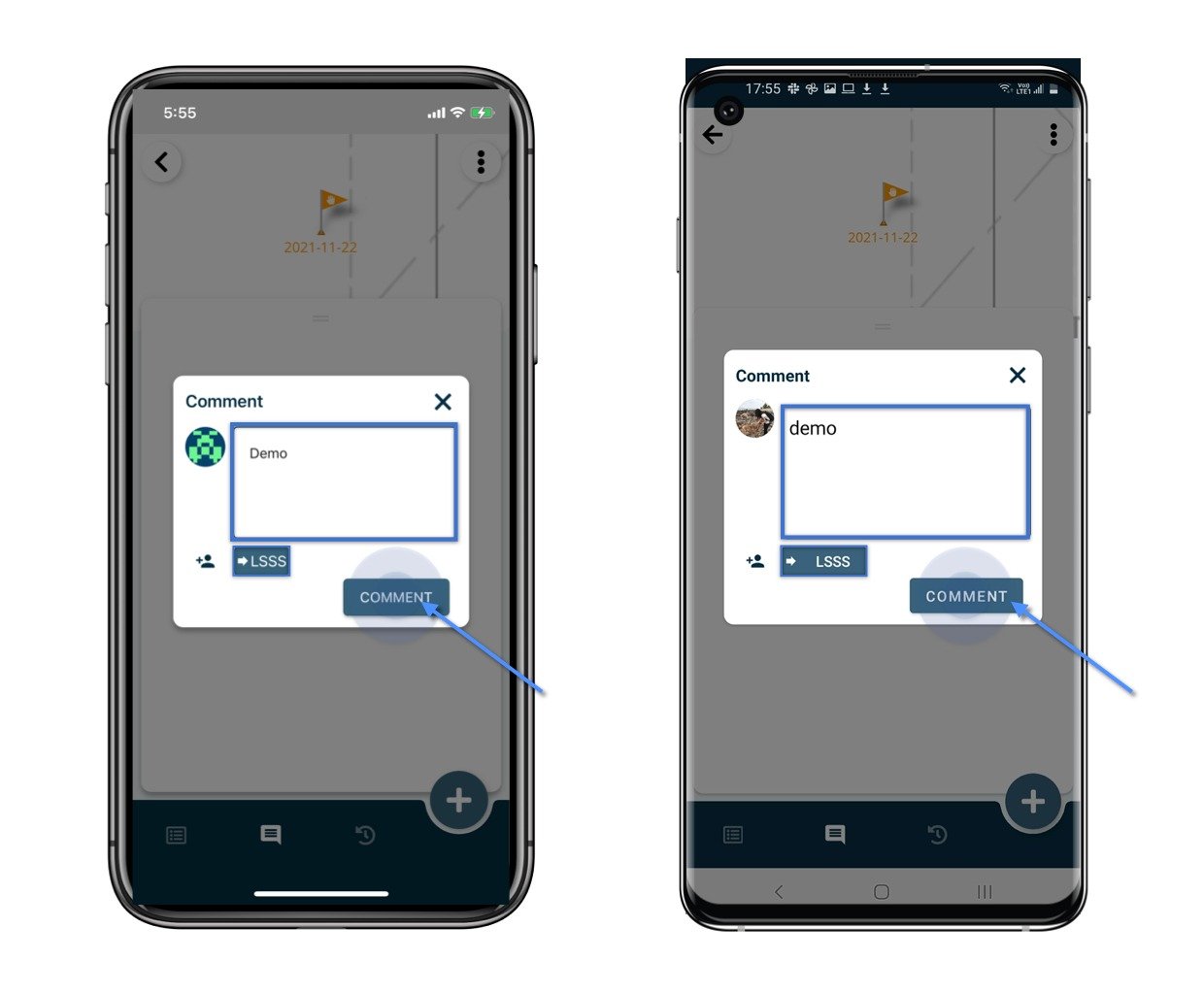
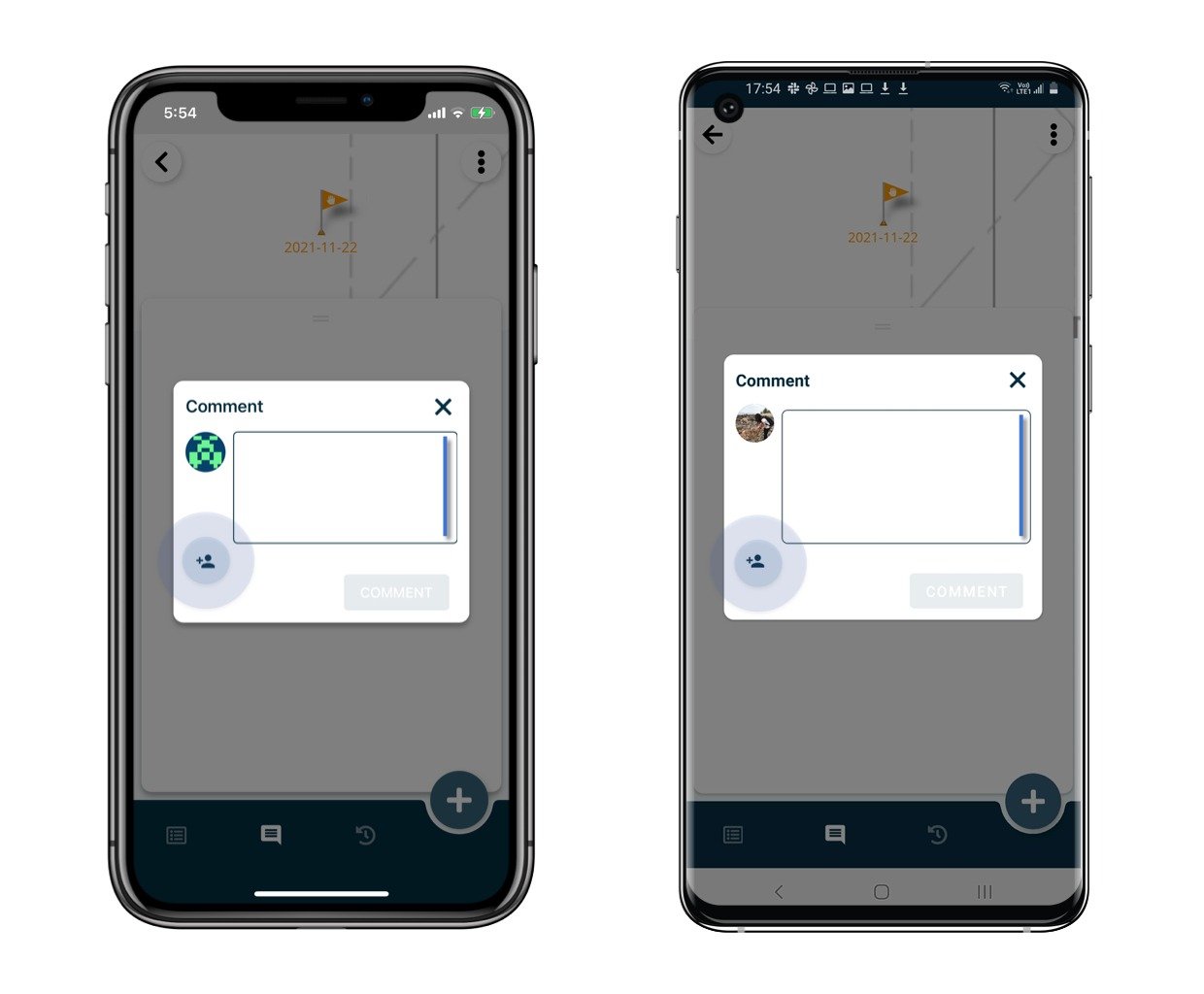
Write down the comment and mention user(s) if needed.
<img src="https://mintcdn.com/rdrive/LuKvp80R1o0mPrKg/images/kb/103000035179/f_HbyjWlo2RrzT1EnsPcDzNozOHGl1iGGw.jpeg?fit=max&auto=format&n=LuKvp80R1o0mPrKg&q=85&s=da144cca92b41a091722b18b461e3447" alt="How to add a comment to the issue/record via APP?" width="1240" height="1024" data-path="images/kb/103000035179/f_HbyjWlo2RrzT1EnsPcDzNozOHGl1iGGw.jpeg" />

Click the **Comment** button to save.

<img src="https://mintcdn.com/rdrive/LuKvp80R1o0mPrKg/images/kb/103000035179/vHv-7VA6Z9-boOlMFBPmwv9S_JAYhyHbYQ.jpeg?fit=max&auto=format&n=LuKvp80R1o0mPrKg&q=85&s=dfe135dc7c14fd4a5e87668135f9eea2" alt="How to add a comment to the issue/record via APP?" width="1240" height="1024" data-path="images/kb/103000035179/vHv-7VA6Z9-boOlMFBPmwv9S_JAYhyHbYQ.jpeg" />

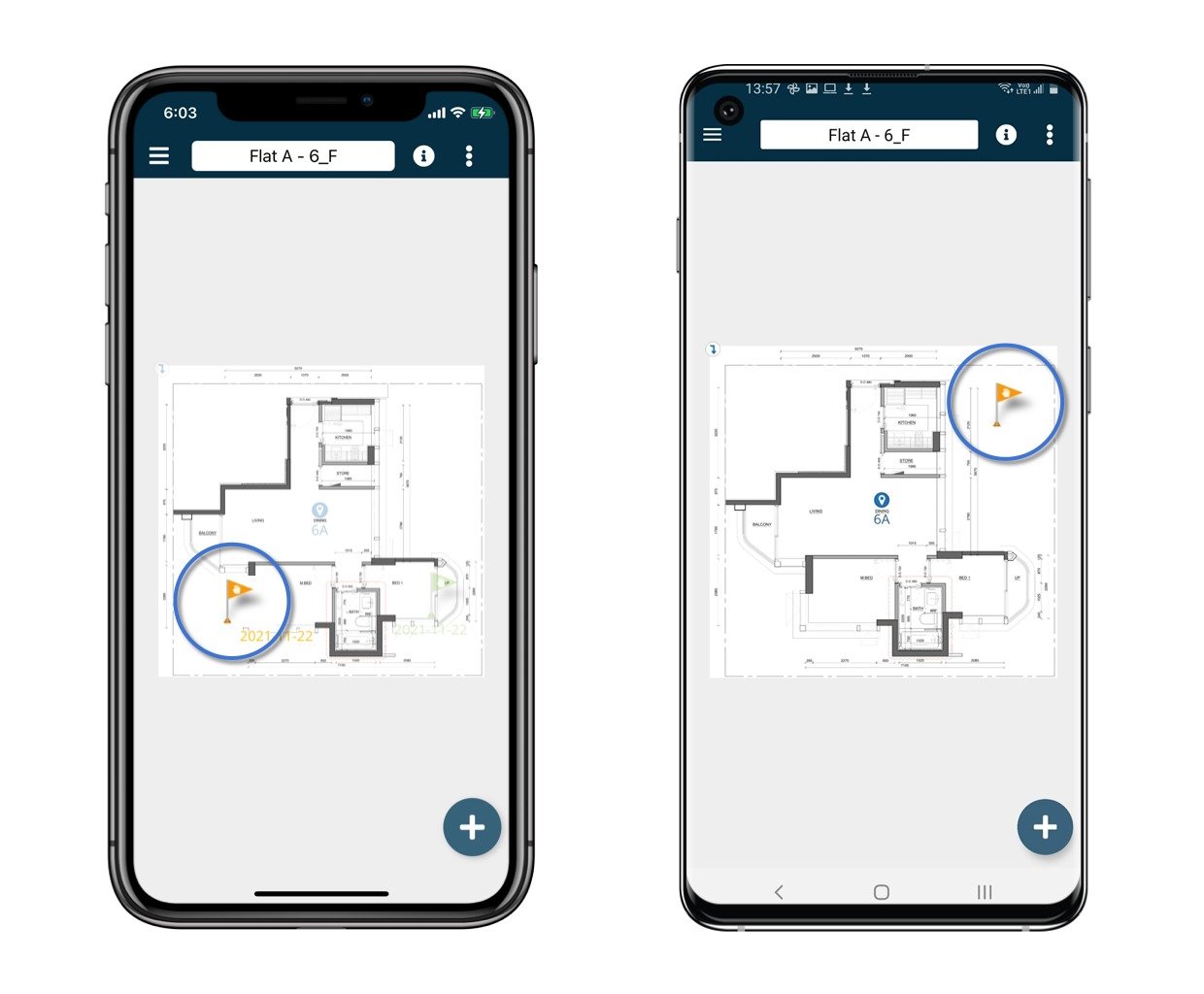
Done.\
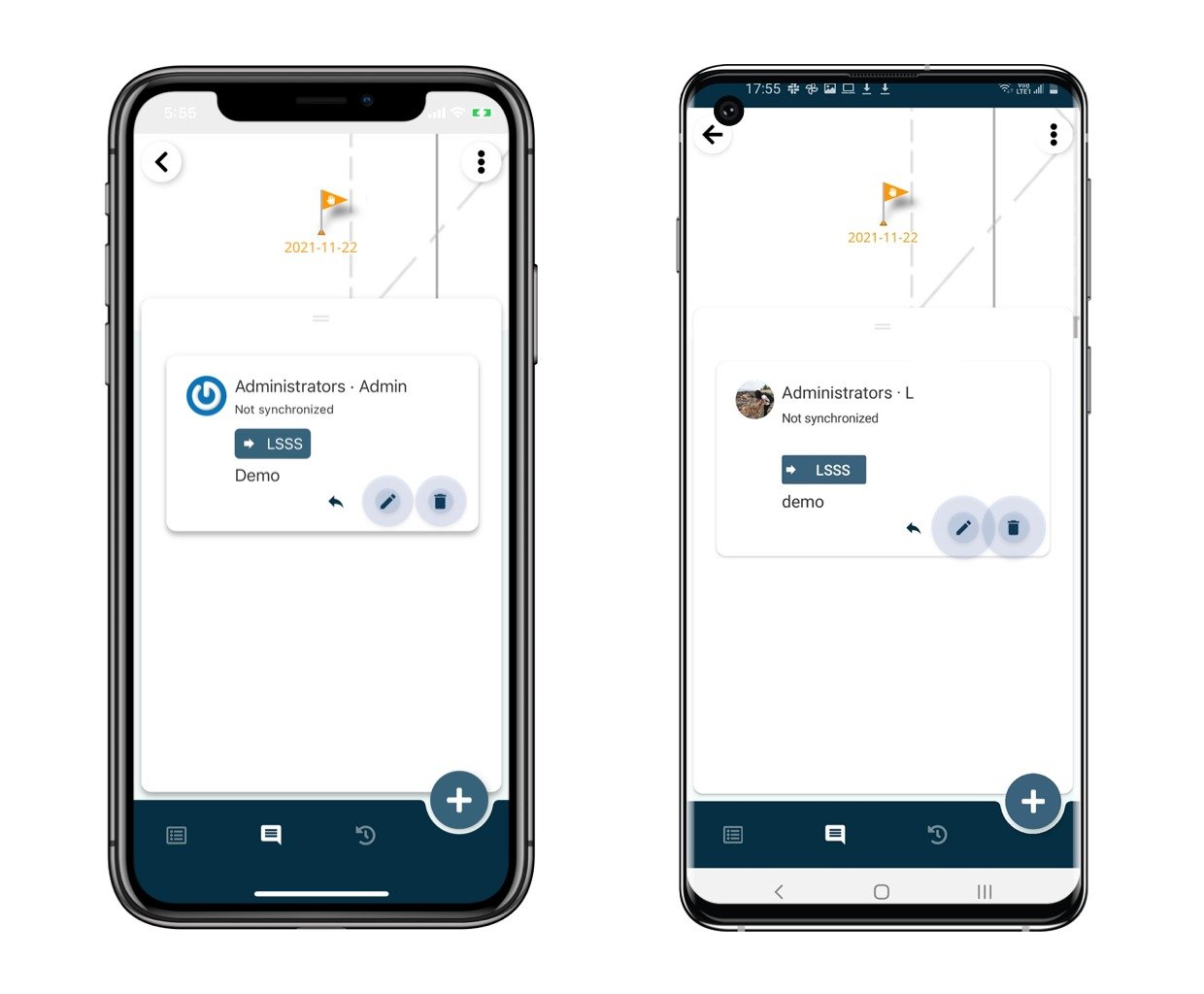
You could edit and delete the un-sync comment.\
*⚠️ Once synced, the comment is unable to be edited and deleted.*
<img src="https://mintcdn.com/rdrive/LuKvp80R1o0mPrKg/images/kb/103000035179/6bNaI06WCWtqrStkcfizcqYyOYSWJ3RzAg.jpeg?fit=max&auto=format&n=LuKvp80R1o0mPrKg&q=85&s=69acc144070c01cffc27284402bc437e" alt="How to add a comment to the issue/record via APP?" width="1240" height="1024" data-path="images/kb/103000035179/6bNaI06WCWtqrStkcfizcqYyOYSWJ3RzAg.jpeg" />

[Click here to know how to reply to a comment.](https://docs.rdrive.io/mobile/forms/process-general/how-to-reply-to-a-comment-on-a-form)