> ## Documentation Index
> Fetch the complete documentation index at: https://docs.rdrive.io/llms.txt
> Use this file to discover all available pages before exploring further.
# How to remove and readd the project?
> There are times when synchronization is not working as expected, e.g. do not see updated drawings, updated lists of users or contractors, or updated issue lists
There are times when synchronization is not working as expected, e.g. do not see updated drawings, updated lists of users or contractors, or updated issue lists.
When these issues happen, the RDrive support team will first investigate. Next, it would be best to remove and re-add the project on your device and start fresh again.
This is almost like when your computer is acting funny, you restart it to get it working normally again.
[**Why You May Need to Remove and Re-Add Your Project?**](https://docs.rdrive.io/mobile/troubleshooting/why-you-may-need-to-remove-and-re-add-your-project)
⚠️ WARNING: Please note the un-sync items on your device will be gone after deleted project.
***
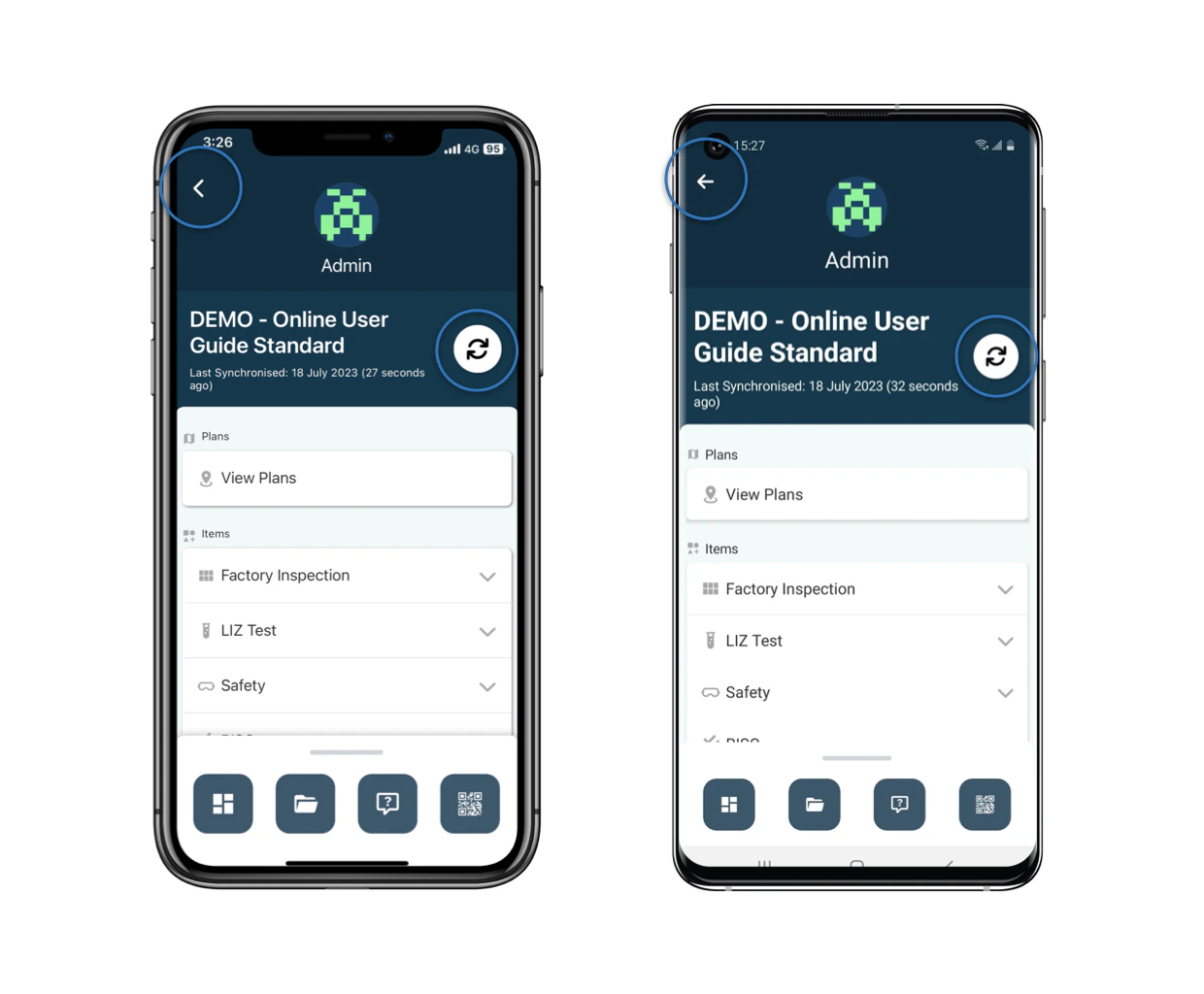
Kindly click the **Sync** button to sync *(you may terminate the synchronize if it is not necessary)*
, or the Back **button** to access the **Project** page.
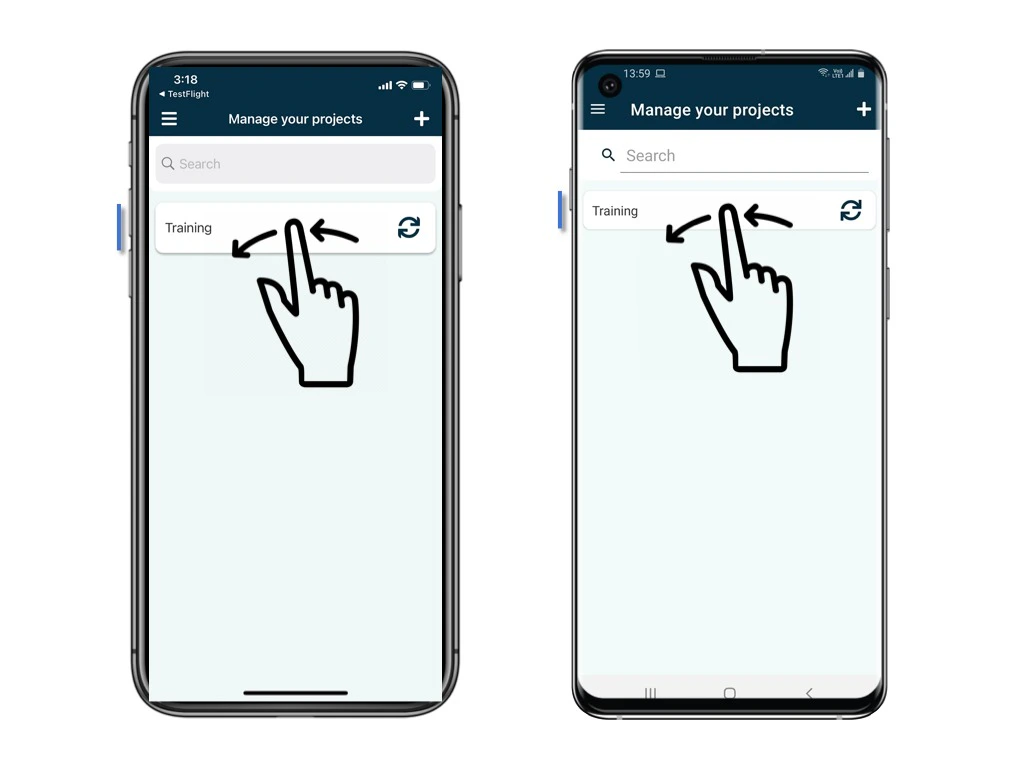
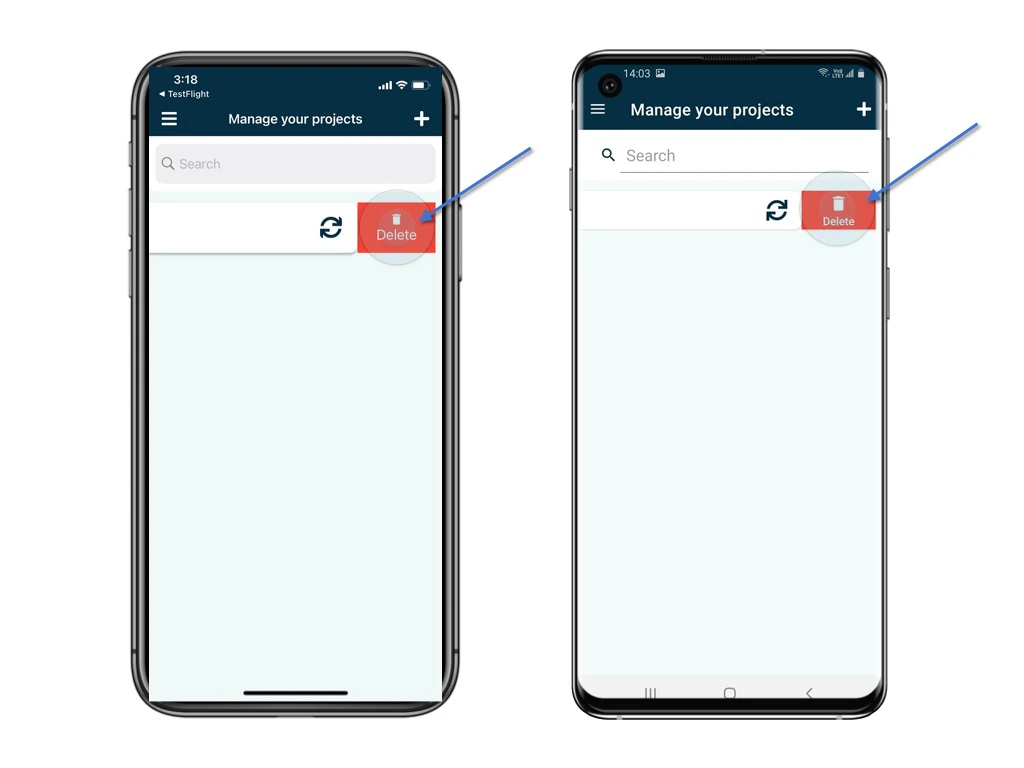
 Swipe left on the Project title and you will see the delete option. You can swipe all the left or click the button to **Delete**.
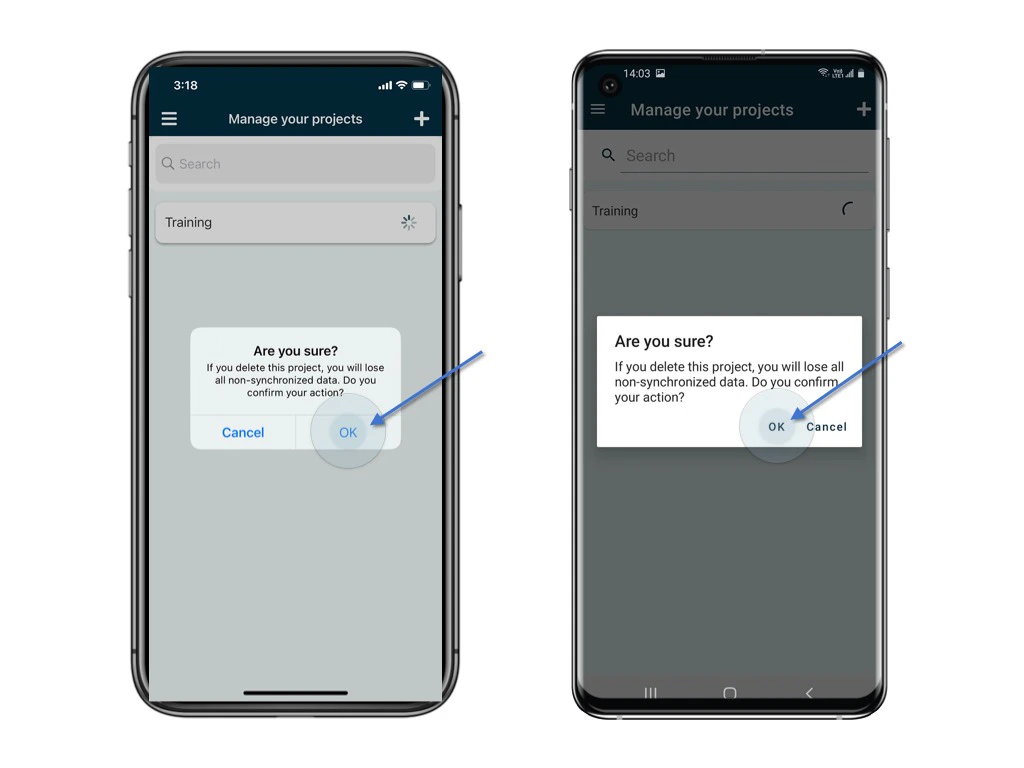
 **OK** to confrim.
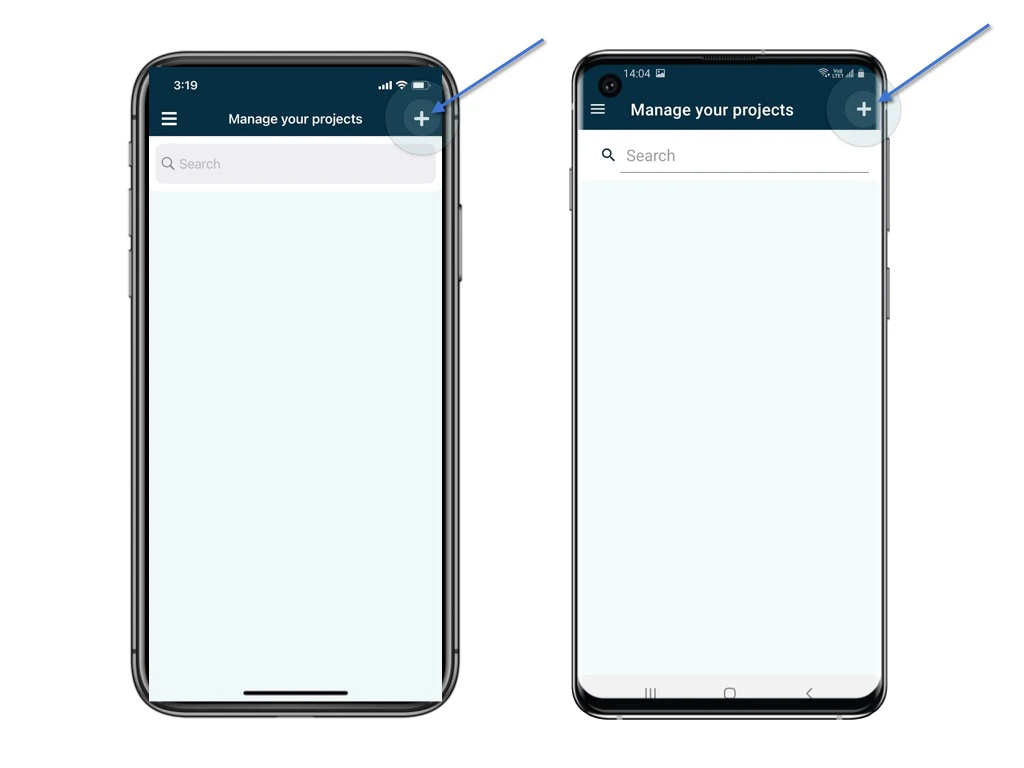
 To re-add, press the ✚ button at the top right corner to explore the project which you may download to access.
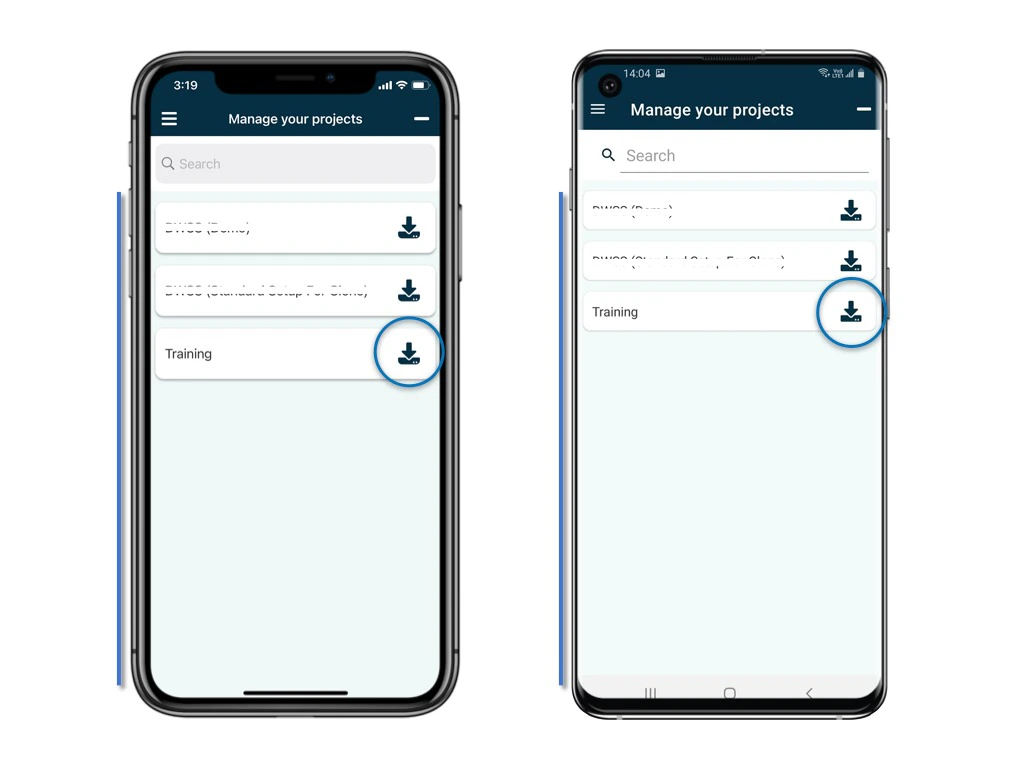
Click on the project to start the download.
To re-add, press the ✚ button at the top right corner to explore the project which you may download to access.
Click on the project to start the download.