> ## Documentation Index
> Fetch the complete documentation index at: https://docs.rdrive.io/llms.txt
> Use this file to discover all available pages before exploring further.
# Create a process template with form
> It is not uncommon that various business processes, e.g. daily site walk, quality / safety checklist, request for inspections, etc. remain in paper-based system
It is not uncommon that various business processes, e.g. daily site walk, quality / safety checklist, request for inspections, etc. remain in paper-based system.
It is possible to digitalize them in RDrive and there are many ways to go about it. The best solution often comes from a **clear understanding of the business process** where the form is involved. It translates to the **business requirements** that guide you to configure the template set up.
## Overview
It is important to first understand:
1. [Process Template](#h_b488f568b3)
2. [Form Template *(Default form and Optional form)*](#h_2dc3a6beb7)
*What's the difference?*\
A Process **Template** is an umbrella, that consists of **a Form Template** or **a combination of Form Templates**.
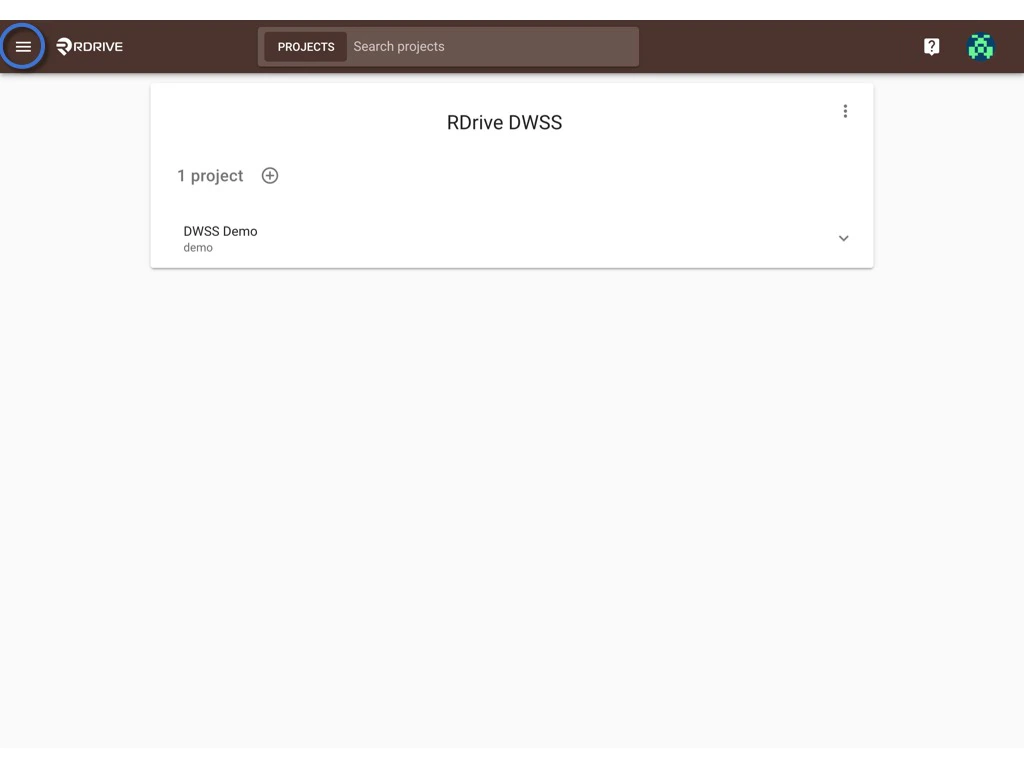
First, log in to **Company Area**. *(Only the company admin can access this page.)*
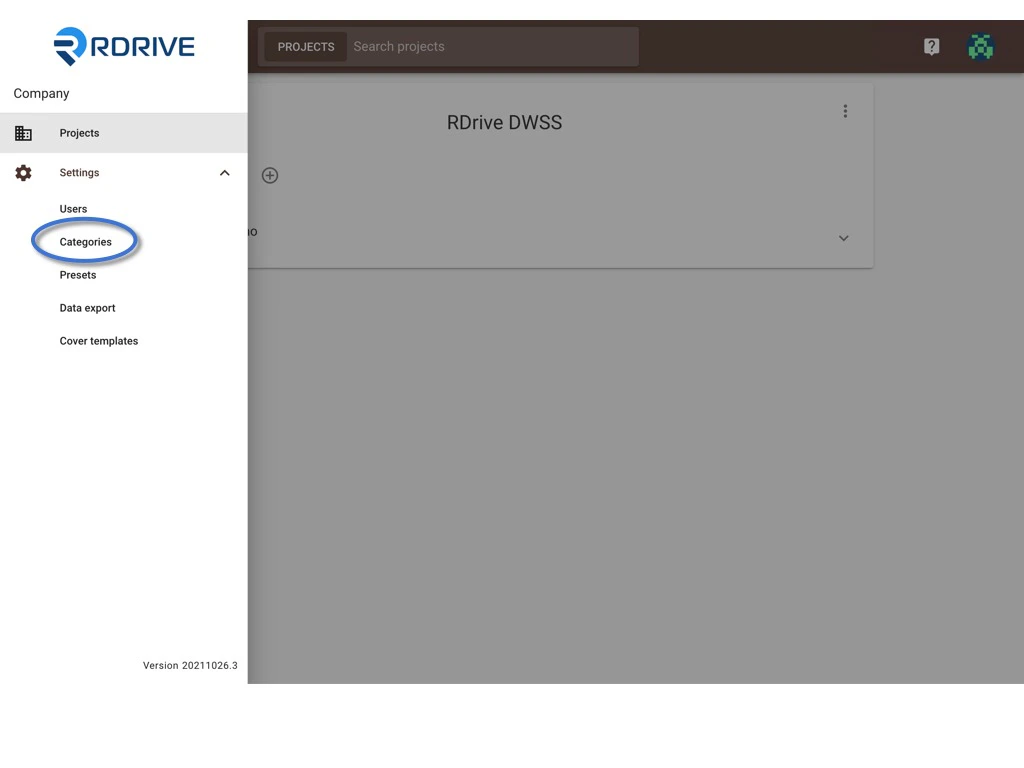
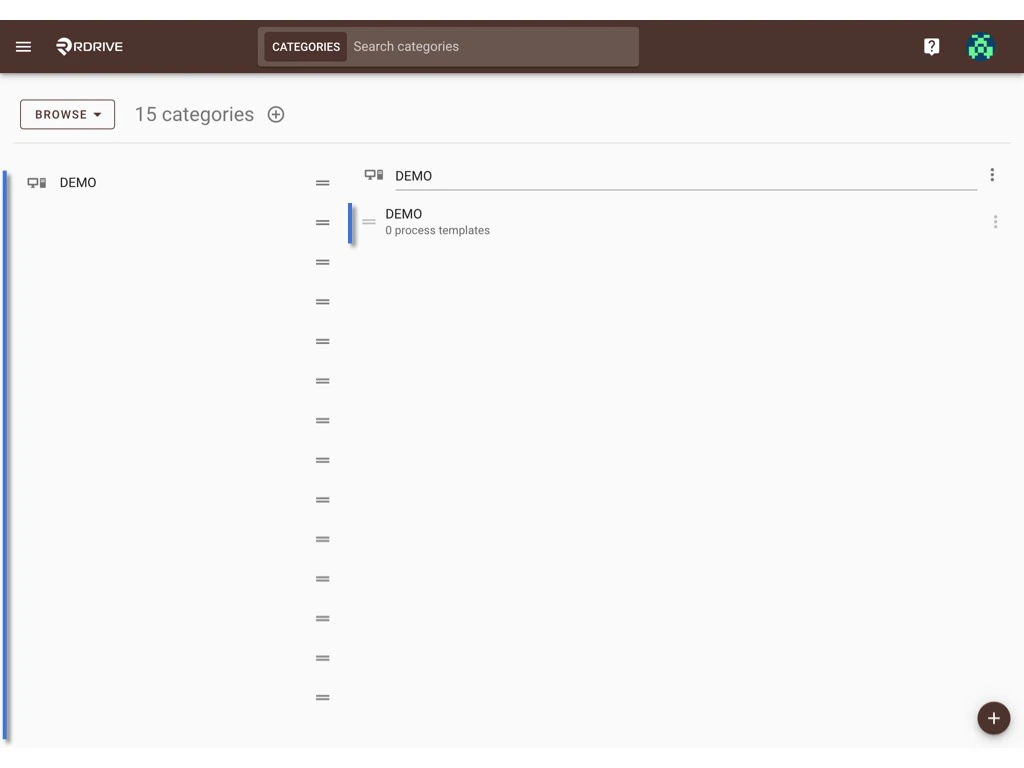
Click **Settings** to access **Categories** page, select **Category** and **Subcategory** to add the template.\
*[click here to know how to add a category and subcategory.](https://docs.rdrive.io/setup/company/categories/how-to-add-a-category-and-subcategory)*
 ## To add a process template.
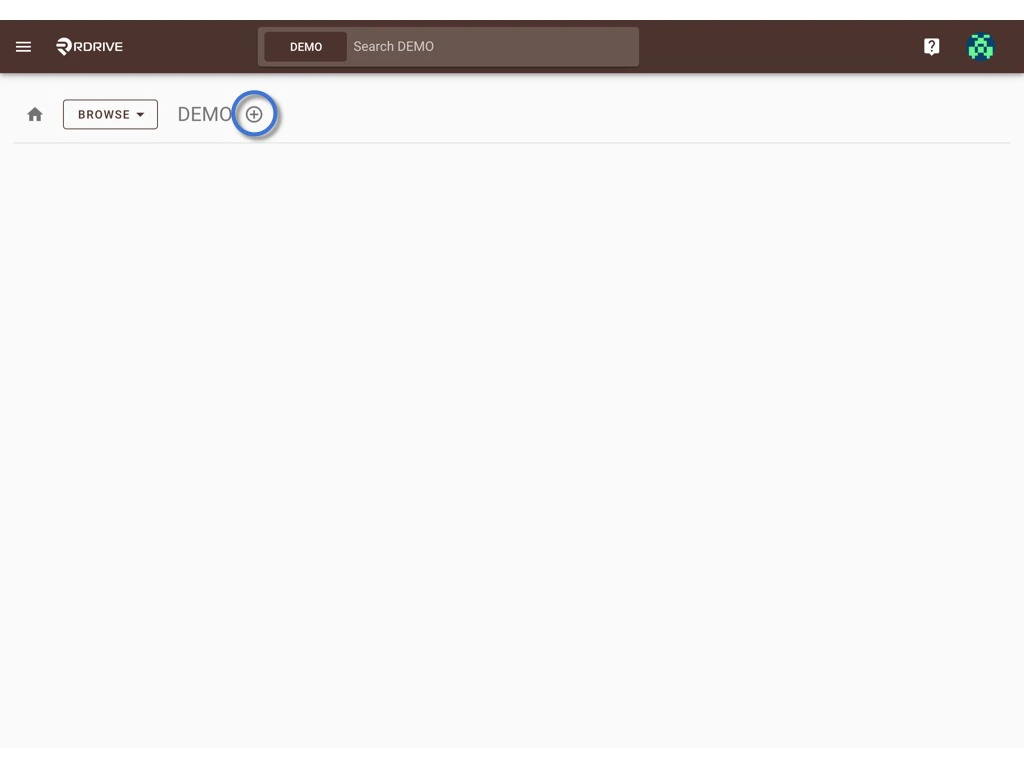
You can create a new template by clicking the **⊕** button.
## To add a process template.
You can create a new template by clicking the **⊕** button.
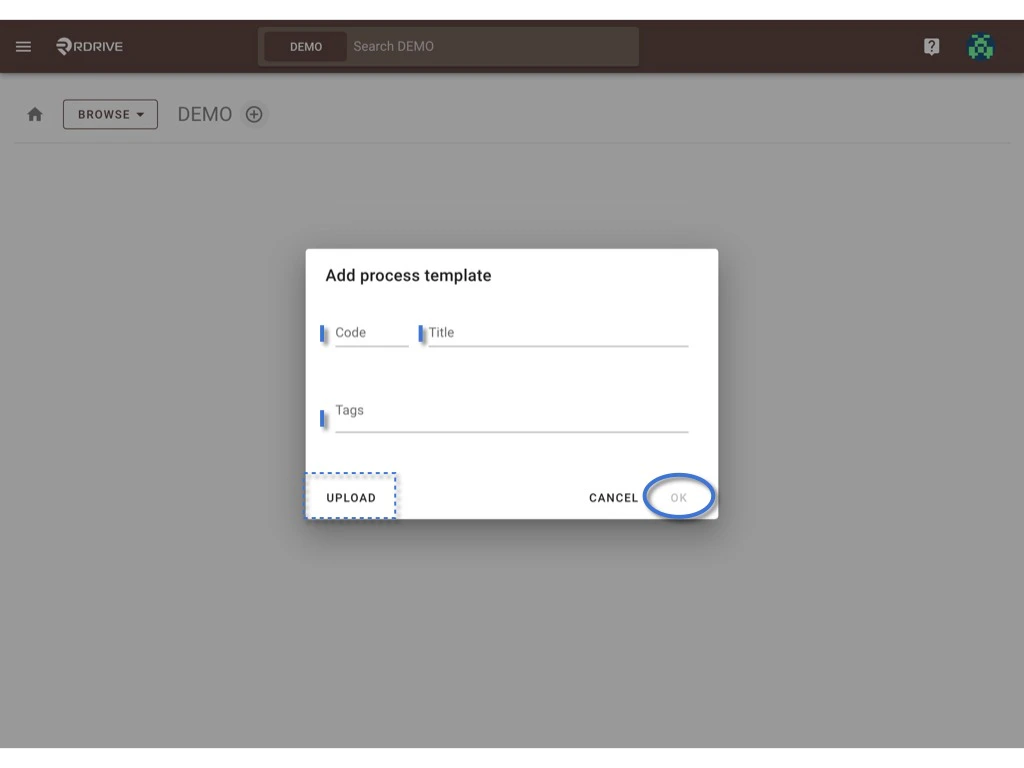
 Enter the process code and title, click **OK**.
**UPLOAD** if you have a downloaded file.
Enter the process code and title, click **OK**.
**UPLOAD** if you have a downloaded file.
 ## Process created!! Now we can start to add a new form template;)
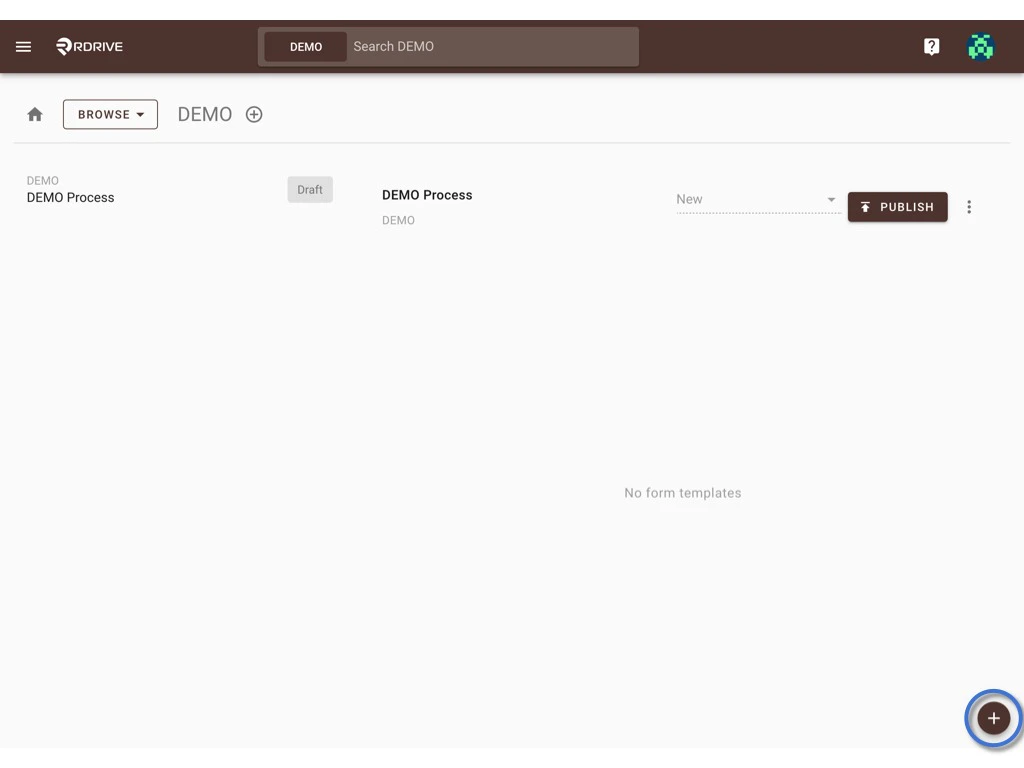
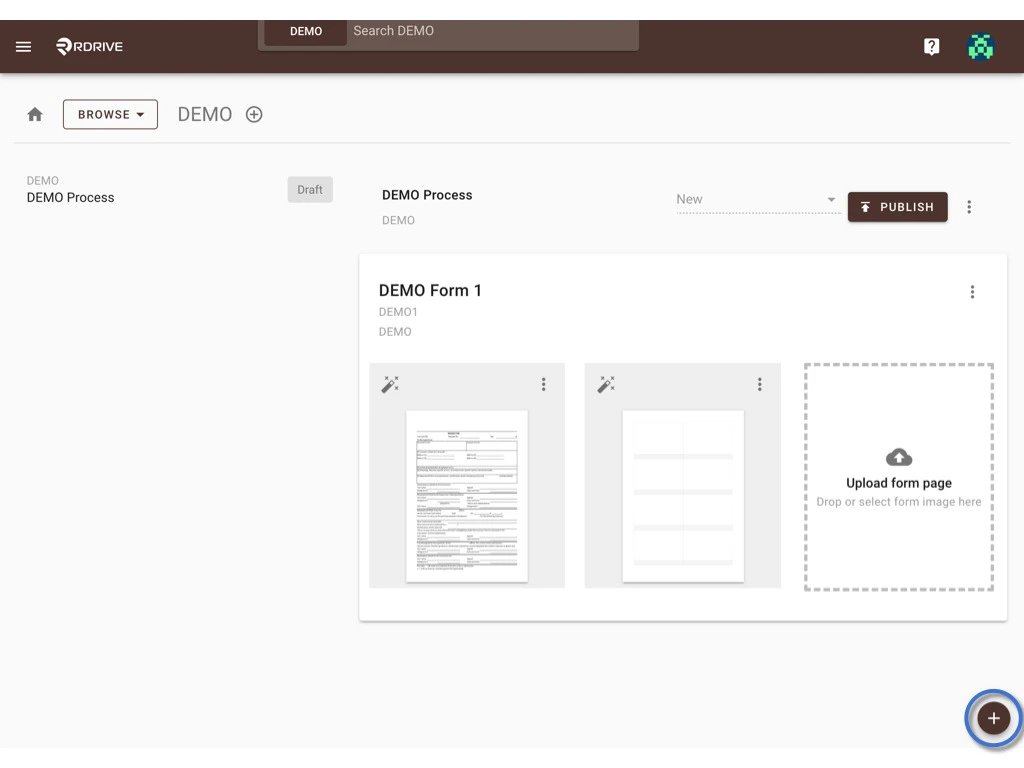
Click the **✚** button at the bottom right corner.
## Process created!! Now we can start to add a new form template;)
Click the **✚** button at the bottom right corner.
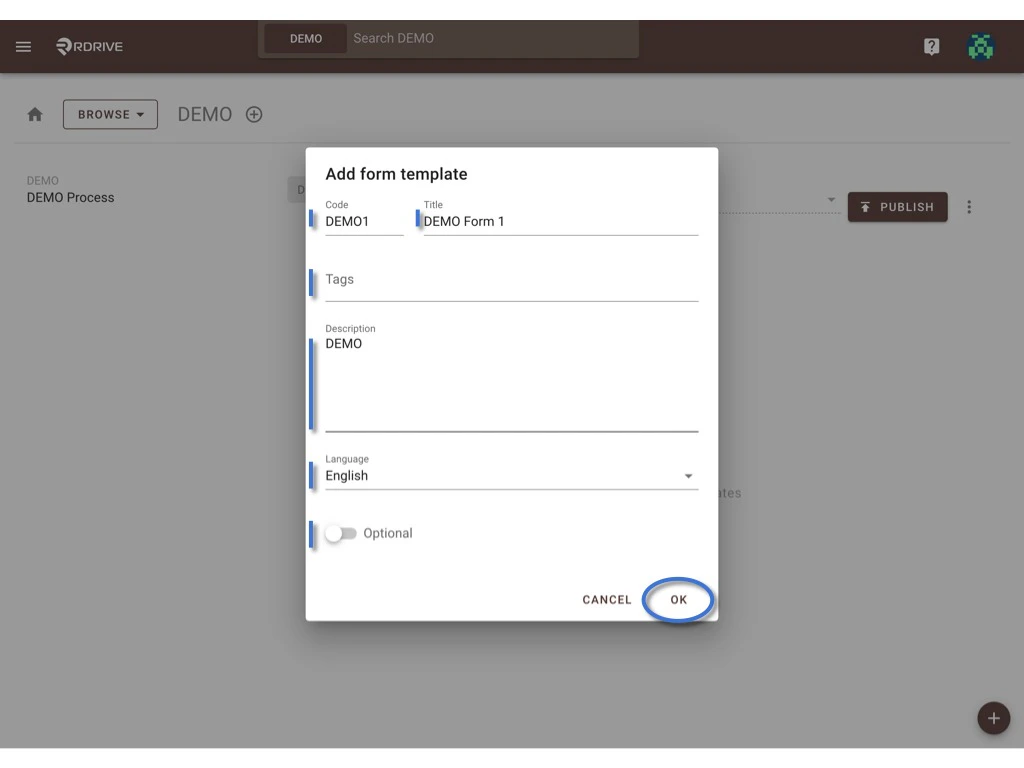
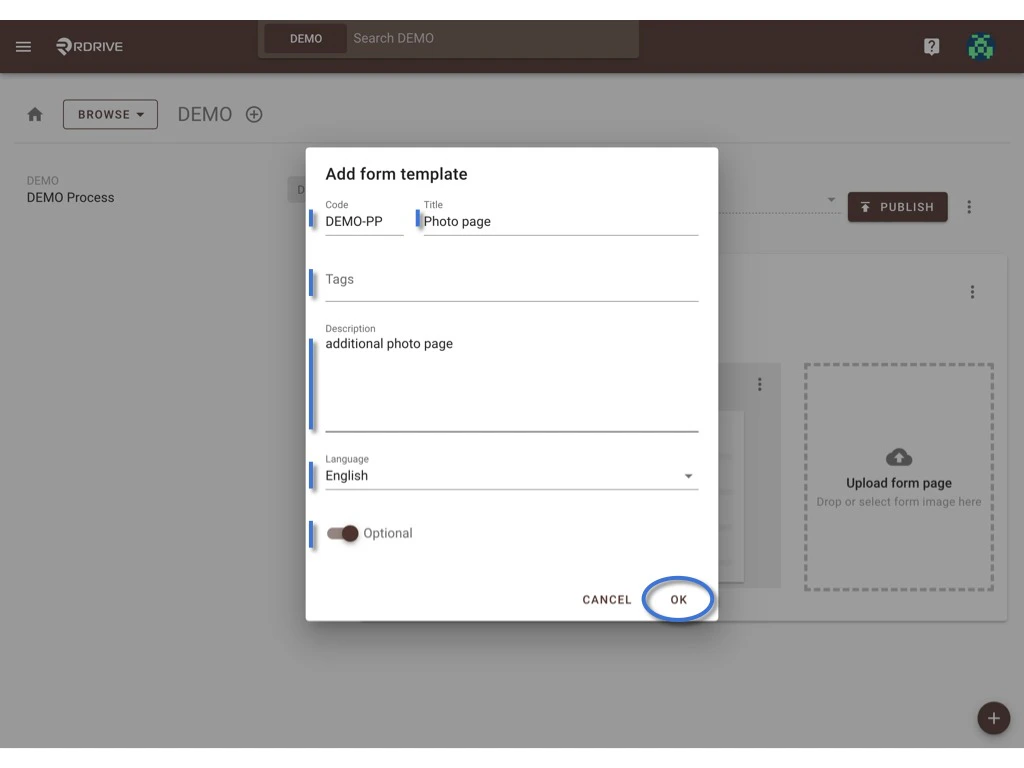
 Enter the information of the form, such as Form code, Title, Tags, Description, Language, Default form or Optional.\
Click **OK** to save.
*What is the Optional form?*\
An Optional form is not included in the process when the process is added, the user can add it by the **Add form** function when needed.\
Will be using it for the additional page of the form normally, such as the photo page, check items etc.
Enter the information of the form, such as Form code, Title, Tags, Description, Language, Default form or Optional.\
Click **OK** to save.
*What is the Optional form?*\
An Optional form is not included in the process when the process is added, the user can add it by the **Add form** function when needed.\
Will be using it for the additional page of the form normally, such as the photo page, check items etc.
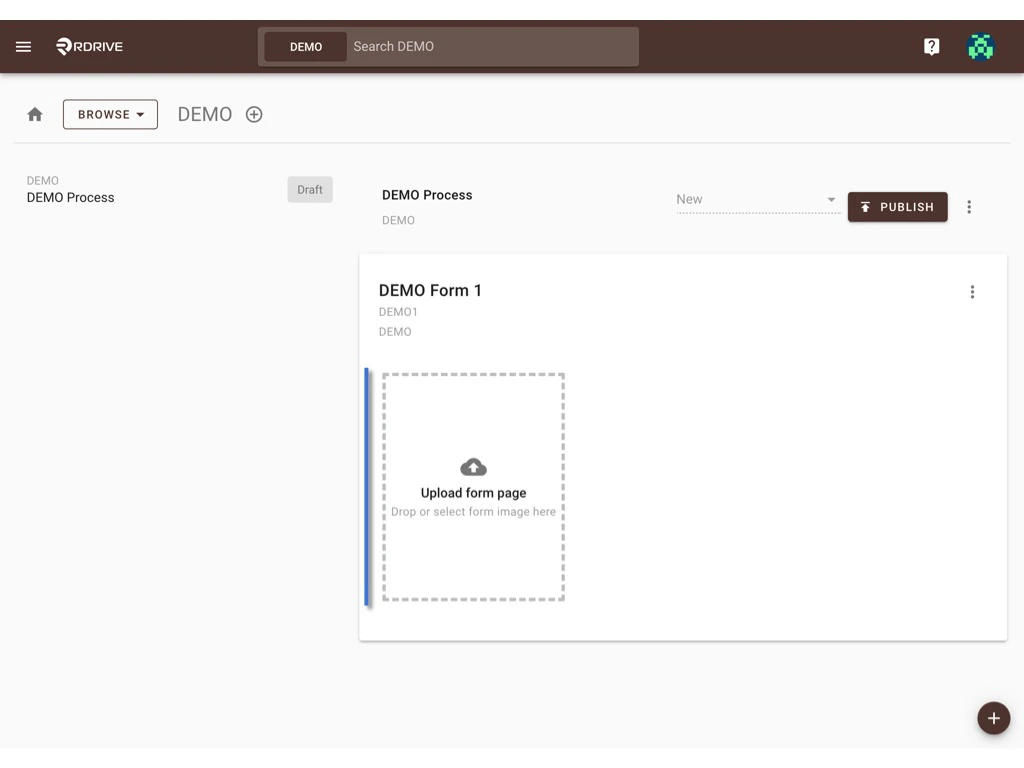
 Form template created. Now, please upload the form image(s).\
You can upload a PDF with multiple pages or upload images one by one.
Form template created. Now, please upload the form image(s).\
You can upload a PDF with multiple pages or upload images one by one.
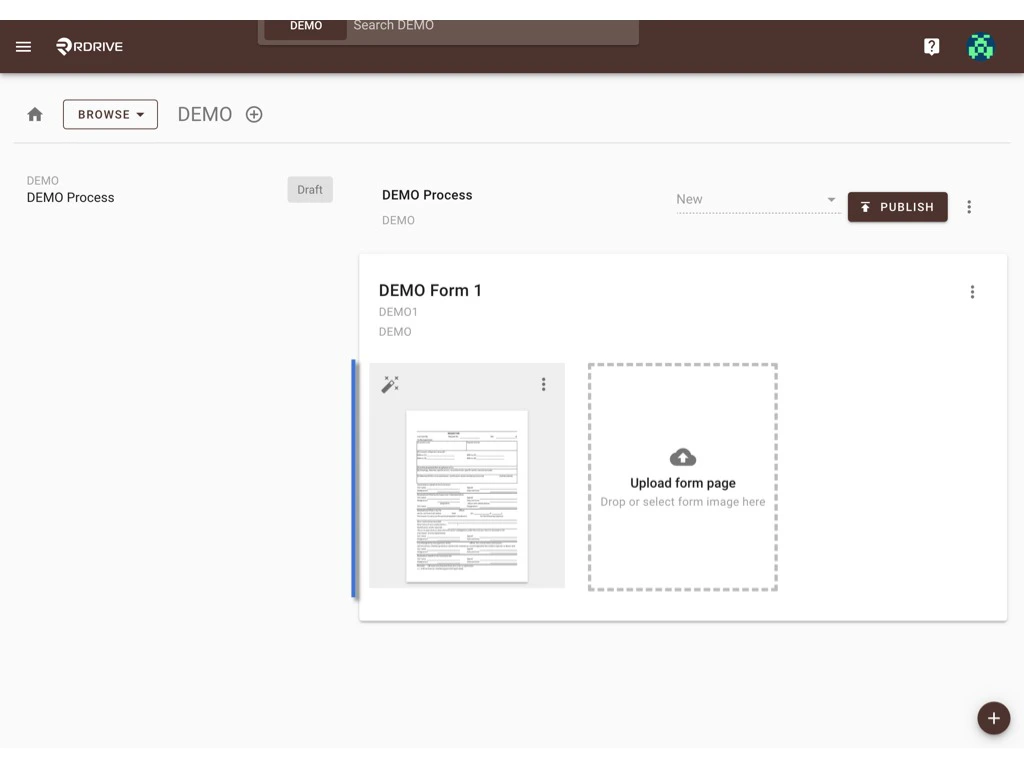 If you need to add more form(s), kindly click the **✚** button at the bottom right corner to continue adding, so on.
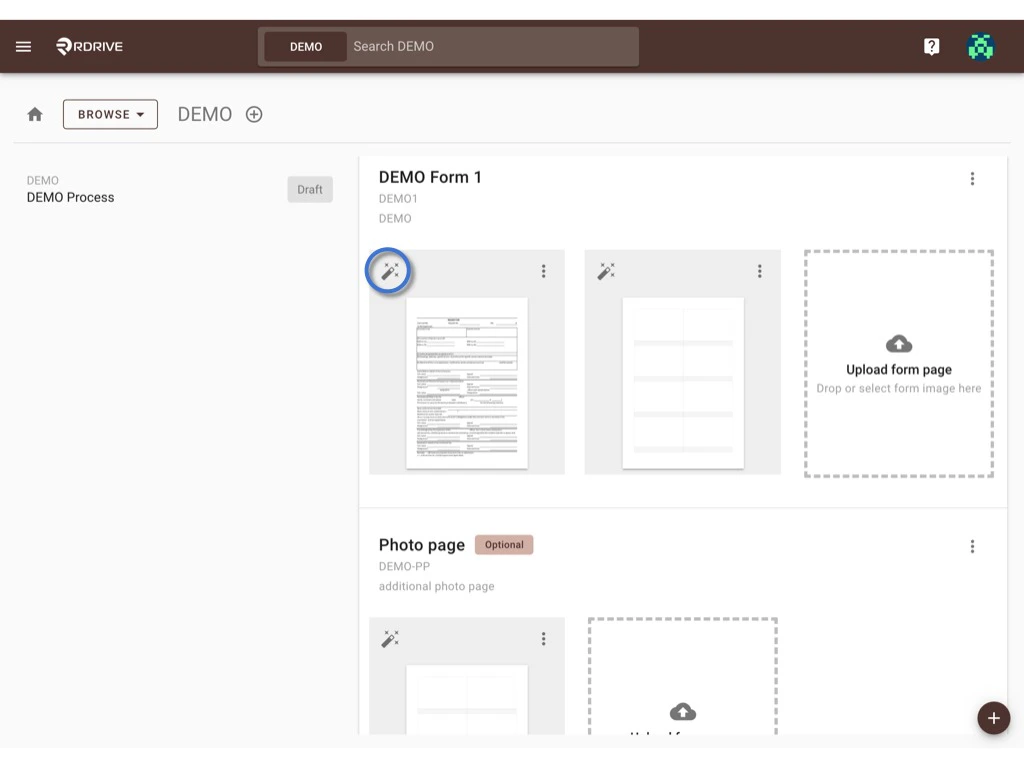
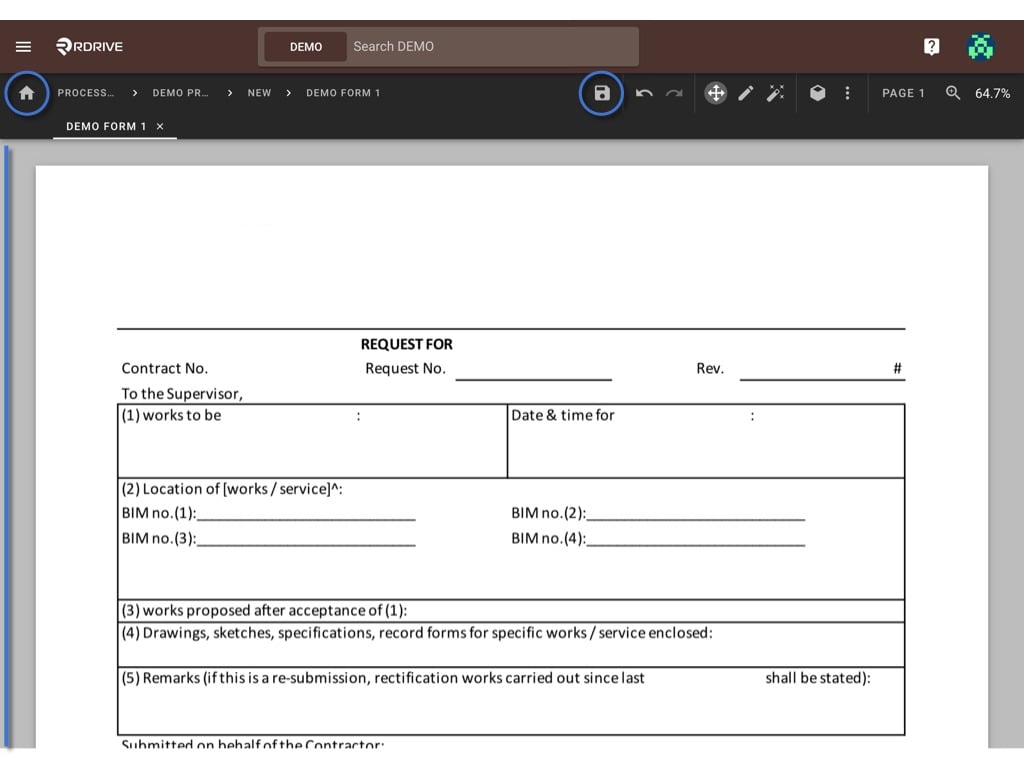
 Then, click the magic pen to access the form wizard to set up a digital form.\
To set up the form template below is a compact guide. For more details, please visit **[THIS PAGE.](https://docs.rdrive.io/setup/company/categories/categories-process-template/what-can-i-do-at-the-form-wizard)**
*Can the Form template be used in more than one Inspections?*
*NO.*
Then, click the magic pen to access the form wizard to set up a digital form.\
To set up the form template below is a compact guide. For more details, please visit **[THIS PAGE.](https://docs.rdrive.io/setup/company/categories/categories-process-template/what-can-i-do-at-the-form-wizard)**
*Can the Form template be used in more than one Inspections?*
*NO.*
 Save and return to the process template page to carry on after form set up.
[
Save and return to the process template page to carry on after form set up.
[ ](https://intercom.help/rdrive/en/articles/5858650-what-can-i-do-at-the-form-wizard#h_7e59c9c870)
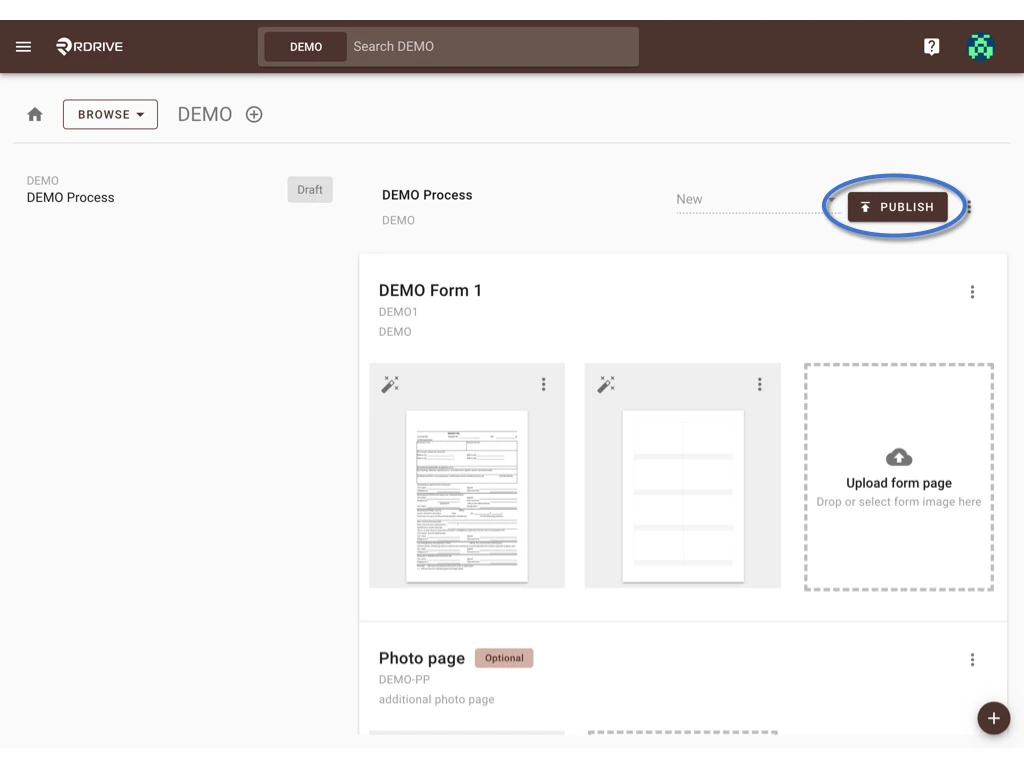
## **PUBLISH** if it is ready to use ?, it will create a version of this template.
](https://intercom.help/rdrive/en/articles/5858650-what-can-i-do-at-the-form-wizard#h_7e59c9c870)
## **PUBLISH** if it is ready to use ?, it will create a version of this template.
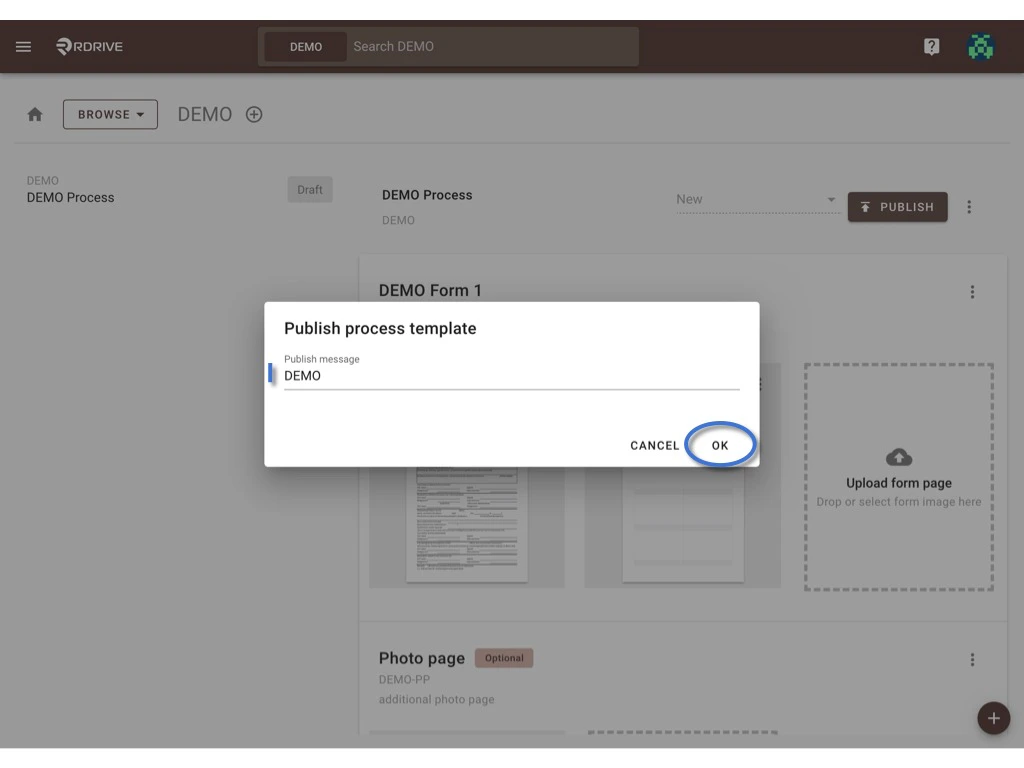
 Enter a message to remind you what this release is about.\
**OK** to confirm.
Enter a message to remind you what this release is about.\
**OK** to confirm.
 Done. ? ? ?
You are able to [add a profile of this template](https://docs.rdrive.io/setup/project/category-process-profiles/add-a-new-process-profile) at the project level now.
Done. ? ? ?
You are able to [add a profile of this template](https://docs.rdrive.io/setup/project/category-process-profiles/add-a-new-process-profile) at the project level now.