> ## Documentation Index
> Fetch the complete documentation index at: https://docs.rdrive.io/llms.txt
> Use this file to discover all available pages before exploring further.
# How to update the process template & form?
> Please access the template page by Company level > Menu > Setting > Categories > Subcategory to update
Please access the template page by Company level > Menu > Setting > Categories > Subcategory to update
1. [To edit a Process template](#to-edit-a-process-template)
2. [Edit Form template](#edit-form-template)
***
# To edit a Process template
* [Download - single & batch](#download---single-&%c2%a0batch)
* [Single download](#single-download)
* [Batch download](#batch-download)
* [Rename](#rename)
* [Single](#single)
* [Batch edit tag(s)](#batch-edit-tag\(s\))
*⚠️ Attention: Edit process template is no need to create new version*
## **Download - [single](#single-download) &** [**batch**](#batch-download)
## Single download
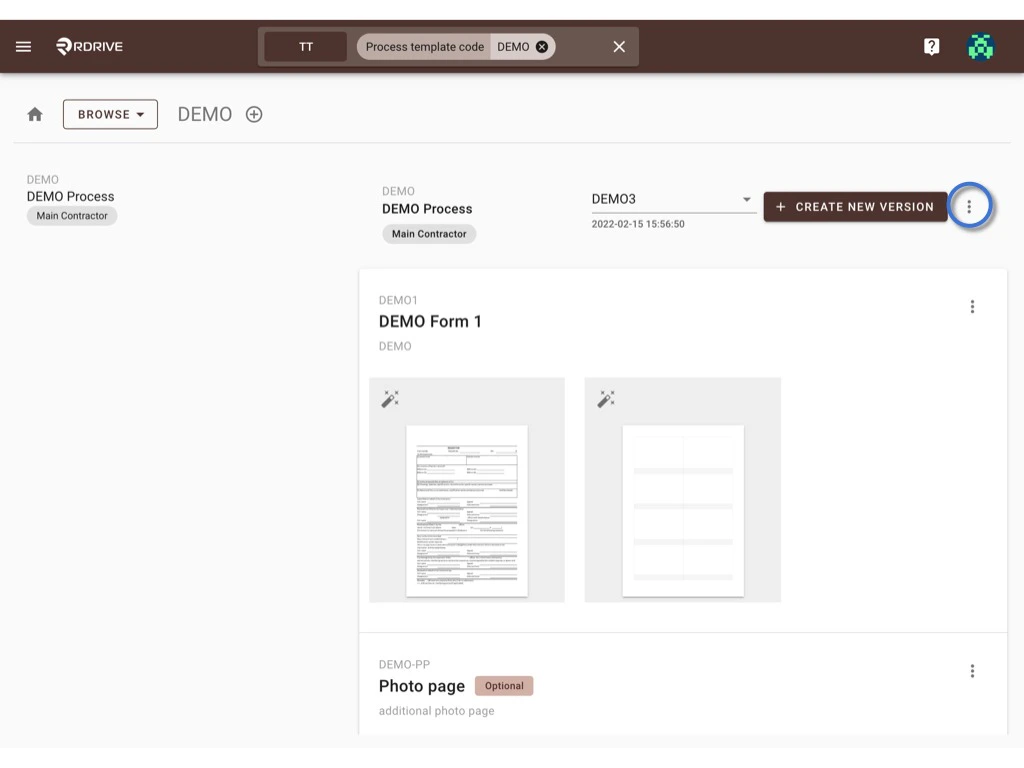
Click the **⋮** button next to the Create new version button and select **Download**.
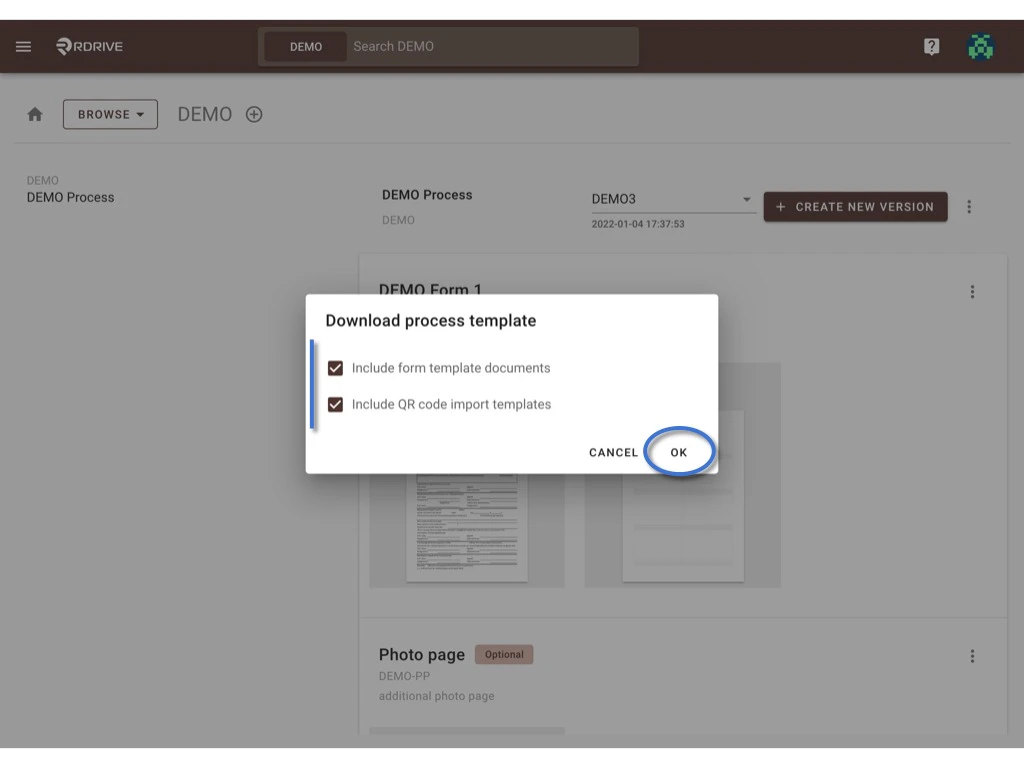
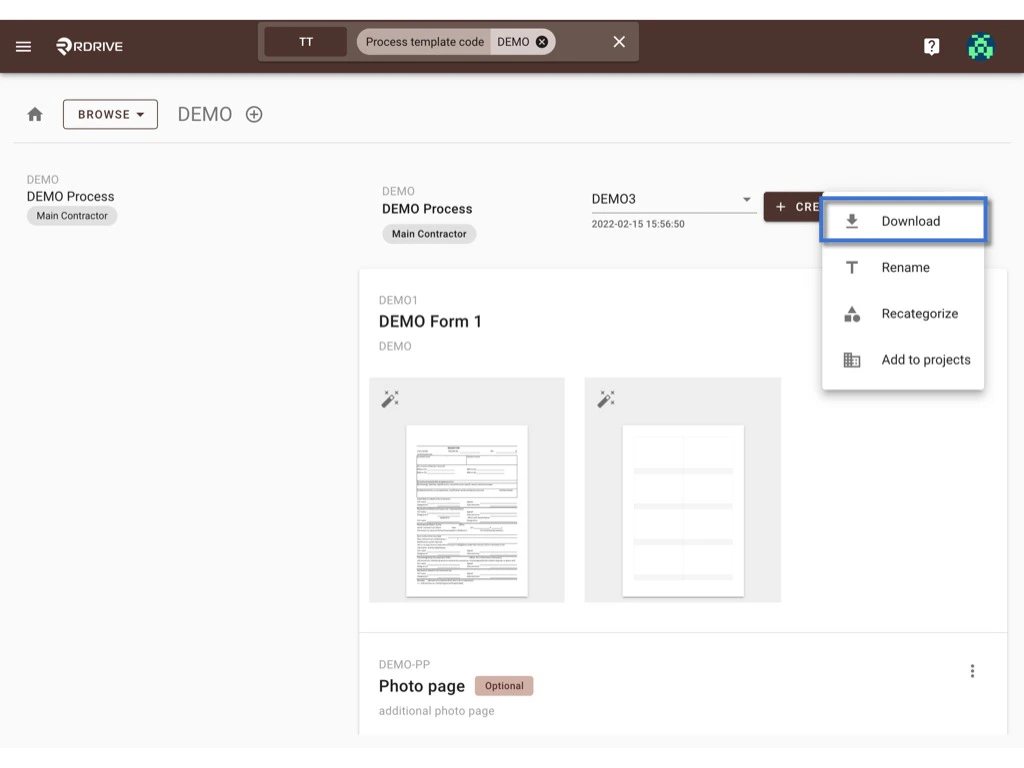 **OK** to download.
 ## **Batch download**
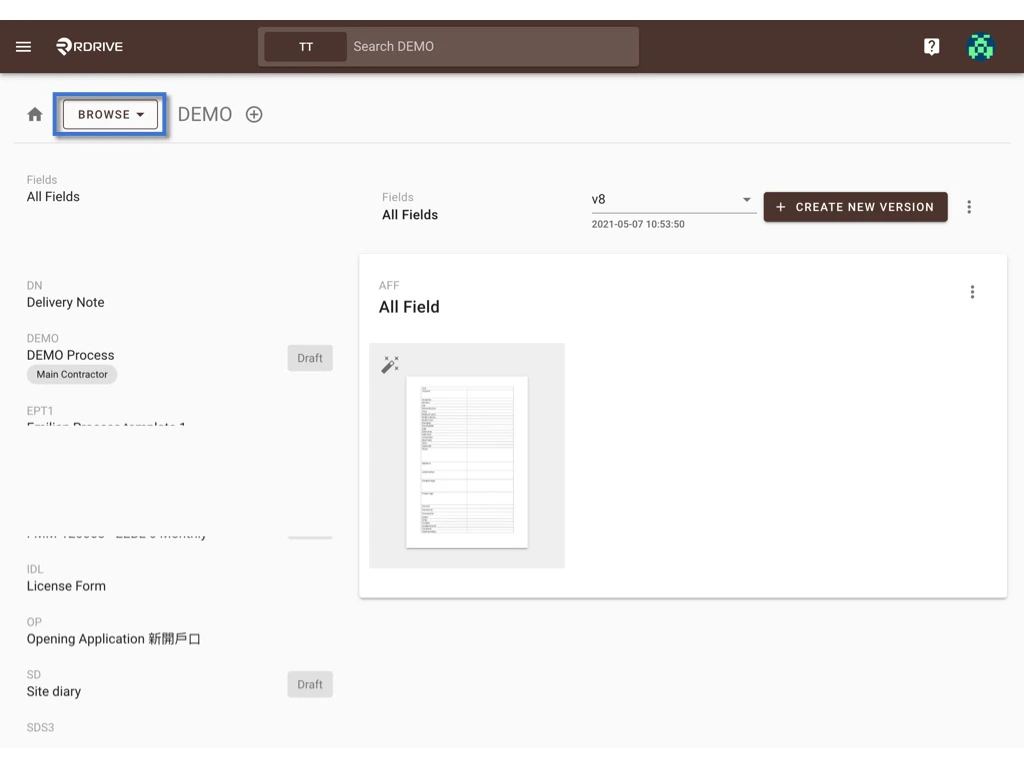
Switch the mode from **BROWSE** to **SELECT**.
## **Batch download**
Switch the mode from **BROWSE** to **SELECT**.
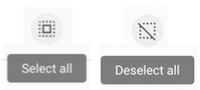
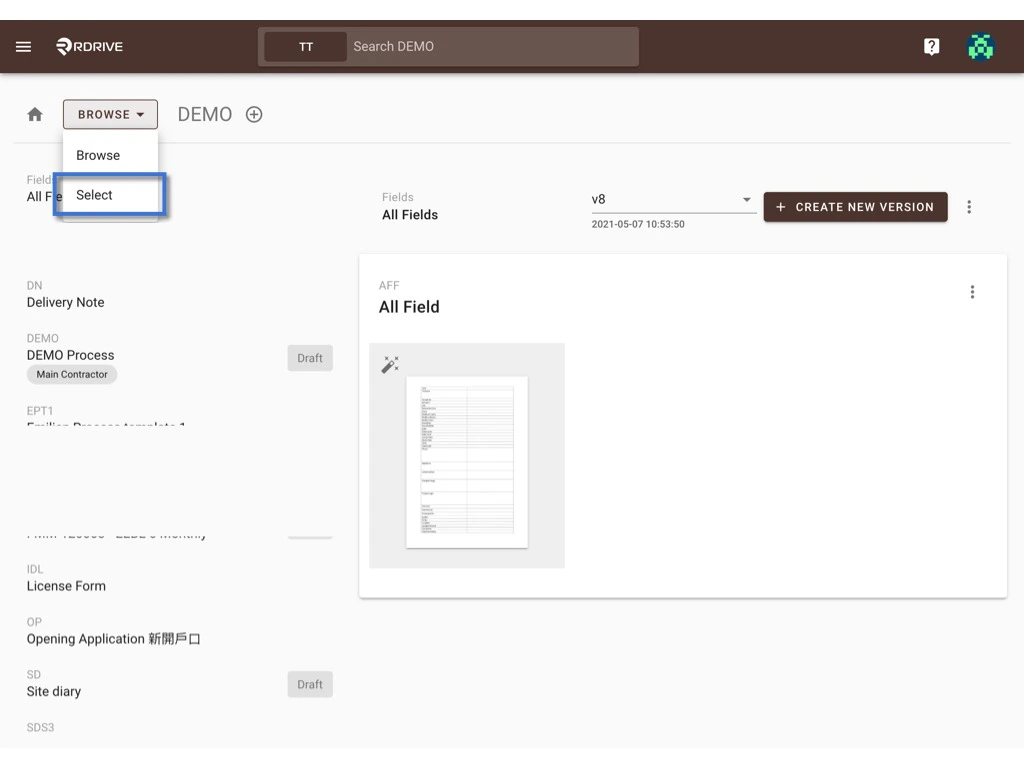 On the SELECT, you can click on the template or press the **select all** / **deselect all** button to select item(s).\
The selected item will be highlighted in grey.
On the SELECT, you can click on the template or press the **select all** / **deselect all** button to select item(s).\
The selected item will be highlighted in grey.
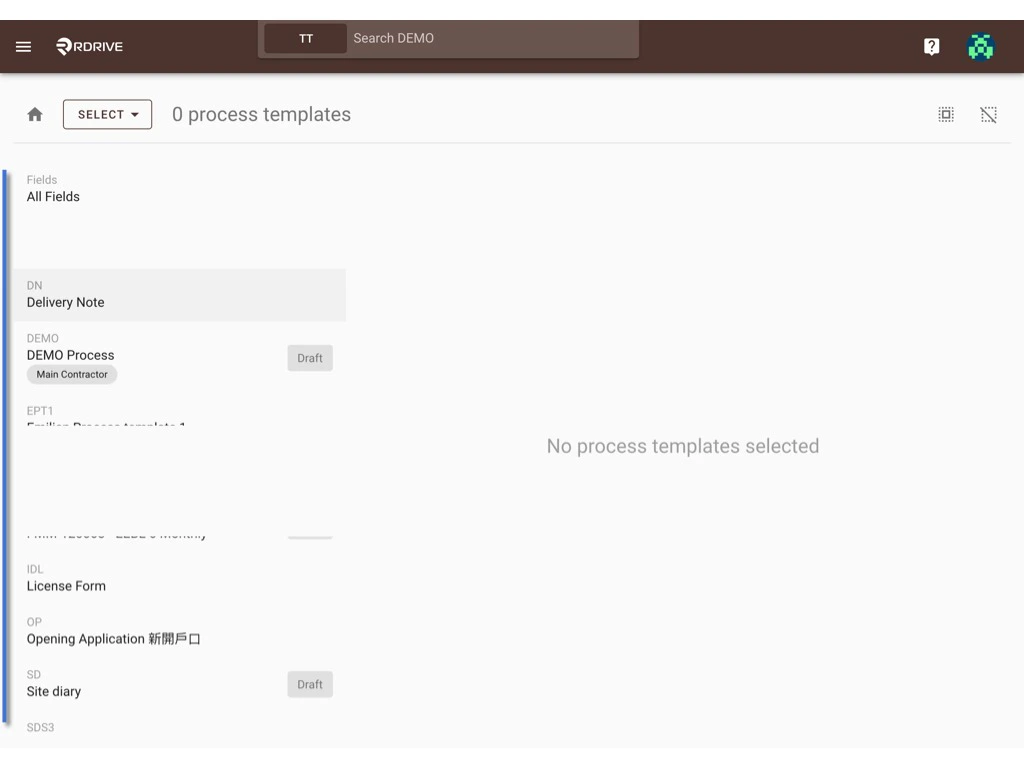
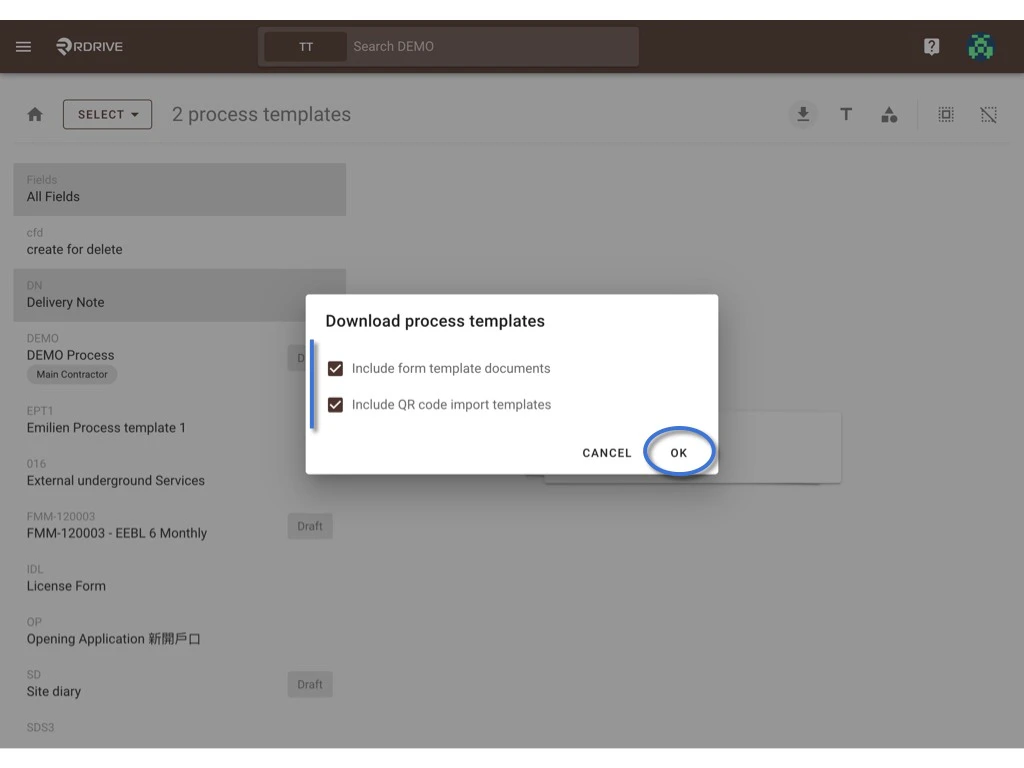
 Press the **Download** icon to batch download.
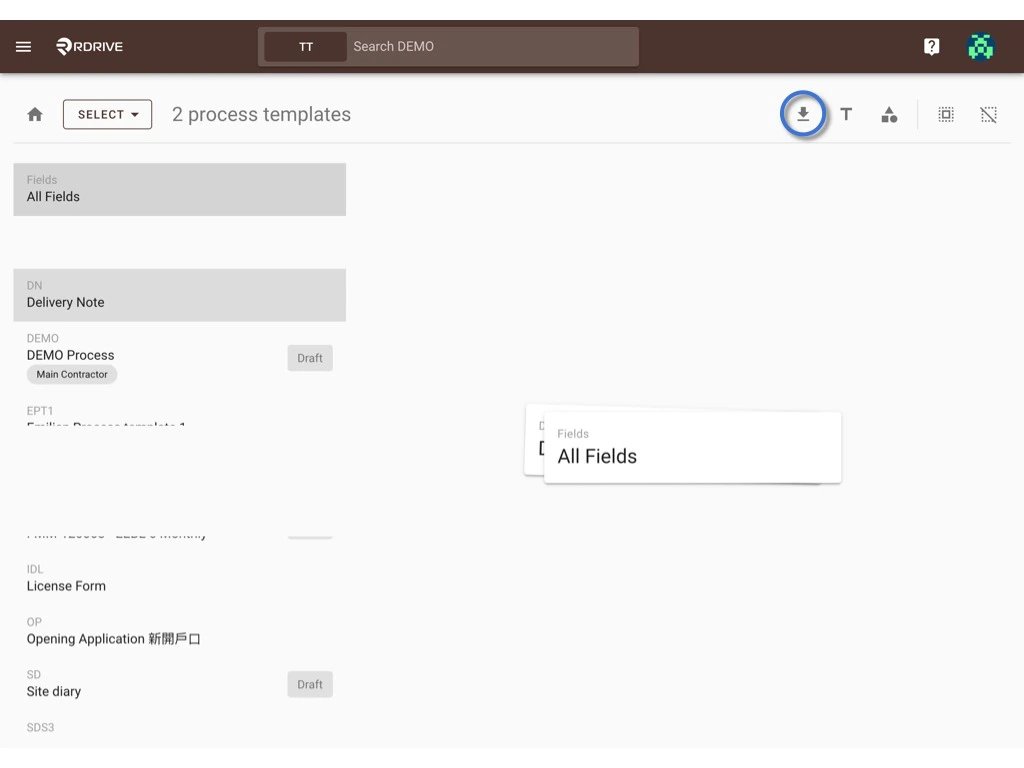 **OK** to start downloading.
 ***
## **Rename**
You can [single edit](#single) the template title & template tag(s) on the BROWSE viewer and [batch edit the tag(s)](#batch-edit-tag\(s\)) on the SELECT viewer.
## **Single**
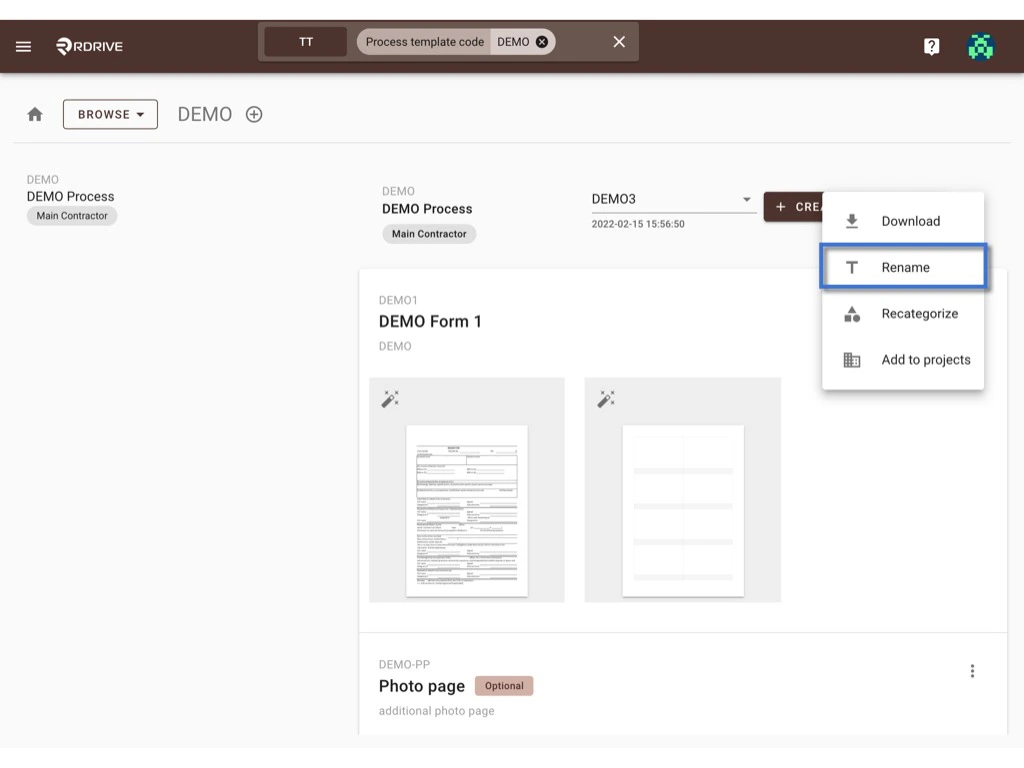
Click the **⋮** button next to the Create new version button and select **Rename**.
***
## **Rename**
You can [single edit](#single) the template title & template tag(s) on the BROWSE viewer and [batch edit the tag(s)](#batch-edit-tag\(s\)) on the SELECT viewer.
## **Single**
Click the **⋮** button next to the Create new version button and select **Rename**.
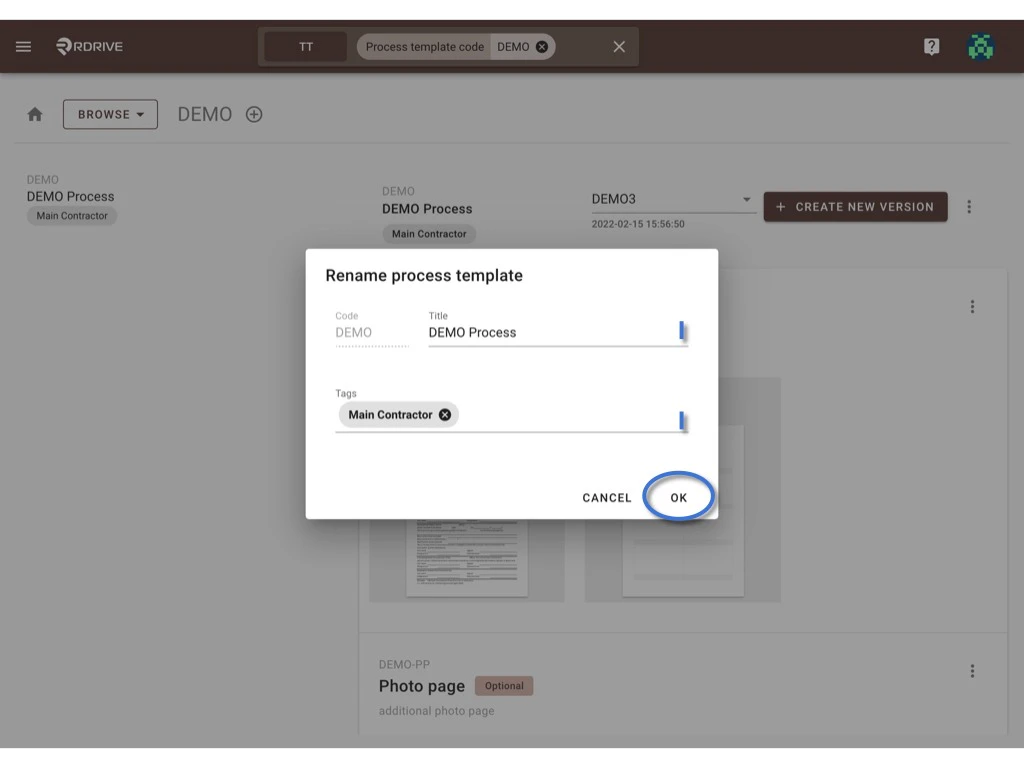
 In this dialog, you may edit the title & tag(s) of this template.\
Press **OK** to confirm the change.
In this dialog, you may edit the title & tag(s) of this template.\
Press **OK** to confirm the change.
 ## **Batch edit tag(s)**
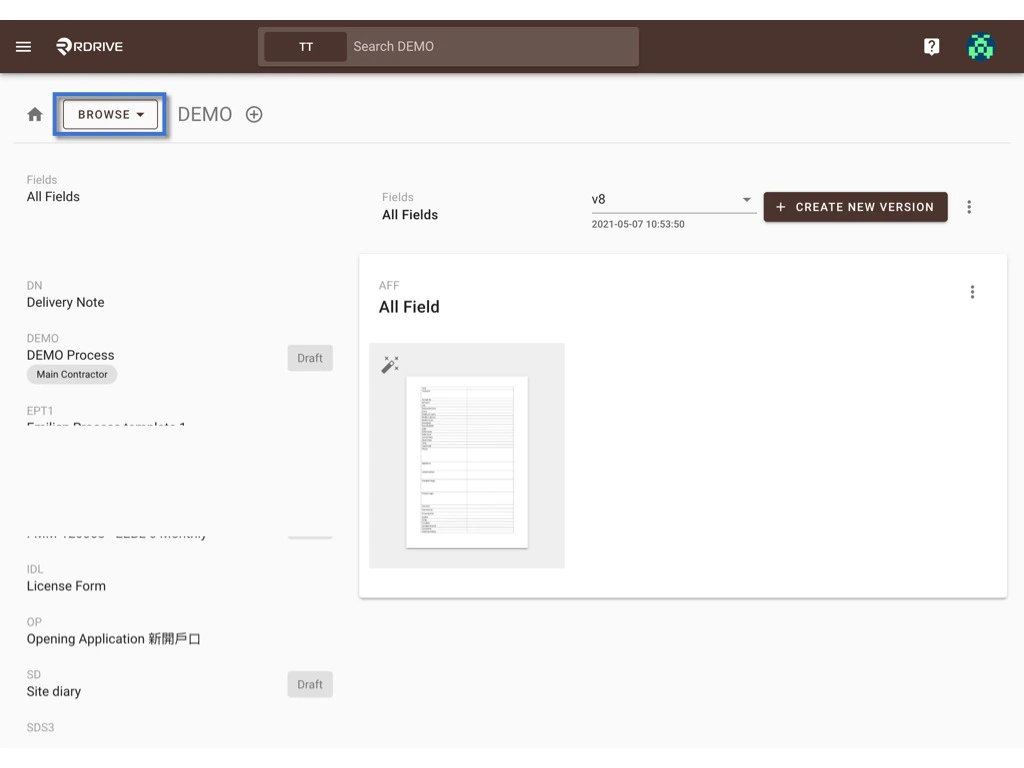
Switch the mode from **BROWSE** to **SELECT**.
## **Batch edit tag(s)**
Switch the mode from **BROWSE** to **SELECT**.
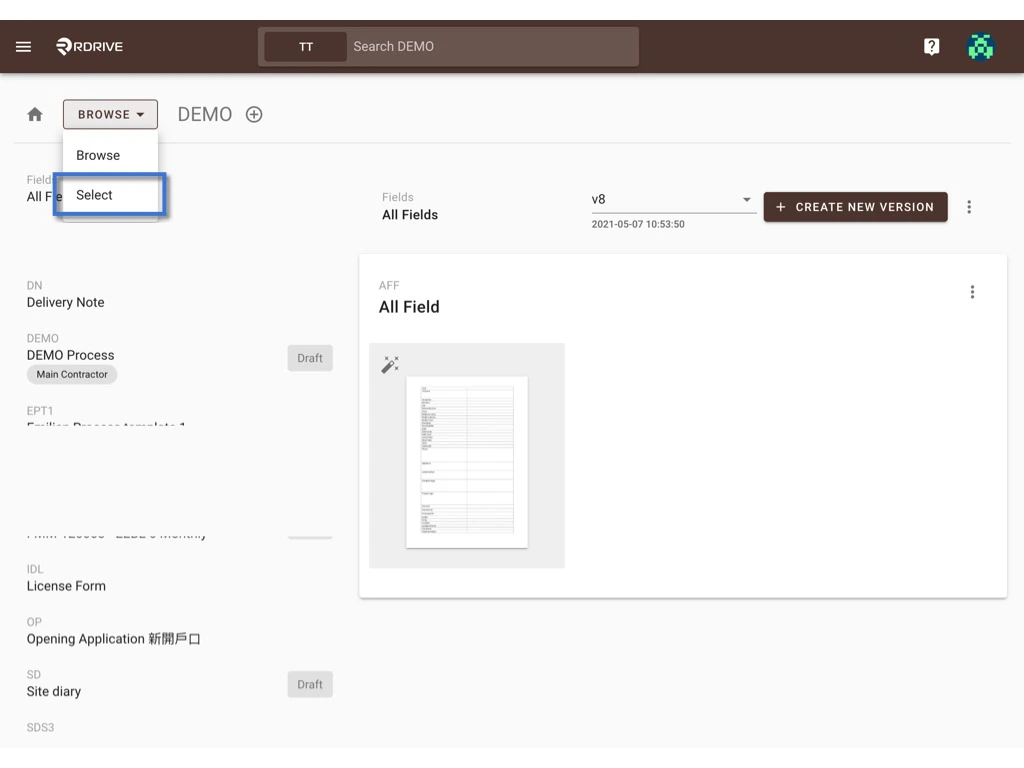 On the SELECT, you can click on the template or press the **select all** / **deselect all** button to select item(s).\
The selected will be highlighted in grey.
Press the **rename** icon to batch edit tag(s).
On the SELECT, you can click on the template or press the **select all** / **deselect all** button to select item(s).\
The selected will be highlighted in grey.
Press the **rename** icon to batch edit tag(s).
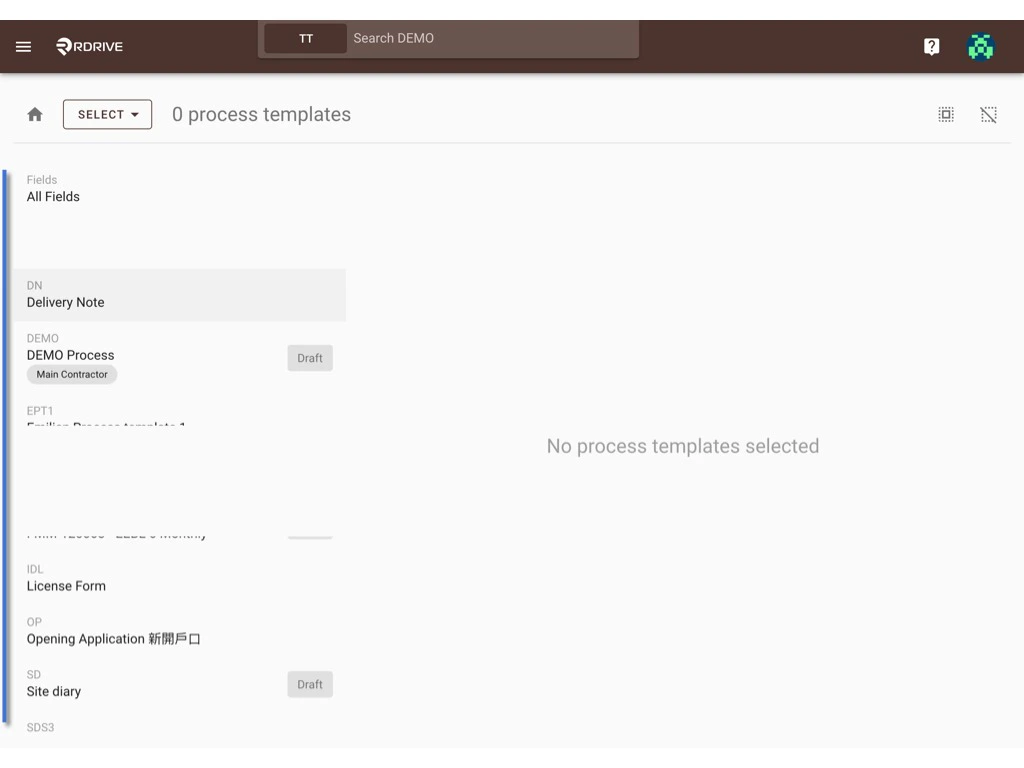
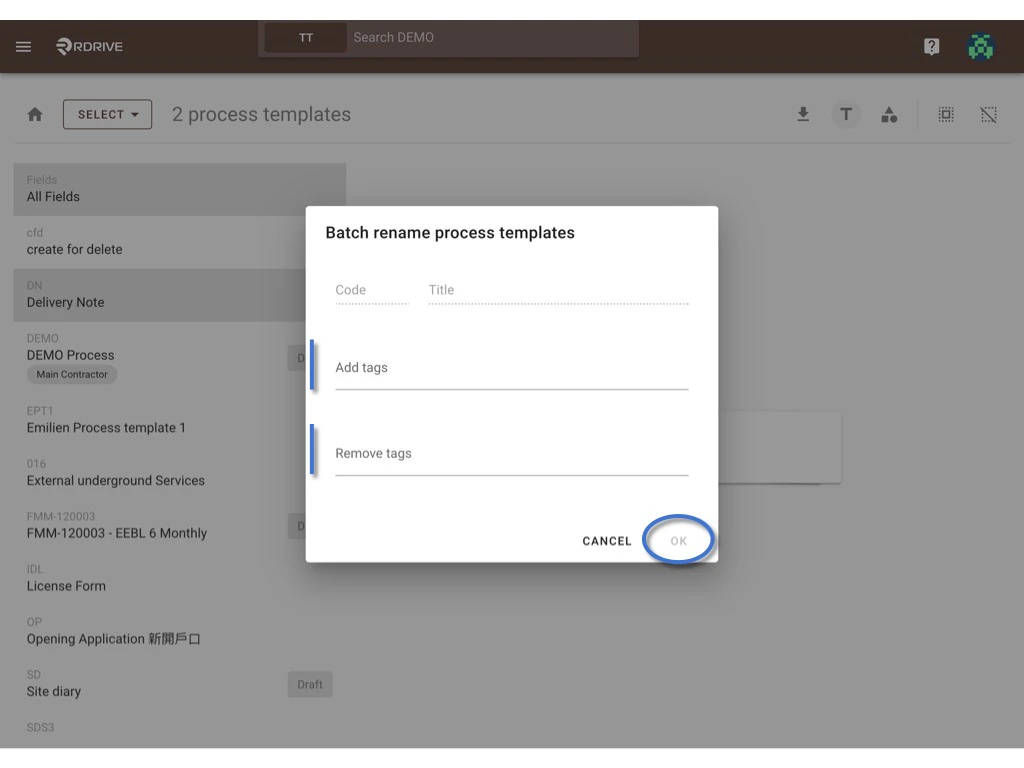
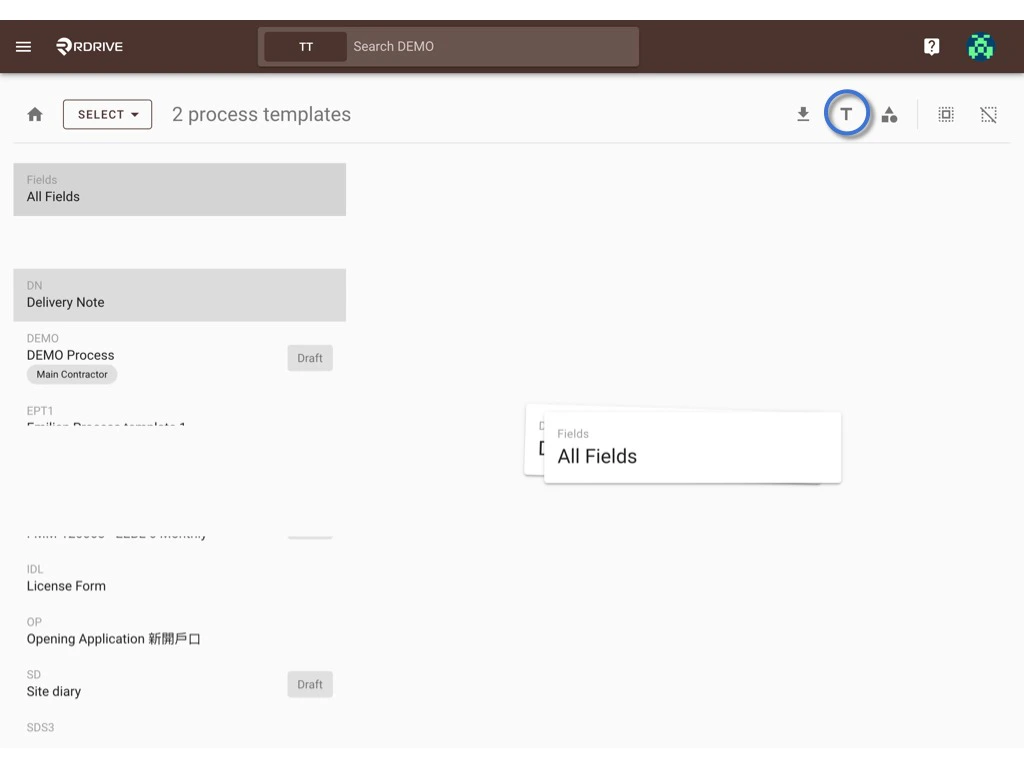 Enter the tag(s) you need to add or need to remove.\
**OK** to confirm.
Enter the tag(s) you need to add or need to remove.\
**OK** to confirm.
 ***
# **Edit Form template**
* [Access to form wizard](#access-to-form-wizard)
* [Edit form image](#edit-form-image)
* [To change paper size](#to-change-paper-size)
* [Standard](#standard)
* [Custom](#custom)
* [To change the page image](#to-change-the-page-image)
* [To delete page](#to-delete-page)
* [Add form page](#add-form-page)
* [Edit form info](#edit-form-info)
* [Rules](#rules)
* [Reorder](#reorder)
* [Delete](#delete)
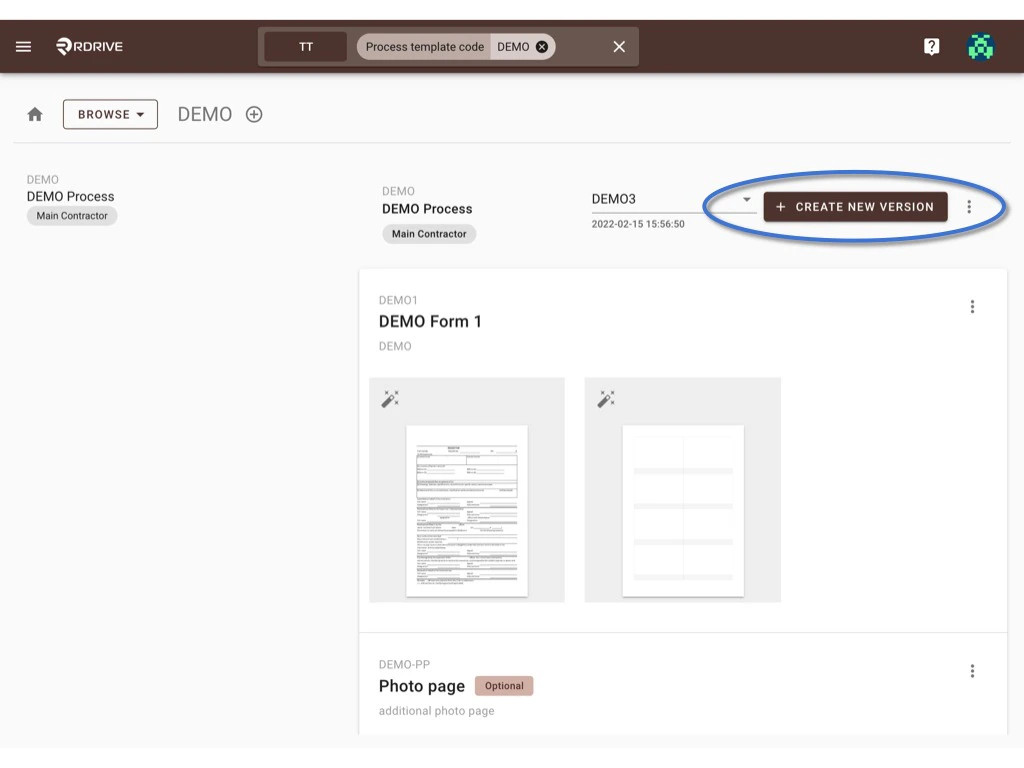
First of all, please **Create ne\*\*\*\*w version** to access the draft mode.
⚠️ Attention: Unless only editing tags or QRcode import template, you have to create new version to edit a form template and publish it as a new version after being changed.
If you made a mistake on the new version accidentally, you are able to Rollback to the previous version anytime.
***
# **Edit Form template**
* [Access to form wizard](#access-to-form-wizard)
* [Edit form image](#edit-form-image)
* [To change paper size](#to-change-paper-size)
* [Standard](#standard)
* [Custom](#custom)
* [To change the page image](#to-change-the-page-image)
* [To delete page](#to-delete-page)
* [Add form page](#add-form-page)
* [Edit form info](#edit-form-info)
* [Rules](#rules)
* [Reorder](#reorder)
* [Delete](#delete)
First of all, please **Create ne\*\*\*\*w version** to access the draft mode.
⚠️ Attention: Unless only editing tags or QRcode import template, you have to create new version to edit a form template and publish it as a new version after being changed.
If you made a mistake on the new version accidentally, you are able to Rollback to the previous version anytime.
 ***
## **Access to form wizard**
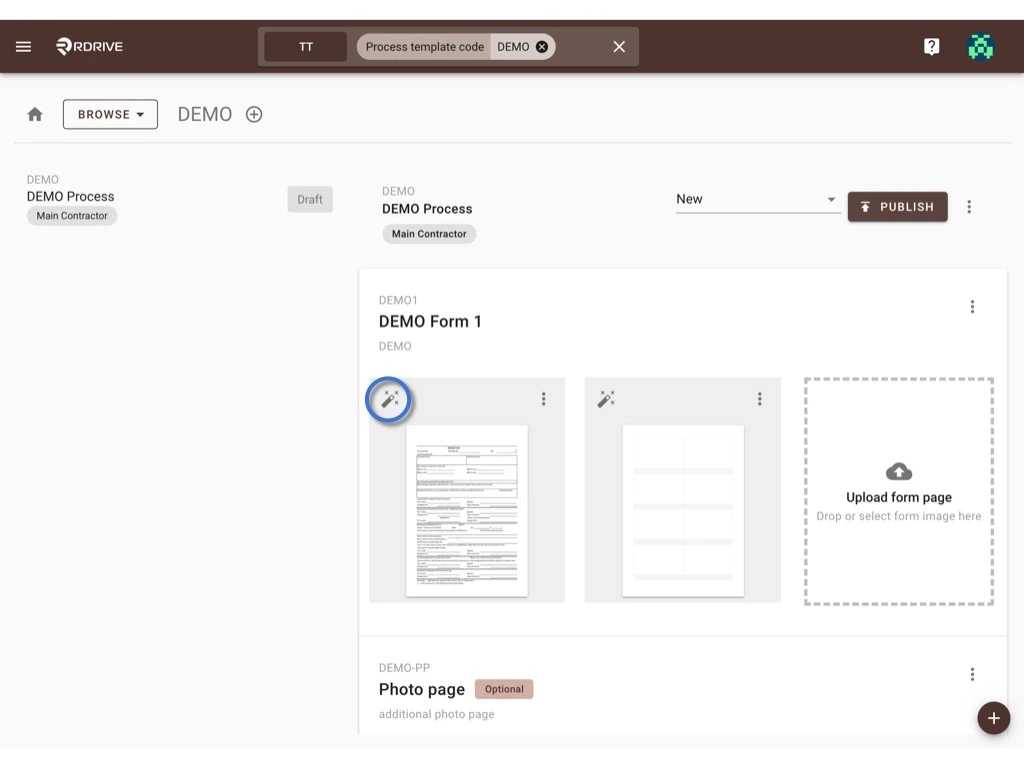
Click the button below to access the [form wizard](https://docs.rdrive.io/setup/company/categories/categories-process-template/what-can-i-do-at-the-form-wizard) to edit the form content including form status, fields, etc.
*(no need to add new version if you only need to edit tags)*
***
## **Access to form wizard**
Click the button below to access the [form wizard](https://docs.rdrive.io/setup/company/categories/categories-process-template/what-can-i-do-at-the-form-wizard) to edit the form content including form status, fields, etc.
*(no need to add new version if you only need to edit tags)*
 ***
## **Edit form image**
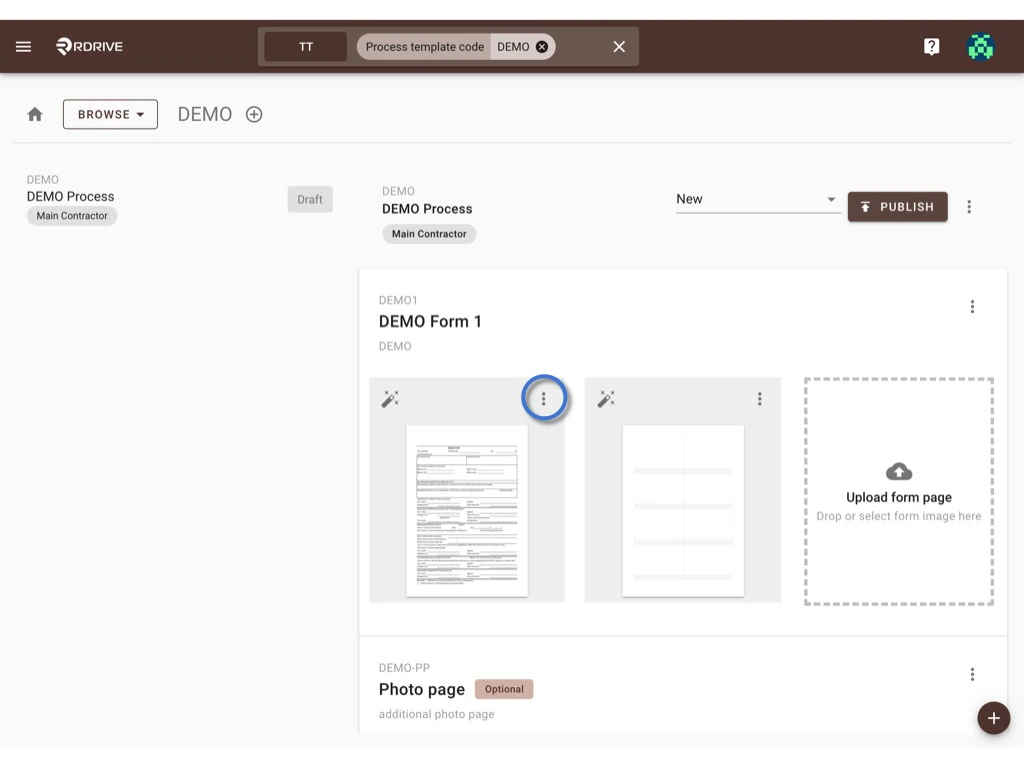
Click the **⋮** button at the top right corner of the form page, you may [change paper size](#to-change-paper-size), [change page image](#to-change-the-page-image) and [delete the page](#to-delete-page) from here.
***
## **Edit form image**
Click the **⋮** button at the top right corner of the form page, you may [change paper size](#to-change-paper-size), [change page image](#to-change-the-page-image) and [delete the page](#to-delete-page) from here.
 ## **T\*\*\*\*o change paper size**
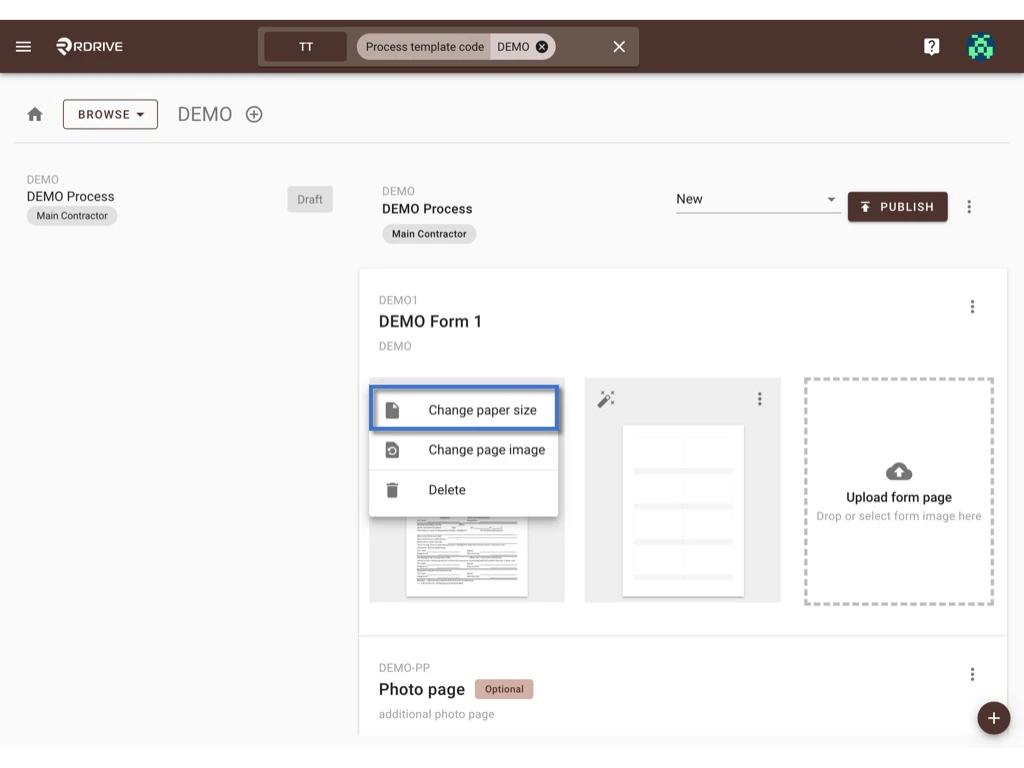
Click **Change paper size** to start.
You may select change the page size by [standard](#standard) or [custom](#custom).
## **T\*\*\*\*o change paper size**
Click **Change paper size** to start.
You may select change the page size by [standard](#standard) or [custom](#custom).
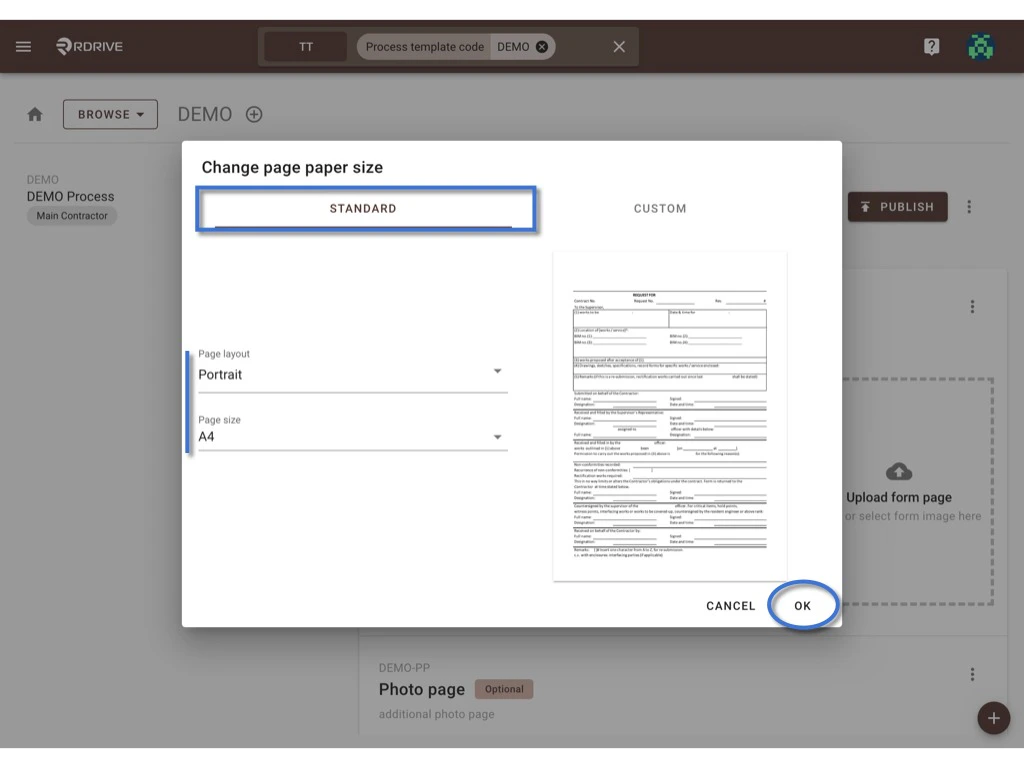
 ## **Standard**
On Standard, you can select the page **layout** and page **size** to change.\
**OK** to confirm.
## **Standard**
On Standard, you can select the page **layout** and page **size** to change.\
**OK** to confirm.
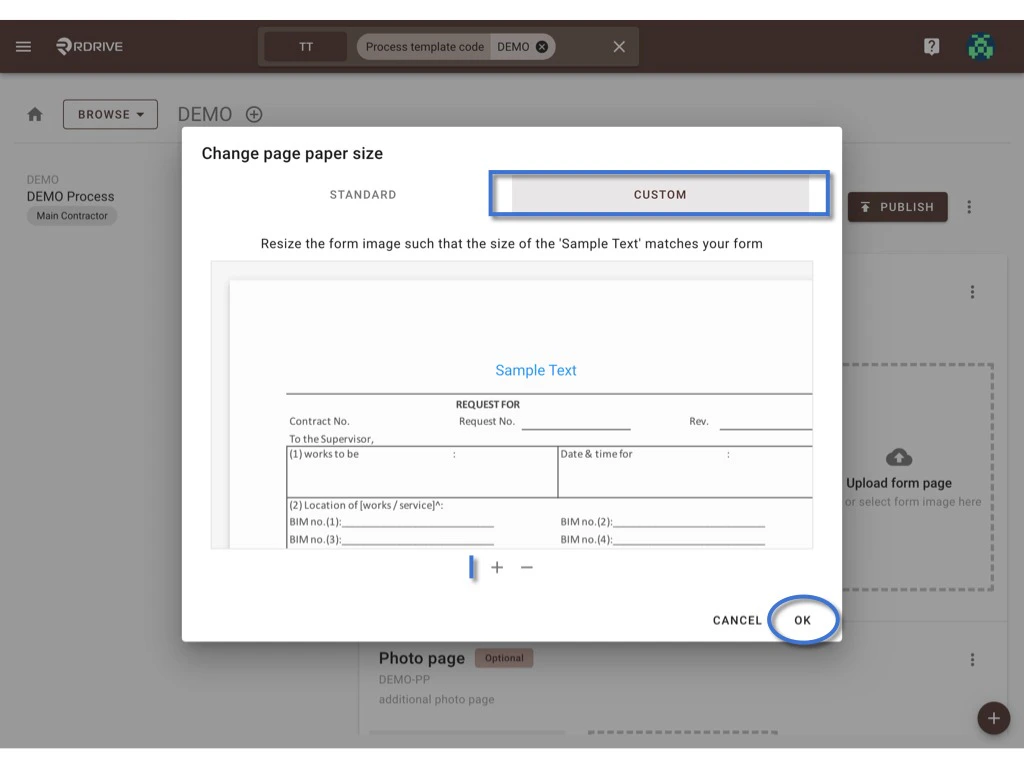
 ## **Custom**
On Custom, you can according to the sample text size adjust the page size by zooming in & out.
**OK** to confirm.
## **Custom**
On Custom, you can according to the sample text size adjust the page size by zooming in & out.
**OK** to confirm.
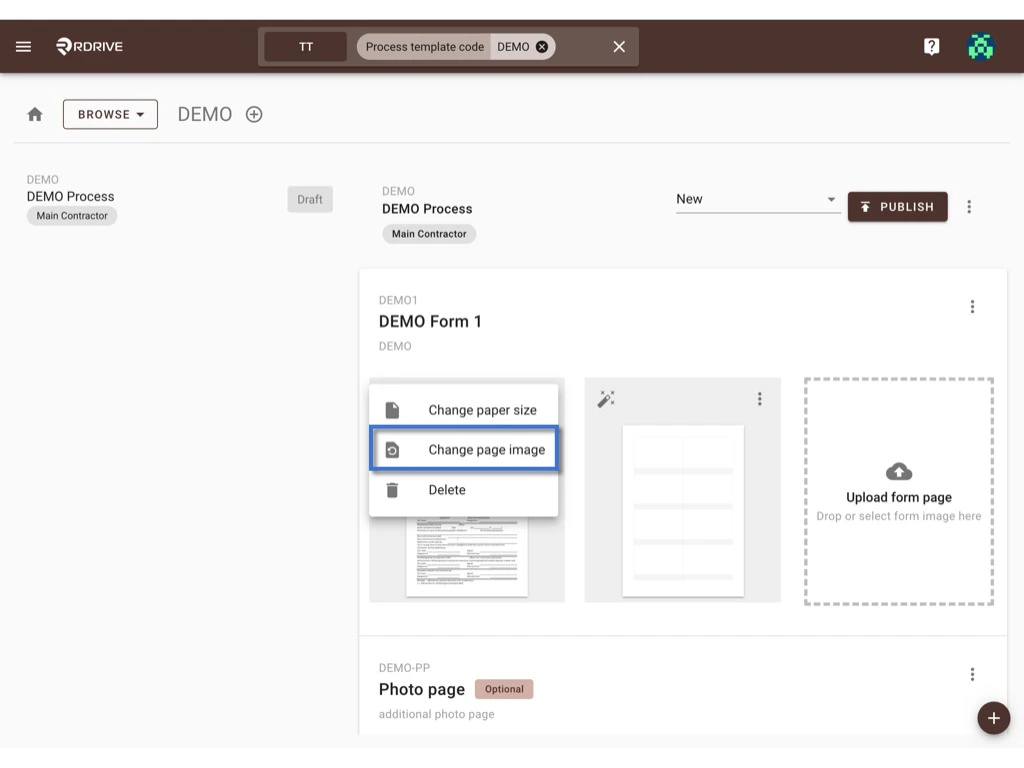
 ## **To change the page image**
Click **Change page image** to start.
## **To change the page image**
Click **Change page image** to start.
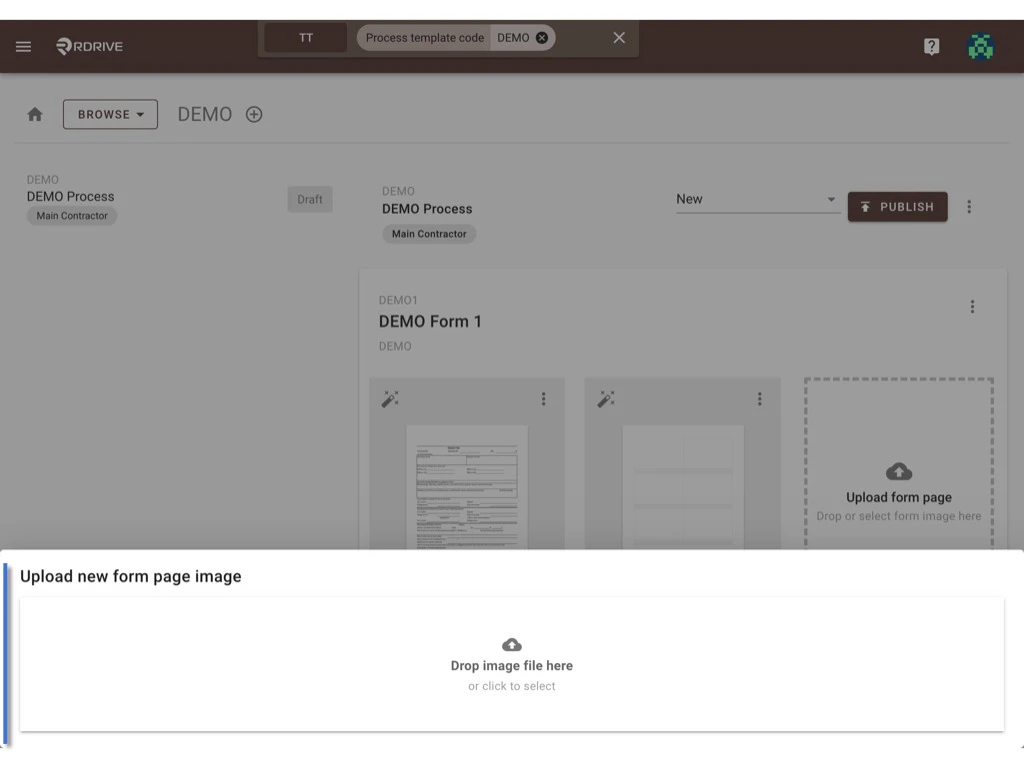
 The upload window will pop up for you to upload the image for the replacement.
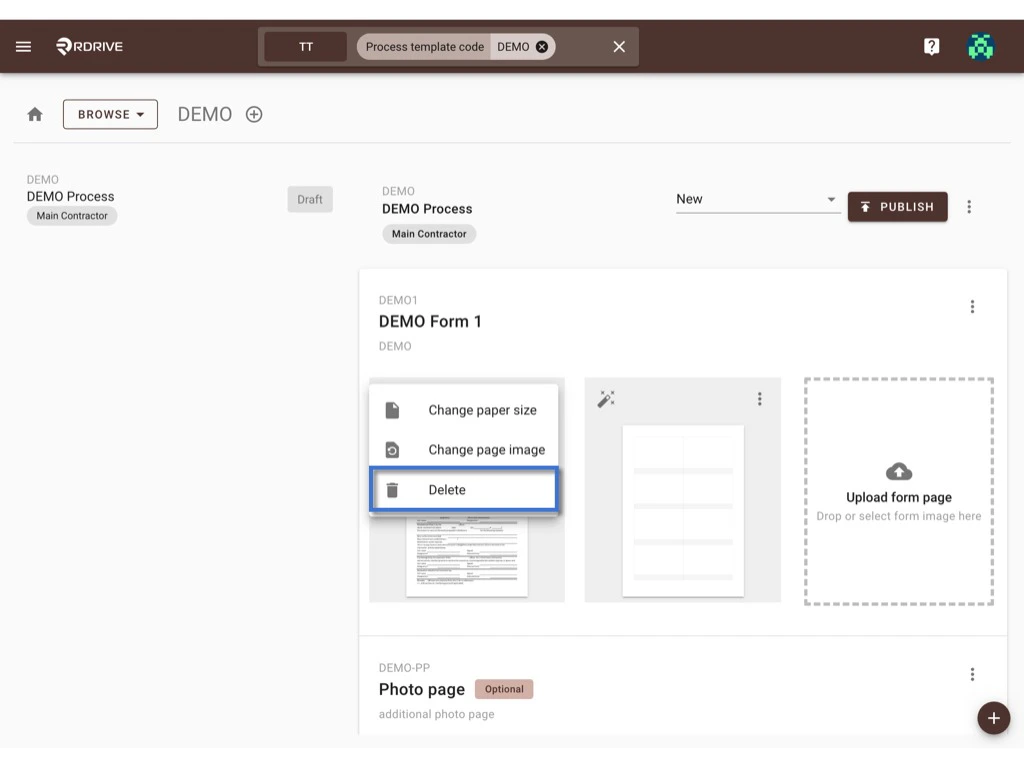
 ## **To delete page**
Click the **Delete** button will delete that page immediately.
## **To delete page**
Click the **Delete** button will delete that page immediately.
 ***
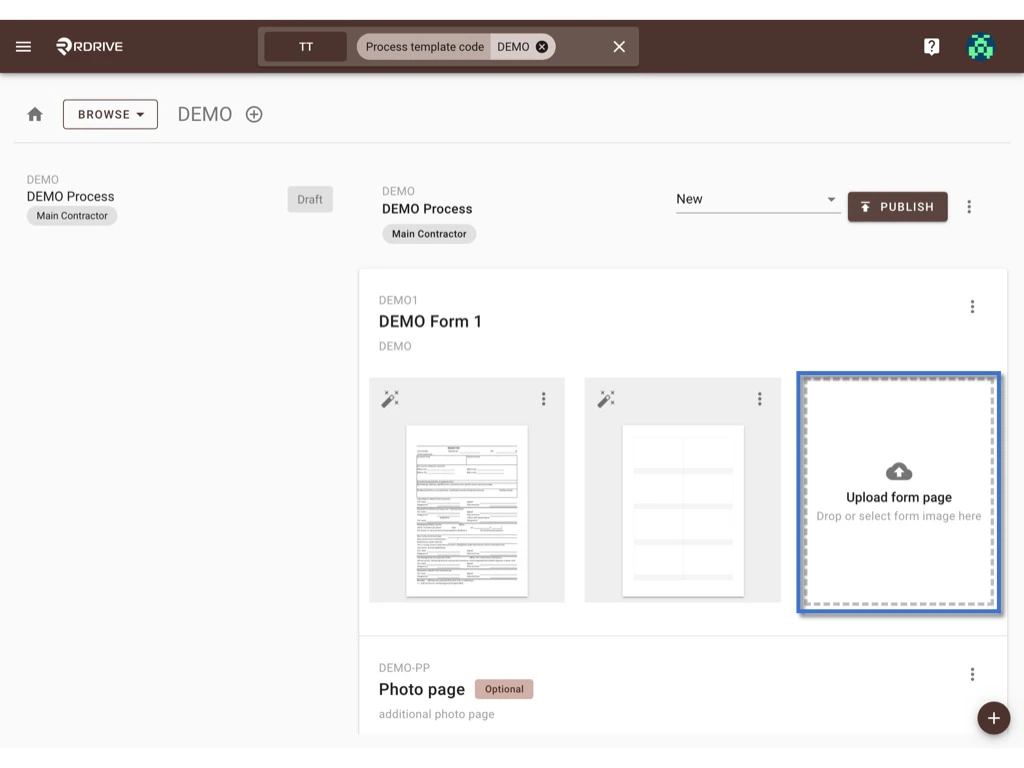
## **Add form page**
You may drag and drop the image to the below area and click to select the image to upload for the new form page.
***
## **Add form page**
You may drag and drop the image to the below area and click to select the image to upload for the new form page.
 ***
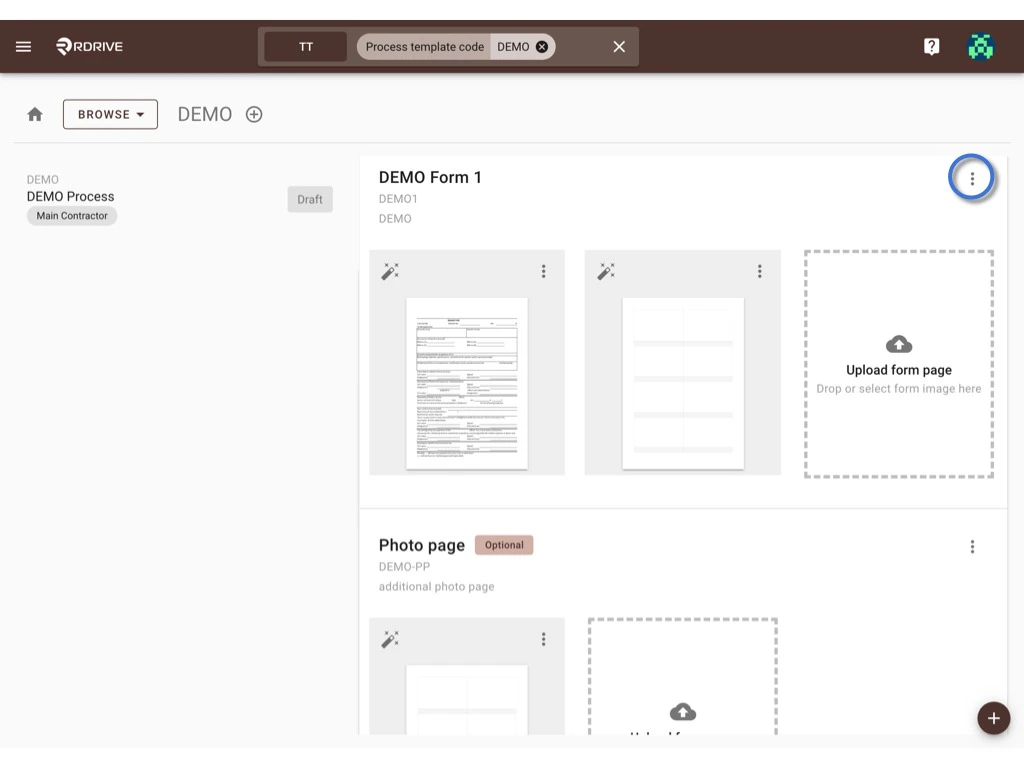
Click the **⋮** button at the top right corner of the form list, you may [edit form info](#edit-form-info), [set up the form overall assignment rule](#rules), [add the form document](https://docs.rdrive.io/setup/company/categories/categories-process-template/how-to-update-the-process-template-form), [reorder the form](#reorder), and [delete the form](#delete) from here.
***
Click the **⋮** button at the top right corner of the form list, you may [edit form info](#edit-form-info), [set up the form overall assignment rule](#rules), [add the form document](https://docs.rdrive.io/setup/company/categories/categories-process-template/how-to-update-the-process-template-form), [reorder the form](#reorder), and [delete the form](#delete) from here.
 ***
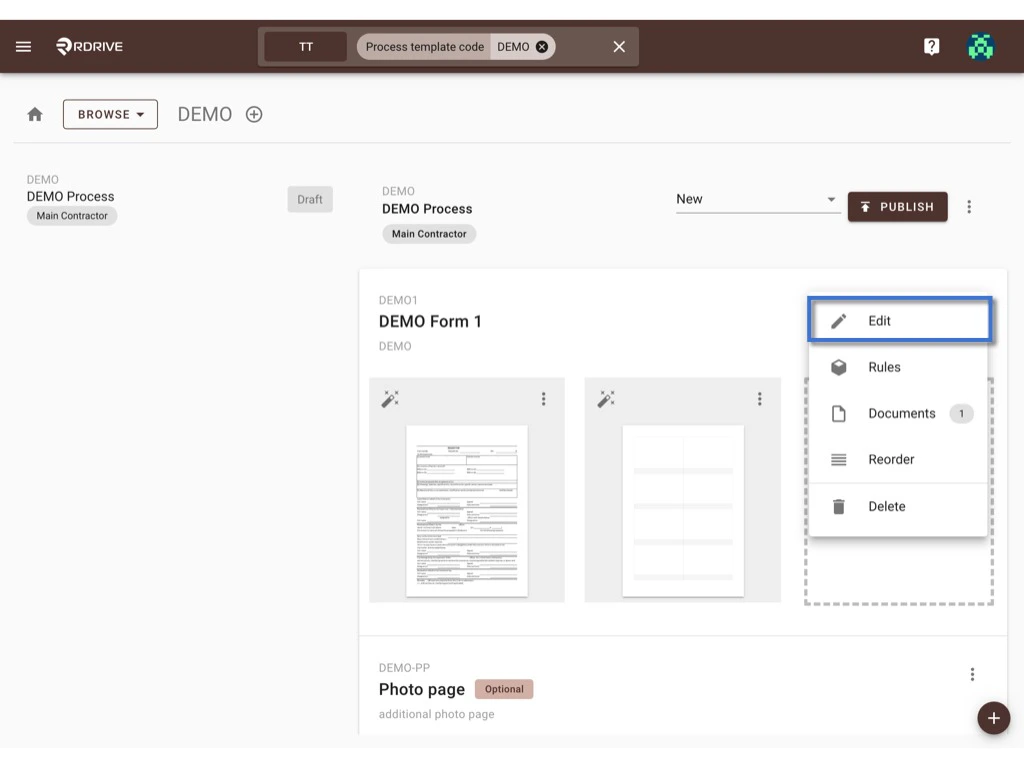
## **Edit form info**
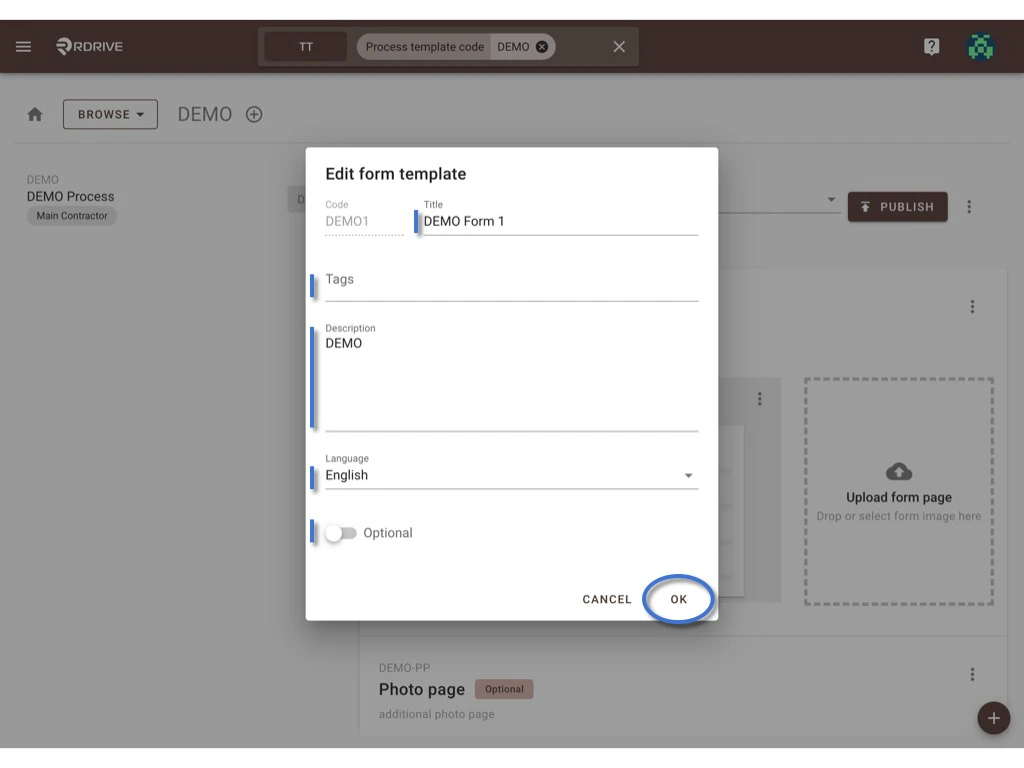
Select **Edit** to bring up the form information dialogue to edit the Form **Title**, **Tags**, **Description**, **Language**, and Default or **Optional** setting.
**OK** to confirm.
***
## **Edit form info**
Select **Edit** to bring up the form information dialogue to edit the Form **Title**, **Tags**, **Description**, **Language**, and Default or **Optional** setting.
**OK** to confirm.
 ***
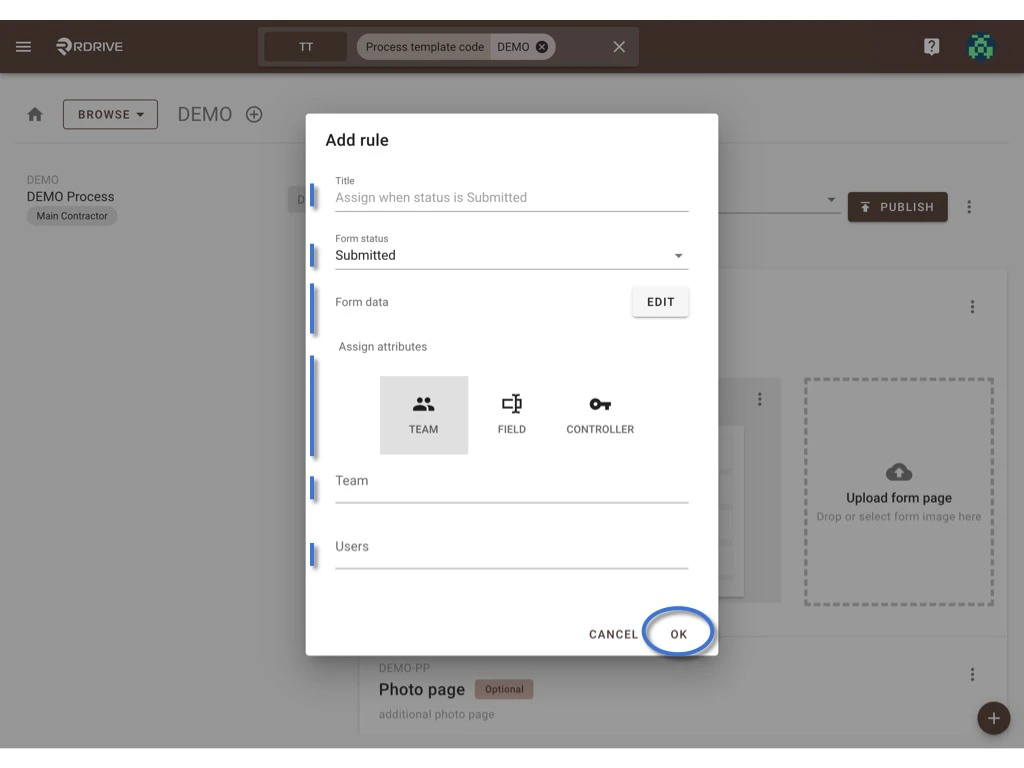
## **Rules**
The assignment rule set from the company area will automatically appear to all project process profiles.
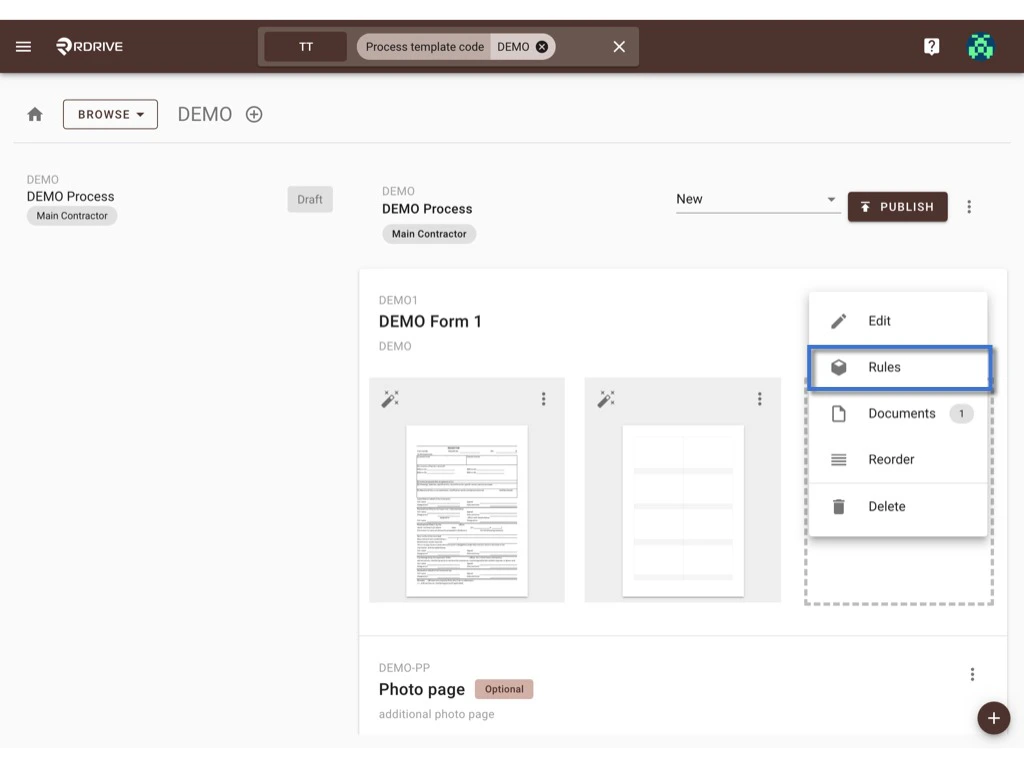
Select **Rules** to open the dialogue.
***
## **Rules**
The assignment rule set from the company area will automatically appear to all project process profiles.
Select **Rules** to open the dialogue.
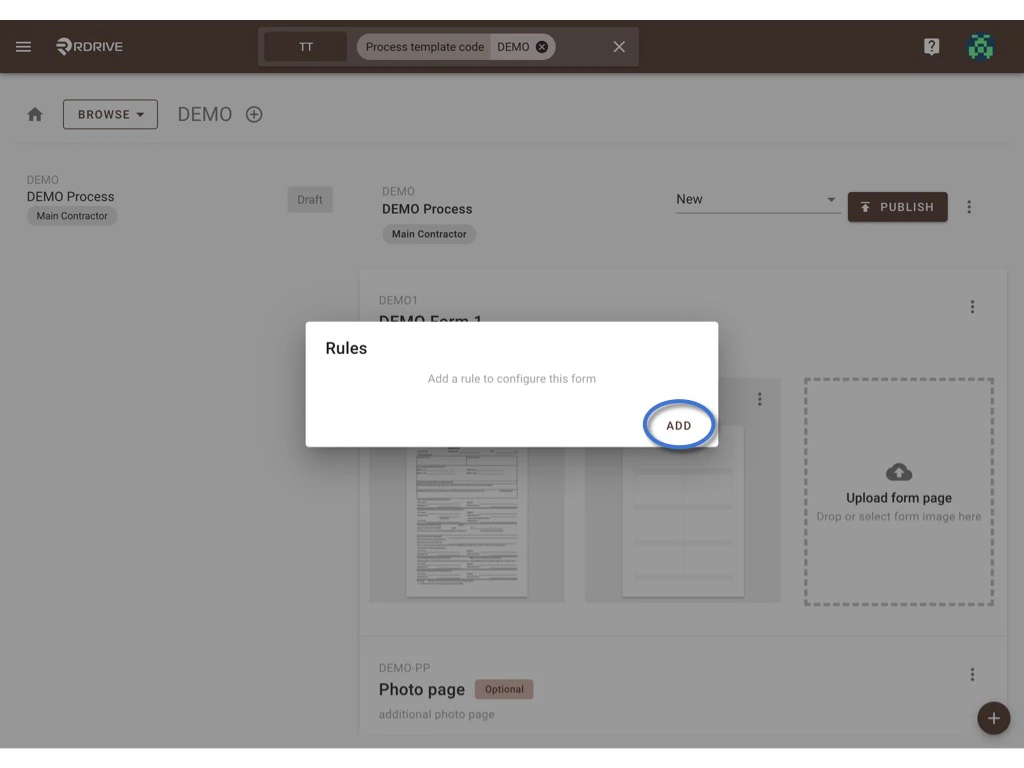
 Press the **ADD** button to add a new rule to configure this form or click on the existing **rule** to edit.
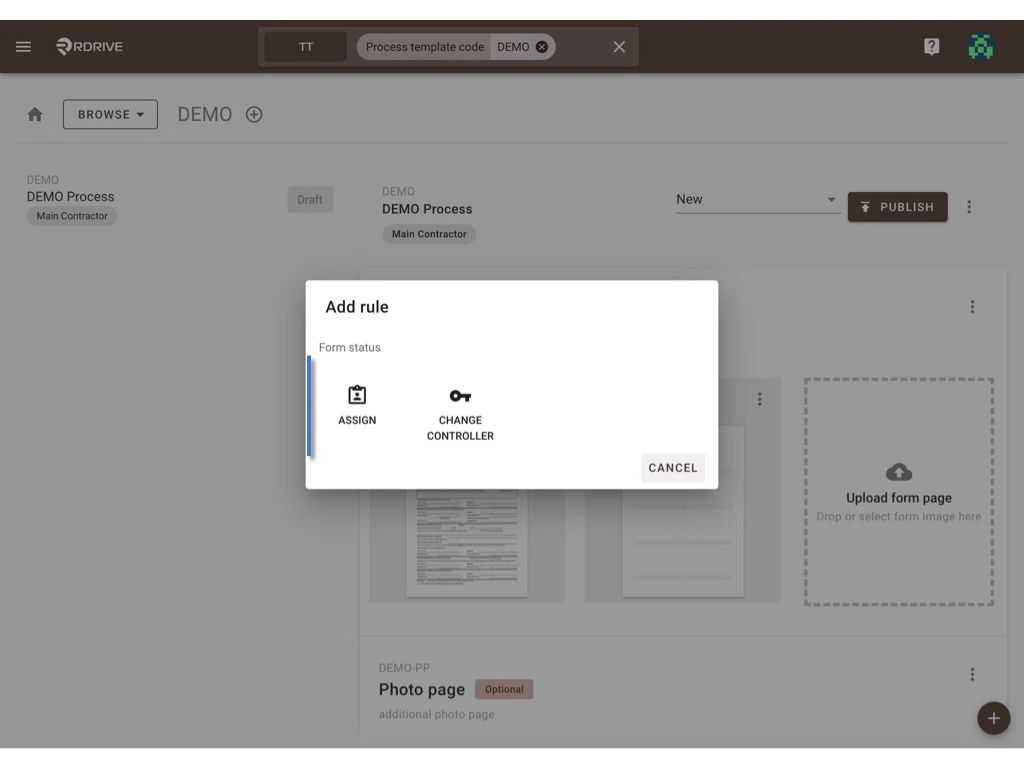 Select Form status, assign attributes, and Form data if needed.\
**OK** to confirm.
Select Form status, assign attributes, and Form data if needed.\
**OK** to confirm.
 For more details of the assignment rule, please reference [HERE](https://docs.rdrive.io/setup/project/category-process-profiles/assignment-rule-process-profile).
***
## **Reorder**
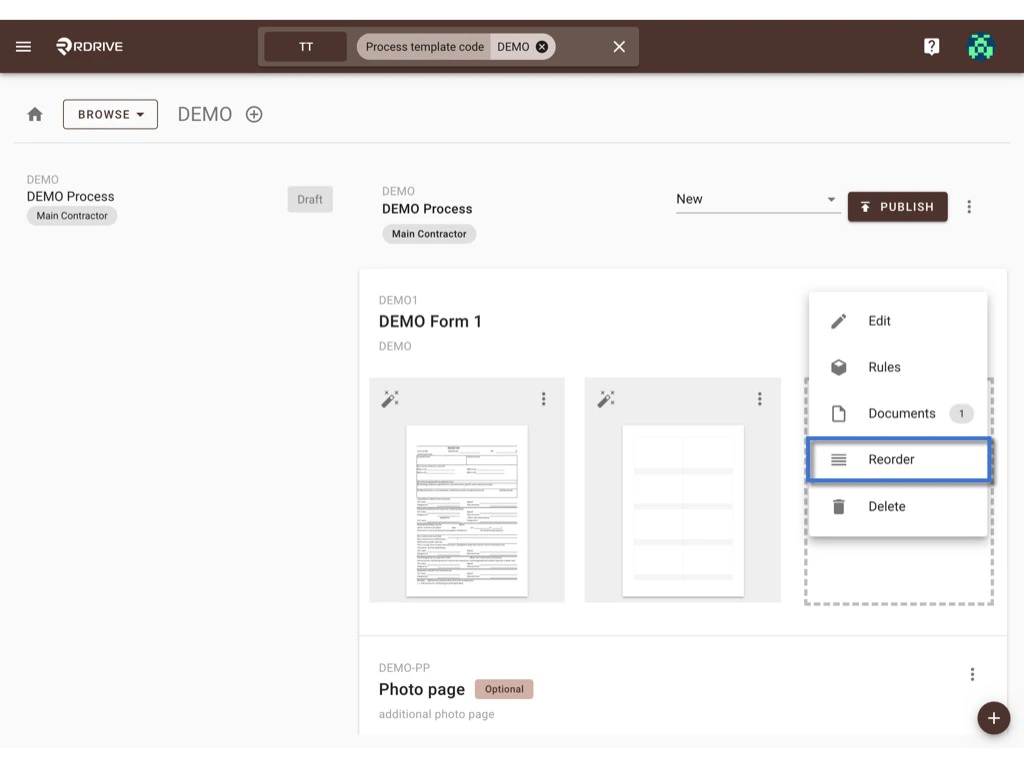
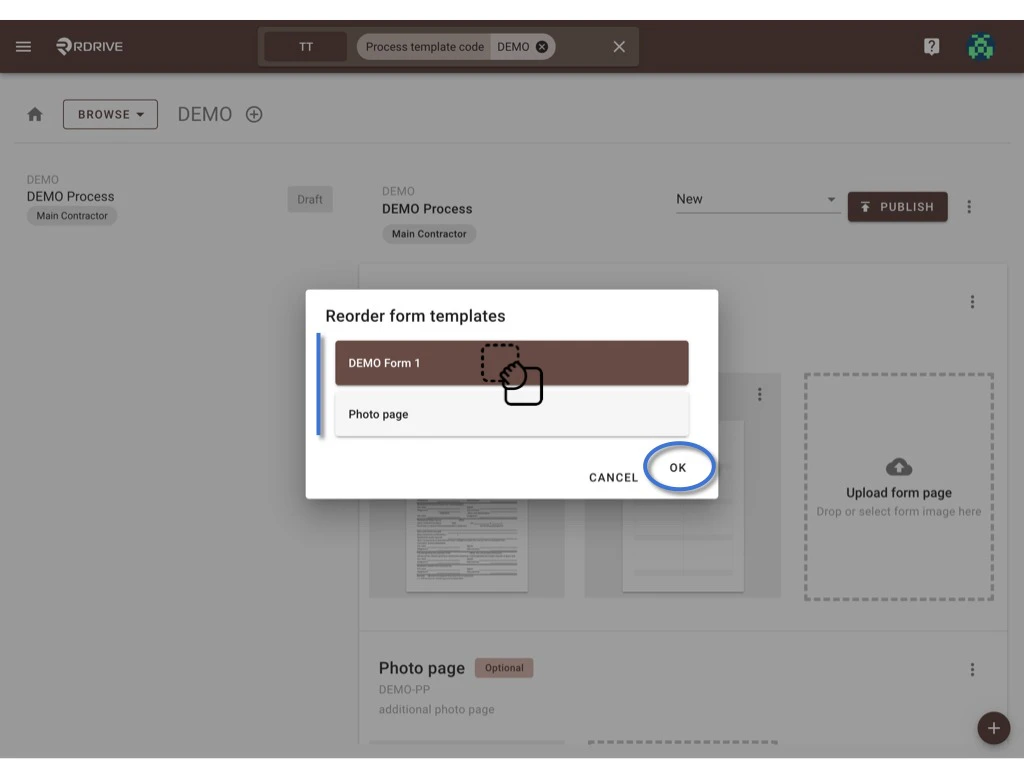
To reorder the form sorting, please click **Reorder.**\
Drag and drop the form to reorder at the pop-up window.
**OK** to confirm.
For more details of the assignment rule, please reference [HERE](https://docs.rdrive.io/setup/project/category-process-profiles/assignment-rule-process-profile).
***
## **Reorder**
To reorder the form sorting, please click **Reorder.**\
Drag and drop the form to reorder at the pop-up window.
**OK** to confirm.
 ***
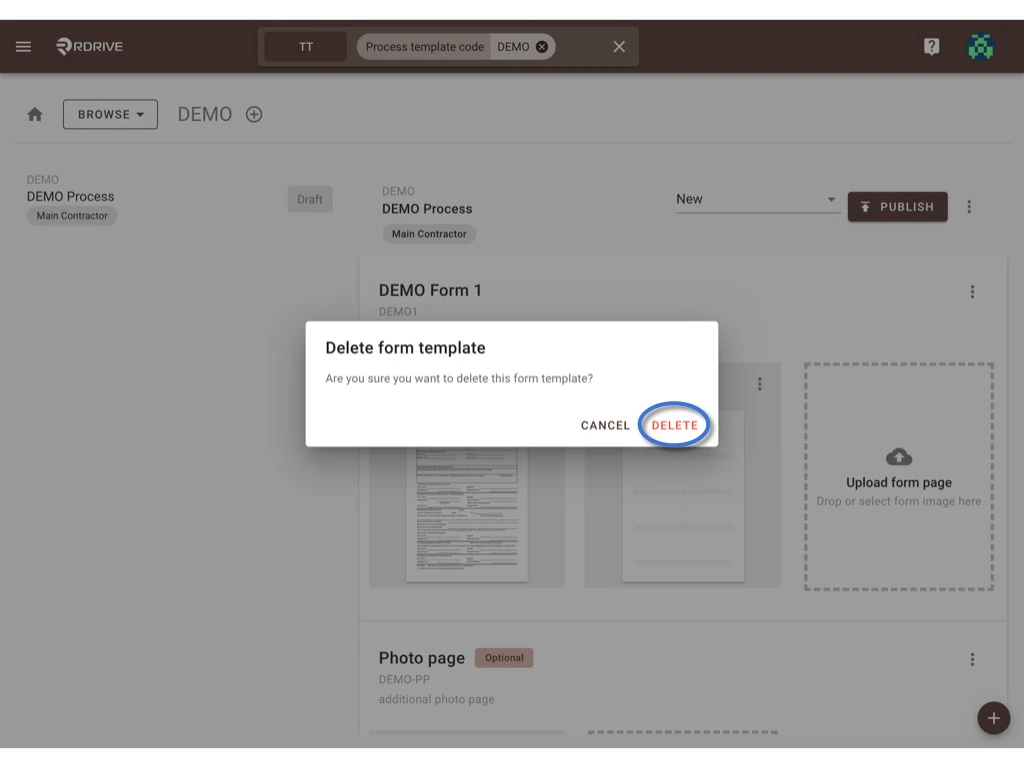
## **Delete**
Click **Delete** to request to delete the form.
***
## **Delete**
Click **Delete** to request to delete the form.
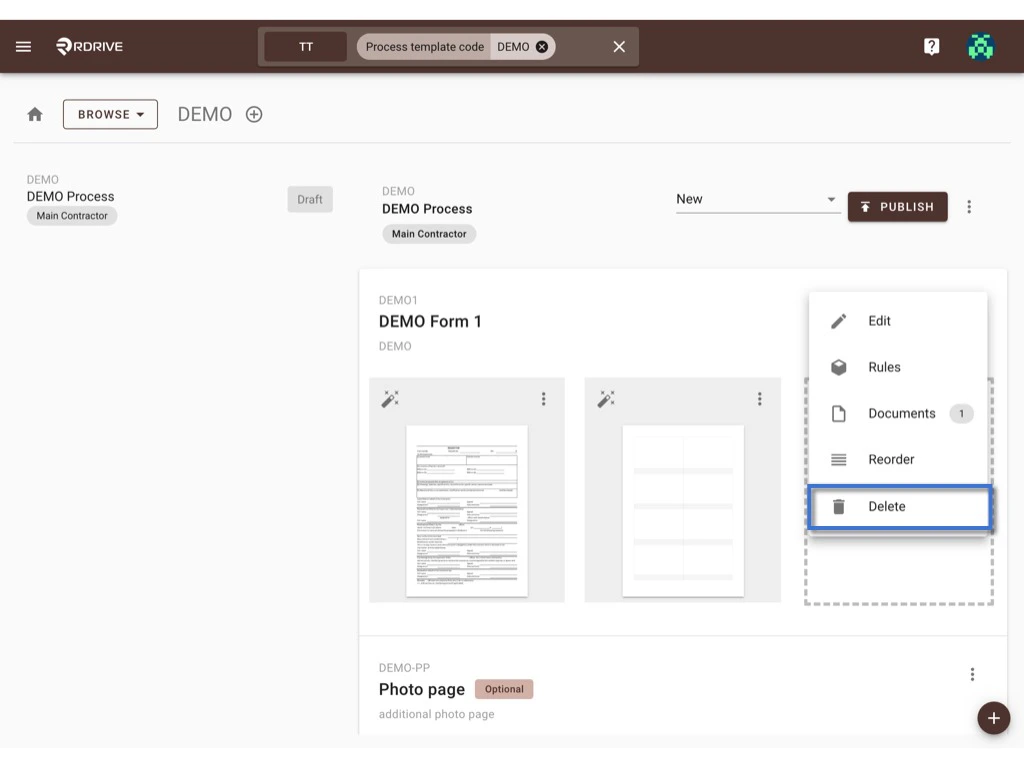 **DELETE** again to confirm the delete.
 # [⭐️ Remember to **PUBLISH** after changed!!](https://docs.rdrive.io/setup/company/categories/categories-template-setup-knowledge-base/why-do-we-need-to-publish-the-template-after-changes)