> ## Documentation Index
> Fetch the complete documentation index at: https://docs.rdrive.io/llms.txt
> Use this file to discover all available pages before exploring further.
# Understanding Field Weighting
> This guide explains how field weighting works in RDrive and its role in determining form completion percentages.
### **Field Weighting**
*This guide explains how field weighting works in RDrive and its role in determining form completion percentages.*
* **Purpose:** To help users understand field weighting and how it impacts form completion calculations.
* **Who It’s For:** General users and company admins responsible for setting up templates on RDrive.
Prerequisites: Access to RDrive and knowledge of field properties.
***
**TABLE OF CONTENTS**
* [Step-by-Step Instructions](#step-by-step-instructions)
* [What is Weighting?](#what-is-weighting?)
* [What Value Should I Put in for Weighting?](#what-value-should-i-put-in-for-weighting?weighting-values-must-be-set-as-whole-numbers-\(e.g.,-1,-2,-3\).-These-numbers-determine-the-relative-importance-of-each-field-in-the-overall-completion-calculation.)
* [Where to Set Weighting?](#where-to-set-weighting?weighting-is-set-at-the-company-level-in-the-most-recent-version-of-the-template.-to-enable-weighting%3a)
* [How Will Weighting Affect Completion?](#how-will-weighting-affect-completion?let%e2%80%99s-say-you-have-two-mandatory-fields,-and-each-has-a-weighting-of-1.-the-total-value-would-then-be-2.)
* [How is Weighting Displayed?](#how-is-weighting-displayed?the-completion-percentage-based-on-the-weighting-will-be-displayed-in%3a)
* [FAQs & Troubleshooting](#faqs-&-troubleshooting)
***
## ****Step-by-Step Instructions****
### **What is Weighting?**
### Weighting refers to the importance or value assigned to specific fields within a template, which directly affects the overall completion percentage of an item. When you set a field's weighting, it determines how much that field contributes to the item’s completion status.
* If only one field has a weighting, the item will be considered 100% complete once that field is filled out.
* Weighting fields are essential for tracking the completion progress of items in your system.
***
## **What Value Should I Put in for Weighting?**
Weighting values must be set as whole numbers (e.g., 1, 2, 3). These numbers determine the relative importance of each field in the overall completion calculation.
***
## **Where to Set Weighting?**
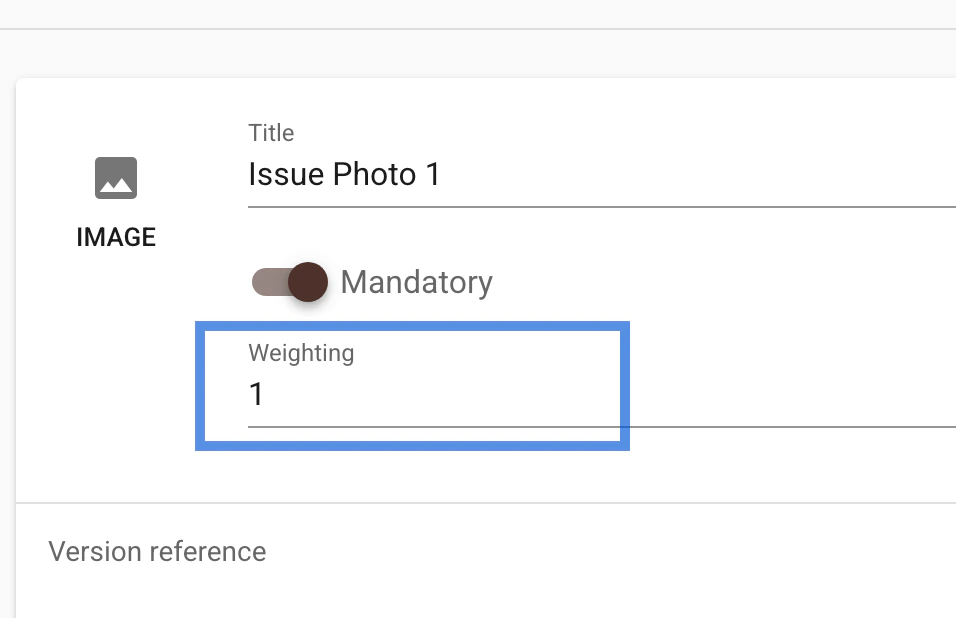
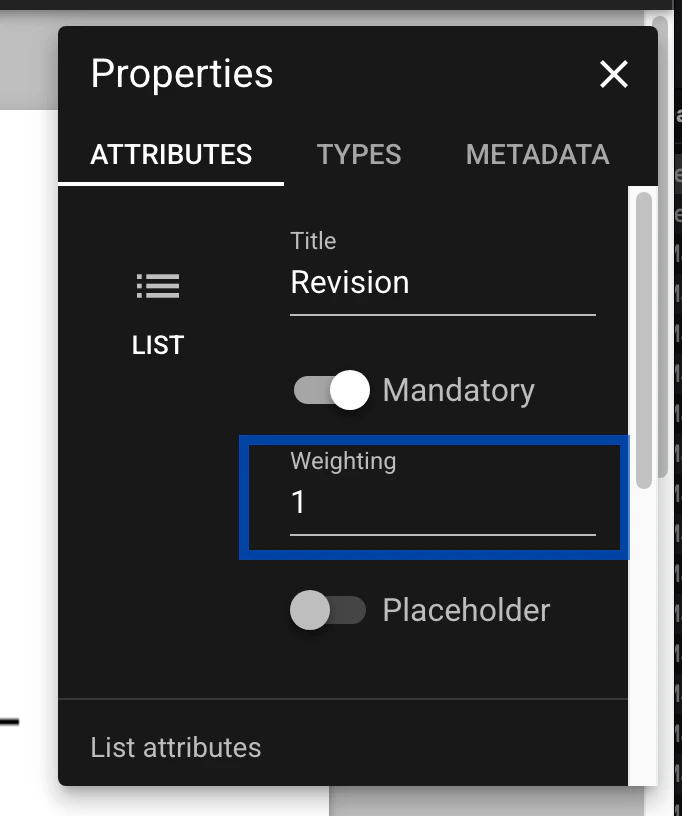
Weighting is set at the company level in the most recent version of the template. To enable weighting:
* Step 1: First, enable the field as mandatory. This is a prerequisite for setting the weighting.
* Step 2: Once the field is marked as mandatory, the weighting option will appear, allowing you to input the desired weighting value.
Issue template:
 Process's Form template:
 ***
## **How Will Weighting Affect Completion?**
Let’s say you have two mandatory fields, and each has a weighting of 1. The total value would then be 2.
* If one field is completed and the other remains incomplete, the completion percentage will be 50% (1/2), as only one of the two weighted fields has been filled.
***
## **How is Weighting Displayed?**
The completion percentage based on the weighting will be displayed in:
* Finder View
***
## **How Will Weighting Affect Completion?**
Let’s say you have two mandatory fields, and each has a weighting of 1. The total value would then be 2.
* If one field is completed and the other remains incomplete, the completion percentage will be 50% (1/2), as only one of the two weighted fields has been filled.
***
## **How is Weighting Displayed?**
The completion percentage based on the weighting will be displayed in:
* Finder View * Form Viewer
 * Card View on the Plan View\
 \\
\\
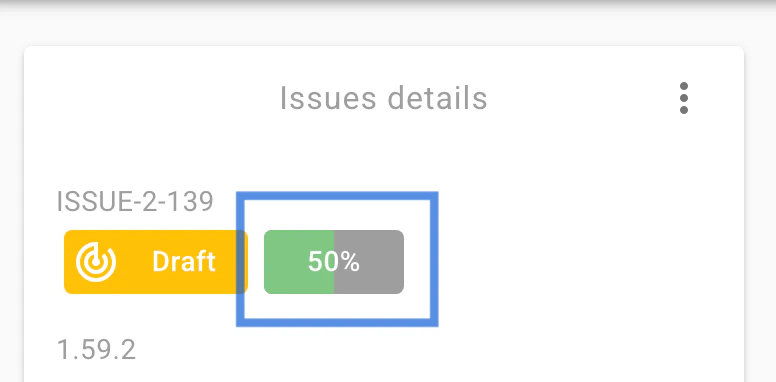 This allows you to easily track the completion progress of items based on their assigned weightings.
***
## ****FAQs & Troubleshooting****
**❓ **What happens if I don’t set a weighting value?**\
✔️** The system may not correctly compute the item completion percentage.
\*\*❓ **Why are some fields highlighted pink or marked with an asterisk?**\
\*\*✔️ These indicate mandatory fields that must be filled before changing the status.
**❓ **Can I adjust field weighting after setting it?**\
✔️** Yes, field weighting can be modified in the Properties section of the form.
❓ **Why is the completion percentage not showing in Finder view?**\
✔️ Possible reasons:
1️⃣ **Weighting has not been set**, so the system does not need to calculate the completion percentage.\
2️⃣ **The display setting is hidden**, check the settings and enable the completion percentage display.
For additional support, refer to the RDrive documentation or contact the support team.
***
This allows you to easily track the completion progress of items based on their assigned weightings.
***
## ****FAQs & Troubleshooting****
**❓ **What happens if I don’t set a weighting value?**\
✔️** The system may not correctly compute the item completion percentage.
\*\*❓ **Why are some fields highlighted pink or marked with an asterisk?**\
\*\*✔️ These indicate mandatory fields that must be filled before changing the status.
**❓ **Can I adjust field weighting after setting it?**\
✔️** Yes, field weighting can be modified in the Properties section of the form.
❓ **Why is the completion percentage not showing in Finder view?**\
✔️ Possible reasons:
1️⃣ **Weighting has not been set**, so the system does not need to calculate the completion percentage.\
2️⃣ **The display setting is hidden**, check the settings and enable the completion percentage display.
For additional support, refer to the RDrive documentation or contact the support team.
***