> ## Documentation Index
> Fetch the complete documentation index at: https://docs.rdrive.io/llms.txt
> Use this file to discover all available pages before exploring further.
# Create a report cover template
> A cover page is an optional item for the users to select when generating the reports. Could use for the daily, weekly and monthly report, download process, and
A cover page is an optional item for the users to select when generating the reports. Could use for the [daily, weekly and monthly report](https://docs.rdrive.io/setup/project/subscriptions-and-reports/managing-scheduled-report-policies-in-rdrive), [download process](https://docs.rdrive.io/web/forms/export/can-i-export-the-entire-process-as-pdf#h_35d2698739), and [download issue/record](https://docs.rdrive.io/web/issues/reports/how-do-i-generate-an-issue-defect-record-report#Via-Issue-finder) from the finder.
First, log in to **Company Area**. *Only the company admin can access this page.*
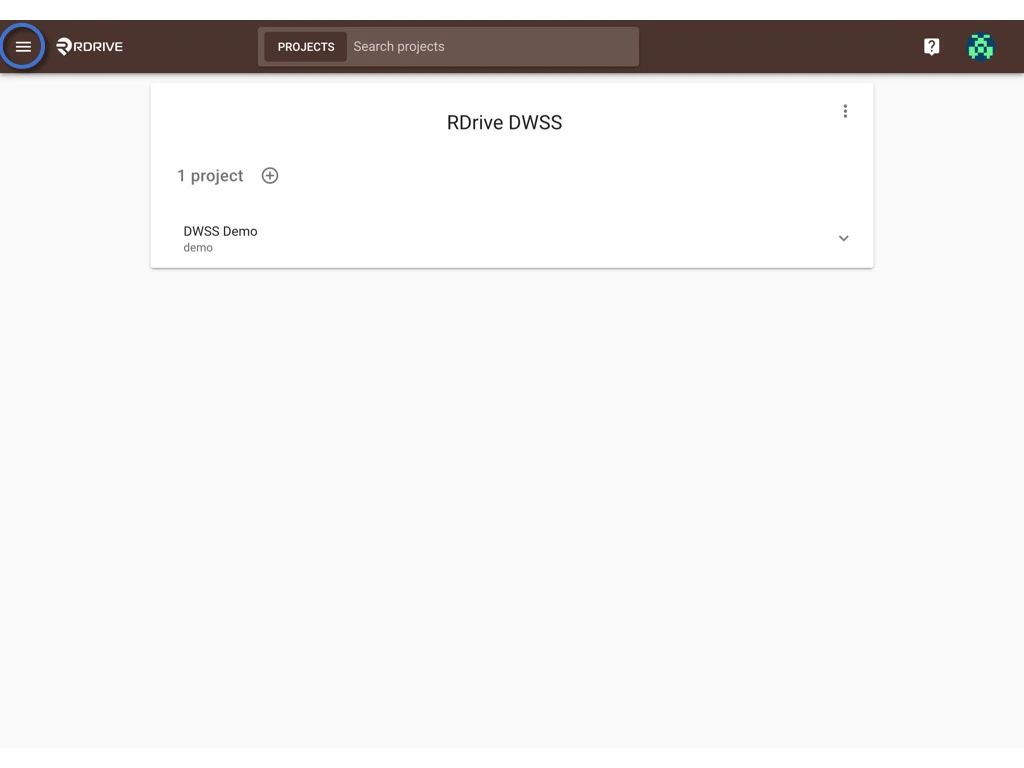
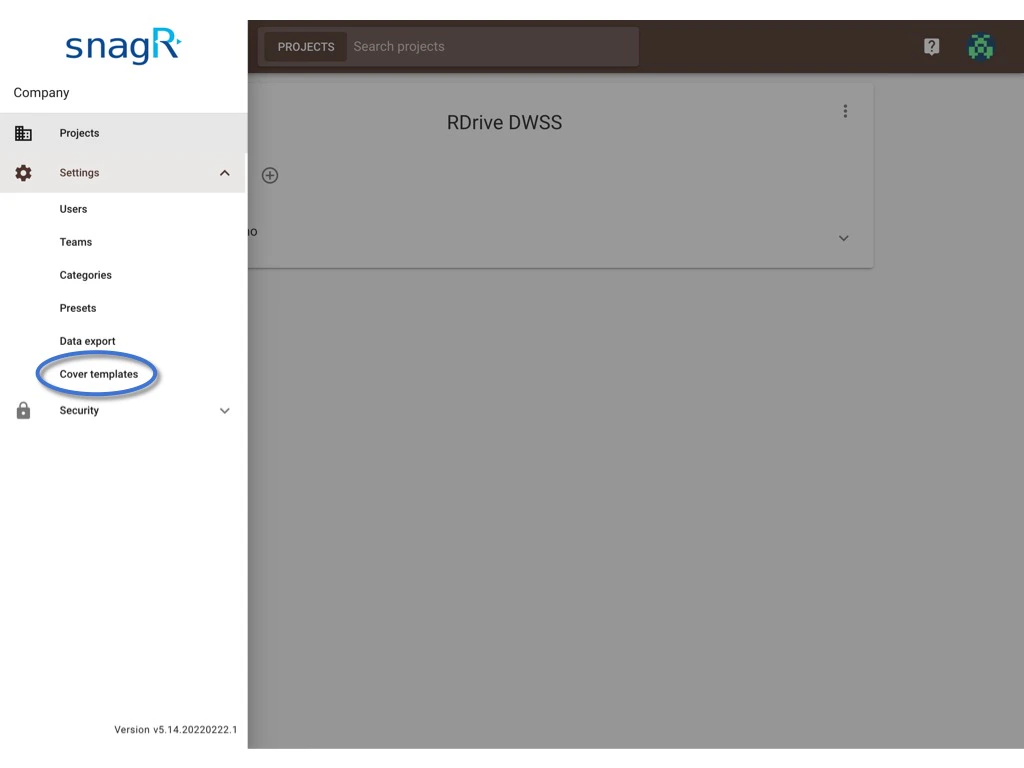
Click **Settings** and select **Cover templates**.
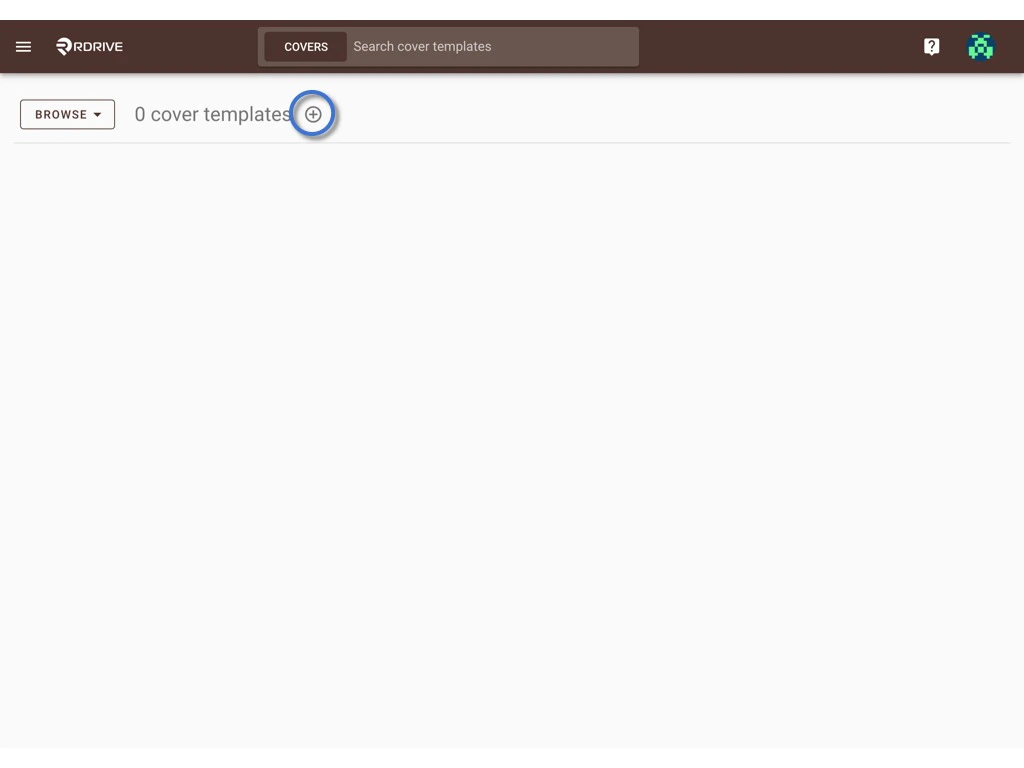
 You can create a new template by clicking the **⊕** button.
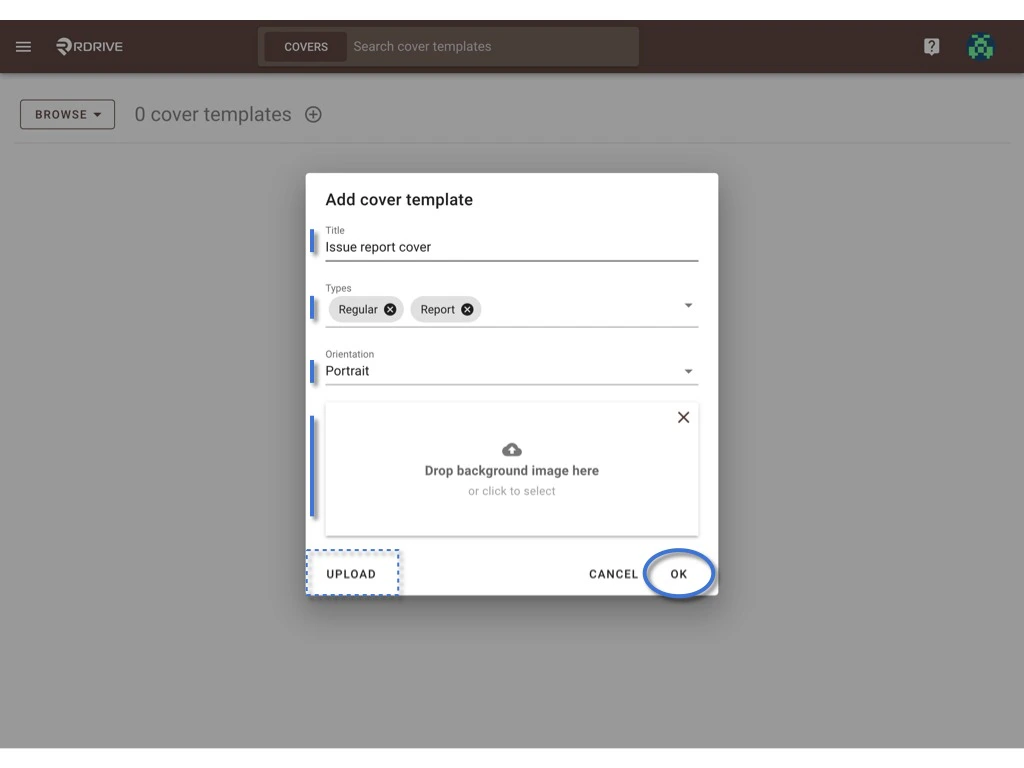
 Enter the template title, select type, and orientation, upload the background image (it will be a blank page for the background if no image is added).
Click **OK** to confirm.
**UPLOAD** if you have a downloaded file.
Enter the template title, select type, and orientation, upload the background image (it will be a blank page for the background if no image is added).
Click **OK** to confirm.
**UPLOAD** if you have a downloaded file.
 Template created.\
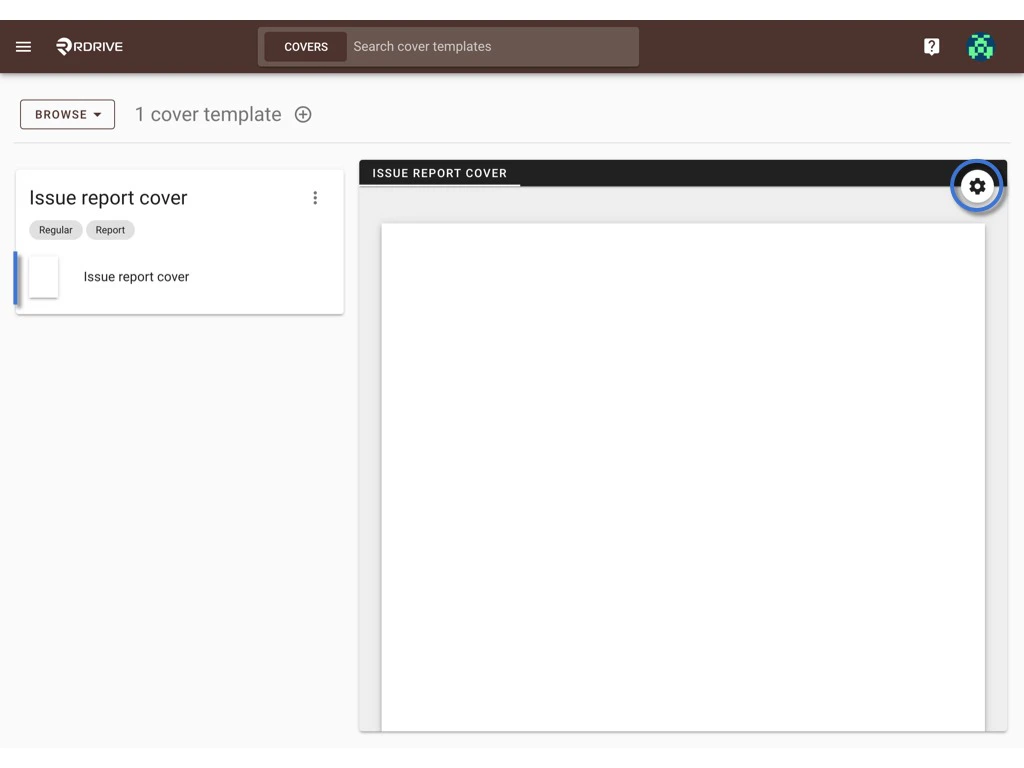
Click the template title or the wizard icon to access the cover wizard page.
Template created.\
Click the template title or the wizard icon to access the cover wizard page.
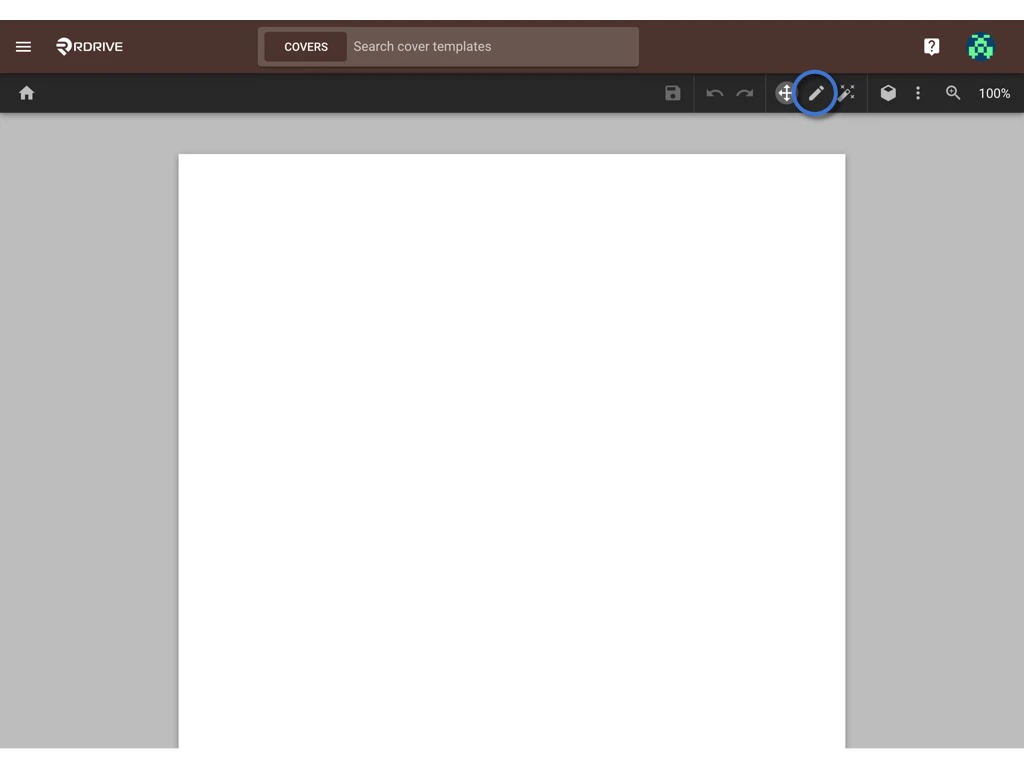
 ? Click on the pencil tool (or ⌘/Ctrl 2) to create fields as data boxes by drawing a box on the page.
 Click this icon (or ⌘/Ctrl 4) to bring up **Properties**.
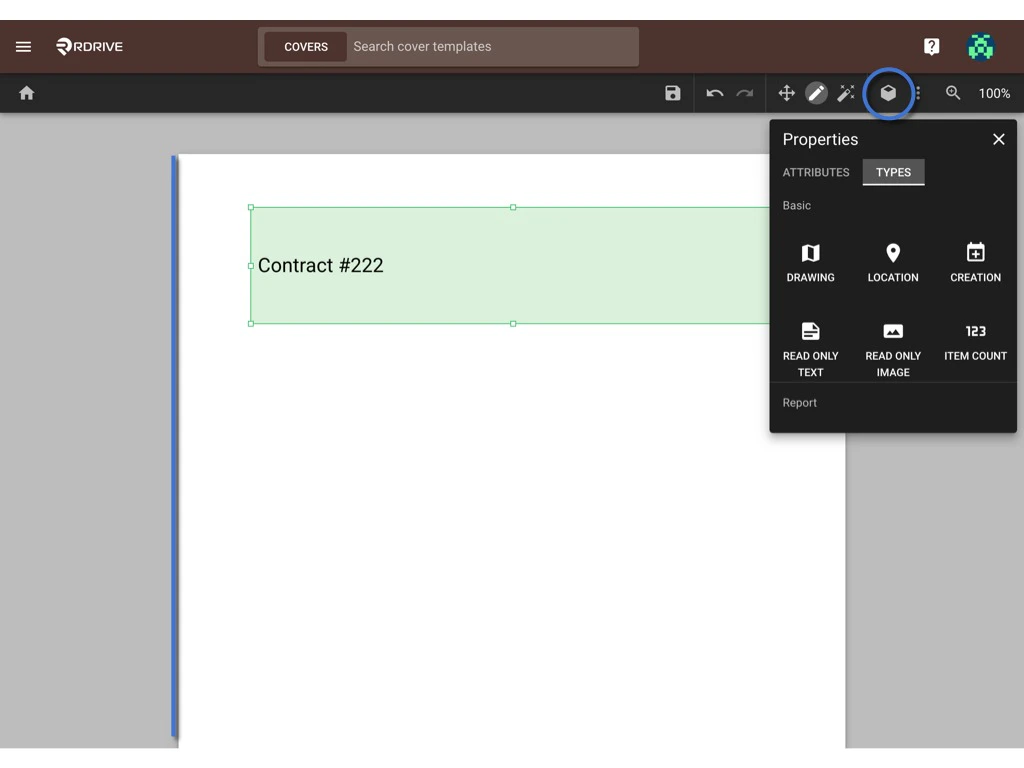 In Properties, you may edit the data box attributes and select data types.
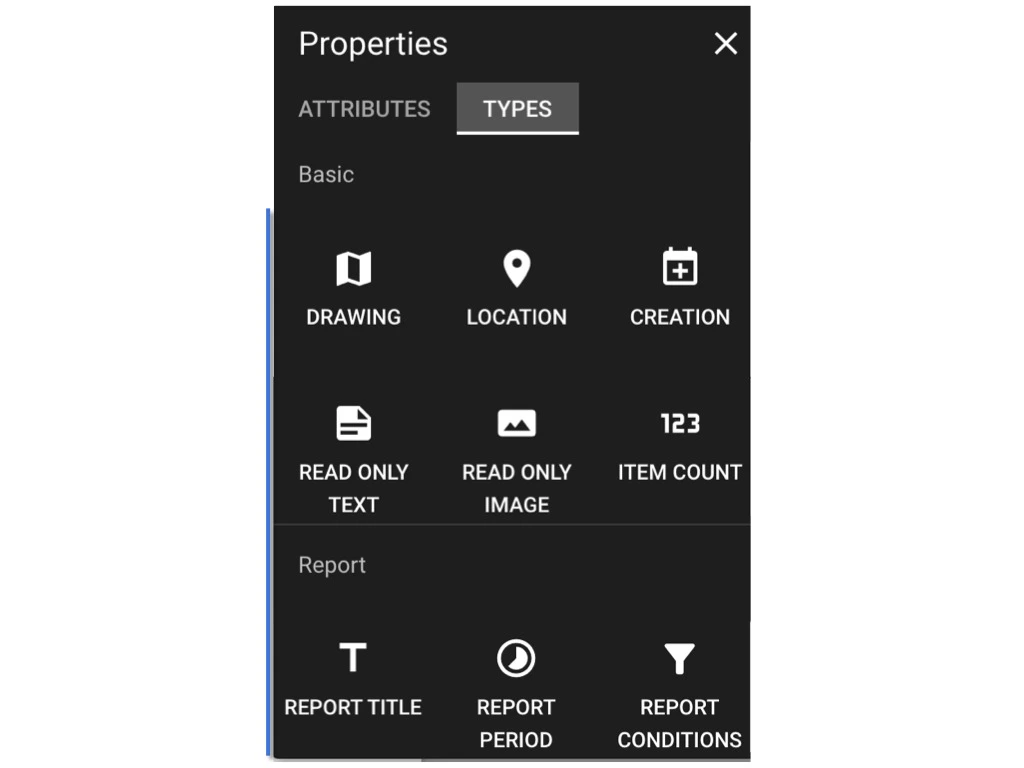
Here are the **data types** available:
1. Drawing *(of where the form is created)*
2. Location *(of where the form is created)*
3. Creation (*of whom generate this report)*
4. [Read only Text *(Preset Text)*](https://docs.rdrive.io/setup/company/presets/how-to-set-up-edit-a-preset-text-company-level)
5. [Read only Image *(Preset Image)*](https://docs.rdrive.io/setup/company/presets/how-to-set-up-edit-a-preset-image-company-level)
6. Item Count
7. Report Title *(Title of the report rule, such as Form weekly report, Issue daily report, etc)*
8. Report Period *(Date of the period of the report)*
9. Report Conditions *(Condition of the report)*
In Properties, you may edit the data box attributes and select data types.
Here are the **data types** available:
1. Drawing *(of where the form is created)*
2. Location *(of where the form is created)*
3. Creation (*of whom generate this report)*
4. [Read only Text *(Preset Text)*](https://docs.rdrive.io/setup/company/presets/how-to-set-up-edit-a-preset-text-company-level)
5. [Read only Image *(Preset Image)*](https://docs.rdrive.io/setup/company/presets/how-to-set-up-edit-a-preset-image-company-level)
6. Item Count
7. Report Title *(Title of the report rule, such as Form weekly report, Issue daily report, etc)*
8. Report Period *(Date of the period of the report)*
9. Report Conditions *(Condition of the report)*
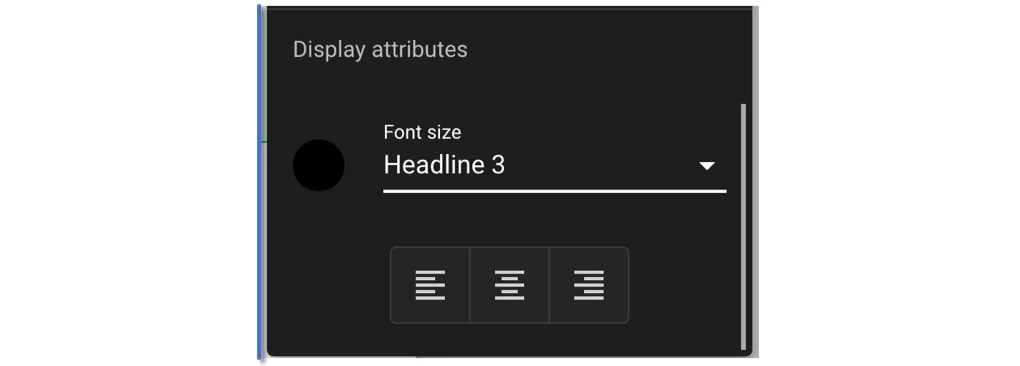
 On the attributes, you set up the data format and display attributes, such as font size and alignment.
 **SAVE** when completed. ??
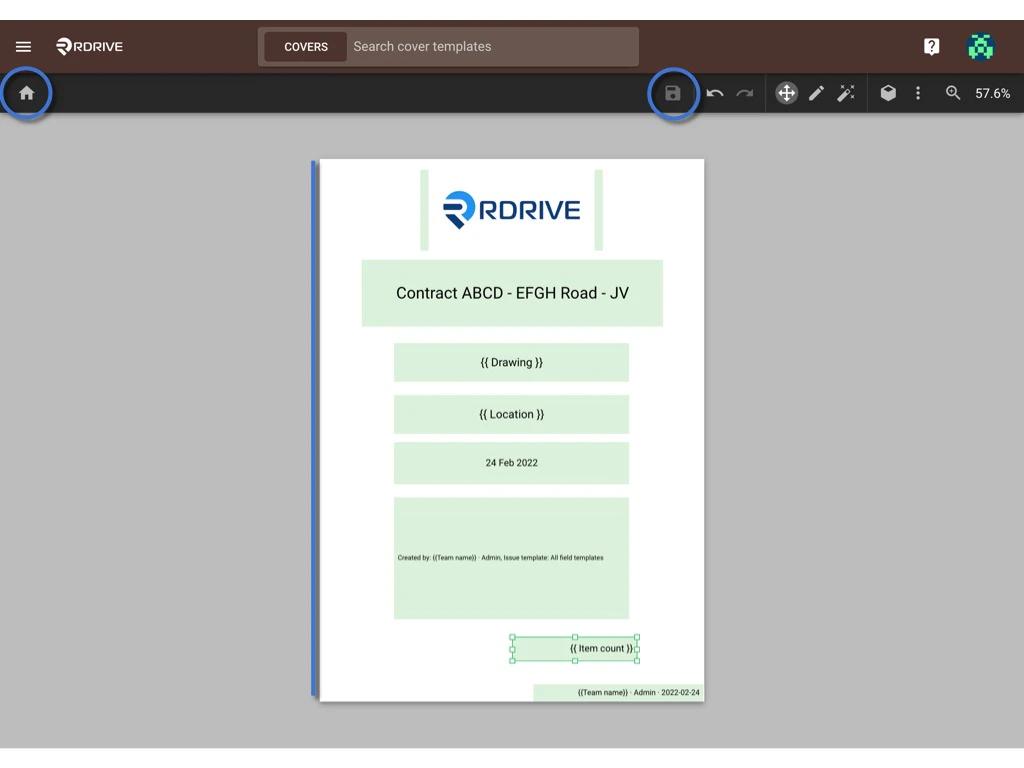
You may return to the template list by the home button.
**SAVE** when completed. ??
You may return to the template list by the home button.
 DONE!! ?