> ## Documentation Index
> Fetch the complete documentation index at: https://docs.rdrive.io/llms.txt
> Use this file to discover all available pages before exploring further.

# Preset Spreadsheet - Add and Merge with the template (Company level)

> This article is letting you know how to create a spreadsheet to merge at a computed field of template at the company level, it would be a parameter with project

This article is letting you know how to create a spreadsheet to merge at a computed field of template at the company level, it would be a parameter with project editable.

* [ADD](#%e2%9c%9a-add)

* [Merge](#merge)

The sheets in the preset spreadsheet are inserted into the original spreadsheet. If the name of the sheet in the preset spreadsheet is the same as the one in the original spreadsheet, the former replaces the latter.

Before starting, please complete the template's computation set-up.

[Form template](https://docs.rdrive.io/setup/company/categories/categories-process-template/create-a-process-template-with-form)

[Issue template](https://docs.rdrive.io/setup/company/categories/categories-issue-record-template/design-an-issue-record-report-template)

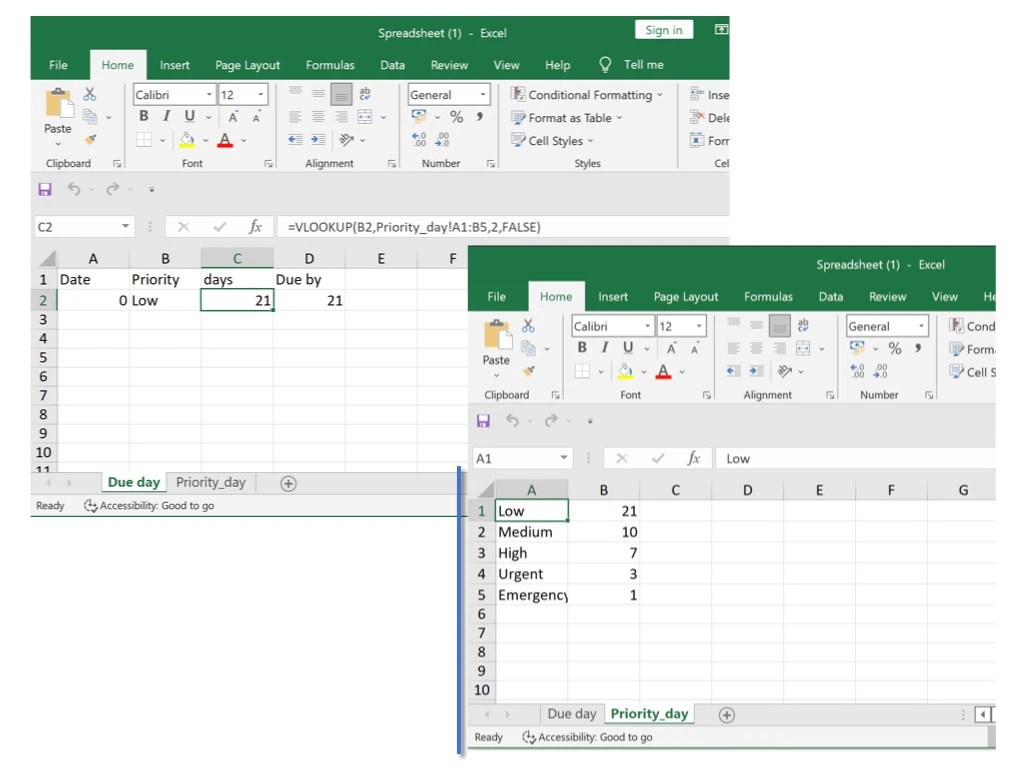
We are going to use the spreadsheet sample as same as we use in the article [Computation - Issue](https://docs.rdrive.io/setup/company/categories/categories-issue-record-template/computation-issue).

*Click [HERE](https://docs.google.com/spreadsheets/d/1TO1LBKvAHctbn0dvIizYnKNO_uNjlWmJ/edit?usp=sharing\&ouid=104843957967887312407\&rtpof=true\&sd=true) to download the Excel for reference.*

***

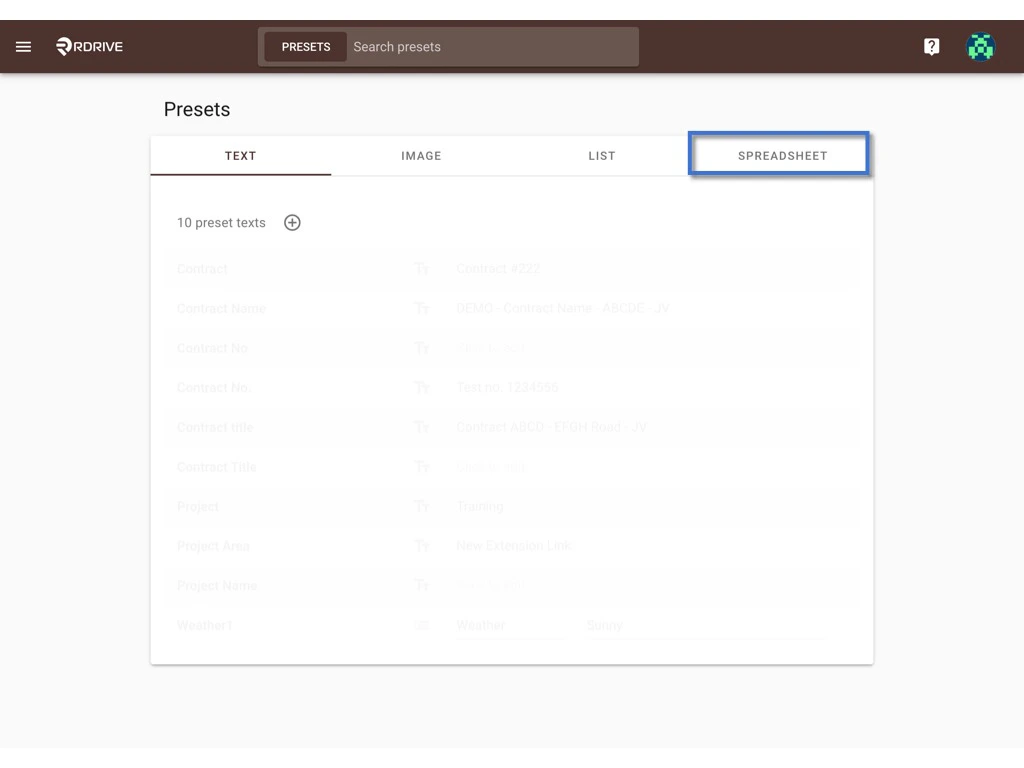
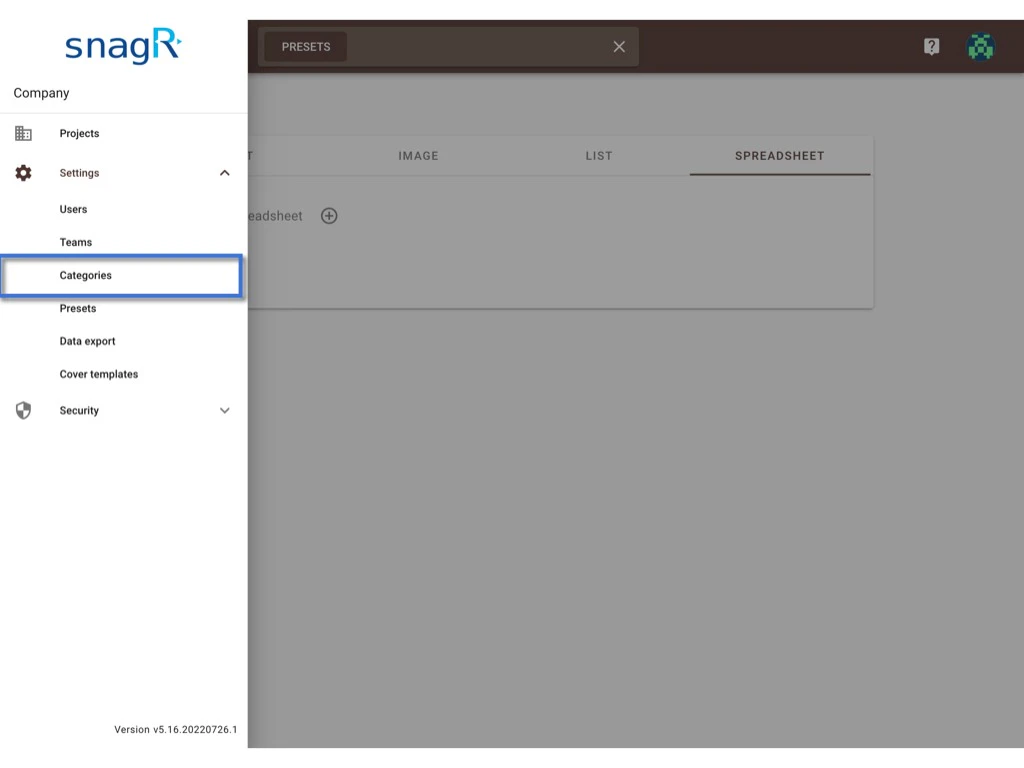
After the computation setting of the issue template is saved, let's move to **Settings** > **Presets** to create a preset spreadsheet for merging with.
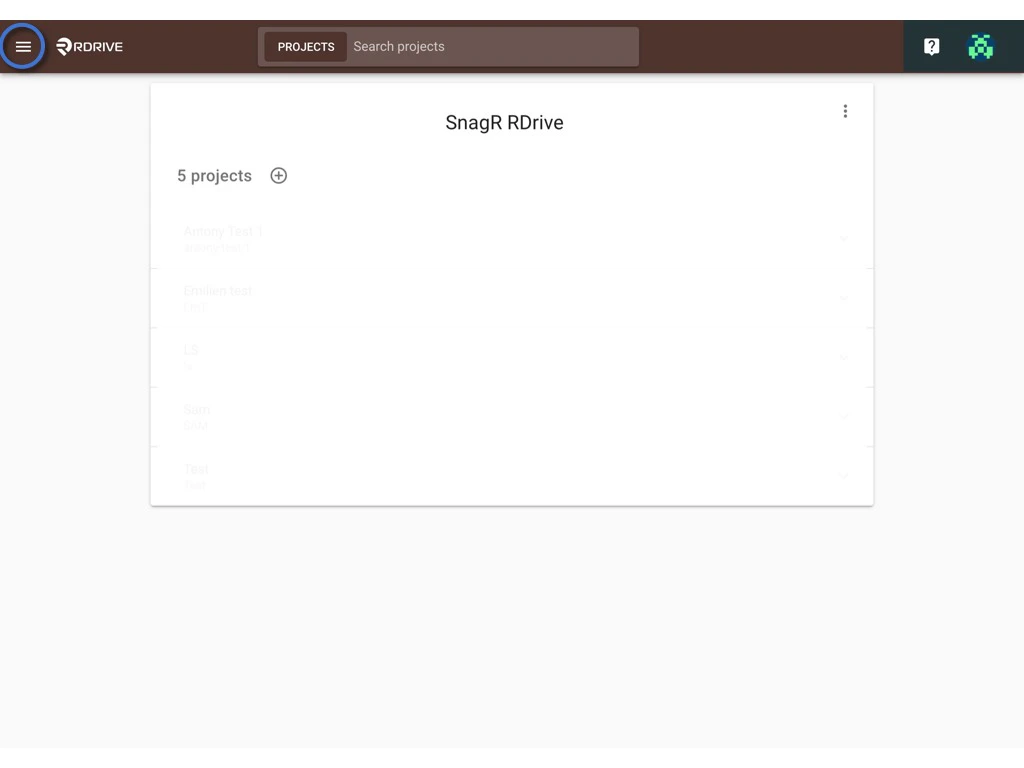
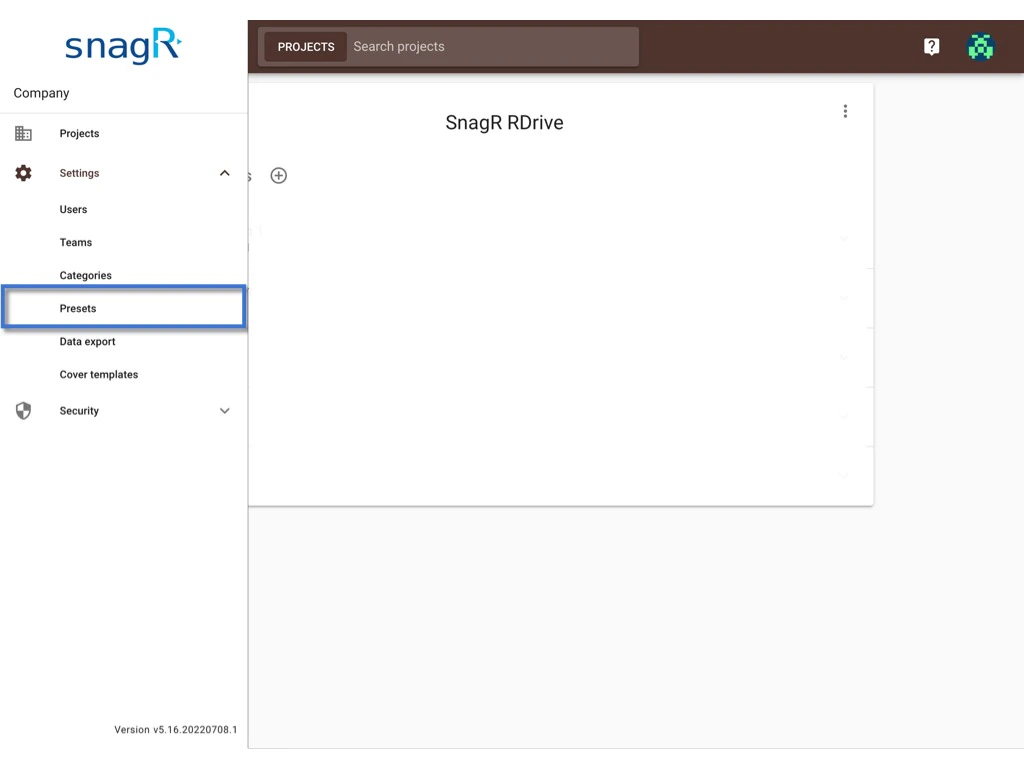
<img src="https://mintcdn.com/rdrive/NmCVs01a8HNGcruc/images/kb/103000035012/dkPOaBTzLWD0_Q0s4EtPPhQ90fzIKkwIiA.jpeg?fit=max&auto=format&n=NmCVs01a8HNGcruc&q=85&s=57cca56525b6f9a39c5daea268b7ee43" alt="Preset Spreadsheet - Add and Merge with the template (Company level)" width="1024" height="768" data-path="images/kb/103000035012/dkPOaBTzLWD0_Q0s4EtPPhQ90fzIKkwIiA.jpeg" />

<img src="https://mintcdn.com/rdrive/NmCVs01a8HNGcruc/images/kb/103000035012/9jTAAcIZNDDgDtq7ZrxCzIAzhOlBlTB6yg.jpeg?fit=max&auto=format&n=NmCVs01a8HNGcruc&q=85&s=9cec54b50d0871cc503714cfc9dce152" alt="Preset Spreadsheet - Add and Merge with the template (Company level)" width="1024" height="768" data-path="images/kb/103000035012/9jTAAcIZNDDgDtq7ZrxCzIAzhOlBlTB6yg.jpeg" />

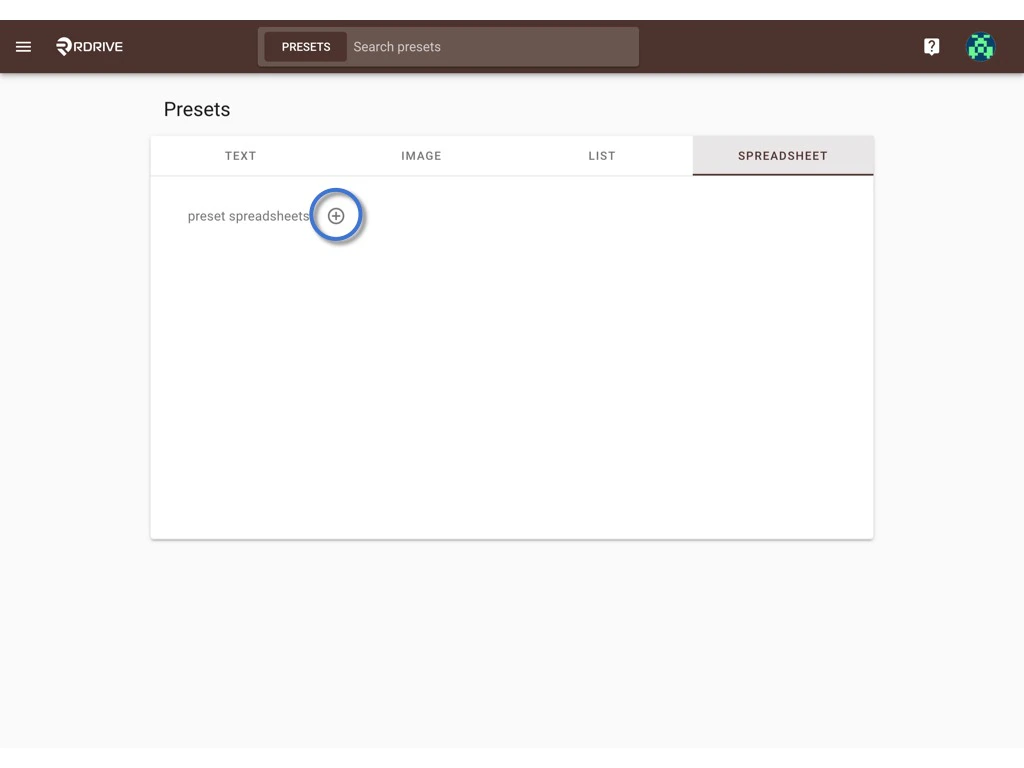
Select **SPREADSHEET**

<img src="https://mintcdn.com/rdrive/NmCVs01a8HNGcruc/images/kb/103000035012/Mkg4pn7AHJQcrco2PFpgFxKwu7jJNXMaFQ.jpeg?fit=max&auto=format&n=NmCVs01a8HNGcruc&q=85&s=5e8f7fbdb6cdf7f2a0ab2bb4b04b8128" alt="Preset Spreadsheet - Add and Merge with the template (Company level)" width="1024" height="768" data-path="images/kb/103000035012/Mkg4pn7AHJQcrco2PFpgFxKwu7jJNXMaFQ.jpeg" />

## **✚ ADD**

You can create a new preset spreadsheet by clicking the **⊕** button.
<img src="https://mintcdn.com/rdrive/NmCVs01a8HNGcruc/images/kb/103000035012/SgYyIsIUmz1NzajFreGD21tCWu6vjqHeRA.jpeg?fit=max&auto=format&n=NmCVs01a8HNGcruc&q=85&s=4f582dada9586d89c1fc02f010911a52" alt="Preset Spreadsheet - Add and Merge with the template (Company level)" width="1024" height="768" data-path="images/kb/103000035012/SgYyIsIUmz1NzajFreGD21tCWu6vjqHeRA.jpeg" />

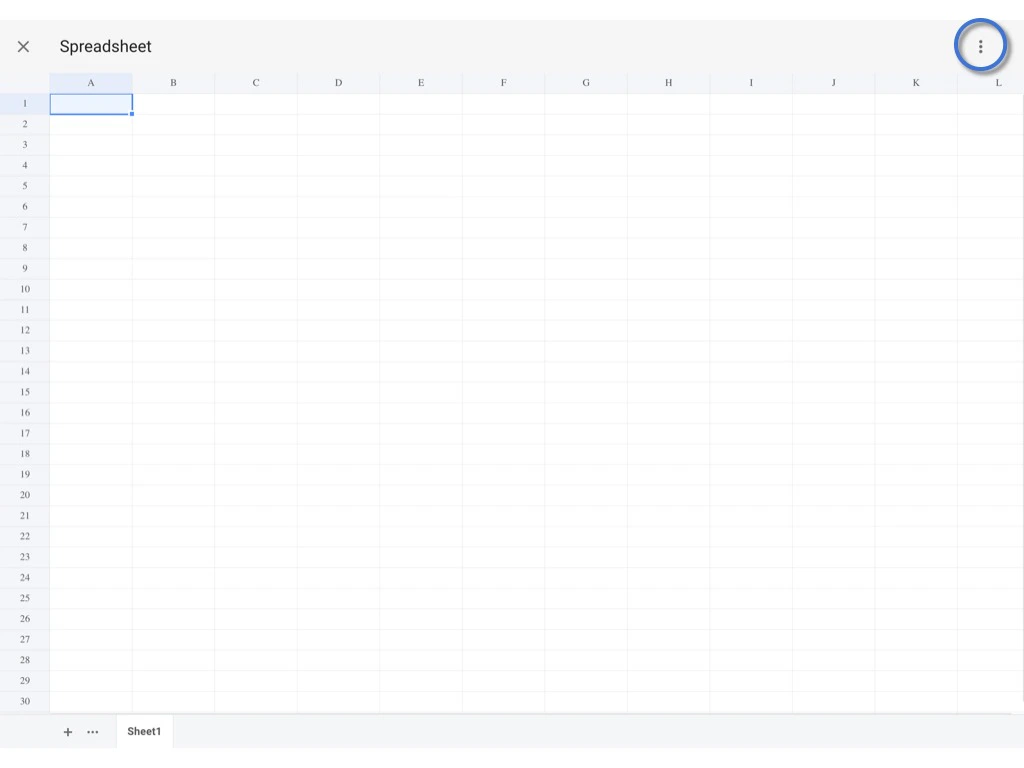
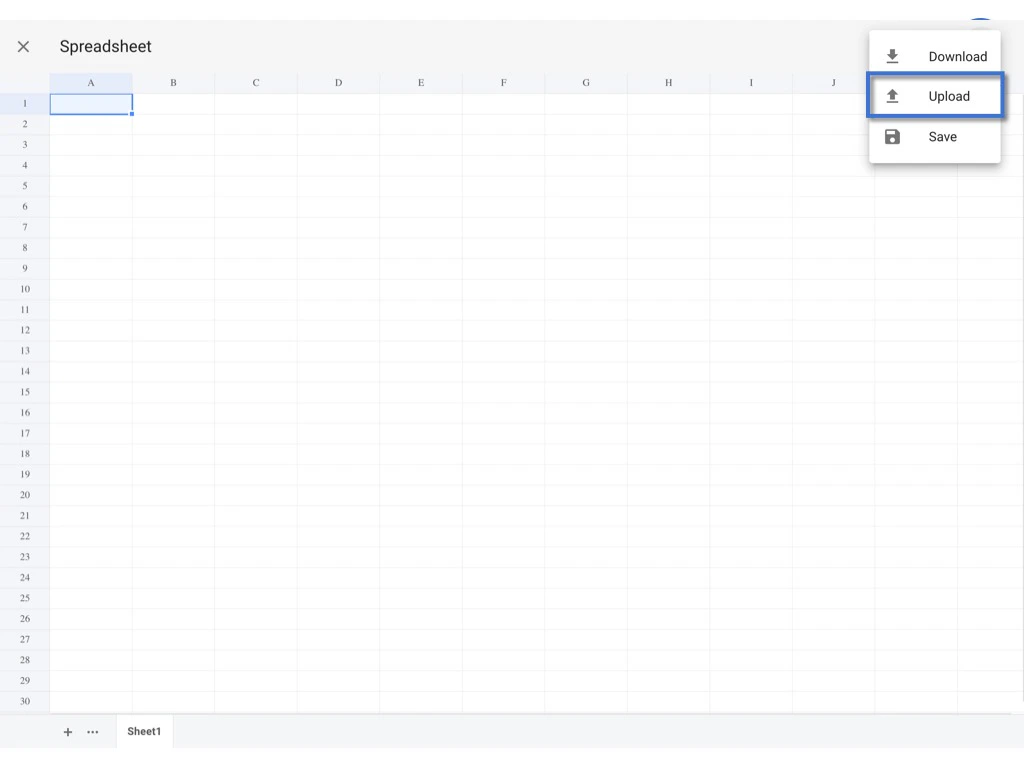
To make sure the name of the sheet in the preset spreadsheet is the same as the one in the original spreadsheet, we are going to upload the excel file same as we imported to the issue template.

Please click the **⋮** and **Upload** the [excel file you have.](https://docs.rdrive.io/setup/company/categories/categories-issue-record-template/computation-issue)
<img src="https://mintcdn.com/rdrive/NmCVs01a8HNGcruc/images/kb/103000035012/jUg8_ZYfqjO6x6ewUJyyqgPSRsVS_VMSZQ.jpeg?fit=max&auto=format&n=NmCVs01a8HNGcruc&q=85&s=847463c4dbbe8ed5e2232964eed8746b" alt="Preset Spreadsheet - Add and Merge with the template (Company level)" width="1024" height="768" data-path="images/kb/103000035012/jUg8_ZYfqjO6x6ewUJyyqgPSRsVS_VMSZQ.jpeg" />

<img src="https://mintcdn.com/rdrive/NmCVs01a8HNGcruc/images/kb/103000035012/W26XLdFIxhrS7iS6-P7o-OlQ-hTxzYkD0w.jpeg?fit=max&auto=format&n=NmCVs01a8HNGcruc&q=85&s=77746c679b26c7218303a5c847e5ddde" alt="Preset Spreadsheet - Add and Merge with the template (Company level)" width="1024" height="768" data-path="images/kb/103000035012/W26XLdFIxhrS7iS6-P7o-OlQ-hTxzYkD0w.jpeg" />

<img src="https://mintcdn.com/rdrive/NmCVs01a8HNGcruc/images/kb/103000035012/IFLSsUAh4bwg-rwFhHWtofGUJ_zkWcqJAA.jpeg?fit=max&auto=format&n=NmCVs01a8HNGcruc&q=85&s=c2b63ee1150c87c73ed9346d4b1b8541" alt="Preset Spreadsheet - Add and Merge with the template (Company level)" width="1024" height="768" data-path="images/kb/103000035012/IFLSsUAh4bwg-rwFhHWtofGUJ_zkWcqJAA.jpeg" />

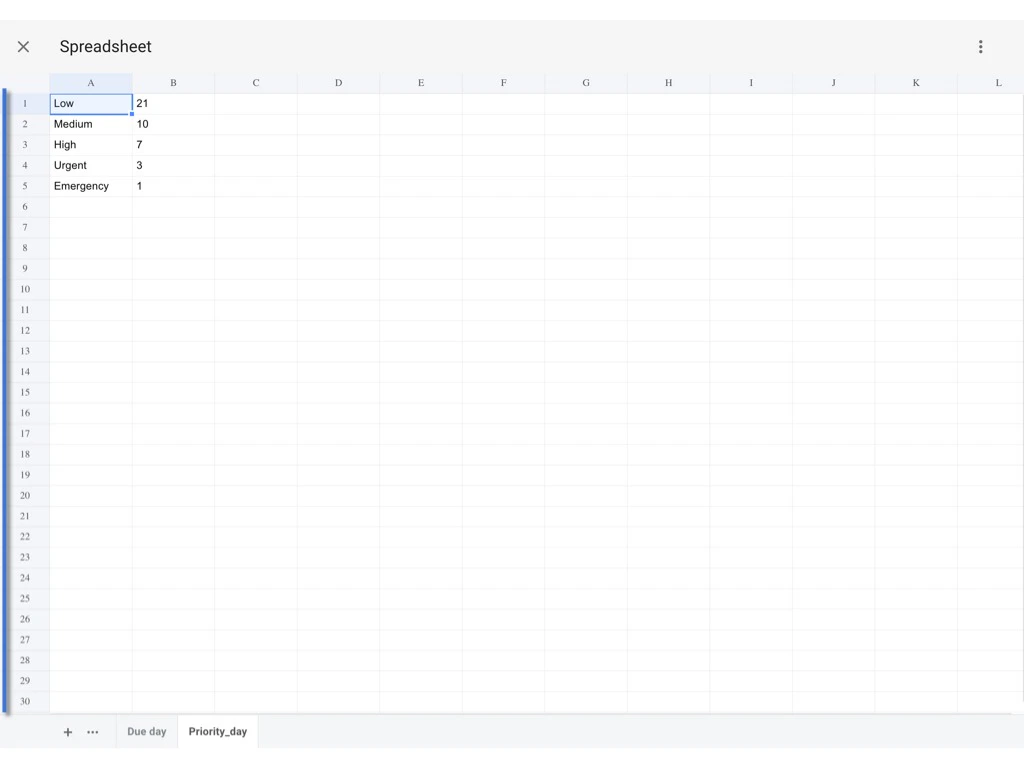
Spreadsheet imported.

<img src="https://mintcdn.com/rdrive/NmCVs01a8HNGcruc/images/kb/103000035012/KfztcRBMUvfCy7SPrgJOHKa6F8gcBBlWzw.jpeg?fit=max&auto=format&n=NmCVs01a8HNGcruc&q=85&s=9fde26c738d16e983144a35f1813da07" alt="Preset Spreadsheet - Add and Merge with the template (Company level)" width="1024" height="768" data-path="images/kb/103000035012/KfztcRBMUvfCy7SPrgJOHKa6F8gcBBlWzw.jpeg" />

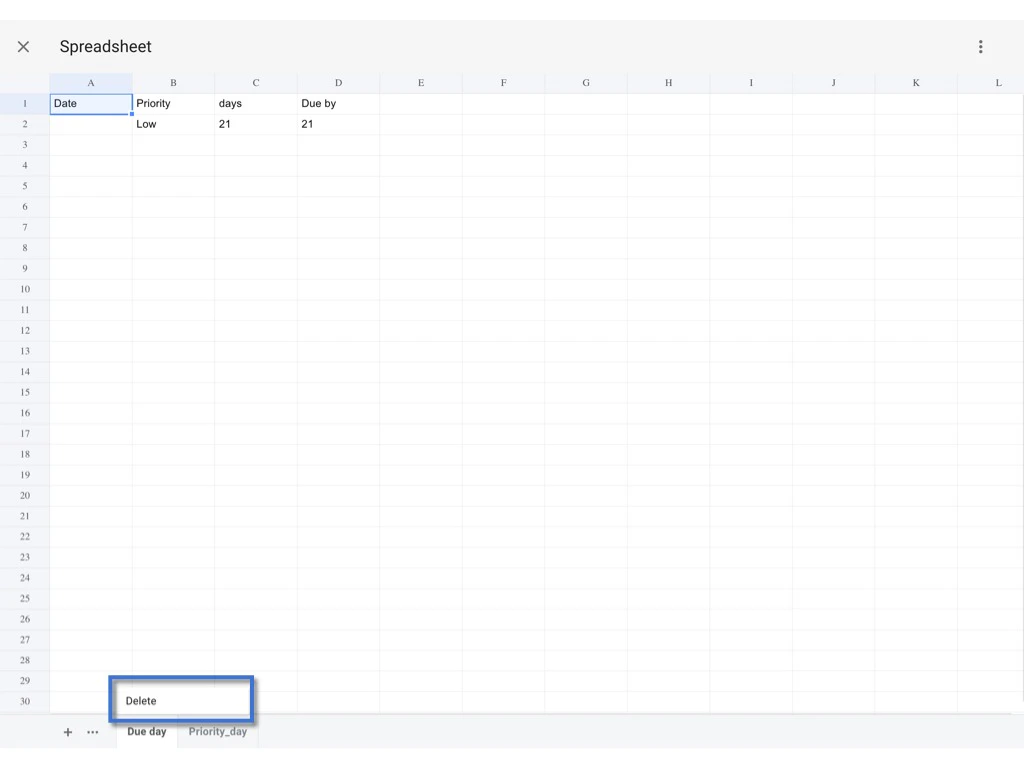
You may right-click to Delete the extra sheet if needed.

<img src="https://mintcdn.com/rdrive/NmCVs01a8HNGcruc/images/kb/103000035012/5e40q54yK6UkIoG7wU4WkfblsXvjsufJWQ.jpeg?fit=max&auto=format&n=NmCVs01a8HNGcruc&q=85&s=b251a84e7cab6a9b2dbcbcc70d6af54a" alt="Preset Spreadsheet - Add and Merge with the template (Company level)" width="1024" height="768" data-path="images/kb/103000035012/5e40q54yK6UkIoG7wU4WkfblsXvjsufJWQ.jpeg" />

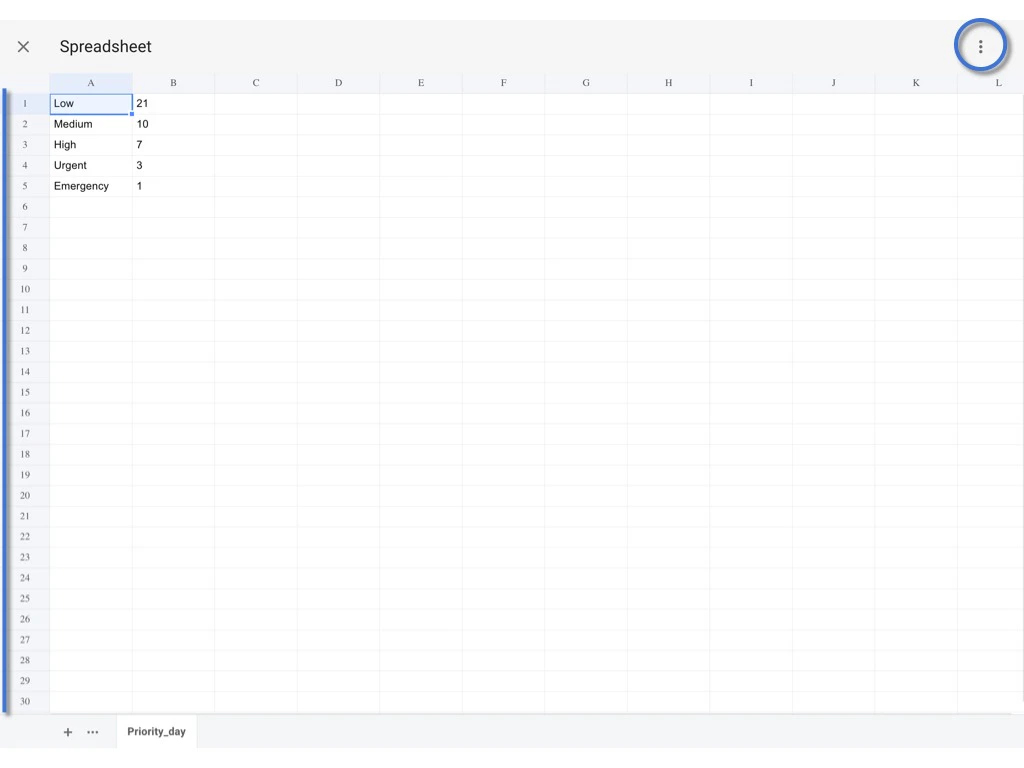
Leave the sheet with parameters which you may need to edit at the project level.

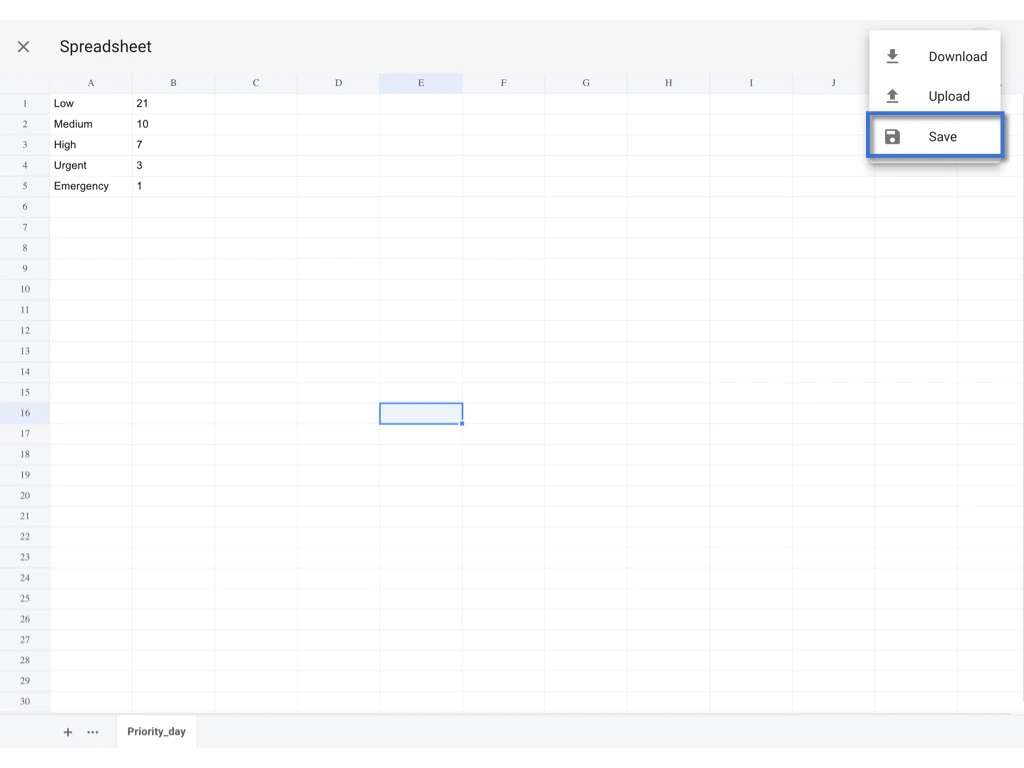
Click the **⋮** to **SAVE**.

<img src="https://mintcdn.com/rdrive/NmCVs01a8HNGcruc/images/kb/103000035012/5QuuoKaz1ZV30aFrc_zUPxfm6IRXfrFmrA.jpeg?fit=max&auto=format&n=NmCVs01a8HNGcruc&q=85&s=d1719686f550ab69309dd62083071161" alt="Preset Spreadsheet - Add and Merge with the template (Company level)" width="1024" height="768" data-path="images/kb/103000035012/5QuuoKaz1ZV30aFrc_zUPxfm6IRXfrFmrA.jpeg" />

<img src="https://mintcdn.com/rdrive/NmCVs01a8HNGcruc/images/kb/103000035012/ya7t3R4Vxc_XfYpOMh2qyMxe8GR-ShmX_A.jpeg?fit=max&auto=format&n=NmCVs01a8HNGcruc&q=85&s=9089bea684fe4c7e9ecf41941811a003" alt="Preset Spreadsheet - Add and Merge with the template (Company level)" width="1024" height="768" data-path="images/kb/103000035012/ya7t3R4Vxc_XfYpOMh2qyMxe8GR-ShmX_A.jpeg" />

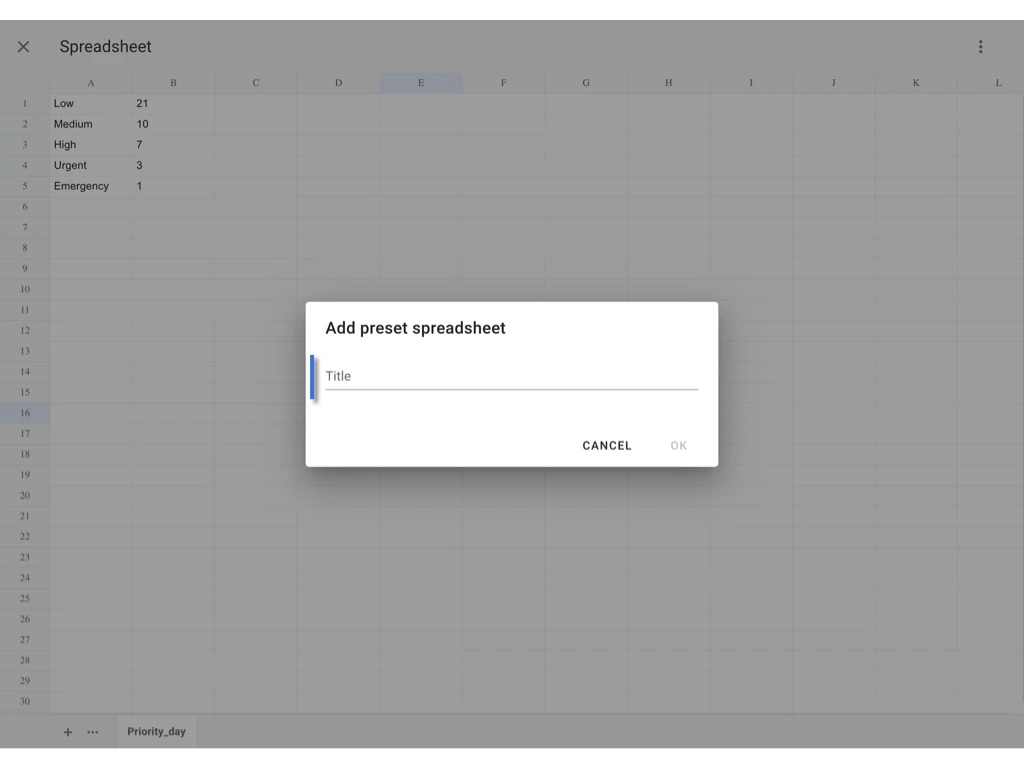
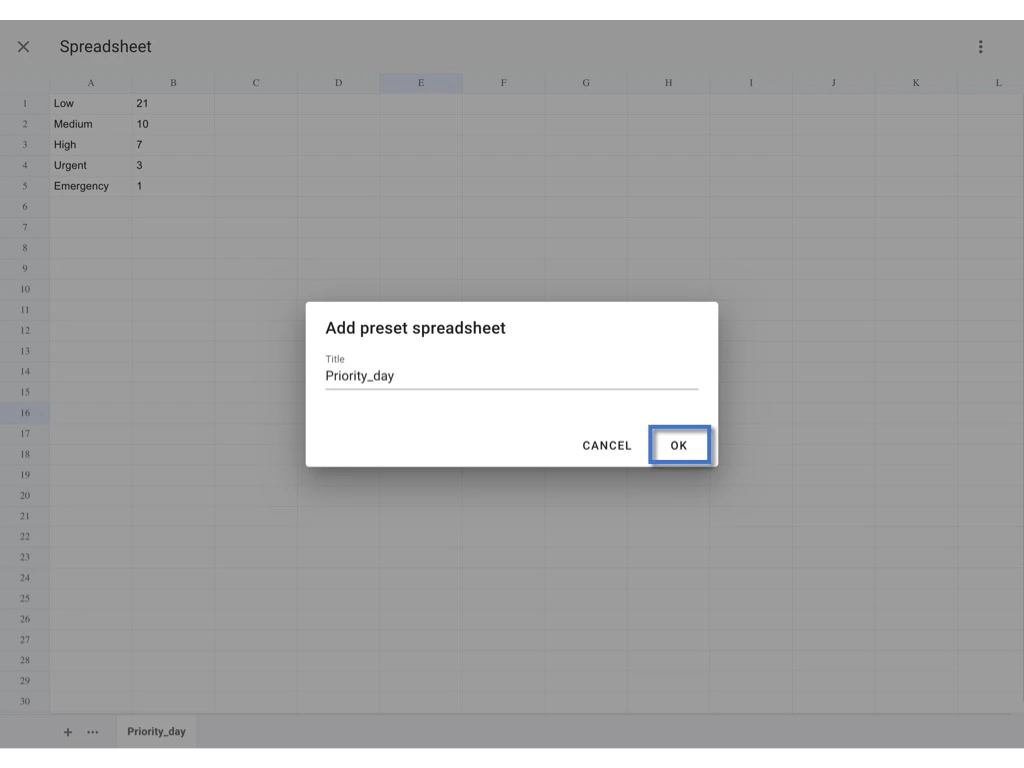
Enter spreadsheet title for identification, **OK** to confirm.

<img src="https://mintcdn.com/rdrive/NmCVs01a8HNGcruc/images/kb/103000035012/5y-euqS698TEIOAsy6Oi4LmJkds5H-o73A.jpeg?fit=max&auto=format&n=NmCVs01a8HNGcruc&q=85&s=136755b8f9b729fbf127435c6c4db882" alt="Preset Spreadsheet - Add and Merge with the template (Company level)" width="1024" height="768" data-path="images/kb/103000035012/5y-euqS698TEIOAsy6Oi4LmJkds5H-o73A.jpeg" />

<img src="https://mintcdn.com/rdrive/NmCVs01a8HNGcruc/images/kb/103000035012/49rkxWfXNGadw9Yu-BfI1th69P5Vq9qycw.jpeg?fit=max&auto=format&n=NmCVs01a8HNGcruc&q=85&s=b0a3f30b83a482e1bdcb13c644cdc139" alt="Preset Spreadsheet - Add and Merge with the template (Company level)" width="1024" height="768" data-path="images/kb/103000035012/49rkxWfXNGadw9Yu-BfI1th69P5Vq9qycw.jpeg" />

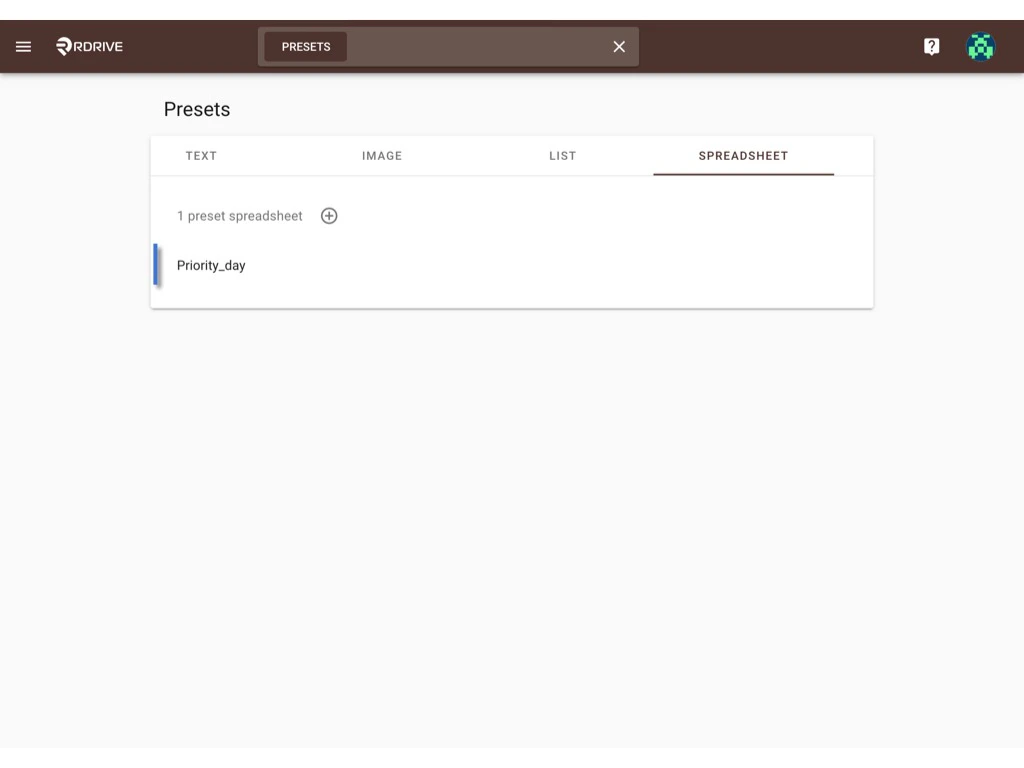
Done, you have created a spreadsheet.

<img src="https://mintcdn.com/rdrive/NmCVs01a8HNGcruc/images/kb/103000035012/PPa0sKbPo-GUZOjQdEvUMMECv-yuWkJBQw.jpeg?fit=max&auto=format&n=NmCVs01a8HNGcruc&q=85&s=03868448b743c95f67fafdfd965a2756" alt="Preset Spreadsheet - Add and Merge with the template (Company level)" width="1024" height="768" data-path="images/kb/103000035012/PPa0sKbPo-GUZOjQdEvUMMECv-yuWkJBQw.jpeg" />

***

# **Merge**

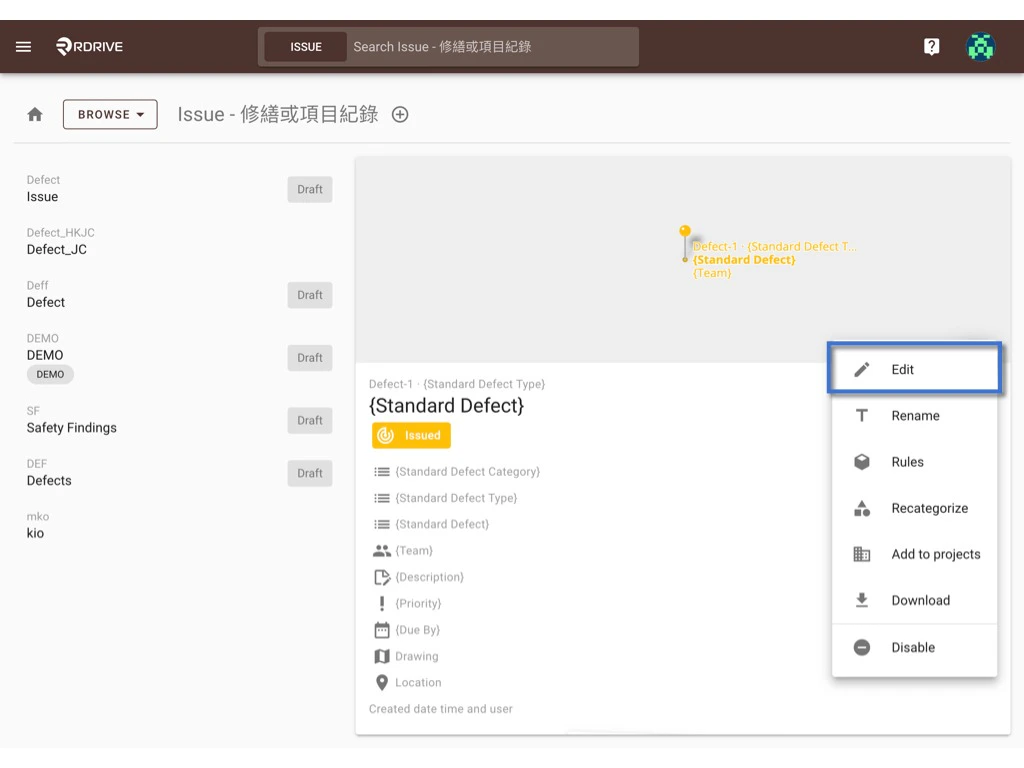
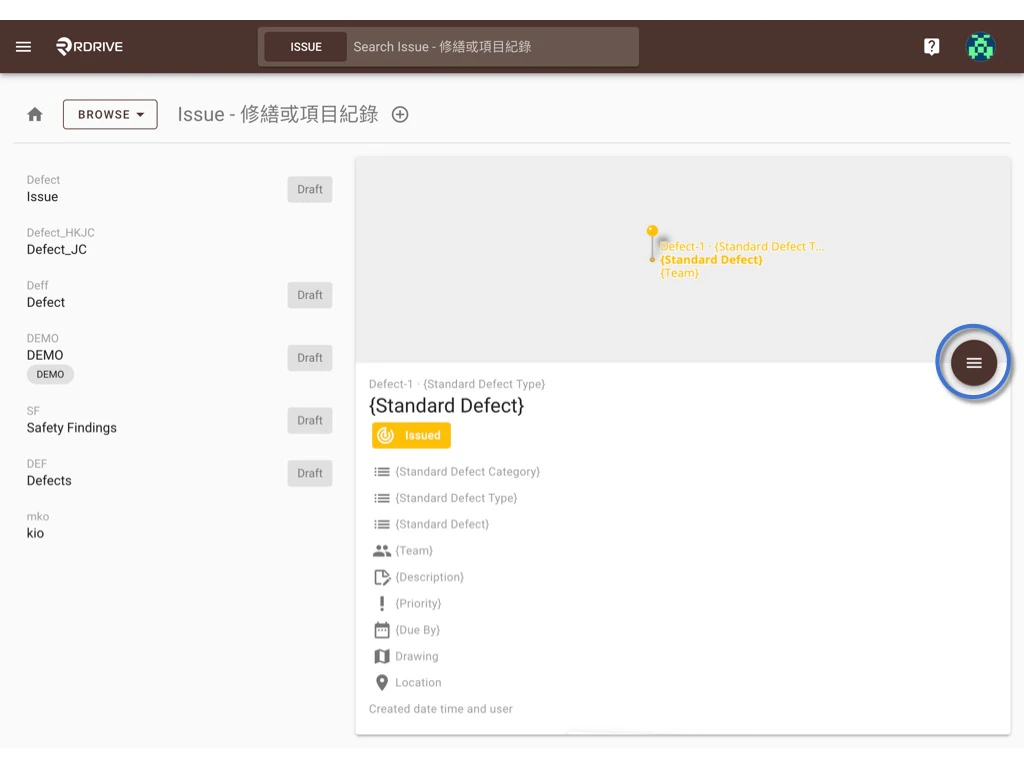
Next, please move to the template wizard for merging.

In this example, we are going to merge it to an [issue template's computation.](https://docs.rdrive.io/setup/company/categories/categories-issue-record-template/computation-issue)
<img src="https://mintcdn.com/rdrive/NmCVs01a8HNGcruc/images/kb/103000035012/tSIsV8ti73aBm3yOvcuYWps_n3hQEQCEwg.jpeg?fit=max&auto=format&n=NmCVs01a8HNGcruc&q=85&s=8cadd26ff7984338fe9aafebfff03a05" alt="Preset Spreadsheet - Add and Merge with the template (Company level)" width="1024" height="768" data-path="images/kb/103000035012/tSIsV8ti73aBm3yOvcuYWps_n3hQEQCEwg.jpeg" />

<img src="https://mintcdn.com/rdrive/NmCVs01a8HNGcruc/images/kb/103000035012/JP2Ea_SAcVMB3hlW8SotSBbrW0k8NxKfLg.jpeg?fit=max&auto=format&n=NmCVs01a8HNGcruc&q=85&s=ebf05d994e1f90ba14a9ed91ea98d76c" alt="Preset Spreadsheet - Add and Merge with the template (Company level)" width="1024" height="768" data-path="images/kb/103000035012/JP2Ea_SAcVMB3hlW8SotSBbrW0k8NxKfLg.jpeg" />

<img src="https://mintcdn.com/rdrive/NmCVs01a8HNGcruc/images/kb/103000035012/19P8YG5fVhH_sVK3c4qNlcSGRg5S3eMGqw.jpeg?fit=max&auto=format&n=NmCVs01a8HNGcruc&q=85&s=244557d4e853307a22addc47c438b98a" alt="Preset Spreadsheet - Add and Merge with the template (Company level)" width="1024" height="768" data-path="images/kb/103000035012/19P8YG5fVhH_sVK3c4qNlcSGRg5S3eMGqw.jpeg" />

<img src="https://mintcdn.com/rdrive/NmCVs01a8HNGcruc/images/kb/103000035012/jR2Zpnv6G1YeFeI62SDgH9gEXBMjSXqFvA.jpeg?fit=max&auto=format&n=NmCVs01a8HNGcruc&q=85&s=22646ea4175f6926f9e3b7b3a9399e89" alt="Preset Spreadsheet - Add and Merge with the template (Company level)" width="1024" height="768" data-path="images/kb/103000035012/jR2Zpnv6G1YeFeI62SDgH9gEXBMjSXqFvA.jpeg" />

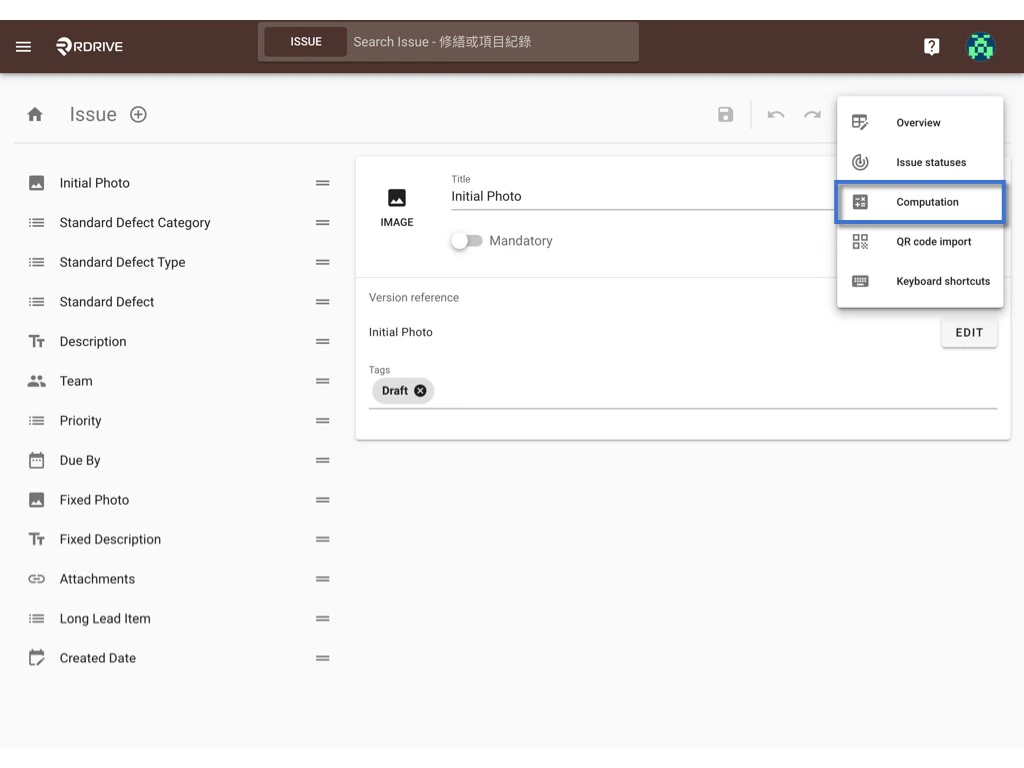
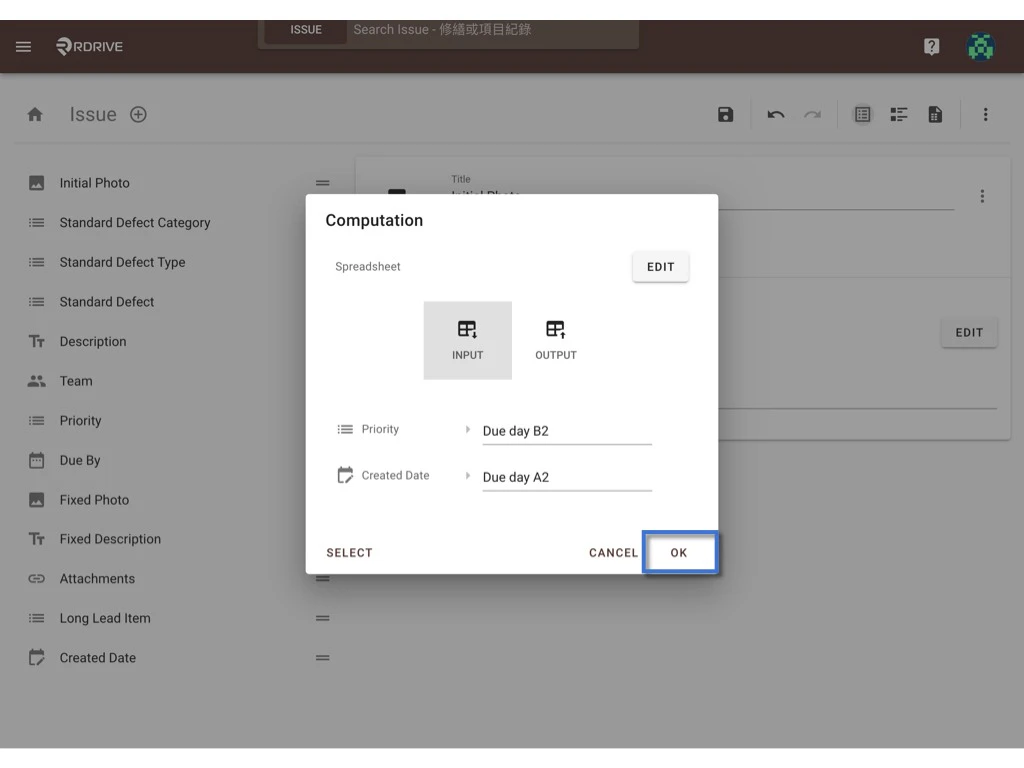
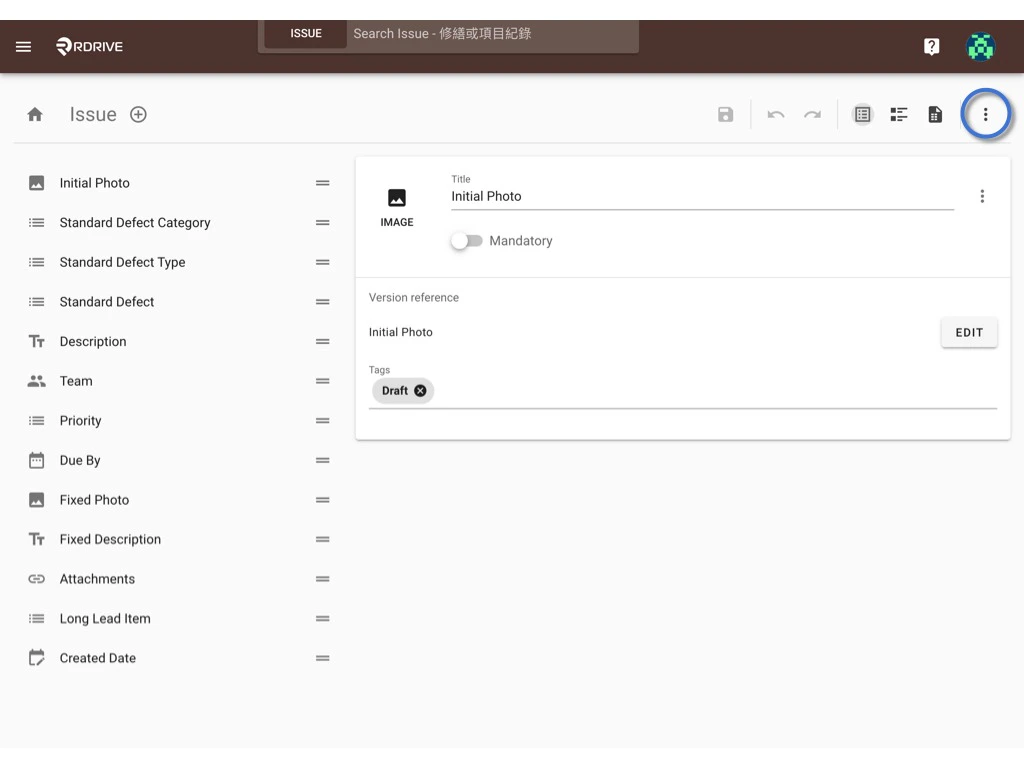
**⌘/Ctrl 6** or click the **Computation** option from the more tools list  **⋮** to bring up the Computation dialogue.
<img src="https://mintcdn.com/rdrive/NmCVs01a8HNGcruc/images/kb/103000035012/-adukSlYw9x3zl9cky0VE_PMoSj-IhOG-Q.jpeg?fit=max&auto=format&n=NmCVs01a8HNGcruc&q=85&s=724d283a6b1383157de2aac9ae3cb18a" alt="Preset Spreadsheet - Add and Merge with the template (Company level)" width="1024" height="768" data-path="images/kb/103000035012/-adukSlYw9x3zl9cky0VE_PMoSj-IhOG-Q.jpeg" />

<img src="https://mintcdn.com/rdrive/NmCVs01a8HNGcruc/images/kb/103000035012/iqeJhzRx6SNnFmhNgc9RxXXVwVQ7gsQPsQ.jpeg?fit=max&auto=format&n=NmCVs01a8HNGcruc&q=85&s=dbbab9f62f794cac20aee4cf020437b9" alt="Preset Spreadsheet - Add and Merge with the template (Company level)" width="1024" height="768" data-path="images/kb/103000035012/iqeJhzRx6SNnFmhNgc9RxXXVwVQ7gsQPsQ.jpeg" />

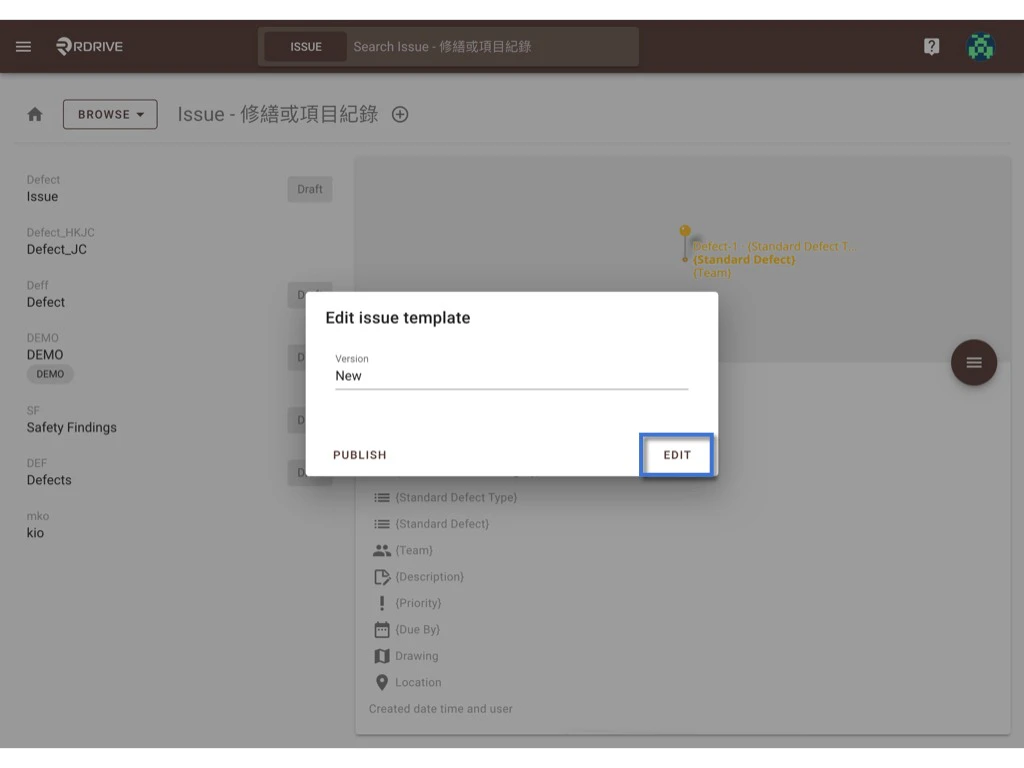
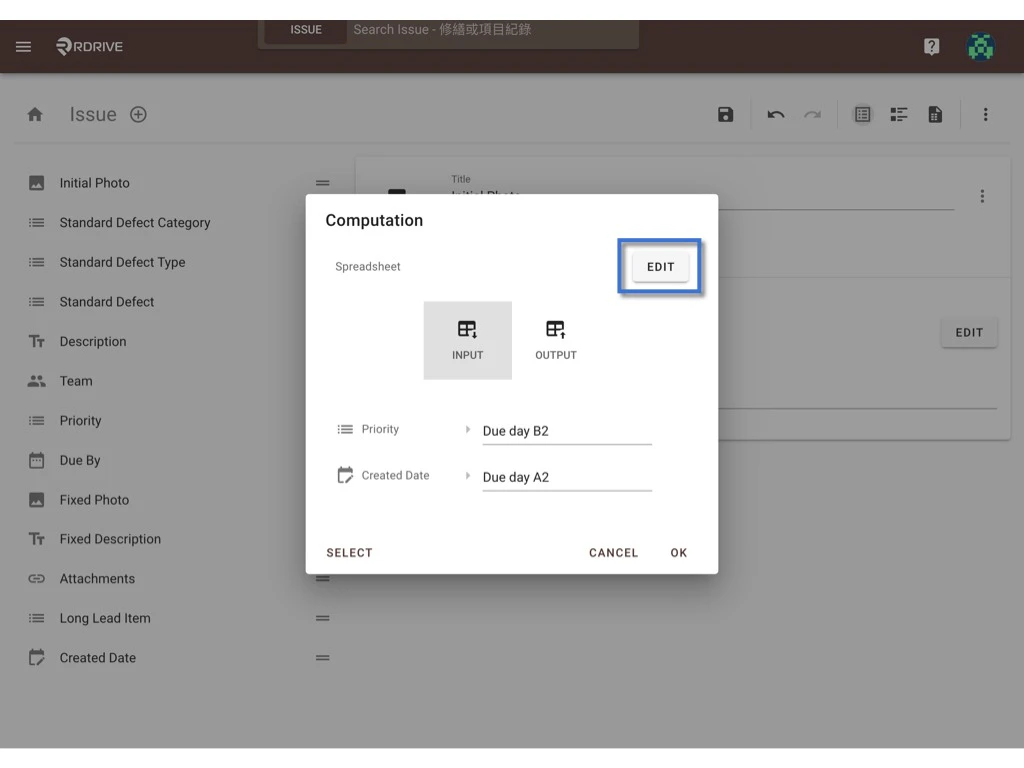
Click **EDIT** to open the spreadsheet.
<img src="https://mintcdn.com/rdrive/NmCVs01a8HNGcruc/images/kb/103000035012/7CrTS5qT3NQ_xeke1TNTMmWJ3FtlhHbqYw.jpeg?fit=max&auto=format&n=NmCVs01a8HNGcruc&q=85&s=a6a8820c119b7e90f2ee6b1ca04f93d0" alt="Preset Spreadsheet - Add and Merge with the template (Company level)" width="1024" height="768" data-path="images/kb/103000035012/7CrTS5qT3NQ_xeke1TNTMmWJ3FtlhHbqYw.jpeg" />

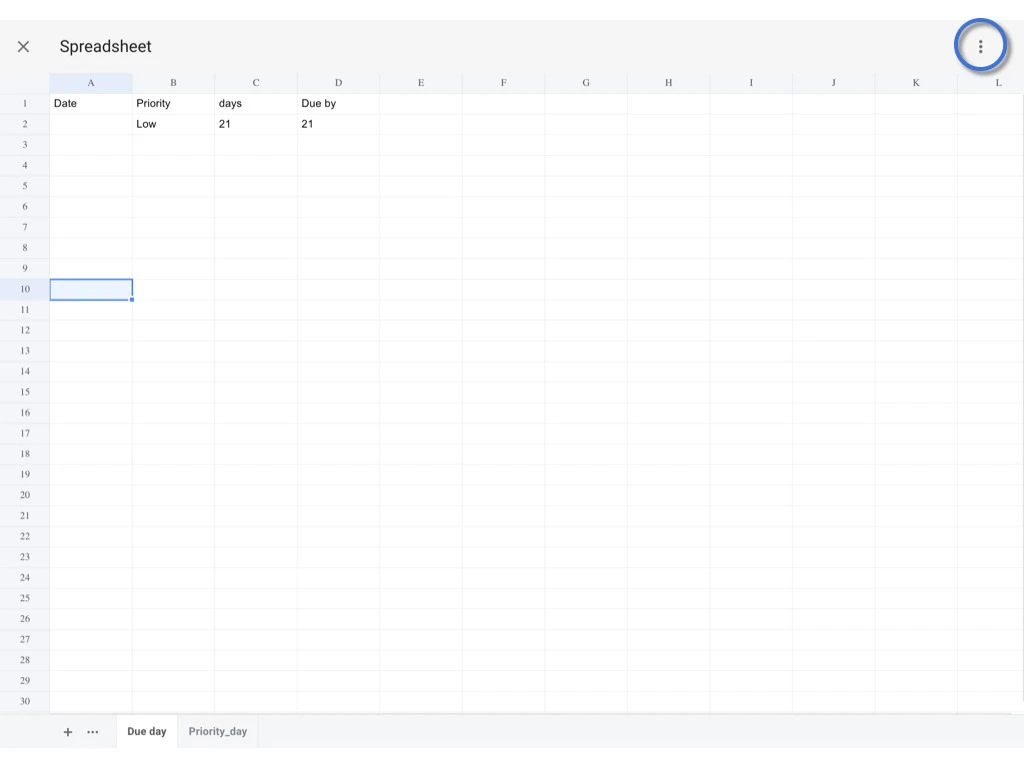
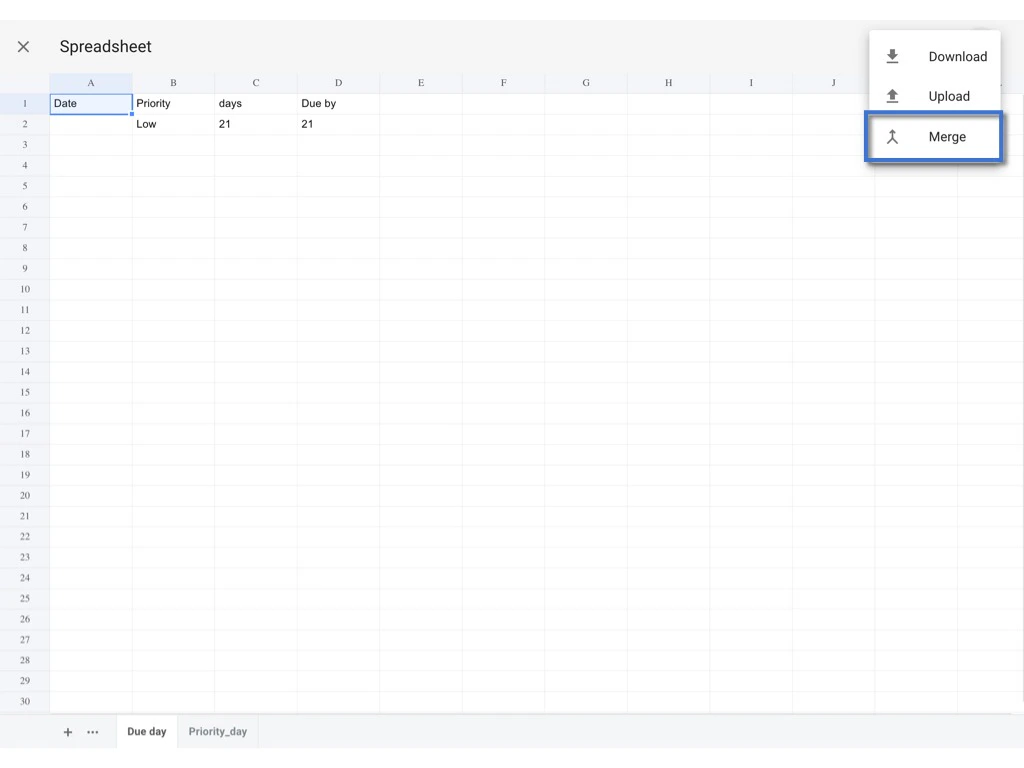
Click the **⋮** and select **Merge**.
<img src="https://mintcdn.com/rdrive/NmCVs01a8HNGcruc/images/kb/103000035012/HfOMfuCsywzYB6yZRT6bzf8fYKF5qoZyNQ.jpeg?fit=max&auto=format&n=NmCVs01a8HNGcruc&q=85&s=e72fc2a7f2692d7f28c4939017c10542" alt="Preset Spreadsheet - Add and Merge with the template (Company level)" width="1024" height="768" data-path="images/kb/103000035012/HfOMfuCsywzYB6yZRT6bzf8fYKF5qoZyNQ.jpeg" />

<img src="https://mintcdn.com/rdrive/NmCVs01a8HNGcruc/images/kb/103000035012/VsJ9_O7fDywBlvxgafWic6tRtPQJA3LJuQ.jpeg?fit=max&auto=format&n=NmCVs01a8HNGcruc&q=85&s=8a25536b4dda44cfc8d85f49a06dfe0a" alt="Preset Spreadsheet - Add and Merge with the template (Company level)" width="1024" height="768" data-path="images/kb/103000035012/VsJ9_O7fDywBlvxgafWic6tRtPQJA3LJuQ.jpeg" />

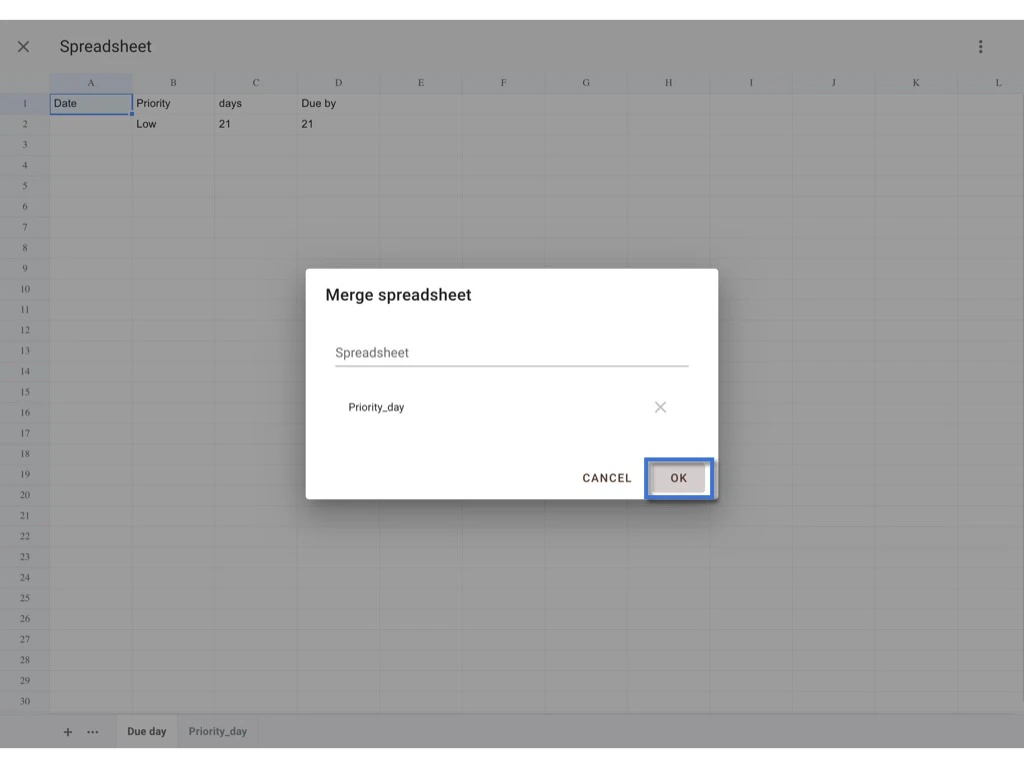
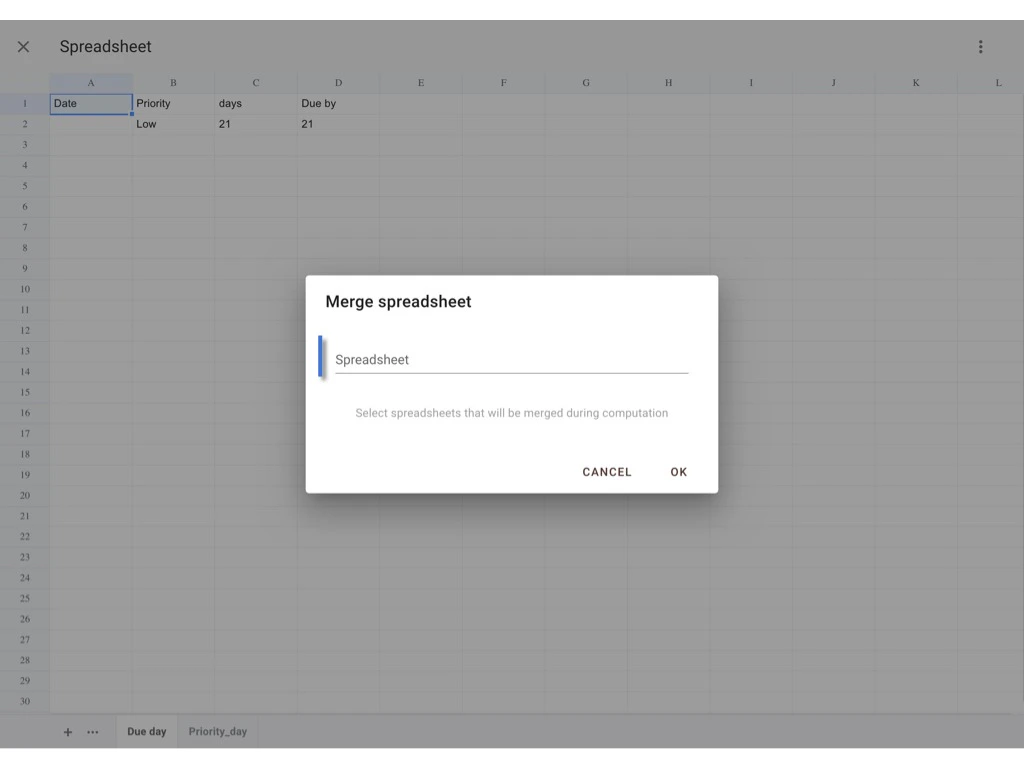
Select the spreadsheet you need to merge with from the dropdown list.

**OK** to confirm.
<img src="https://mintcdn.com/rdrive/NmCVs01a8HNGcruc/images/kb/103000035012/z8nTlKE5uIJ_VnqFcW08bIycGoc87Rzz8w.jpeg?fit=max&auto=format&n=NmCVs01a8HNGcruc&q=85&s=79f969cfda110db1c4b5e3362c2df952" alt="Preset Spreadsheet - Add and Merge with the template (Company level)" width="1024" height="768" data-path="images/kb/103000035012/z8nTlKE5uIJ_VnqFcW08bIycGoc87Rzz8w.jpeg" />

<img src="https://mintcdn.com/rdrive/NmCVs01a8HNGcruc/images/kb/103000035012/DlV65WHhQ71VZNmOB29sBKvbpF1onPMWag.jpeg?fit=max&auto=format&n=NmCVs01a8HNGcruc&q=85&s=803d818d9c436ad8cc91bc140bf57e26" alt="Preset Spreadsheet - Add and Merge with the template (Company level)" width="1024" height="768" data-path="images/kb/103000035012/DlV65WHhQ71VZNmOB29sBKvbpF1onPMWag.jpeg" />

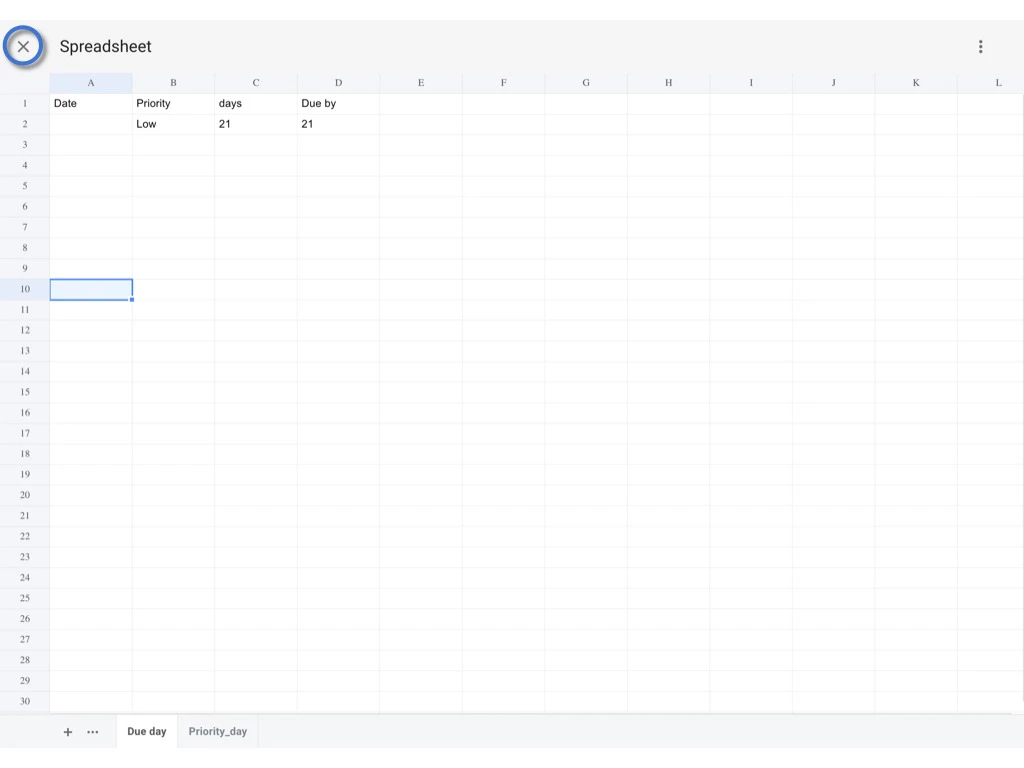
It will automatically save. Click **x** to exit.
<img src="https://mintcdn.com/rdrive/NmCVs01a8HNGcruc/images/kb/103000035012/o0eMeSMZfr65gvO4PXFZOf0WLInJSyX5mg.jpeg?fit=max&auto=format&n=NmCVs01a8HNGcruc&q=85&s=30c74254306ecb714fa9cbed09e57b30" alt="Preset Spreadsheet - Add and Merge with the template (Company level)" width="1024" height="768" data-path="images/kb/103000035012/o0eMeSMZfr65gvO4PXFZOf0WLInJSyX5mg.jpeg" />

**OK** to save changes.

<img src="https://mintcdn.com/rdrive/NmCVs01a8HNGcruc/images/kb/103000035012/KkzuZjqeKduzw5upnpIZ-KJKPTc1Qo74sg.jpeg?fit=max&auto=format&n=NmCVs01a8HNGcruc&q=85&s=0d4cf03c3af1dea9549962861ff13a92" alt="Preset Spreadsheet - Add and Merge with the template (Company level)" width="1024" height="768" data-path="images/kb/103000035012/KkzuZjqeKduzw5upnpIZ-KJKPTc1Qo74sg.jpeg" />

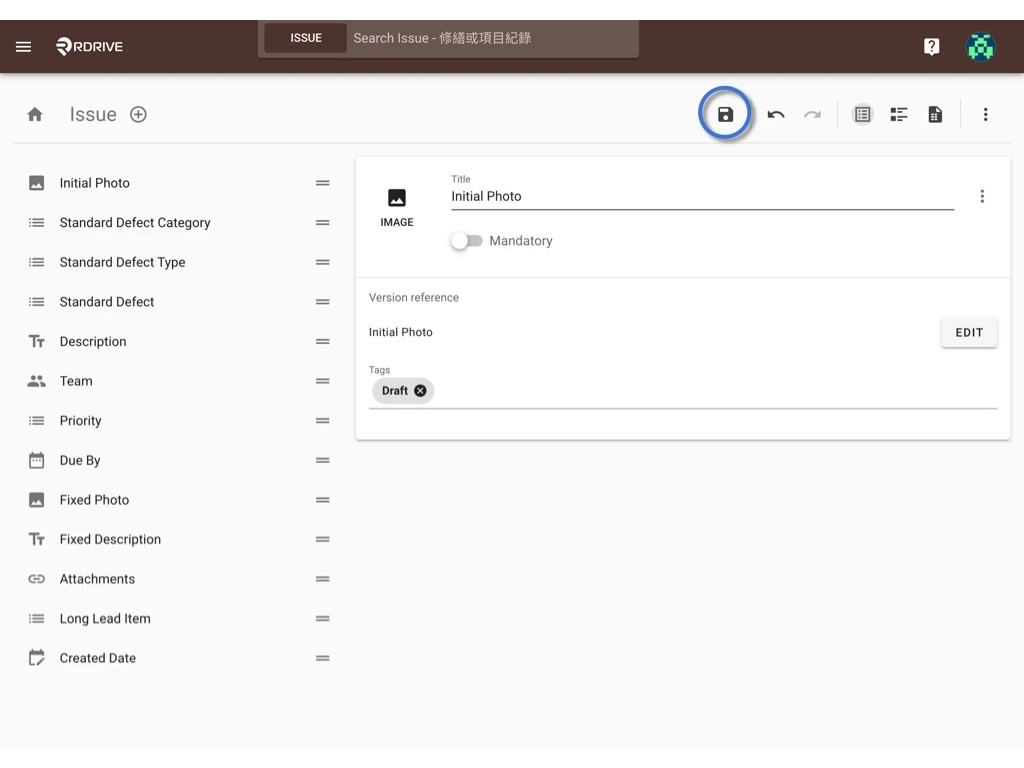
**SAVE.**

<img src="https://mintcdn.com/rdrive/NmCVs01a8HNGcruc/images/kb/103000035012/xA0ARO88tVebIjoauFr_otA3xSI7O6ygFg.jpeg?fit=max&auto=format&n=NmCVs01a8HNGcruc&q=85&s=d28a3e5edfb0cf99612248a331953c48" alt="Preset Spreadsheet - Add and Merge with the template (Company level)" width="1024" height="768" data-path="images/kb/103000035012/xA0ARO88tVebIjoauFr_otA3xSI7O6ygFg.jpeg" />

<Note>
  ⭐️ Remember to PUBLISH the template after changed!!
</Note>

***

The merged preset spreadsheet is now able to be edited from the project level. 

Click [HERE](https://docs.rdrive.io/setup/project/preset/how-to-edit-a-preset-spreadsheet-on-the-project) to know how.