> ## Documentation Index
> Fetch the complete documentation index at: https://docs.rdrive.io/llms.txt
> Use this file to discover all available pages before exploring further.
# Set up a Report configuration
> Admin can pair an issue report template with a report configuration template, for the users able to pick a report configuration template from the download proce
# Report configuration template
## A template that can set a set of prefilled download options
Admin can pair an issue report template with a report configuration template, for the users able to pick a report configuration template from the download process/form/issue dialog. The issue report template will be selected based on the paired report configuration template accordingly.
**TABLE OF CONTENTS**
* [Report configuration template](#report-configuration-template)
* [Report configuration.](#click-settings-and-select-report-configuration.)
* [You can create a new template by clicking the ⊕ button.](#you-can-create-a-new-template-by-clicking-the%c2%a0%e2%8a%95%c2%a0button.)
* [The template will be created, and you can now check the download options for this template as pre-fill settings. Any updates made will be saved automatically.](#the-template-will-be-created,-and-you-can-now-check-the-download-options-for-this-template-as-pre-fill-settings.-any-updates-made-will-be-saved-automatically.)
* [Please access the Report layer by Company level ➡ Settings ➡ Categories ➡ Subcategories ➡ Issue template ➡ Issue wizard ➡ Report layer to set up.](#please-access-the%c2%a0report-layer%c2%a0by-company-level-%e2%9e%a1-settings-%e2%9e%a1-categories-%e2%9e%a1-subcategories-%e2%9e%a1-issue-template-%e2%9e%a1-issue-wizard-%e2%9e%a1-report-layer-to-set-up.)
* [Select the report layout, click ⋮ the button, and Pair.](#select-the-report-layout,-click-%c2%a0%e2%8b%ae%c2%a0-the-button,-and-pair.)
* [Remember to click the SAVE button to save changes](#remember-to-click-the-save-button-to-save-changes.)
* [](#let's-check-how-it-works-at-the-project-level.)[](#let's-check-how-it-works-at-the-project-level.)[](#let's-check-how-it-works-at-the-project-level.)[](#let's-check-how-it-works-at-the-project-level.)[How it works at the Project level.](#let's-check-how-it-works-at-the-project-level.)
* [Click Download to open a download dialog.](#click-download-to-open-a-download-dialog.)
* [Check the "Use report configuration template" option.](#%e2%80%8bcheck-the-)
* [The paired report configuration template has been selected. To download the template, please click on the DOWNLOAD button.](#the-paired-report-configuration-template-has-been-selected.-to-download-the-template,-please-click-on-the-download-button.)
***
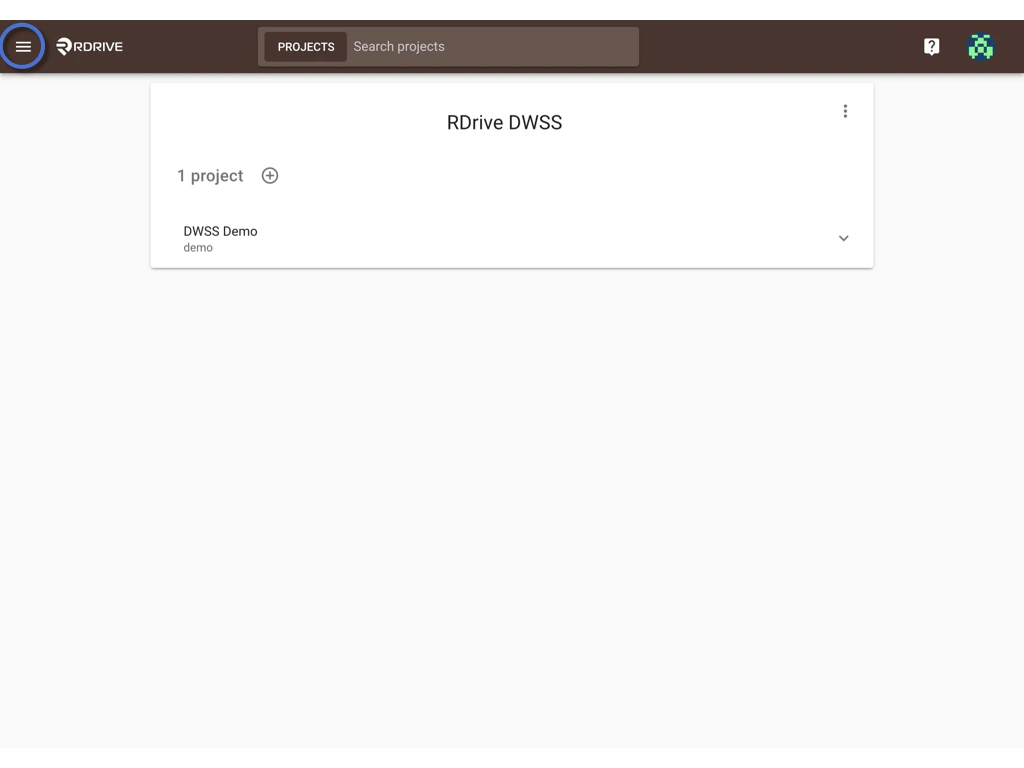
First, log in to **Company Area**. *Only the company admin can access this page.*
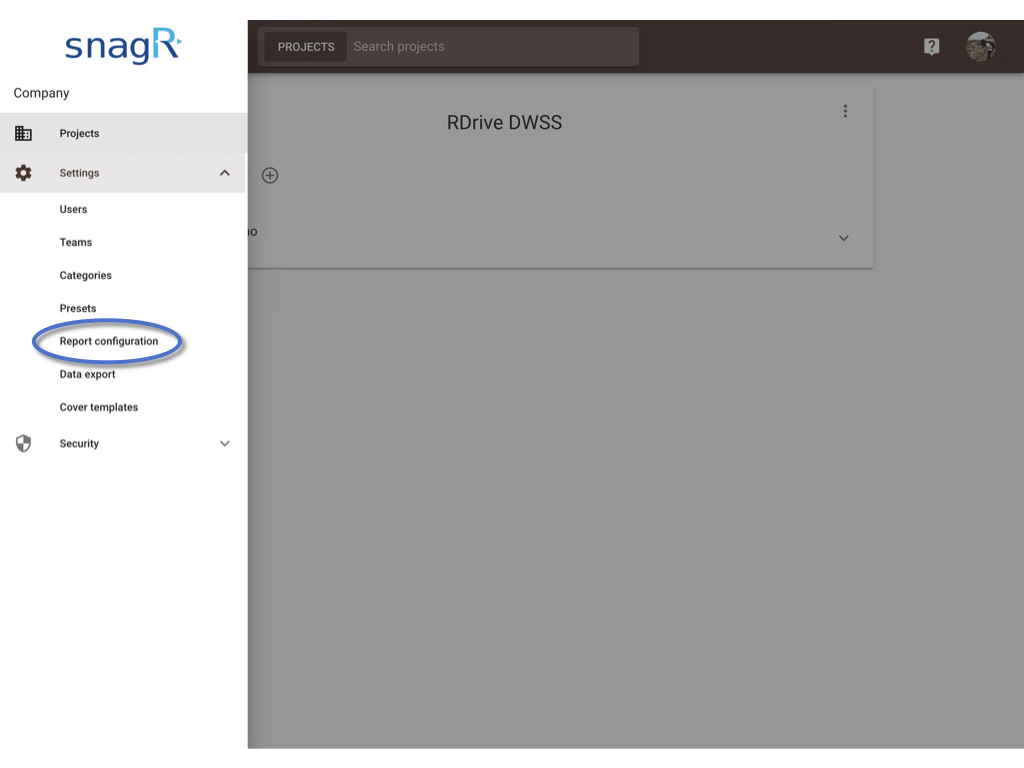
#### Click **Settings** and select **Report configuration.**
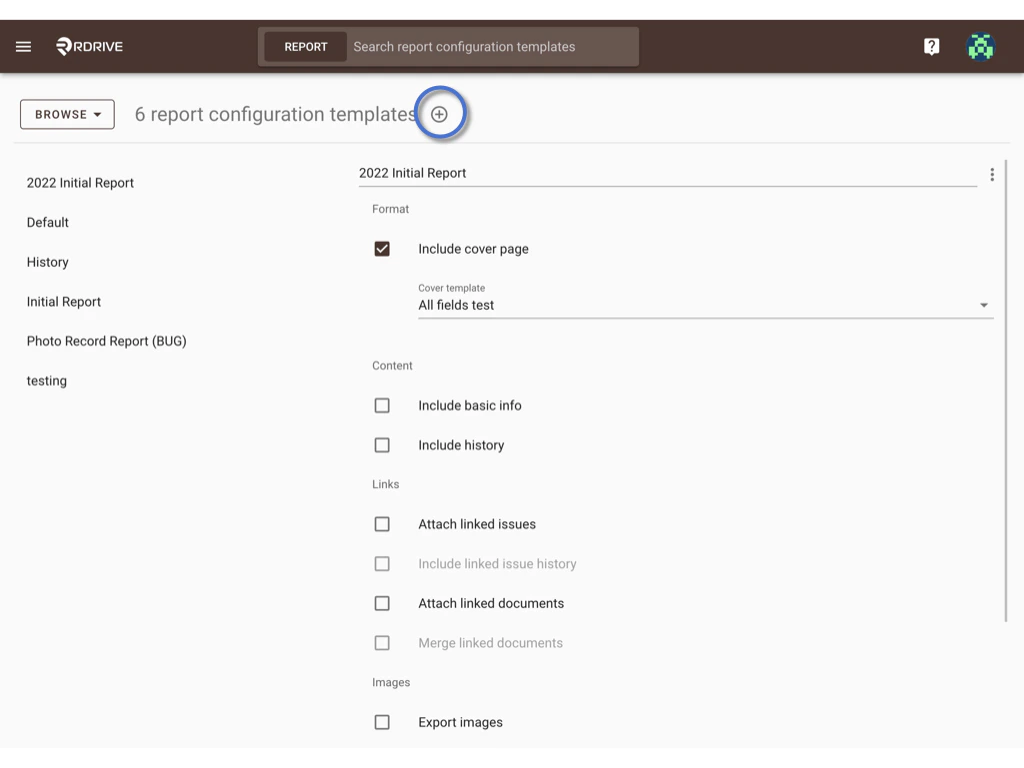
 #### You can create a new template by clicking the **⊕** button.
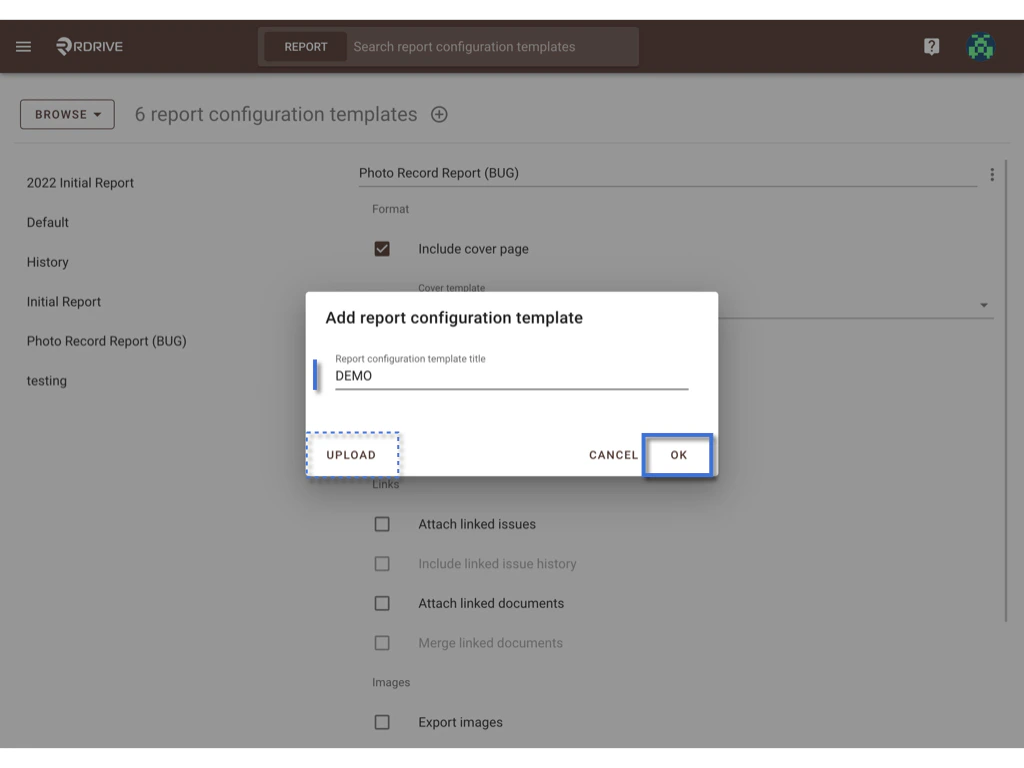
 Enter the template title, and click **OK** to confirm.
If you have a downloaded file, you can also click on **UPLOAD**.
Enter the template title, and click **OK** to confirm.
If you have a downloaded file, you can also click on **UPLOAD**.
 Template created.
#### The template will be created, and you can now check the download options for this template as pre-fill settings. Any updates made will be saved automatically.
Template created.
#### The template will be created, and you can now check the download options for this template as pre-fill settings. Any updates made will be saved automatically.
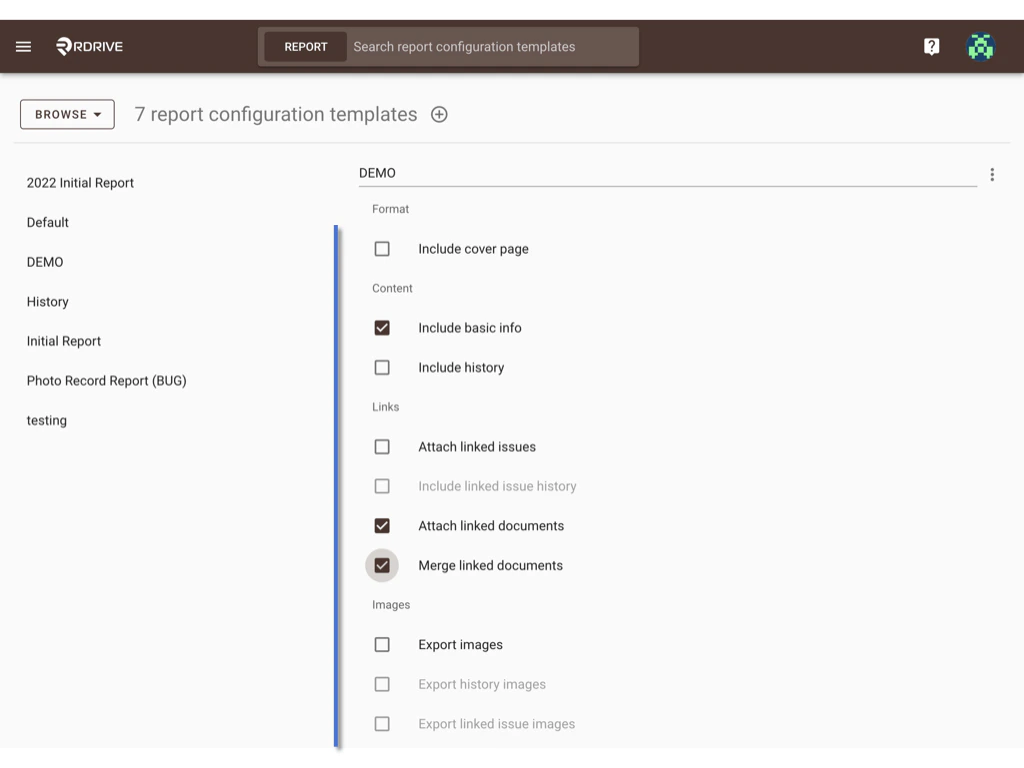 Next, you may need to pair this report configuration template with an issue report.
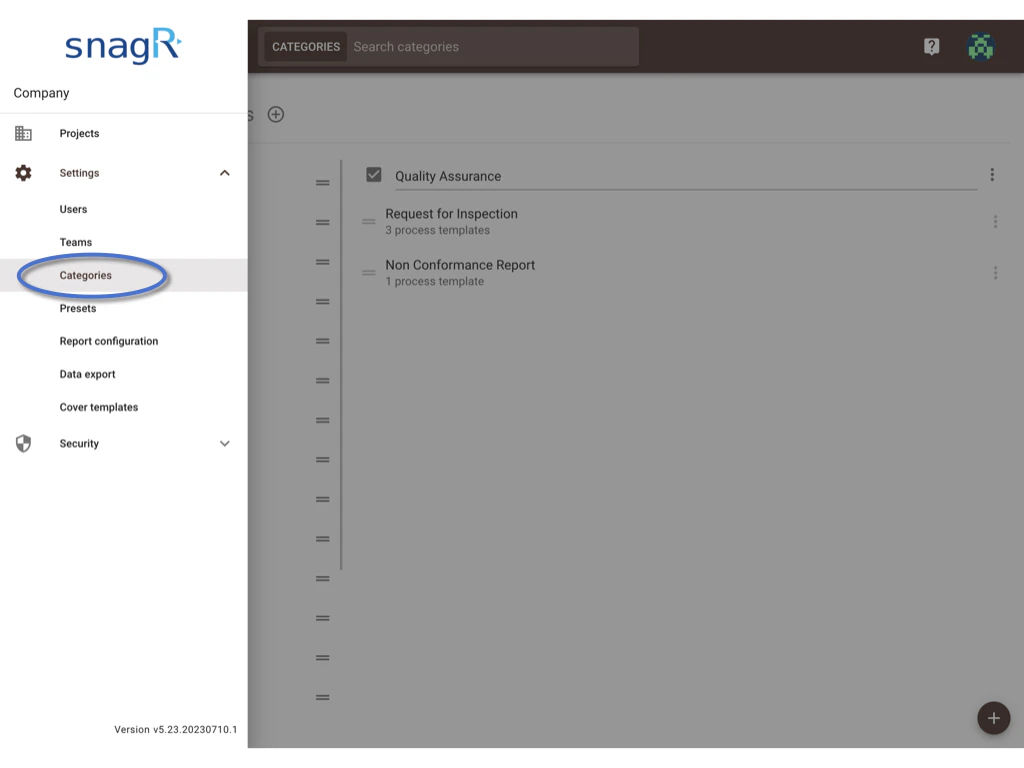
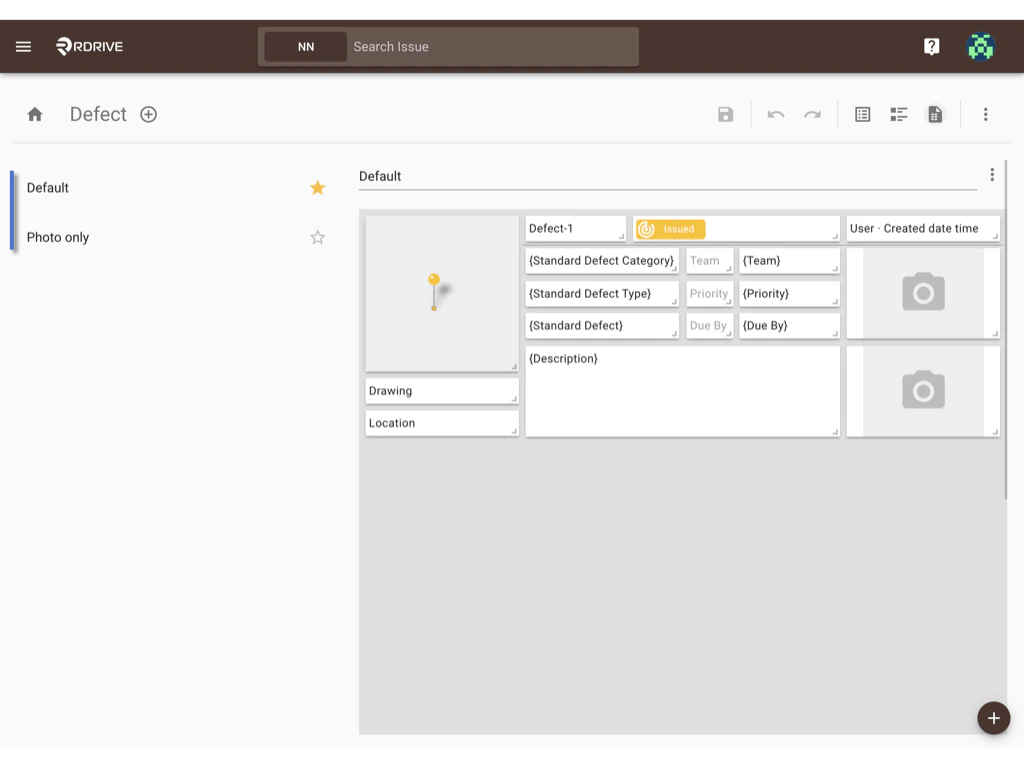
#### Please access the **Report layer** by Company level ➡ Settings ➡ Categories ➡ Subcategories ➡ Issue template ➡ Issue wizard ➡ Report layer to set up.
Here are the screenshots to guide you to access.
Next, you may need to pair this report configuration template with an issue report.
#### Please access the **Report layer** by Company level ➡ Settings ➡ Categories ➡ Subcategories ➡ Issue template ➡ Issue wizard ➡ Report layer to set up.
Here are the screenshots to guide you to access.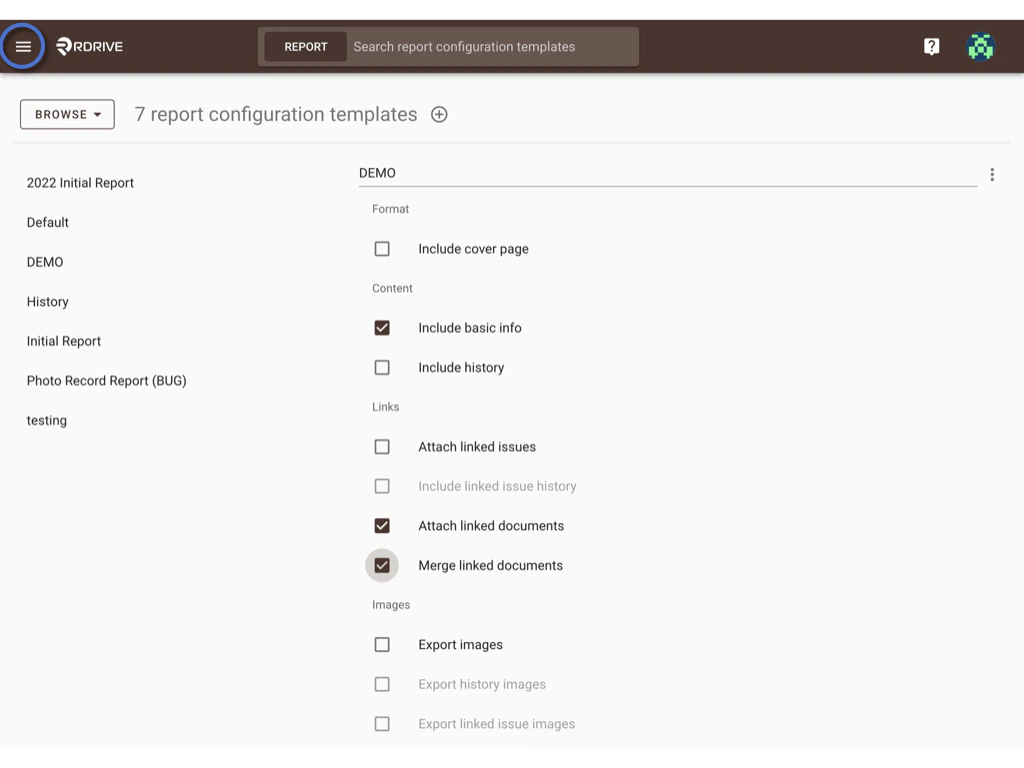
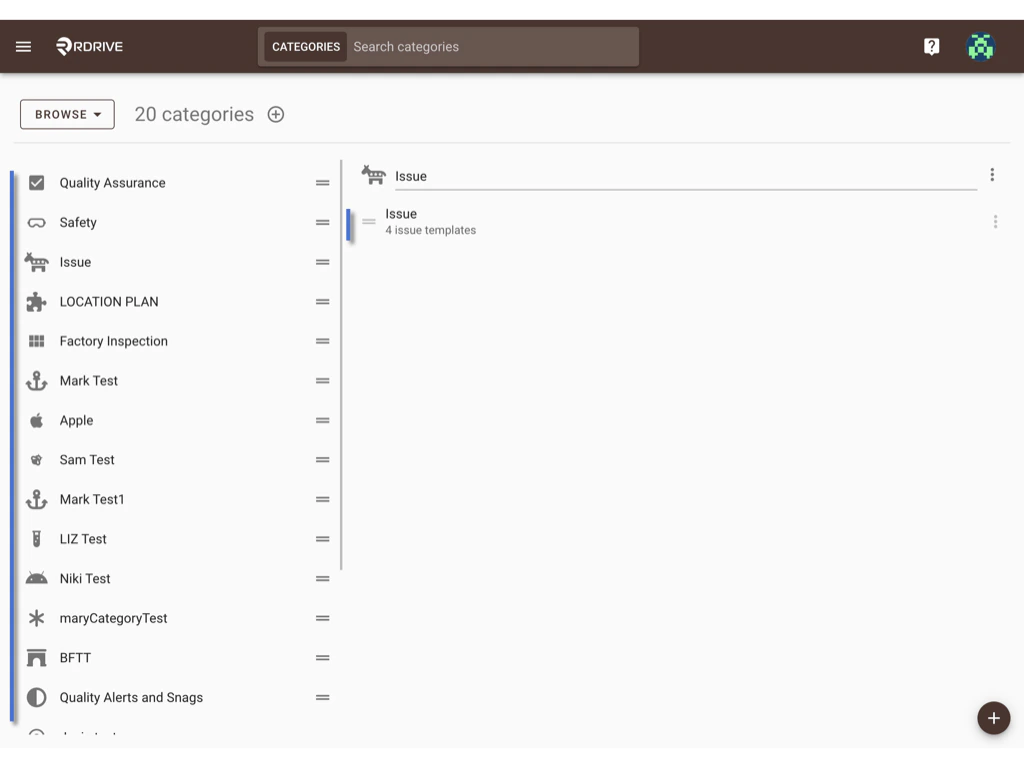
 Click **Edit**. And select the latest template version which is currently in use, instead of creating a new version.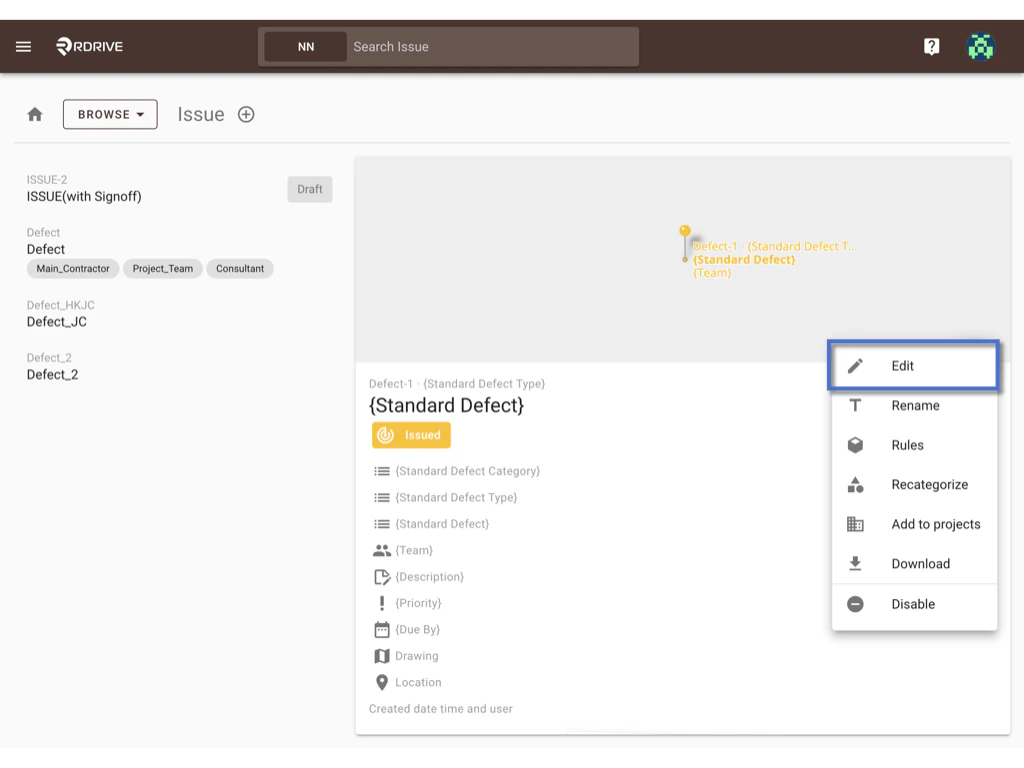
 Click **EDIT** to access the I**ssue wizard ➡ Report layer.**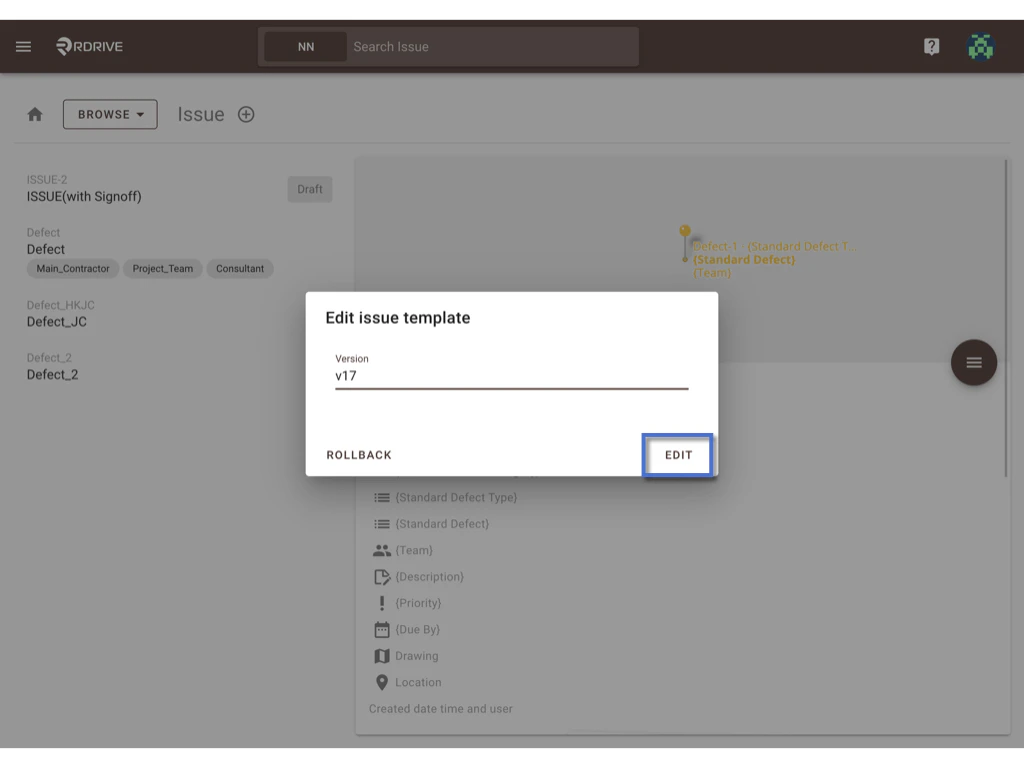
 #### Select the report layout, click **⋮** the button, and **Pair.**
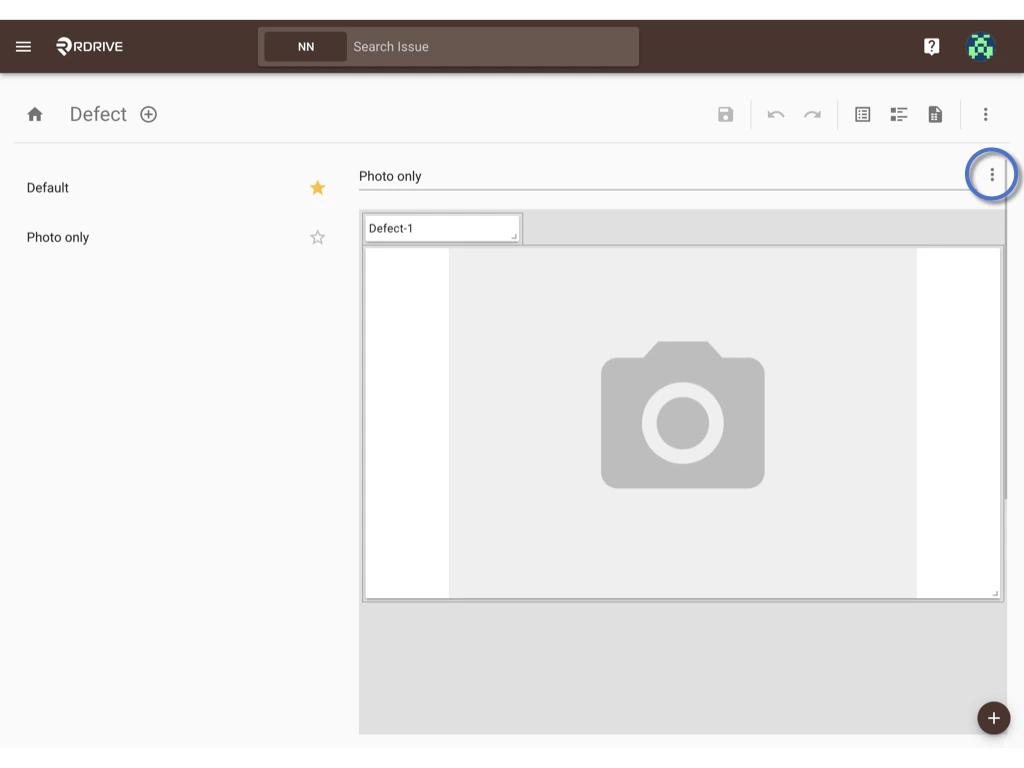
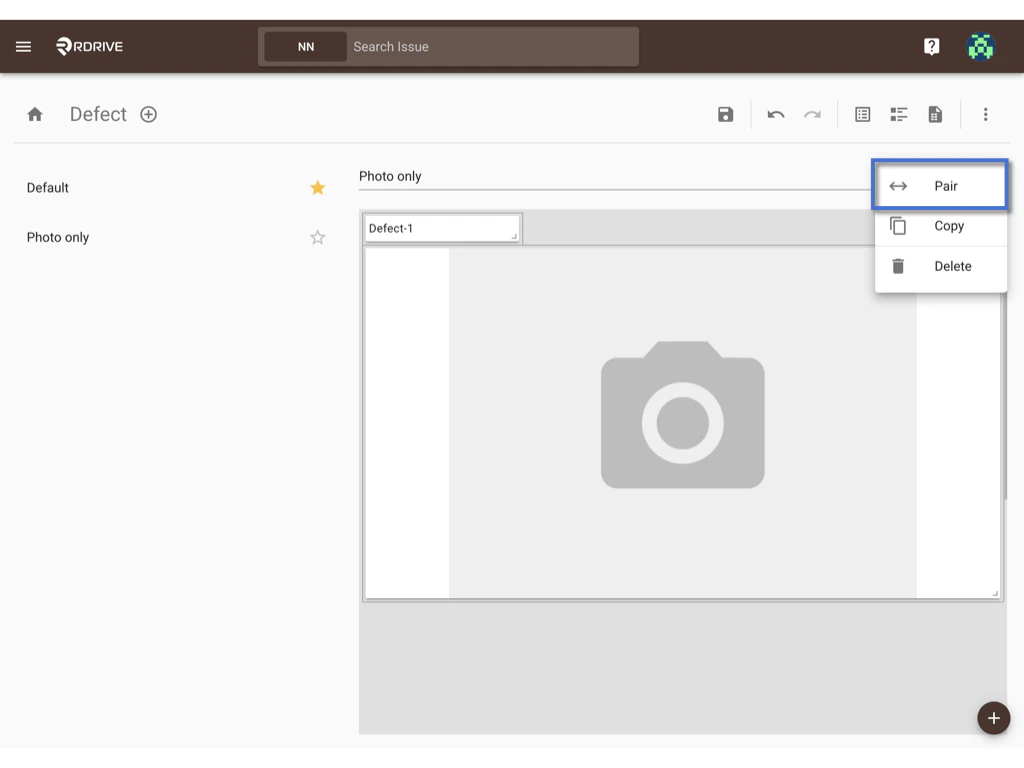 Click to select the existing Report configuration template to pair with.
*You can select more than one template according to your needs.*
Click to select the existing Report configuration template to pair with.
*You can select more than one template according to your needs.*
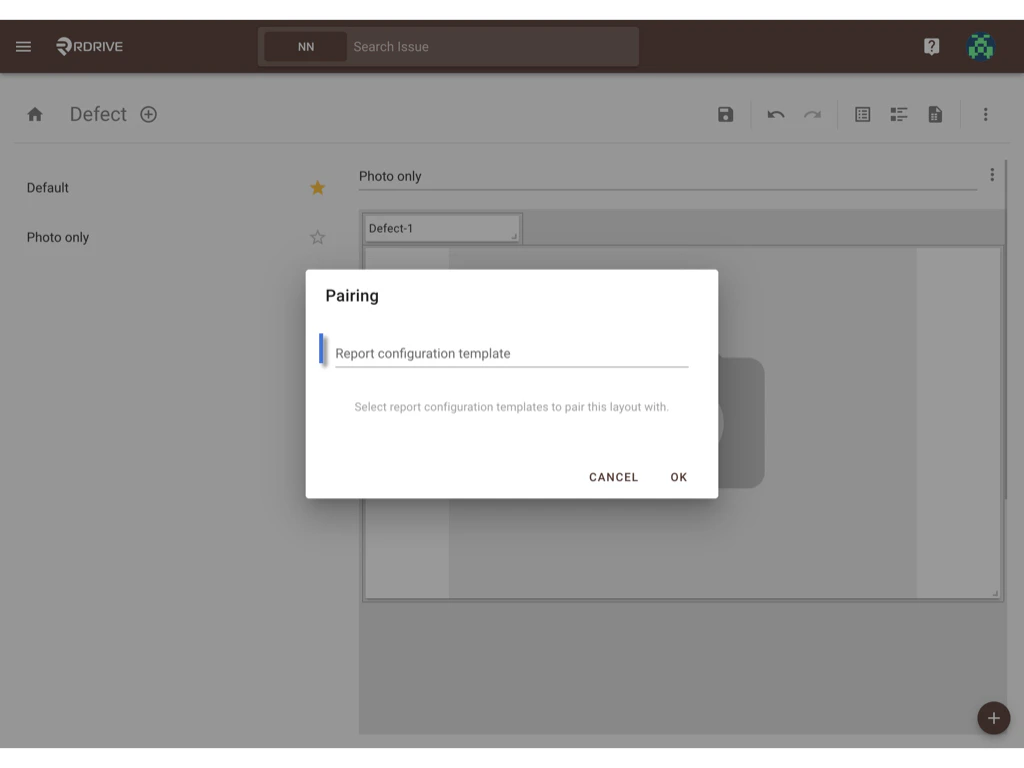 **OK** to save.
####
**OK** to save.
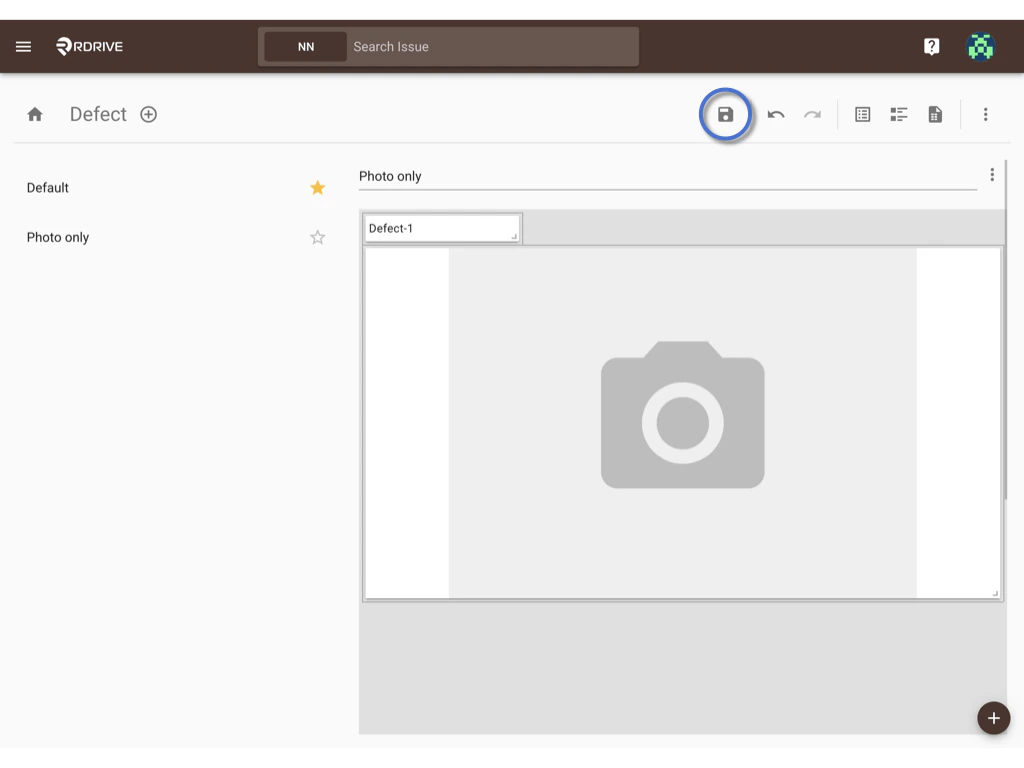
####  Remember to click the **SAVE** button to save changes.
 ***
### Set up completed.
***
#### Let's check how it works at the Project level.
#### Click **Download** to open a download dialog.
####
***
### Set up completed.
***
#### Let's check how it works at the Project level.
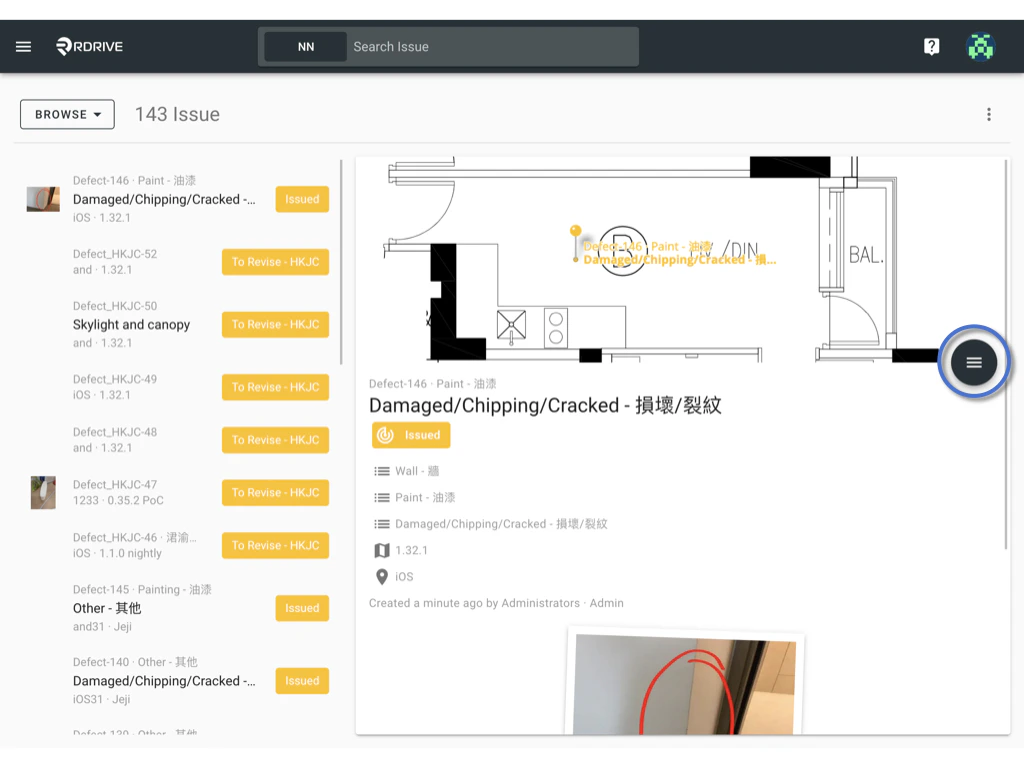
#### Click **Download** to open a download dialog.
#### 
 Check the **"Use report configuration template**" option.
If not checked, it will automatically select the default template.
Check the **"Use report configuration template**" option.
If not checked, it will automatically select the default template. #### The paired report configuration template has been selected. To download the template, please click on the **DOWNLOAD** button.
Once the download is finished, you will have a report with a layout that matches the example provided above, featuring "Photo only".
#### The paired report configuration template has been selected. To download the template, please click on the **DOWNLOAD** button.
Once the download is finished, you will have a report with a layout that matches the example provided above, featuring "Photo only".
 Alternatively, you can manually select a different template from the available options.
 or you can click on the **ADVANCED** button to review and modify the download options.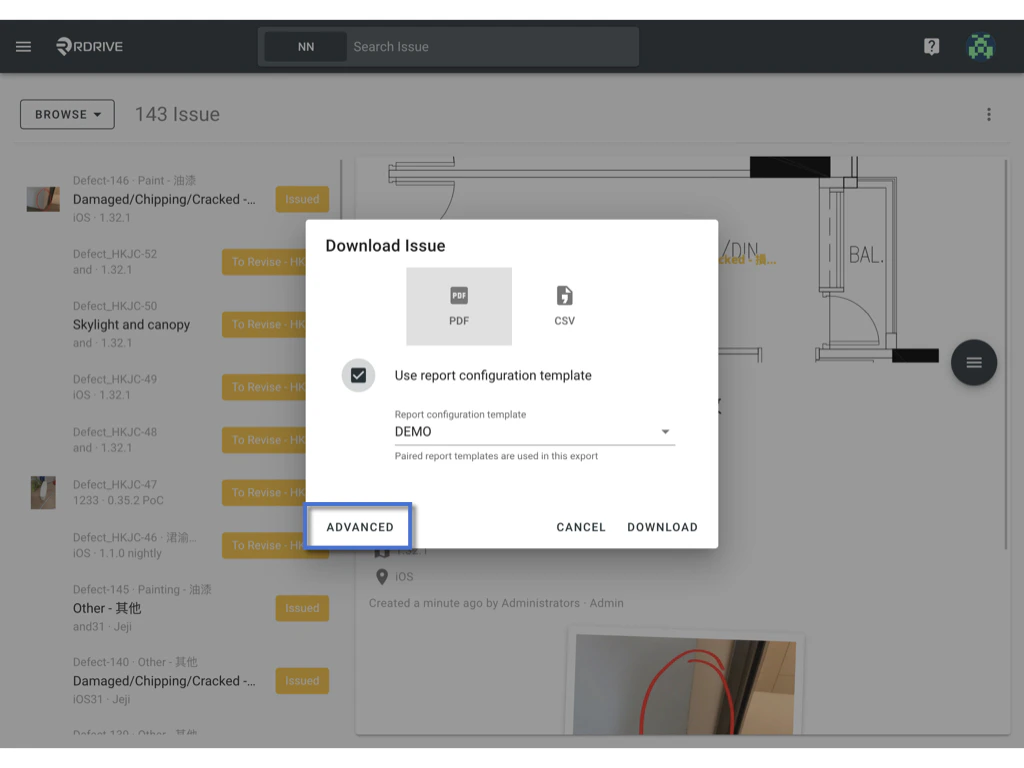
 Done.
Additionally, it is possible to work with the [Report cover](https://docs.rdrive.io/setup/company/cover-templates/create-a-report-cover-template). Let's check it out to learn more about its functionality. :)
Done.
Additionally, it is possible to work with the [Report cover](https://docs.rdrive.io/setup/company/cover-templates/create-a-report-cover-template). Let's check it out to learn more about its functionality. :)