> ## Documentation Index
> Fetch the complete documentation index at: https://docs.rdrive.io/llms.txt
> Use this file to discover all available pages before exploring further.

# Edit the dashboard title & sorting

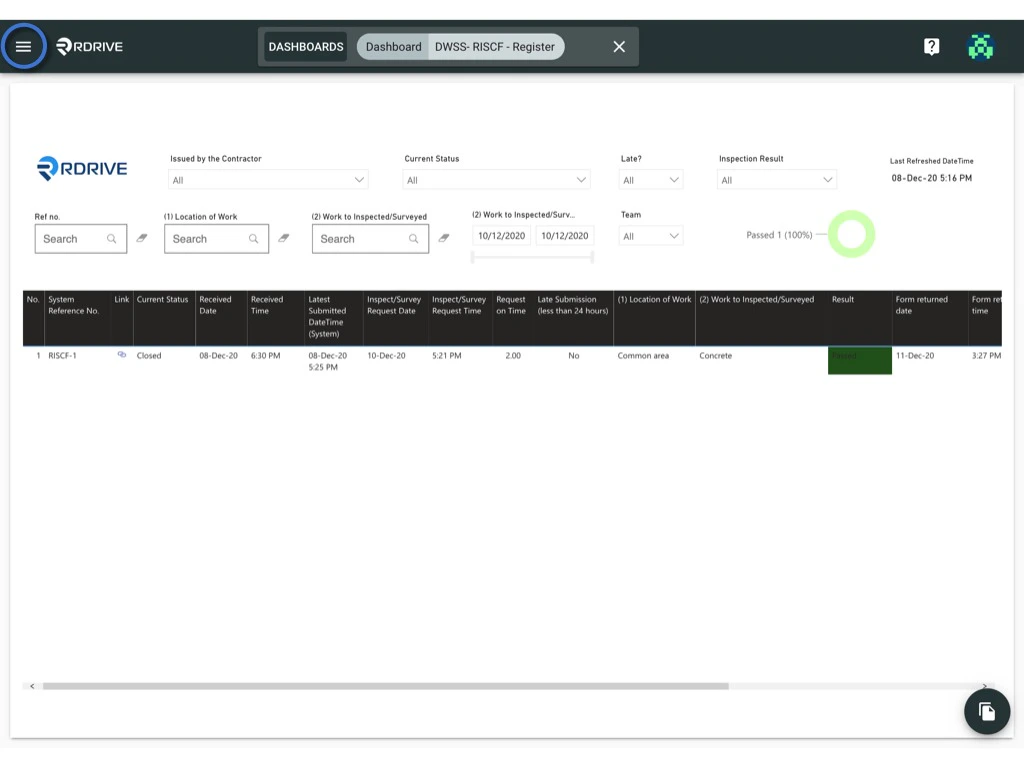
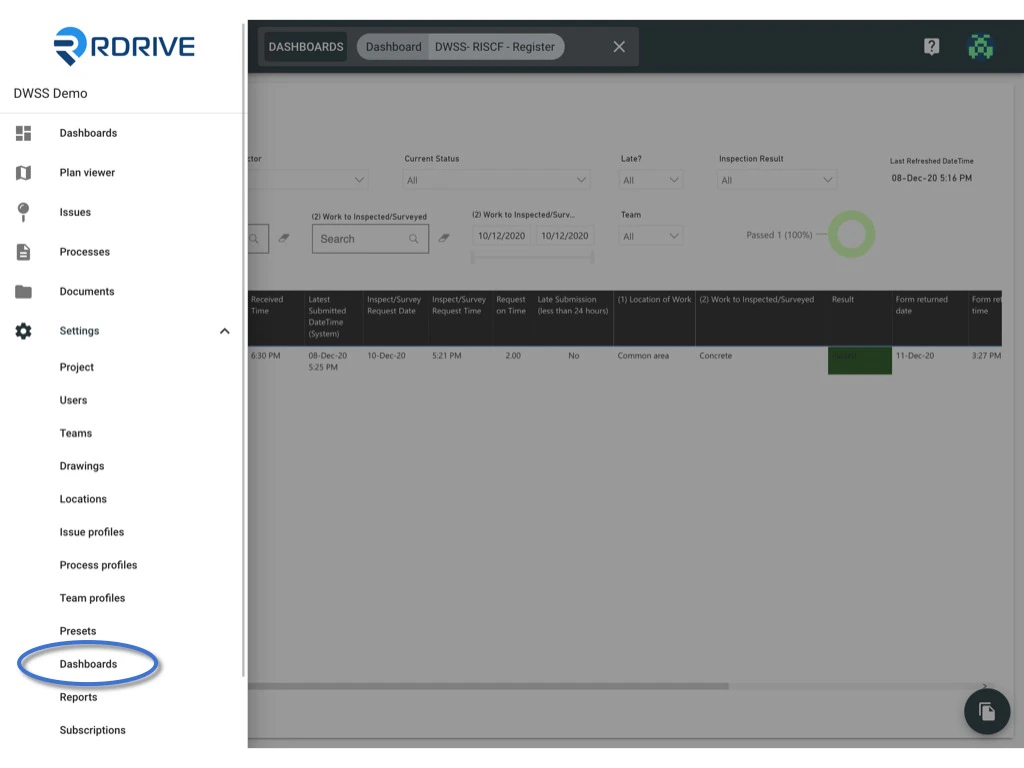
> Click the ≡ menu icon on the top left corner to unfold the Menu, get entry to the Setting > Dashboards page.

<Info>
  The dashboards would be built and ready by the RDrive support team.
  Project admin could able to edit the dashboard title and sorting.
</Info>

***

Click the **≡** menu icon on the top left corner to unfold the Menu, get entry to the **Setting** > **Dashboards** page.
<img src="https://mintcdn.com/rdrive/3Cjbk54eFSJ_c9xH/images/kb/103000035115/KBz26DExO-Ov-_JEiHKa1sdOViIRn9lhlA.jpeg?fit=max&auto=format&n=3Cjbk54eFSJ_c9xH&q=85&s=87951f48734bcca4c59cac56bf6edac3" alt="Edit the dashboard title & sorting" width="1024" height="768" data-path="images/kb/103000035115/KBz26DExO-Ov-_JEiHKa1sdOViIRn9lhlA.jpeg" />

<img src="https://mintcdn.com/rdrive/3Cjbk54eFSJ_c9xH/images/kb/103000035115/LxEixup9LprbqmQ12tvCFqk5YusUpZgXag.jpeg?fit=max&auto=format&n=3Cjbk54eFSJ_c9xH&q=85&s=dd743ae831cfc95168473bef98ea2d35" alt="Edit the dashboard title & sorting" width="1024" height="768" data-path="images/kb/103000035115/LxEixup9LprbqmQ12tvCFqk5YusUpZgXag.jpeg" />

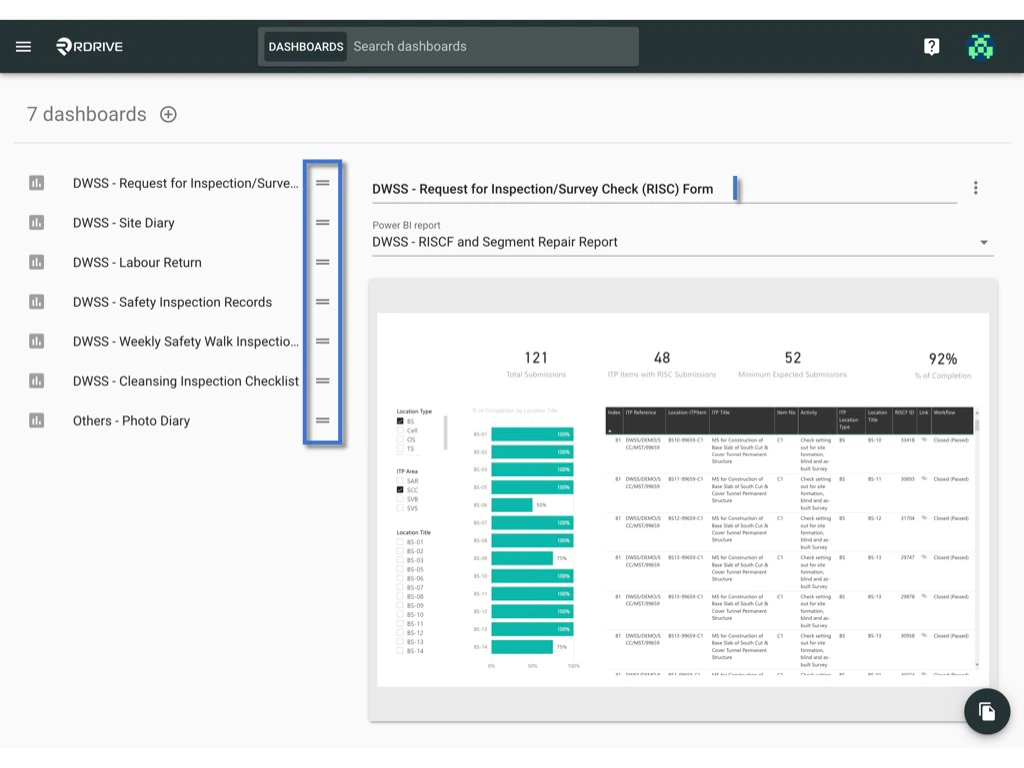
Select the dashboard, and click on the title to edit.

or

Drag and drop the dashboard by holding down the = to sorting.
<img src="https://mintcdn.com/rdrive/3Cjbk54eFSJ_c9xH/images/kb/103000035115/_x-ZqEpE-m8pcrnO-tP4ICgP8BzcytKVTA.jpeg?fit=max&auto=format&n=3Cjbk54eFSJ_c9xH&q=85&s=1a69189bd9acb765a8cd99ec5f4de102" alt="Edit the dashboard title & sorting" width="1024" height="768" data-path="images/kb/103000035115/_x-ZqEpE-m8pcrnO-tP4ICgP8BzcytKVTA.jpeg" />
