> ## Documentation Index
> Fetch the complete documentation index at: https://docs.rdrive.io/llms.txt
> Use this file to discover all available pages before exploring further.
# How to add a permission policy?
> A Permission Policy forms the cornerstone of defining user rights, working collaboratively with Team Profiles and Teams to establish access parameters.
A Permission Policy forms the cornerstone of defining user rights, working collaboratively with [Team Profiles and Teams](https://docs.rdrive.io/setup/project/permission-policies-and-team-profiles/what-is-team-profile-and-how-to-setup) to establish access parameters.
Each permission policy can have single or multiple permission rules. If there are common permission rules, you can create a basic permission policy and re-use it by adding it as [usage](https://docs.rdrive.io/setup/project/permission-policies-and-team-profiles/what-is-edit-usage-in-permission-policies) to another permission policy.
***
## **via Website**
1. Click the **≡** menu icon in the top left corner to access the Menu. 2. Navigate to **Settings** > **Permissions**.
 3. Press the **+** button to add a new permission policy.
4. Enter the permission policy title and click **OK** to confirm.
3. Press the **+** button to add a new permission policy.
4. Enter the permission policy title and click **OK** to confirm. 5. Afterward, click the **+** button in the bottom right corner to add rule(s).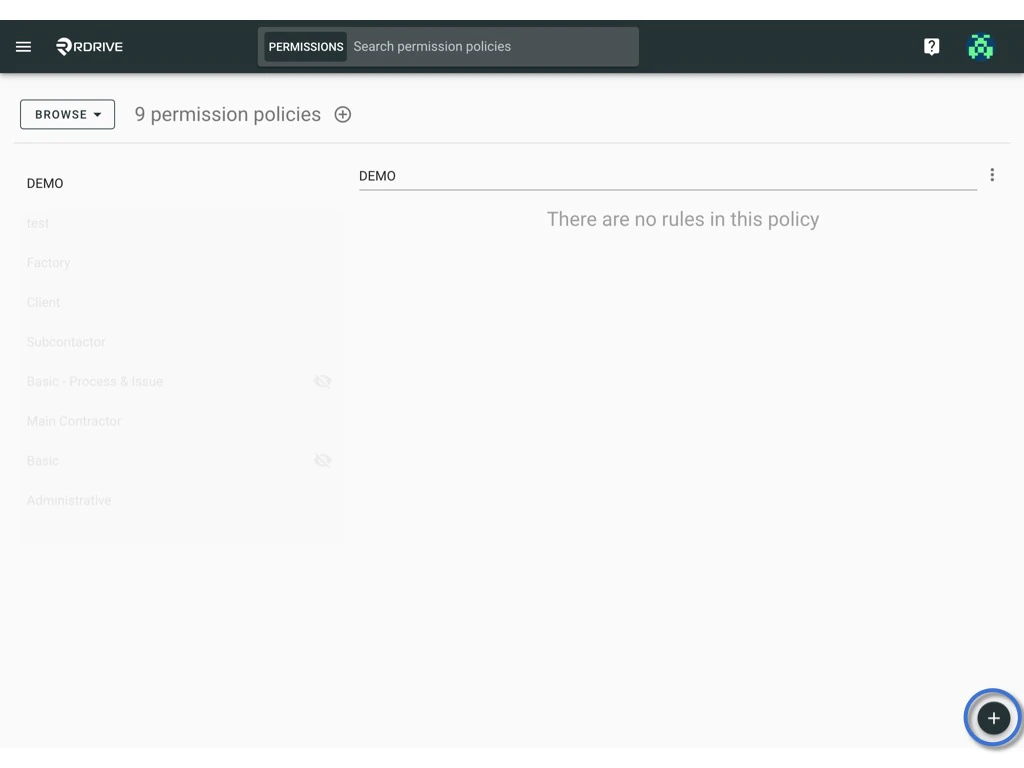
 Click to learn more about [**How to manage permission**](https://docs.rdrive.io/setup/project/permission-policies-and-team-profiles/manage-the-permission-policy) & [**Implementing Rules with Conditions: OR and AND**](https://docs.rdrive.io/setup/project/permission-policies-and-team-profiles/understanding-permission-policies-and-rules#Implementing-Rules-with-Conditions%3A-OR-and-AND)