> ## Documentation Index
> Fetch the complete documentation index at: https://docs.rdrive.io/llms.txt
> Use this file to discover all available pages before exploring further.
# Manage the permission policy
> Setting up effective permission policies is crucial for managing access control within your system. This article provides a comprehensive overview of actions yo
# Introduction:
Setting up effective permission policies is crucial for managing access control within your system. This article provides a comprehensive overview of actions you can perform when configuring permission policies, highlighting both policy and rule levels.
* [Introduction:](#introduction%3a)
* **Permission policy leve\*\*\*\*l**
* [Edit policy title](#edit-policy-title)
* [Edit usage -](#edit-usage--%c2%a0)
* [Usage](#usage%3a-select-other-policy-to-include-their-rules-in-this-policy.)
* [Hide & Unhide policy](#hide-&-unhide-policy---the-hidden-policy-cannot-apply-to-a-role-directly.%c2%a0it-can-only-serve-as-a-building-block-for-other-policies.)
* [Delete](#delete)
* [Download](#download)
* **Rule level -**
* [Edit the conditions & options of rule](#edit-the-conditions-&-options-of-rule)
* [Delete rule](#delete-rule)
* [Conclusion](#conclusion%3a)
***
**via Website**
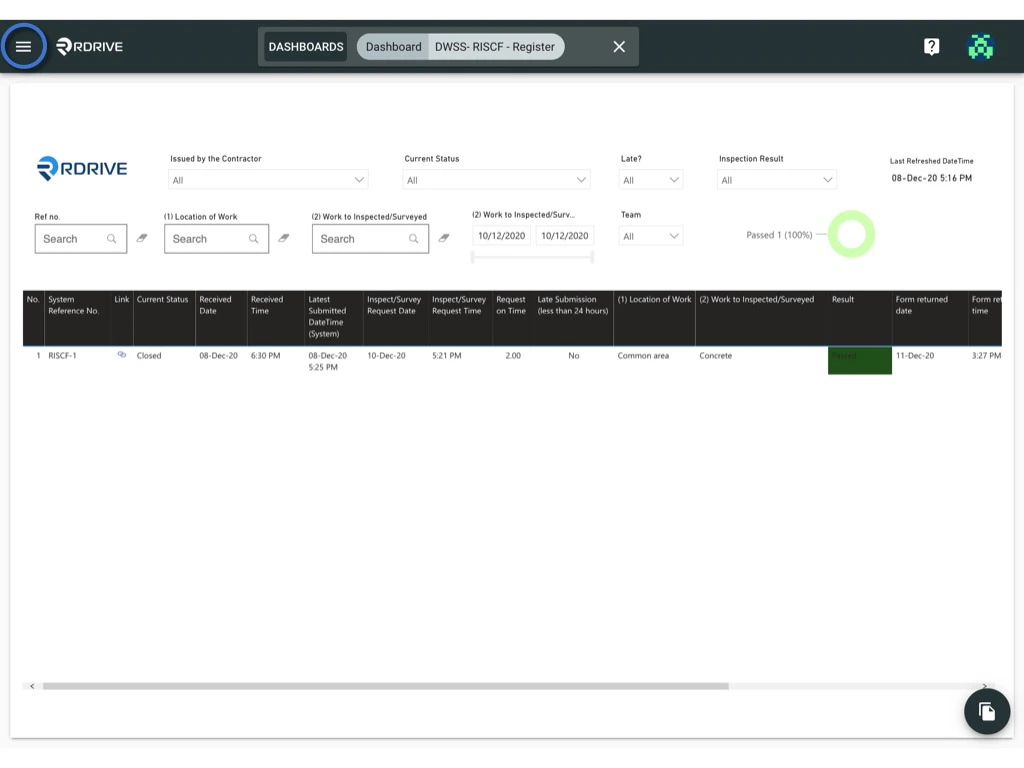
1. Click the ≡ menu icon in the top left corner to access the Menu.
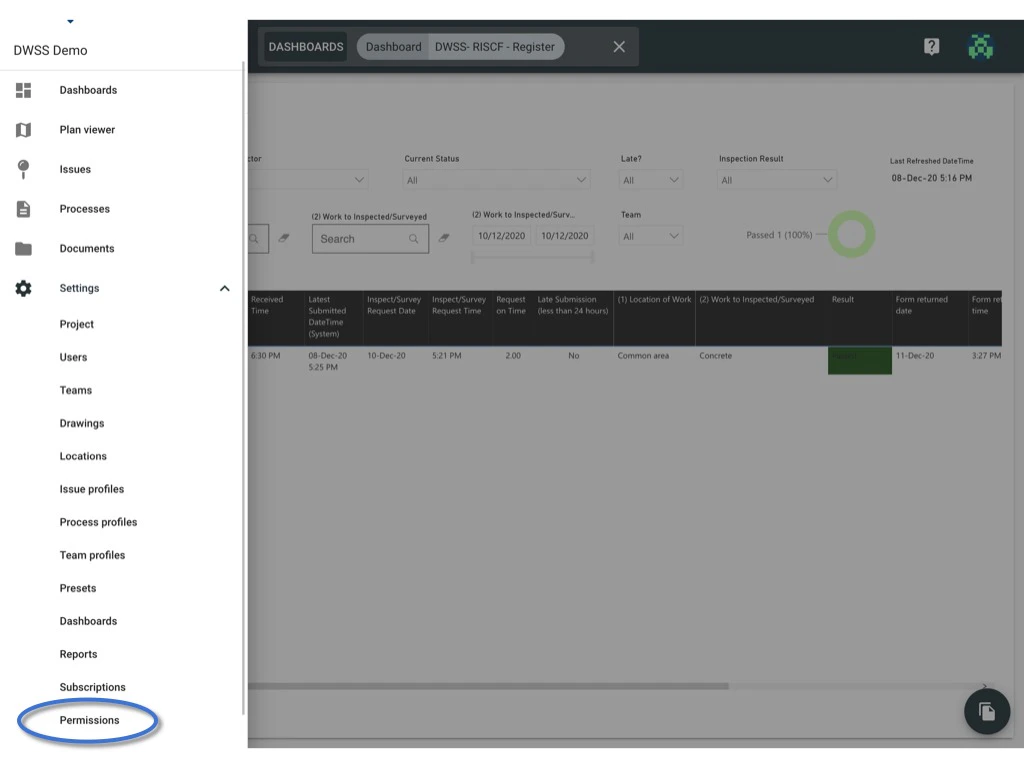
2. Navigate to Settings > Permissions page.
 ***
At the permission policy level, you have several key actions:
## **Edit policy title**
1. Select the permission policy, and click on the title to edit.
***
At the permission policy level, you have several key actions:
## **Edit policy title**
1. Select the permission policy, and click on the title to edit.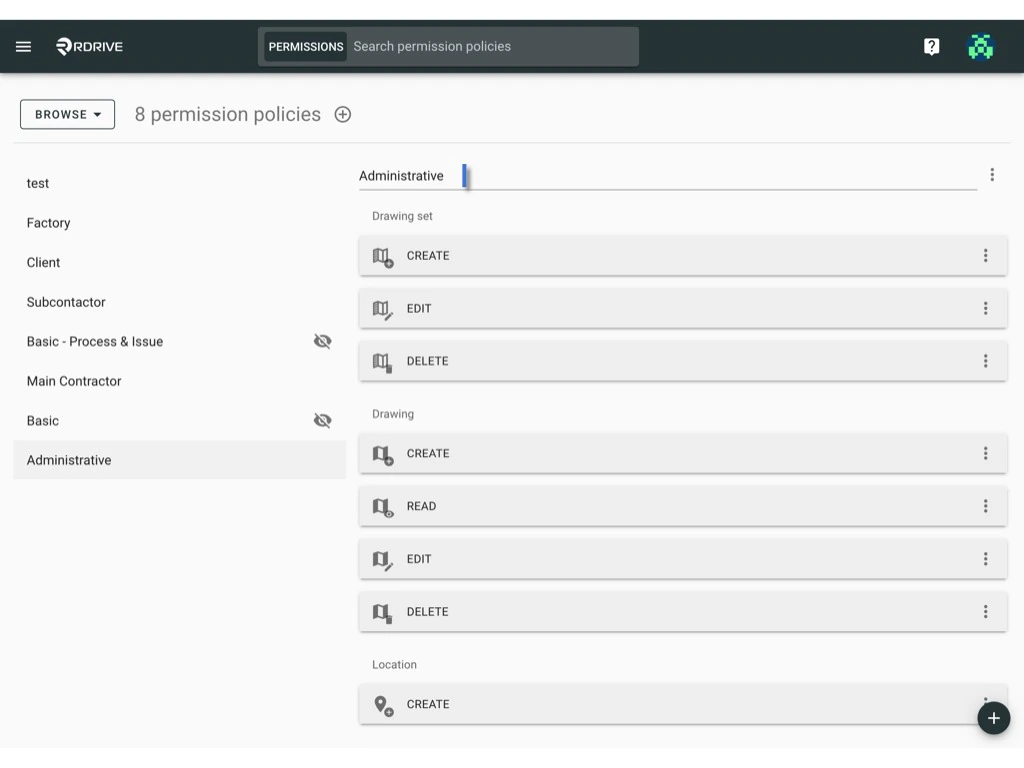 ***
## **Edit usage -**
## *Usage: select another policy to include their rules in this policy.*
*See [here](https://docs.rdrive.io/setup/project/permission-policies-and-team-profiles/what-is-edit-usage-in-permission-policies) to learn more about **usage** functions.*
1. Click the ⋮ button next to the title.
***
## **Edit usage -**
## *Usage: select another policy to include their rules in this policy.*
*See [here](https://docs.rdrive.io/setup/project/permission-policies-and-team-profiles/what-is-edit-usage-in-permission-policies) to learn more about **usage** functions.*
1. Click the ⋮ button next to the title.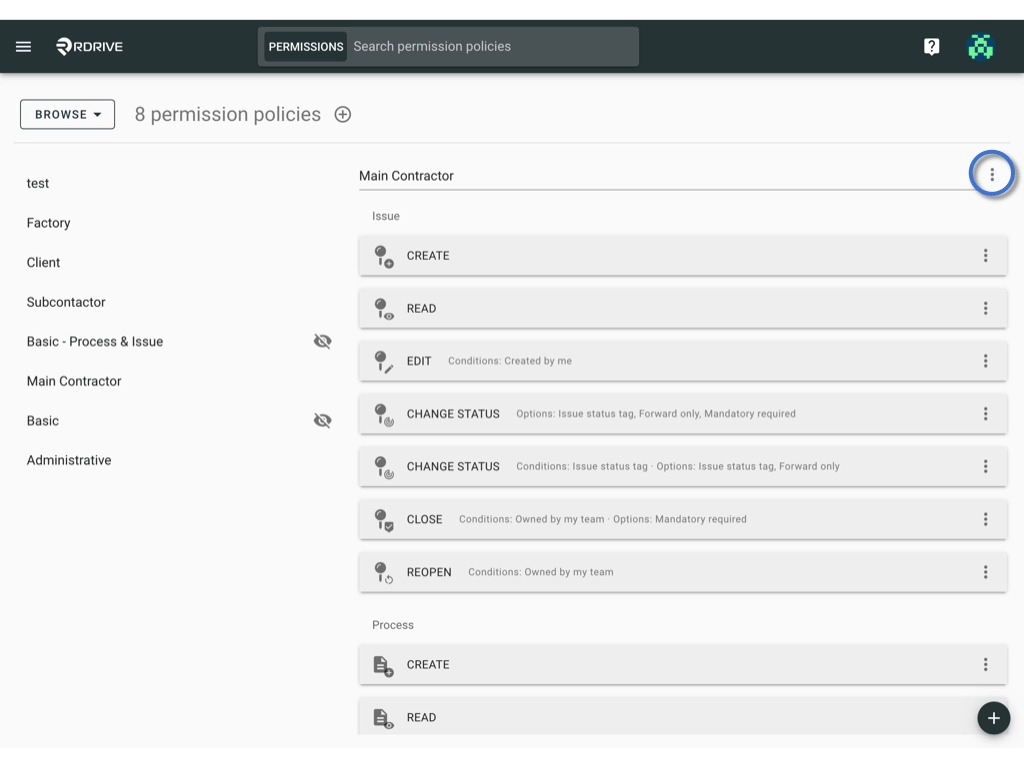 2. Choose "Edit usage."
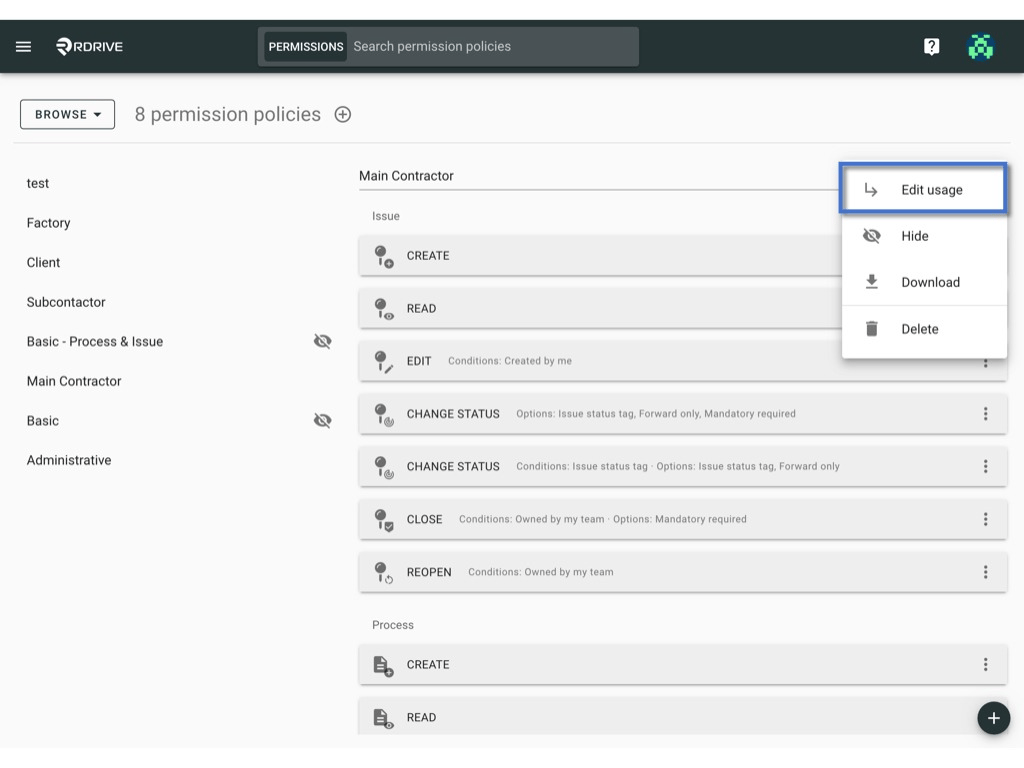 3. Select other policies to include their rules in this policy.
4. Confirm with "OK."
3. Select other policies to include their rules in this policy.
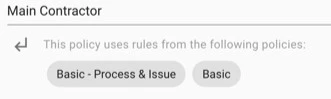
4. Confirm with "OK."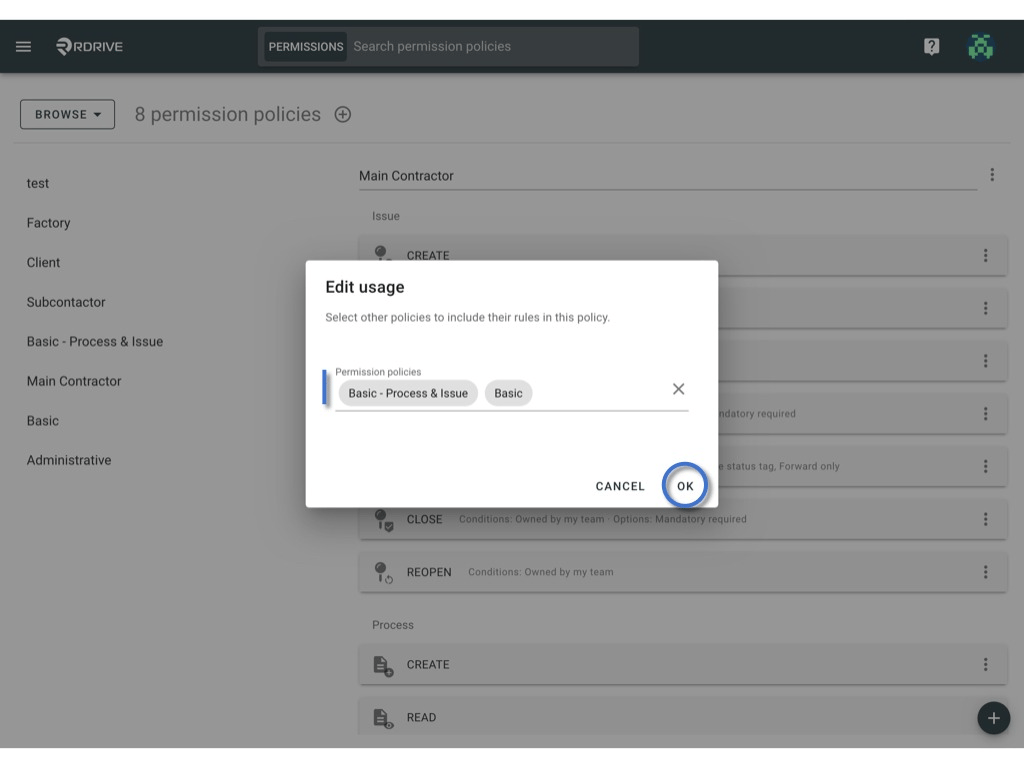 The used policy will be shown below.
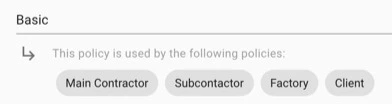
 and you may also check the policy used by.
 ***
## **Hide & Unhide policy**
- *The hidden policy cannot apply to a role directly.* \
*It can only serve as a building block for other policies.*
1. To hide, click the ⋮ button next to the title and select "Hide."
***
## **Hide & Unhide policy**
- *The hidden policy cannot apply to a role directly.* \
*It can only serve as a building block for other policies.*
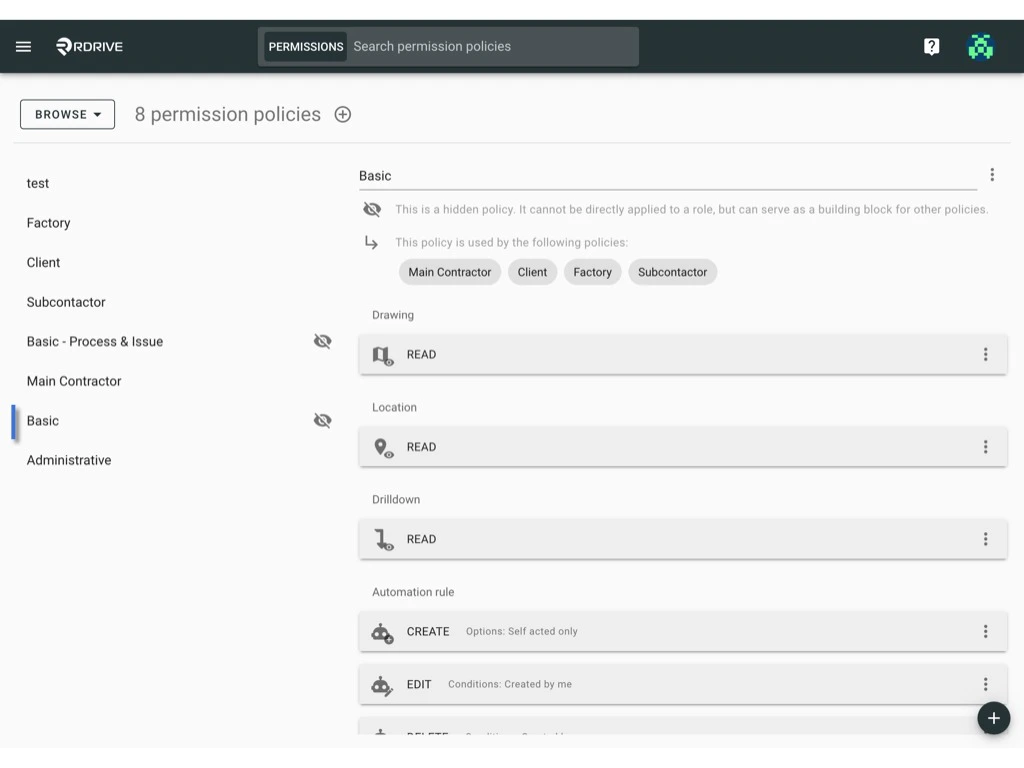
1. To hide, click the ⋮ button next to the title and select "Hide."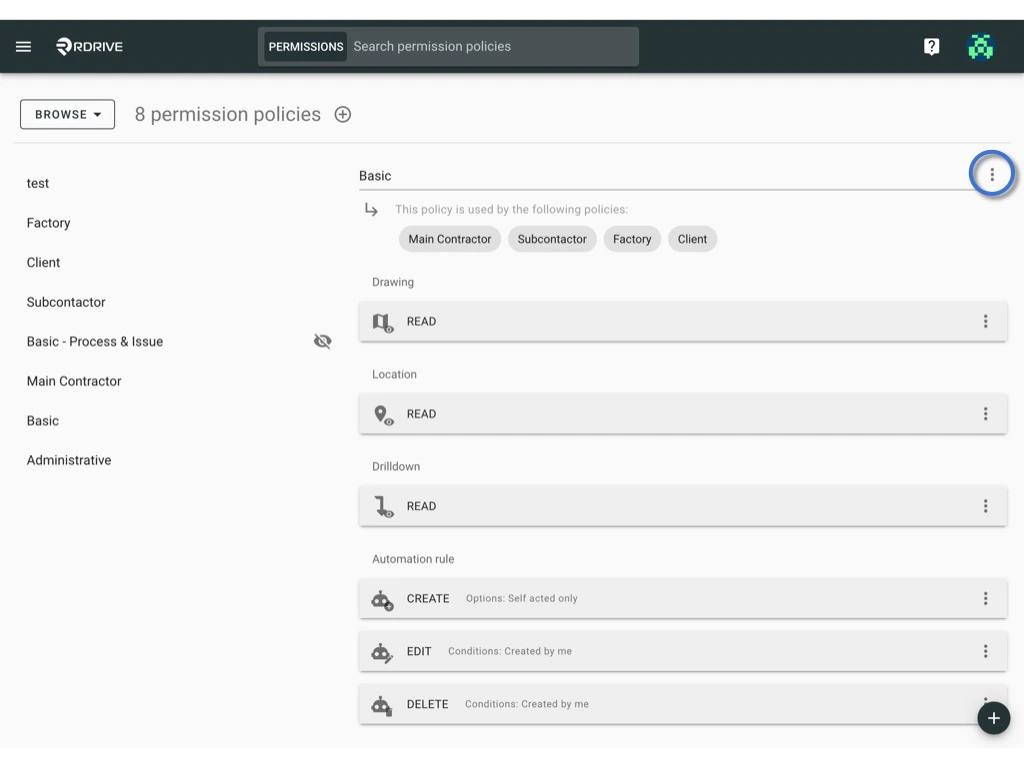
 The icon indicates which policy has been hidden. If it is concealed, it cannot be applied to team roles and serves solely as a foundational element for other policies.
 2. To unhide, click the ⋮ button and choose "Unhide."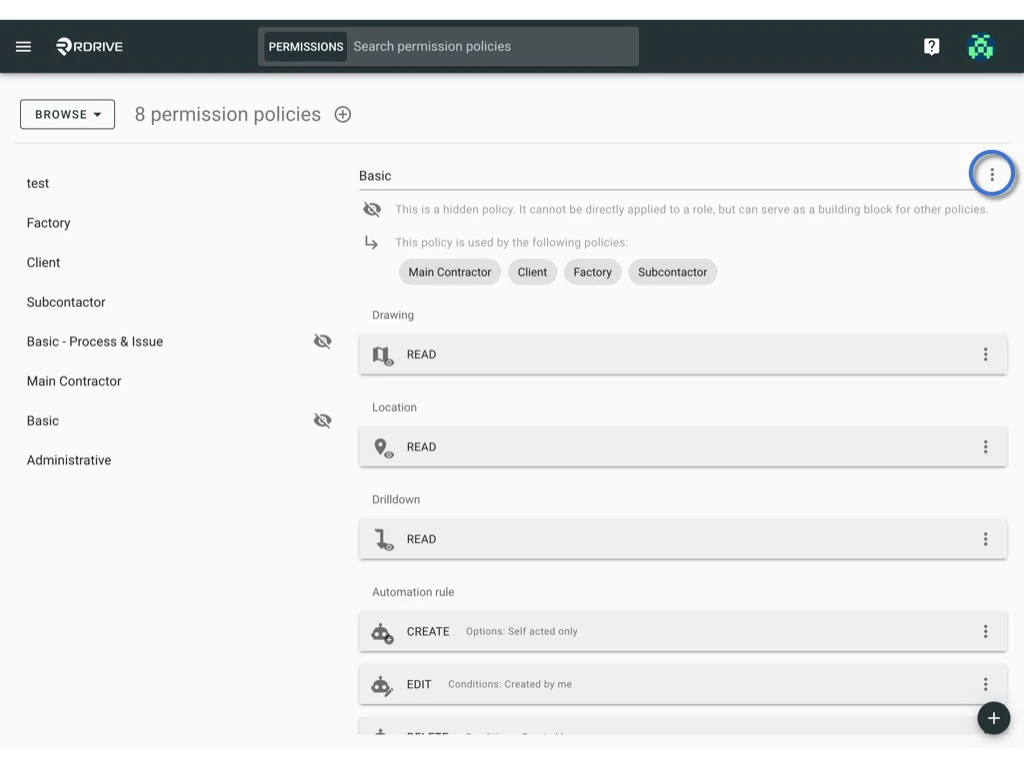
 ***
## **Delete**
1. Click the ⋮ button next to the title.
***
## **Delete**
1. Click the ⋮ button next to the title.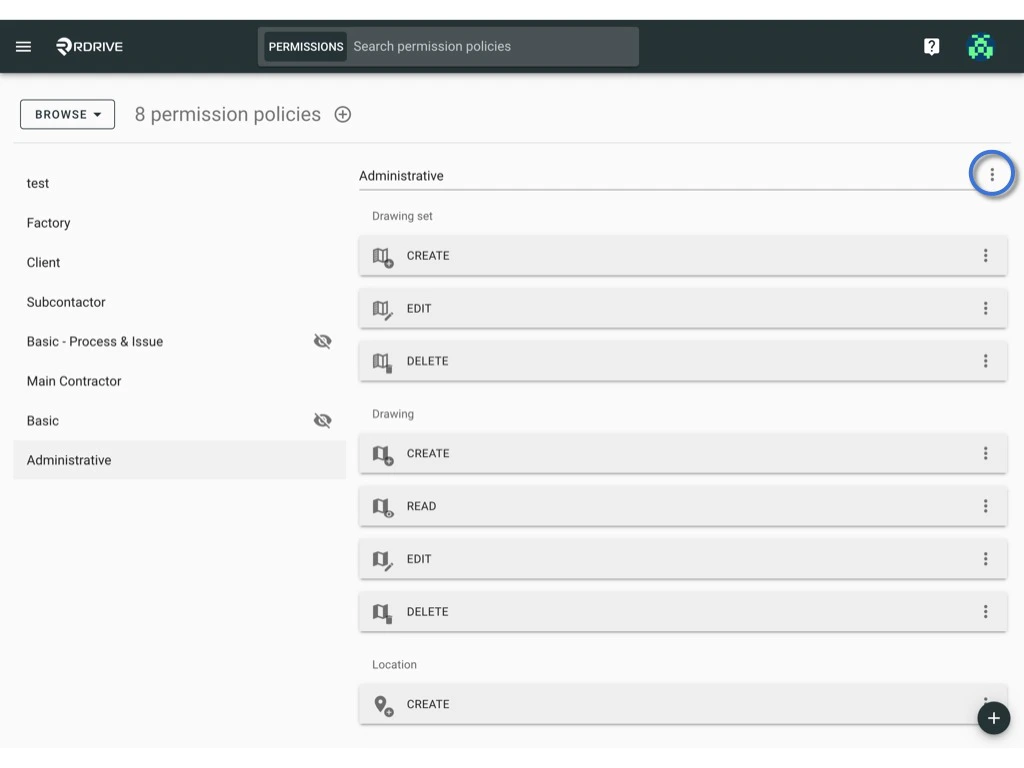 2. Choose "Delete."
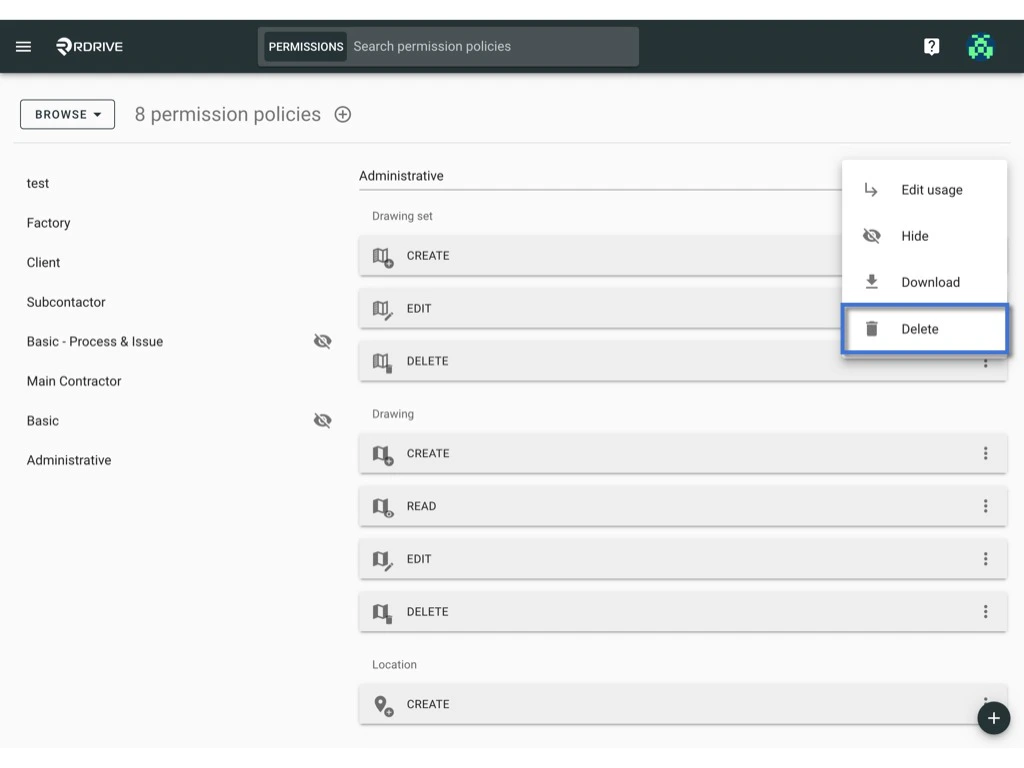 Note: Policies in use cannot be deleted.
Beware: Once deleted, it is no way to bring it back :)
***
## **Download**
When confronted with the task of implementing the same permission policy in another project, you don't need to start from scratch. Instead, streamline the process by exporting and importing permission policies. This approach not only saves time but also ensures consistency across projects.
*Click [**here**](https://docs.rdrive.io/setup/project/permission-policies-and-team-profiles/what-should-i-be-aware-of-when-exporting-permission-policies) to see a few points that you need to be aware of when downloading permission policies.*
1. Click the ⋮ button next to the title.
Note: Policies in use cannot be deleted.
Beware: Once deleted, it is no way to bring it back :)
***
## **Download**
When confronted with the task of implementing the same permission policy in another project, you don't need to start from scratch. Instead, streamline the process by exporting and importing permission policies. This approach not only saves time but also ensures consistency across projects.
*Click [**here**](https://docs.rdrive.io/setup/project/permission-policies-and-team-profiles/what-should-i-be-aware-of-when-exporting-permission-policies) to see a few points that you need to be aware of when downloading permission policies.*
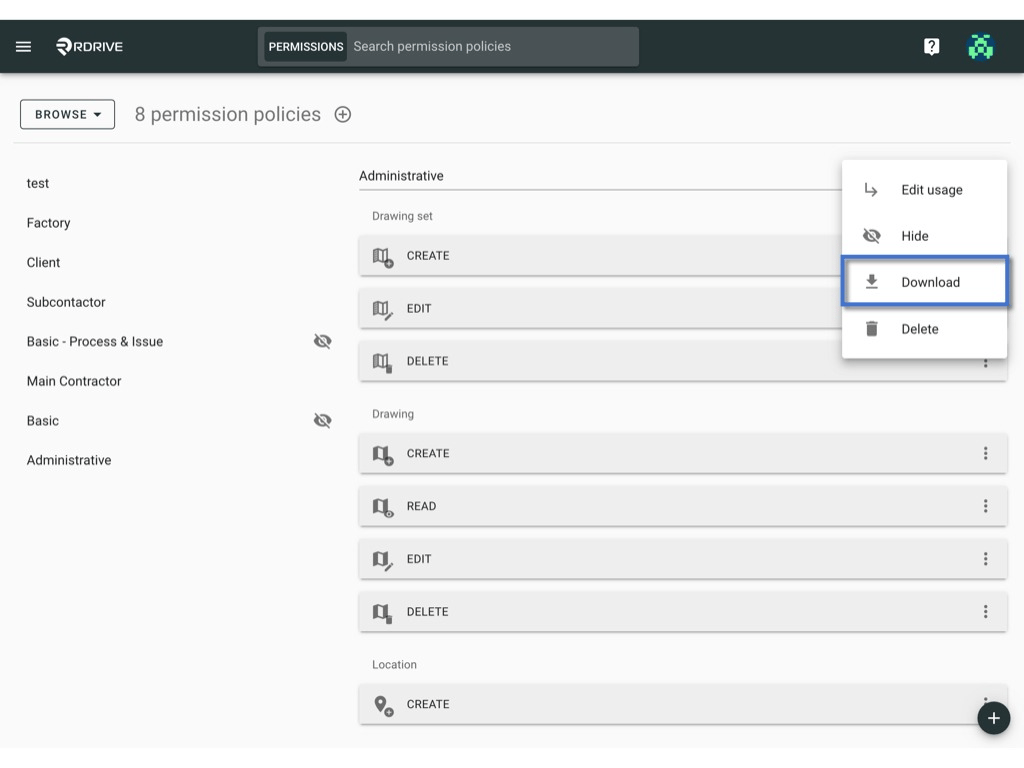
1. Click the ⋮ button next to the title.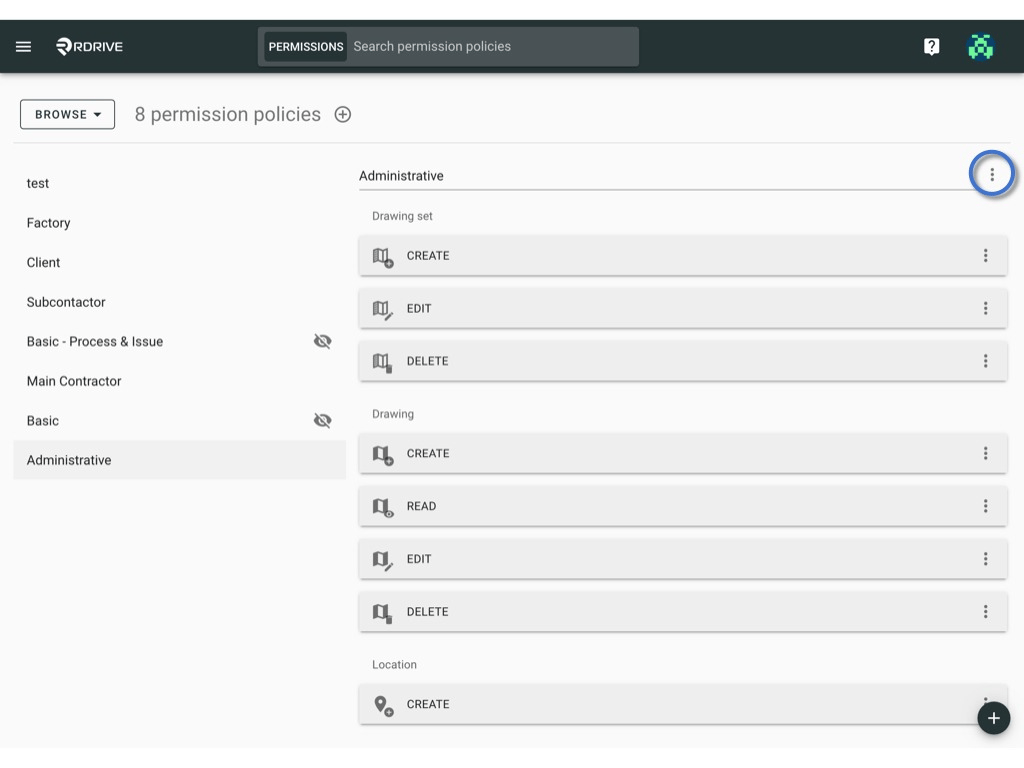 2. Choose "Download."
 **To Batch download -**
1. Switch mode from "Browse" to "Select."
**To Batch download -**
1. Switch mode from "Browse" to "Select."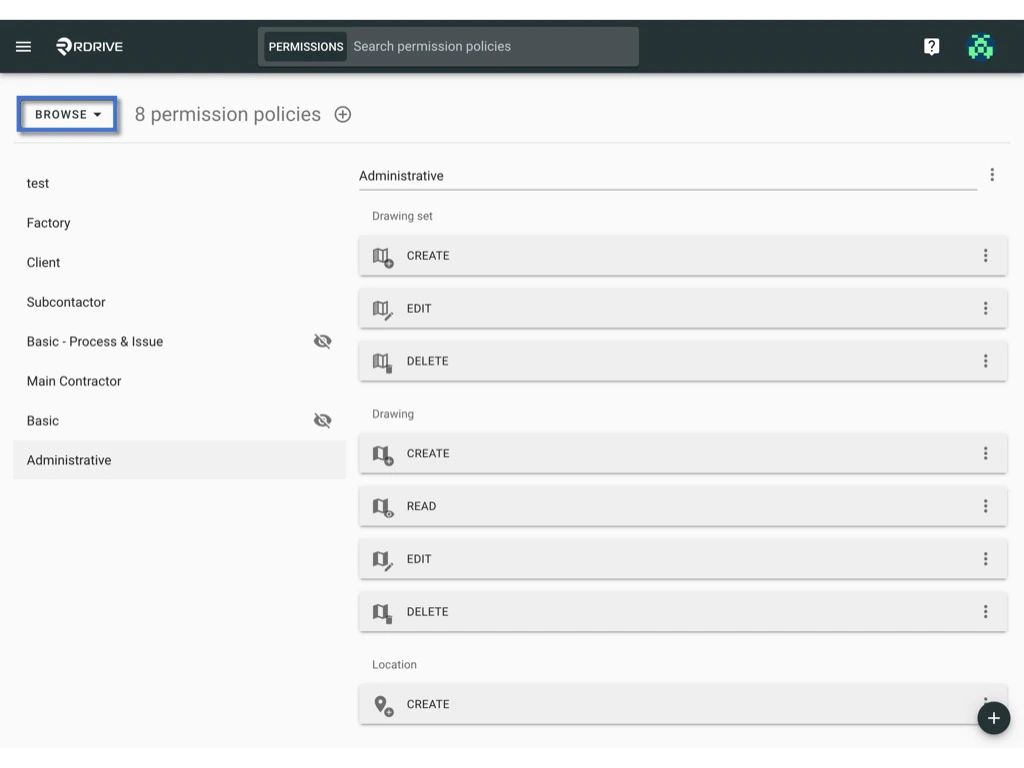
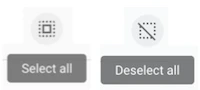
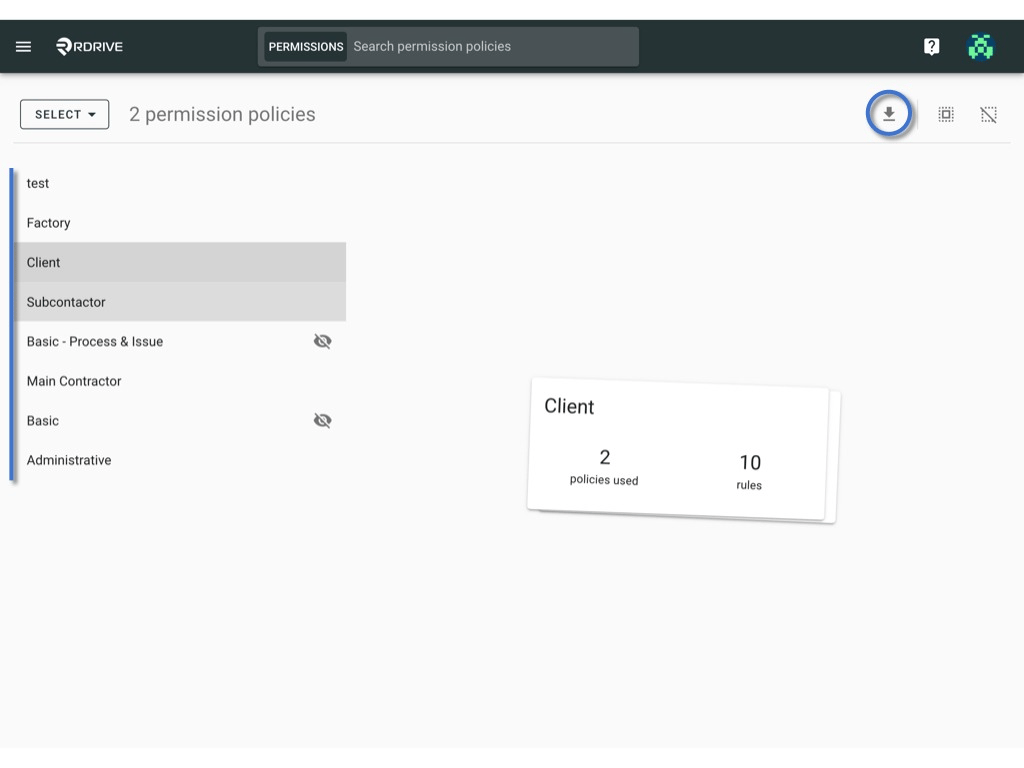
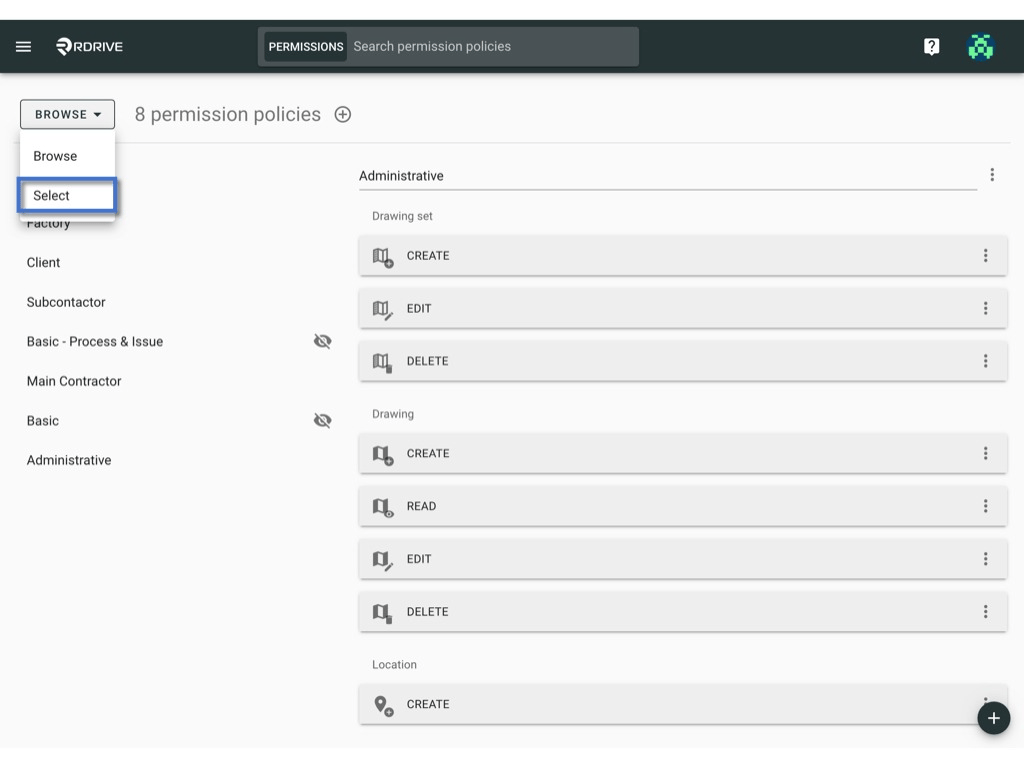 2. Click on items or use select all / deselect all buttons. Selected item(s) will be highlighted in grey.\\
 3. Press the Download icon to batch download.
 ***
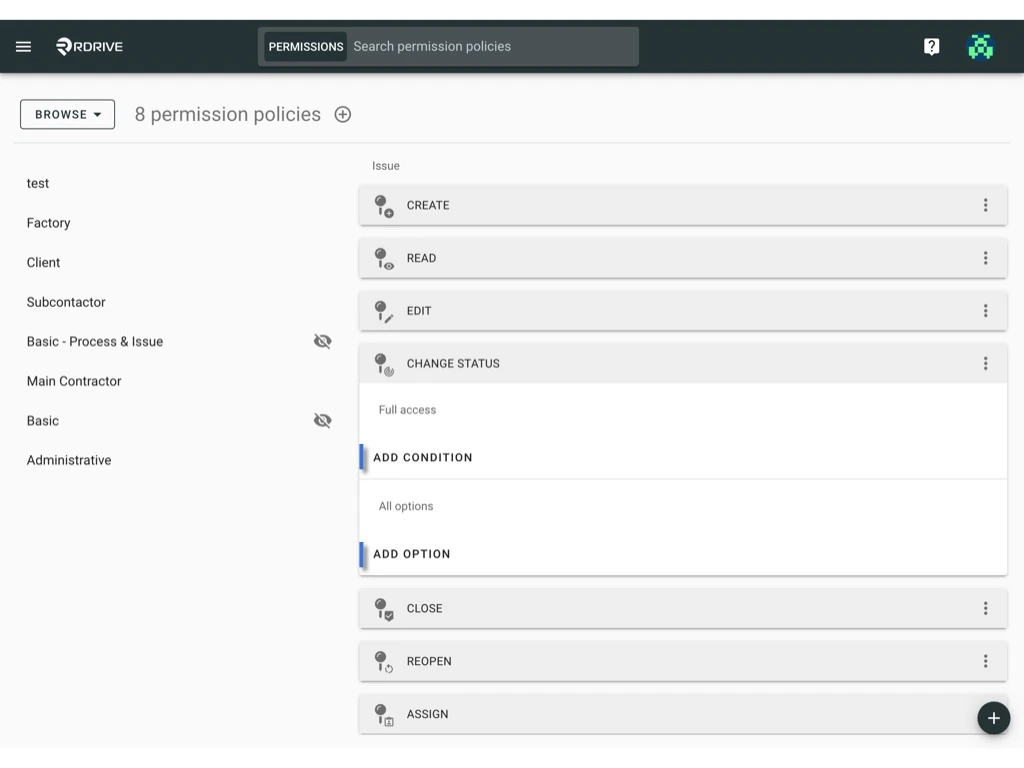
## **Edit the conditions & options of rule**
**Conditions** define the situation in which you are allowed to perform a certain action.\
**Options** define the details of the action you are allowed to perform on a certain object
view [**Understanding Permission Policies and Rules**](https://docs.rdrive.io/setup/project/permission-policies-and-team-profiles/understanding-permission-policies-and-rules#Implementing-Rules-with-Conditions%3A-OR-and-AND) to learn more.
1. Click to extend the rule and use the "Add Condition" & "Add Option" buttons to edit.
***
## **Edit the conditions & options of rule**
**Conditions** define the situation in which you are allowed to perform a certain action.\
**Options** define the details of the action you are allowed to perform on a certain object
view [**Understanding Permission Policies and Rules**](https://docs.rdrive.io/setup/project/permission-policies-and-team-profiles/understanding-permission-policies-and-rules#Implementing-Rules-with-Conditions%3A-OR-and-AND) to learn more.
1. Click to extend the rule and use the "Add Condition" & "Add Option" buttons to edit.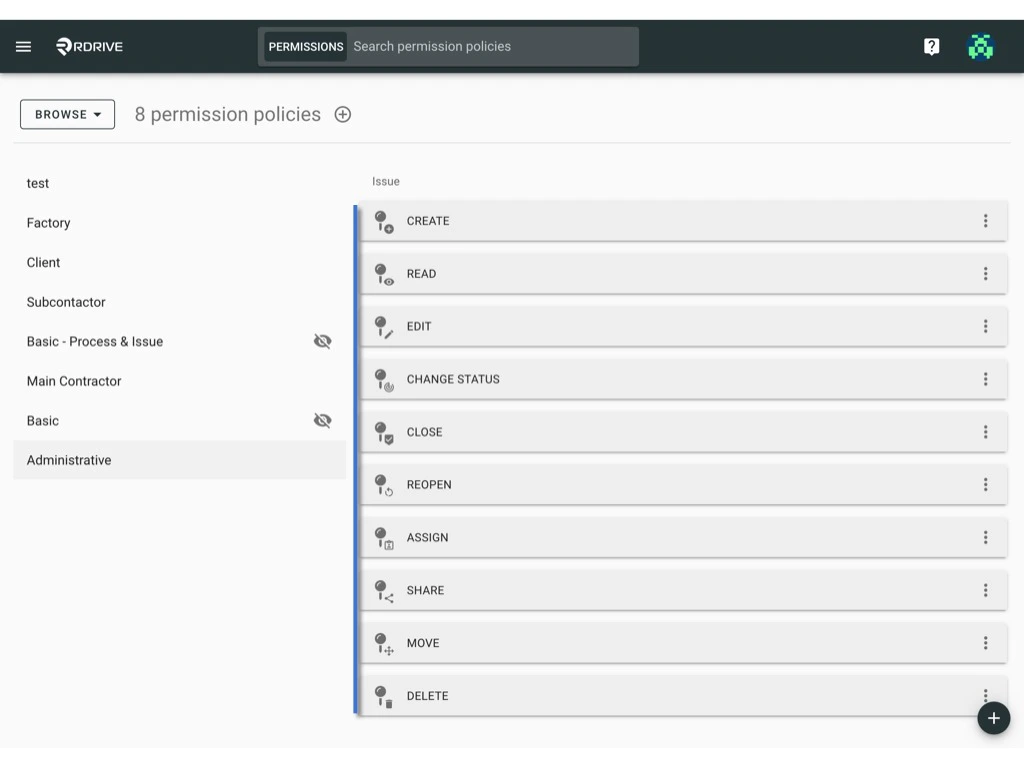
 ***
## **Delete rule**
1. Click the ⋮ button on the right-hand side of the rule.
***
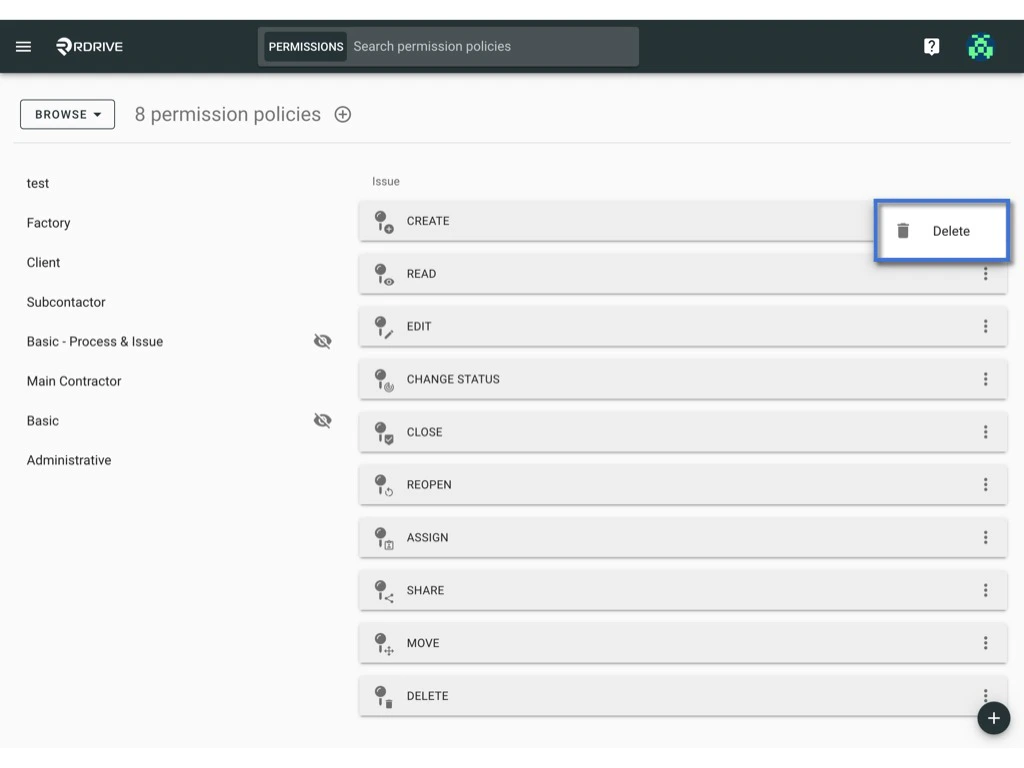
## **Delete rule**
1. Click the ⋮ button on the right-hand side of the rule.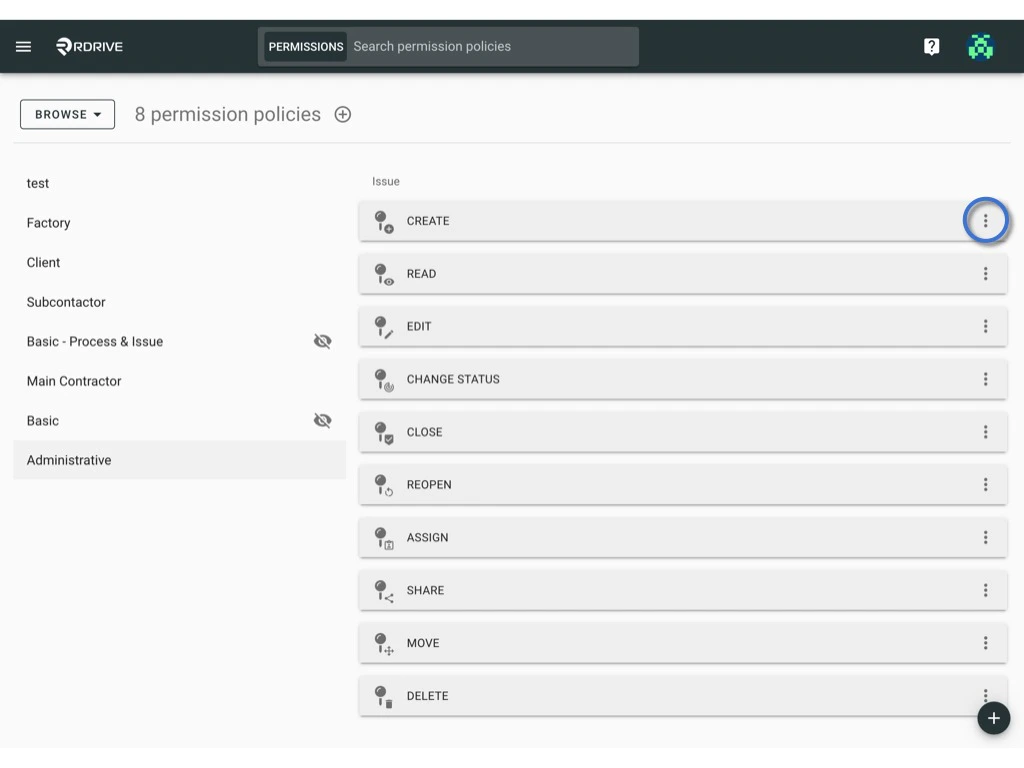 2. Choose "Delete."
 ***
# Conclusion:
Effectively managing permission policies involves a combination of strategic organization and meticulous attention to detail. Whether editing policy titles, adjusting usage, hiding policies, or fine-tuning rule conditions, a well-structured approach ensures a seamless and secure access control system.
***
# Conclusion:
Effectively managing permission policies involves a combination of strategic organization and meticulous attention to detail. Whether editing policy titles, adjusting usage, hiding policies, or fine-tuning rule conditions, a well-structured approach ensures a seamless and secure access control system.