> ## Documentation Index
> Fetch the complete documentation index at: https://docs.rdrive.io/llms.txt
> Use this file to discover all available pages before exploring further.

# What is team profile and how to setup?

> Team profile serves as the foundation for teams. When you set up teams, you MUST pick a team profile which contains different user roles. Please be aware that e

Team profile serves as the foundation for teams. When you set up teams, you **MUST** pick a team profile which contains different user roles. Please be aware that each team can only be assigned with one team profile.

Each role in a team profile is associated with one or multiple permission policies. This is to set a frame on what users can do on the platform if they are being added to a team and being assigned with a certain role within that team.

***

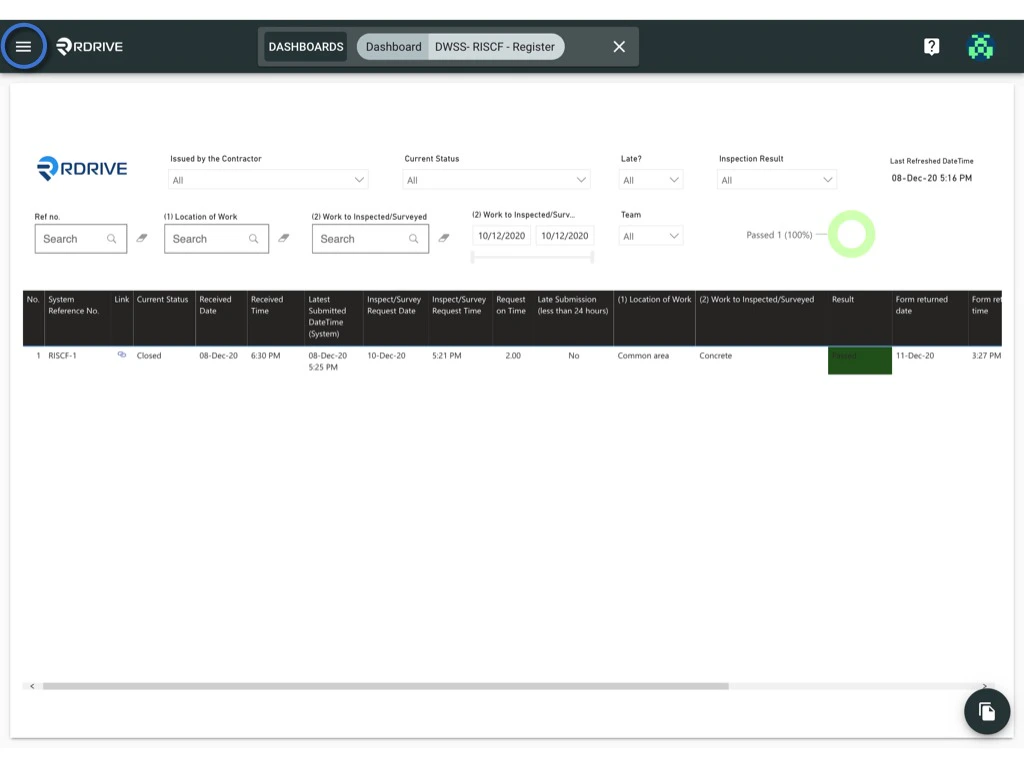
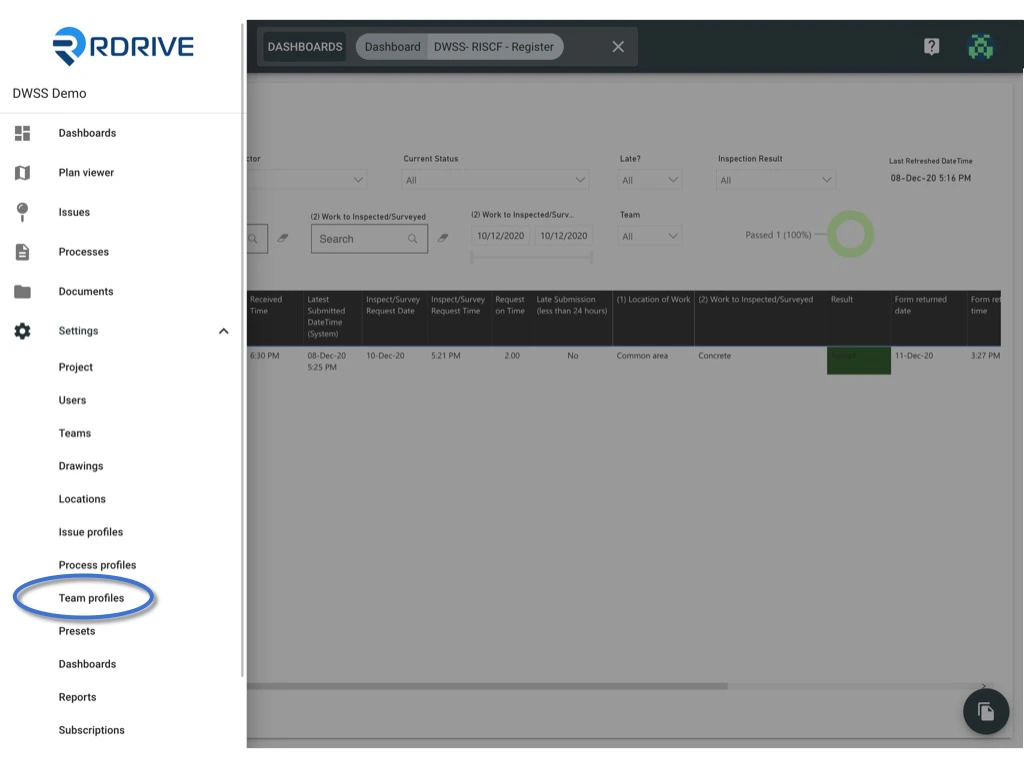
Click the **≡** menu icon on the top left corner to unfold the Menu, get entry to the **Setting** > **Team** **profiles** page.
<img src="https://mintcdn.com/rdrive/B03Wr1cTLOF6xGiT/images/kb/103000035145/NuIcFK0UsUaBejz2hopig04RIYbXtkz1Vw.jpeg?fit=max&auto=format&n=B03Wr1cTLOF6xGiT&q=85&s=418e6506f65fbe8a63fd4038963fc534" alt="What is team profile and how to setup?" width="1024" height="768" data-path="images/kb/103000035145/NuIcFK0UsUaBejz2hopig04RIYbXtkz1Vw.jpeg" />

<img src="https://mintcdn.com/rdrive/B03Wr1cTLOF6xGiT/images/kb/103000035145/OoeCdBX2pgTq5Zn2e_jdsoUsQbs6i7o40g.jpeg?fit=max&auto=format&n=B03Wr1cTLOF6xGiT&q=85&s=2ca59ee649a271e1fadc4e2e6147c501" alt="What is team profile and how to setup?" width="1024" height="768" data-path="images/kb/103000035145/OoeCdBX2pgTq5Zn2e_jdsoUsQbs6i7o40g.jpeg" />

Press **+** button to add team profile.
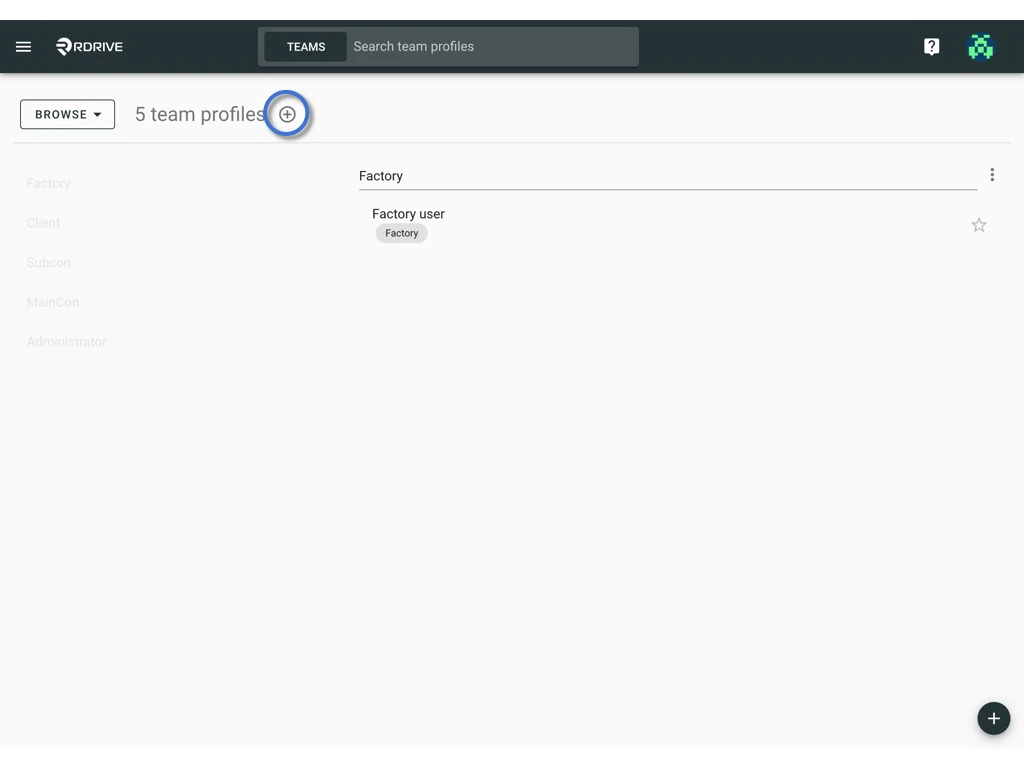
<img src="https://mintcdn.com/rdrive/B03Wr1cTLOF6xGiT/images/kb/103000035145/alTI-uh4qYAL8bmvWr0mQ1wvwyEXSXbYoQ.jpeg?fit=max&auto=format&n=B03Wr1cTLOF6xGiT&q=85&s=b432c8fb417675b0ff7299228868e6ce" alt="What is team profile and how to setup?" width="1024" height="768" data-path="images/kb/103000035145/alTI-uh4qYAL8bmvWr0mQ1wvwyEXSXbYoQ.jpeg" />

Enter the team profile title and click **OK** to confirm.
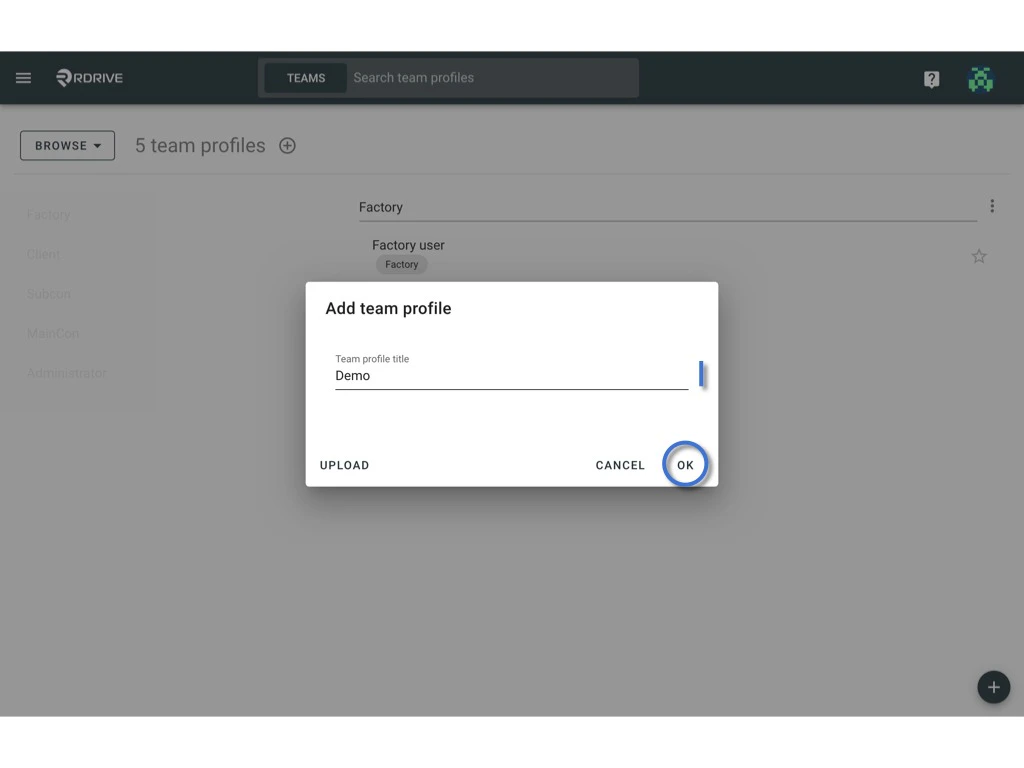
<img src="https://mintcdn.com/rdrive/B03Wr1cTLOF6xGiT/images/kb/103000035145/5ilz7TlAMMRiuwPq9j2GSUkLmWwDb8fX7w.jpeg?fit=max&auto=format&n=B03Wr1cTLOF6xGiT&q=85&s=7885da2eaa69280b516abf55cf23664d" alt="What is team profile and how to setup?" width="1024" height="768" data-path="images/kb/103000035145/5ilz7TlAMMRiuwPq9j2GSUkLmWwDb8fX7w.jpeg" />

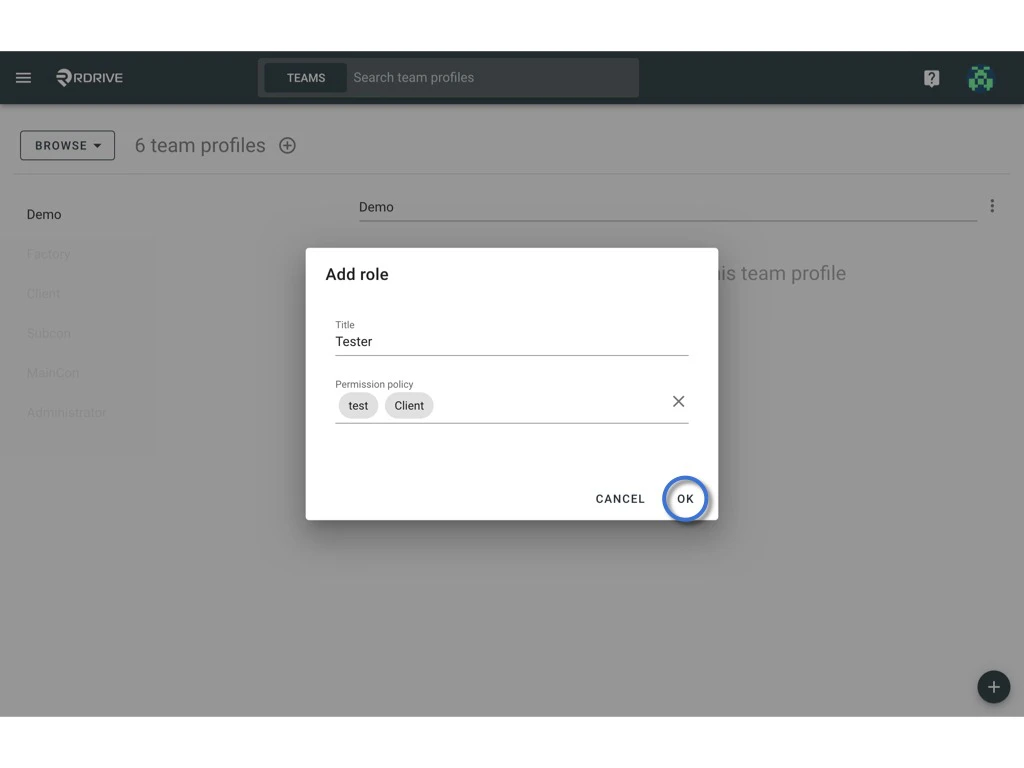
after that, click the **+** button on the bottom right corner to **add a role**, enter the title of the role and select permission policy.
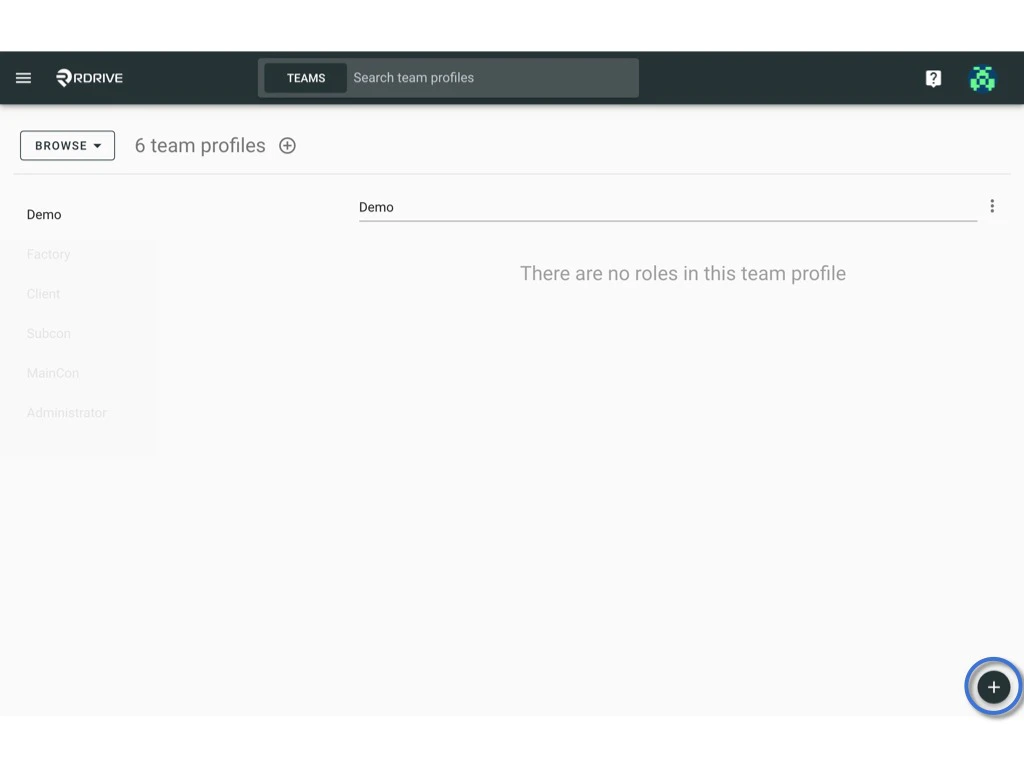
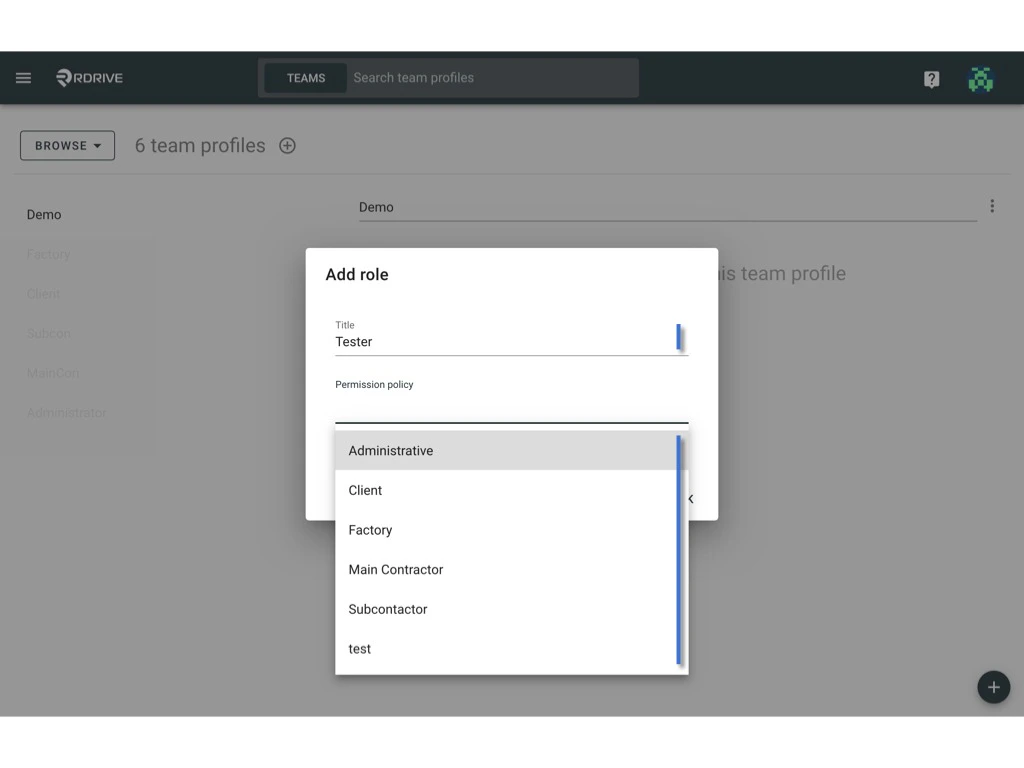
<img src="https://mintcdn.com/rdrive/B03Wr1cTLOF6xGiT/images/kb/103000035145/NTLzAastJDTm-agOXhUCMRANWM_ADrn9Ig.jpeg?fit=max&auto=format&n=B03Wr1cTLOF6xGiT&q=85&s=d81ccb0725df875698004099bc46a070" alt="What is team profile and how to setup?" width="1024" height="768" data-path="images/kb/103000035145/NTLzAastJDTm-agOXhUCMRANWM_ADrn9Ig.jpeg" />

<img src="https://mintcdn.com/rdrive/B03Wr1cTLOF6xGiT/images/kb/103000035145/JYqlXRB5dDyoF2DDFaaw0u-S8GpgOx-x6g.jpeg?fit=max&auto=format&n=B03Wr1cTLOF6xGiT&q=85&s=51a843b727dc75843c1318416e13aca8" alt="What is team profile and how to setup?" width="1024" height="768" data-path="images/kb/103000035145/JYqlXRB5dDyoF2DDFaaw0u-S8GpgOx-x6g.jpeg" />

**OK** to confirm.

<img src="https://mintcdn.com/rdrive/B03Wr1cTLOF6xGiT/images/kb/103000035145/74Do1E8b2-CGYa8TR_GcULQEE--lSNMIxg.jpeg?fit=max&auto=format&n=B03Wr1cTLOF6xGiT&q=85&s=c14d5fee1b1b373e75f3a98c387c327e" alt="What is team profile and how to setup?" width="1024" height="768" data-path="images/kb/103000035145/74Do1E8b2-CGYa8TR_GcULQEE--lSNMIxg.jpeg" />

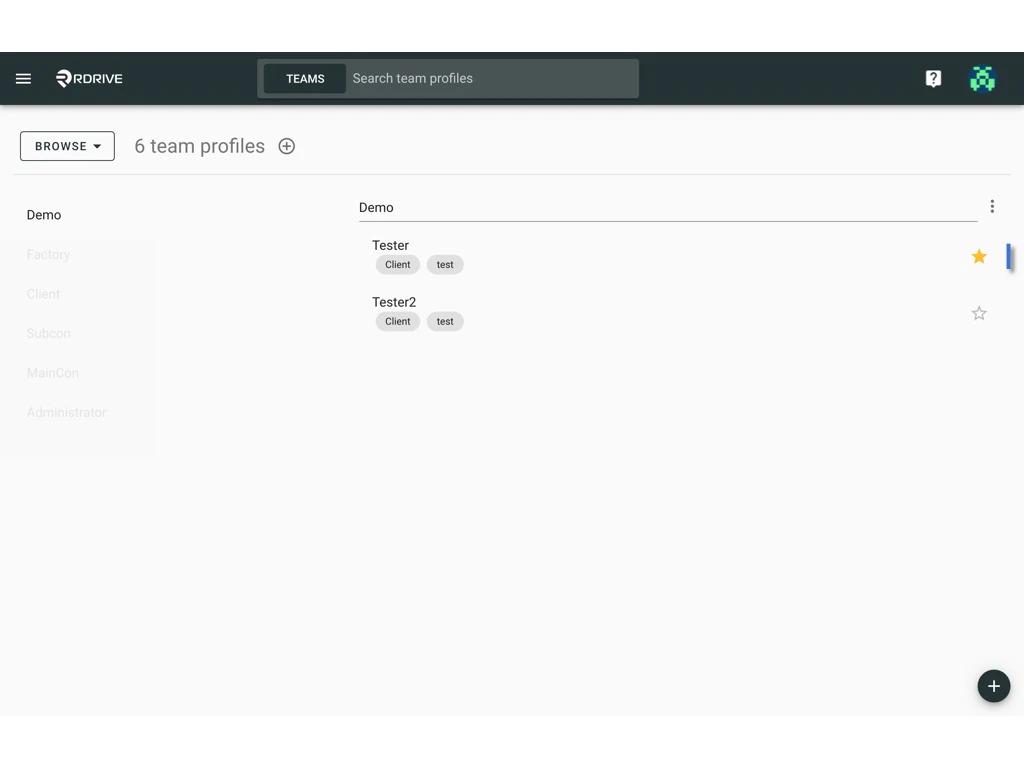
<Note>
  Filled ⭐️ represent the default role.
</Note>

<img src="https://mintcdn.com/rdrive/B03Wr1cTLOF6xGiT/images/kb/103000035145/-YUcZUIlN5999XsmyZh2WWELNhVwuR2hHA.jpeg?fit=max&auto=format&n=B03Wr1cTLOF6xGiT&q=85&s=3d5bbe7ff848cf685a4698ceee500621" alt="What is team profile and how to setup?" width="1024" height="768" data-path="images/kb/103000035145/-YUcZUIlN5999XsmyZh2WWELNhVwuR2hHA.jpeg" />