> ## Documentation Index
> Fetch the complete documentation index at: https://docs.rdrive.io/llms.txt
> Use this file to discover all available pages before exploring further.

# How to edit a preset image?

> Preset image is the read-only image on the form/issue. Usually will be set up from the project beginning.Editing the preset image on the project levelProject ad

Preset image is the read-only image on the form/issue. Usually will be set up from the project beginning.

**Editing the preset image on the project level**\
Project admin/users with edit Preset permission can [make changes on top of the preset image](#make-changes-on-top-of-the-preset-image)that is set on the company level or [reset images to default](#reset-to-the-default-value) to fit the project needs specifically.

***

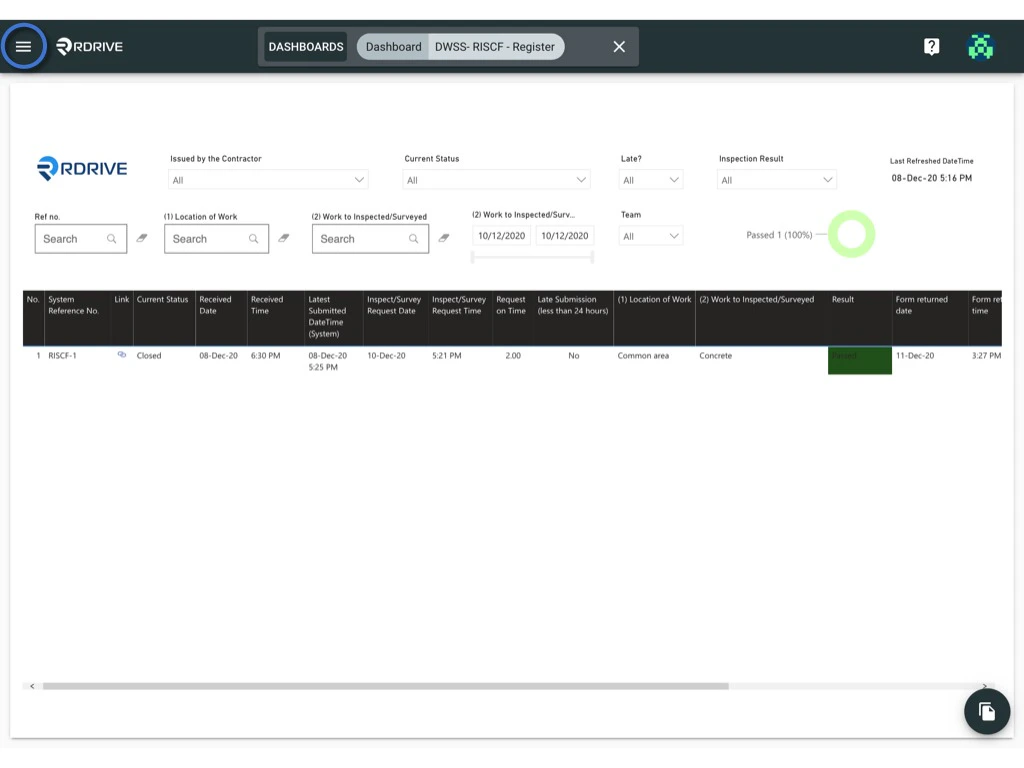
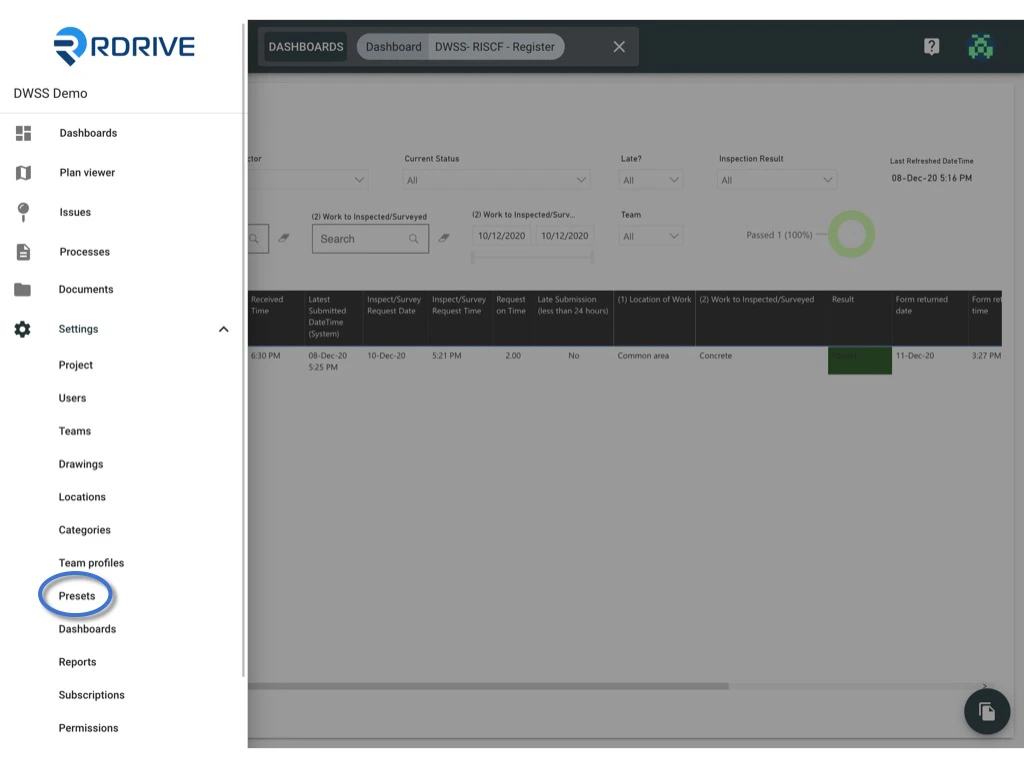
Click the **≡** menu icon on the top left corner to unfold the Menu, get entry to the **Setting** > **Presets** page.
<img src="https://mintcdn.com/rdrive/qQgQF7rykBpqQcBv/images/kb/103000035154/Cv5BrBFXjt79dwML5zUWEJHwaUVh6dC3tQ.jpeg?fit=max&auto=format&n=qQgQF7rykBpqQcBv&q=85&s=4bf7ba3f4b39b9f727b823b7046a4557" alt="How to edit a preset image?" width="1024" height="768" data-path="images/kb/103000035154/Cv5BrBFXjt79dwML5zUWEJHwaUVh6dC3tQ.jpeg" />

<img src="https://mintcdn.com/rdrive/qQgQF7rykBpqQcBv/images/kb/103000035154/On4ueOAkiVR9hQvPMFsvLWgI8zaBSTwmrQ.jpeg?fit=max&auto=format&n=qQgQF7rykBpqQcBv&q=85&s=bc07901c05eafeb3de2cec311fe82e6b" alt="How to edit a preset image?" width="1024" height="768" data-path="images/kb/103000035154/On4ueOAkiVR9hQvPMFsvLWgI8zaBSTwmrQ.jpeg" />

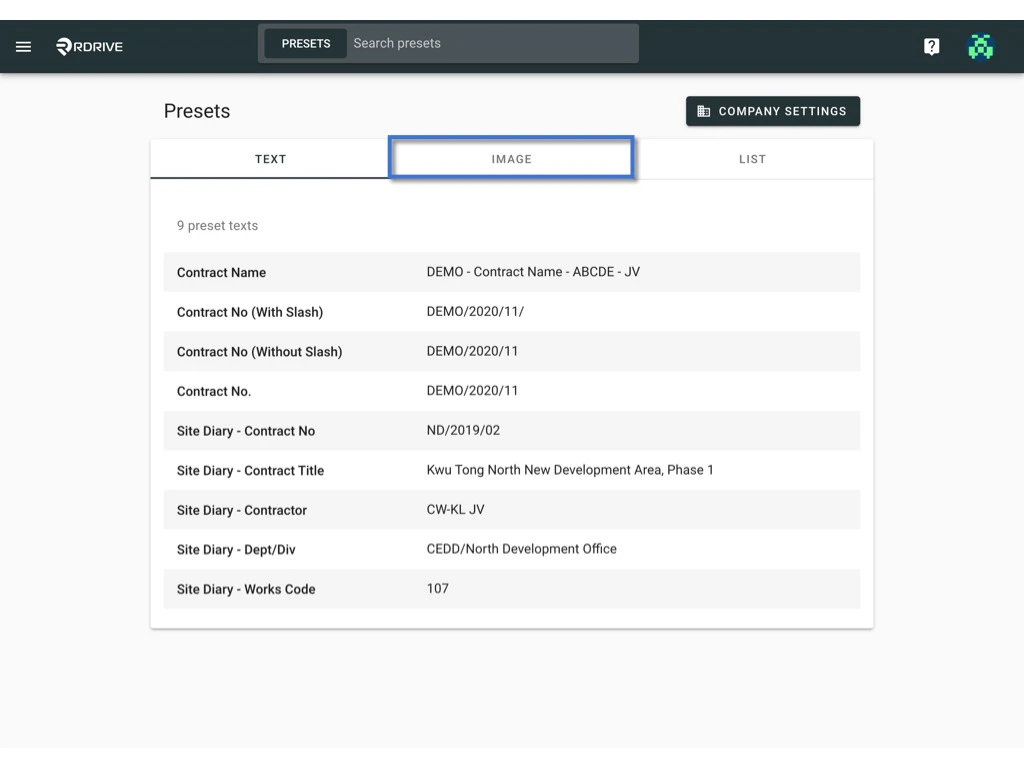
Click "**IMAGE**"

<img src="https://mintcdn.com/rdrive/qQgQF7rykBpqQcBv/images/kb/103000035154/_fu5e0dANw73k84mT2HJnOVMiN3lmKAb6A.jpeg?fit=max&auto=format&n=qQgQF7rykBpqQcBv&q=85&s=cb70f195001e1ec5f1f5c5e396a6a132" alt="How to edit a preset image?" width="1024" height="768" data-path="images/kb/103000035154/_fu5e0dANw73k84mT2HJnOVMiN3lmKAb6A.jpeg" />

***

## **Make changes on top of the preset image**

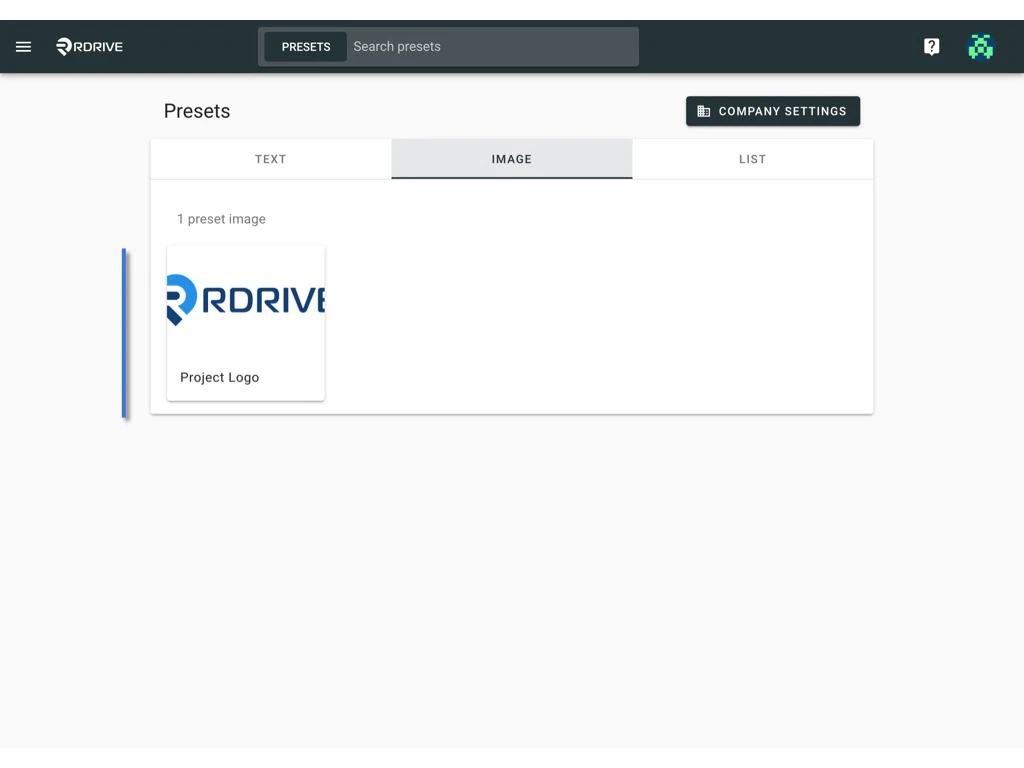
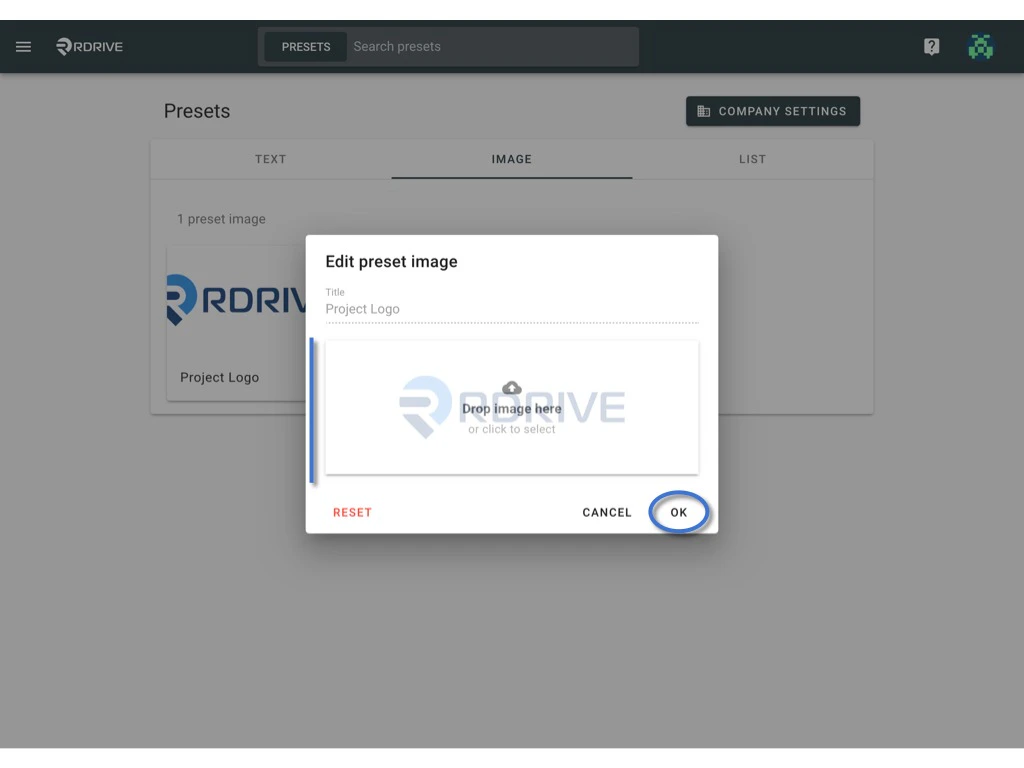
Click on the image that you would like to edit.\
Upload a project specific image and click "**OK**" to save
<img src="https://mintcdn.com/rdrive/qQgQF7rykBpqQcBv/images/kb/103000035154/825zABTGoAmxzIxBB9C0B_I7Ul7i1M9Kkg.jpeg?fit=max&auto=format&n=qQgQF7rykBpqQcBv&q=85&s=49dabd0a7dcfe8924abc6080c2628153" alt="How to edit a preset image?" width="1024" height="768" data-path="images/kb/103000035154/825zABTGoAmxzIxBB9C0B_I7Ul7i1M9Kkg.jpeg" />

<img src="https://mintcdn.com/rdrive/qQgQF7rykBpqQcBv/images/kb/103000035154/f09Y7i3NhRJlYnCT-Qx_73yBSWBIA2_lgQ.jpeg?fit=max&auto=format&n=qQgQF7rykBpqQcBv&q=85&s=1cde8f8b1c7283b3b06c394b1165b07d" alt="How to edit a preset image?" width="1024" height="768" data-path="images/kb/103000035154/f09Y7i3NhRJlYnCT-Qx_73yBSWBIA2_lgQ.jpeg" />

***

## **Reset to the default value**

<Info>
  Can I reset the preset image to the company level setting?

  Yes, you can.
</Info>

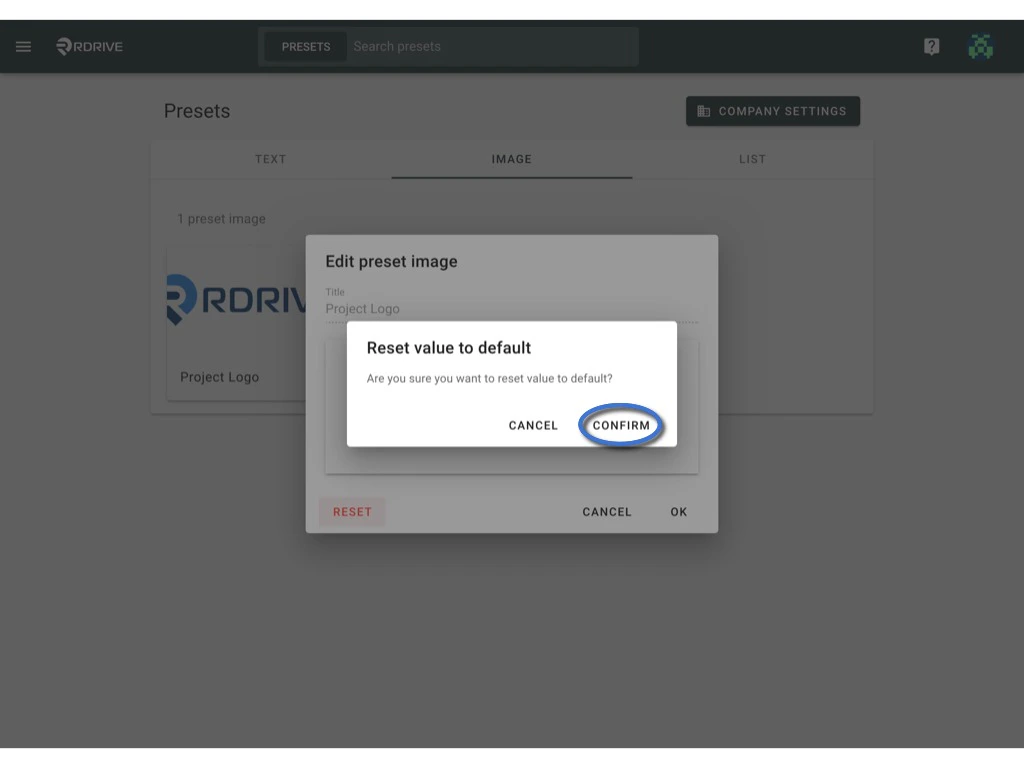
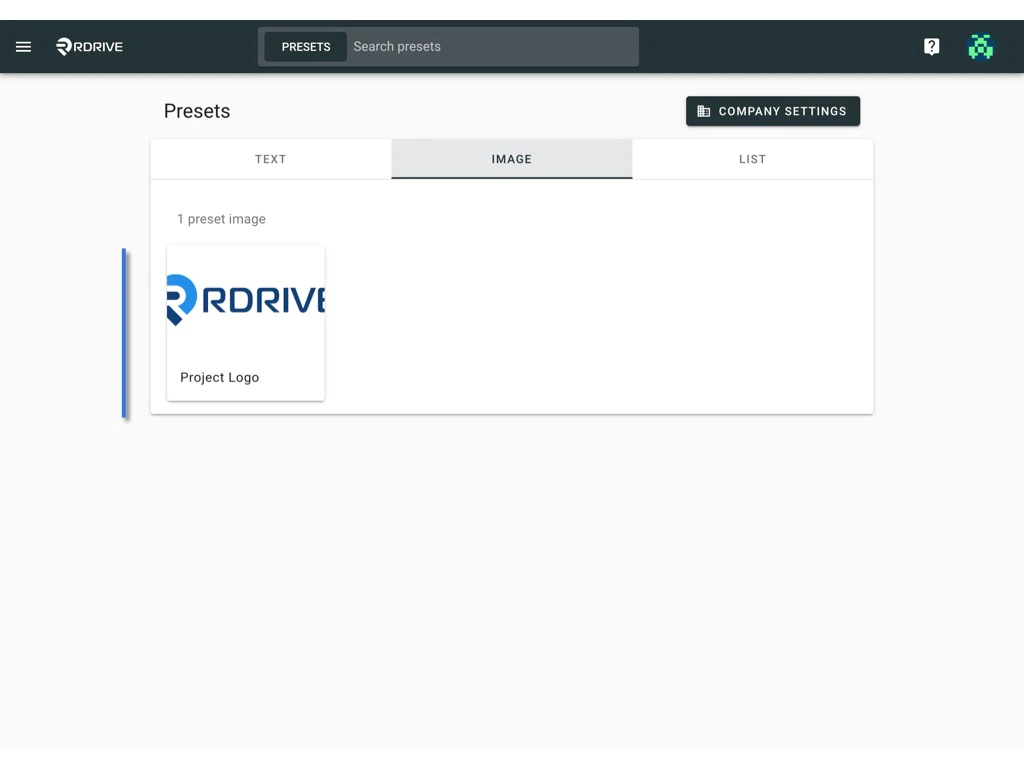
Simply click on the preset image and click the **RESET** to restore the image.
<img src="https://mintcdn.com/rdrive/qQgQF7rykBpqQcBv/images/kb/103000035154/mErghjWbIOT2akLbexcfLJ8wv0bUm0SccA.jpeg?fit=max&auto=format&n=qQgQF7rykBpqQcBv&q=85&s=6743e56c2d88554038054ae87eafbaf9" alt="How to edit a preset image?" width="1024" height="768" data-path="images/kb/103000035154/mErghjWbIOT2akLbexcfLJ8wv0bUm0SccA.jpeg" />

**CONFIRM** to reset to default

<img src="https://mintcdn.com/rdrive/qQgQF7rykBpqQcBv/images/kb/103000035154/7LrMWUgf8b9kSDexhyW1z8K-GQ_Z7VRGdA.jpeg?fit=max&auto=format&n=qQgQF7rykBpqQcBv&q=85&s=7d410ef6ddf62aa8810189e35d575a52" alt="How to edit a preset image?" width="1024" height="768" data-path="images/kb/103000035154/7LrMWUgf8b9kSDexhyW1z8K-GQ_Z7VRGdA.jpeg" />