> ## Documentation Index
> Fetch the complete documentation index at: https://docs.rdrive.io/llms.txt
> Use this file to discover all available pages before exploring further.

# How to edit a preset spreadsheet on the project?

> The sheets in the preset spreadsheet are inserted into the original spreadsheet if merged into the template computation. If the name of the sheet in the preset

The sheets in the preset spreadsheet are inserted into the original spreadsheet if merged into the template computation. If the name of the sheet in the preset spreadsheet is the same as the one in the original spreadsheet, the former replaces the latter.

**Editing the preset spreadsheet at the project level**\
Project admin/users with edit Preset permission can make changes on top of the preset spreadsheet that is set on the company level or reset to default to fit the project needs specifically.

***

**via Website**

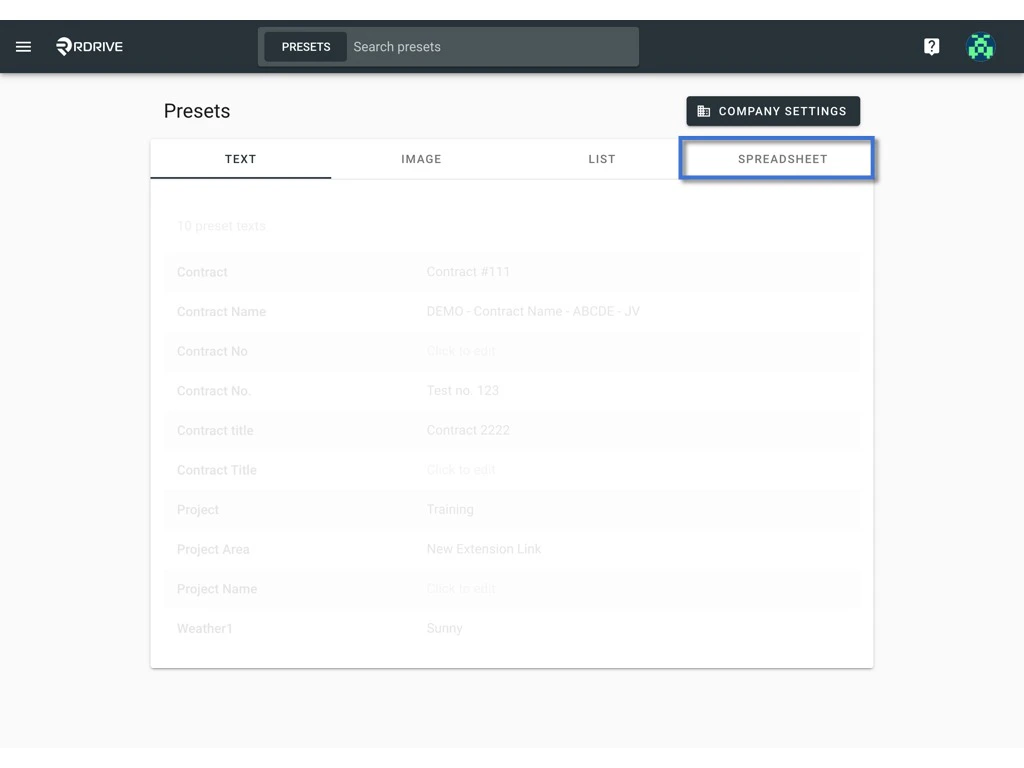
Click the **≡** menu icon on the top left corner to unfold the Menu, and get entry to the **Setting** > **Presets** page.
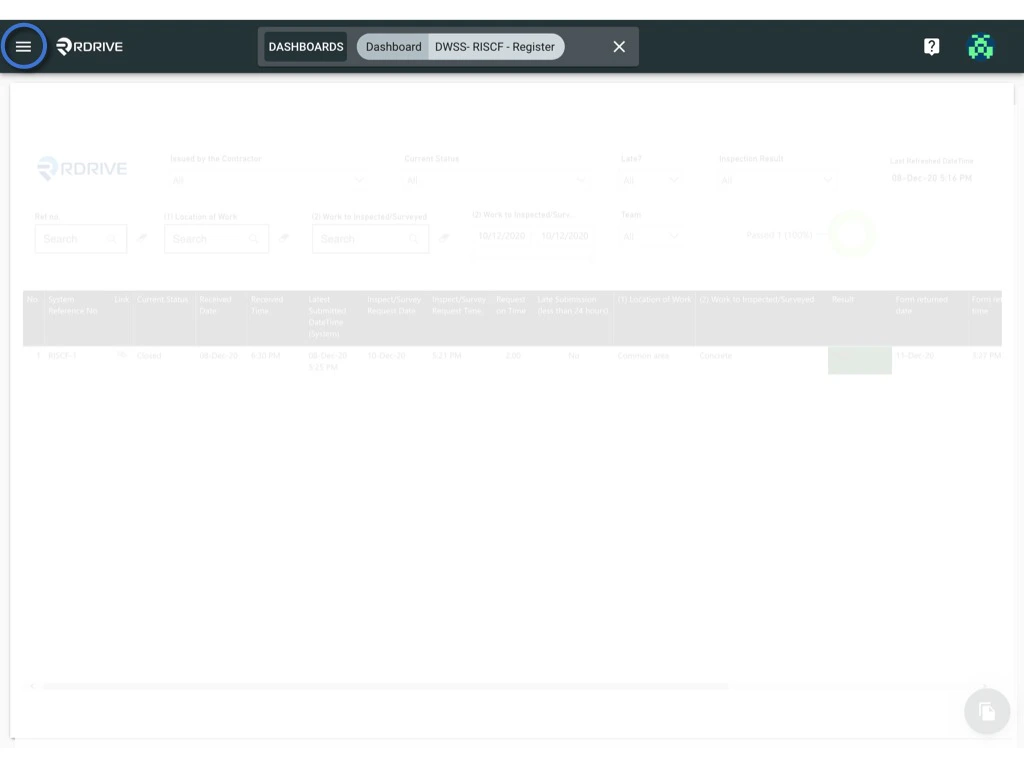
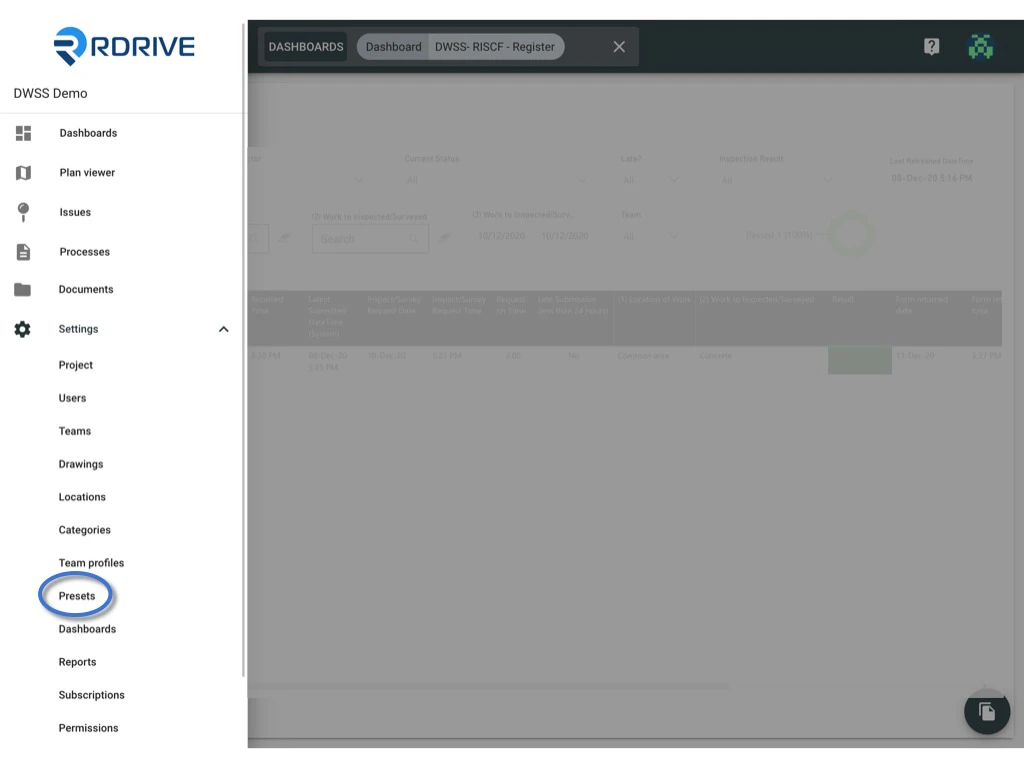
<img src="https://mintcdn.com/rdrive/NmCVs01a8HNGcruc/images/kb/103000035009/BNdamlsr4zwzNqtZKhX_-sg1blHytdtv9w.jpeg?fit=max&auto=format&n=NmCVs01a8HNGcruc&q=85&s=dc272db80a043541d114bcb1350558e4" alt="How to edit a preset spreadsheet on the project?" width="1024" height="768" data-path="images/kb/103000035009/BNdamlsr4zwzNqtZKhX_-sg1blHytdtv9w.jpeg" />

<img src="https://mintcdn.com/rdrive/NmCVs01a8HNGcruc/images/kb/103000035009/2Ga_NnAAn4T-p0kbP38CsNo0OddjsiZsOA.jpeg?fit=max&auto=format&n=NmCVs01a8HNGcruc&q=85&s=c9e5bc8410b7717818480767158b812c" alt="How to edit a preset spreadsheet on the project?" width="1024" height="768" data-path="images/kb/103000035009/2Ga_NnAAn4T-p0kbP38CsNo0OddjsiZsOA.jpeg" />

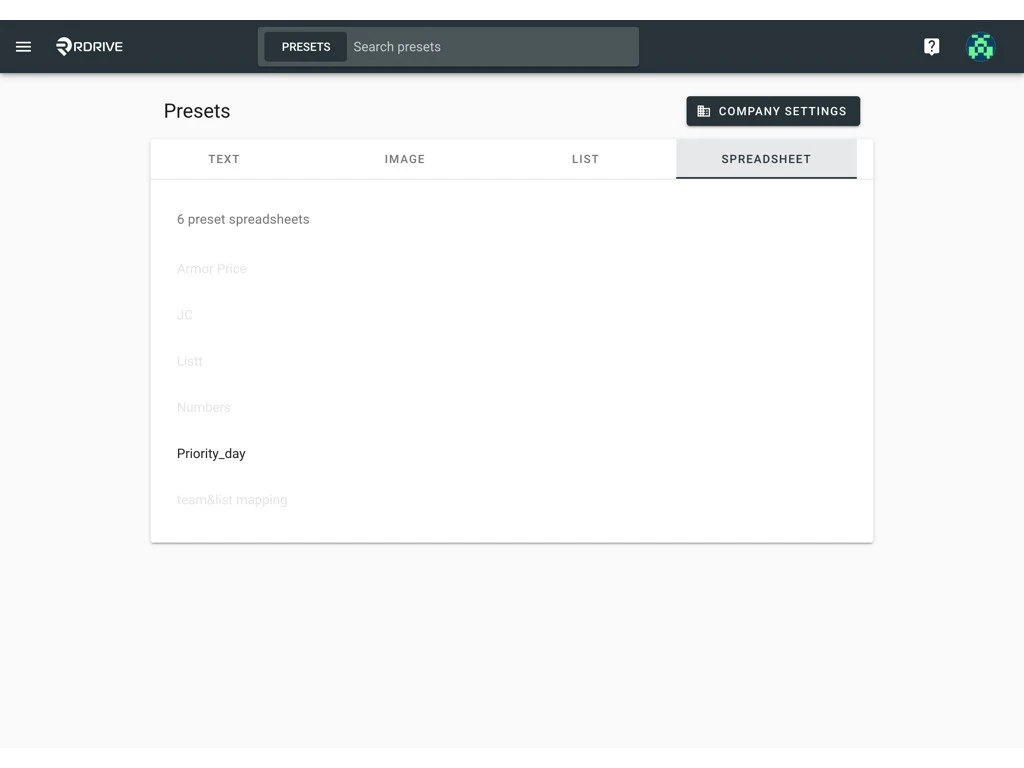
Select **SPREADSHEET.**

<img src="https://mintcdn.com/rdrive/NmCVs01a8HNGcruc/images/kb/103000035009/7H7lNLOgLYhkWGYSIPW6nvY2DXq-kQhoig.jpeg?fit=max&auto=format&n=NmCVs01a8HNGcruc&q=85&s=fed026944aa3bdb4bcdd92e467b41820" alt="How to edit a preset spreadsheet on the project?" width="1024" height="768" data-path="images/kb/103000035009/7H7lNLOgLYhkWGYSIPW6nvY2DXq-kQhoig.jpeg" />

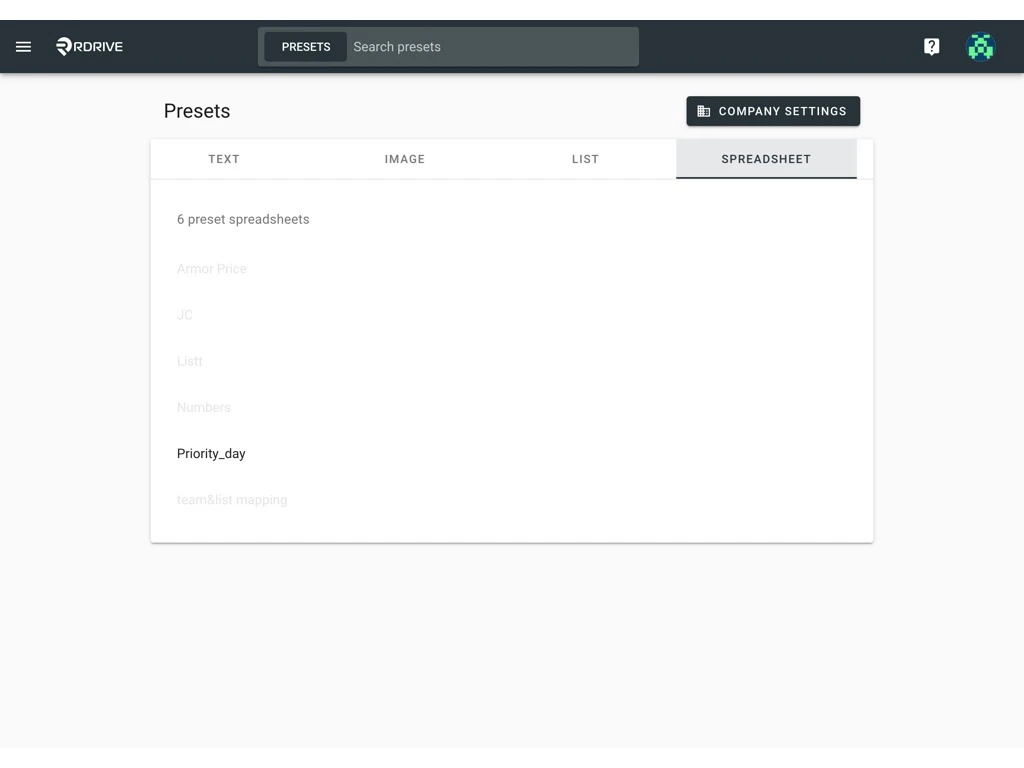
and click on the preset spreadsheet you would like to edit.
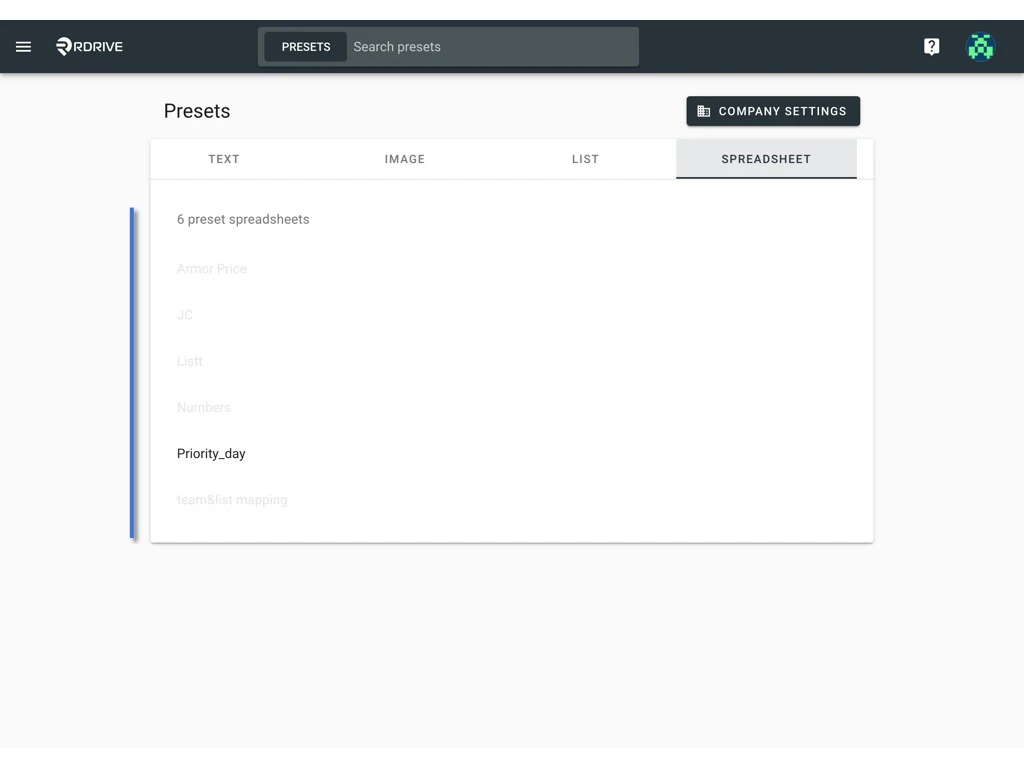
<img src="https://mintcdn.com/rdrive/NmCVs01a8HNGcruc/images/kb/103000035009/h1Sw-M5v93-VgY0kGiH2SOfSmVp65Lgv7A.jpeg?fit=max&auto=format&n=NmCVs01a8HNGcruc&q=85&s=d9df4516c88652c404efe68359187dc0" alt="How to edit a preset spreadsheet on the project?" width="1024" height="768" data-path="images/kb/103000035009/h1Sw-M5v93-VgY0kGiH2SOfSmVp65Lgv7A.jpeg" />

on this spreadsheet page, you may

* [Edit](#edit)
* [Re-upload](#re-upload)
* [Reset to default](#reset-to-default)

***

### **Edit**

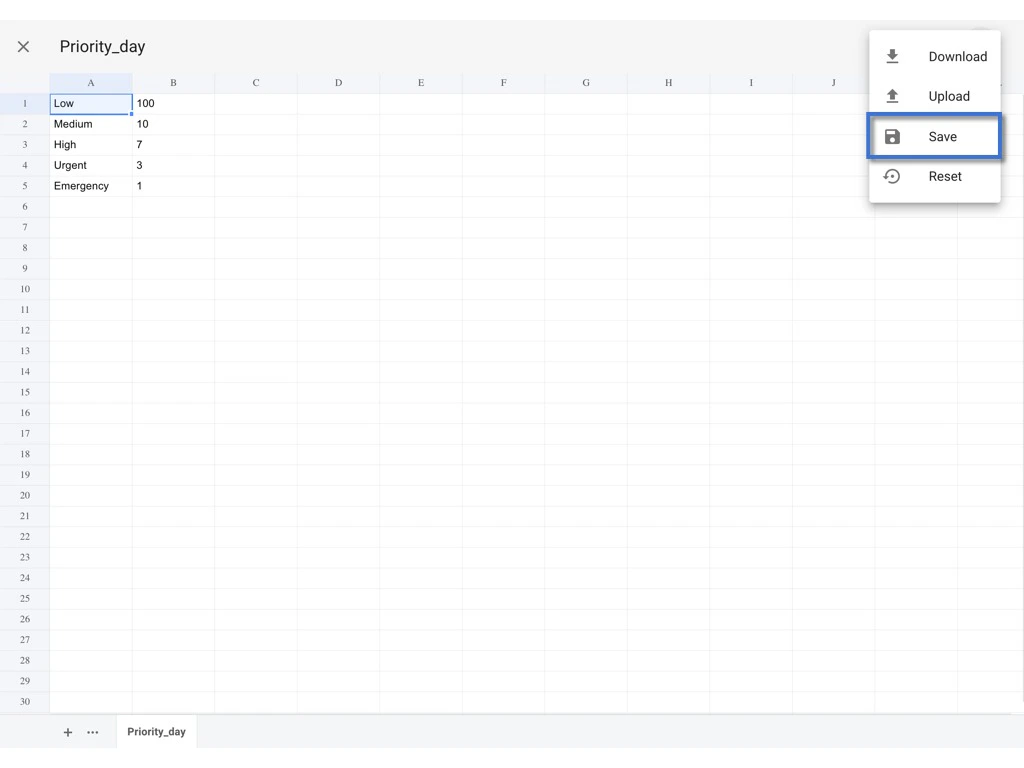
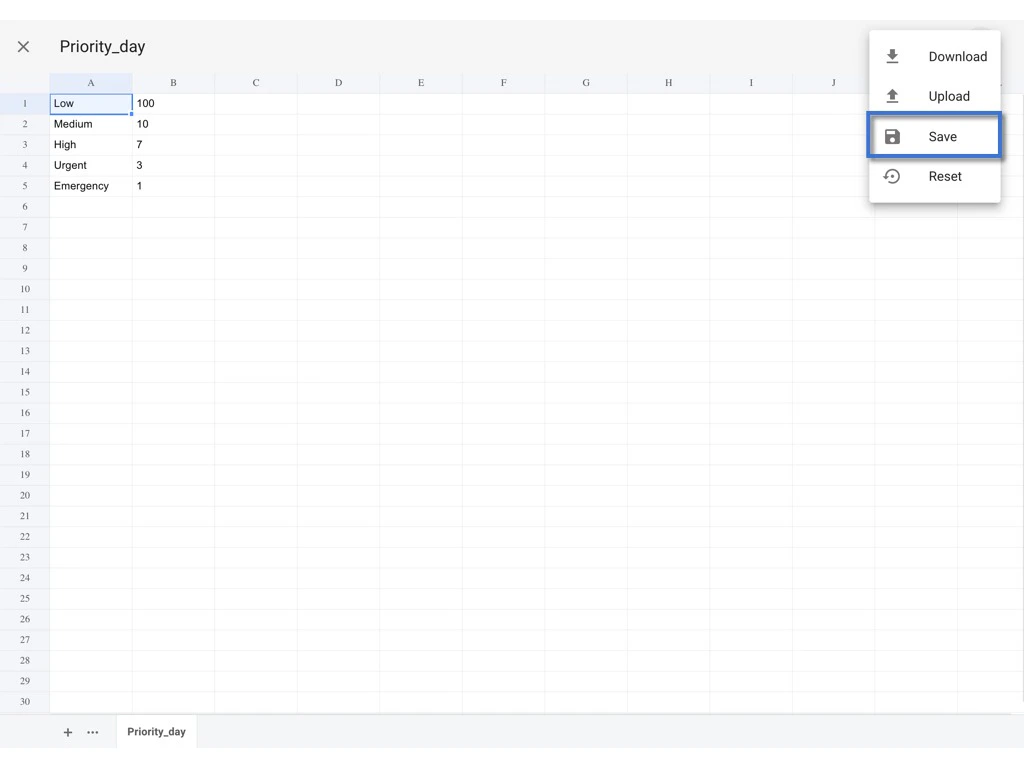
## You may edit the value directly and click the **⋮** to **SAVE**.
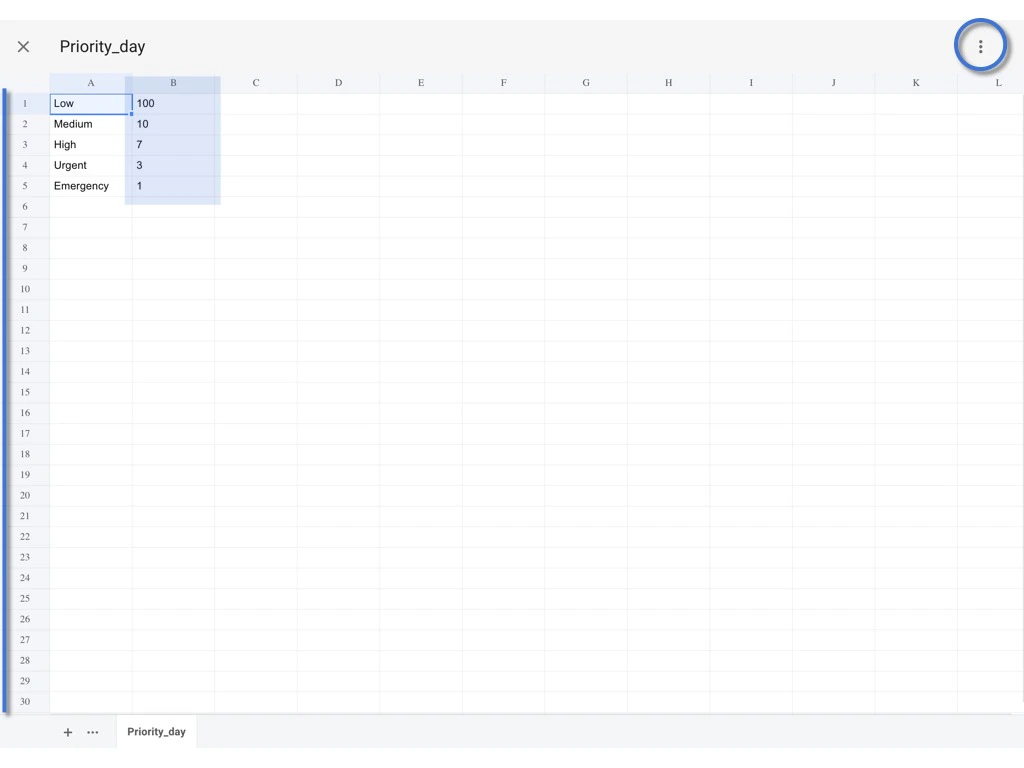
<img src="https://mintcdn.com/rdrive/NmCVs01a8HNGcruc/images/kb/103000035009/X2N9cqAdyvY1N1Dop_0_Wz8BZkjuYeZDyQ.jpeg?fit=max&auto=format&n=NmCVs01a8HNGcruc&q=85&s=73d4a1b0054475eb5cecca612678bc8f" alt="How to edit a preset spreadsheet on the project?" width="1024" height="768" data-path="images/kb/103000035009/X2N9cqAdyvY1N1Dop_0_Wz8BZkjuYeZDyQ.jpeg" />

<img src="https://mintcdn.com/rdrive/NmCVs01a8HNGcruc/images/kb/103000035009/s_ZtAIo8WWnyCrqF1hieGR_-P_O3qcfg8Q.jpeg?fit=max&auto=format&n=NmCVs01a8HNGcruc&q=85&s=6ff3f1c310e9819dd58a13f009059d28" alt="How to edit a preset spreadsheet on the project?" width="1024" height="768" data-path="images/kb/103000035009/s_ZtAIo8WWnyCrqF1hieGR_-P_O3qcfg8Q.jpeg" />

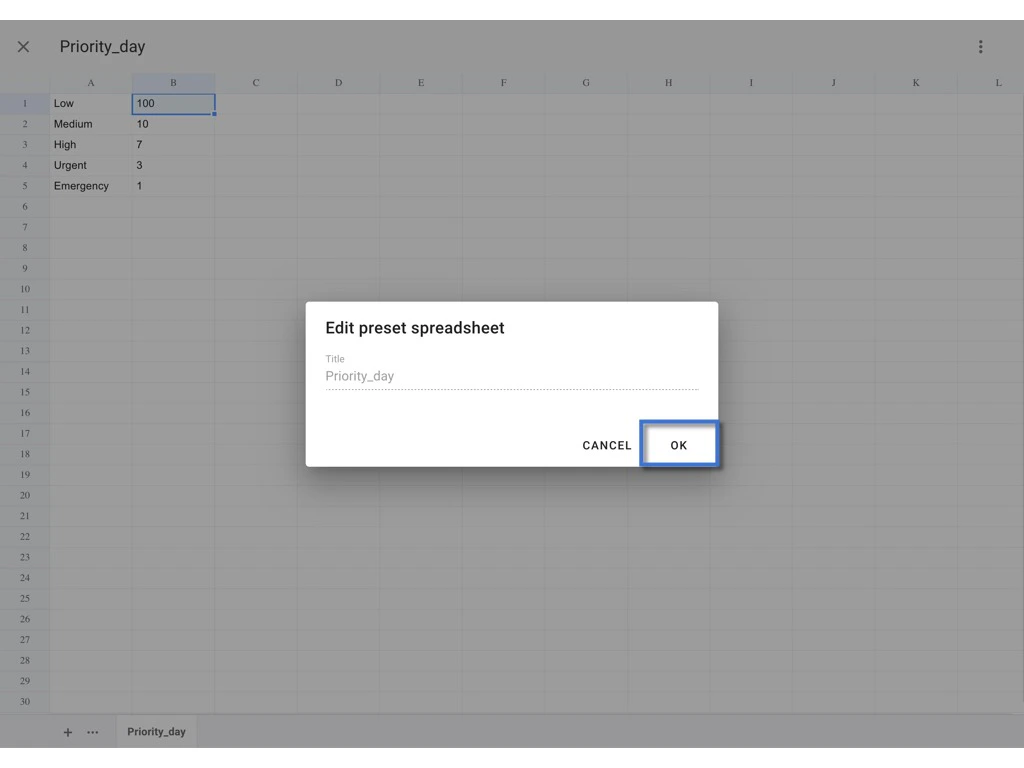
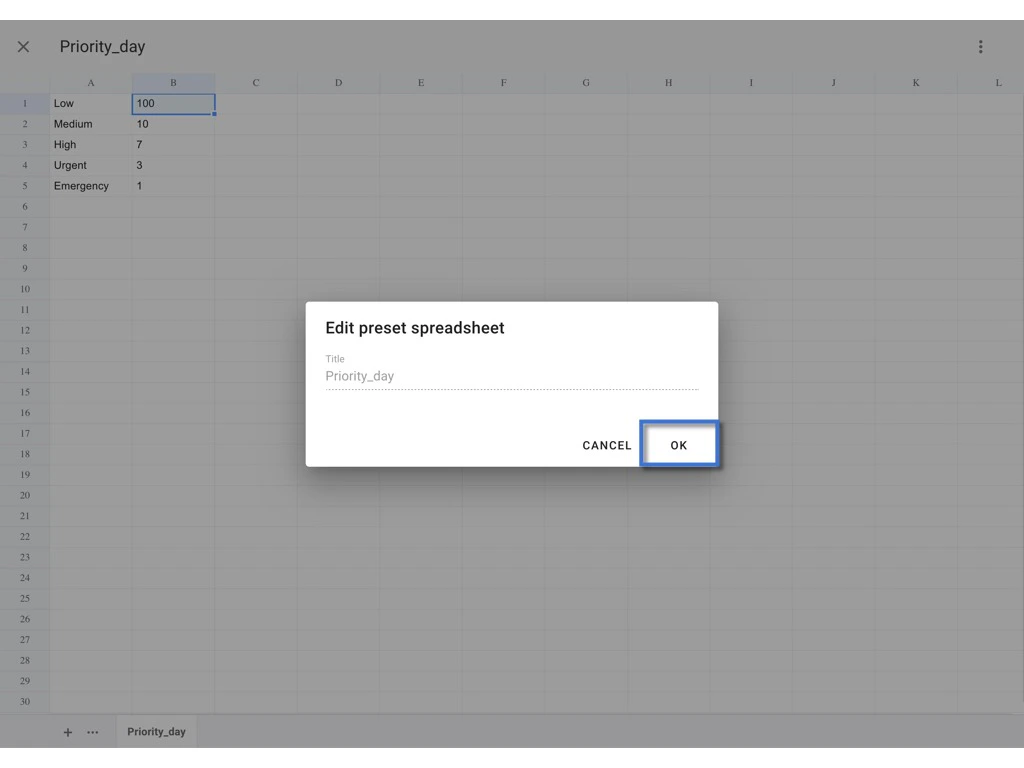
OK to confirm.

<img src="https://mintcdn.com/rdrive/NmCVs01a8HNGcruc/images/kb/103000035009/gl5RTh93GDDJtKT9KKpKPYFCqBRdbhYcJQ.jpeg?fit=max&auto=format&n=NmCVs01a8HNGcruc&q=85&s=ef2a1b7993bb780642083fb8433c9129" alt="How to edit a preset spreadsheet on the project?" width="1024" height="768" data-path="images/kb/103000035009/gl5RTh93GDDJtKT9KKpKPYFCqBRdbhYcJQ.jpeg" />

DONE.

<img src="https://mintcdn.com/rdrive/NmCVs01a8HNGcruc/images/kb/103000035009/6rhWQJynFdGf4meADTgISRFsFxg2-zkfkA.jpeg?fit=max&auto=format&n=NmCVs01a8HNGcruc&q=85&s=376bd933a0c554ca78000b960673f8fa" alt="How to edit a preset spreadsheet on the project?" width="1024" height="768" data-path="images/kb/103000035009/6rhWQJynFdGf4meADTgISRFsFxg2-zkfkA.jpeg" />

***

### **Re-upload**

## you may download the spreadsheet, edit the value and reupload it for replacement.

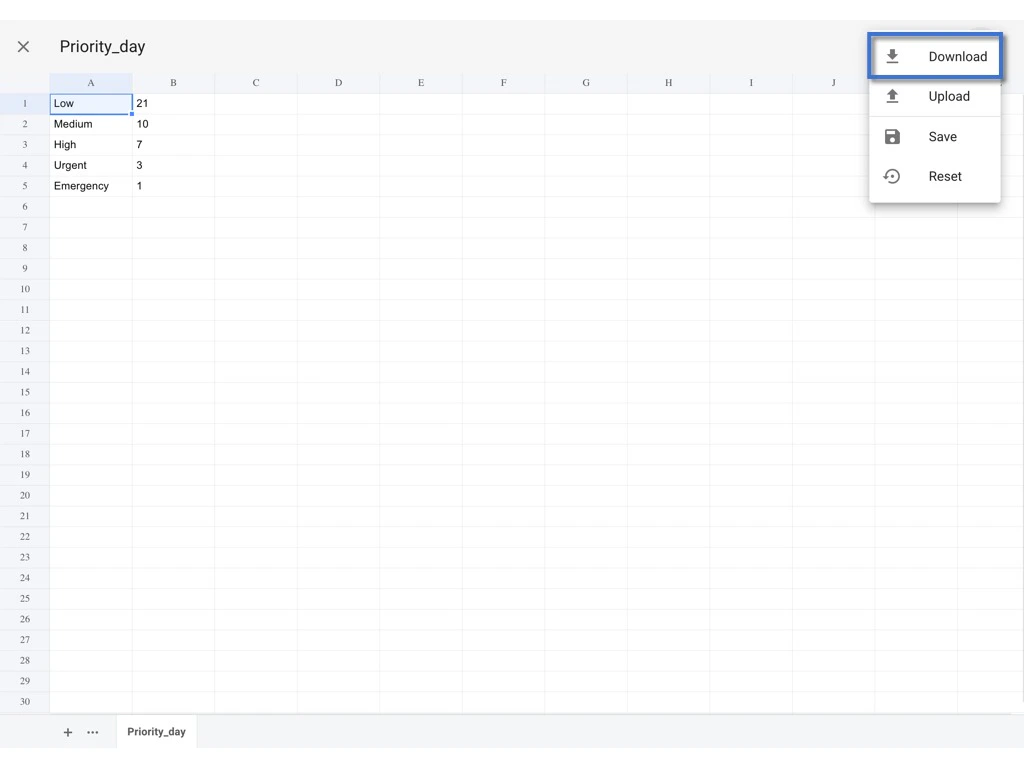
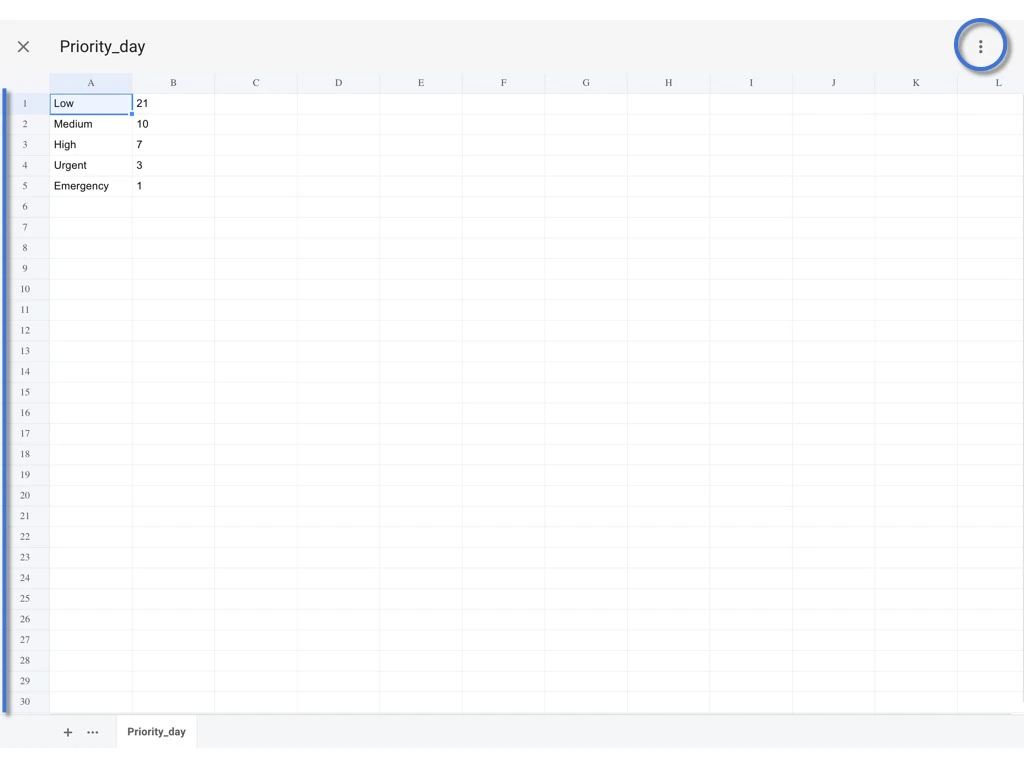
Click the **⋮** to **Download** excel.
<img src="https://mintcdn.com/rdrive/NmCVs01a8HNGcruc/images/kb/103000035009/hIUm0zjJTHiO8-yklpnfMJM_BskRbbZ0Nw.jpeg?fit=max&auto=format&n=NmCVs01a8HNGcruc&q=85&s=2b30d97c6be3ca1c1315b8dded604985" alt="How to edit a preset spreadsheet on the project?" width="1024" height="768" data-path="images/kb/103000035009/hIUm0zjJTHiO8-yklpnfMJM_BskRbbZ0Nw.jpeg" />

<img src="https://mintcdn.com/rdrive/NmCVs01a8HNGcruc/images/kb/103000035009/9CLsn8qZcvcz8LJH0ZJj81r8gpUQ7qMvyg.jpeg?fit=max&auto=format&n=NmCVs01a8HNGcruc&q=85&s=24feaa611dfa95751b86ee787ce53d50" alt="How to edit a preset spreadsheet on the project?" width="1024" height="768" data-path="images/kb/103000035009/9CLsn8qZcvcz8LJH0ZJj81r8gpUQ7qMvyg.jpeg" />

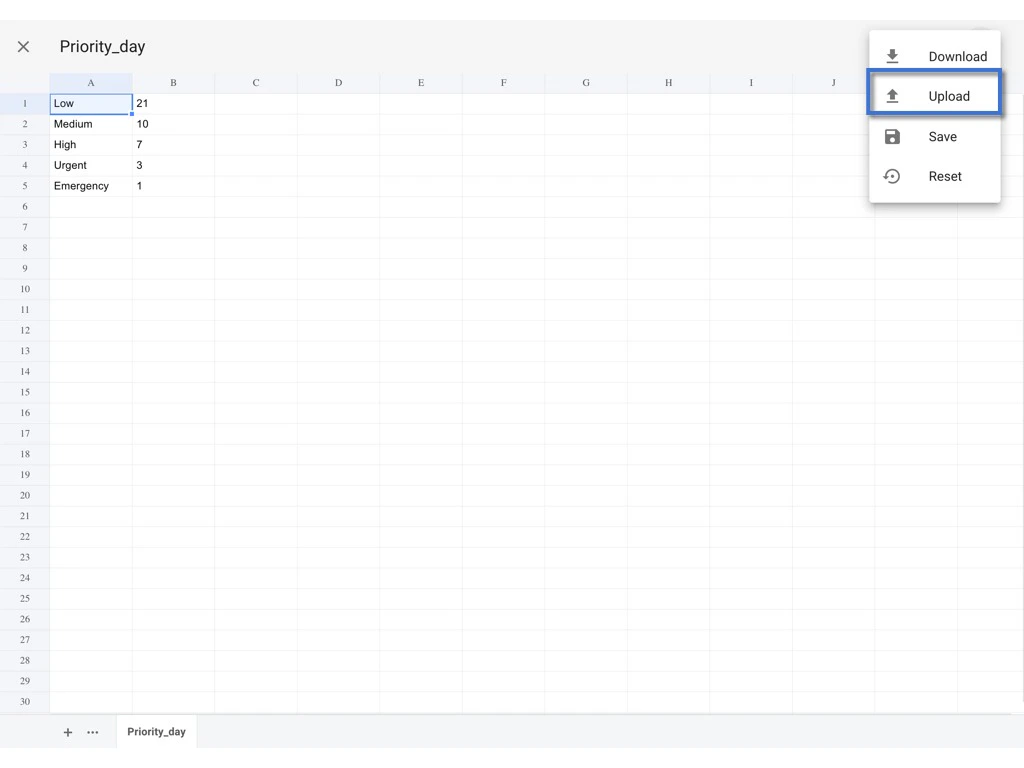
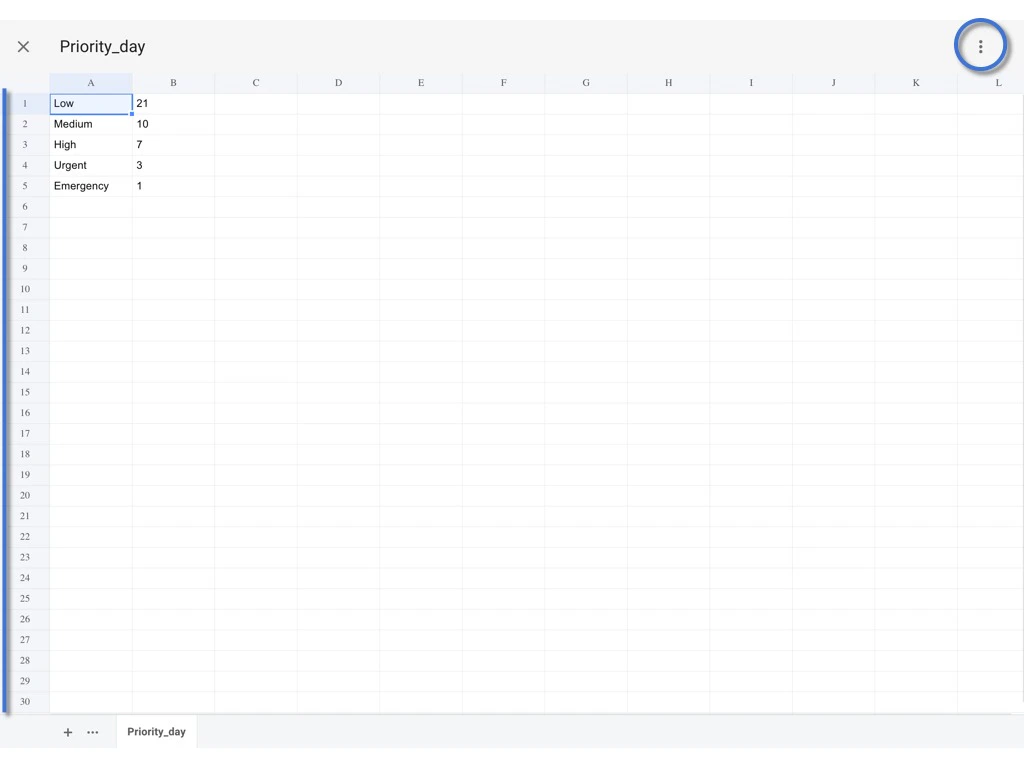
Save the edit on the downloaded Excel file.\
Back to the Website and click the **⋮** to **Upload**.
<img src="https://mintcdn.com/rdrive/NmCVs01a8HNGcruc/images/kb/103000035009/u-xWNDUq7xmIVTngg27tBssTfnrQSPNjGQ.jpeg?fit=max&auto=format&n=NmCVs01a8HNGcruc&q=85&s=c52cf823b6a1c2340cd9b29560d38034" alt="How to edit a preset spreadsheet on the project?" width="1024" height="768" data-path="images/kb/103000035009/u-xWNDUq7xmIVTngg27tBssTfnrQSPNjGQ.jpeg" />

<img src="https://mintcdn.com/rdrive/NmCVs01a8HNGcruc/images/kb/103000035009/OfN4yGQJes-7hoWOZj4YmFldYNN48YZeHg.jpeg?fit=max&auto=format&n=NmCVs01a8HNGcruc&q=85&s=b04363b0b9138e306b87910e5937dcd0" alt="How to edit a preset spreadsheet on the project?" width="1024" height="768" data-path="images/kb/103000035009/OfN4yGQJes-7hoWOZj4YmFldYNN48YZeHg.jpeg" />

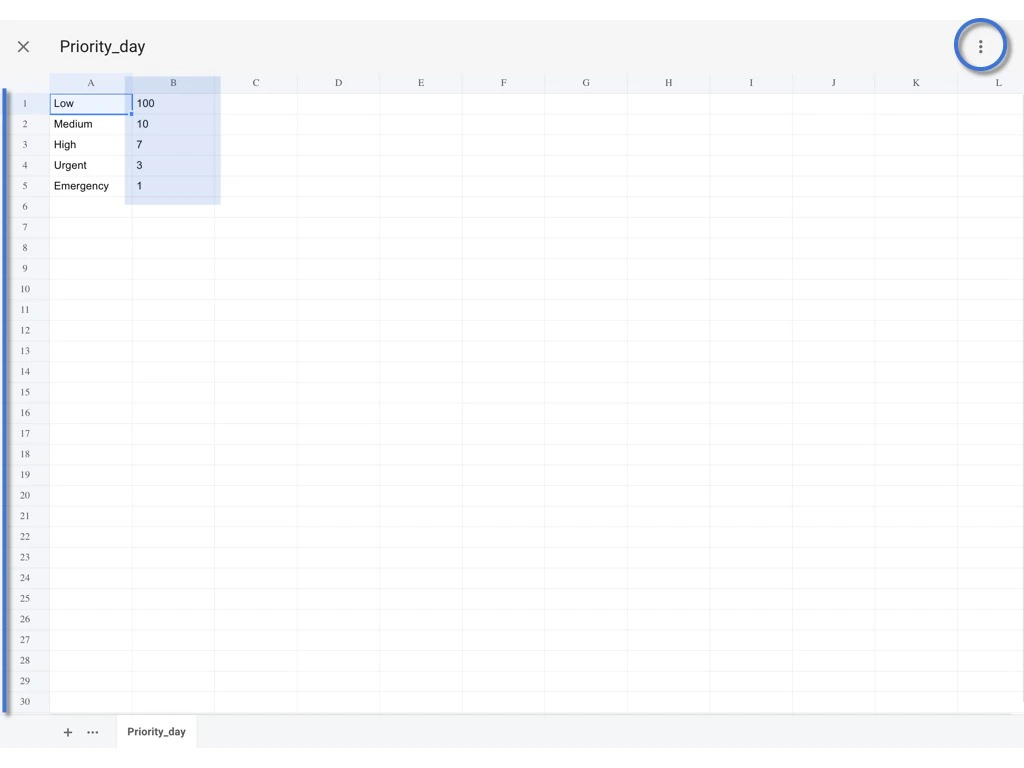
Review the changes, and click **⋮** to **SAVE**.
<img src="https://mintcdn.com/rdrive/NmCVs01a8HNGcruc/images/kb/103000035009/CF0BLE4awyCvBL387Un8o5rons3Ezjuwng.jpeg?fit=max&auto=format&n=NmCVs01a8HNGcruc&q=85&s=f254a64f064878f6b9b14215f163dbdf" alt="How to edit a preset spreadsheet on the project?" width="1024" height="768" data-path="images/kb/103000035009/CF0BLE4awyCvBL387Un8o5rons3Ezjuwng.jpeg" />

<img src="https://mintcdn.com/rdrive/NmCVs01a8HNGcruc/images/kb/103000035009/RANf47ncUQbx6EqWmrAlWpPJ5Yxi49VrAA.jpeg?fit=max&auto=format&n=NmCVs01a8HNGcruc&q=85&s=9e59acbc1a1032cf9bbd780922d0aaa1" alt="How to edit a preset spreadsheet on the project?" width="1024" height="768" data-path="images/kb/103000035009/RANf47ncUQbx6EqWmrAlWpPJ5Yxi49VrAA.jpeg" />

**OK** to confirm.

<img src="https://mintcdn.com/rdrive/NmCVs01a8HNGcruc/images/kb/103000035009/2xtL9507JpA2lOezB4PVkhfVk0ieYB74FQ.jpeg?fit=max&auto=format&n=NmCVs01a8HNGcruc&q=85&s=9471eed41af7a5ea9bdb56e55ce01d5a" alt="How to edit a preset spreadsheet on the project?" width="1024" height="768" data-path="images/kb/103000035009/2xtL9507JpA2lOezB4PVkhfVk0ieYB74FQ.jpeg" />

DONE.

<img src="https://mintcdn.com/rdrive/NmCVs01a8HNGcruc/images/kb/103000035009/B6n2CGOogZcdC3nXiQSsf0FBfxptspRvBQ.jpeg?fit=max&auto=format&n=NmCVs01a8HNGcruc&q=85&s=5be57f079e3460df59201e6623381439" alt="How to edit a preset spreadsheet on the project?" width="1024" height="768" data-path="images/kb/103000035009/B6n2CGOogZcdC3nXiQSsf0FBfxptspRvBQ.jpeg" />

***

### **Reset to default**

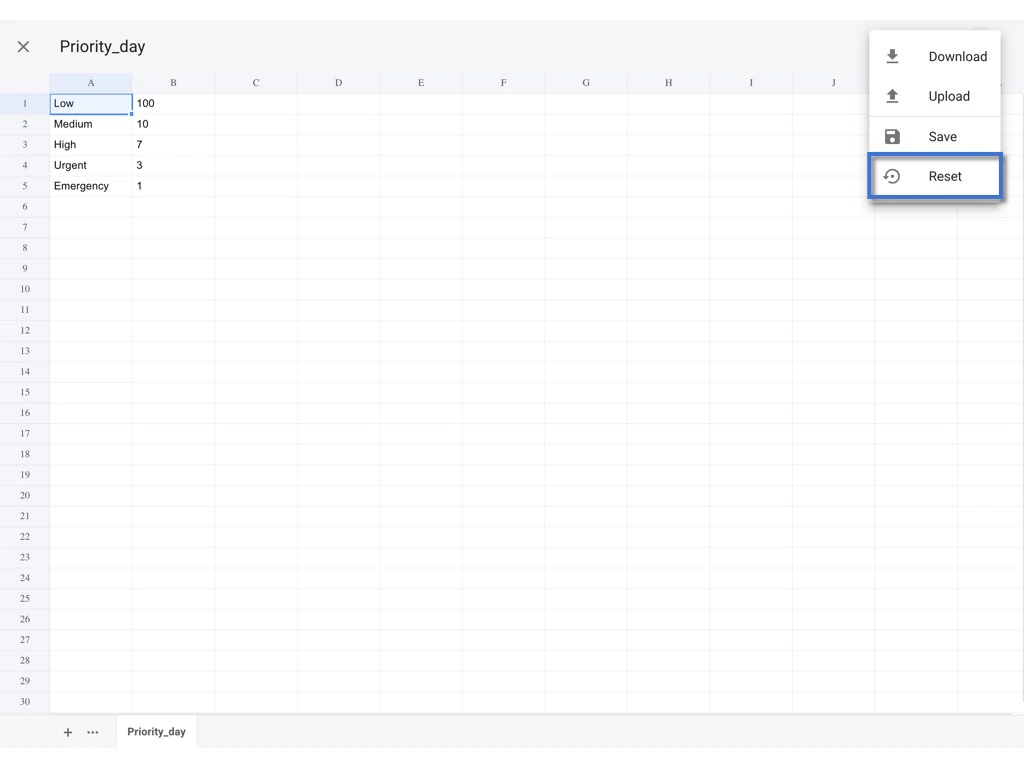
## To reset the value to default which same as the company level.

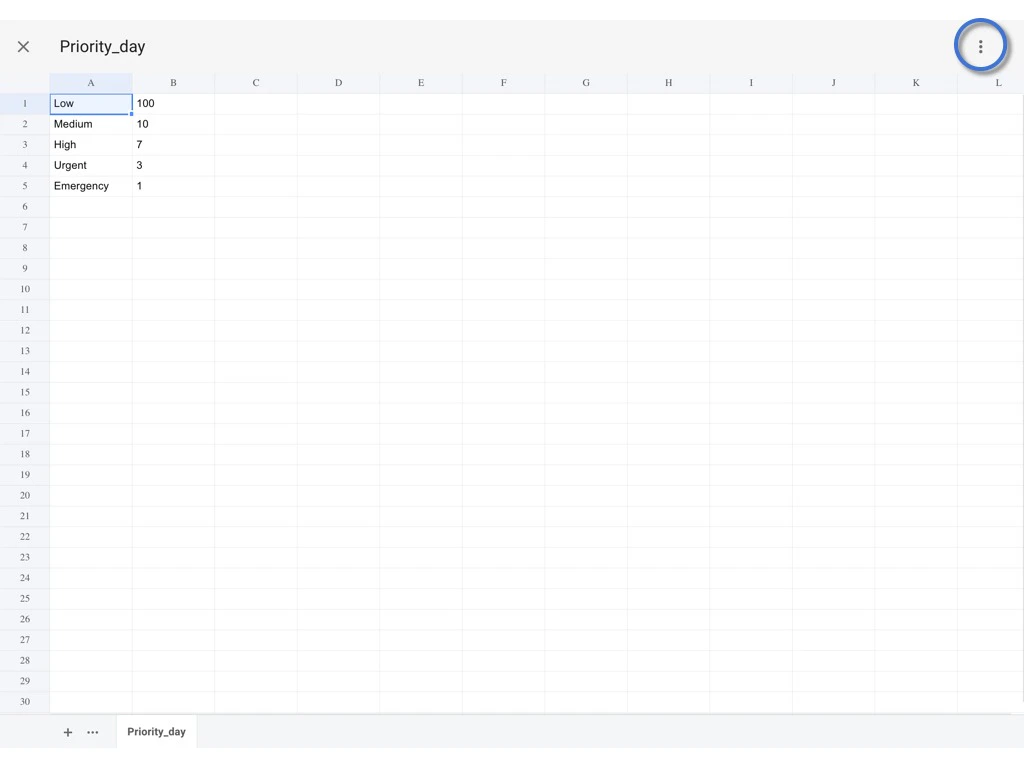
Please Click  **⋮** and select **Reset**.
<img src="https://mintcdn.com/rdrive/NmCVs01a8HNGcruc/images/kb/103000035009/y4lxo1gXrRxbuG74C0IWMXMKVDwH8OijJw.jpeg?fit=max&auto=format&n=NmCVs01a8HNGcruc&q=85&s=65172398ed9084004efed8f5d56ec46b" alt="How to edit a preset spreadsheet on the project?" width="1024" height="768" data-path="images/kb/103000035009/y4lxo1gXrRxbuG74C0IWMXMKVDwH8OijJw.jpeg" />

<img src="https://mintcdn.com/rdrive/NmCVs01a8HNGcruc/images/kb/103000035009/9E7LAMEIuGriaL_wQ0CrP9K-2PfOErQ2EA.jpeg?fit=max&auto=format&n=NmCVs01a8HNGcruc&q=85&s=72eec2e00e81f6898193783fc6b80921" alt="How to edit a preset spreadsheet on the project?" width="1024" height="768" data-path="images/kb/103000035009/9E7LAMEIuGriaL_wQ0CrP9K-2PfOErQ2EA.jpeg" />

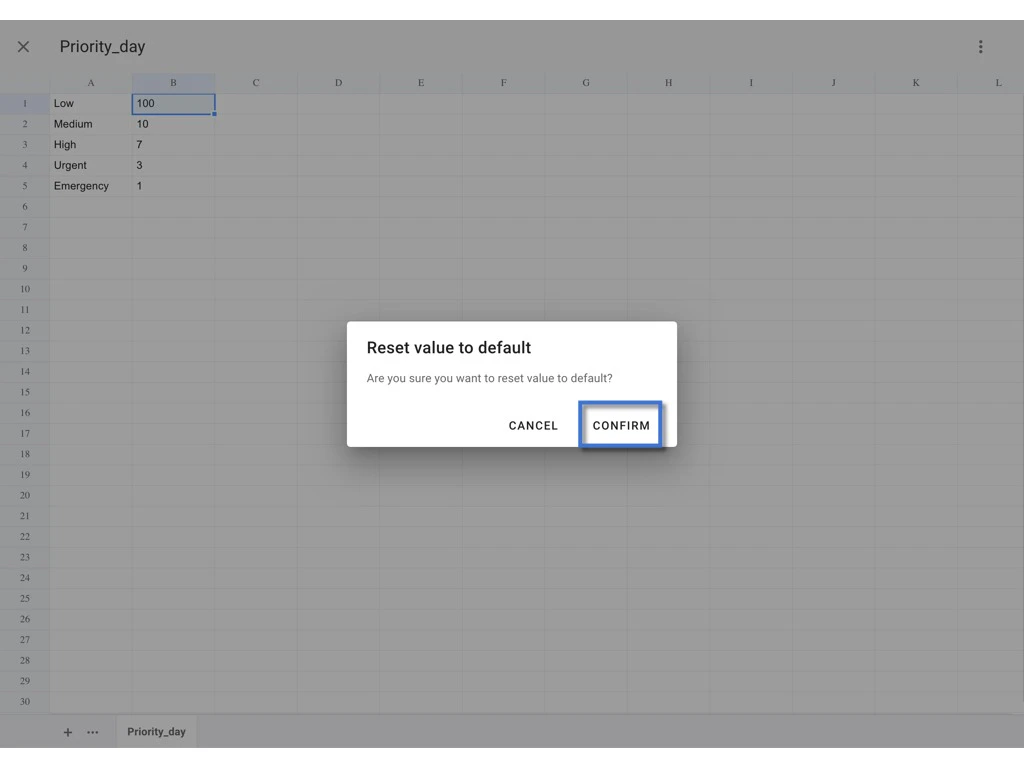
**CONFIRM** to confirm reset.

<img src="https://mintcdn.com/rdrive/NmCVs01a8HNGcruc/images/kb/103000035009/O0j2u_YYCWoe1aOC0yNlH7OS1RinKvpNxg.jpeg?fit=max&auto=format&n=NmCVs01a8HNGcruc&q=85&s=37435aac0f562aef3c47af45f5ddc97c" alt="How to edit a preset spreadsheet on the project?" width="1024" height="768" data-path="images/kb/103000035009/O0j2u_YYCWoe1aOC0yNlH7OS1RinKvpNxg.jpeg" />

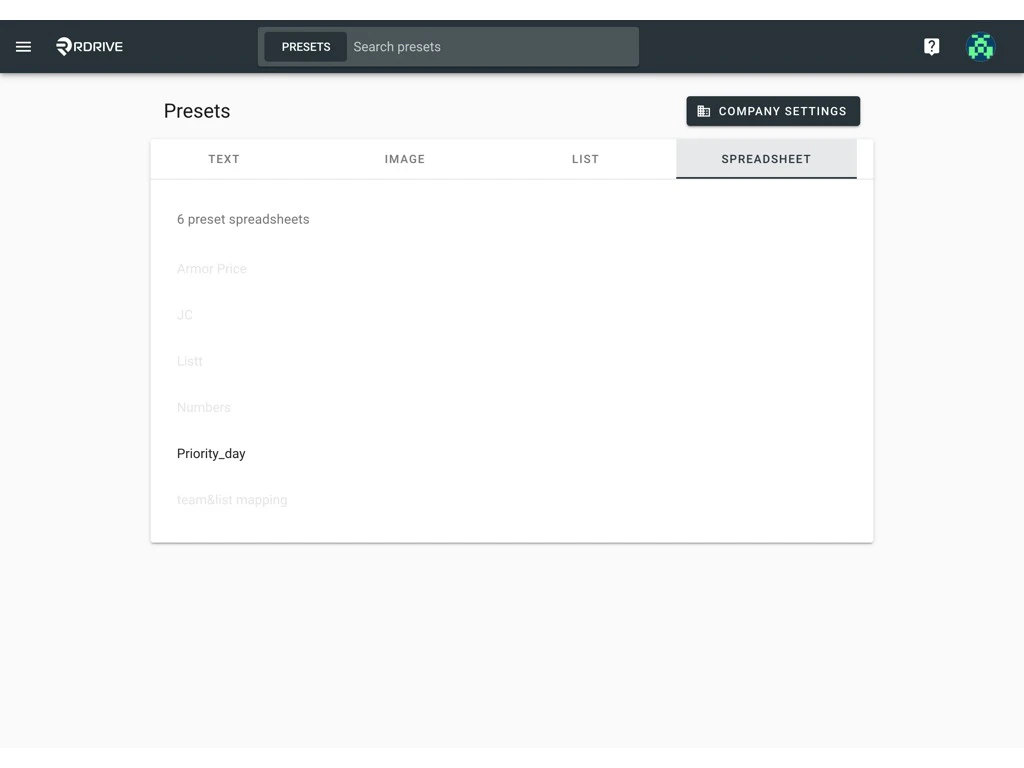
DONE.

<img src="https://mintcdn.com/rdrive/NmCVs01a8HNGcruc/images/kb/103000035009/NQYuDWsiN9SZOLD34fa3On5_7lnqLyhkPw.jpeg?fit=max&auto=format&n=NmCVs01a8HNGcruc&q=85&s=ca1fc61fa2117a78da4dadf2698b2185" alt="How to edit a preset spreadsheet on the project?" width="1024" height="768" data-path="images/kb/103000035009/NQYuDWsiN9SZOLD34fa3On5_7lnqLyhkPw.jpeg" />

***

✨

If you are the company admin, and you

want to know how to **set up** a spreadsheet at the Company level, please check [HERE](https://docs.rdrive.io/setup/company/presets/preset-spreadsheet-add-and-merge-with-the-template-company-level);\
want to know how to **edit** a spreadsheet from the Company level, please check [HERE](https://docs.rdrive.io/setup/company/presets/how-to-edit-a-preset-spreadsheet-company-level).