> ## Documentation Index
> Fetch the complete documentation index at: https://docs.rdrive.io/llms.txt
> Use this file to discover all available pages before exploring further.

# How to edit a preset text?

> Preset text is the read-only text on the form/issue. Usually will be set up from the project beginning.

Preset text is the read-only text on the form/issue. Usually will be set up from the project beginning.

**Editing the preset text on project level**

Project admin/users with edit Preset permission can [make changes on top of the preset texts](#make-changes-on-top-of-the-preset-texts) that are set on the company level or [reset values to default](#reset-to-the-default-value) to fit the project needs specifically.

Click the **≡** menu icon on the top left corner to unfold the Menu, get entry to the **Setting** > **Presets** page.
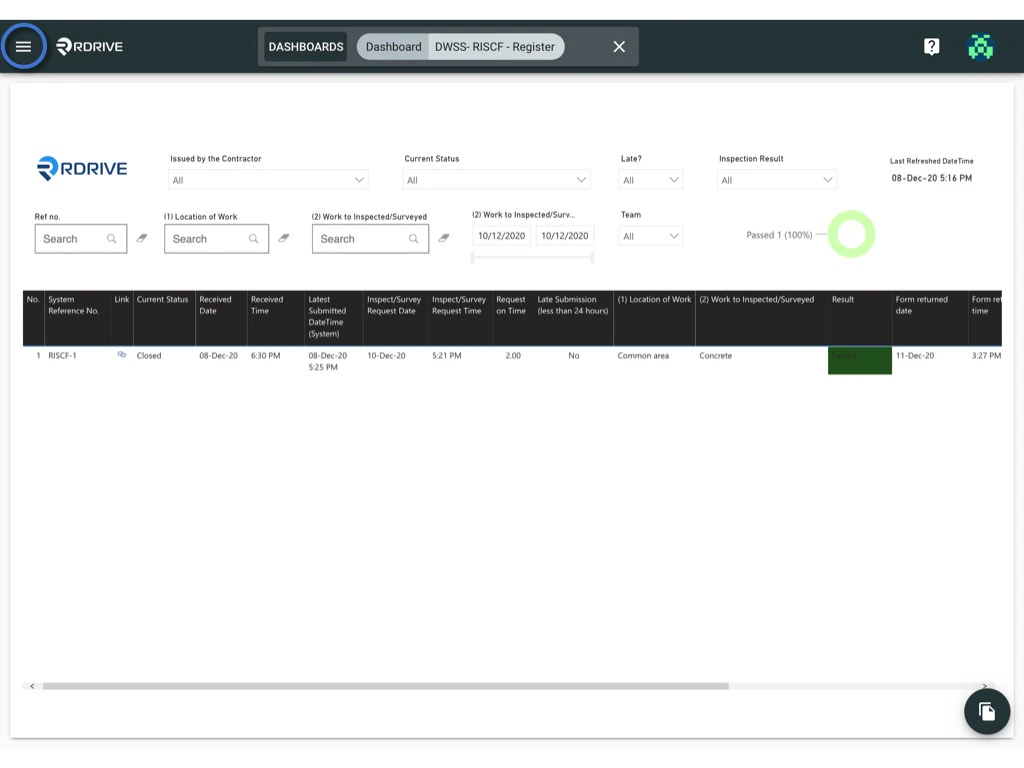
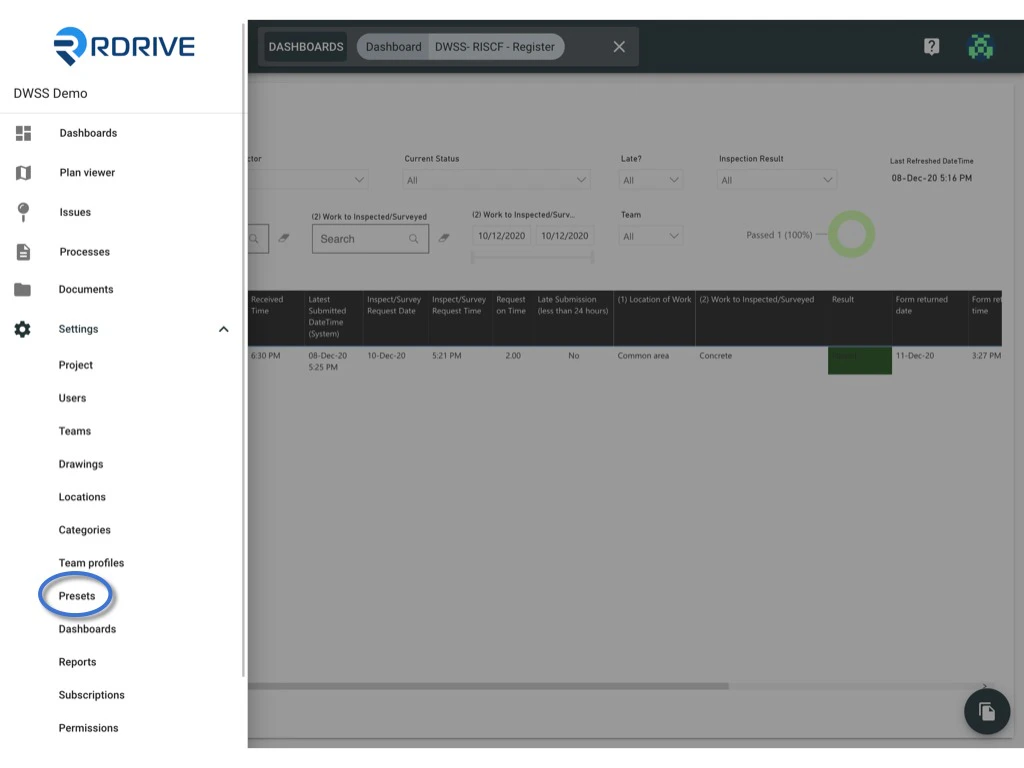
<img src="https://mintcdn.com/rdrive/3Cjbk54eFSJ_c9xH/images/kb/103000035107/iBFnDYjNPYDgT7it52etIbGqC58zYVpk0Q.jpeg?fit=max&auto=format&n=3Cjbk54eFSJ_c9xH&q=85&s=71c519d99334879c931a4e473cc809ec" alt="How to edit a preset text?" width="1024" height="768" data-path="images/kb/103000035107/iBFnDYjNPYDgT7it52etIbGqC58zYVpk0Q.jpeg" />

<img src="https://mintcdn.com/rdrive/3Cjbk54eFSJ_c9xH/images/kb/103000035107/68jw2w1tl13_DL0JUsVfING61b8foTVtNw.jpeg?fit=max&auto=format&n=3Cjbk54eFSJ_c9xH&q=85&s=c43667a2b8ccb788ece4470d508745f1" alt="How to edit a preset text?" width="1024" height="768" data-path="images/kb/103000035107/68jw2w1tl13_DL0JUsVfING61b8foTVtNw.jpeg" />

All items are shown under the **TEXT** category.
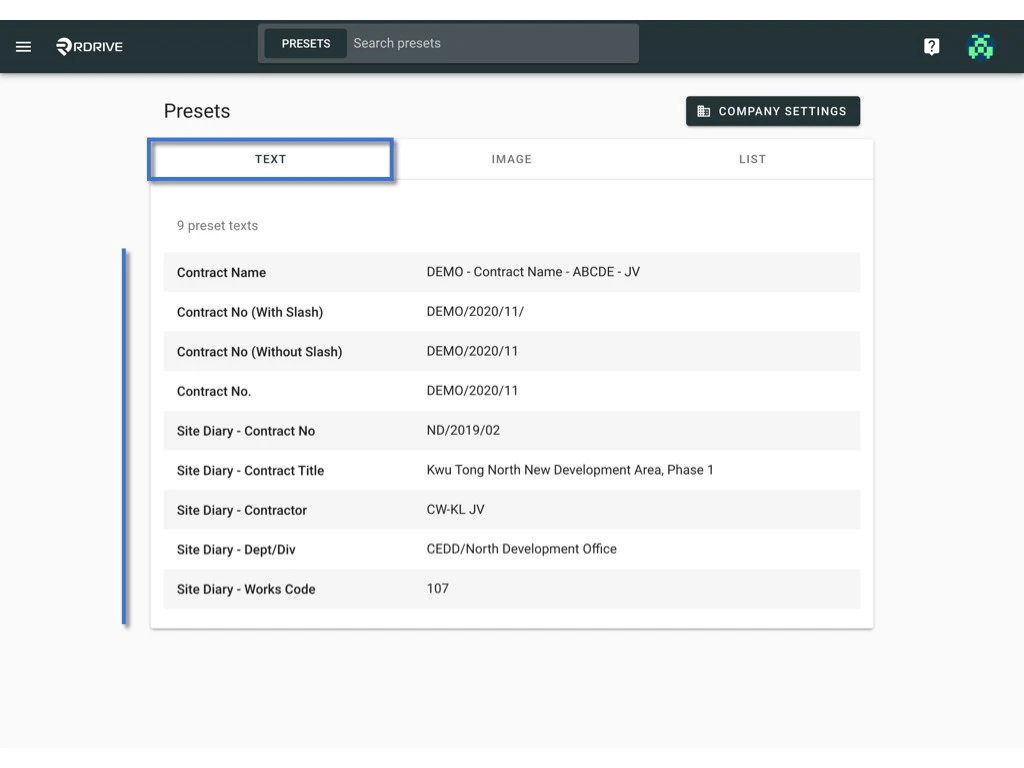
<img src="https://mintcdn.com/rdrive/3Cjbk54eFSJ_c9xH/images/kb/103000035107/HnxXz0QBJSyRMO7PcQMcV8eU5nm0GdJGSA.jpeg?fit=max&auto=format&n=3Cjbk54eFSJ_c9xH&q=85&s=1285d5c3b5394061e519f79f906e3a2d" alt="How to edit a preset text?" width="1024" height="768" data-path="images/kb/103000035107/HnxXz0QBJSyRMO7PcQMcV8eU5nm0GdJGSA.jpeg" />

***

### **Make changes on top of the preset texts**

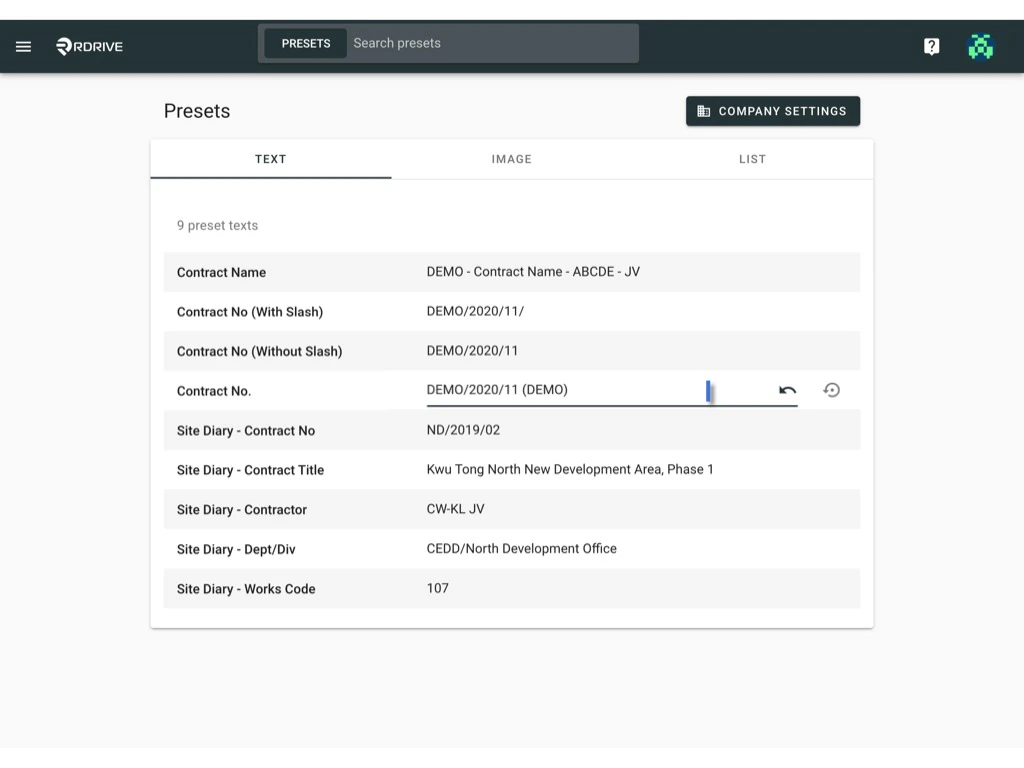
Click on the text for editing.
<img src="https://mintcdn.com/rdrive/3Cjbk54eFSJ_c9xH/images/kb/103000035107/HZ7Ww34u5ebkmM_fQoV7CJ5s1ucHgMBfcg.jpeg?fit=max&auto=format&n=3Cjbk54eFSJ_c9xH&q=85&s=94745b5b66f859b2b7b0984b27d8db1c" alt="How to edit a preset text?" width="1024" height="768" data-path="images/kb/103000035107/HZ7Ww34u5ebkmM_fQoV7CJ5s1ucHgMBfcg.jpeg" />

Click on the arrow button to **undo** if need

<img src="https://mintcdn.com/rdrive/3Cjbk54eFSJ_c9xH/images/kb/103000035107/w5dHkMaEeUucTZTIz_zEAs2OkQByWmq-cQ.png?fit=max&auto=format&n=3Cjbk54eFSJ_c9xH&q=85&s=f3e402b419837e244dc634832d4ccfec" alt="How to edit a preset text?" width="62" height="42" data-path="images/kb/103000035107/w5dHkMaEeUucTZTIz_zEAs2OkQByWmq-cQ.png" />

or\
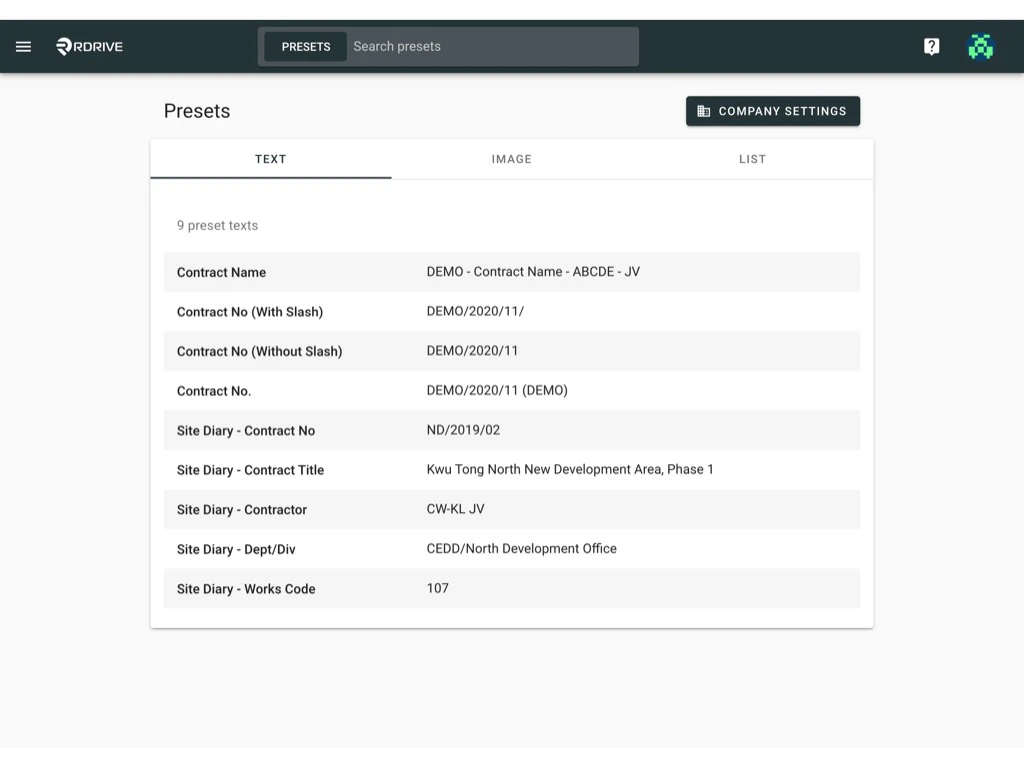
Click on the blank space to confirm and save.
<img src="https://mintcdn.com/rdrive/3Cjbk54eFSJ_c9xH/images/kb/103000035107/Y0RHkkGX7Ae0ebPoNN2HKA8drOAw3b8Grw.jpeg?fit=max&auto=format&n=3Cjbk54eFSJ_c9xH&q=85&s=9ecb2519445818aa249b440a421fd89a" alt="How to edit a preset text?" width="1024" height="768" data-path="images/kb/103000035107/Y0RHkkGX7Ae0ebPoNN2HKA8drOAw3b8Grw.jpeg" />

***

## **Reset to the default value**

<Info>
  Can I reset the preset text to the company level setting?

  Yes, you can.
</Info>

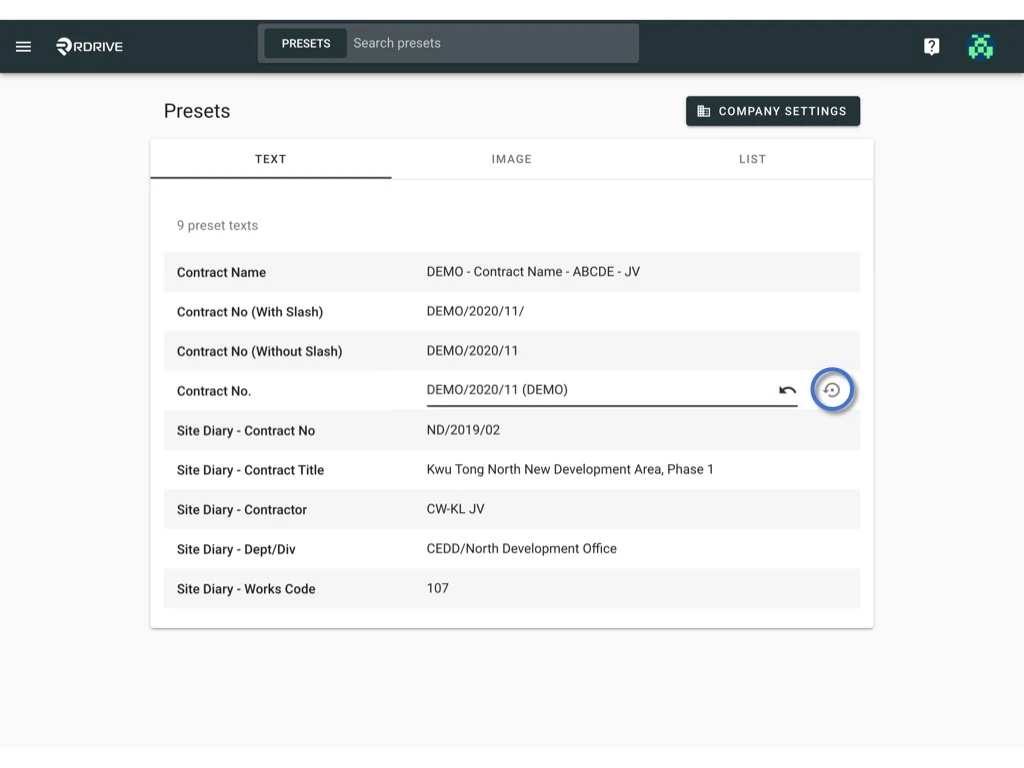
Simply click on the value and click the **reset** button.
<img src="https://mintcdn.com/rdrive/3Cjbk54eFSJ_c9xH/images/kb/103000035107/w5uVhNdl3XxWLgYv6ey28COSFfO6fXypkA.jpeg?fit=max&auto=format&n=3Cjbk54eFSJ_c9xH&q=85&s=e53f8b80a5c70838f6cd07e5cc223f22" alt="How to edit a preset text?" width="1024" height="768" data-path="images/kb/103000035107/w5uVhNdl3XxWLgYv6ey28COSFfO6fXypkA.jpeg" />

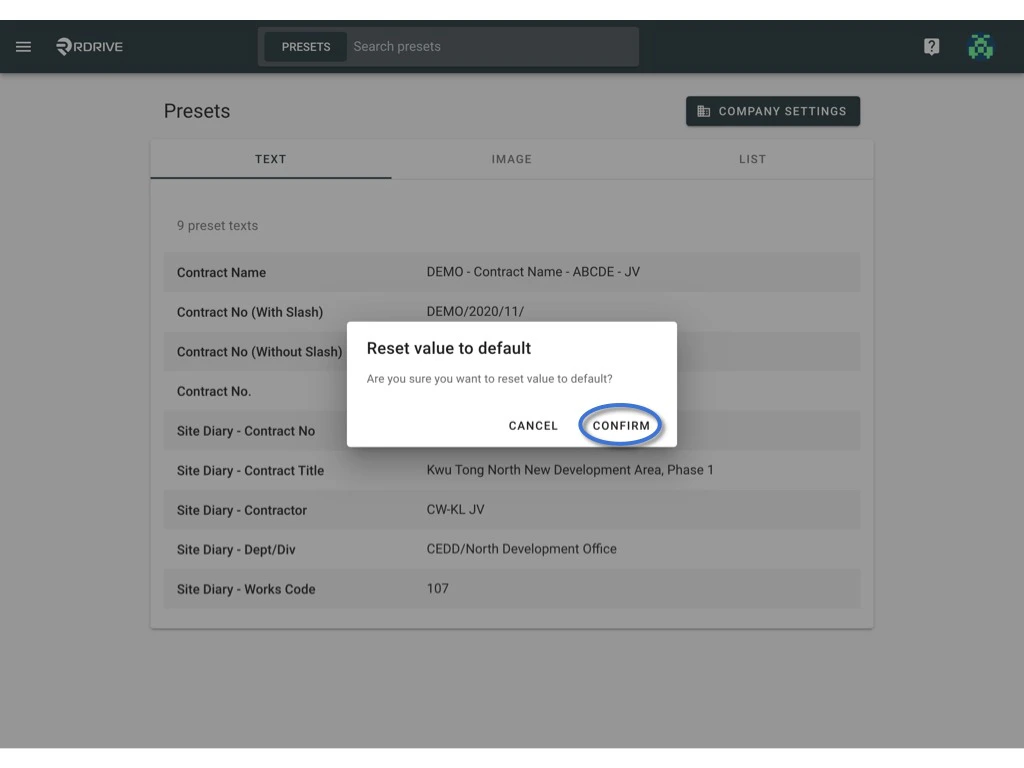
**CONFIRM** to reset to default

<img src="https://mintcdn.com/rdrive/3Cjbk54eFSJ_c9xH/images/kb/103000035107/hgq-k9itrN5lW-Yl3wZh02SR-hGi5kdeMQ.jpeg?fit=max&auto=format&n=3Cjbk54eFSJ_c9xH&q=85&s=6c5098edf77234bd62d802a76b9ee705" alt="How to edit a preset text?" width="1024" height="768" data-path="images/kb/103000035107/hgq-k9itrN5lW-Yl3wZh02SR-hGi5kdeMQ.jpeg" />