> ## Documentation Index
> Fetch the complete documentation index at: https://docs.rdrive.io/llms.txt
> Use this file to discover all available pages before exploring further.

# Edit Project information

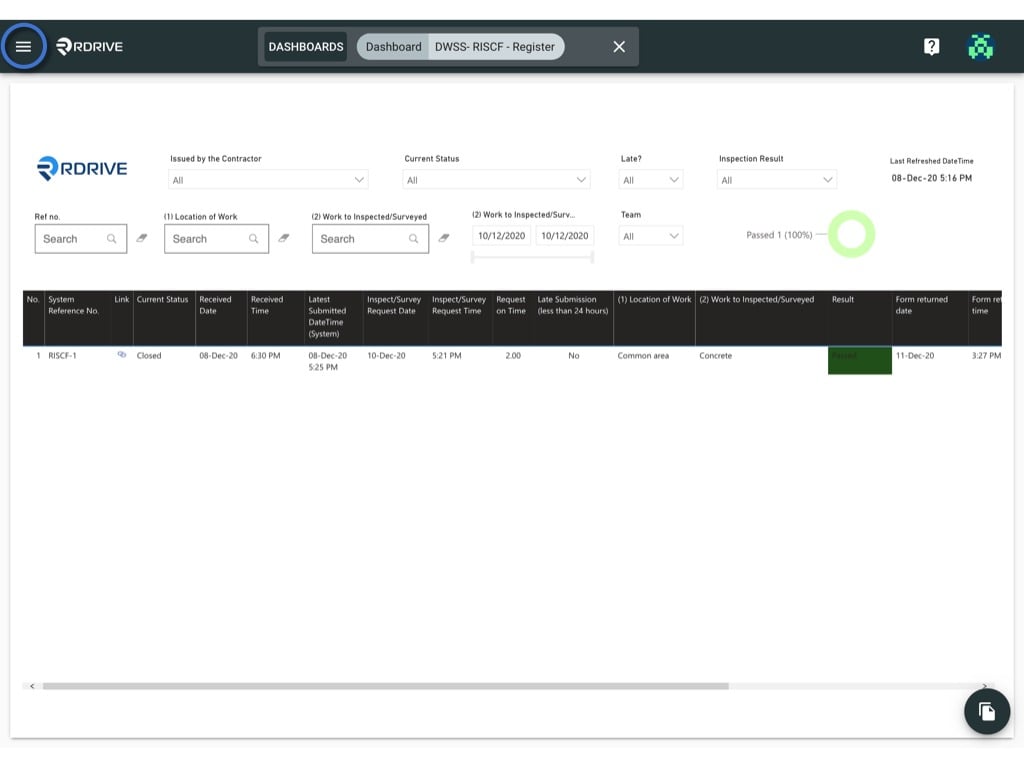
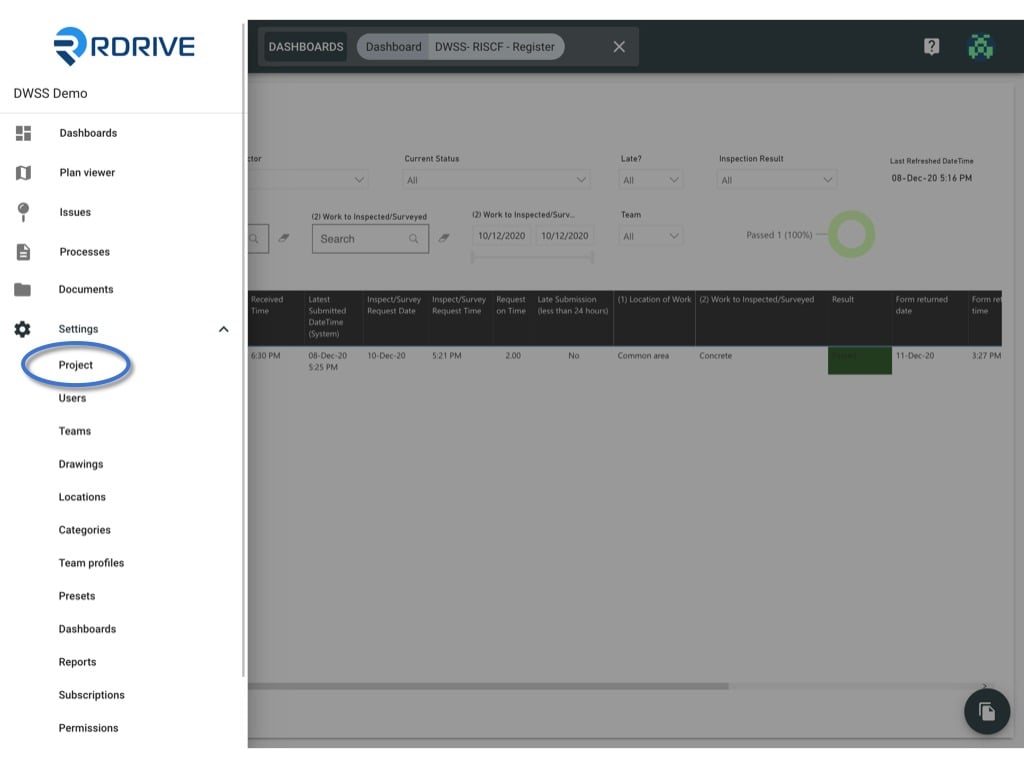
> Click the ≡ menu icon on the top left corner to unfold the Menu, get entry to the Setting > Project page.

<Info>
  As a project admin, you may have the authority to edit the project information.
</Info>

Click the **≡** menu icon on the top left corner to unfold the Menu, get entry to the **Setting** > **Project** page.
<img src="https://mintcdn.com/rdrive/3Cjbk54eFSJ_c9xH/images/kb/103000035108/RTxDuDuKmN2y-v8mo5UA6fAEQKSIz4siuA.jpeg?fit=max&auto=format&n=3Cjbk54eFSJ_c9xH&q=85&s=8a5ca774d400bb591539ffd1e6249ea6" alt="Edit Project information" width="1024" height="768" data-path="images/kb/103000035108/RTxDuDuKmN2y-v8mo5UA6fAEQKSIz4siuA.jpeg" />

<img src="https://mintcdn.com/rdrive/3Cjbk54eFSJ_c9xH/images/kb/103000035108/CSW2v-mtKnI3gbDHkj2WAyVEHQ_202iF-w.jpeg?fit=max&auto=format&n=3Cjbk54eFSJ_c9xH&q=85&s=4fb1a87079c374a338590ffe655f80c7" alt="Edit Project information" width="1024" height="768" data-path="images/kb/103000035108/CSW2v-mtKnI3gbDHkj2WAyVEHQ_202iF-w.jpeg" />

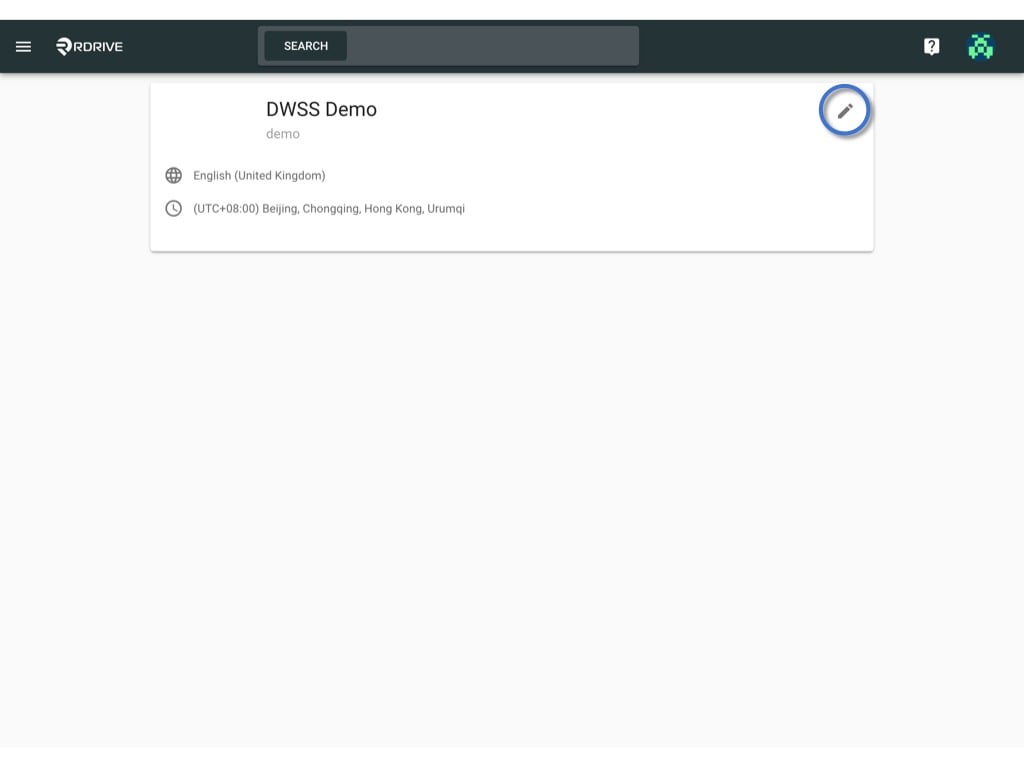
Click on the "**Edit**" button to open the edit project window.
<img src="https://mintcdn.com/rdrive/3Cjbk54eFSJ_c9xH/images/kb/103000035108/Ga26VRuykaR5_cFtysZe1Rx6C0kbeSYi8Q.jpeg?fit=max&auto=format&n=3Cjbk54eFSJ_c9xH&q=85&s=39f937131fe4d2f8c8ba714e2ccabefe" alt="Edit Project information" width="1024" height="768" data-path="images/kb/103000035108/Ga26VRuykaR5_cFtysZe1Rx6C0kbeSYi8Q.jpeg" />

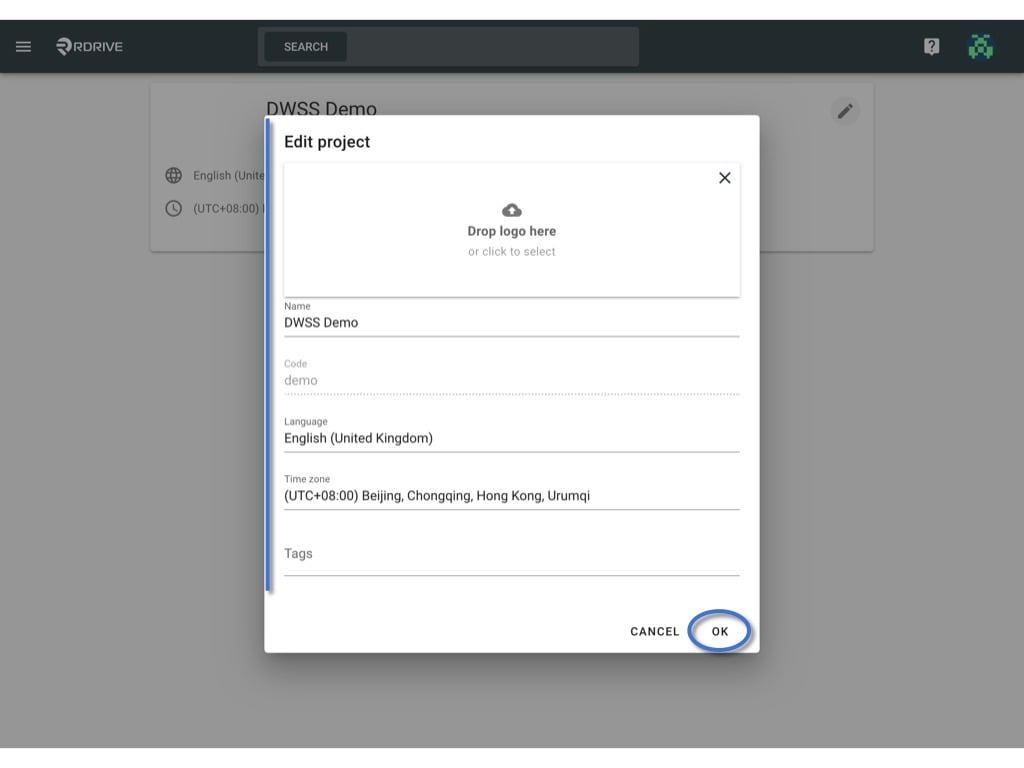
You may edit the Project logo, name, language, Time zone & tag(s) here, the update will affect the whole project.
<img src="https://mintcdn.com/rdrive/3Cjbk54eFSJ_c9xH/images/kb/103000035108/FwP4ZW-3mXBH0xya9bNVih1WI2v3OqhUgw.jpeg?fit=max&auto=format&n=3Cjbk54eFSJ_c9xH&q=85&s=3bbb3408a348845a5357d73e152356cb" alt="Edit Project information" width="1024" height="768" data-path="images/kb/103000035108/FwP4ZW-3mXBH0xya9bNVih1WI2v3OqhUgw.jpeg" />
