> ## Documentation Index
> Fetch the complete documentation index at: https://docs.rdrive.io/llms.txt
> Use this file to discover all available pages before exploring further.
# How to add a Subscription Policy?
> When adding a Subscription Policy it is important to remember that each rule of the subscription policy has different conditions and options for you to control.
When adding a **Subscription Policy** it is important to remember that each rule of the subscription policy has different **conditions** and **options** for you to control. these can be combined to suit your requirements.
**via Website**
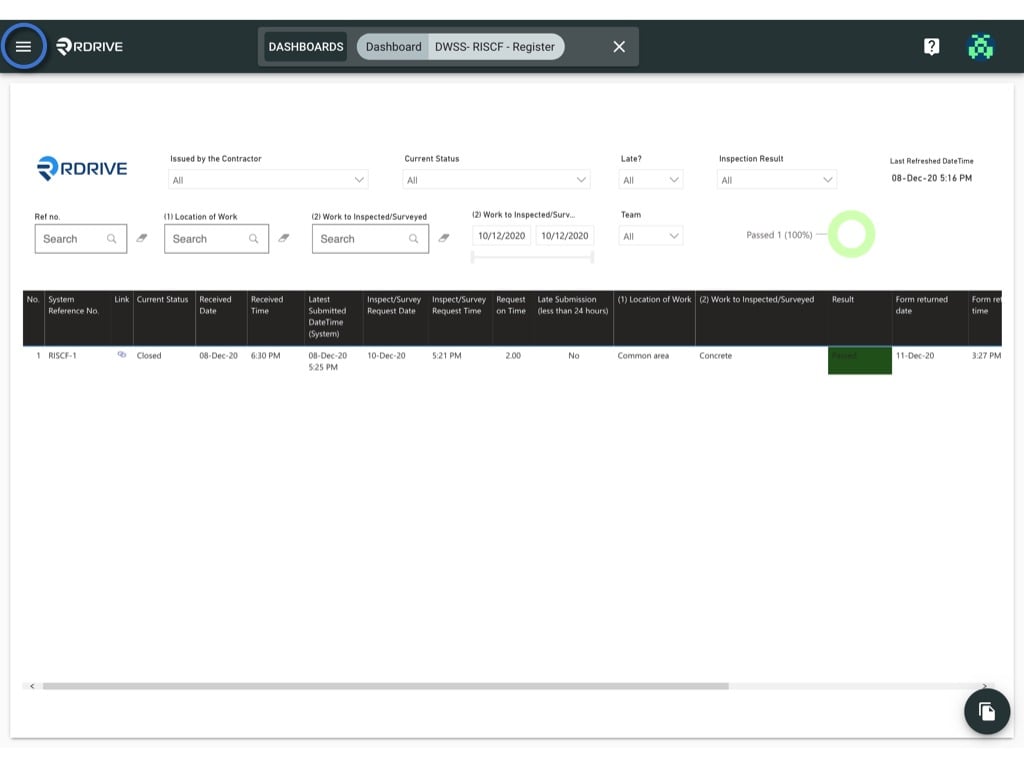
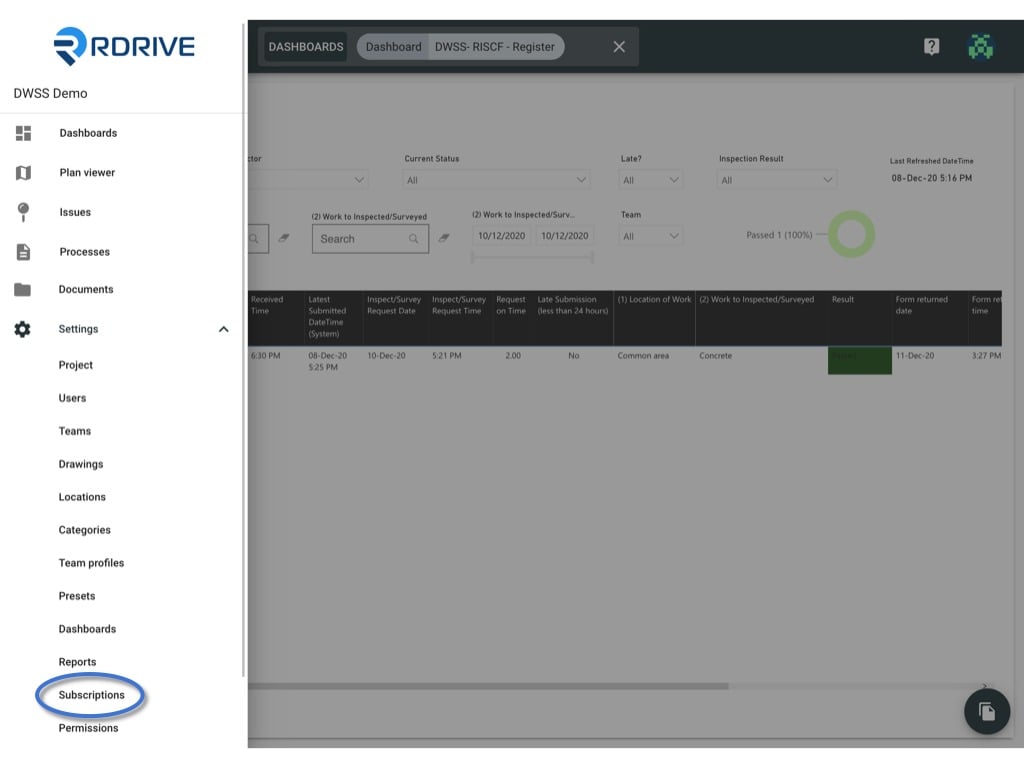
Simply press the Menu icon ≡ in the top left corner of your screen to unfold the Menu and gain access to the **Subscriptions** page within the **Settings** drop-down as shown below.
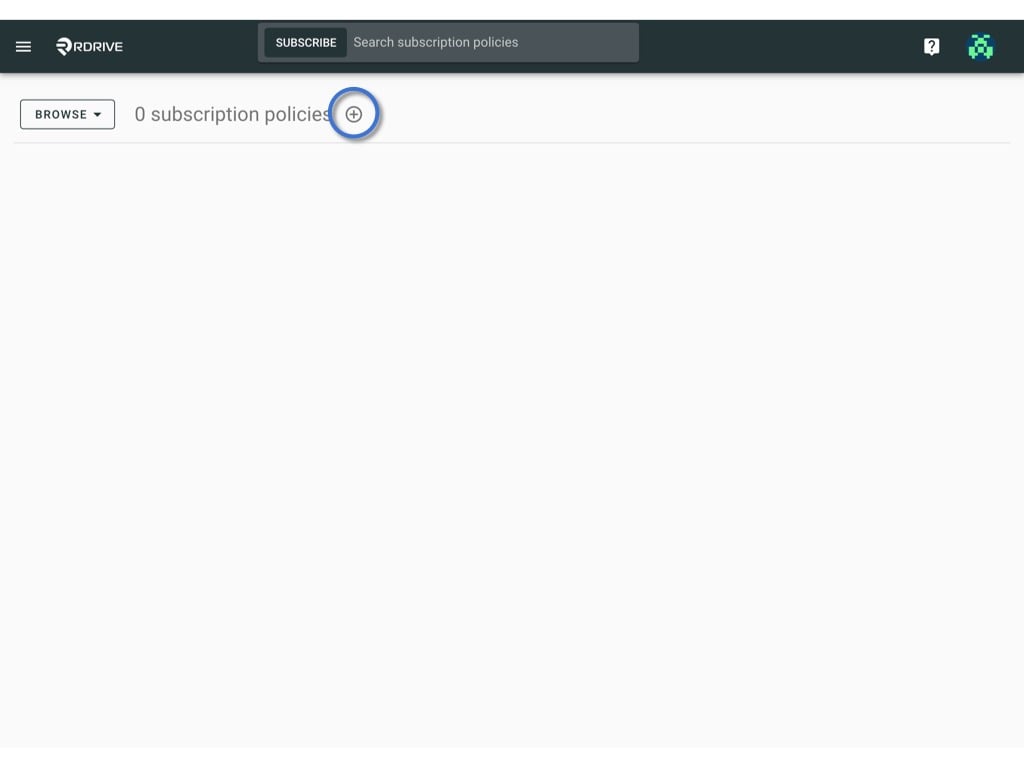
 Press **+** button circled below to add the subscription policy.
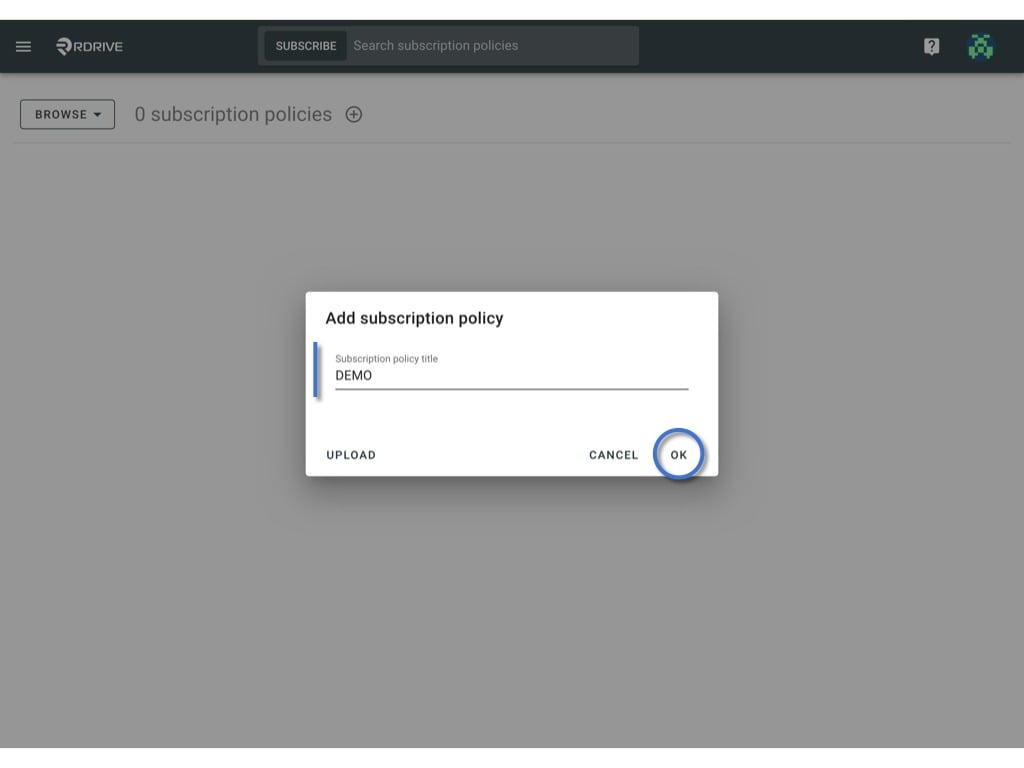
Enter the subscription policy title and click "**OK**" to confirm.
Press **+** button circled below to add the subscription policy.
Enter the subscription policy title and click "**OK**" to confirm.
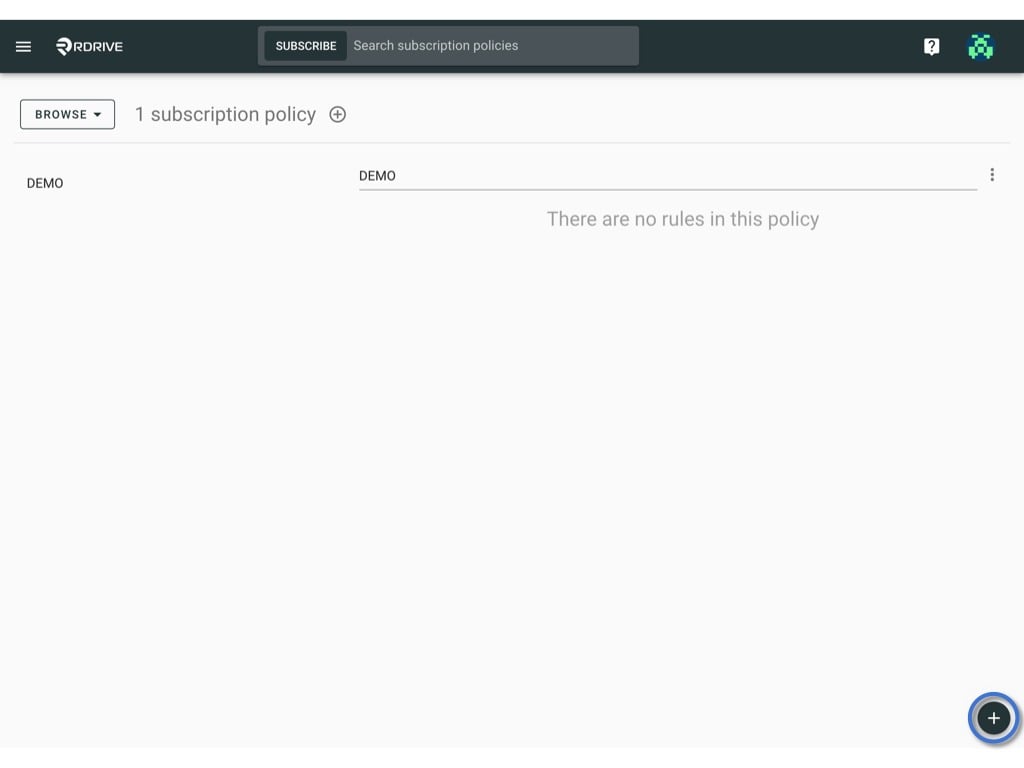
 The next thing to do is to press the **+** button on the bottom right-hand corner of your screen to add **rule(s)**.
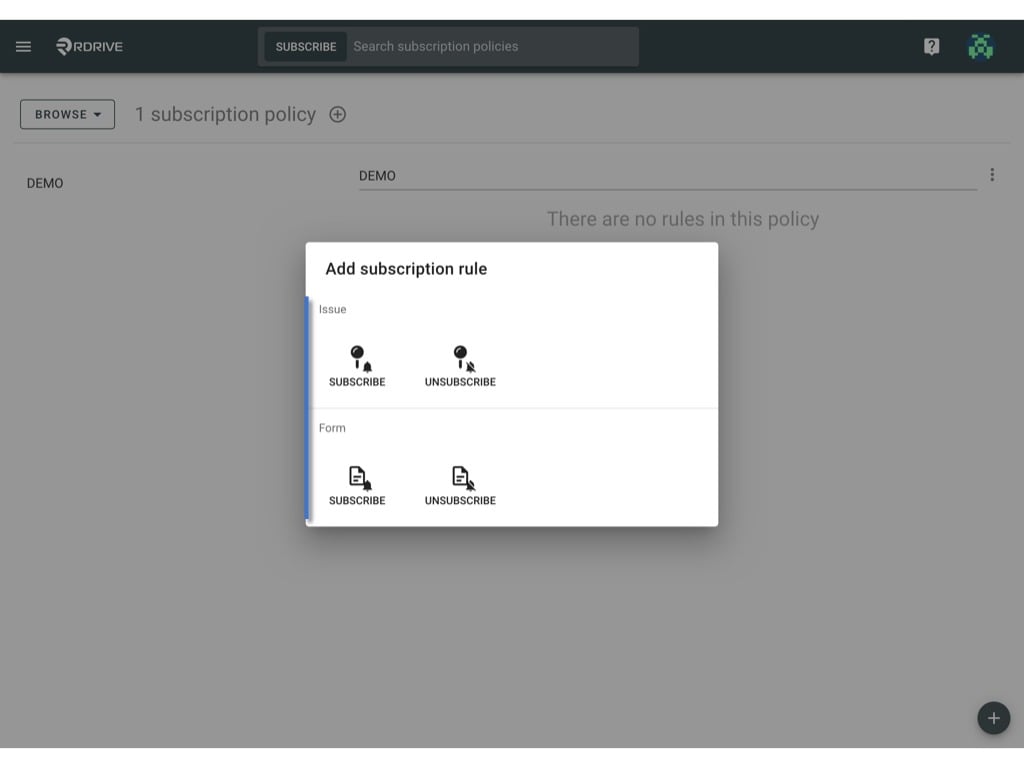
The subscription policy rule window will appear in the centre of your screen. here you will need to select whether your subscription policy is in regard to any issues/defects/records or processes/checklists as applicable as shown below.
The next thing to do is to press the **+** button on the bottom right-hand corner of your screen to add **rule(s)**.
The subscription policy rule window will appear in the centre of your screen. here you will need to select whether your subscription policy is in regard to any issues/defects/records or processes/checklists as applicable as shown below.
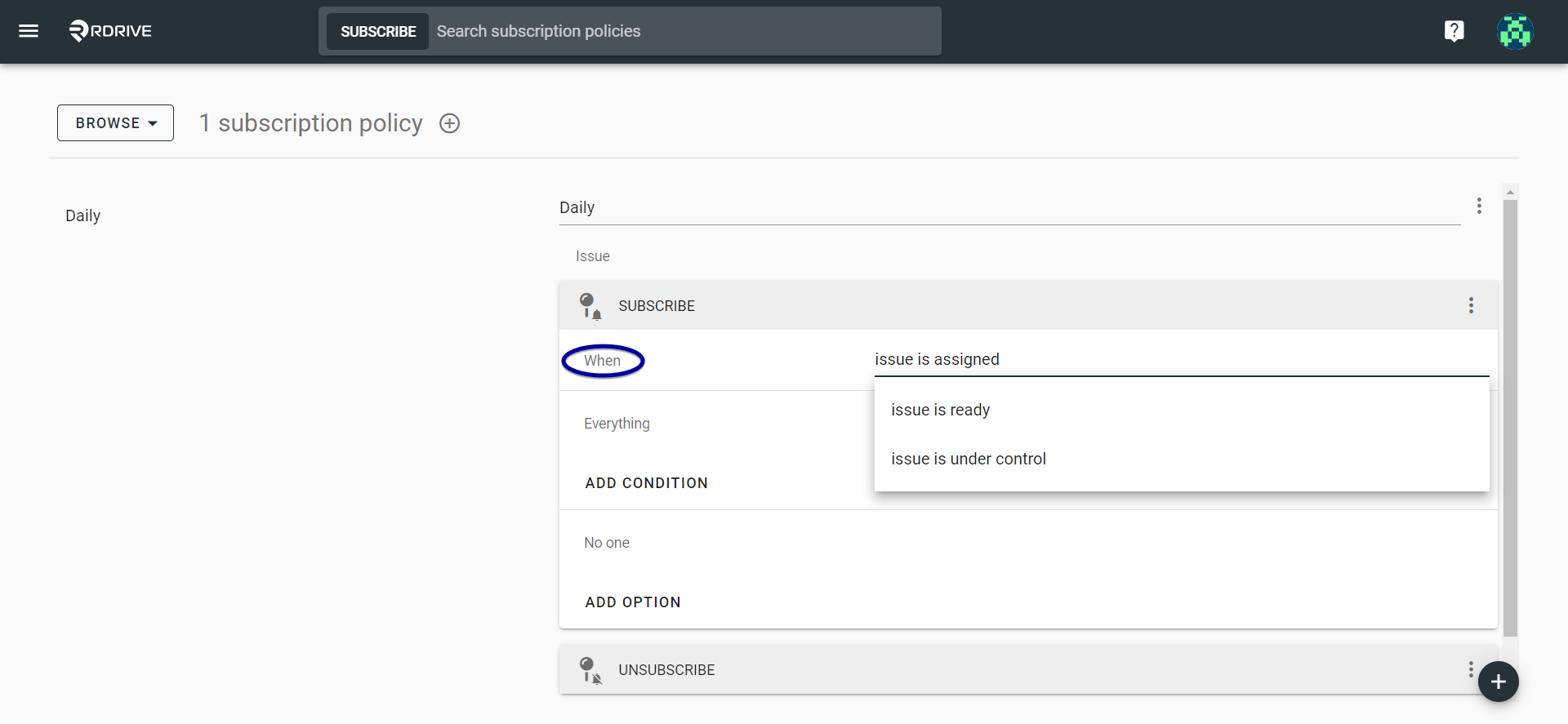
 You can choose when the **subscription** notification is sent out via the "**When**" option as shown below, this will determine the notifications being sent and at what stage. Selecting "**Issue is under control**" will prompt notifications to be sent out at every stage of the issue/defect/record or process/checklist dependent on the subscription rule applied.
(*Please note that when a subscription is applied, it will determine which notifications are received. ie. If the subscription is set up for subcontractors, the notifications will only be received when the issue/defect/record or process/checklist reaches the stage for the subcontractors to take action*)
You can choose when the **subscription** notification is sent out via the "**When**" option as shown below, this will determine the notifications being sent and at what stage. Selecting "**Issue is under control**" will prompt notifications to be sent out at every stage of the issue/defect/record or process/checklist dependent on the subscription rule applied.
(*Please note that when a subscription is applied, it will determine which notifications are received. ie. If the subscription is set up for subcontractors, the notifications will only be received when the issue/defect/record or process/checklist reaches the stage for the subcontractors to take action*)
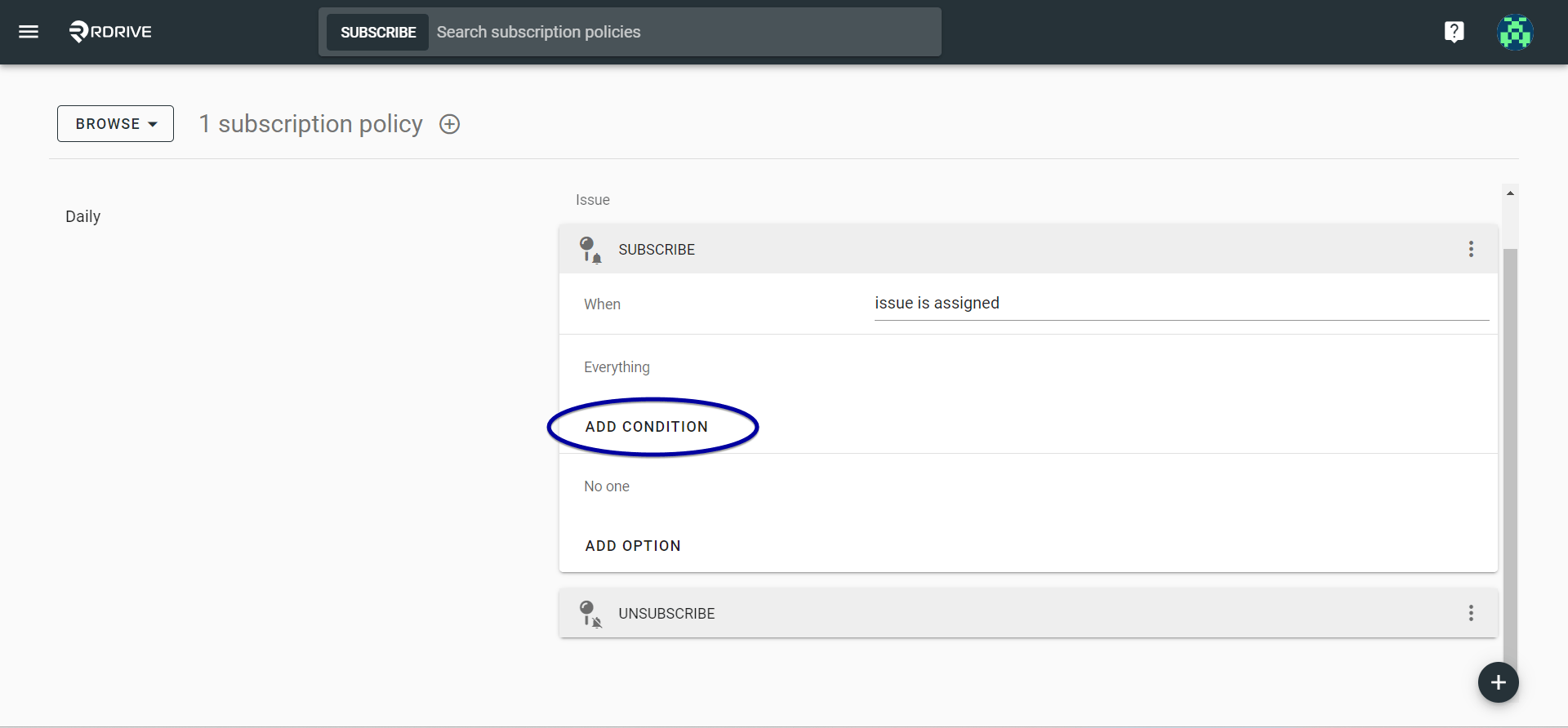
 Adding a "**Condition**" will determine under what parameters the notifications are sent out. Not entering a condition will leave all options open.
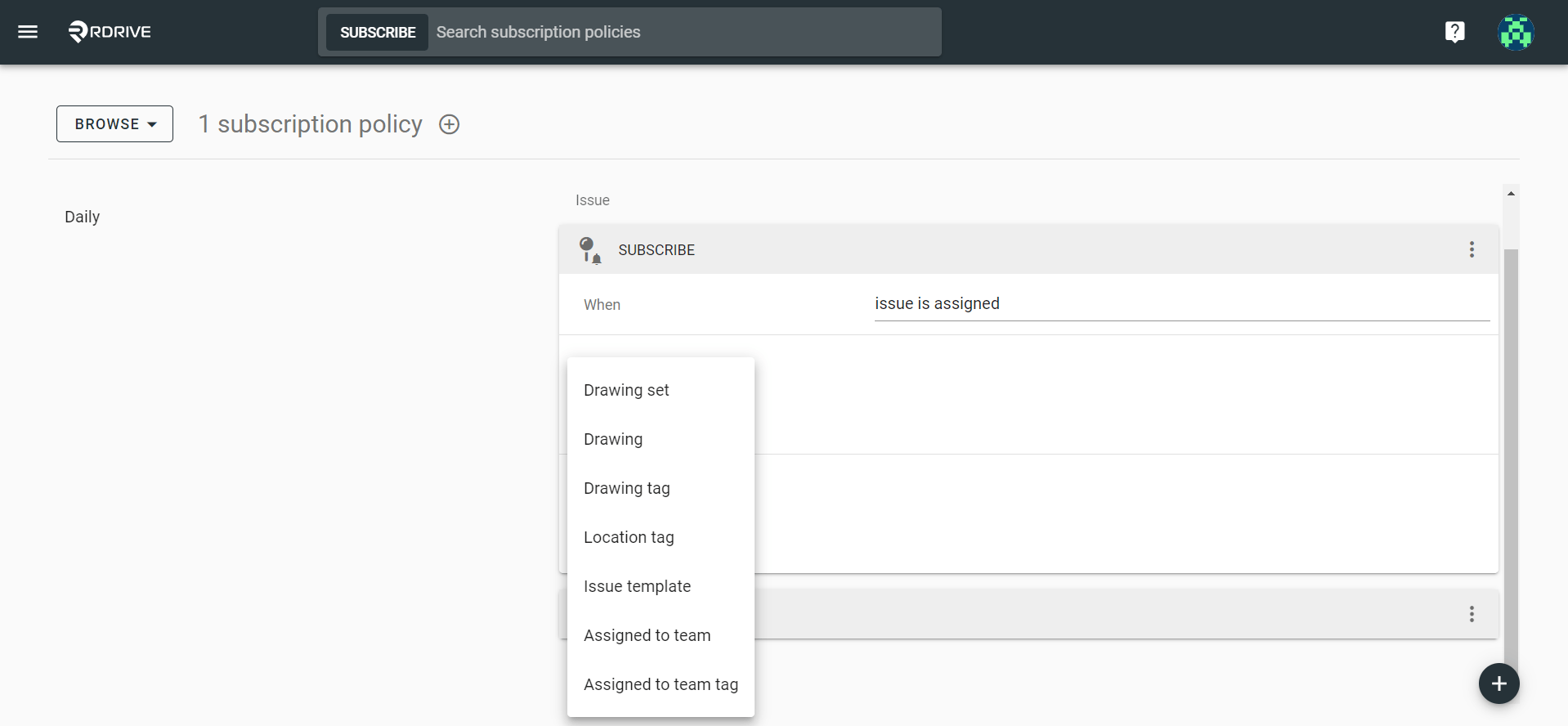 You can now set the **subscription** to the relevant Team, Team Member(s) or User(s) as required via the "**Add Option**" dropdown.
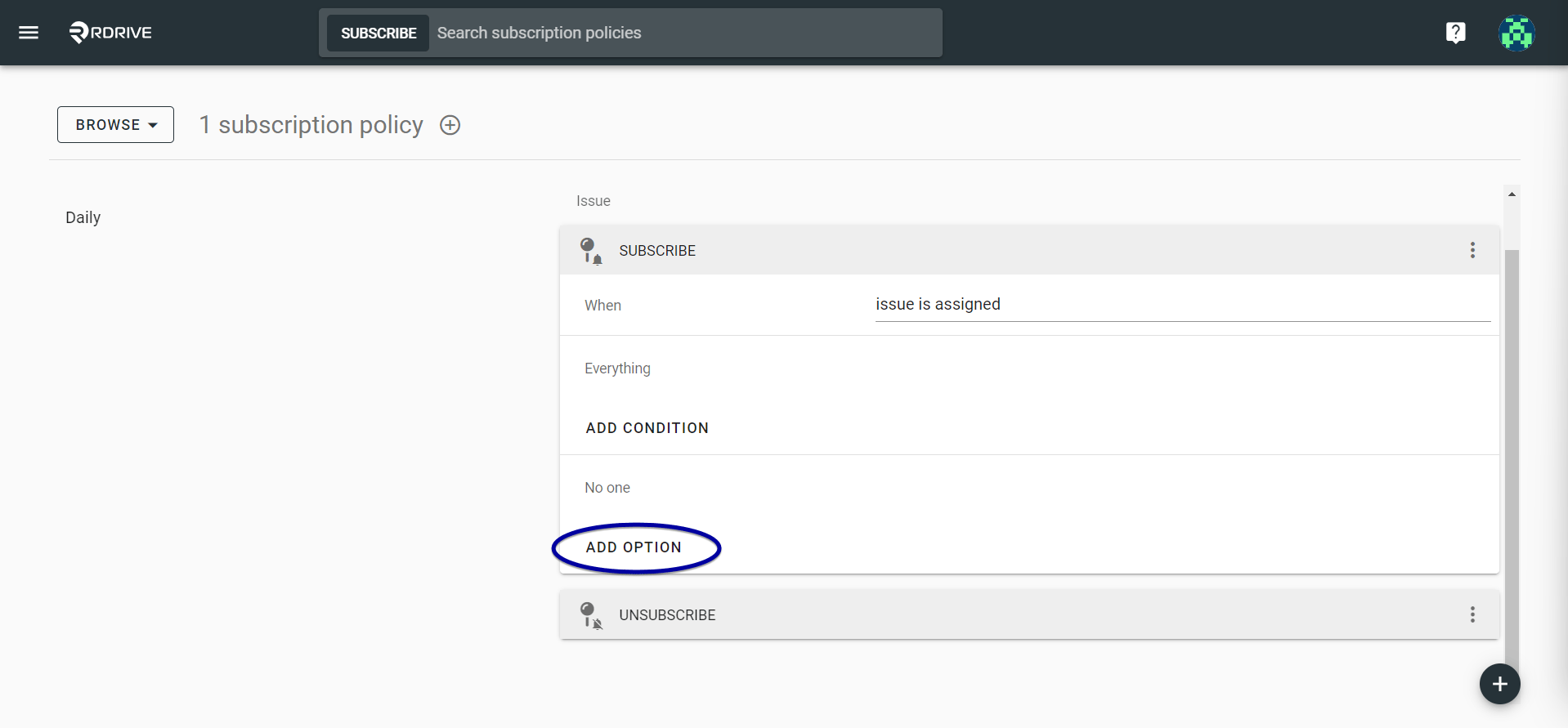 Your subscription is now set-up!