> ## Documentation Index
> Fetch the complete documentation index at: https://docs.rdrive.io/llms.txt
> Use this file to discover all available pages before exploring further.
# Managing Subscription Policies and Rules
> Each Subscription policy rule comes with various conditions and options to help you customize the settings to fit your specific needs. Feel free to choose any c
Each Subscription policy rule comes with various conditions and options to help you customize the settings to fit your specific needs. Feel free to choose any combination that suits your situation!
***
## Subscription Policy Levels
**Policy Level:**
* [Accessing Subscription Policy Settings via the Website](#accessing-subscription-policy-settings-via-the-website)[](#editing-a-subscriptions-policy-title)
* [Editing a Subscriptions Policy Title](#editing-a-subscriptions-policy-title)
* [Downloading a Subscription Policy](#downloading-a-%e2%80%8bsubscription%c2%a0policy)
* [To Batch Download](#to-batch-download%3a)
* [Deleting a Subscription Policy](#deleting-a-subscription-policy)[](#editing-conditions-and-options-for-a-rule)[\
](#editing-conditions-and-options-for-a-rule)
[****Rule Level**:**\
](#editing-conditions-and-options-for-a-rule)
* [Editing Conditions and Options for a Rule](#editing-conditions-and-options-for-a-rule)
* [Deleting a Rule](#deleting-a-rule)
***
## **Accessing Subscription Policy Settings via the Website**
1. Click on the **≡** menu icon at the top left corner to open the Menu.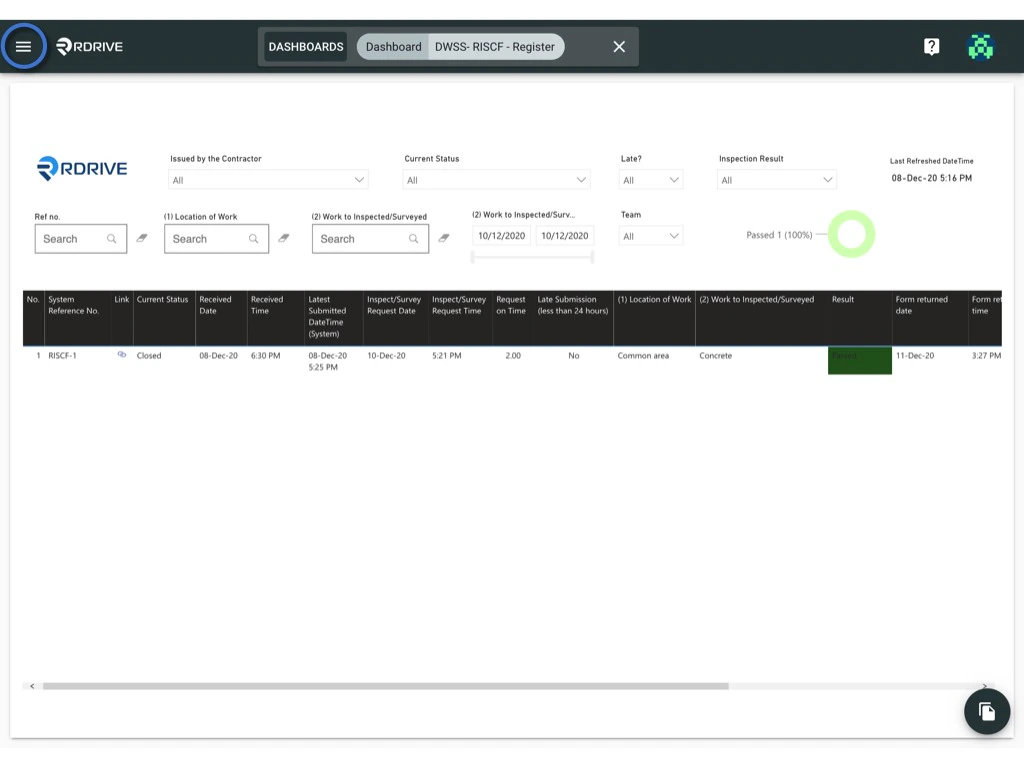
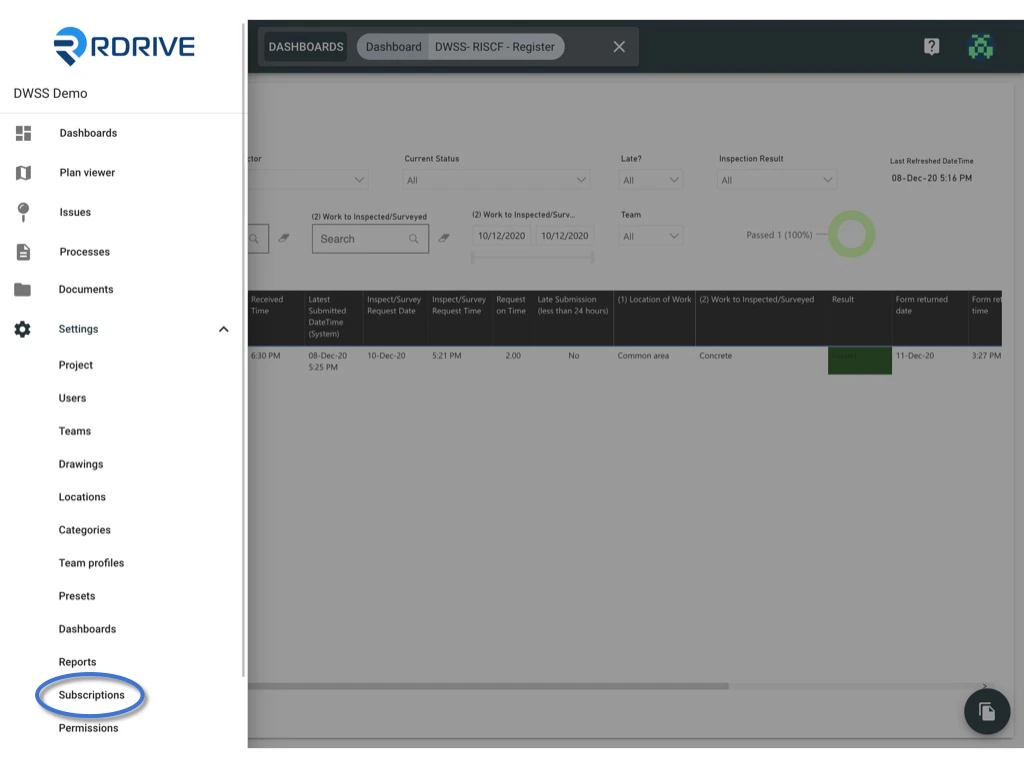 2. Navigate to **Settings > Subscriptions** to access the Subscriptions page.
***
### **Editing a Subscriptions Policy Title**
1. Select the desired Subscription policy.
2. Click on the policy title to edit it.
2. Navigate to **Settings > Subscriptions** to access the Subscriptions page.
***
### **Editing a Subscriptions Policy Title**
1. Select the desired Subscription policy.
2. Click on the policy title to edit it.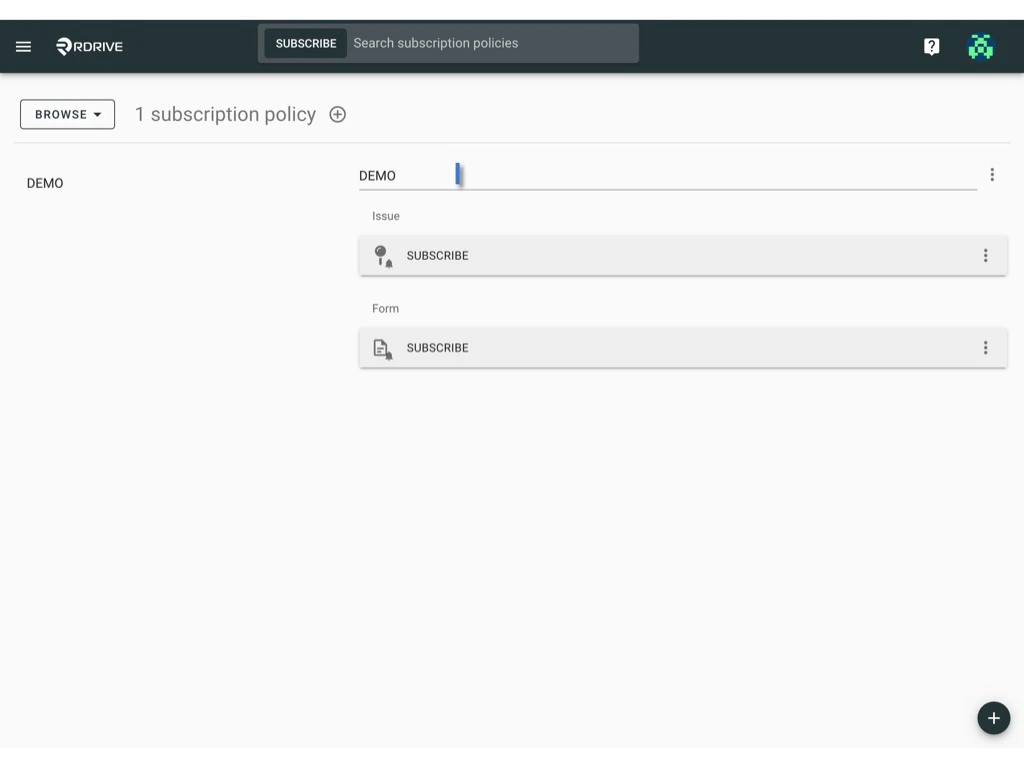 ***
## **Downloading a** **Subscription** **Policy**
1. Click the **⋮** button on the right-hand side of the policy title.**
***
## **Downloading a** **Subscription** **Policy**
1. Click the **⋮** button on the right-hand side of the policy title.**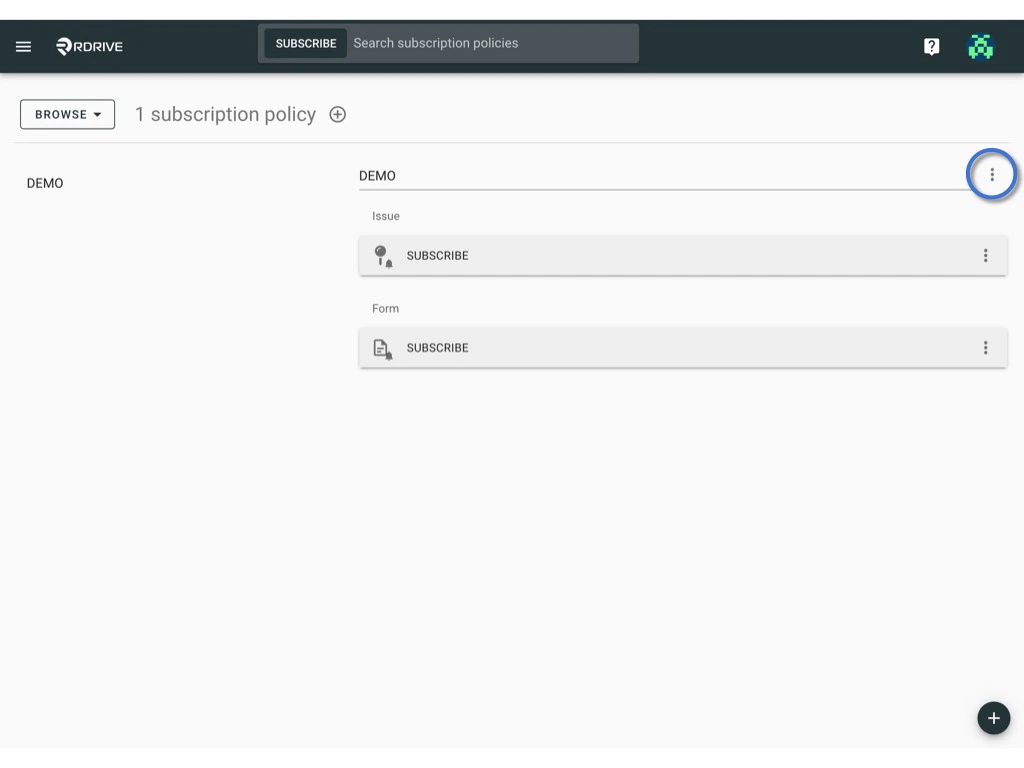 **
2. Select **Download**.**
**
2. Select **Download**.**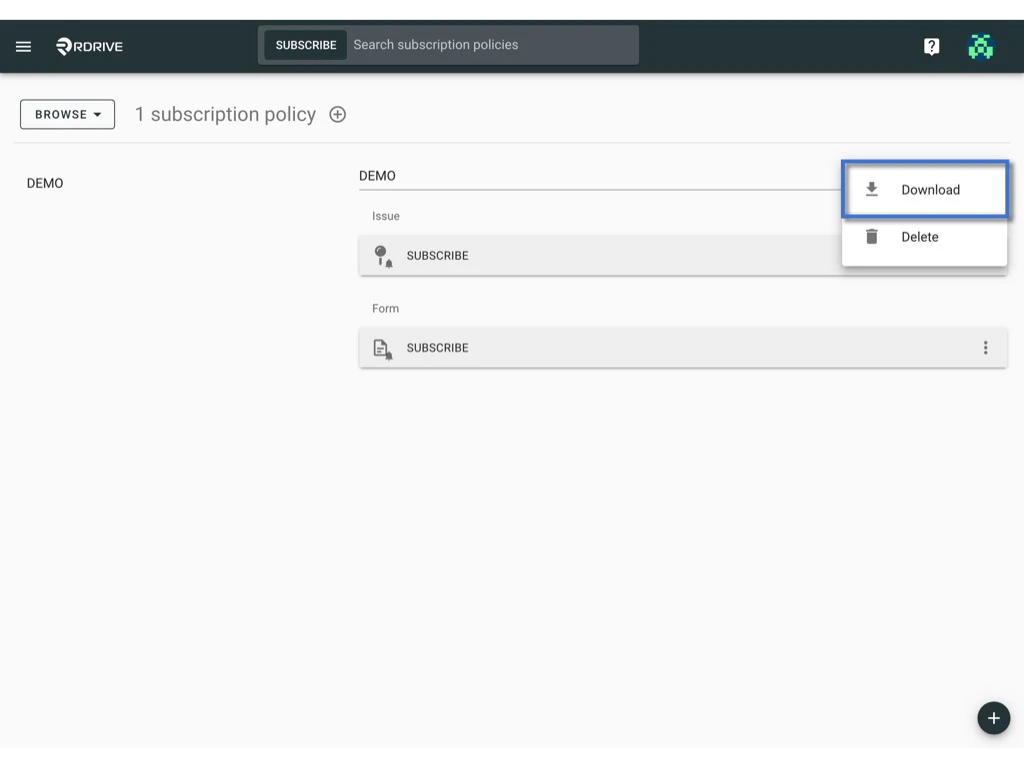 **
#### **To Batch Download:**
1. Switch the mode from "**BROWER**" to "**SELECT**".**
**
#### **To Batch Download:**
1. Switch the mode from "**BROWER**" to "**SELECT**".**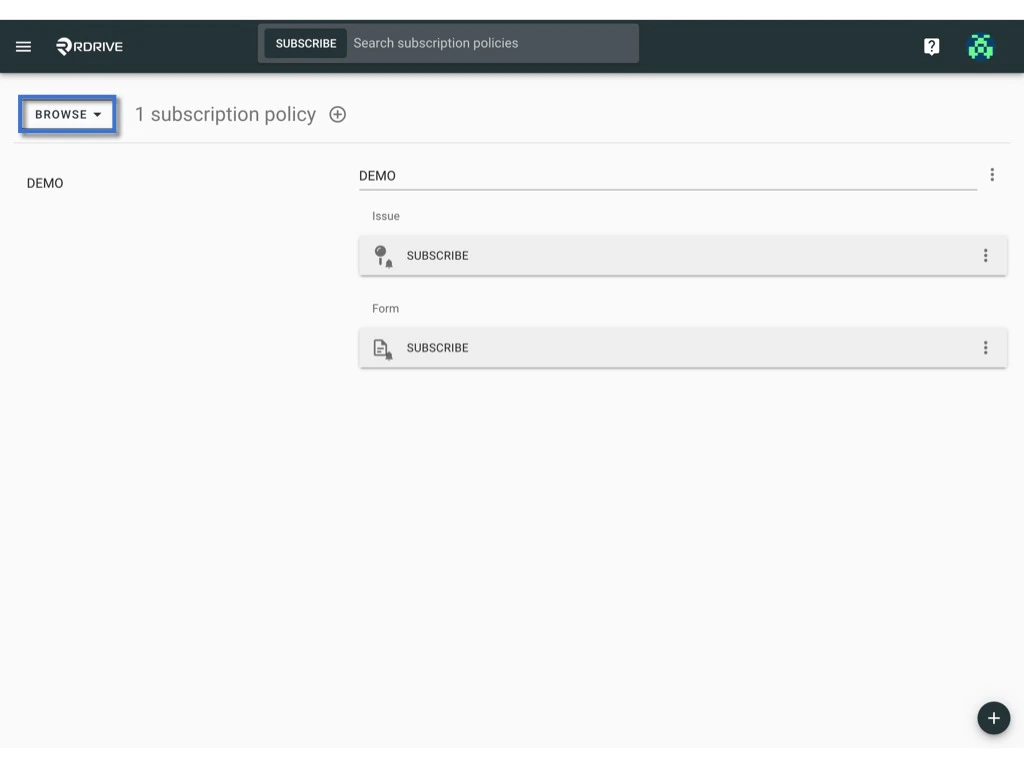
 **
2. Click on individual items or use the **Select All / Deselect All** button to choose multiple items. The selected items will be highlighted in grey.\*\*
**
**
2. Click on individual items or use the **Select All / Deselect All** button to choose multiple items. The selected items will be highlighted in grey.\*\*
** **
\*\*
3. Press the **Download** icon to batch download the selected items.**
**
\*\*
3. Press the **Download** icon to batch download the selected items.** **
***
## **Deleting a Subscription Policy**
1. Click the **⋮** button on the right-hand side of the policy title.**
**
***
## **Deleting a Subscription Policy**
1. Click the **⋮** button on the right-hand side of the policy title.**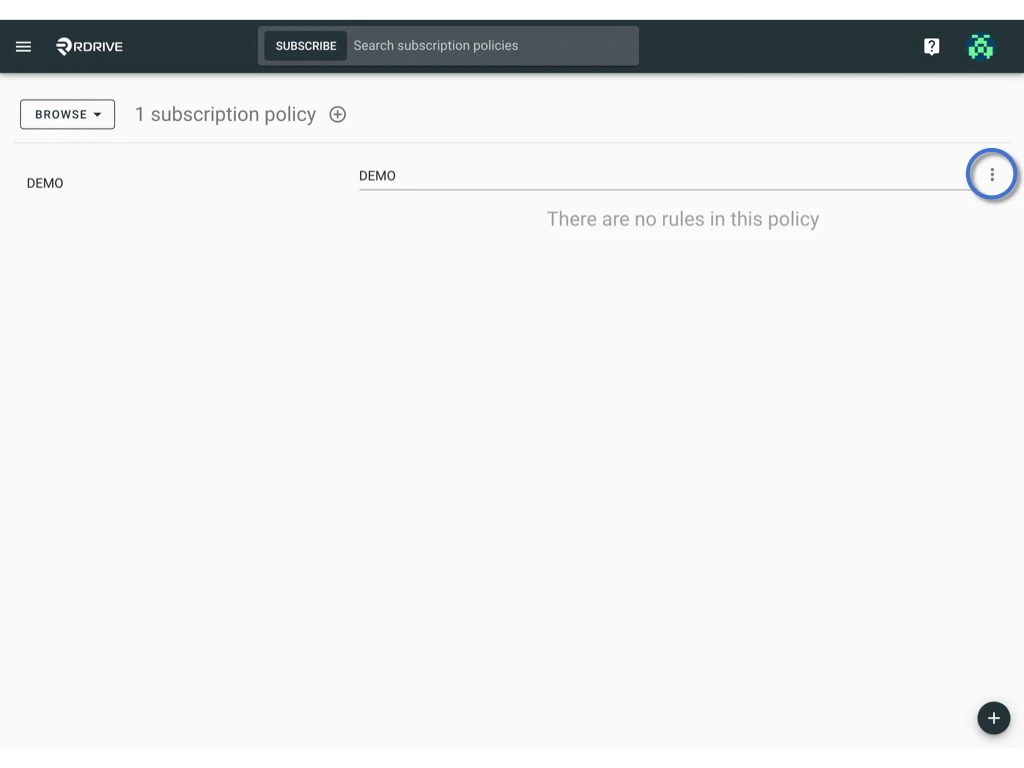 **
2. Select **Delete**.**
**
2. Select **Delete**.**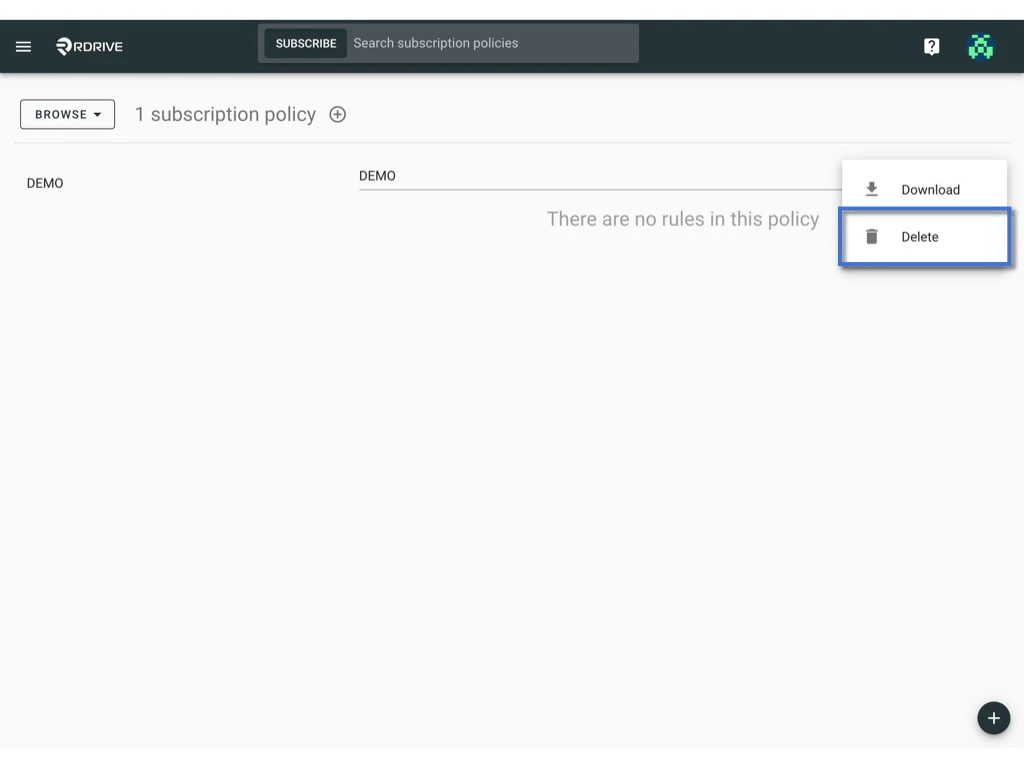 **
3. Confirm the **DELETE**\
**
**
3. Confirm the **DELETE**\
**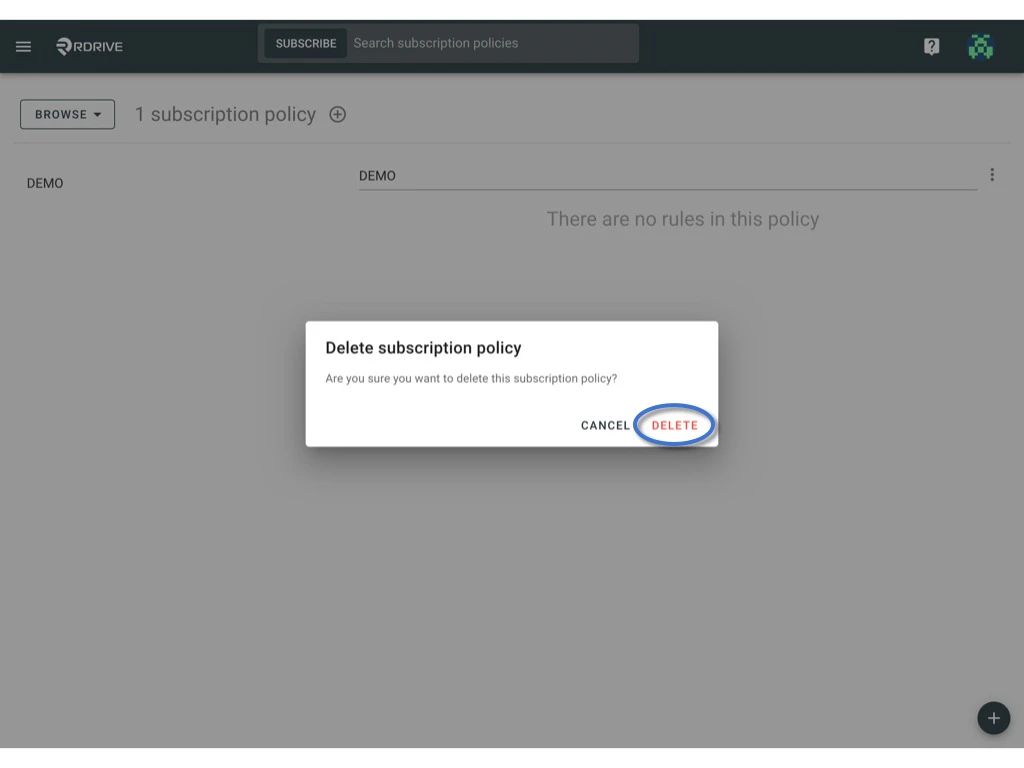 **
> Warning: Once deleted, the Subscription policy cannot be recovered.
***
## **Editing Conditions and Options for a Rule**
1. Click on a rule to expand it.**
**
> Warning: Once deleted, the Subscription policy cannot be recovered.
***
## **Editing Conditions and Options for a Rule**
1. Click on a rule to expand it.**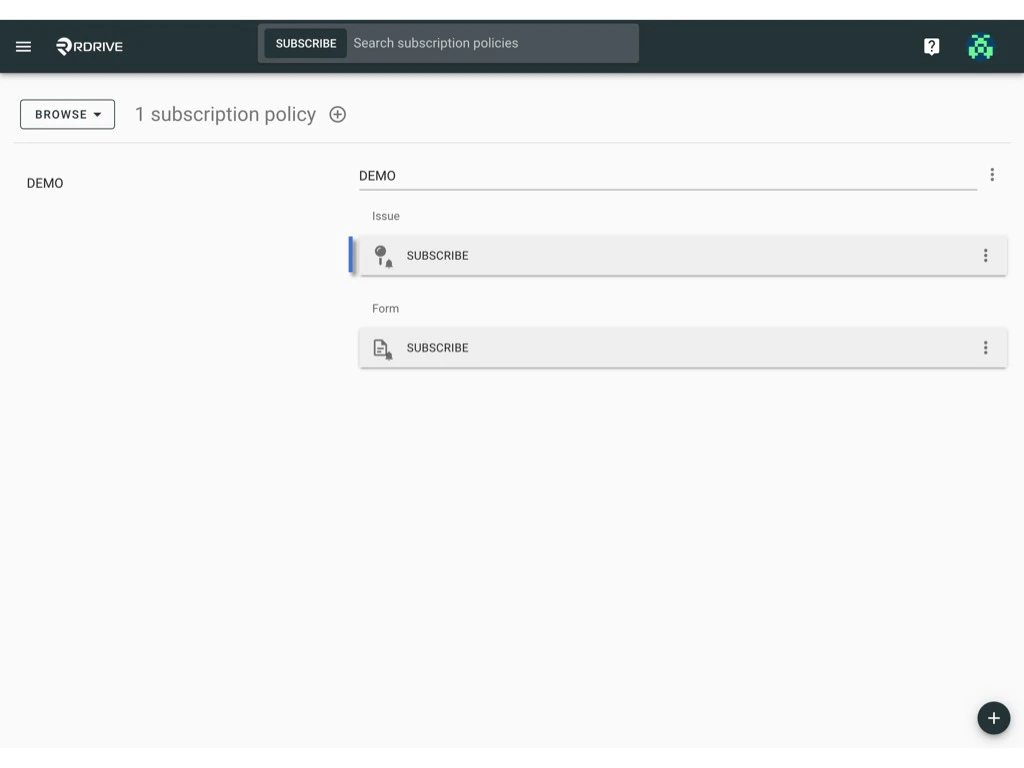 **
2. Press the Add Condition or Add Option button to modify the rule as needed.**
**
2. Press the Add Condition or Add Option button to modify the rule as needed.**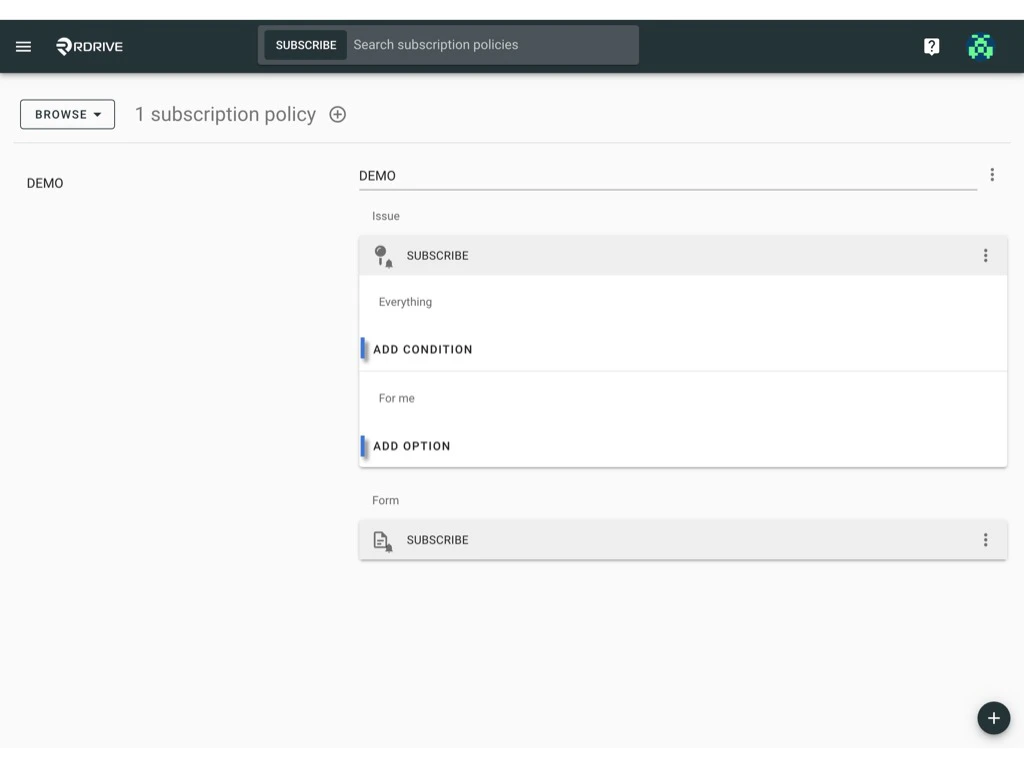 **
***
## **Deleting a Rule**
1. Click the ⋮ button on the right-hand side of the rule.**
**
***
## **Deleting a Rule**
1. Click the ⋮ button on the right-hand side of the rule.**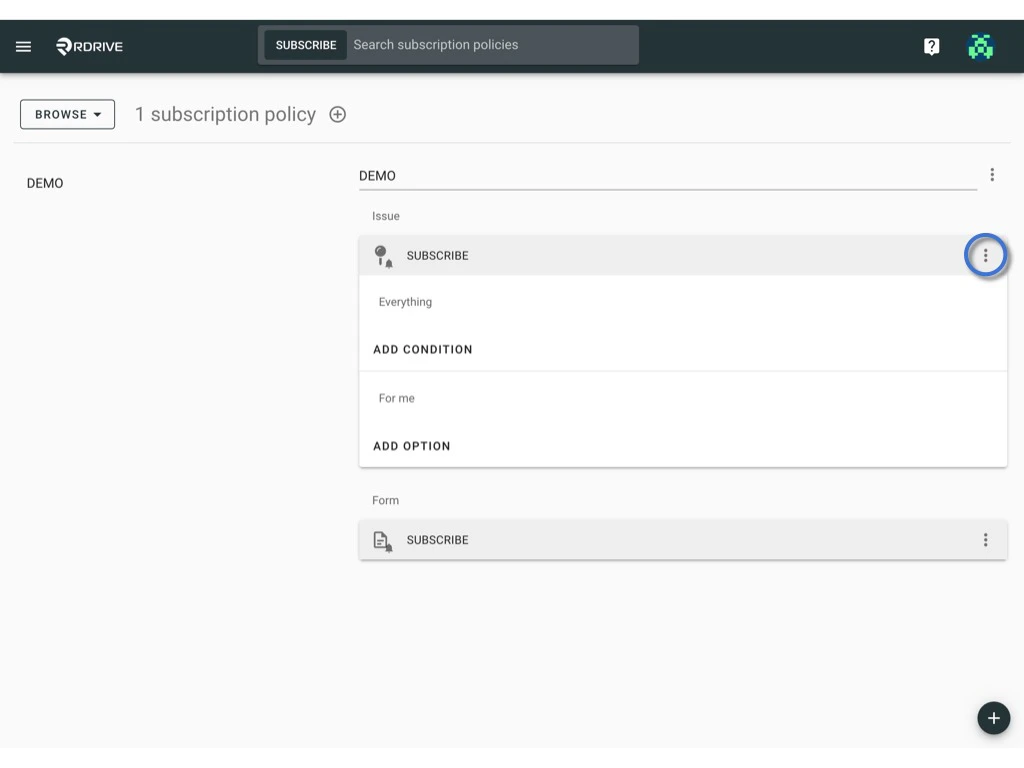 **
2. Select Delete.**
**
2. Select Delete.**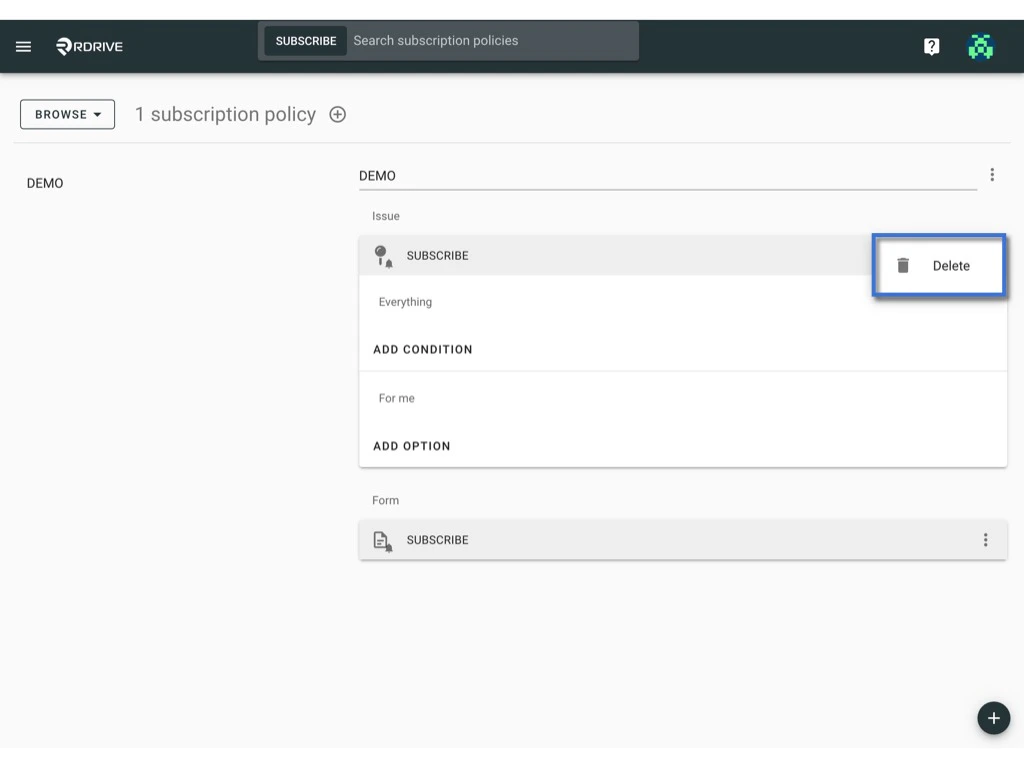 **
***
By following these steps, you can effectively manage your subscription policies and rules to suit your specific needs.
**
***
By following these steps, you can effectively manage your subscription policies and rules to suit your specific needs.