> ## Documentation Index
> Fetch the complete documentation index at: https://docs.rdrive.io/llms.txt
> Use this file to discover all available pages before exploring further.
# How do I Subscribe others to a Process/Checklist Form?
> Subscribing provides notifications. If you have read access, you can subscribe yourself to receive notifications.
Subscribing provides **notifications**. If you have read access, you can subscribe yourself to receive notifications.
When subscribing, a user will simultaneously become a **participant**, meaning they will always be able to 1. read and 2. receive notification when there is a status change whatever process/checklist they are subscribing to.
If you want to view/edit the subscriber list you will need a "**Share**" permission to view the subscriber list.
# **via Plan Viewer**
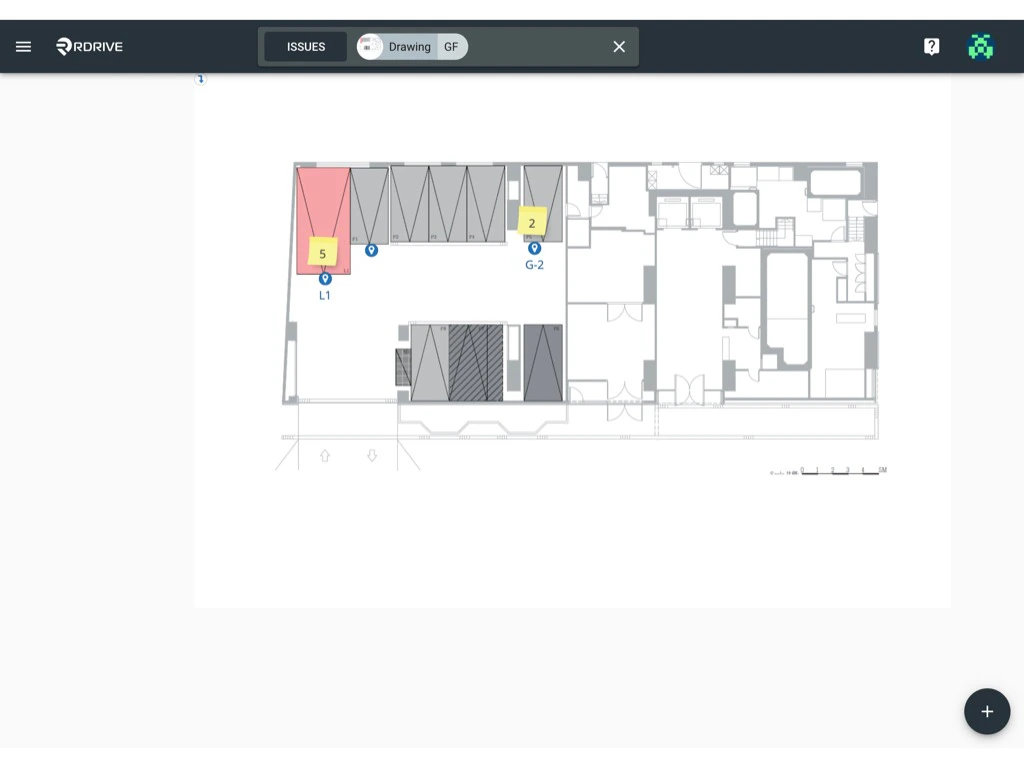
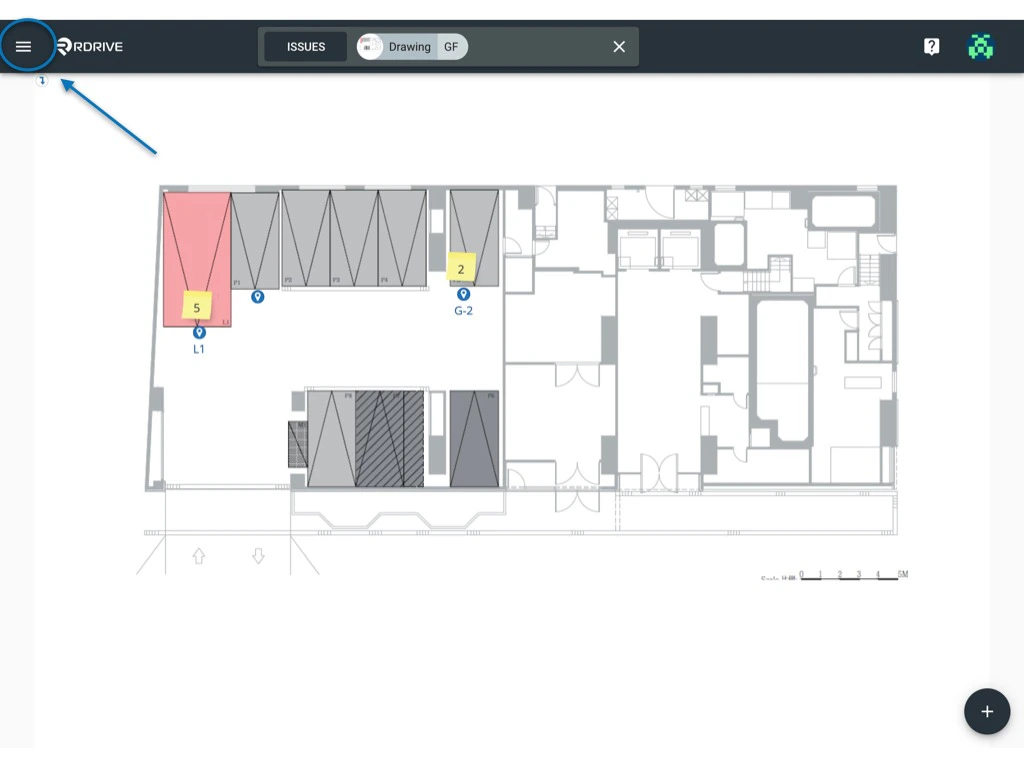
Press the Menu icon ≡ in the top left corner of your screen to unfold the Menu and access the Plan viewer. Now you can refine your search via the unified search bar at the top of your screen as indicated below.
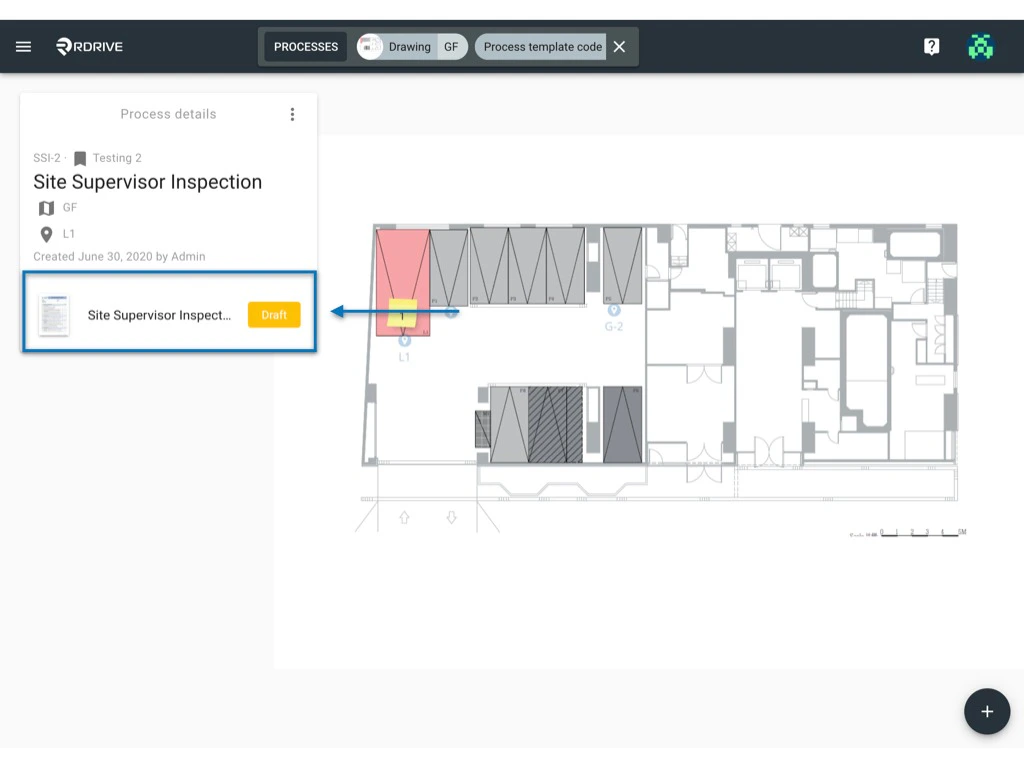
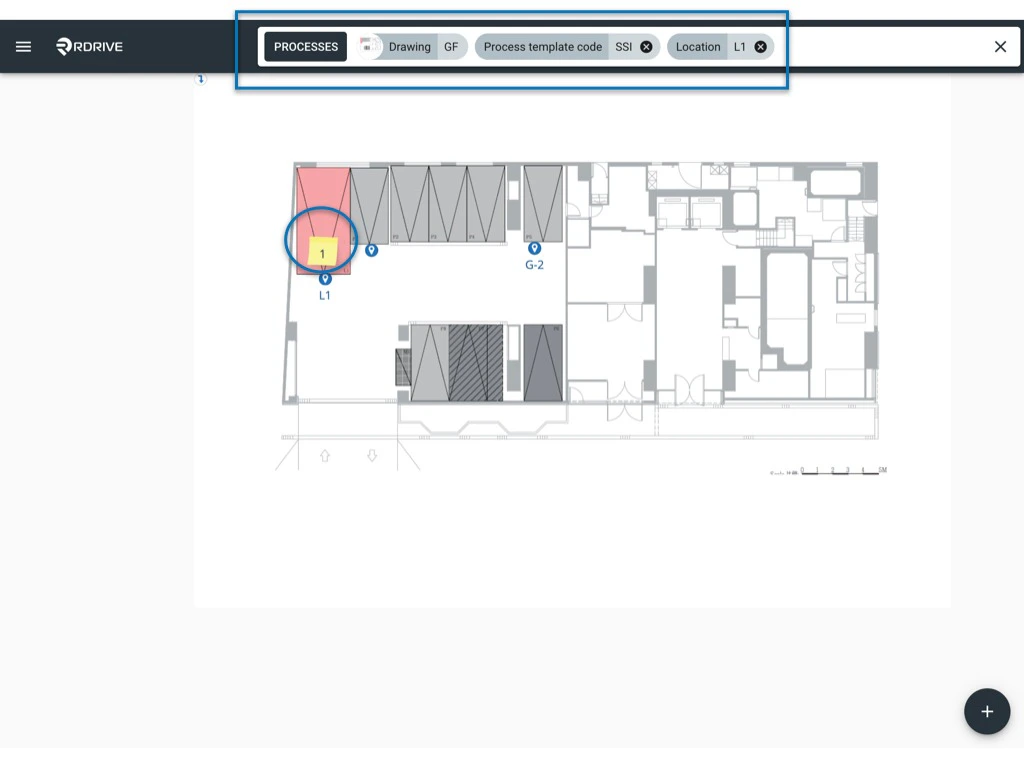 Press the memo icon circled above to unfold the process/checklist details box on the left-hand side of your screen. then simply select a form and the form viewer will be opened.
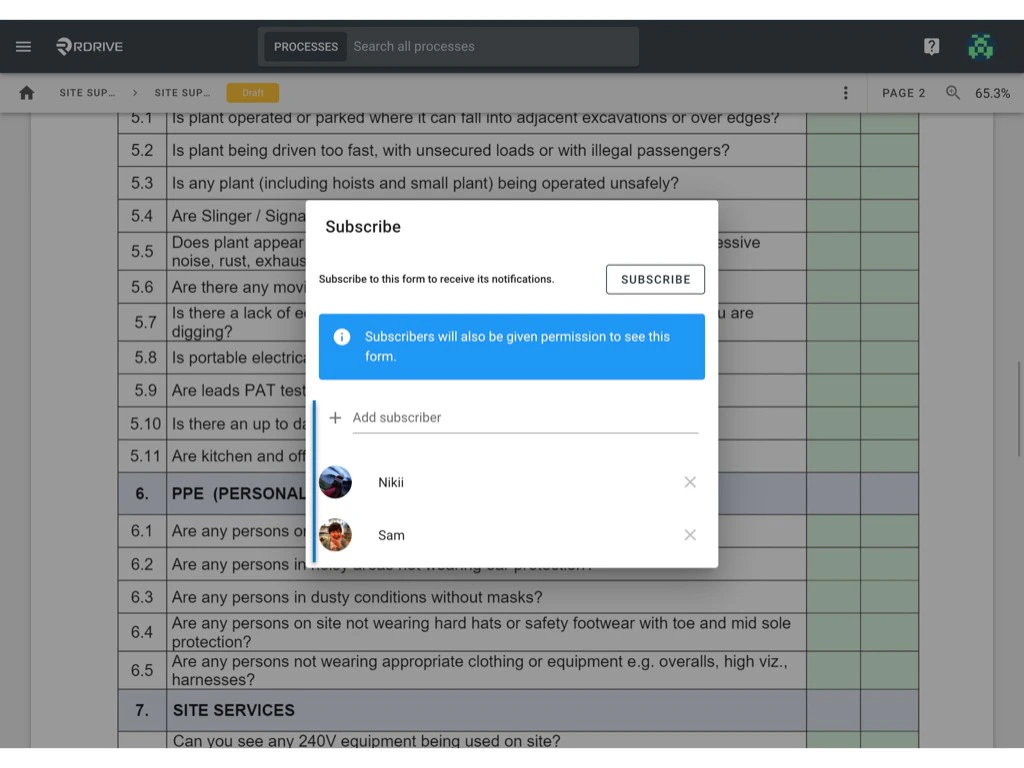
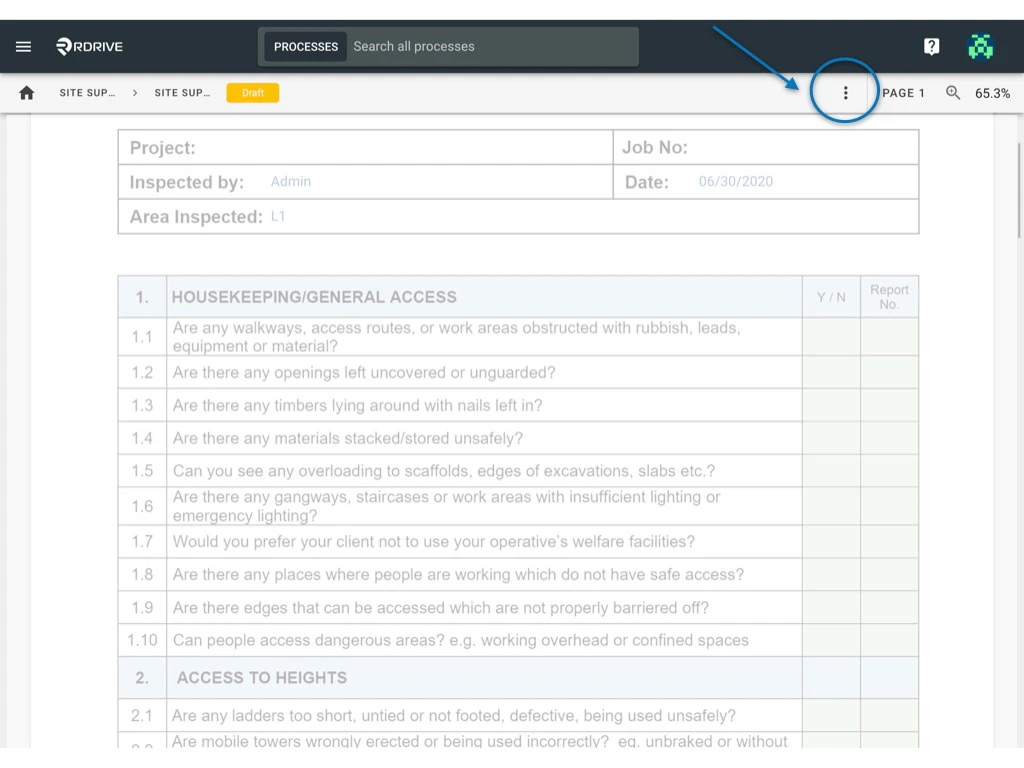
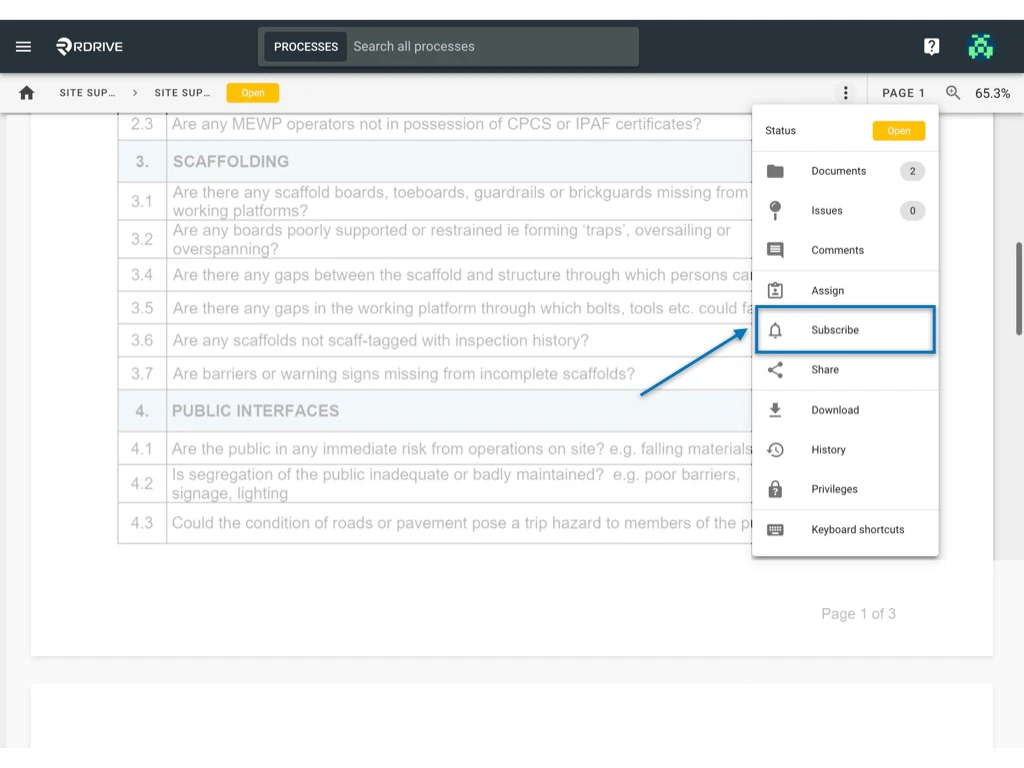
 Click the dropdown menu circled below. Once pressed, select "**Subscribe**" from the unfolded menu options. A subscribe dialogue window will appear in the centre of your screen.
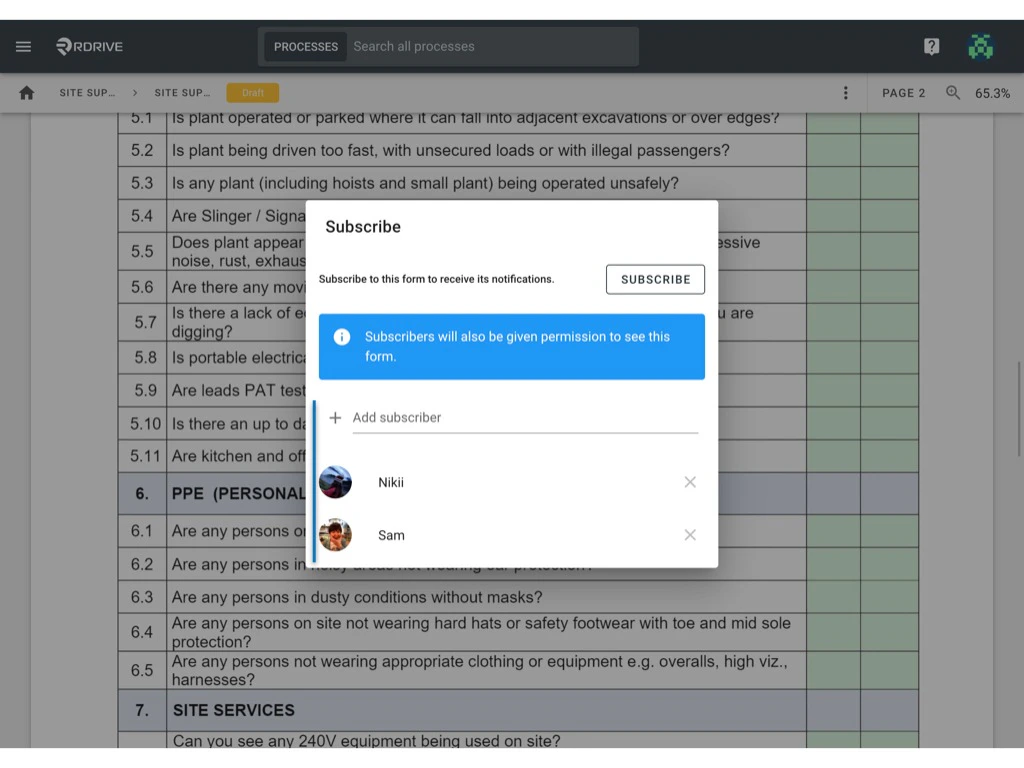
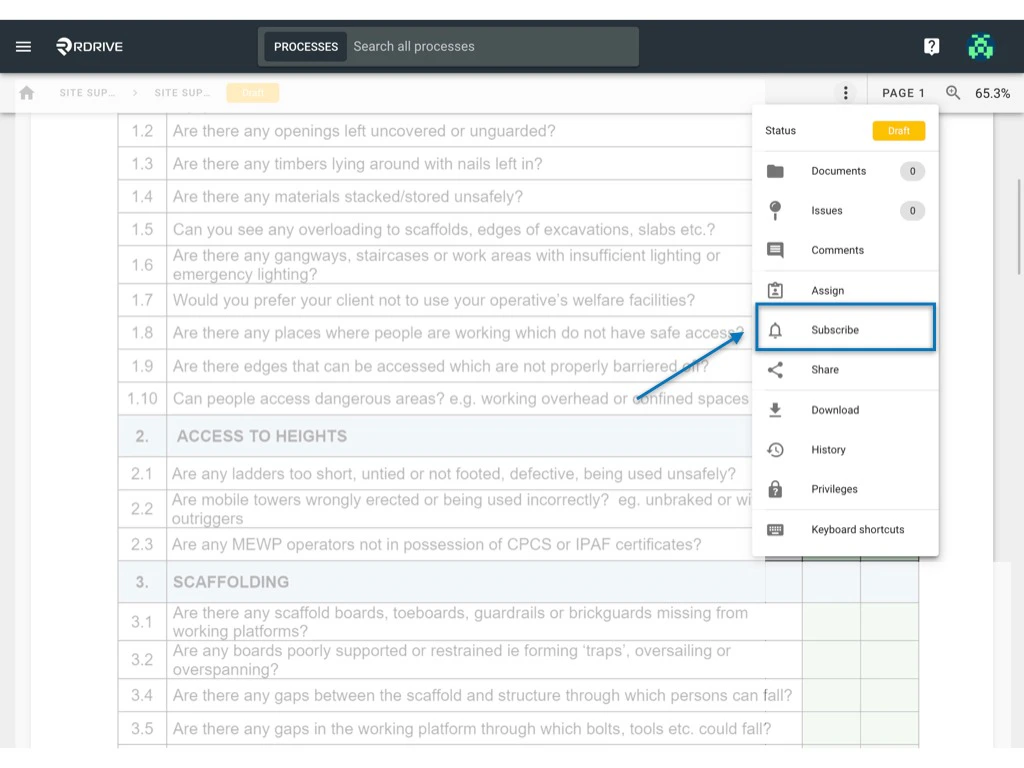 Here you can add/remove user(s) from the subscriber list.
All finished? Simply press outside of the subscribe dialogue window to complete.
Here you can add/remove user(s) from the subscriber list.
All finished? Simply press outside of the subscribe dialogue window to complete.
 # **via Process Finder**
Simply press the Menu icon ≡ in the top left corner of your screen to unfold the Menu and gain access to the Process/Checklist page by selecting the category and subcategory as shown below.
# **via Process Finder**
Simply press the Menu icon ≡ in the top left corner of your screen to unfold the Menu and gain access to the Process/Checklist page by selecting the category and subcategory as shown below.
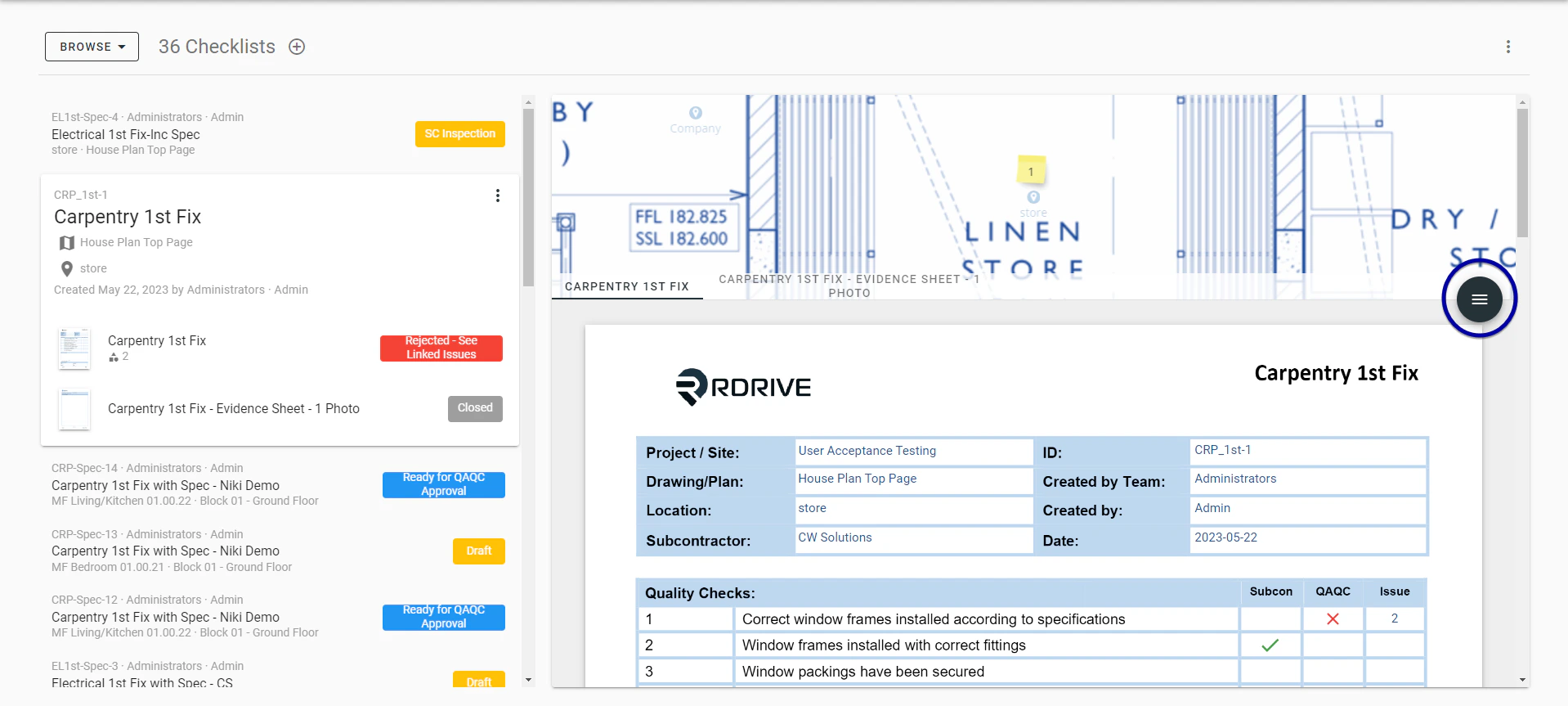
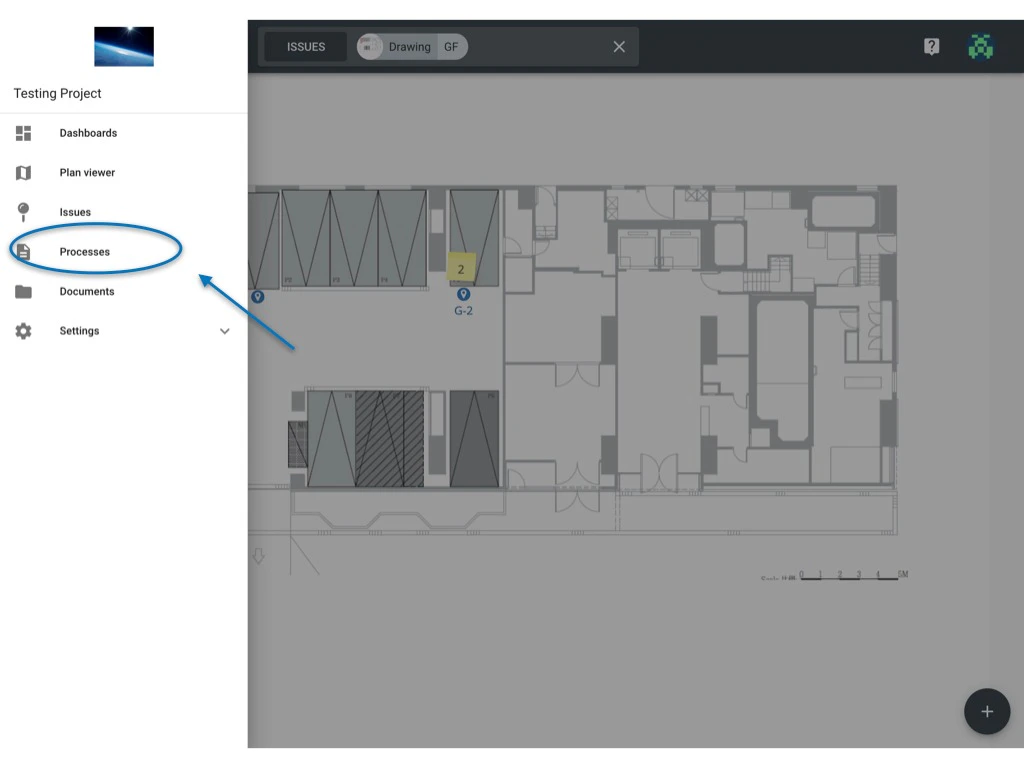 Select a form from the list on the right-hand side of your screen. Once chosen, you can press the Menu icon ≡ on the right-hand side of your screen as circled below and then select "**Edit**" to access the form viewer as shown below.
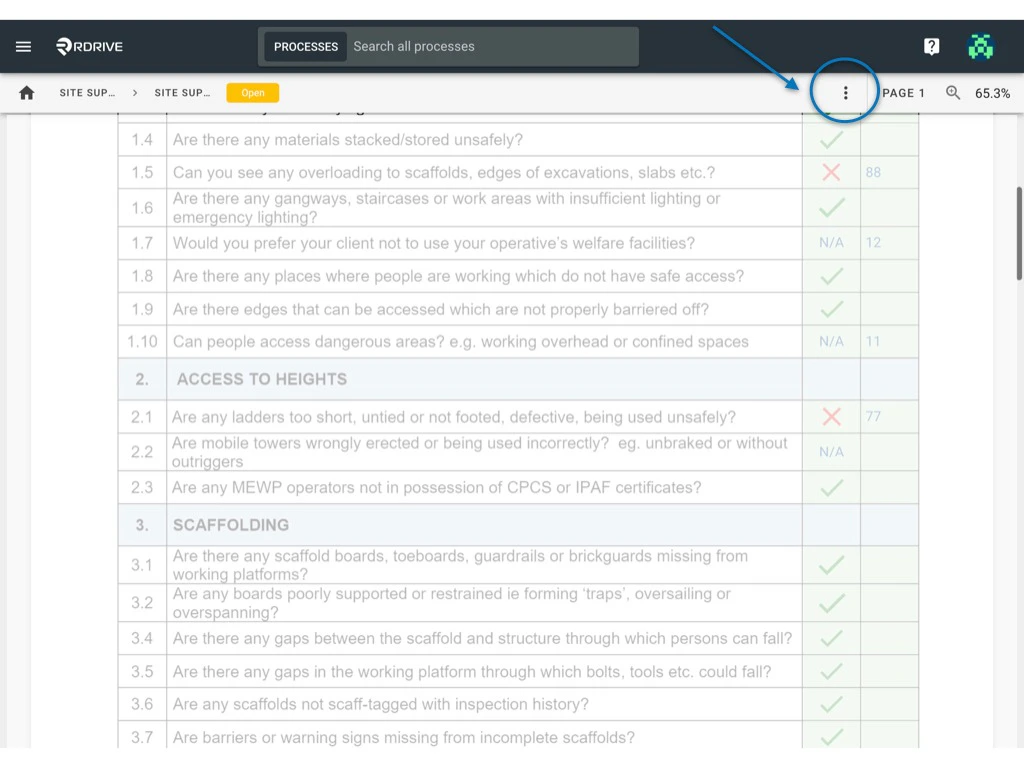
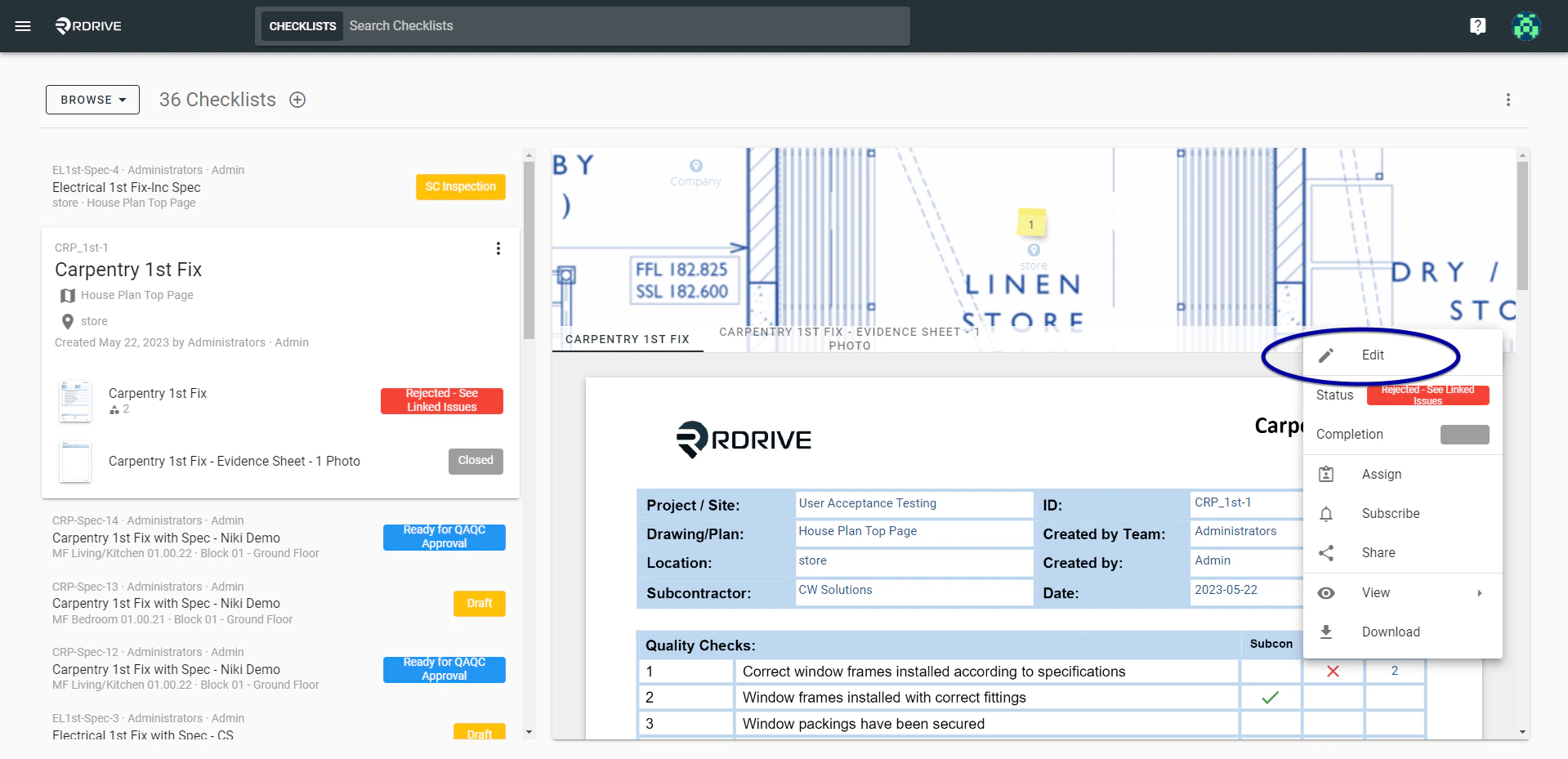 Click the dropdown menu circled below. Once pressed, select "**Subscribe**" from the unfolded menu options. A subscribe dialogue window will then appear in the centre of your screen.
 Here you can add/remove user(s) from the subscriber list.
All finished? Simply press outside of the subscribe dialogue window to complete.
Here you can add/remove user(s) from the subscriber list.
All finished? Simply press outside of the subscribe dialogue window to complete.