> ## Documentation Index
> Fetch the complete documentation index at: https://docs.rdrive.io/llms.txt
> Use this file to discover all available pages before exploring further.
# How to share a Process/Checklist with other users?
> Sharing gives ad-hoc read access to other users. You can choose individual users to share with.Let's say there are users who have edit rights only. If you share
Sharing gives **ad-hoc read access** to other users. You can choose individual users to share with.
Let's say there are users who have edit rights only. If you share a form with them, these users who have edit rights but not read access will be able to edit after you have shared with them. Those who are shared with are called **participants**.
To put it simply, you can share a form with other users to give them permission to see the form(s). (*You will need "**Share**" permissions to perform the "**Share**" action*).
# Share by Form
## **via Plan Viewer**
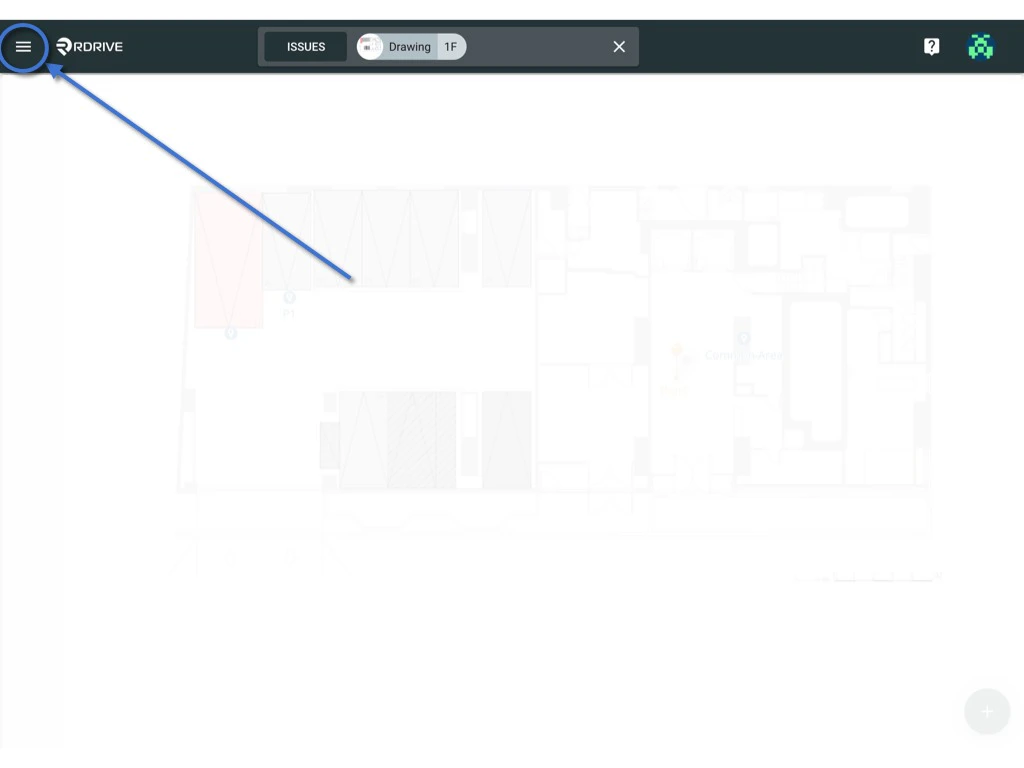
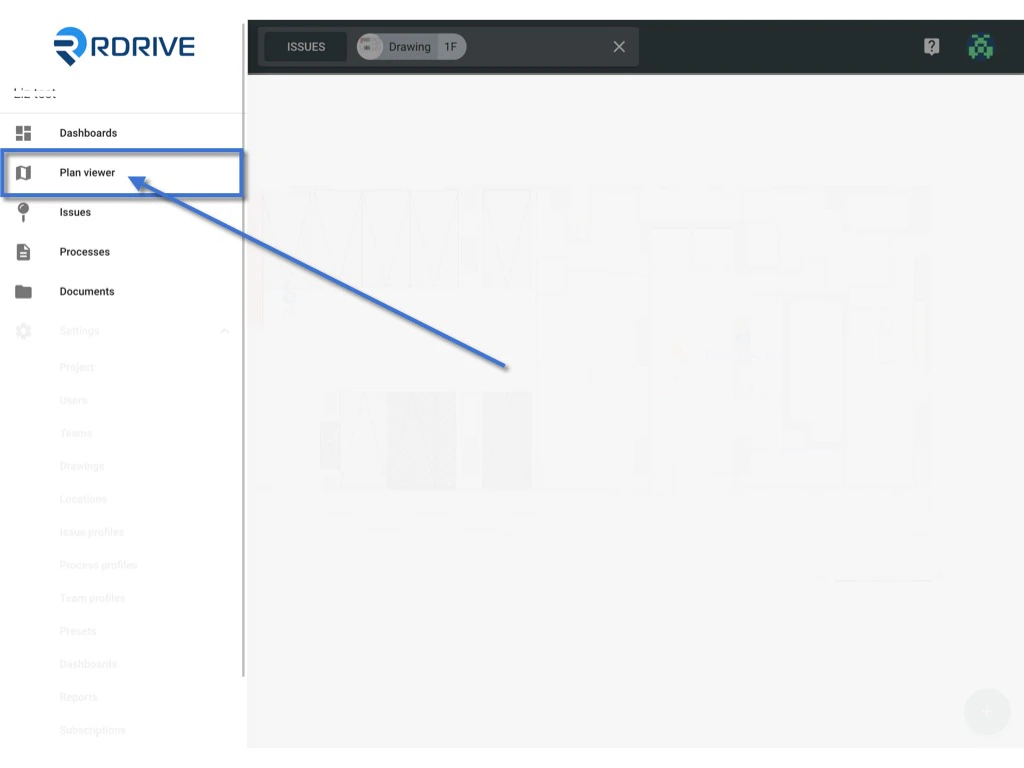
Simply press the Menu icon ≡ in the top left corner of your screen to unfold the Menu and choose Plan Viewer.
You can also use the Process unified search bar at the top of your screen to search the forms.
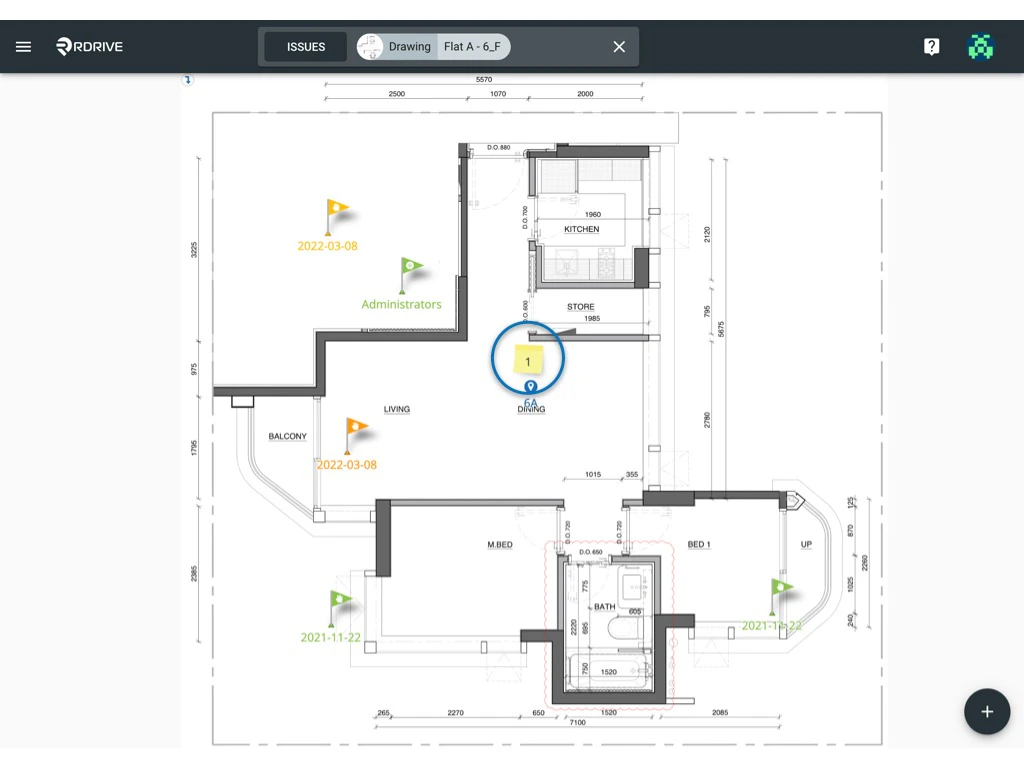
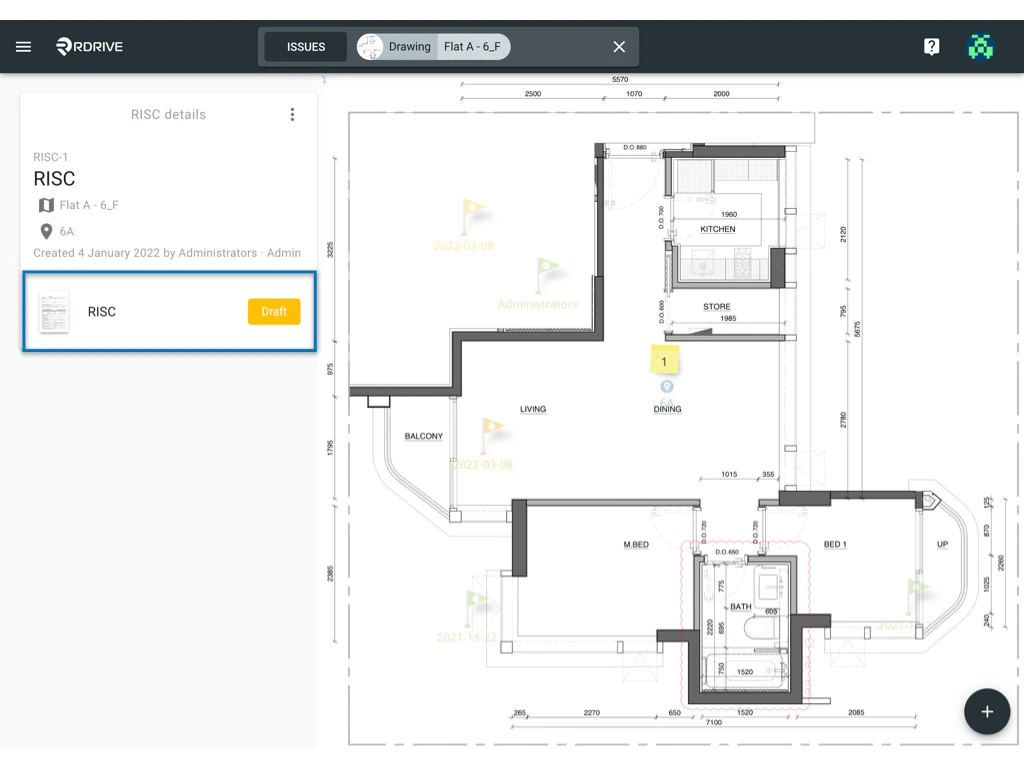
 Click the memo icon as circled below to open the process details box on the left-hand side of your screen. Once unfolded, select the relevant form and the form viewer will be opened on your screen.
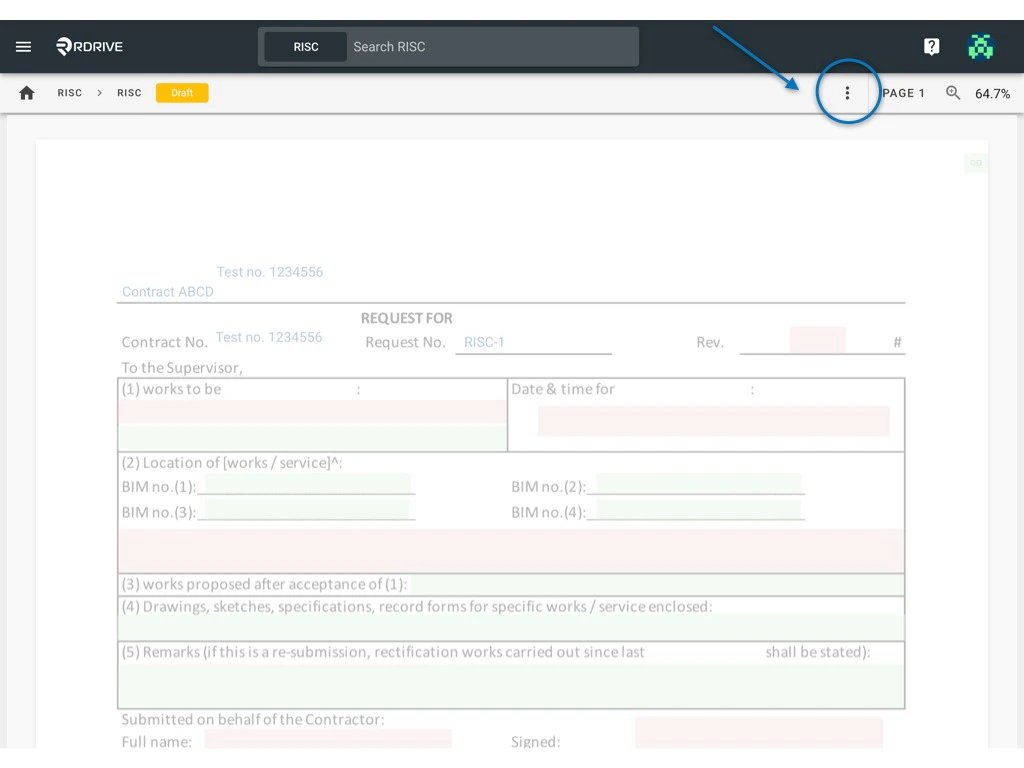
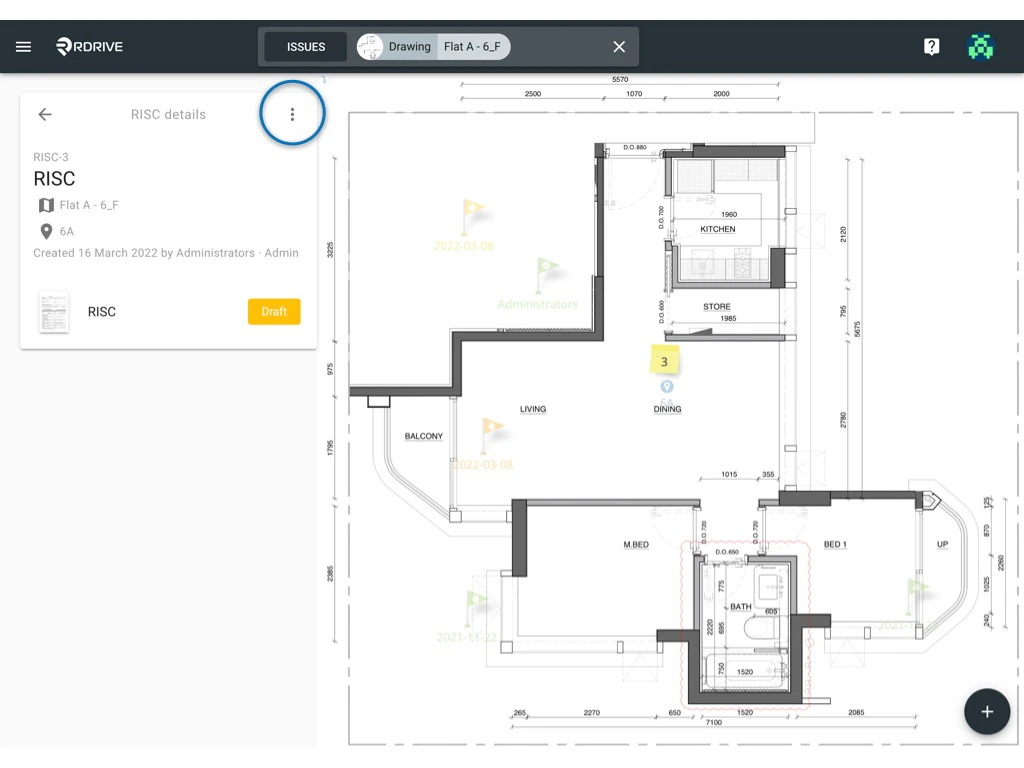
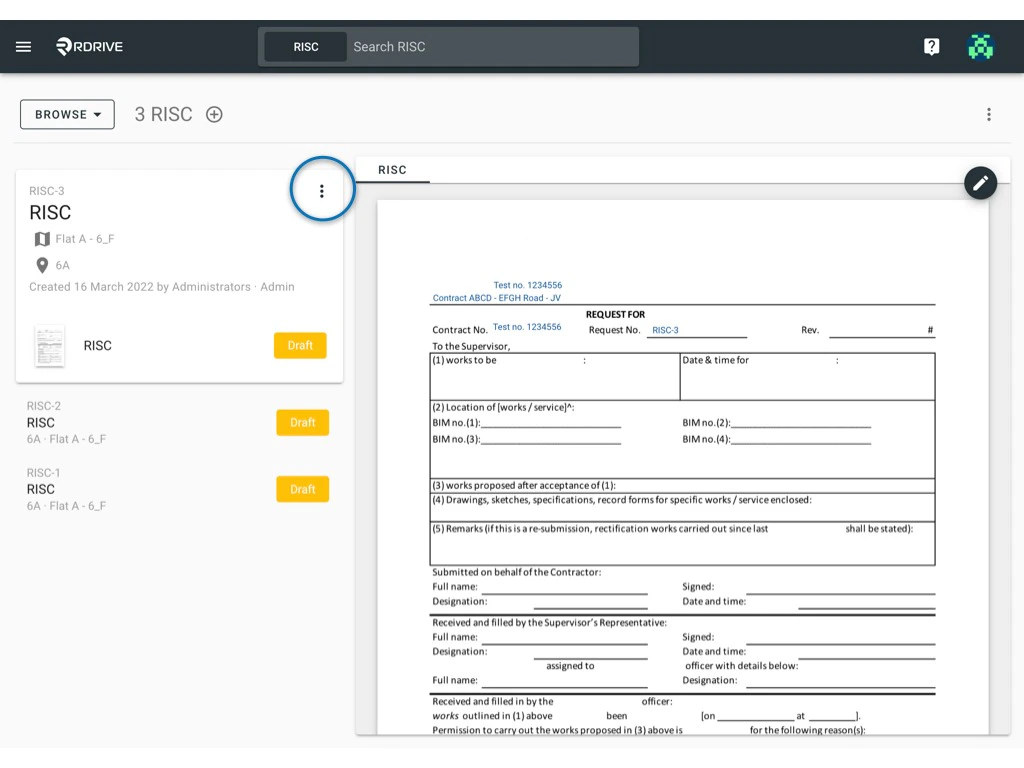
 Click the 3dots **⋮** button as circled below to unfold the form Menu.
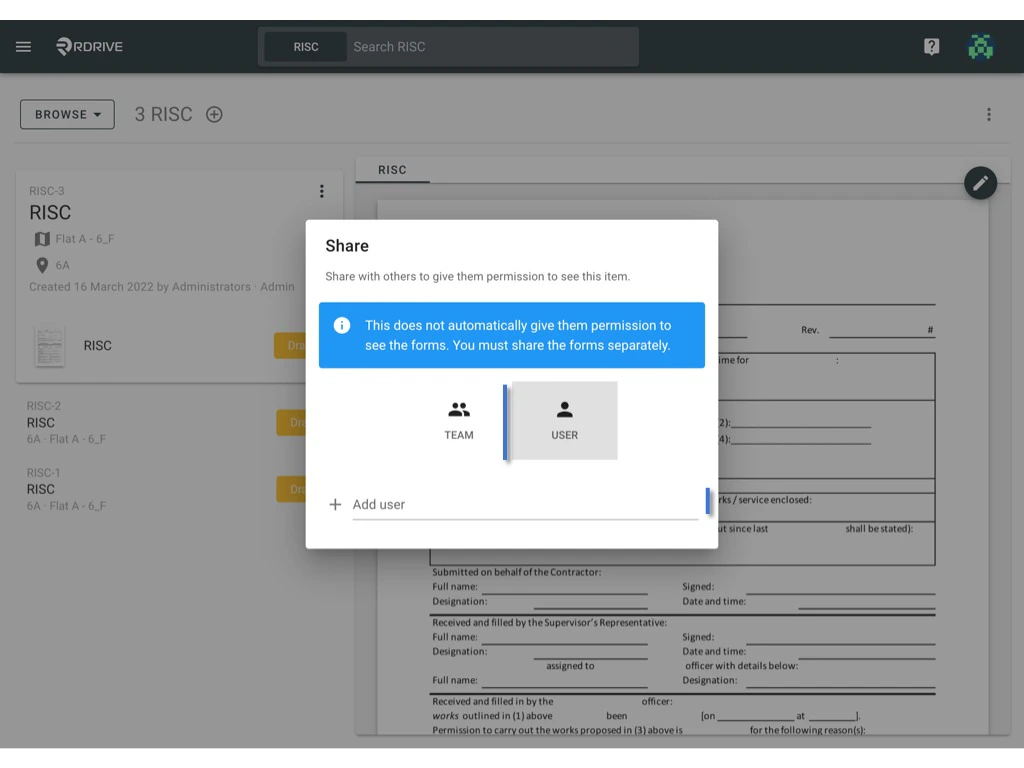
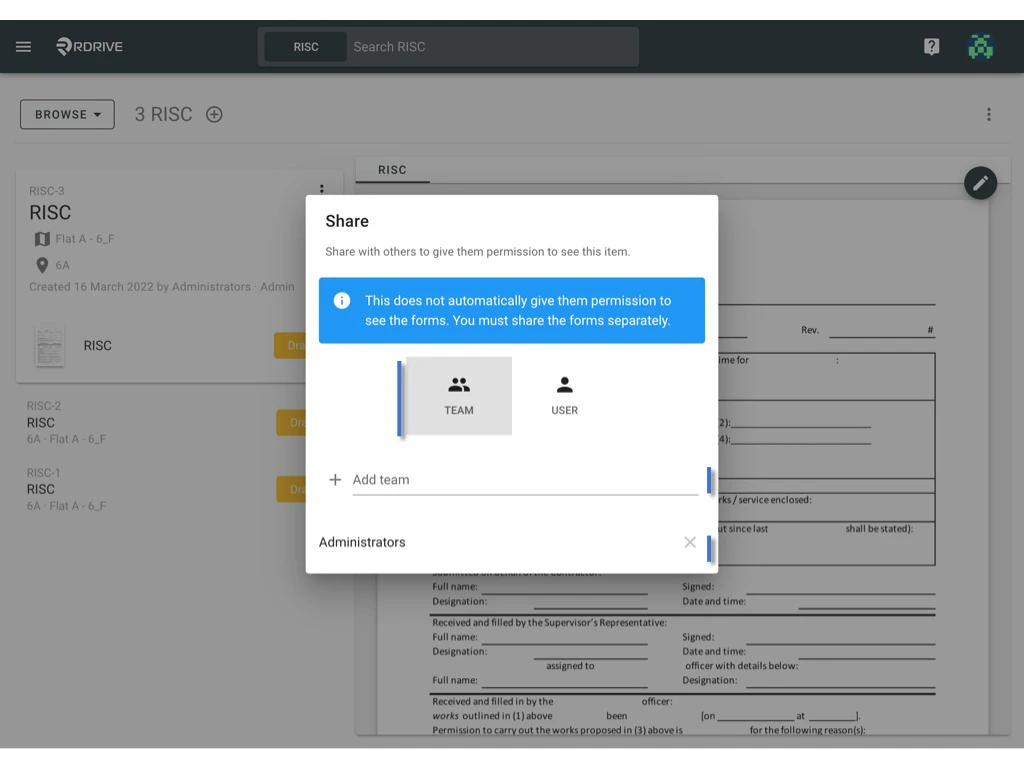
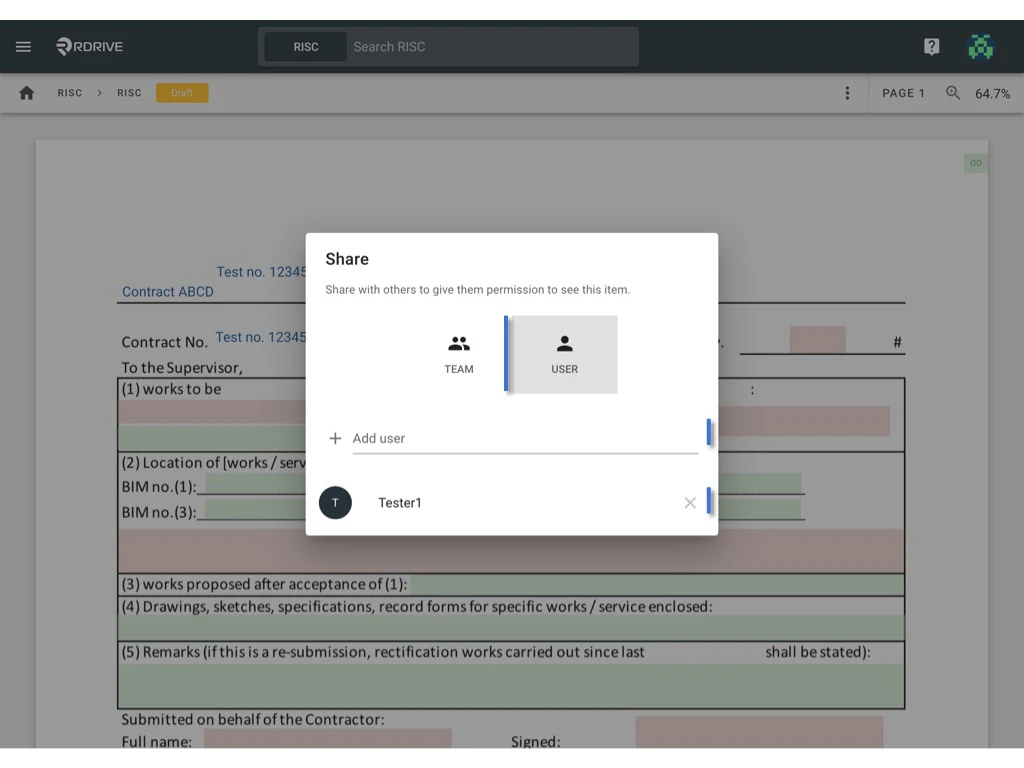
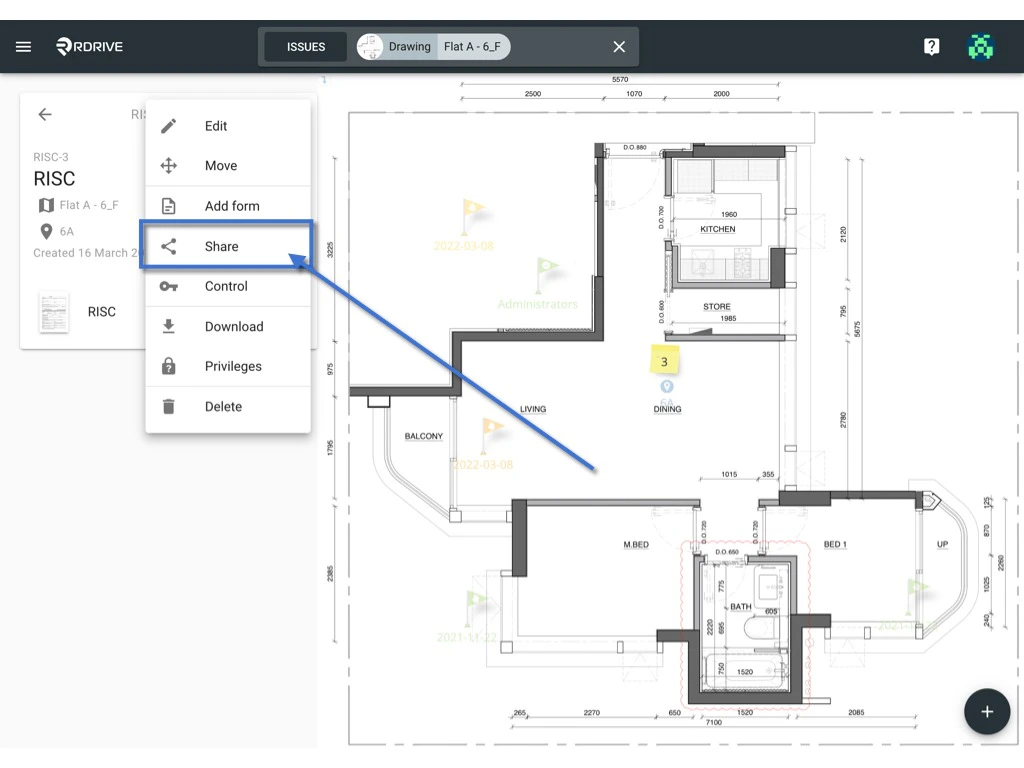
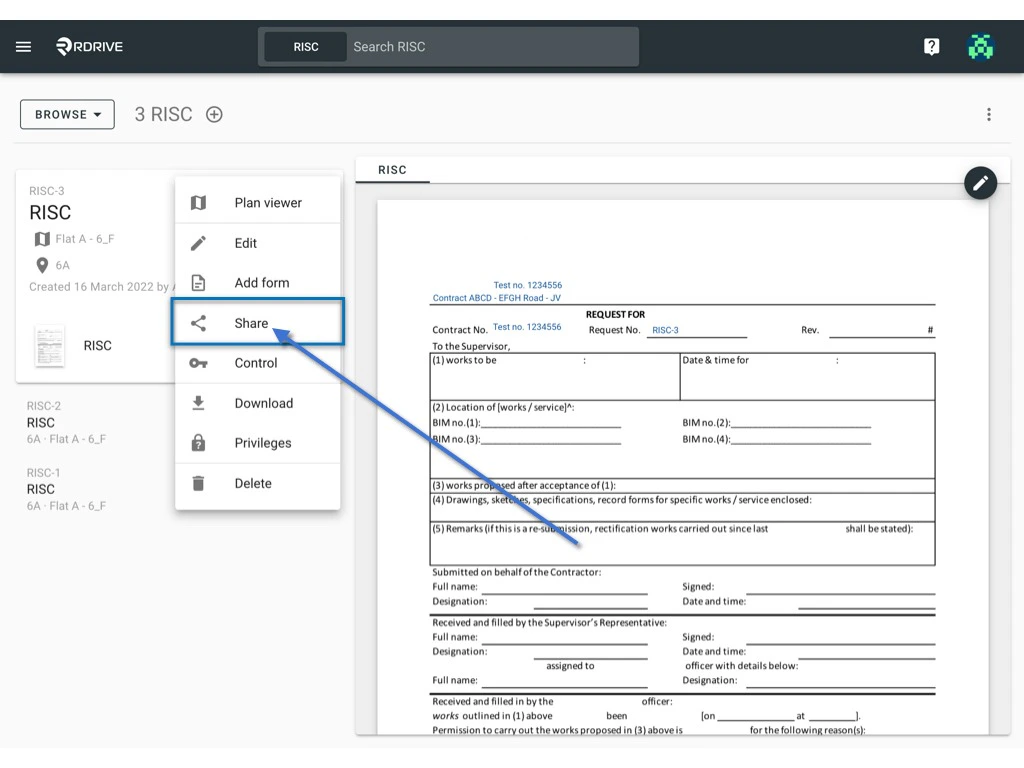
Once unfolded, press **Share** and the share dialog of this form will appear as a window in the centre of your screen. The **participants** will be listed in the window if any are already set.
Click the 3dots **⋮** button as circled below to unfold the form Menu.
Once unfolded, press **Share** and the share dialog of this form will appear as a window in the centre of your screen. The **participants** will be listed in the window if any are already set.
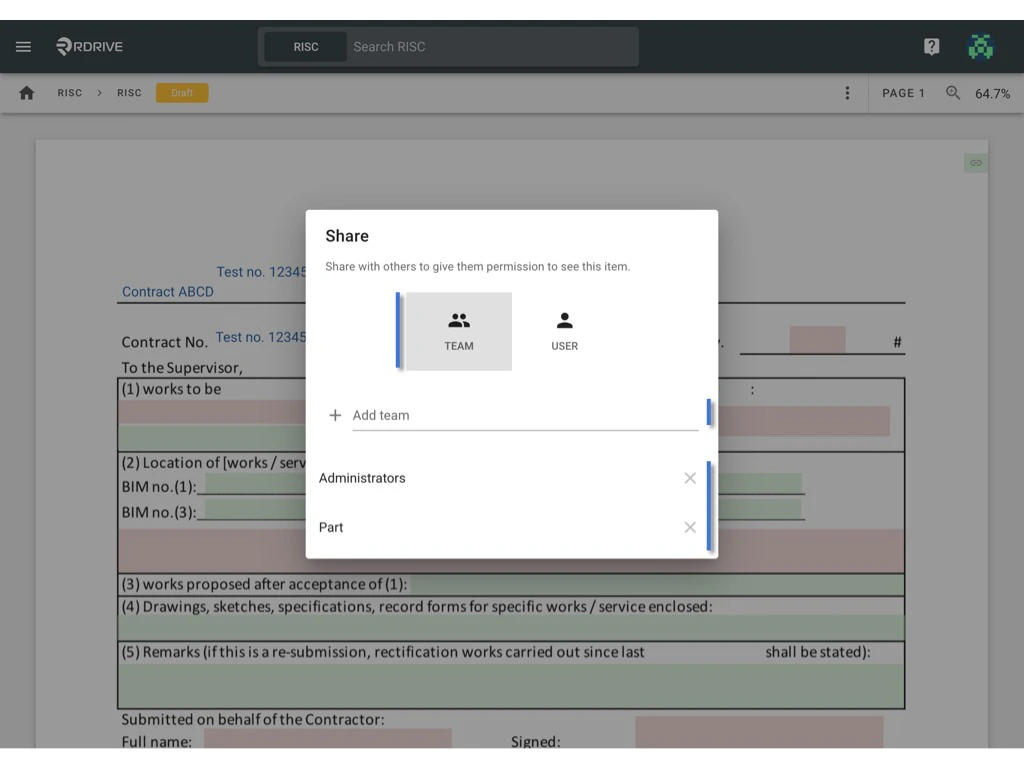
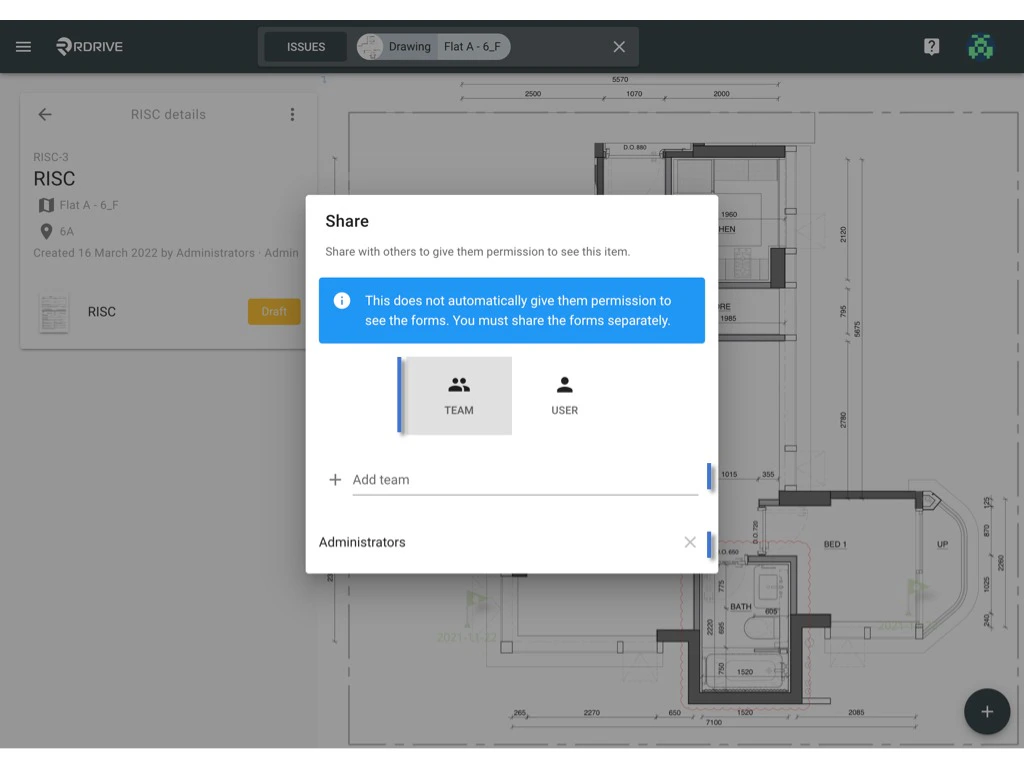
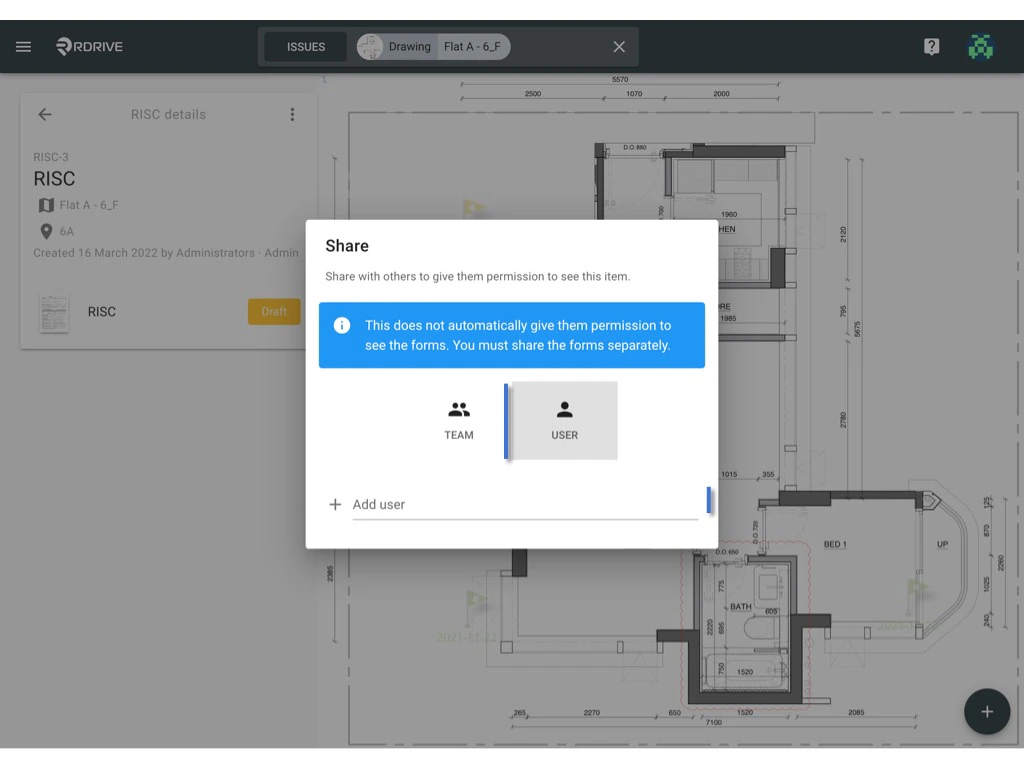
 Enter the Team/User name to search and add as a **participant** or press the **X** to remove any existing **participants**.
When completed, simply press outside of the dialog window to save and finish.
Enter the Team/User name to search and add as a **participant** or press the **X** to remove any existing **participants**.
When completed, simply press outside of the dialog window to save and finish.
 ***
## **via Process Finder**
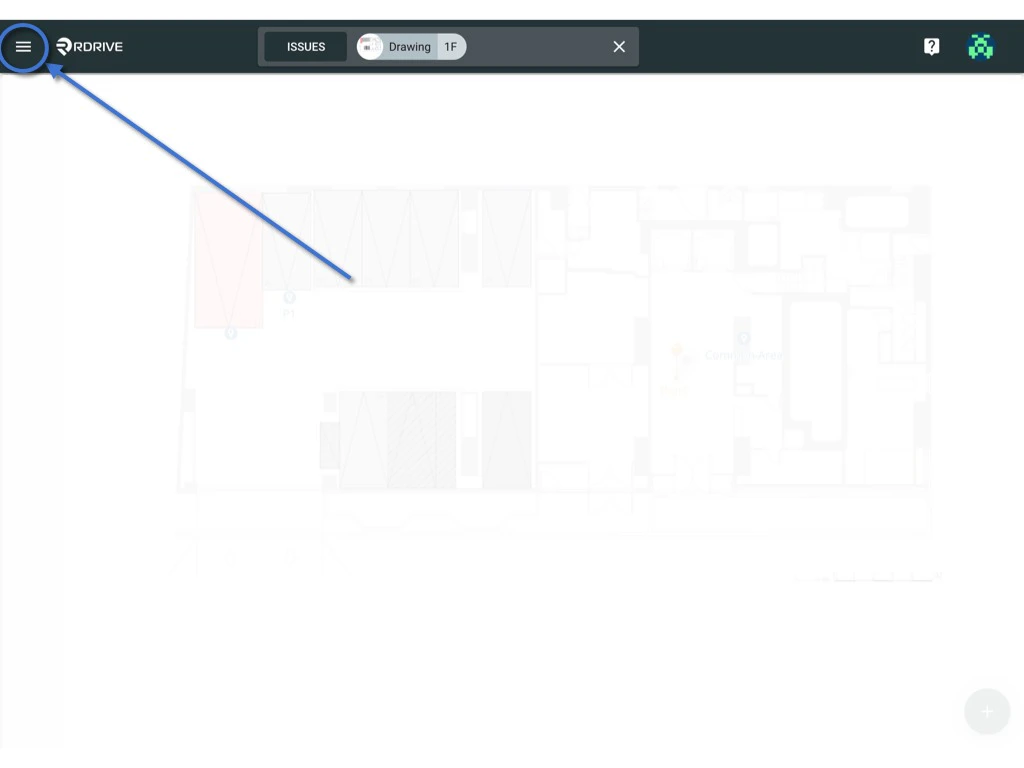
Click the menu icon on the top left corner to unfold the Menu and gain access to the Process/Checklist page by selecting the category and subcategory as shown below.
***
## **via Process Finder**
Click the menu icon on the top left corner to unfold the Menu and gain access to the Process/Checklist page by selecting the category and subcategory as shown below.
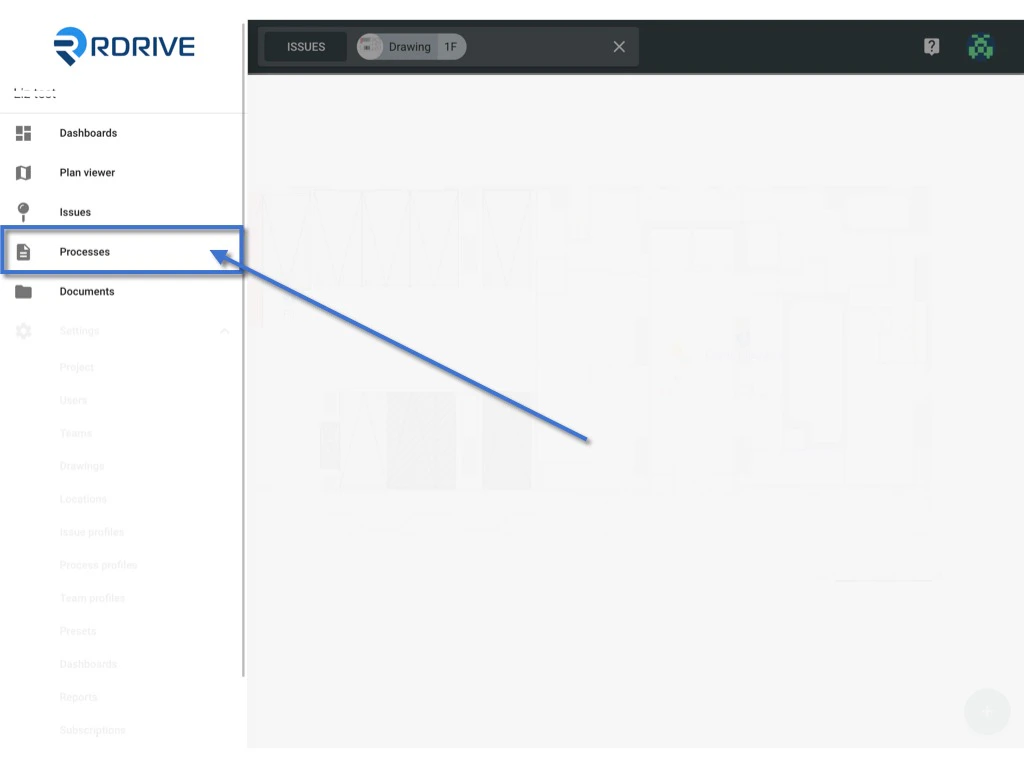 Select the relevant Process/Checklist from the Menu icon ≡ on the right-hand side of your screen and press the "**Edit**" option to open the form viewer.
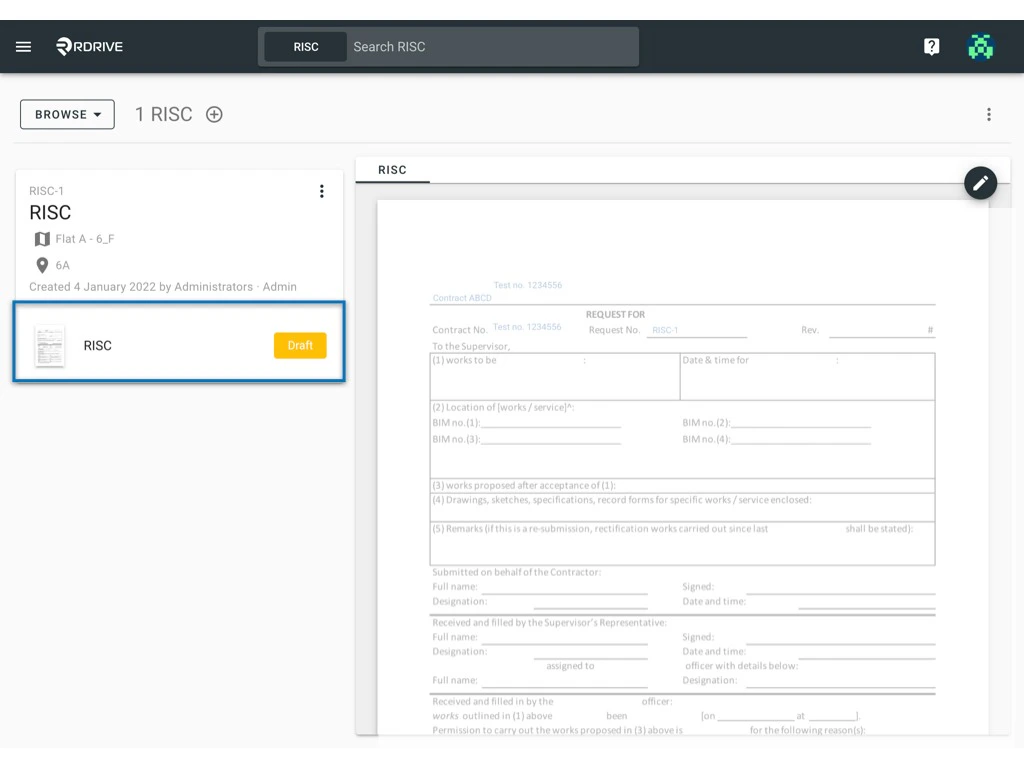 Click the 3dots **⋮** button as circled below to unfold the form Menu.
Once unfolded, press **Share** and the share dialog of this form will appear as a window in the centre of your screen. The **participants** will be listed in the window if any are already set.
Enter the Team/User name to search and add as a **participant** or press the **X** to remove any existing **participants**.
When completed, simply press outside of the dialog window to save and finish.
***
# Share by Process
## **via Plan Viewer**
Press the Menu icon ≡ in the top left corner of your screen to unfold the Menu and choose Plan Viewer.
You can also use the Process unified search bar at the top of your screen to search the forms.
Click the memo icon as circled below to open the process details box on the left-hand side of your screen. Once unfolded, select the relevant form and the form viewer will be opened on your screen.
Click the 3dots **⋮** button as circled below to unfold the form Menu.
Once unfolded, press **Share** and the share dialog of this form will appear as a window in the centre of your screen. The **participants** will be listed in the window if any are already set.
Click the 3dots **⋮** button as circled below to unfold the form Menu.
Once unfolded, press **Share** and the share dialog of this form will appear as a window in the centre of your screen. The **participants** will be listed in the window if any are already set.
Enter the Team/User name to search and add as a **participant** or press the **X** to remove any existing **participants**.
When completed, simply press outside of the dialog window to save and finish.
***
# Share by Process
## **via Plan Viewer**
Press the Menu icon ≡ in the top left corner of your screen to unfold the Menu and choose Plan Viewer.
You can also use the Process unified search bar at the top of your screen to search the forms.
Click the memo icon as circled below to open the process details box on the left-hand side of your screen. Once unfolded, select the relevant form and the form viewer will be opened on your screen.
Click the 3dots **⋮** button as circled below to unfold the form Menu.
Once unfolded, press **Share** and the share dialog of this form will appear as a window in the centre of your screen. The **participants** will be listed in the window if any are already set.
 Enter the Team/User name to search and add as a **participant** or press the **X** to remove any existing **participants**.
When completed, simply press outside of the dialog window to save and finish.
Enter the Team/User name to search and add as a **participant** or press the **X** to remove any existing **participants**.
When completed, simply press outside of the dialog window to save and finish.
 ***
## **via Process Finder**
Click the menu icon on the top left corner to unfold the Menu and gain access to the Process/Checklist page by selecting the category and subcategory as shown below.
Click the 3dots **⋮** button as circled below to unfold the form Menu.
Once unfolded, press **Share** and the share dialog of this form will appear as a window in the centre of your screen. The **participants** will be listed in the window if any are already set.
***
## **via Process Finder**
Click the menu icon on the top left corner to unfold the Menu and gain access to the Process/Checklist page by selecting the category and subcategory as shown below.
Click the 3dots **⋮** button as circled below to unfold the form Menu.
Once unfolded, press **Share** and the share dialog of this form will appear as a window in the centre of your screen. The **participants** will be listed in the window if any are already set.
 Enter the Team/User name to search and add as a **participant** or press the **X** to remove any existing **participants**.
When completed, simply press outside of the dialog window to save and finish.
Enter the Team/User name to search and add as a **participant** or press the **X** to remove any existing **participants**.
When completed, simply press outside of the dialog window to save and finish.