> ## Documentation Index
> Fetch the complete documentation index at: https://docs.rdrive.io/llms.txt
> Use this file to discover all available pages before exploring further.
# How to add an Additional Form to a Process/Checklist?
> Here are some scenarios where this function is needed:
Here are some scenarios where this function is needed:
1\. RISC – (Re-submission after inspection result is marked as failed)
2\. Site Diary – (Add an extra page to detail site activities and count for same day record)
When we add forms in the following way, **the form ID remains the same**
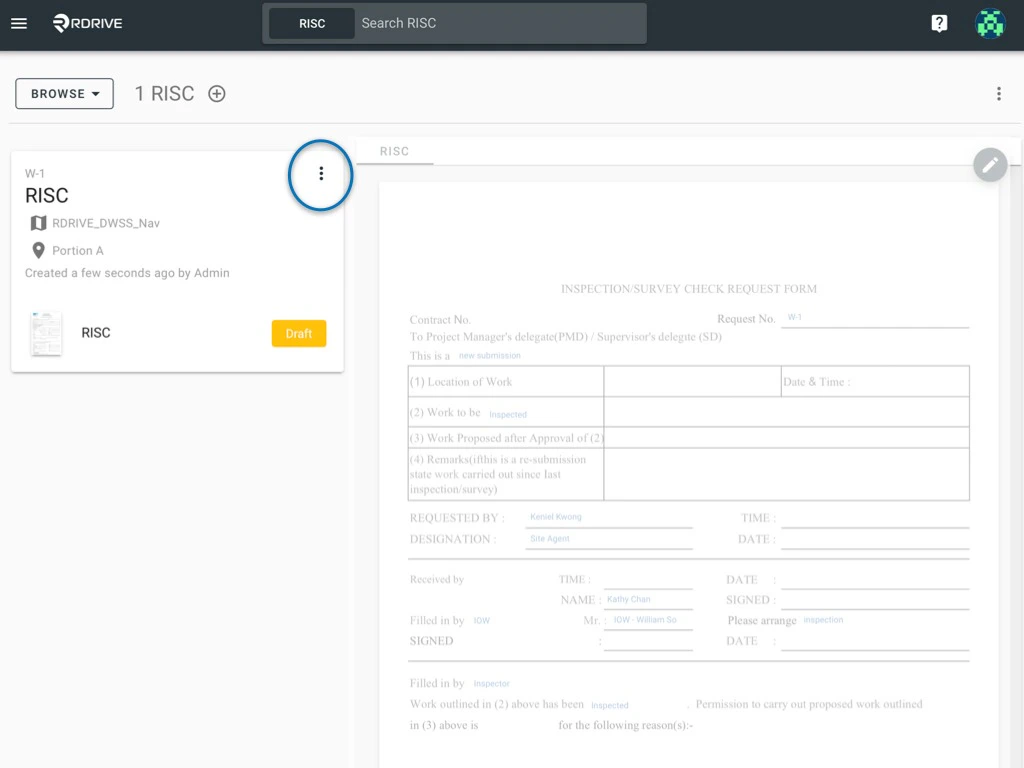
First, confirm the process/checklist form that needs an additional form in the sequence and click the 3 dots ⋮ button circled below to unfold the process/checklist/form. When unfolded, select "**Add Form**" as shown below.
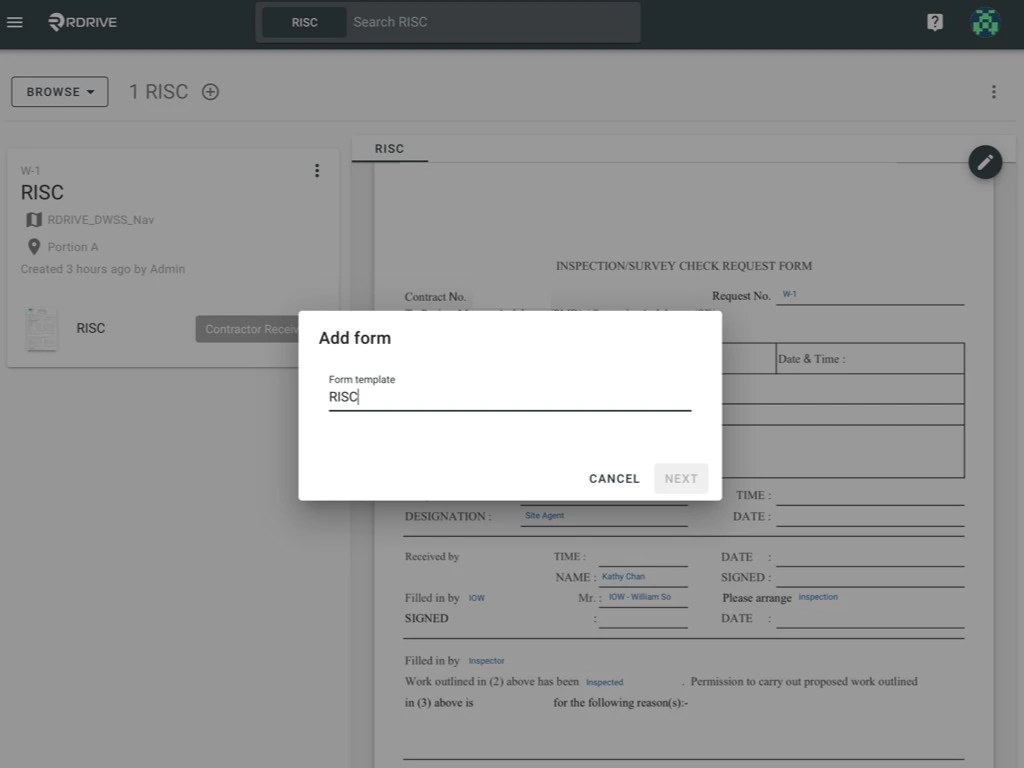
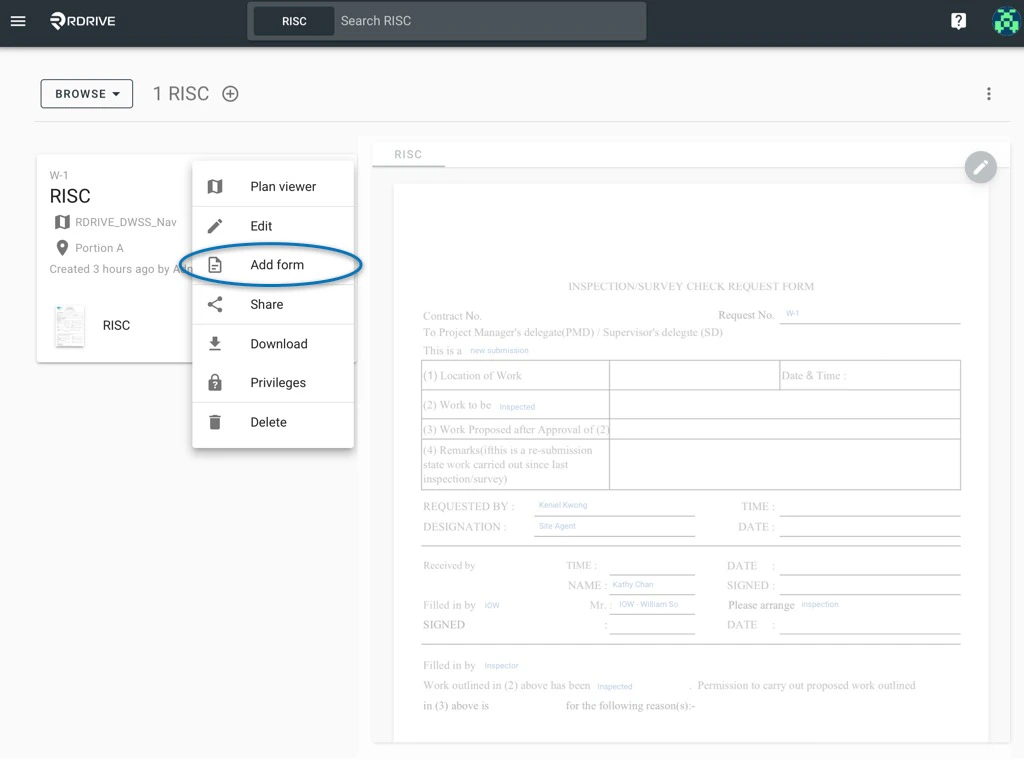 The add form window will open in the centre of your screen. Now you can select the form template to add in the sequence and press "**NEXT**". For the purposes of this example, we have chosen **RISC**.
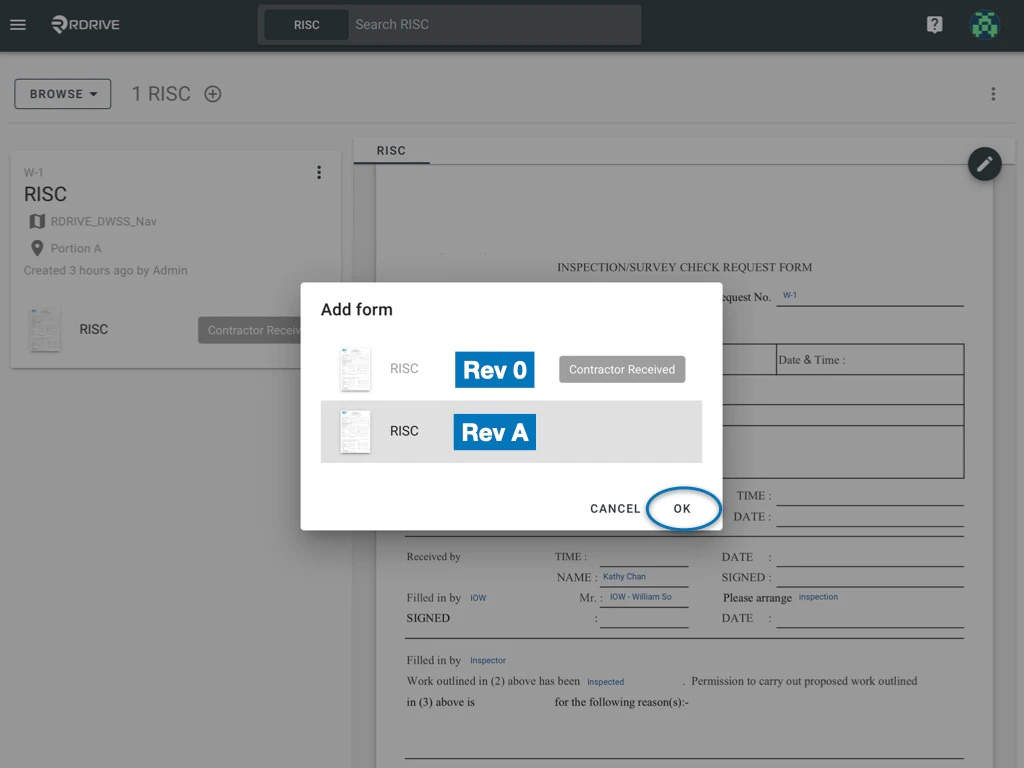
 You can now drag and drop the form to decide where to place this in the sequence. Confirm by pressing "**OK**".
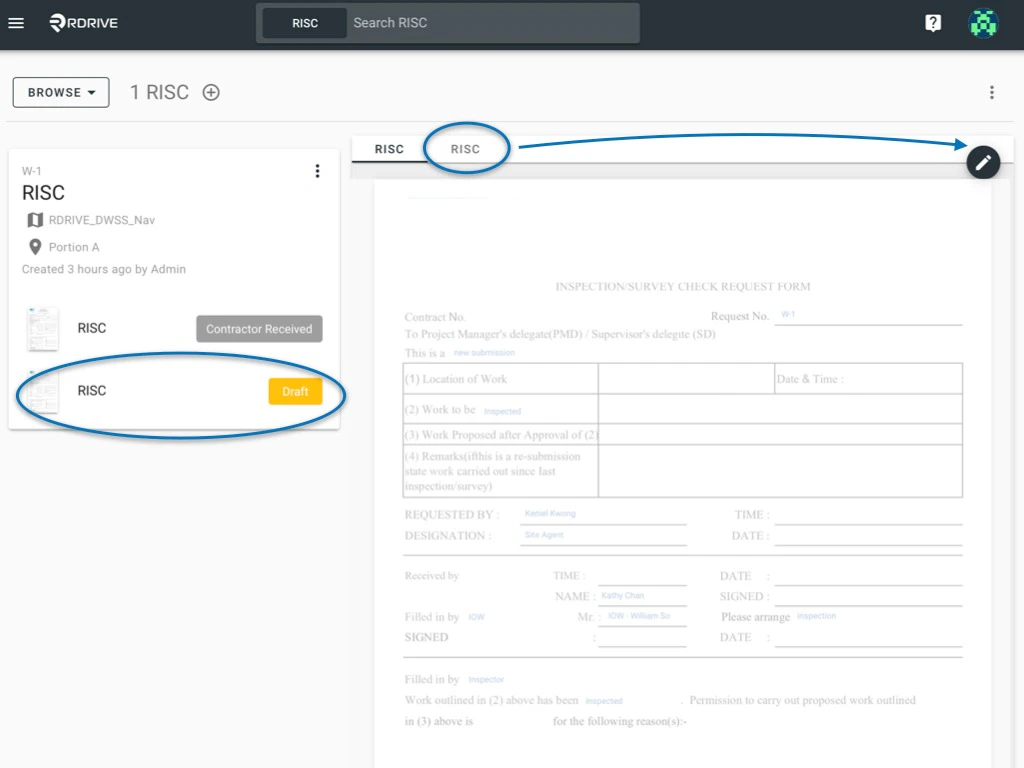
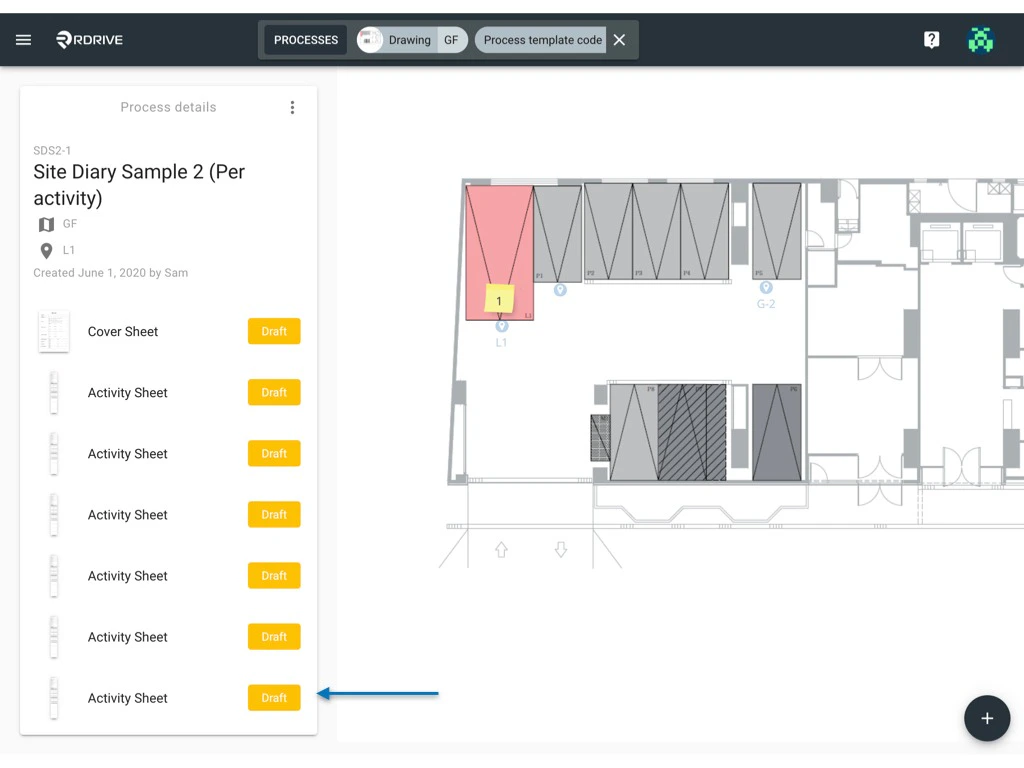
 When the new form is added into the sequence it will be viewable to you as circled below.
Simply click into the **second form**, or go to the **second tab** to start editing the new extra form added into the sequence.
When the new form is added into the sequence it will be viewable to you as circled below.
Simply click into the **second form**, or go to the **second tab** to start editing the new extra form added into the sequence.
 **Why can’t I add an Additional Form?**
If you do not have the permission to add optional form, you won’t be able to do so. If you think you should have this ability, please reach out to your project administrator for more details.
## **via Plan** **viewer**
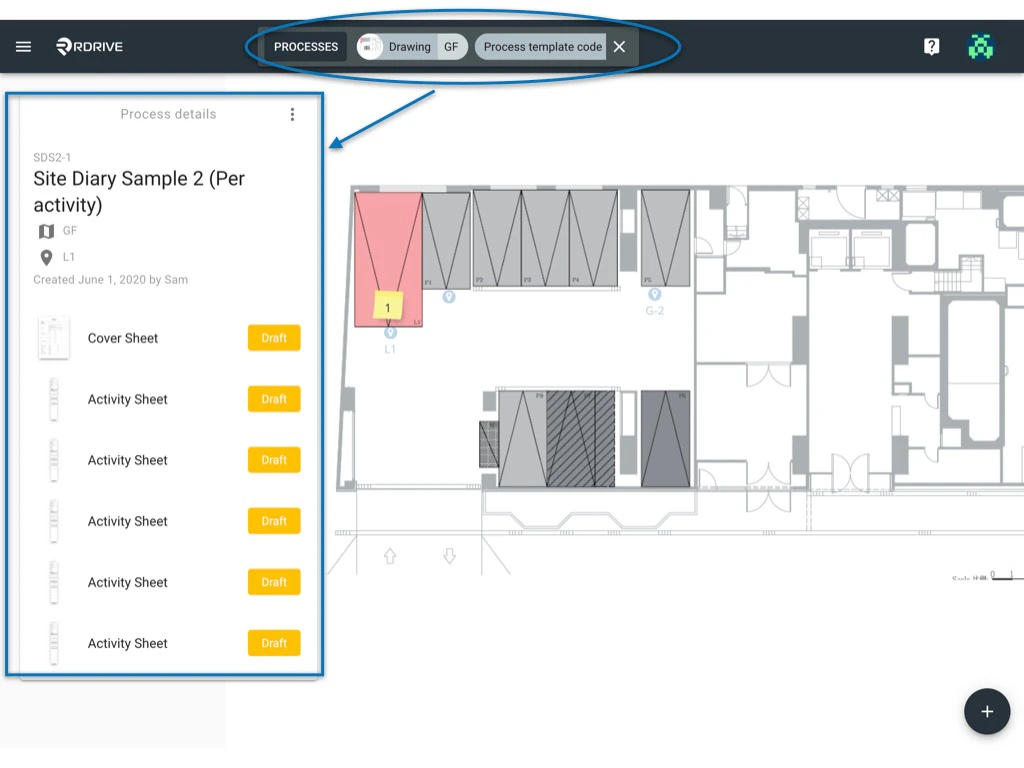
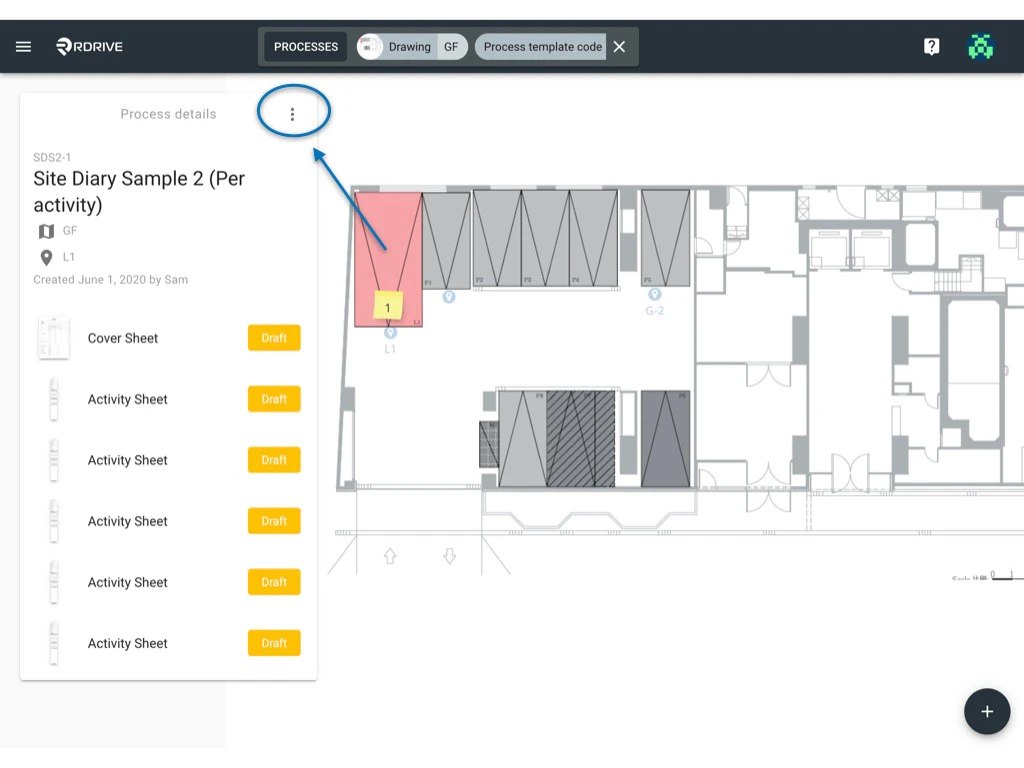
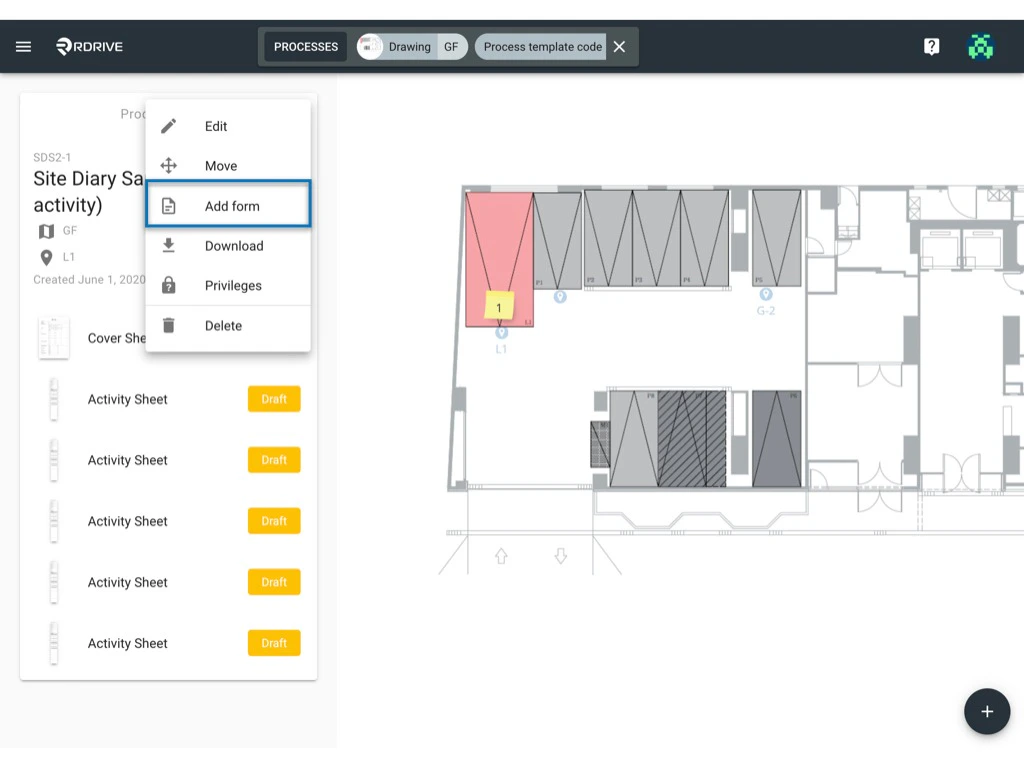
First, confirm the process/checklist form that needs an additional form in the sequence and click the 3 dots ⋮ button circled below to unfold the process/checklist/form. When unfolded, select "**Add Form**" as shown below.
**Why can’t I add an Additional Form?**
If you do not have the permission to add optional form, you won’t be able to do so. If you think you should have this ability, please reach out to your project administrator for more details.
## **via Plan** **viewer**
First, confirm the process/checklist form that needs an additional form in the sequence and click the 3 dots ⋮ button circled below to unfold the process/checklist/form. When unfolded, select "**Add Form**" as shown below.
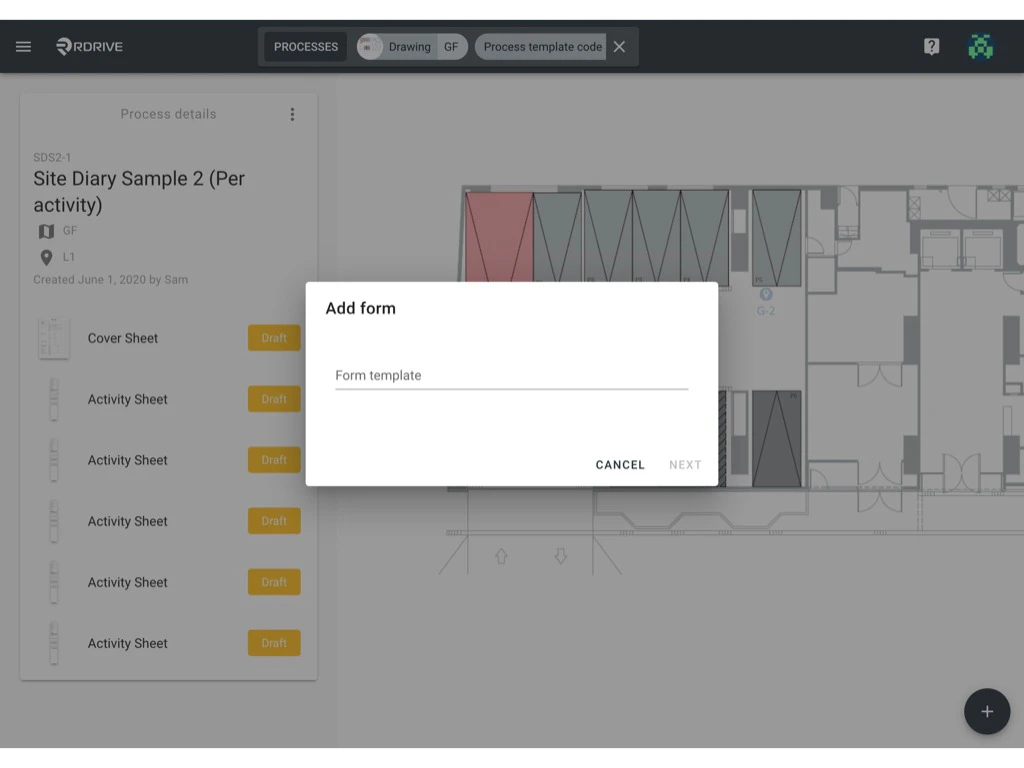
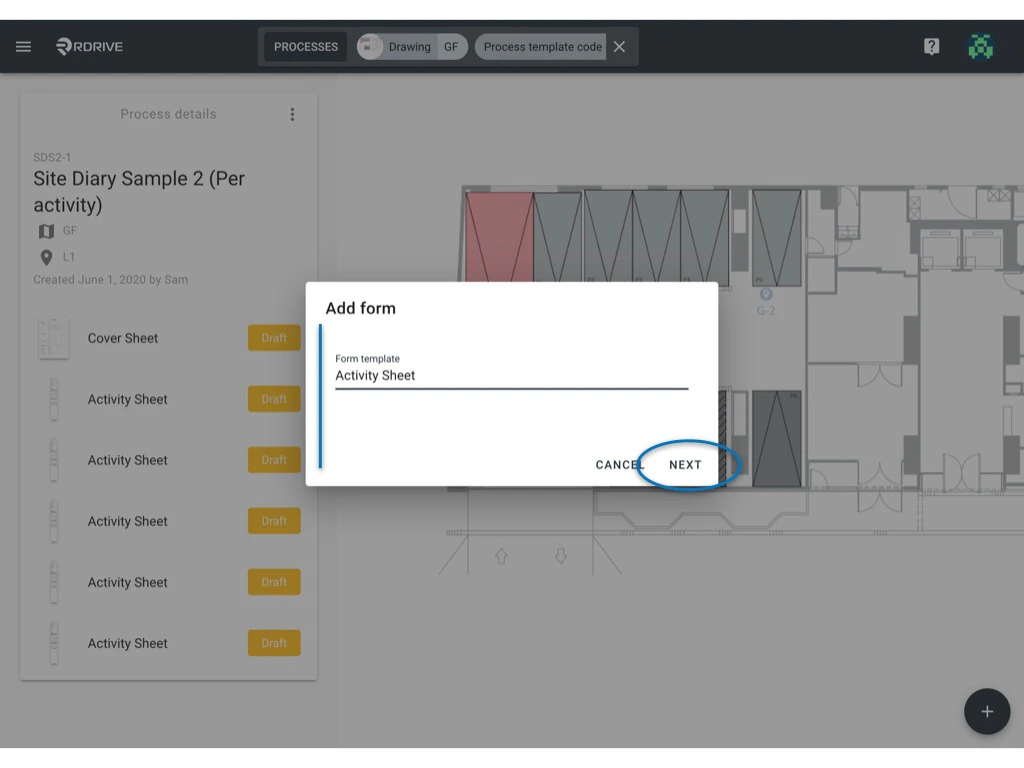
 The add form window will open in the centre of your screen. Now you can select the form template to add in the sequence and press "**NEXT**".
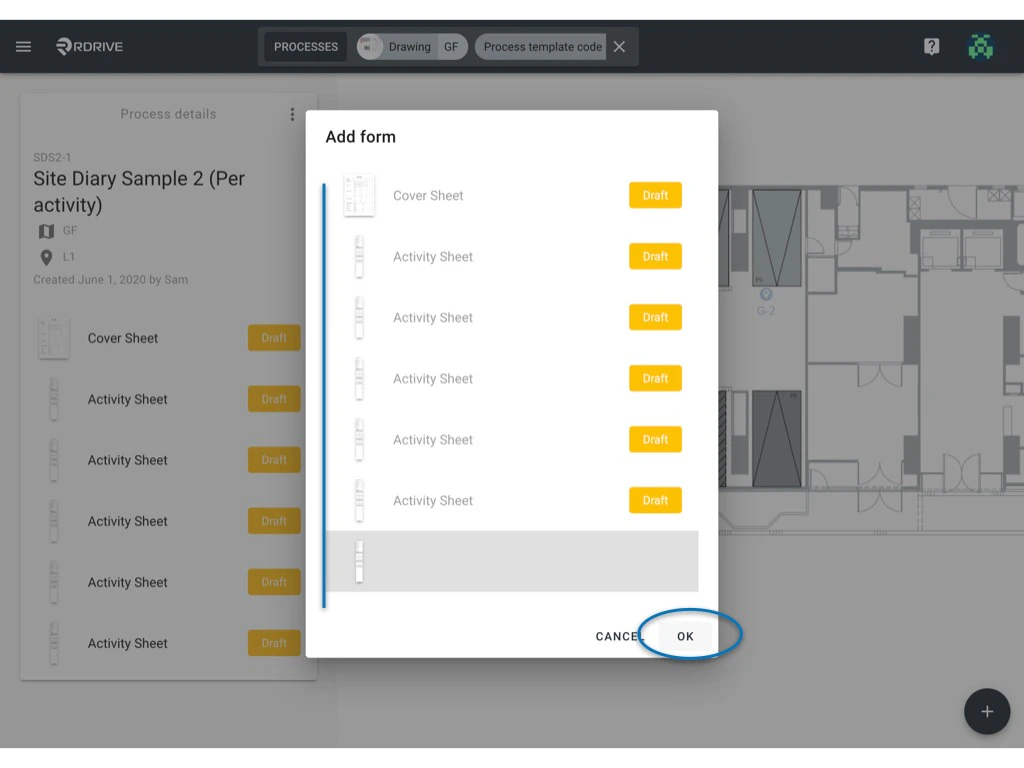
 You can now drag and drop the form to decide where to place this in the sequence. Confirm by pressing "**OK**".
 **Why can’t I add an Additional Form?**
If you do not have the permission to add optional form, you won’t be able to do so. If you think you should have this ability, please reach out to your project administrator for more details.
**Why can’t I add an Additional Form?**
If you do not have the permission to add optional form, you won’t be able to do so. If you think you should have this ability, please reach out to your project administrator for more details.