> ## Documentation Index
> Fetch the complete documentation index at: https://docs.rdrive.io/llms.txt
> Use this file to discover all available pages before exploring further.
# How to assign a form to other users? (Web)
> Assigning to Team only
#### Assignment delegates responsibility. You can assign to a team, and optionally to its users to indicate who is currently responsible for handling this object. Those who are assigned are called “assignees” and are responsible parties for the form.
**Assigning to Team only**
When assigning to a team, all members of the team will become participants. This means that they will all be able to see the form in question.
You can also set up subscription rules to automatically make the entire team or only certain members of the team become a subscriber whenever issues/defects/records are assigned to the team.
**Assigning to Team + Team User(s)**
When assigning to a user in the team, that user will become a **subscriber** so they will be notified of this. When subscribing, a user will simultaneously become a participant, so they will always be able to read whatever they are subscribed to.
To assign a form to a user, you must have the appropriate permissions to do so.
The form status will determine whether or not you are able to assign the form. For purposes of this example, we will show you what you can expect to see should your permissions allow.
* [Via Plan Viewer](#via-plan-viewer)
* [Via Process Finder](#via-process-finder)
* [Form viewer](#form-viewer)
***
# **Via Plan Viewer**
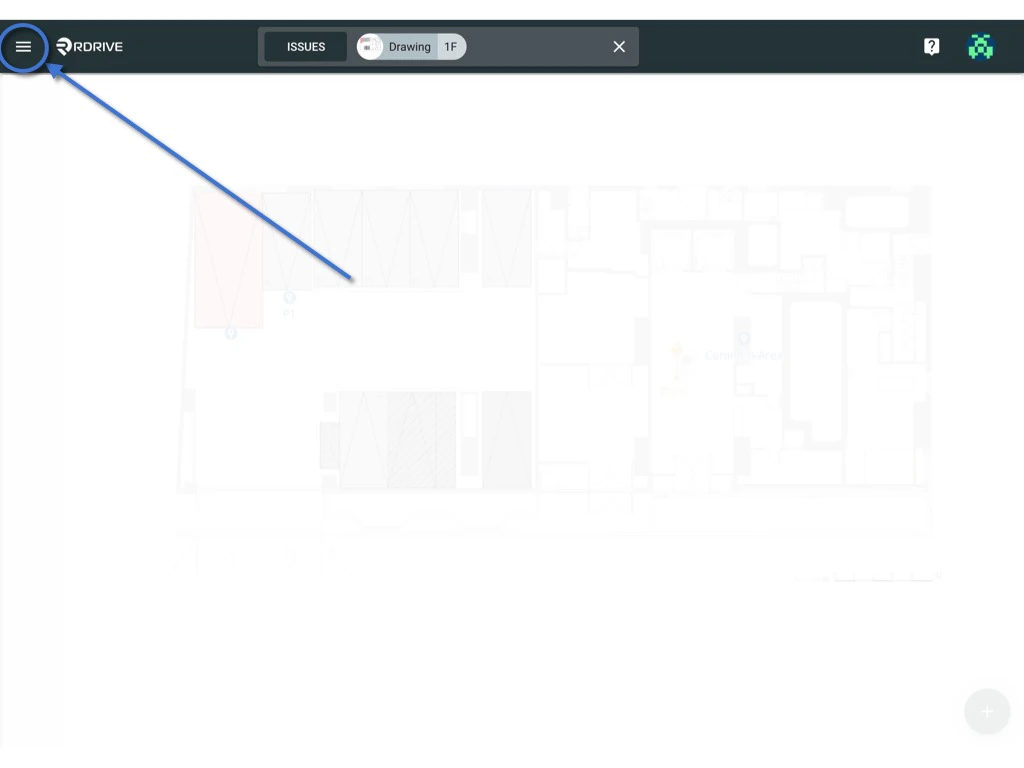
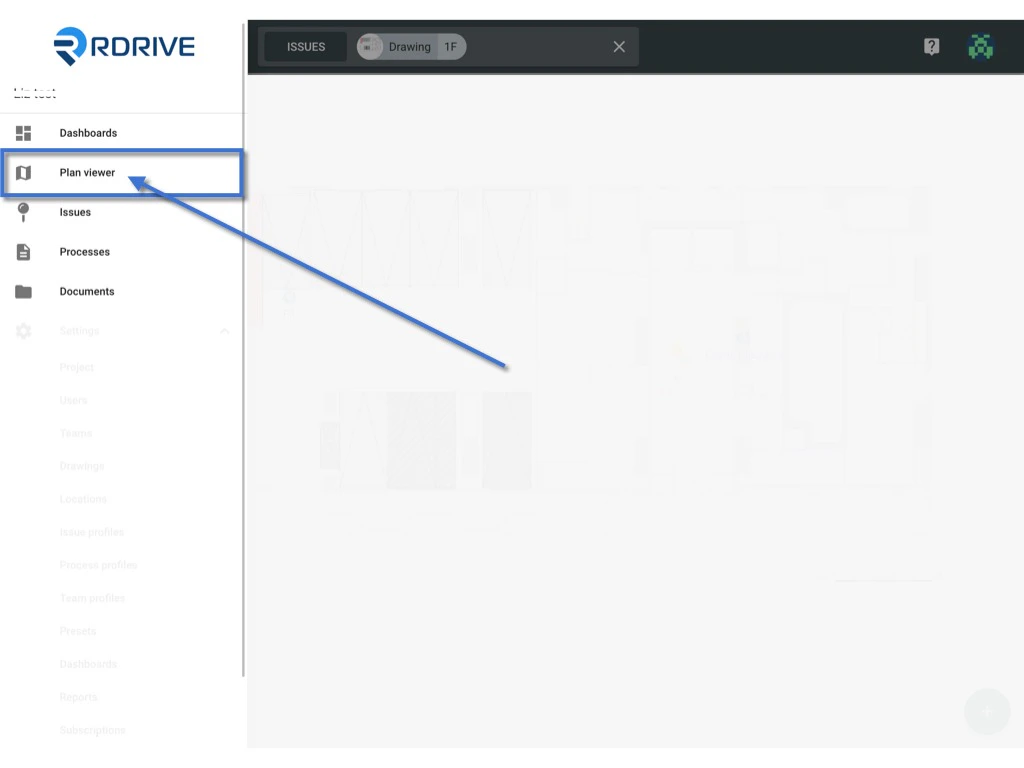
Press the Menu icon ≡ in the top left corner of your screen to unfold the Menu and access the Plan Viewer. Then you select the correct drawing.
You may also use the search bar at the top of your screen to search the drawing > process & form.
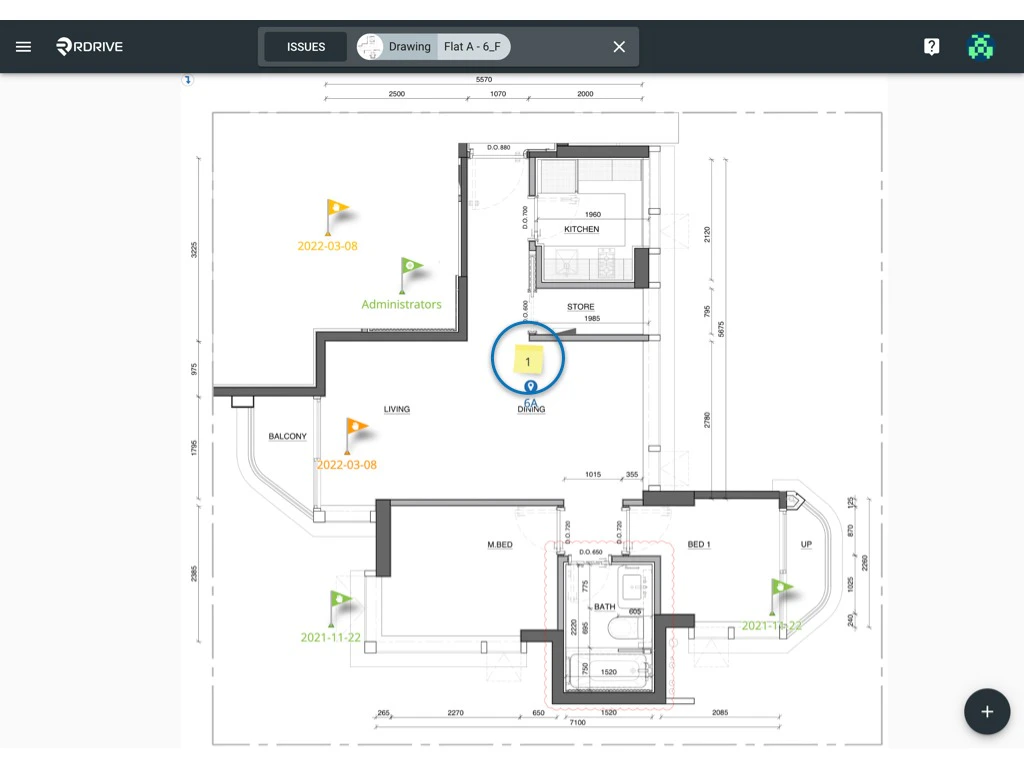
 Click the memo icon as circled below. Once selected the process details will appear on the upper left-hand side of your screen.
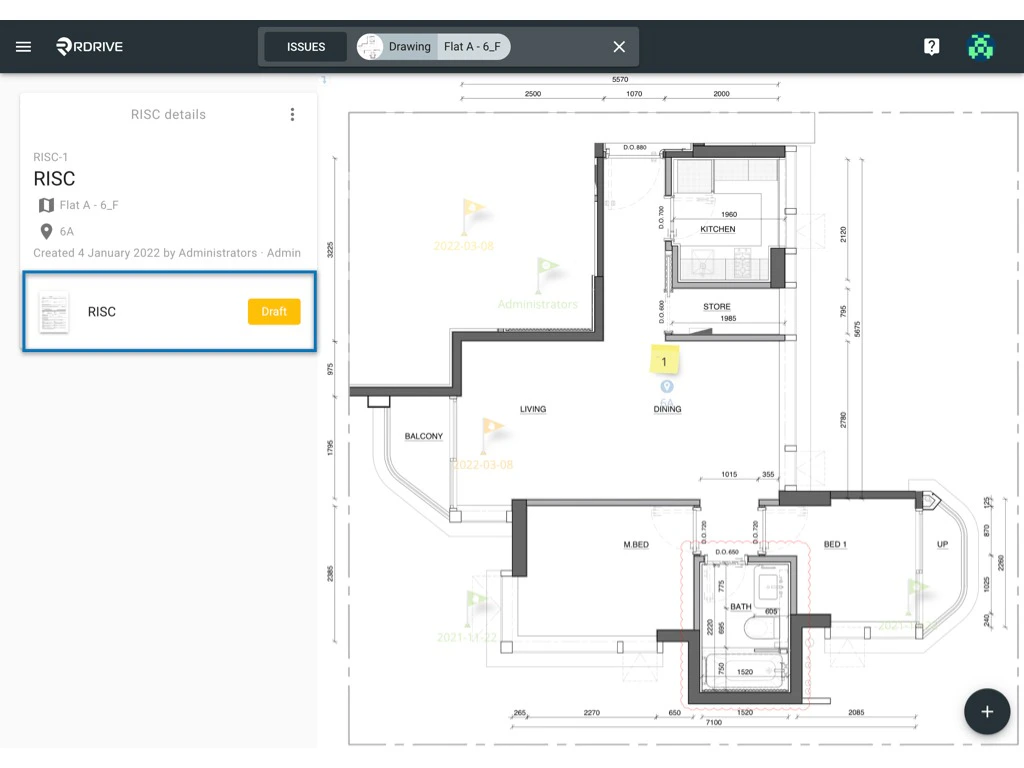 Select the form you require and the form viewer will be enlarged on your screen as below.
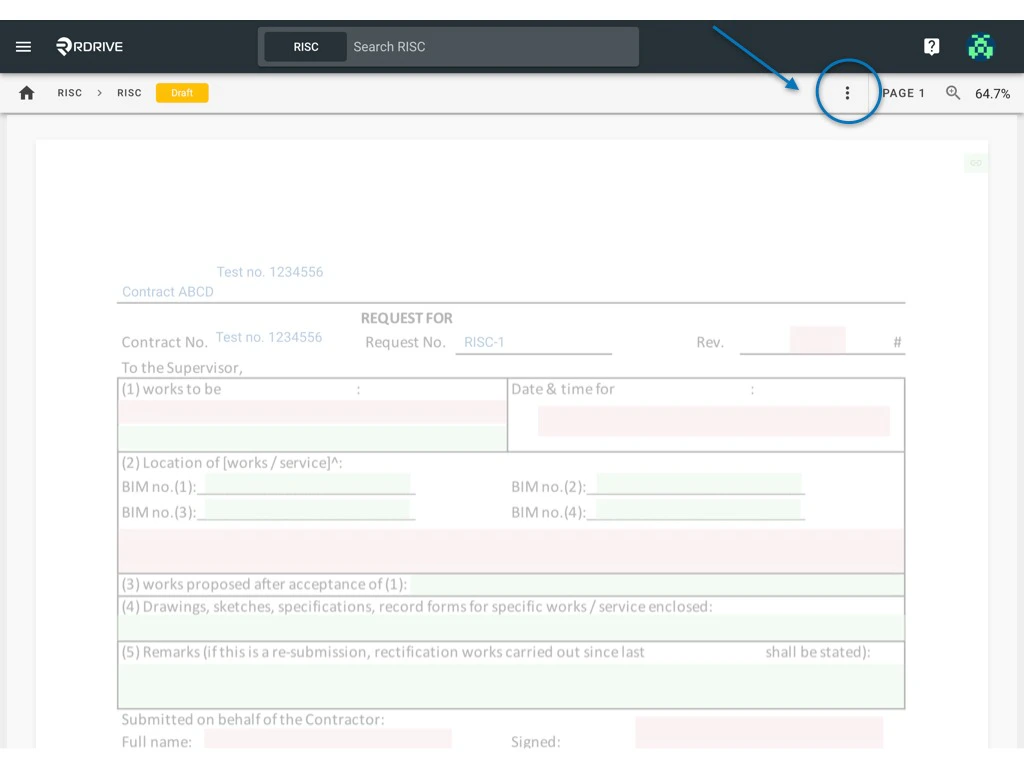
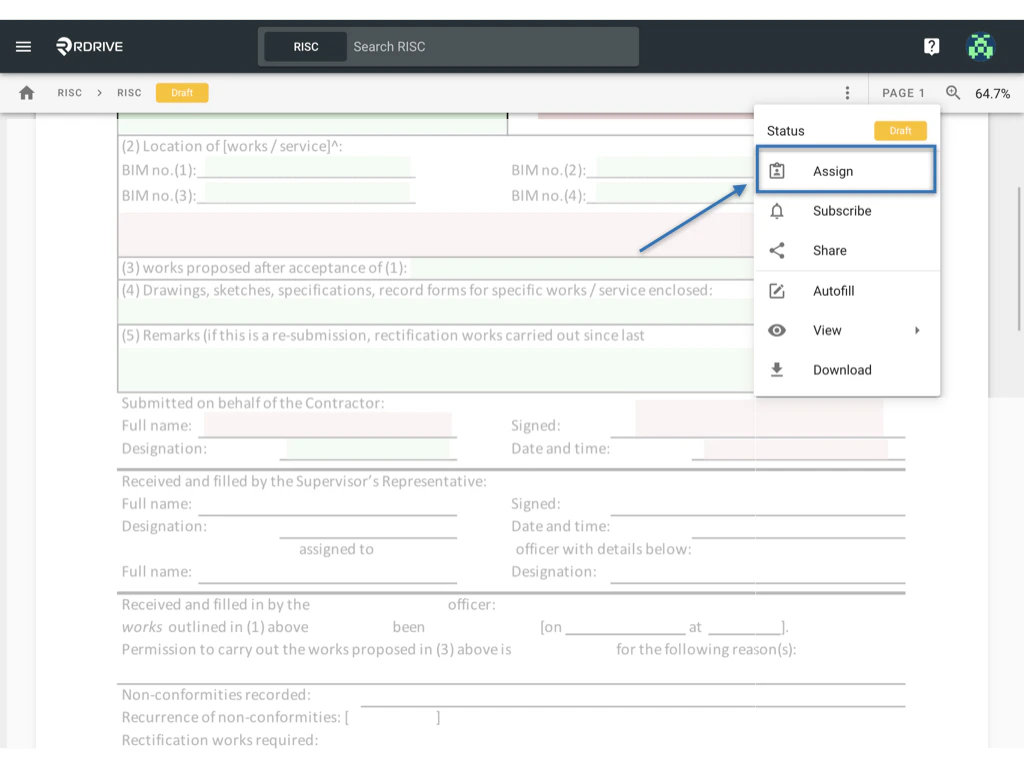
You then press the ⋮ button at the top right corner and select "Assign" once the Menu has unfolded.
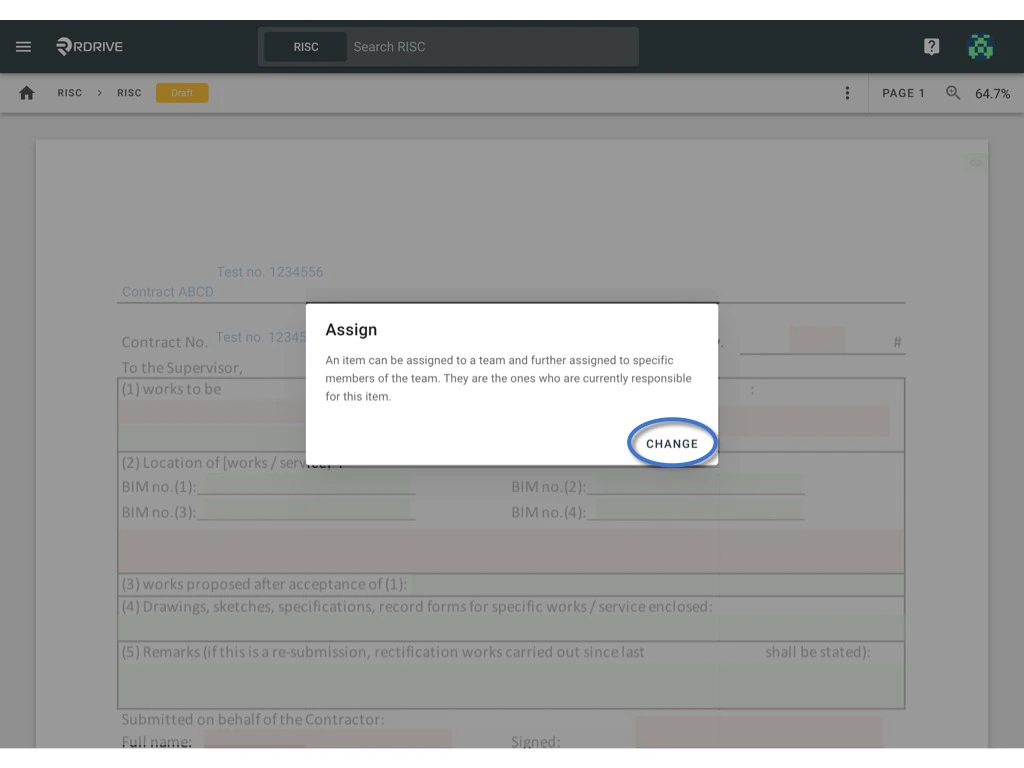
The assign dialogue box will be shown in a window in the middle of your screen as shown below. This will state the current Team/User that the form is assigned to if have any.
Select the form you require and the form viewer will be enlarged on your screen as below.
You then press the ⋮ button at the top right corner and select "Assign" once the Menu has unfolded.
The assign dialogue box will be shown in a window in the middle of your screen as shown below. This will state the current Team/User that the form is assigned to if have any.
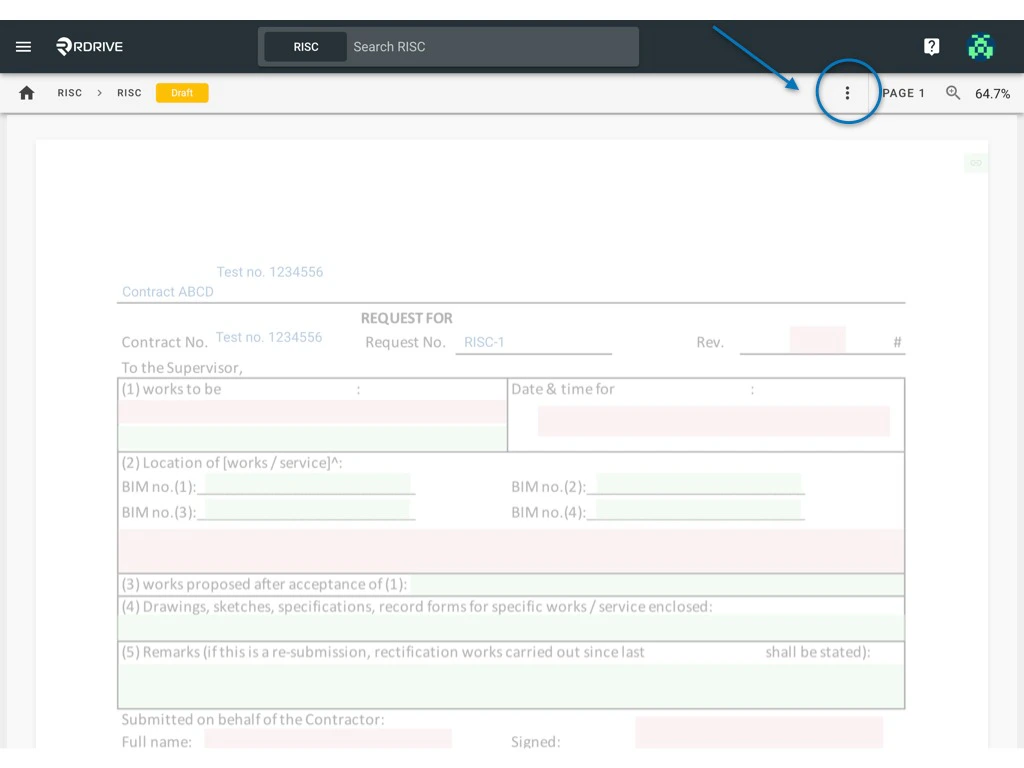
 To re-designate responsibility, simply press "**CHANGE**" as circled below.
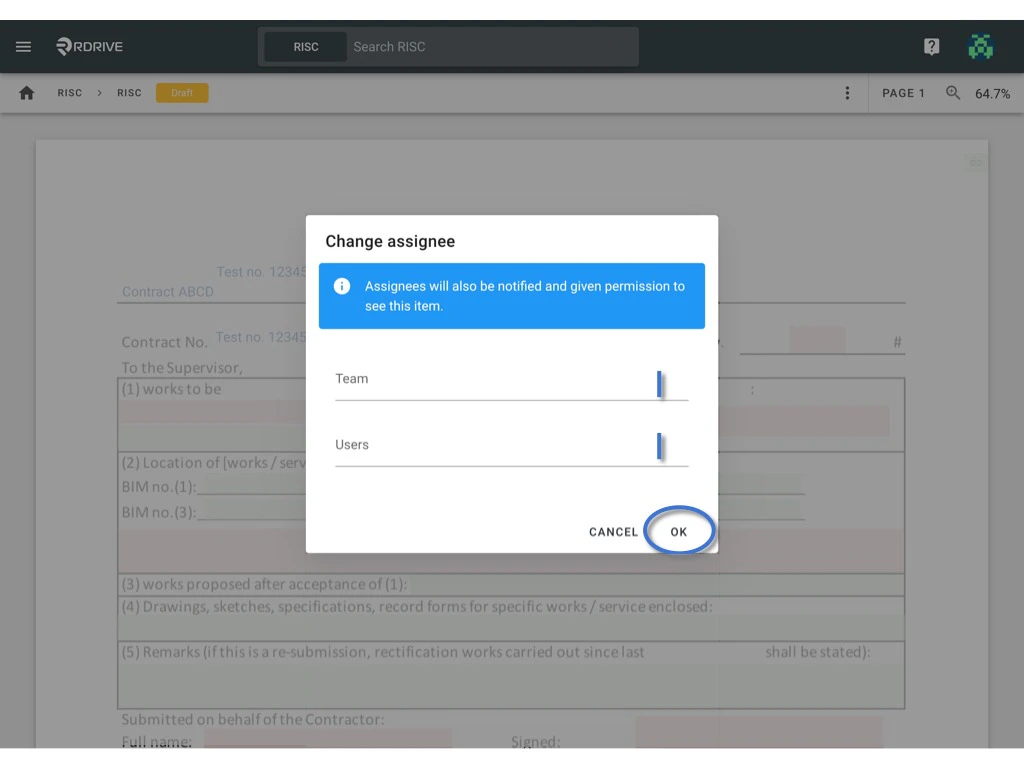
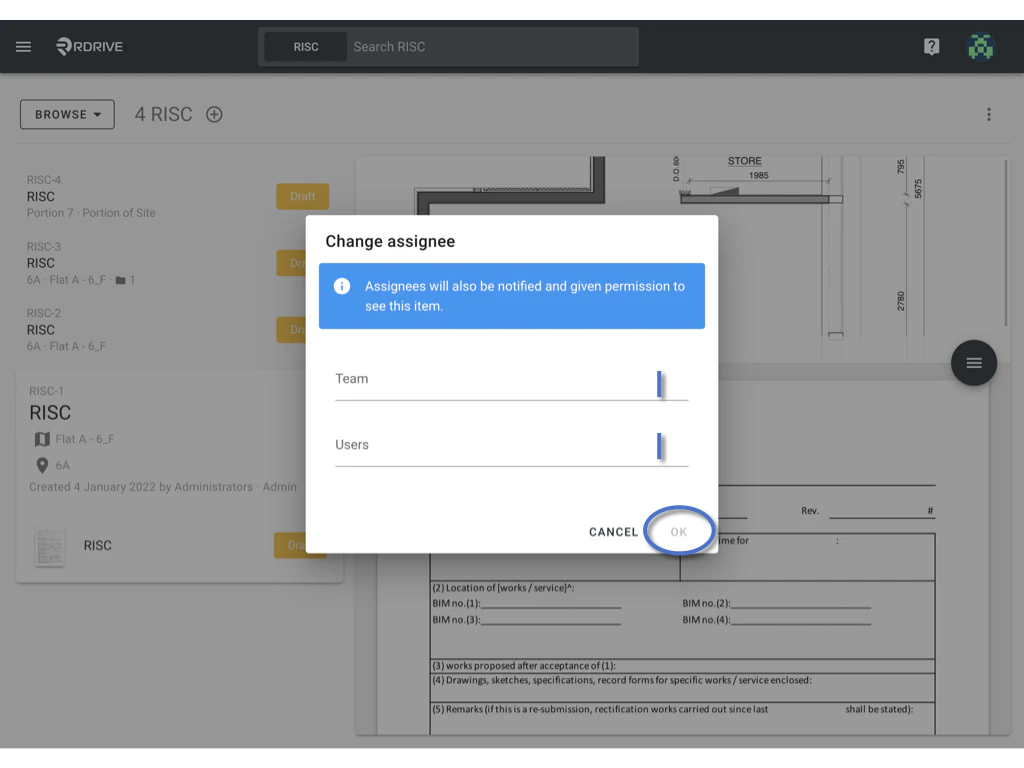
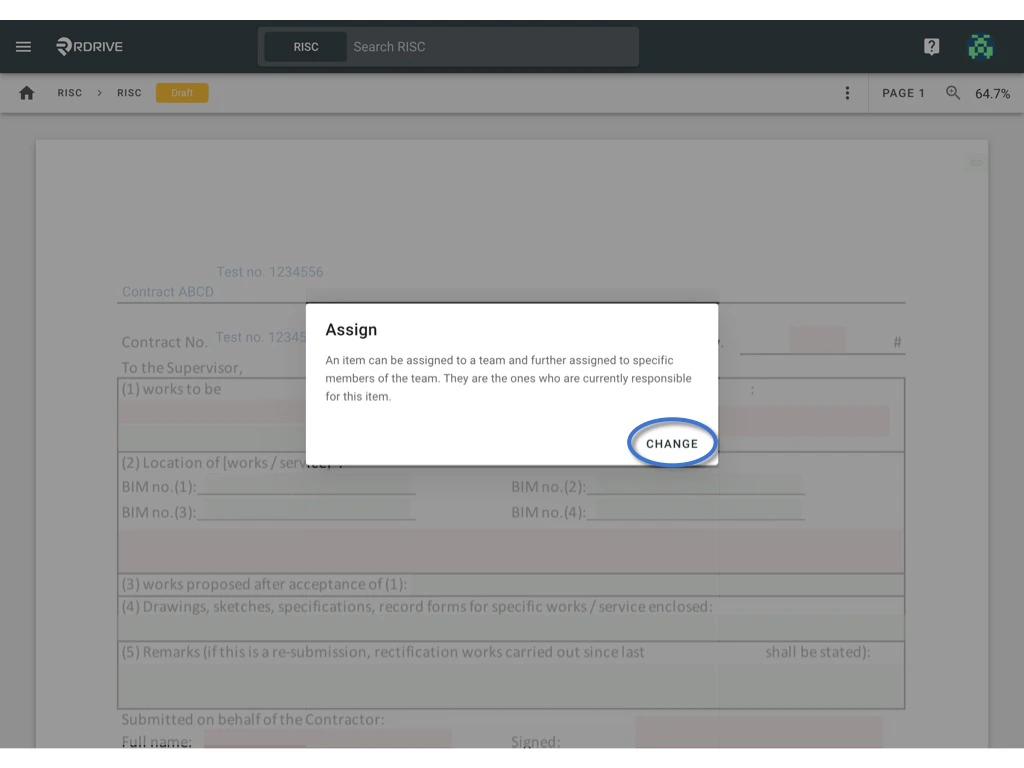 The "**Change Assignee**" window will then appear as below.
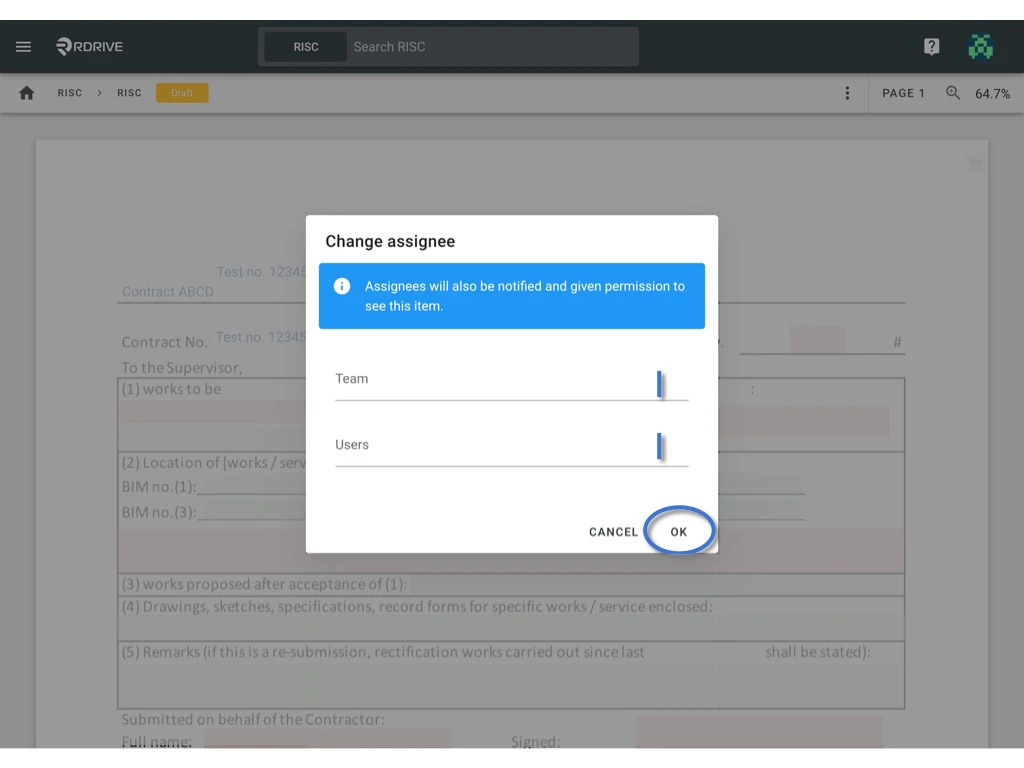
Now all that needs to be done is to enter the relevant Team/User and press "**OK**" to save and finish.
The "**Change Assignee**" window will then appear as below.
Now all that needs to be done is to enter the relevant Team/User and press "**OK**" to save and finish.
 ***
## **Via Process Finder**
Simply press the Menu icon ≡ in the top left corner of your screen to unfold the Menu and gain access to the process page by selecting the category and subcategory.
***
## **Via Process Finder**
Simply press the Menu icon ≡ in the top left corner of your screen to unfold the Menu and gain access to the process page by selecting the category and subcategory.
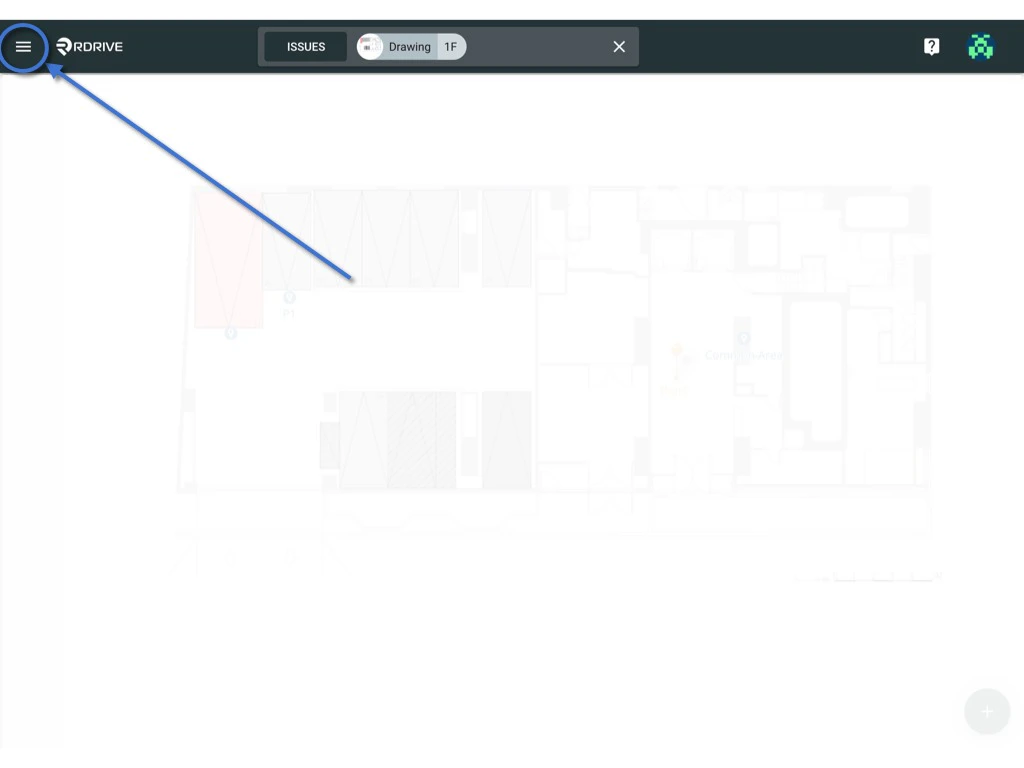
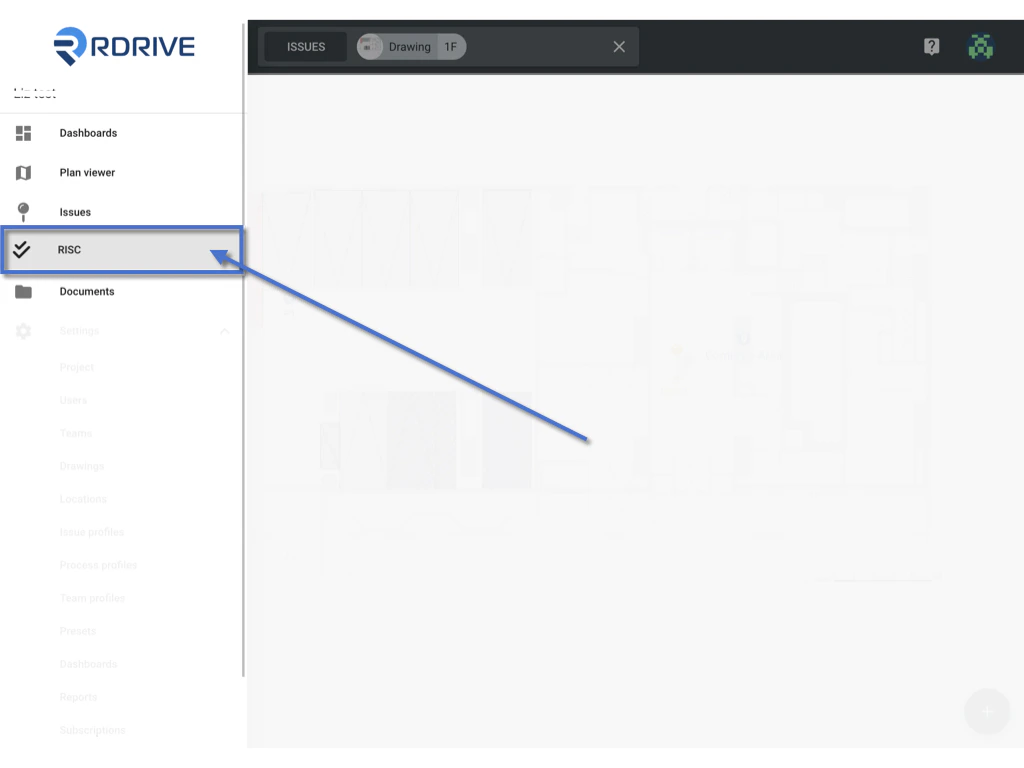 Users will be able to change the assignee from here or [access the form viewer.](#form-viewer)
Select a form and press the Menu ≡ button as circled below and select **Assign**.
Users will be able to change the assignee from here or [access the form viewer.](#form-viewer)
Select a form and press the Menu ≡ button as circled below and select **Assign**. \\
\\
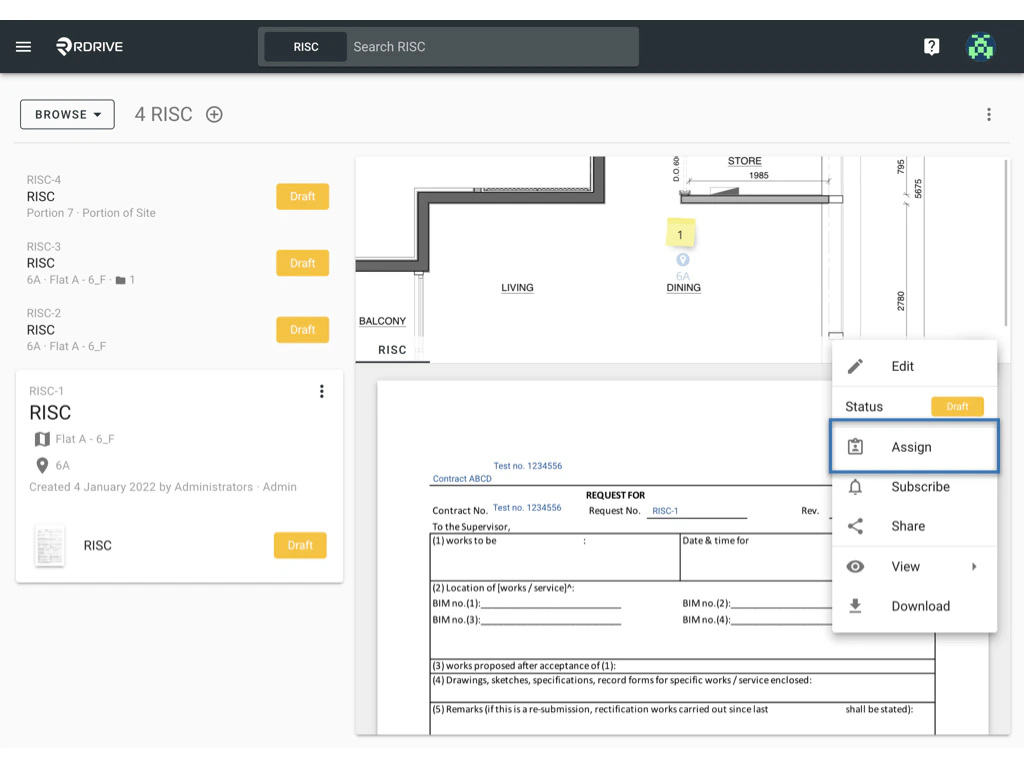 The assign dialogue box will be shown in a window in the middle of your screen as shown above. This will state the current Team/User that the form is assigned to if have any.
To re-designate responsibility, simply press "**CHANGE**" as circled below.
The assign dialogue box will be shown in a window in the middle of your screen as shown above. This will state the current Team/User that the form is assigned to if have any.
To re-designate responsibility, simply press "**CHANGE**" as circled below.
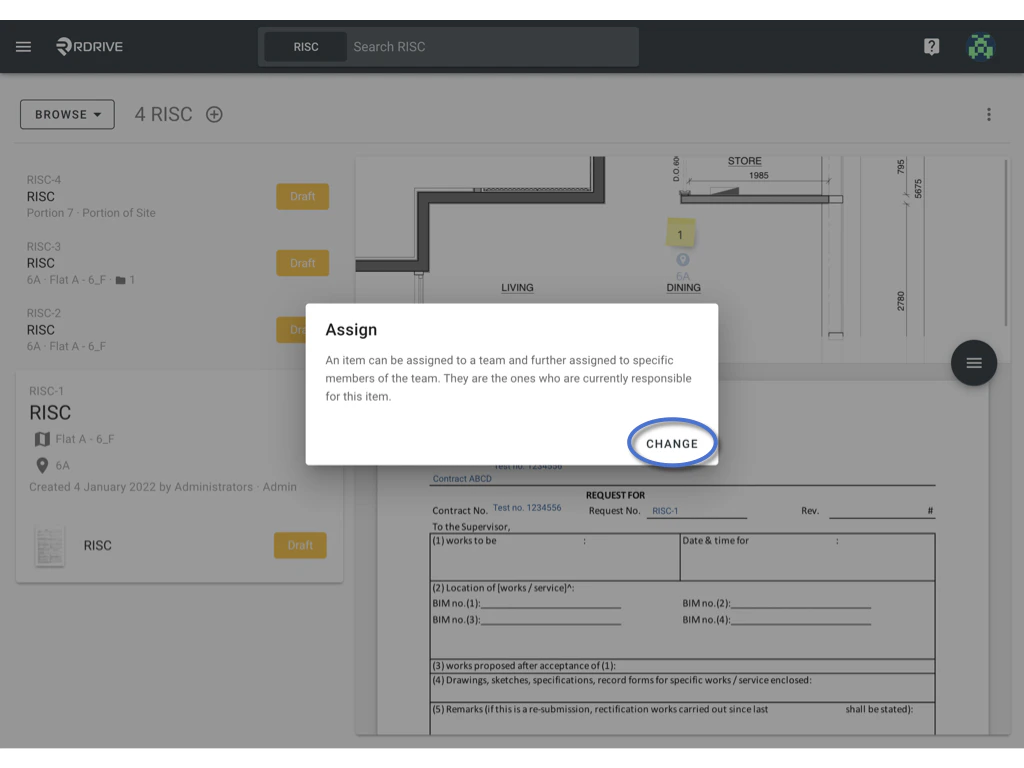 The "**Change Assignee**" window will then appear as below.
Now all that needs to be done is to enter the relevant Team/User and press "**OK**" to save and finish.
The "**Change Assignee**" window will then appear as below.
Now all that needs to be done is to enter the relevant Team/User and press "**OK**" to save and finish.
 ***
### **Form vi\*\*\*\*ewer**
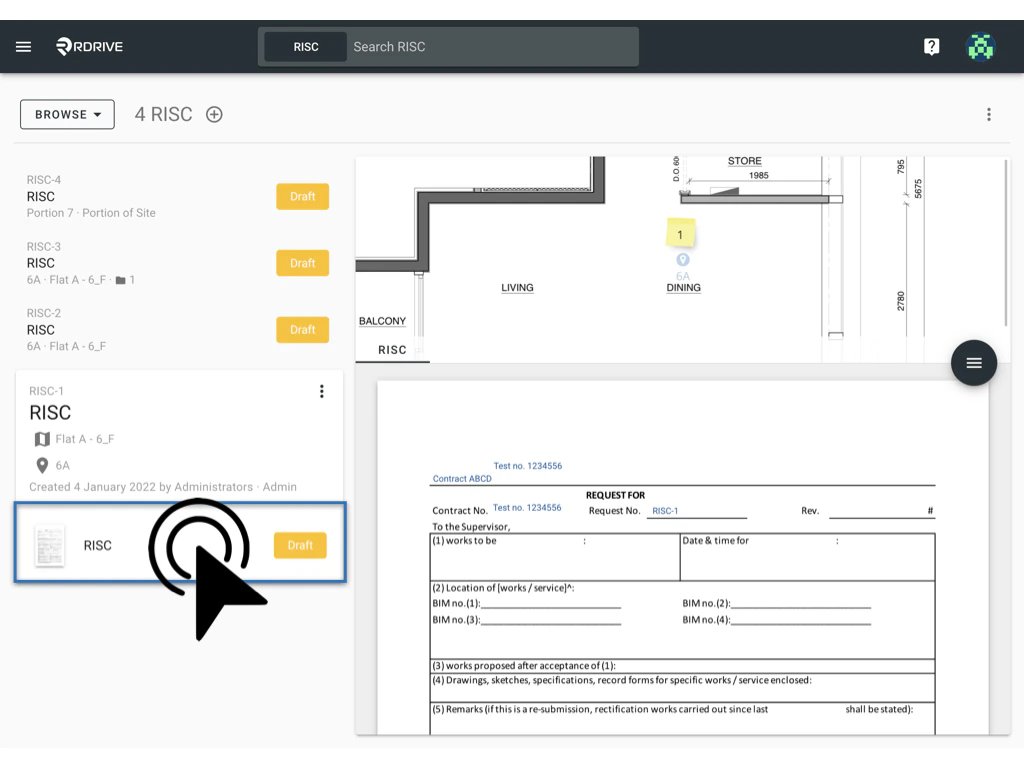
Or double-click the Form title to access the form viewer.
***
### **Form vi\*\*\*\*ewer**
Or double-click the Form title to access the form viewer.
 T
The assign dialogue box will be shown in a window in the middle of your screen as shown above. This will state the current Team/User that the form is assigned to if have any.
To re-designate responsibility, simply press "**CHANGE**" as circled below.
T
The assign dialogue box will be shown in a window in the middle of your screen as shown above. This will state the current Team/User that the form is assigned to if have any.
To re-designate responsibility, simply press "**CHANGE**" as circled below.
 The "**Change Assignee**" window will then appear as below. Now all that needs to be done is to enter the relevant Team/User and press "**OK**" to save and finish.