> ## Documentation Index
> Fetch the complete documentation index at: https://docs.rdrive.io/llms.txt
> Use this file to discover all available pages before exploring further.
# How do I share an issue/defect/record?
> How to share an issue, defect or record using RDrive using the desktop/browser
### **Overview**
*How to share an issue, defect or record using RDrive using the desktop/browser*
* **Purpose:** How to share an issue, defect or record against a location from the desktop
* **Who It’s For:** General users
Prerequisites: Able to raise an issue, defect or record from the desktop/browser
You will need to share issues/defects/records with other Teams/Users to give them permission to view the issue/defect/record if this is not assigned to their team.
Sharing gives **ad-hoc read access** to other users. You can choose which individual users you wish to share with.
Users who have edit rights but **not** read access will be able to edit after you have shared with them. Those who have an item shared to them are called “**participants**”.
***
**TABLE OF CONTENTS**
* [Via Issue Finder](#via-issue-finder)
* [Via Plan Viewer](#via-plan-viewer)
***
## **Via Issue Finder**
Press the Menu icon ≡ in the top left corner of your screen to access the menu.
 From here select **Quality** then issue type, we will select **Defects** from the categories for this example.
 This will then display any issues/defects/records selected in a list on the left panel, choose your required issue/defect/record and press the **≡** button on the right to expand the menu.
 Select **Share**. Once selected, the share options for this issue/defect/record will be enlarged in a window on your screen.
 All participants that have been granted access will be listed within the window.
To add a participant, be that a Team or an Individual User, select the most relevant category (Team/User), press the **+** button as shown in the image below and enter the team or user details.
Alternatively, to remove a Team or Individual User, you can press the **x** button highlighted below.
To save your participant add/remove request, you need only to click outside of the enlarged window.
All participants that have been granted access will be listed within the window.
To add a participant, be that a Team or an Individual User, select the most relevant category (Team/User), press the **+** button as shown in the image below and enter the team or user details.
Alternatively, to remove a Team or Individual User, you can press the **x** button highlighted below.
To save your participant add/remove request, you need only to click outside of the enlarged window.
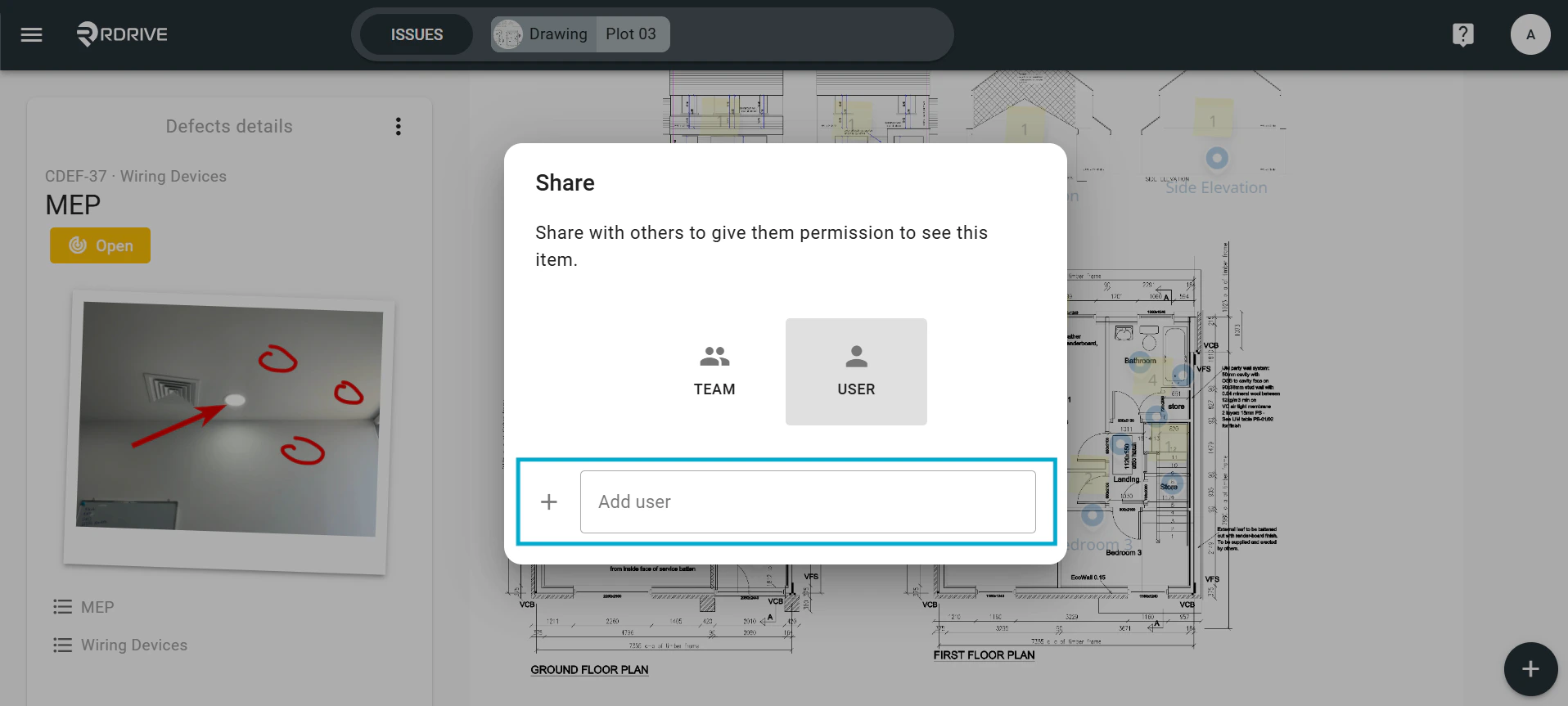
 Add an individual user by selecting User and adding the relevant user details.
 ***
## **Via Plan Viewer**
Press the Menu icon ≡ in the top left corner of your screen to access the menu.
***
## **Via Plan Viewer**
Press the Menu icon ≡ in the top left corner of your screen to access the menu.
 From here select the **Plan Viewer** and navigate to the drawing required.
 Click on the issue/defect/record pin, the details of which will display on the left-hand side.
 Then press the **⋮** Menu button in the top right-hand corner to unfold the Menu.
 Select **Share.** Once selected, the share options for this issue/defect/record will be enlarged in a window on your screen.
 All participants that have been granted access will be listed within the window.
To add a participant, be that a Team or an Individual User, select the most relevant category (Team/User), press the **+** button as shown in the image below and enter the team or user details.
Alternatively, to remove a Team or Individual User, you can press the **x** button highlighted below.
To save your participant add/remove request, you need only to click outside of the enlarged window.
All participants that have been granted access will be listed within the window.
To add a participant, be that a Team or an Individual User, select the most relevant category (Team/User), press the **+** button as shown in the image below and enter the team or user details.
Alternatively, to remove a Team or Individual User, you can press the **x** button highlighted below.
To save your participant add/remove request, you need only to click outside of the enlarged window.
 Add an individual user by selecting User and adding the relevant user details.