> ## Documentation Index
> Fetch the complete documentation index at: https://docs.rdrive.io/llms.txt
> Use this file to discover all available pages before exploring further.
# Remove attached documents from an issue/defect/record.
> Sometimes a document is no longer valid to a form as time progresses. Alternatively, a form may have the incorrect documents attached to it.What To Do In This C
Sometimes a document is no longer valid to a form as time progresses. Alternatively, a form may have the incorrect documents attached to it.
****What To Do In This Circumstance?****
You can unlink the unwanted documents from the issue/defect/record. Please note that when this is done, it will not be removed/deleted due to data dignity. The user is still able to download the unlinked document from history.
***You will not be able to unlink the documents to the issue/defect/record when it is at closed status.*** *Or sometimes, edit documents are only available at certain status. It depends on the settings.*
Ho to unlink a document:
Simply press the Menu icon ≡ in the top left corner of your screen to unfold the Menu and gain access to the Issue page by selecting the category and subcategory as shown below.
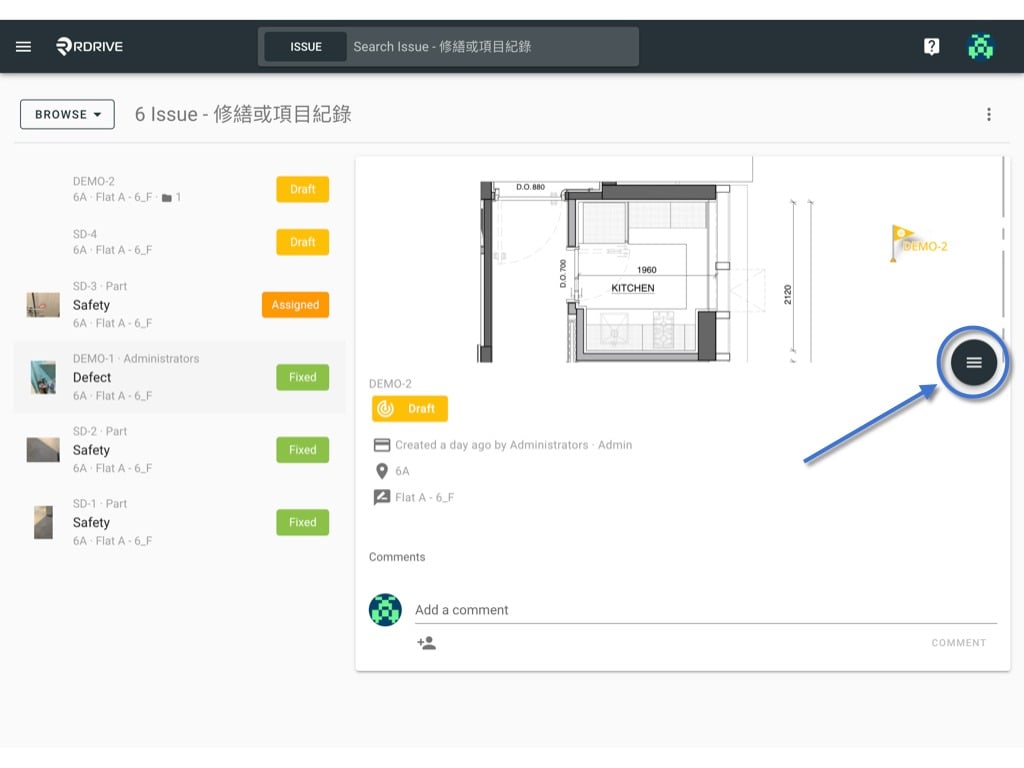
Click the **≡** button to expand the menu and select **Links.**
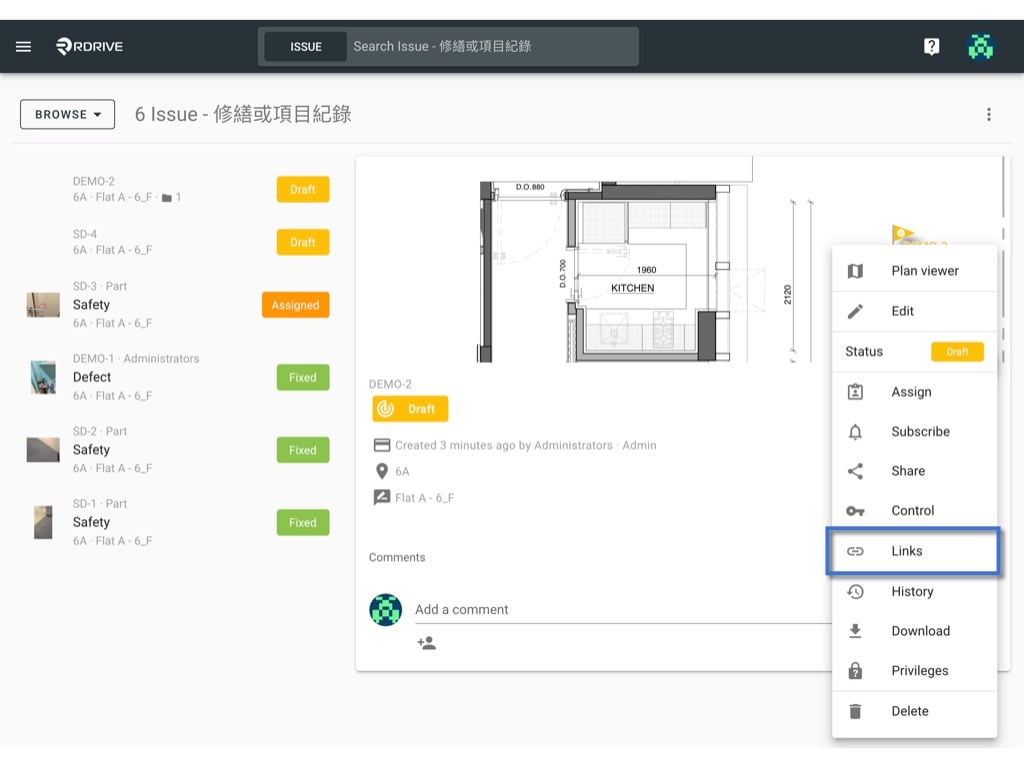 Any items that are linked to the issue/defect/record will then be shown in a window in the centre of your screen. Simply select the relevant linked item and press "**EDIT**" as below.
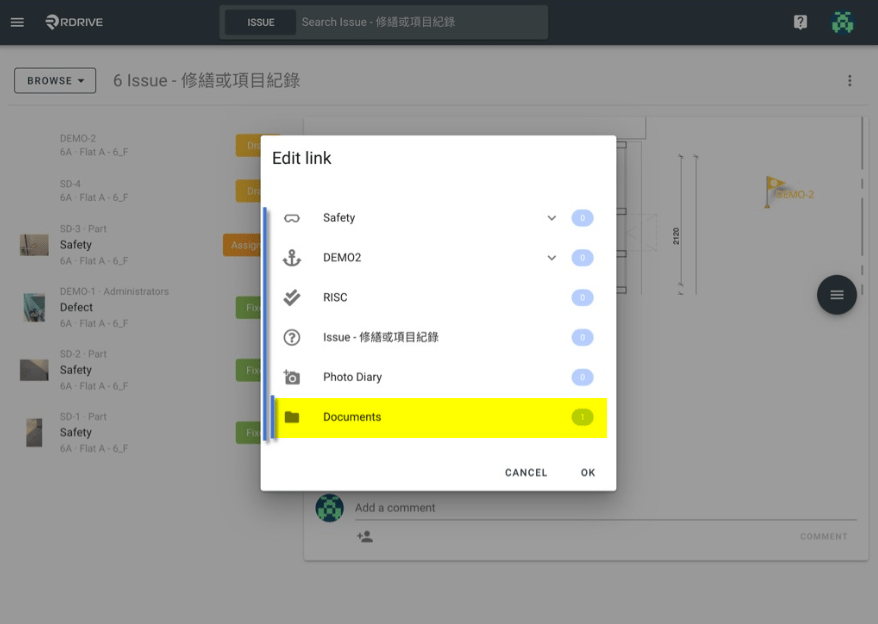
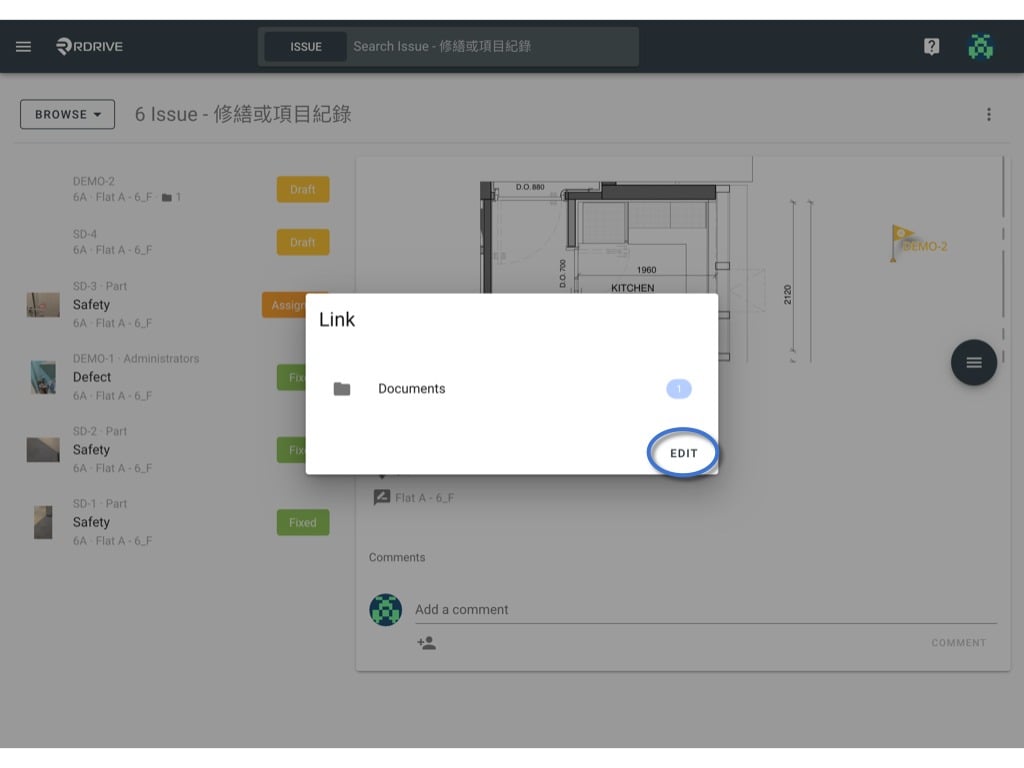 For the purposes of this example, we will select the linked attribute titled "**Documents**" as highlighted below.
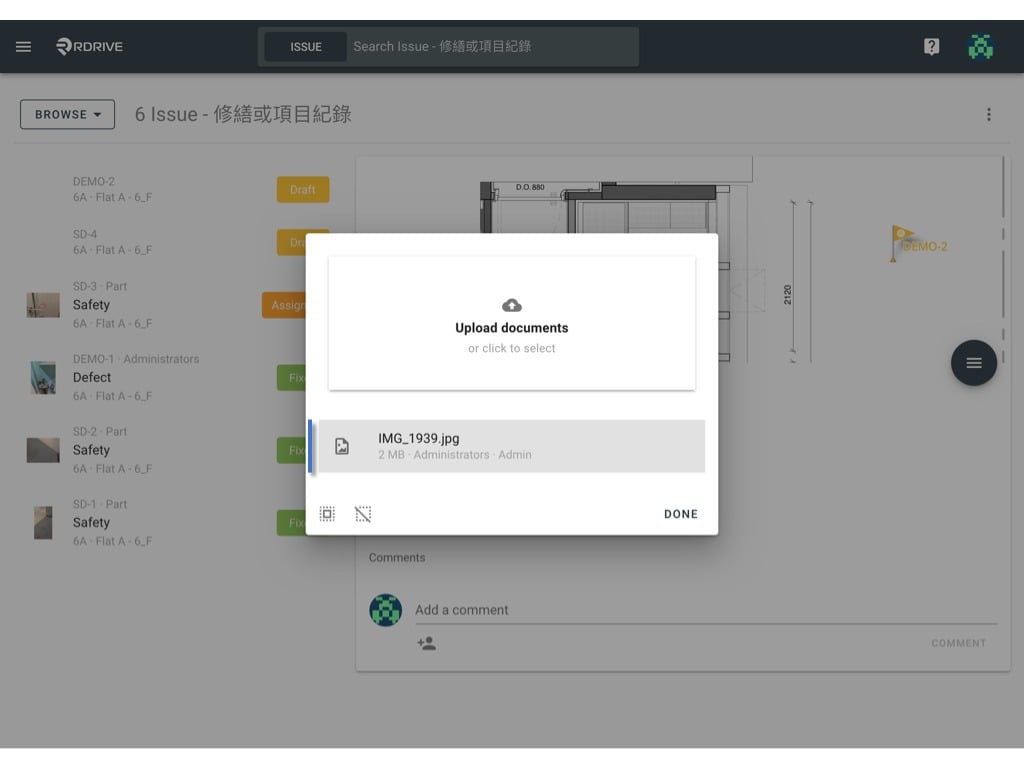
 To remove a linked document, simply click on it.
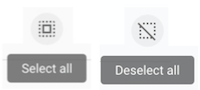
If you have multiple linked documents, you can press the "**Select all**" icon to select all if necessary. There is also a "**Deselect all**" icon, please note the icons below for clarity.
To remove a linked document, simply click on it.
If you have multiple linked documents, you can press the "**Select all**" icon to select all if necessary. There is also a "**Deselect all**" icon, please note the icons below for clarity.
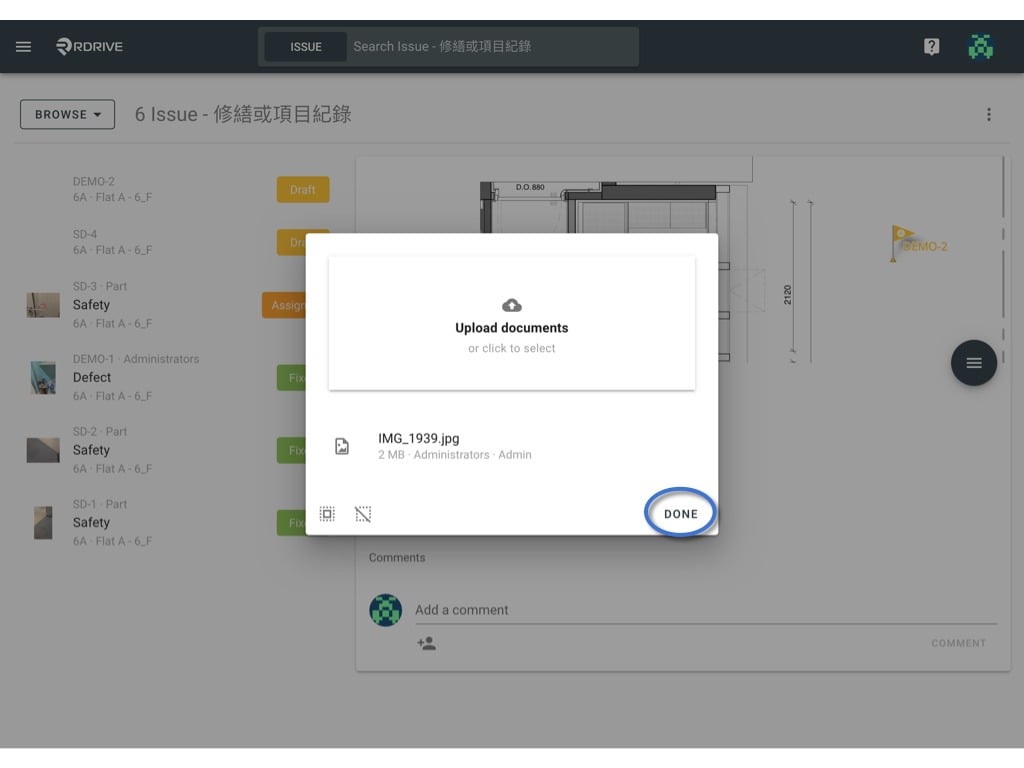
 You should no longer see a grey background for the item once selected. Then you simply press "**DONE**" which will prompt the confirmation window to open as below. Press "**DELETE**" and the item will be unlinked from the issue/defect/record.
.
You should no longer see a grey background for the item once selected. Then you simply press "**DONE**" which will prompt the confirmation window to open as below. Press "**DELETE**" and the item will be unlinked from the issue/defect/record.
.
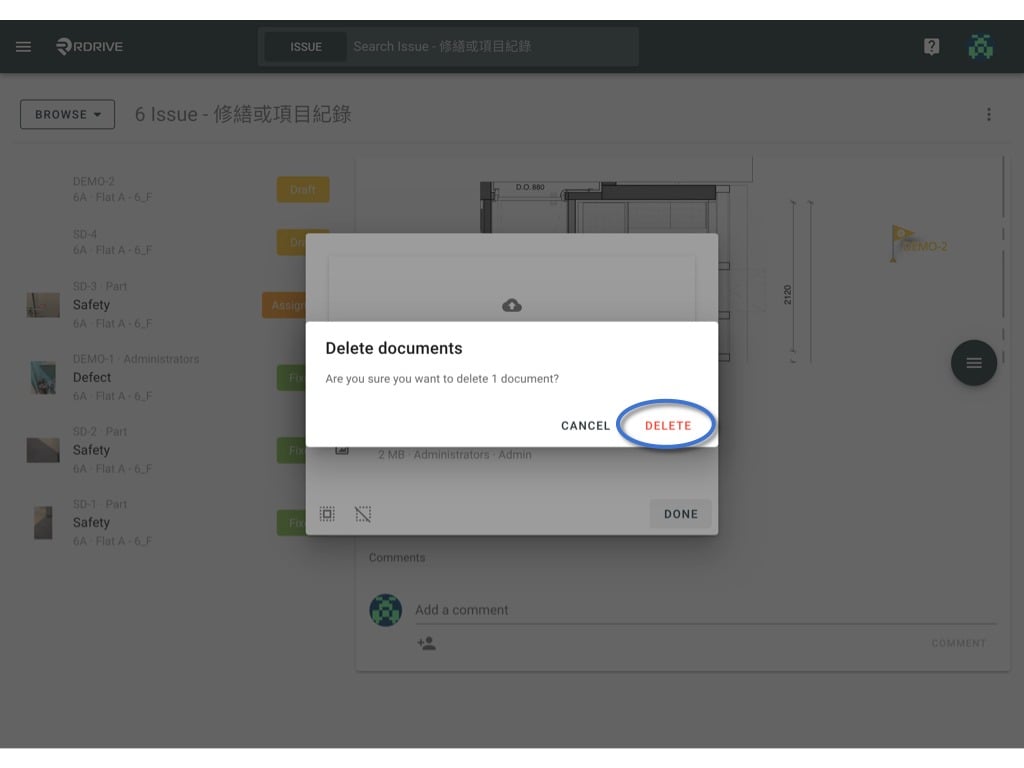 The document is no longer linked to the issue/defect/record.
You can now see the quantity of the document is updated in the highlighted area below. To finish, simply press "**OK**" to save and complete.
The document is no longer linked to the issue/defect/record.
You can now see the quantity of the document is updated in the highlighted area below. To finish, simply press "**OK**" to save and complete.
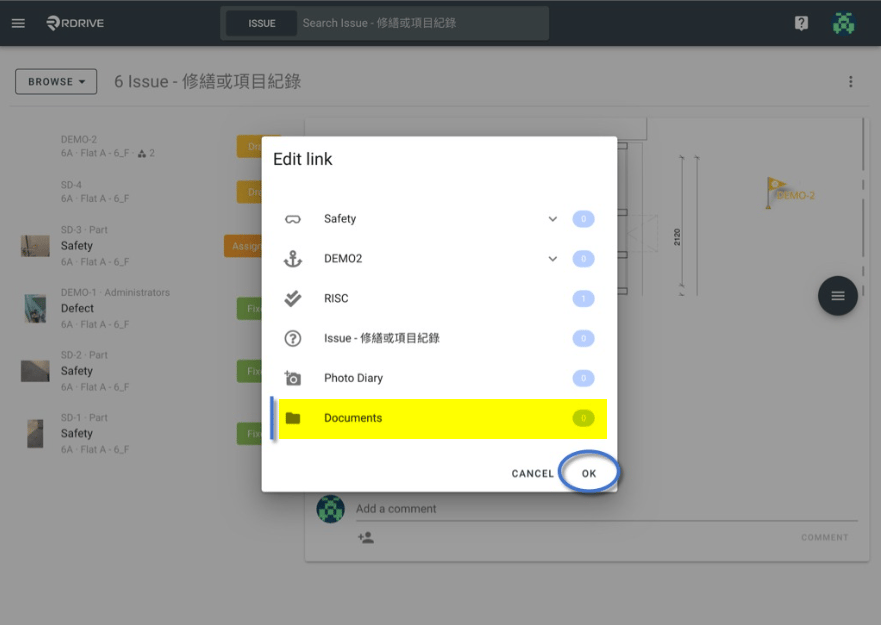 All done! The item is no longer linked to the issue/defect/record!