> ## Documentation Index
> Fetch the complete documentation index at: https://docs.rdrive.io/llms.txt
> Use this file to discover all available pages before exploring further.
# Generate an issue/defect/record report into CSV
> ⭐️Before exporting a report to CSV, there should be a Data Export Template created from the company level.
⭐️[Before exporting a report to CSV, there should be a Data Export Template created from the company level.](https://docs.rdrive.io/setup/company/data-export/how-to-create-a-data-export-template)
If you have any specific requirements/ideas for the Data Export Template, you can contact the admin to arrange your [own template.](https://docs.rdrive.io/setup/company/data-export/how-to-create-a-data-export-template)
***
**TABLE OF CONTENTS**
* [via Plan Viewer](#via-plan-viewer)
* [via Issue Finder](#via-issue-finder)
* [To Batch Download](#to-batch-download)
***
### **via Plan Viewer**
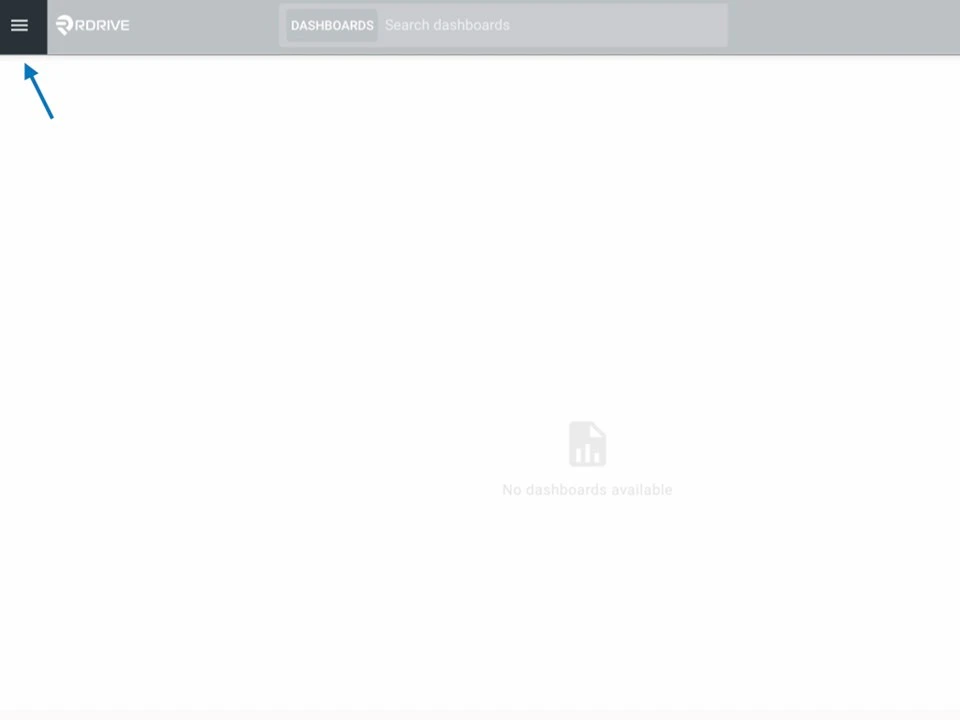
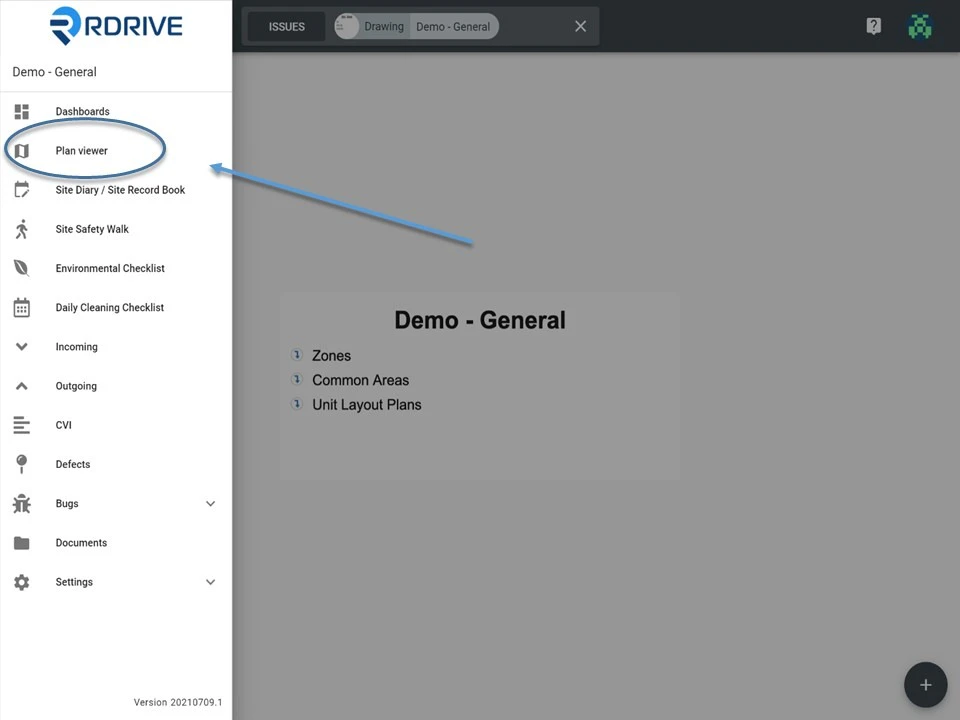
Click the Menu icon ≡ in the top left corner to unfold the Menu and access to the Plan Viewer, and then select your drawing.
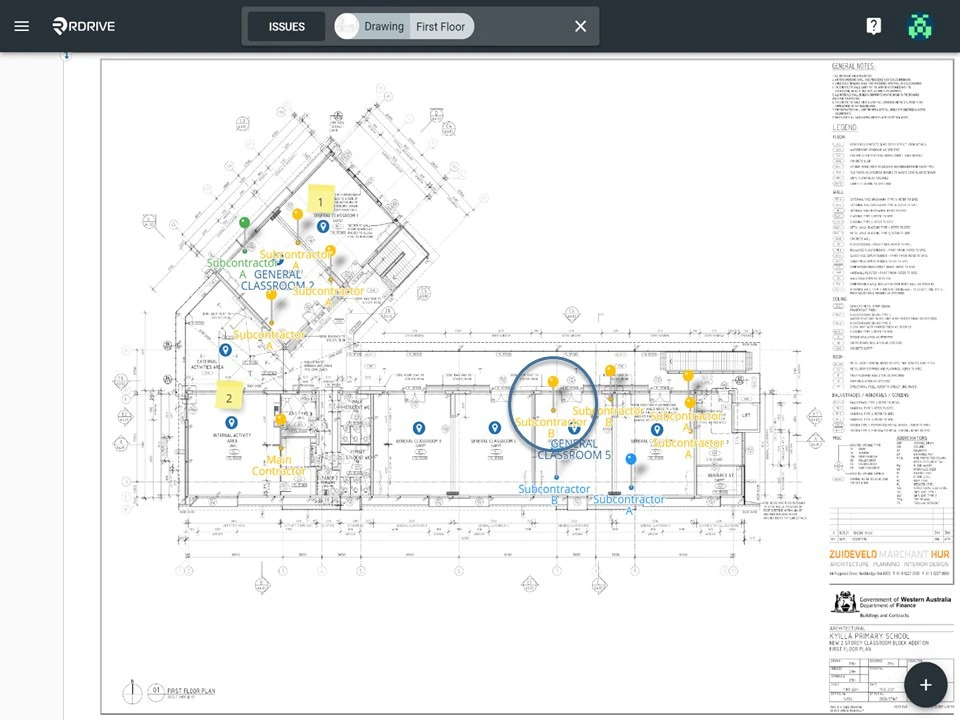
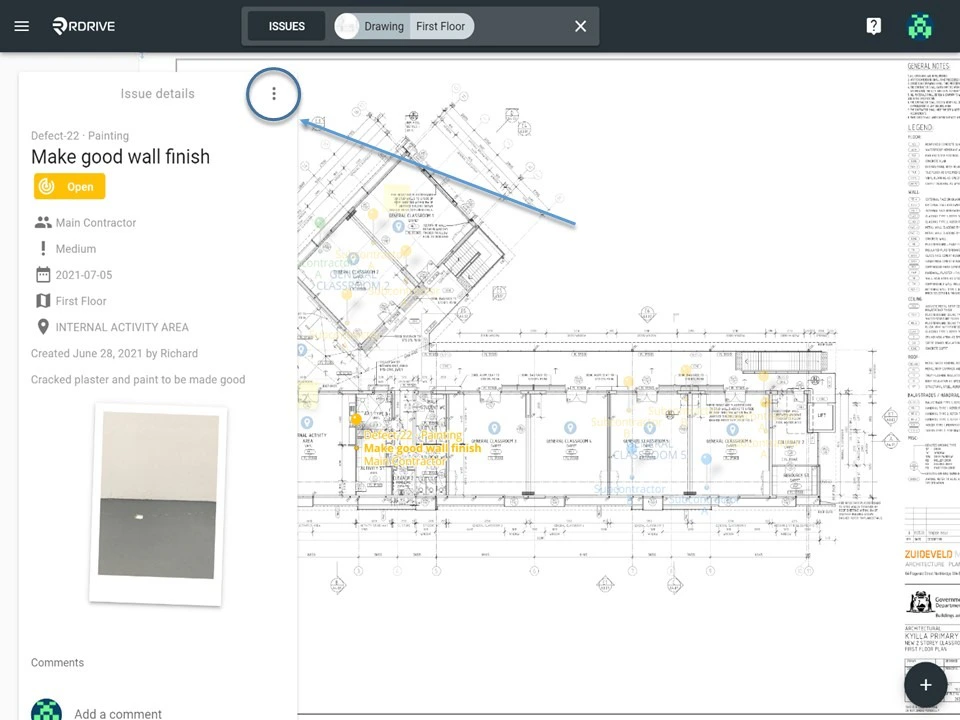
 Click on the issue/defect/record pin as circled below. Once selected, the details will populate on the left of your screen.
Then click the 3 dots **⋮** button at the top right corner of the detail display as shown below.
Click on the issue/defect/record pin as circled below. Once selected, the details will populate on the left of your screen.
Then click the 3 dots **⋮** button at the top right corner of the detail display as shown below.
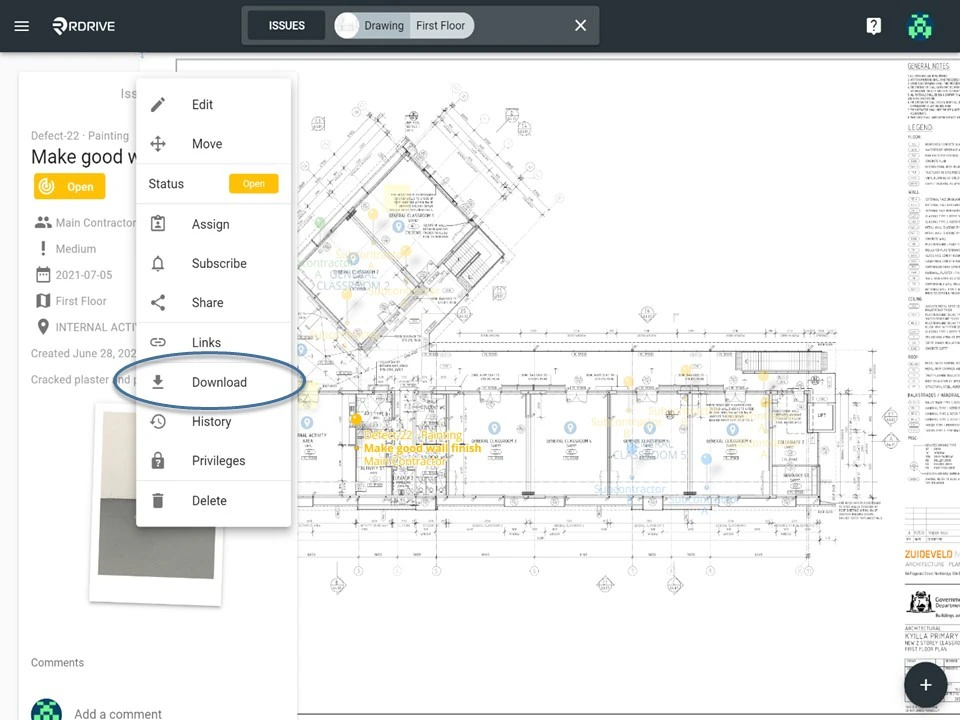 In the unfolded Menu, select "**Download"** and the download options will pop-up as below.
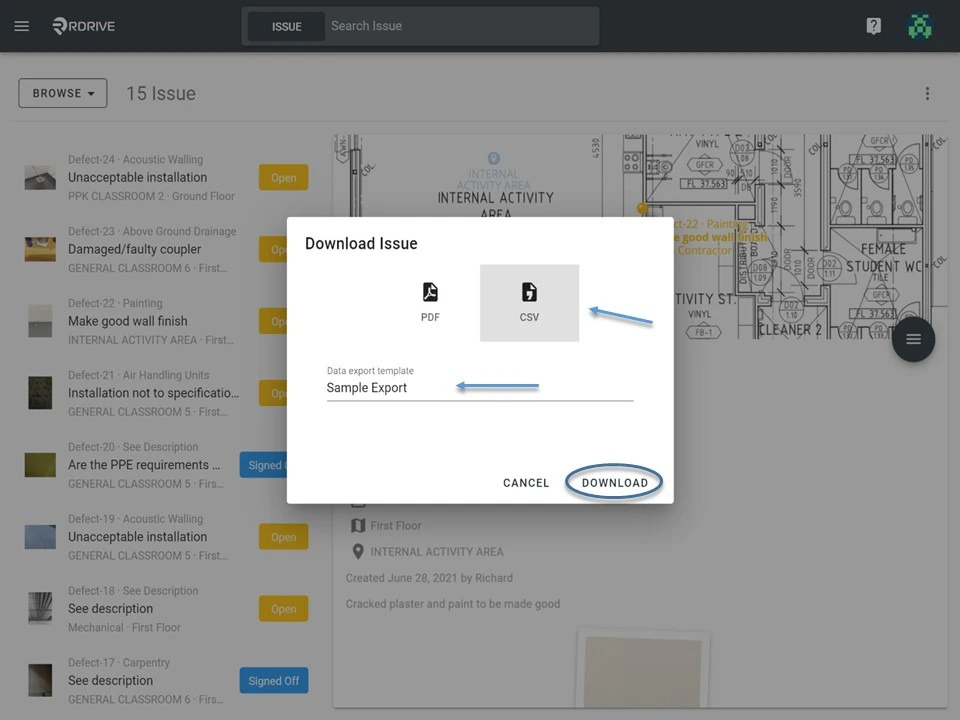
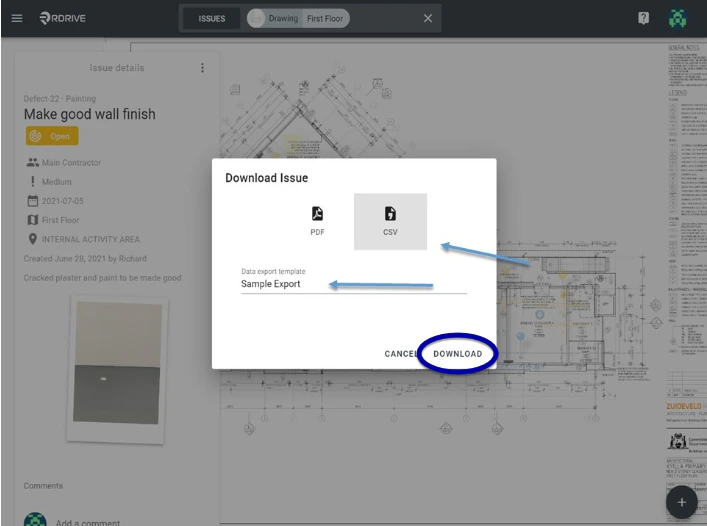
Select "**CSV"**, then select the Data Export Template you want and click "**Download**" as circled below.
In the unfolded Menu, select "**Download"** and the download options will pop-up as below.
Select "**CSV"**, then select the Data Export Template you want and click "**Download**" as circled below.
 ***
### **via Issue Finder**
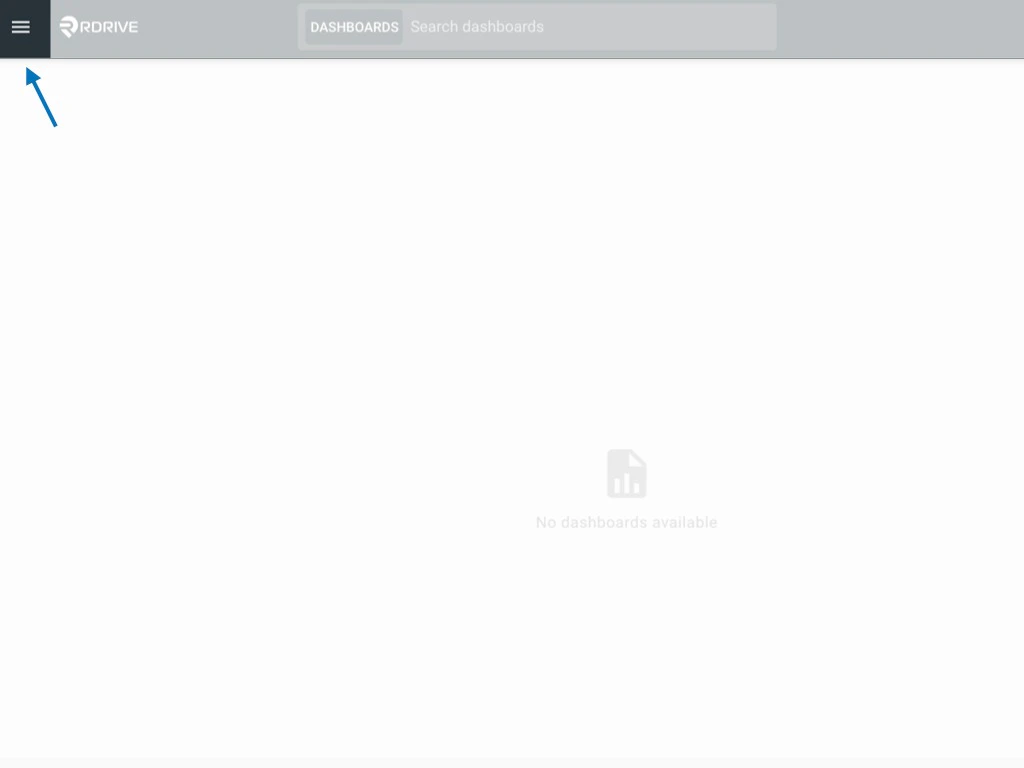
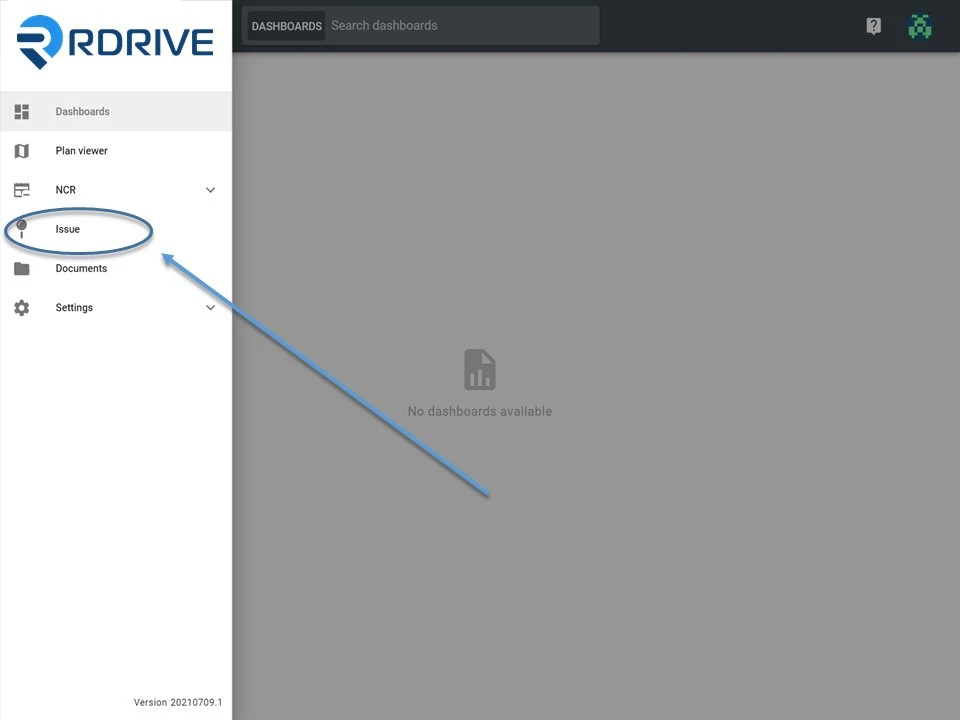
Simply click the Menu icon ≡ in the top left corner of your screen to unfold the Menu. Then select your chosen category and subcategory to access the Issue/defect/record page.
***
### **via Issue Finder**
Simply click the Menu icon ≡ in the top left corner of your screen to unfold the Menu. Then select your chosen category and subcategory to access the Issue/defect/record page.
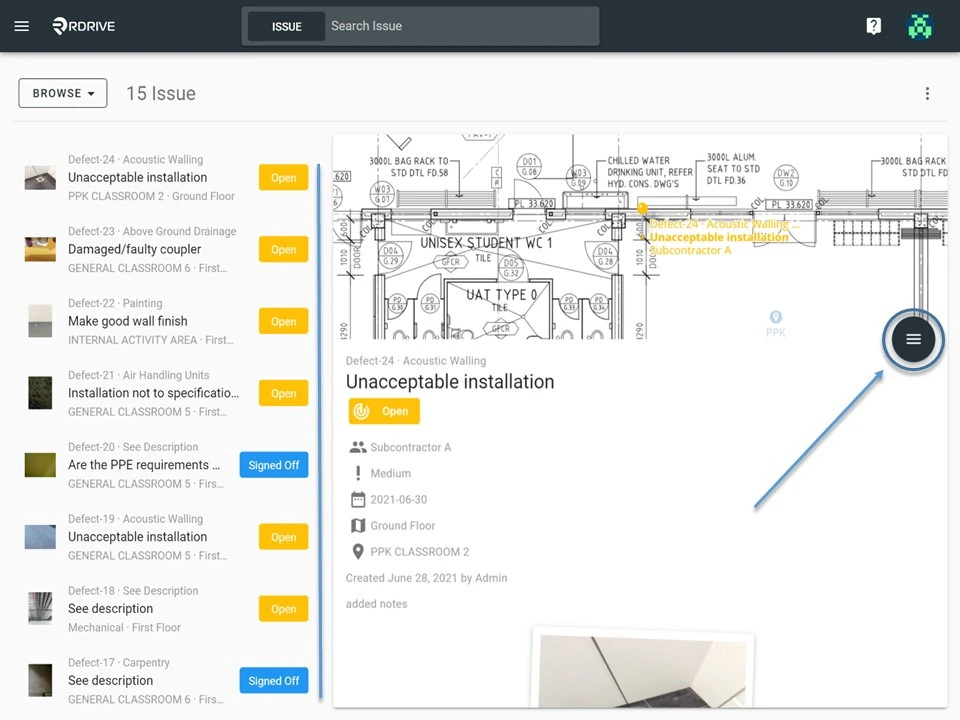
 Select your issue/defect/record and expand the menu by clicking the **≡** button.
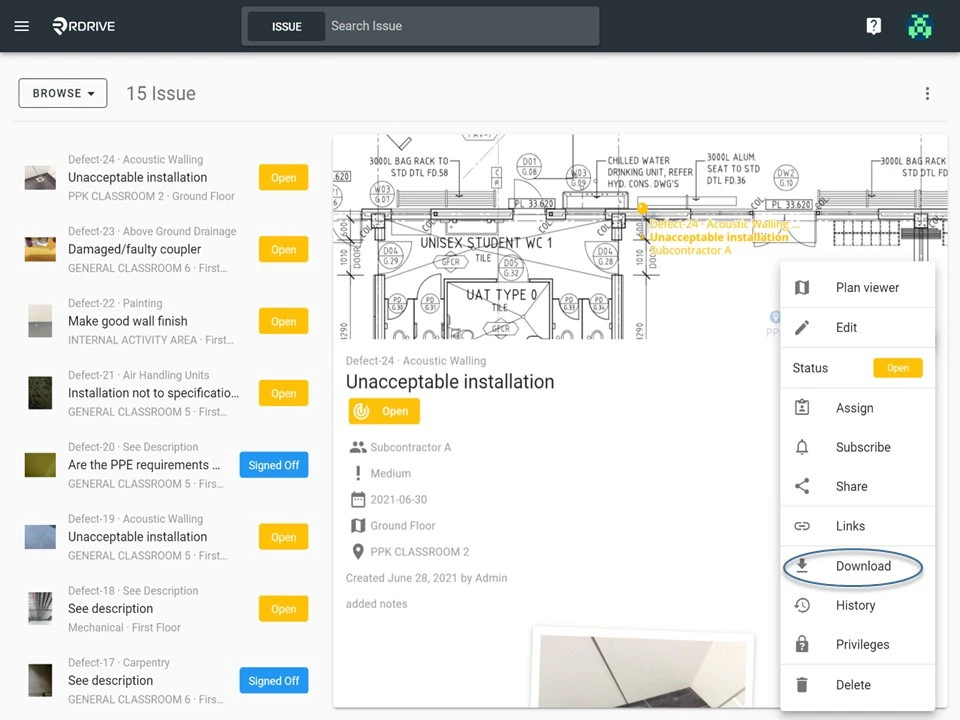
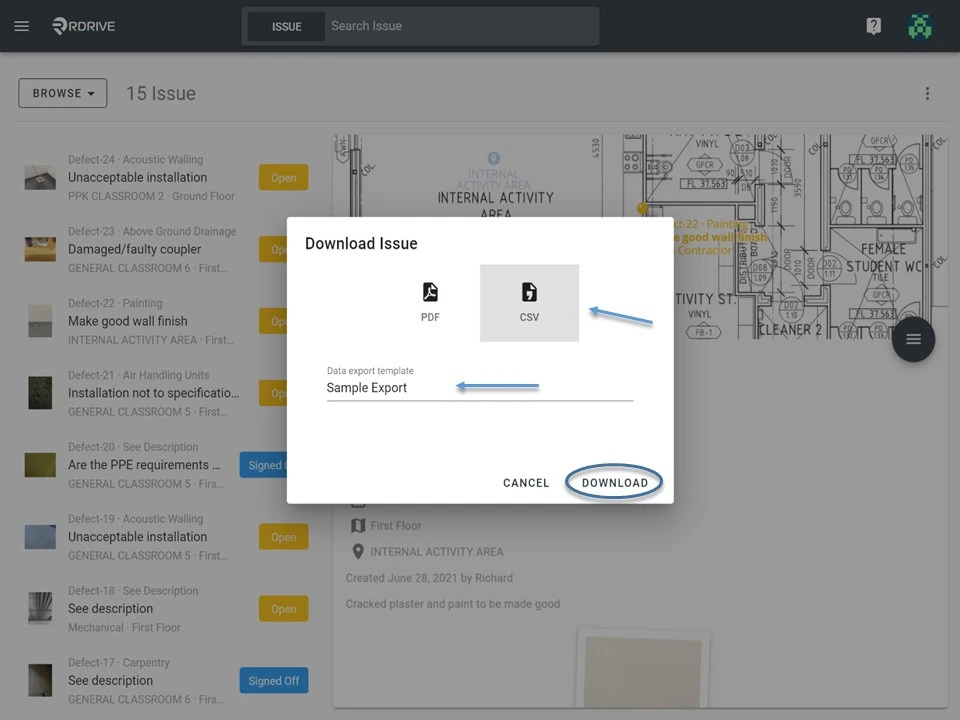
 In the Menu, select "**Download**" and click "**CSV**". Then select the Data Export Template you want and click "**Download**" as circled below to complete report export.
 ***
## **To Batch Download**
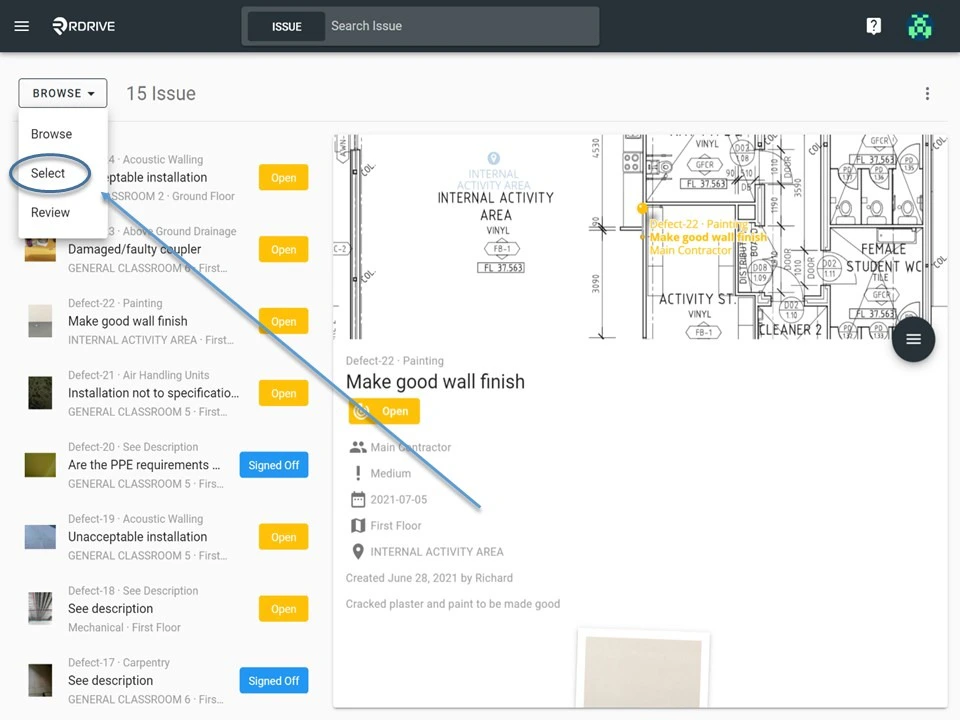
To download a batch of multiple issues/defects/records, you must first switch the mode from "**Browse**" to "**Select**" as shown below.
In "**Select**" mode, you can select multiple issues to export the report as necessary.
***
## **To Batch Download**
To download a batch of multiple issues/defects/records, you must first switch the mode from "**Browse**" to "**Select**" as shown below.
In "**Select**" mode, you can select multiple issues to export the report as necessary.
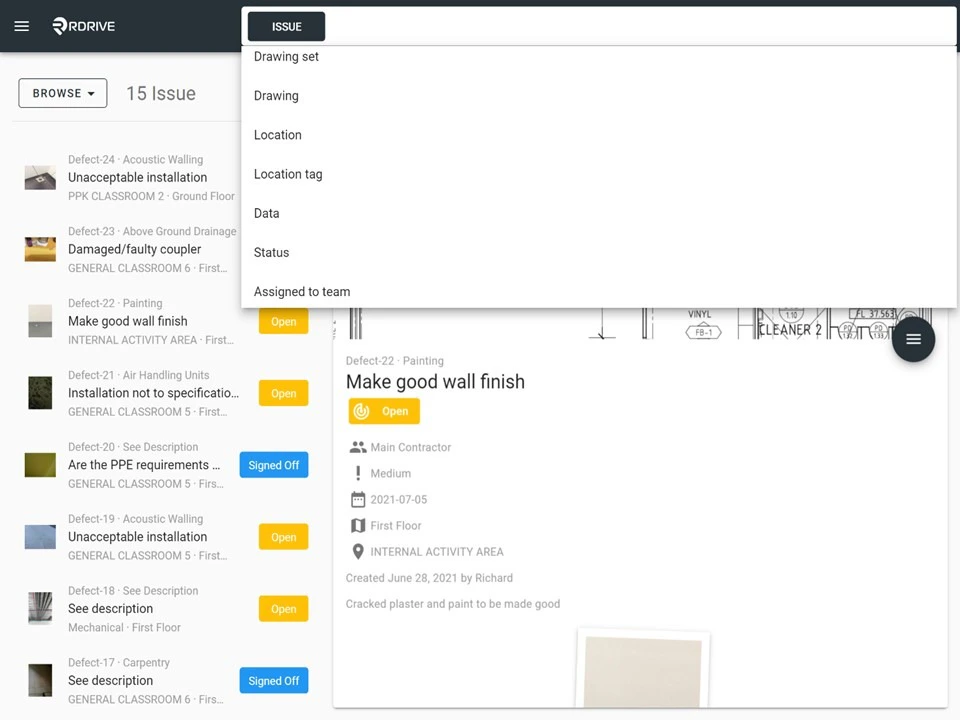
 You can also refine your download by filtering and searching for relevant issues/defects/records, which can be done via the search bar at the top of your screen as shown below.
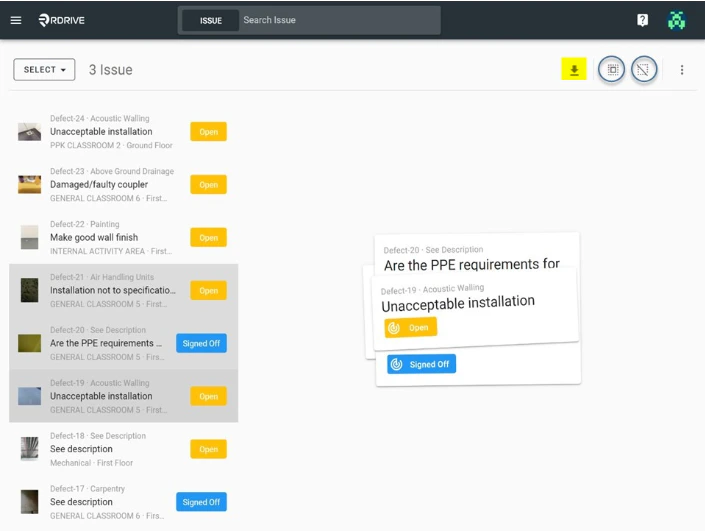
 Select the desired issue(s)/defect(s)/record(s) on the left, they will be highlighted in grey as shown below. Once you are happy with the issues/defects/records selected, click the "**Download**" button highlighted below.
If you wish to batch download **all** the issues/defects/records listed on the left. It can be done by clicking the "**S\*\*\*\*elect All**" button circled below (left) next to the "**Download**" button.
Clicking the "**D\*\*\*\*eselect All**" button circled below (right) will clear all selected items.
Select the desired issue(s)/defect(s)/record(s) on the left, they will be highlighted in grey as shown below. Once you are happy with the issues/defects/records selected, click the "**Download**" button highlighted below.
If you wish to batch download **all** the issues/defects/records listed on the left. It can be done by clicking the "**S\*\*\*\*elect All**" button circled below (left) next to the "**Download**" button.
Clicking the "**D\*\*\*\*eselect All**" button circled below (right) will clear all selected items.
 After clicking "**Download"**, the download options will pop-up as below.
Simply click "**CSV**"and select the Data Export Template you want and click "**Download**" as circled below to complete the report export.
After clicking "**Download"**, the download options will pop-up as below.
Simply click "**CSV**"and select the Data Export Template you want and click "**Download**" as circled below to complete the report export.