Click the menu icon ≡ on the top left corner to unfold the Menu, get entry to the Documents page to create a Bundle.
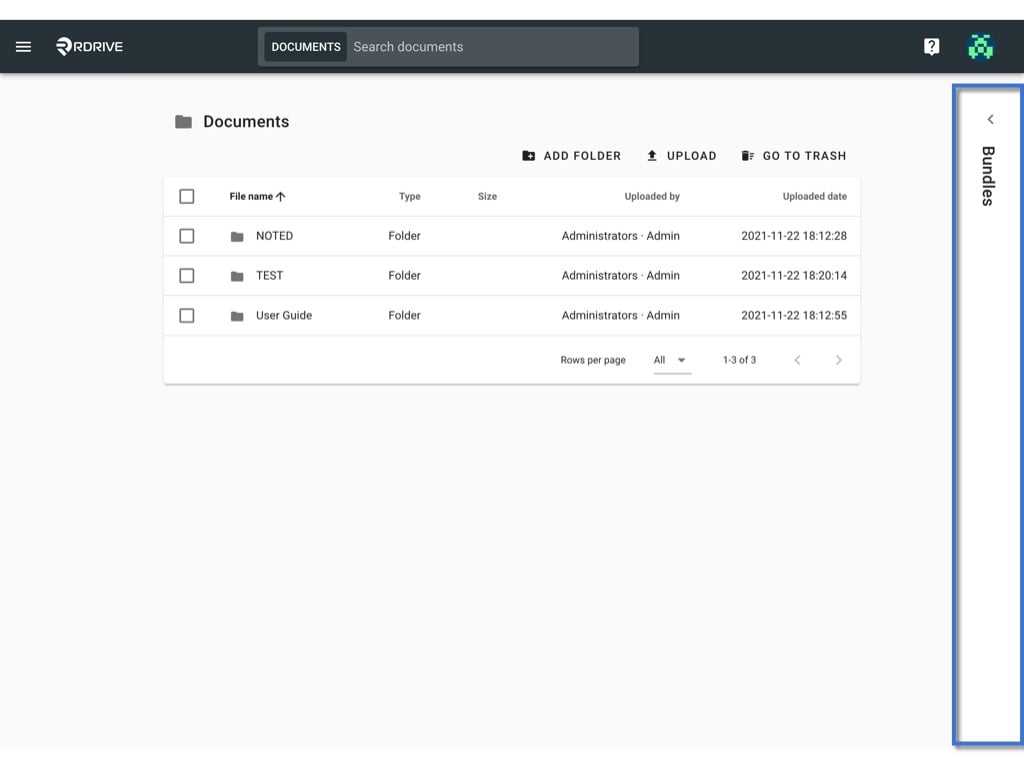
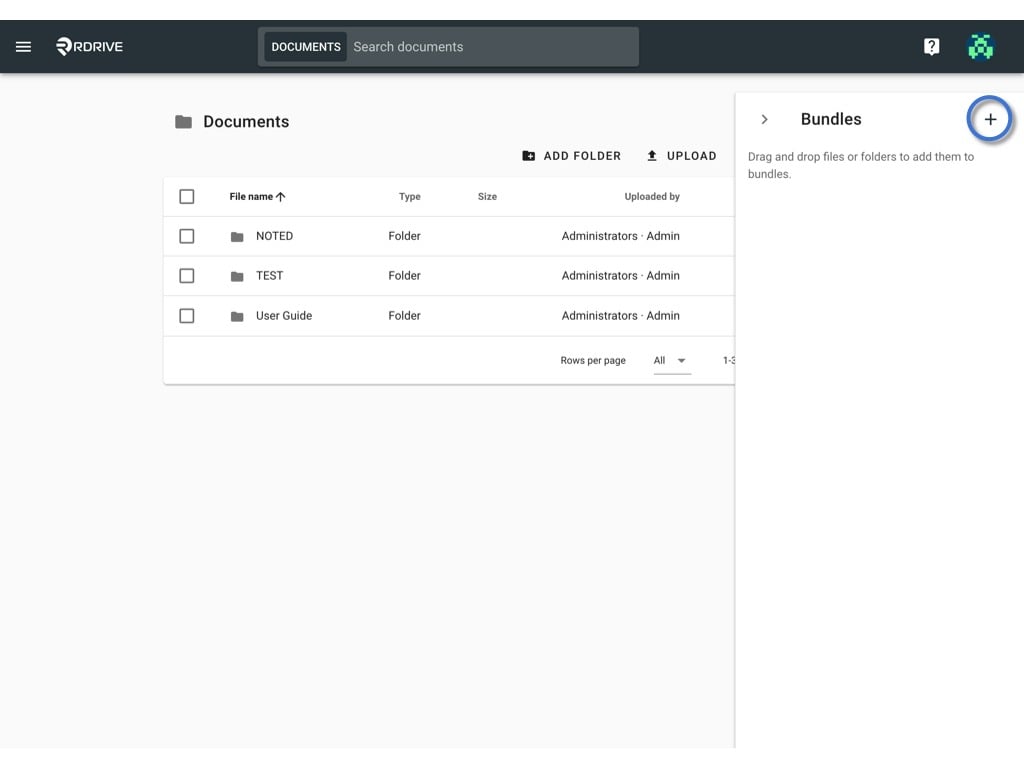
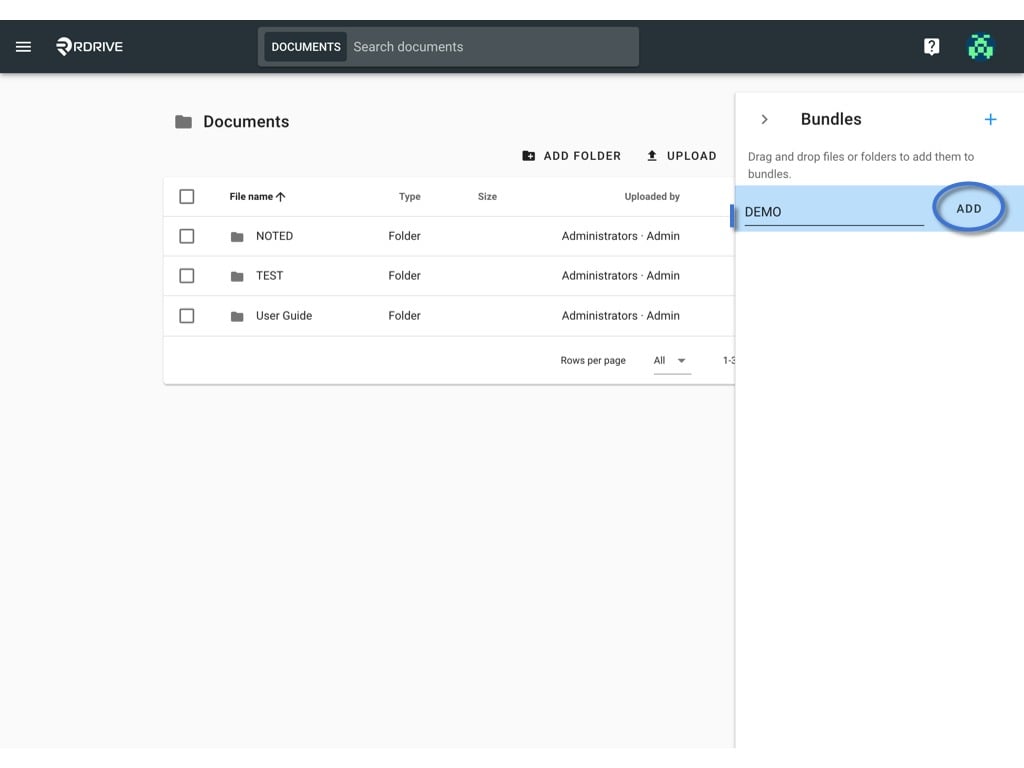
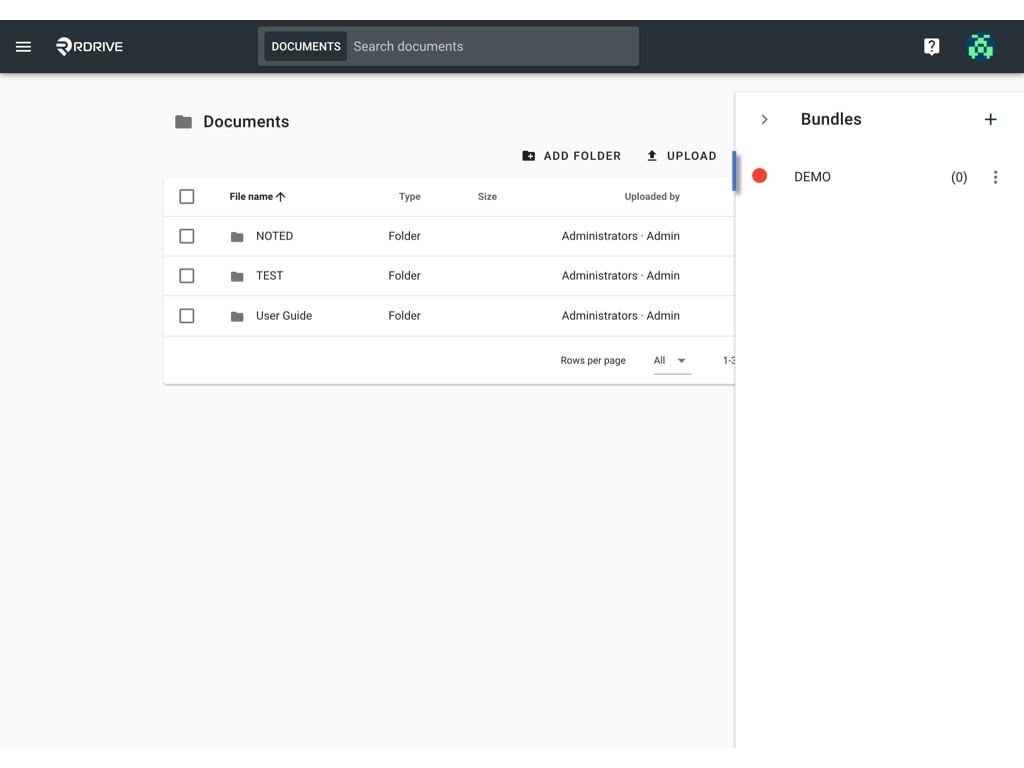
Click the menu icon ≡ on the top left corner to unfold the Menu, get entry to the Documents page to create a Bundle.Unfold the bundle window.Click the ✚ buttonEnter the name, ADD to create.DONE.After the bundle is created, you may edit the name and dot colour.And you would be able to add documents to it.