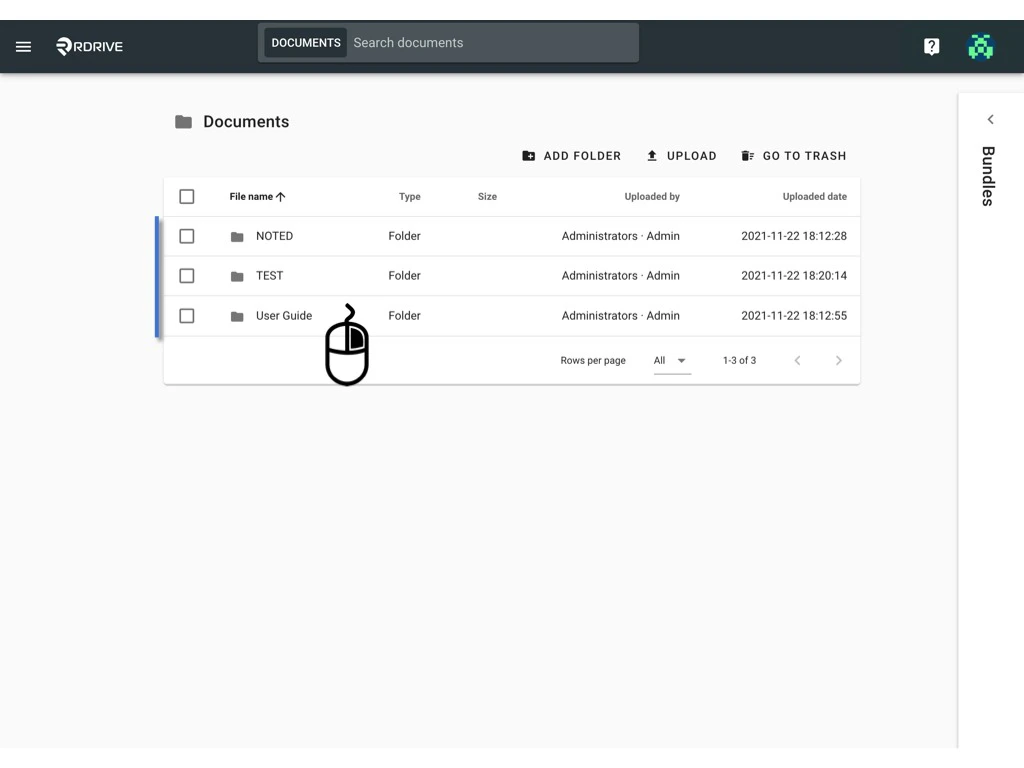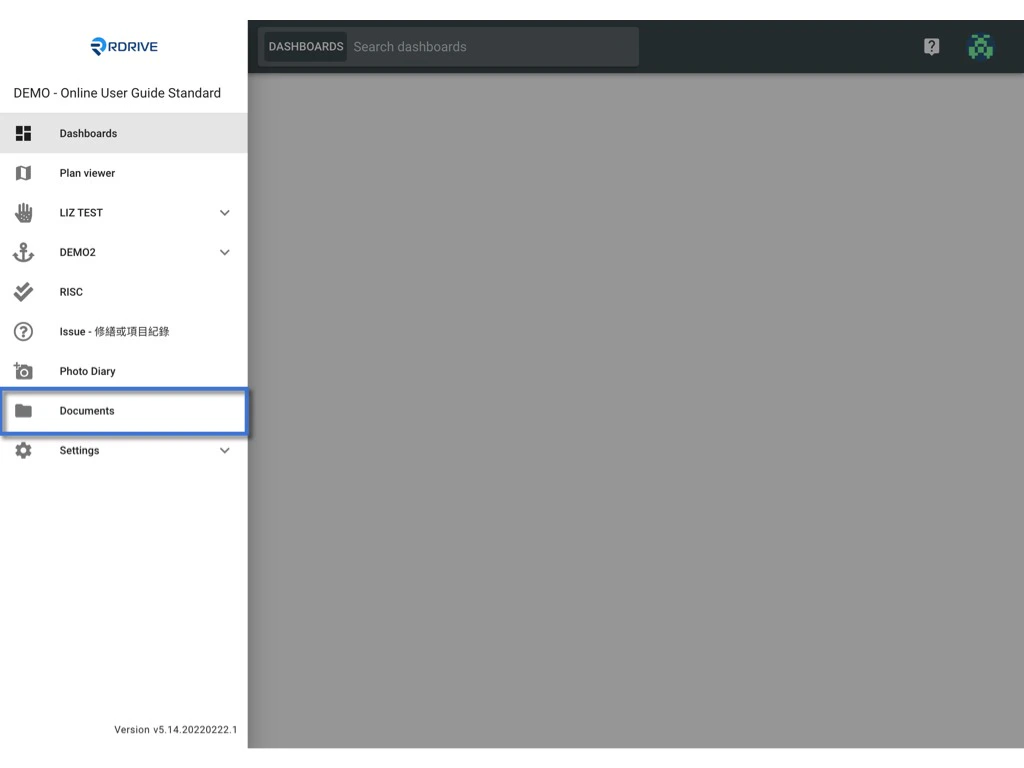
You may add the uploaded documents to the bundle or remove from the bundle. First of all, access the Documents page by clicking the menu icon on the top left corner ➡ Documents. Manager documents in the Bundle.

ADD

To add documents to the bundle, you would be able to do per folder and documents.
  • Folder
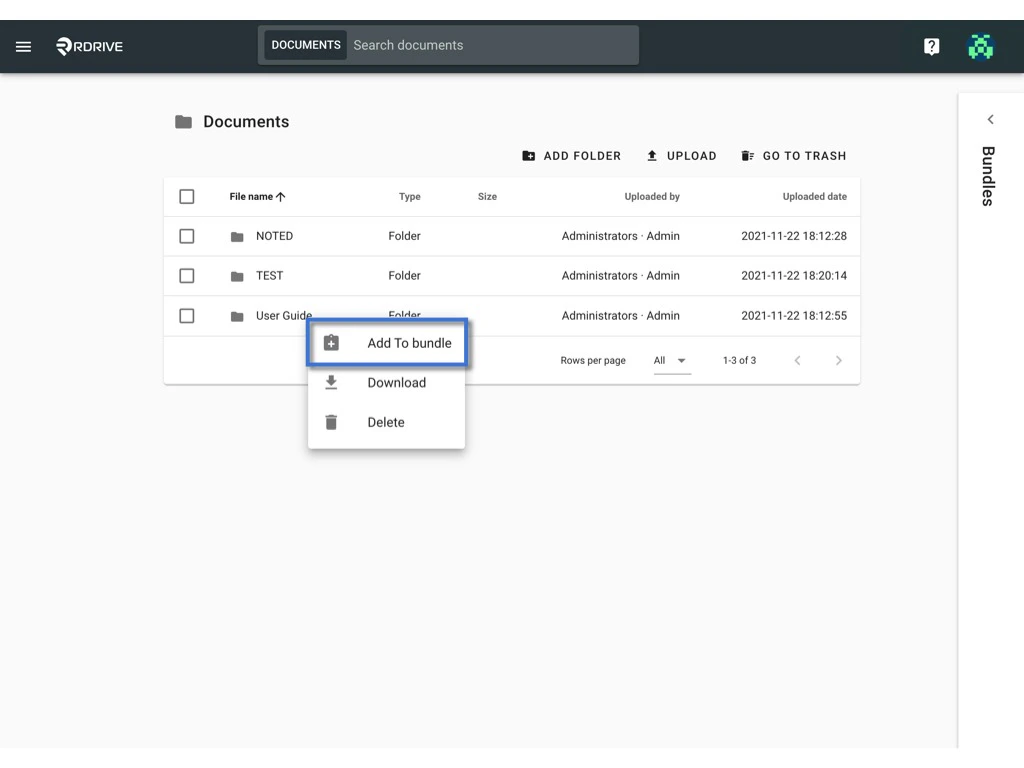
Right-click on the folder you would like to add to the bundle. Manager documents in the Bundle. Click Add to bundle. Manager documents in the Bundle. Select the bundle to add to. OK to confirm.
  • Per documents
To add documents to the bundle, you may add by a click or drag and drop.

。 Click

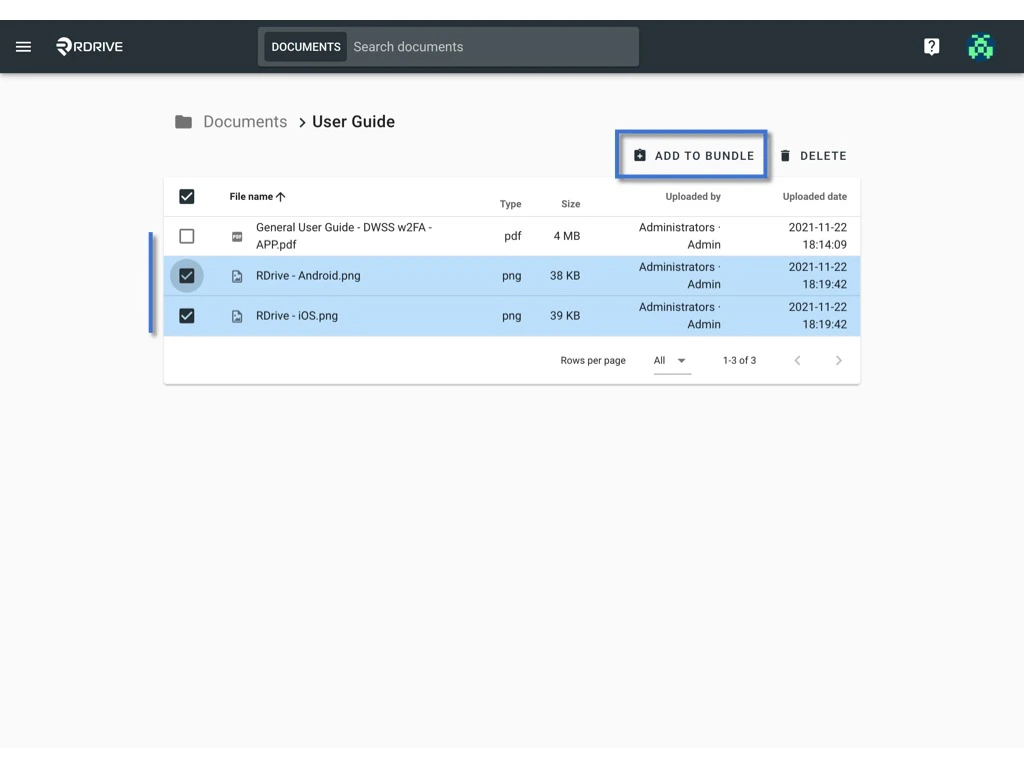
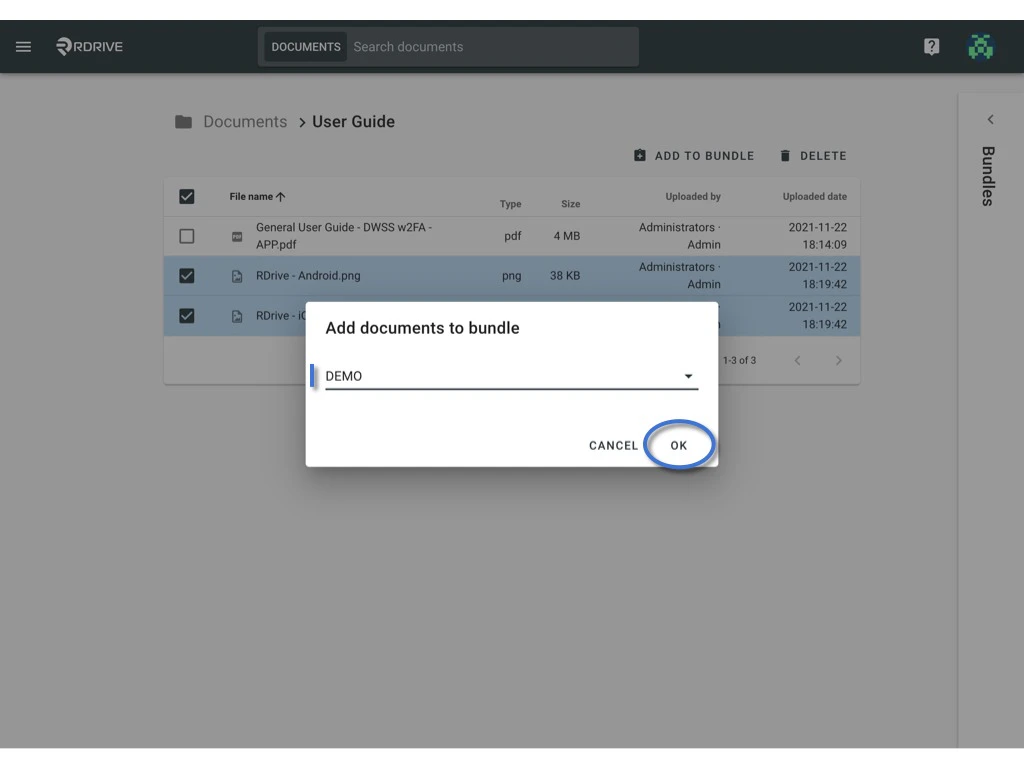
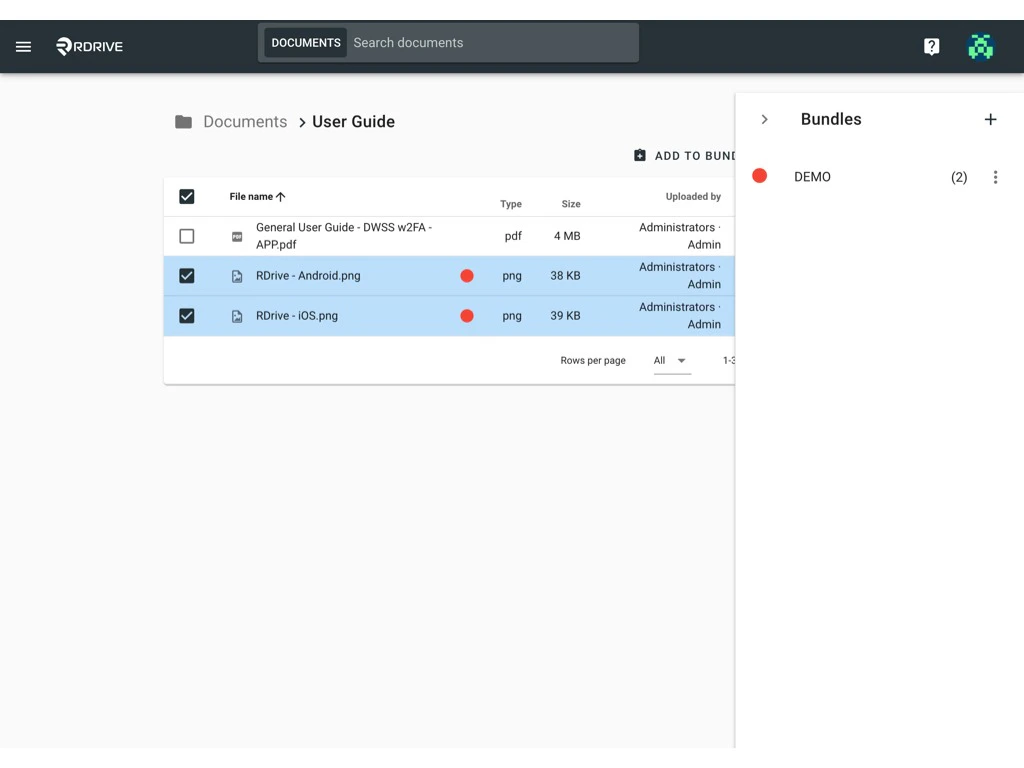
To add by click, please select the documents you need to add and click Add to bundle. Manager documents in the Bundle. Select the bundle to add to. OK to confirm. Manager documents in the Bundle.
。 Drag and drop

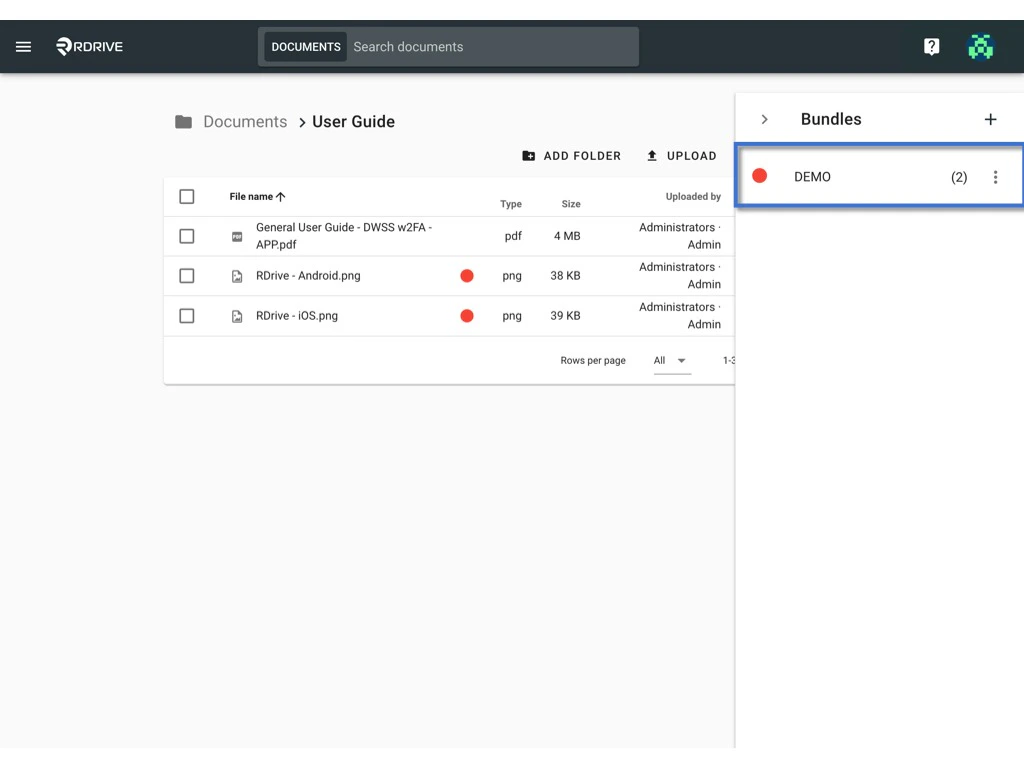
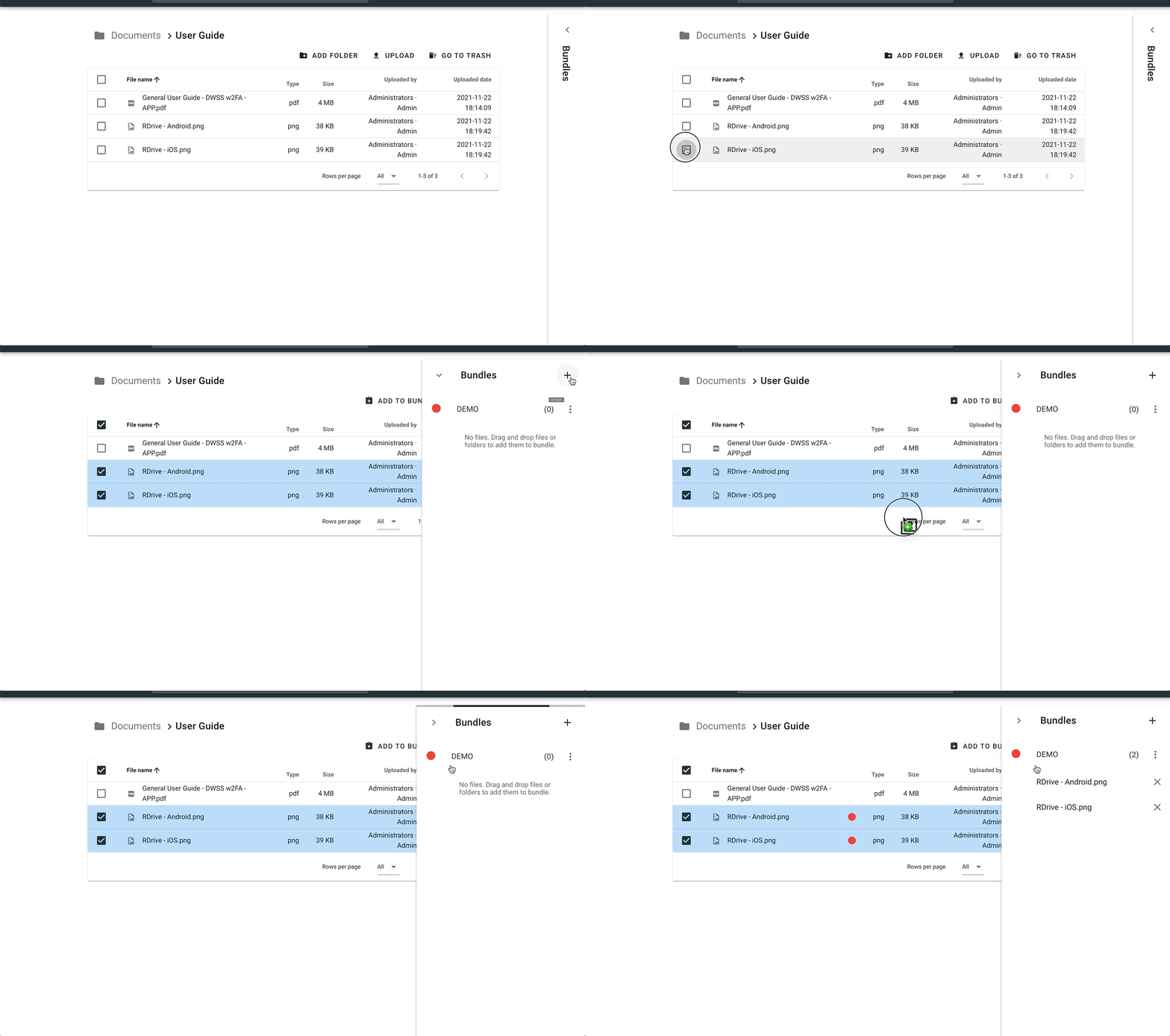
or select the documents you need to add, unfold the bundle window, and drag the file over. Manager documents in the Bundle. Done. The added items will have a dot as same as the bundle dot colour. Manager documents in the Bundle.
REMOVE

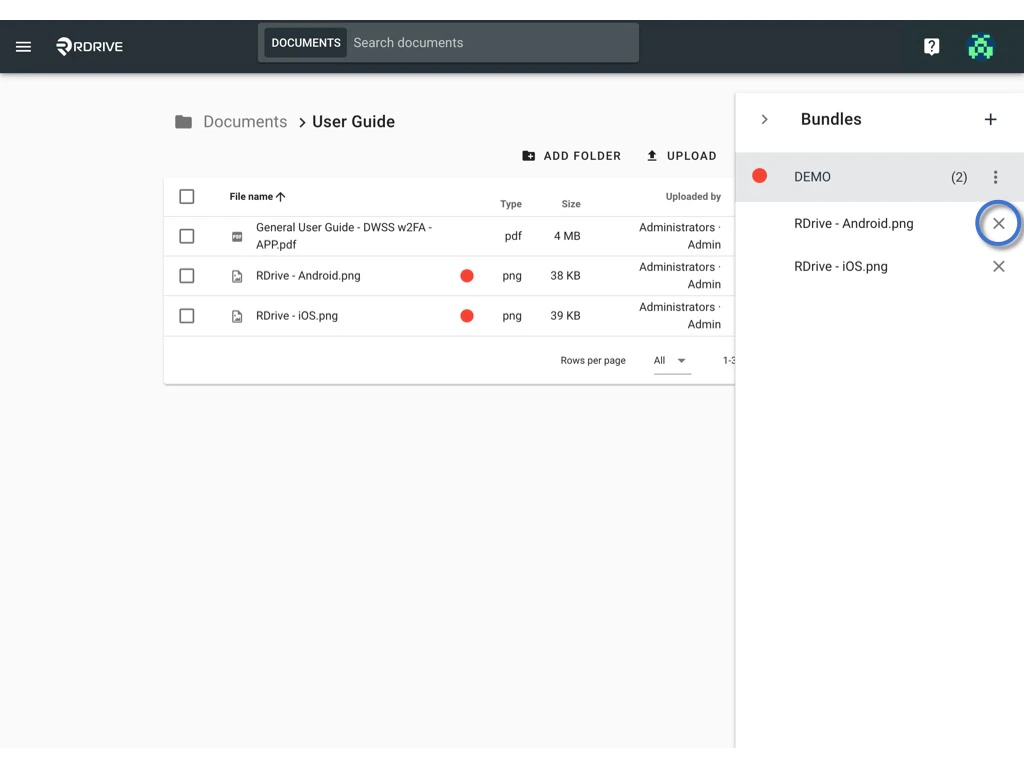
To remove the document from the bundle, just need to unfold it and click the ? to remove. Manager documents in the Bundle. Manager documents in the Bundle.