Overview

How to delete an issue, defect or record using RDrive
  • Purpose: How to delete an issue/defect/record while using the desktop version
  • Who It’s For: General users
Prerequisites: Project admin
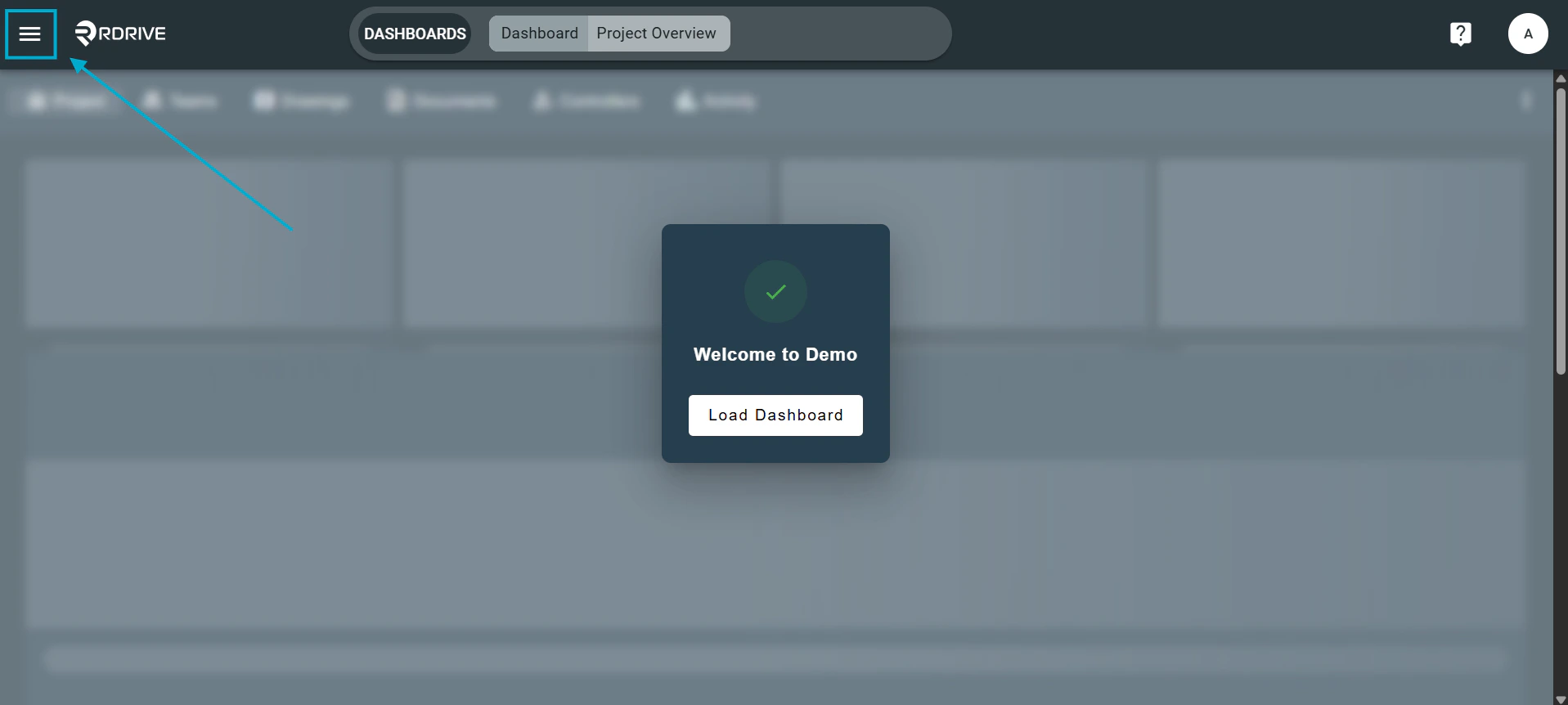
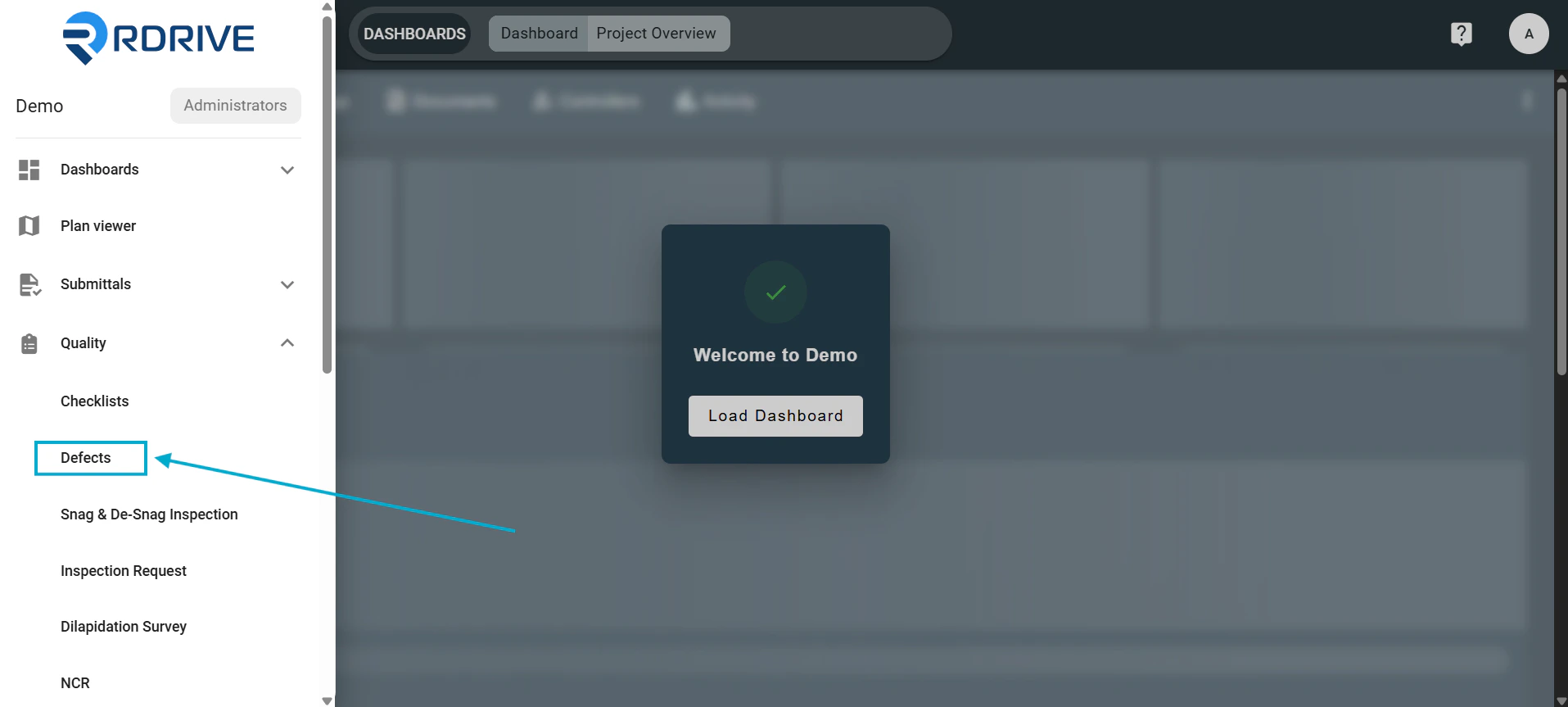
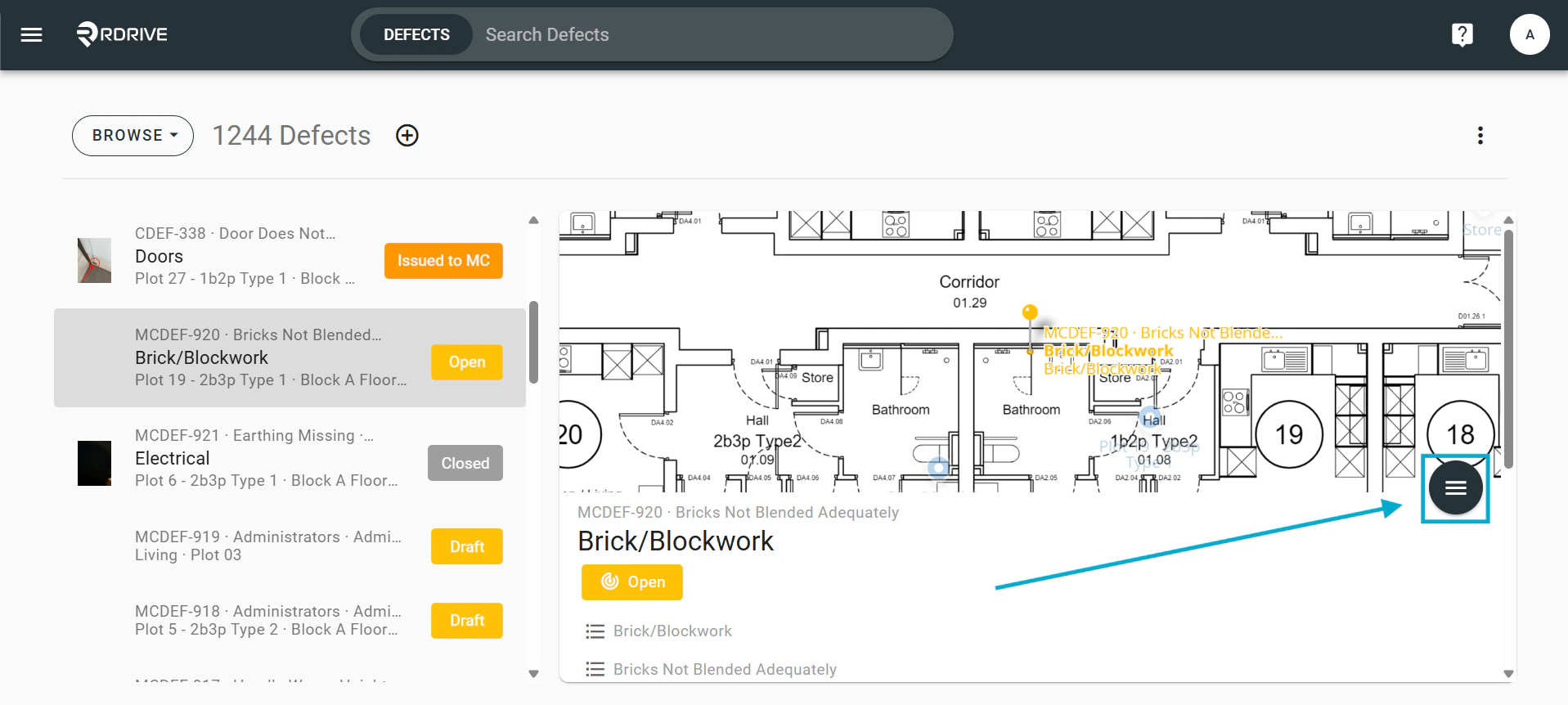
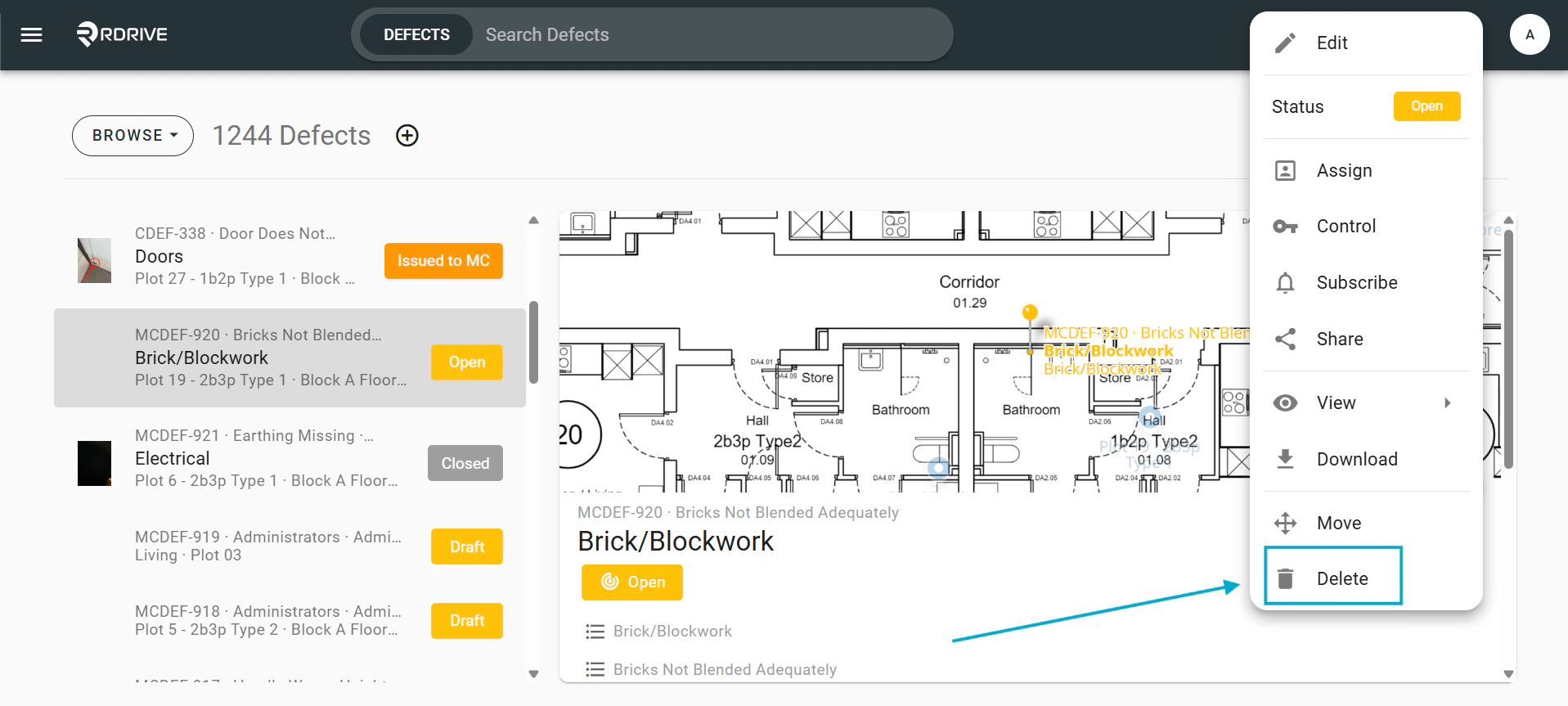
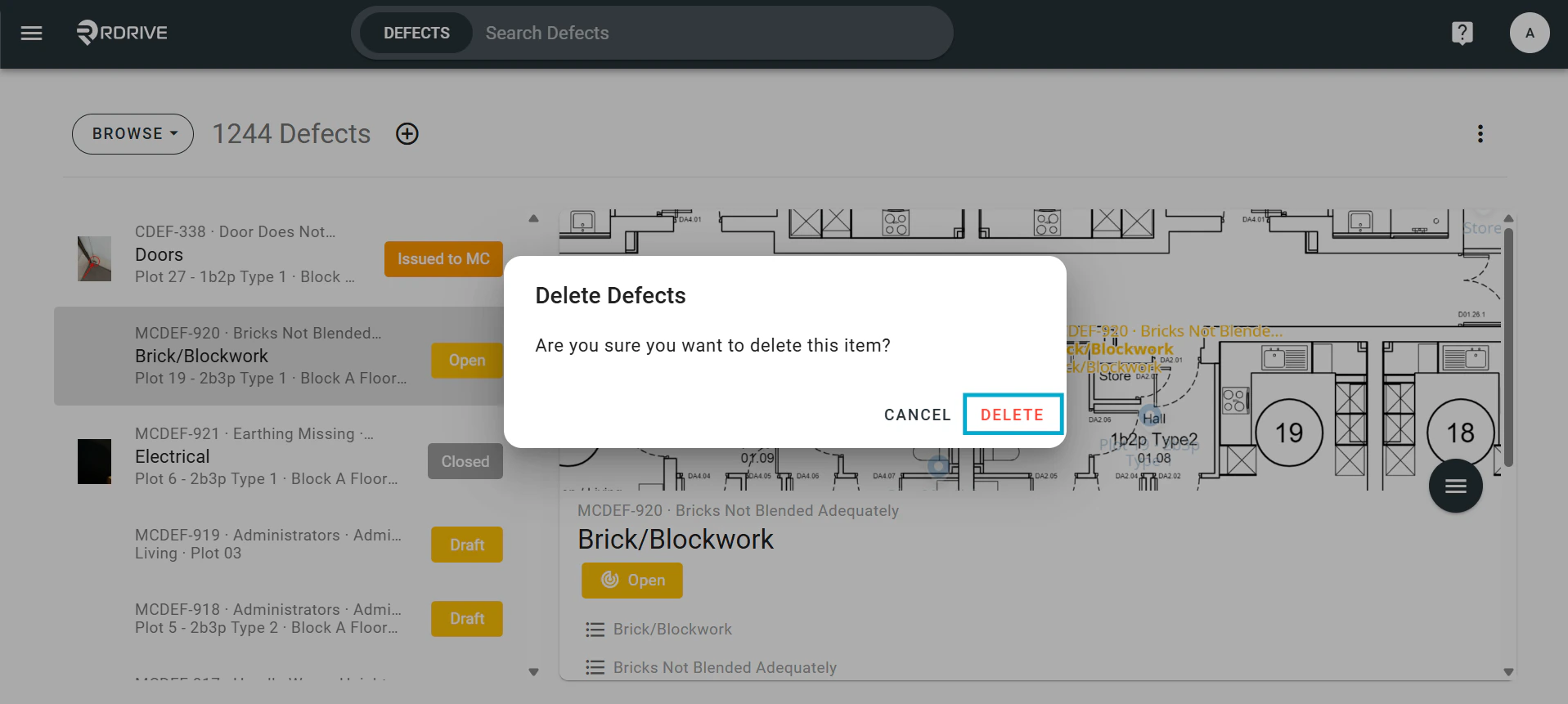
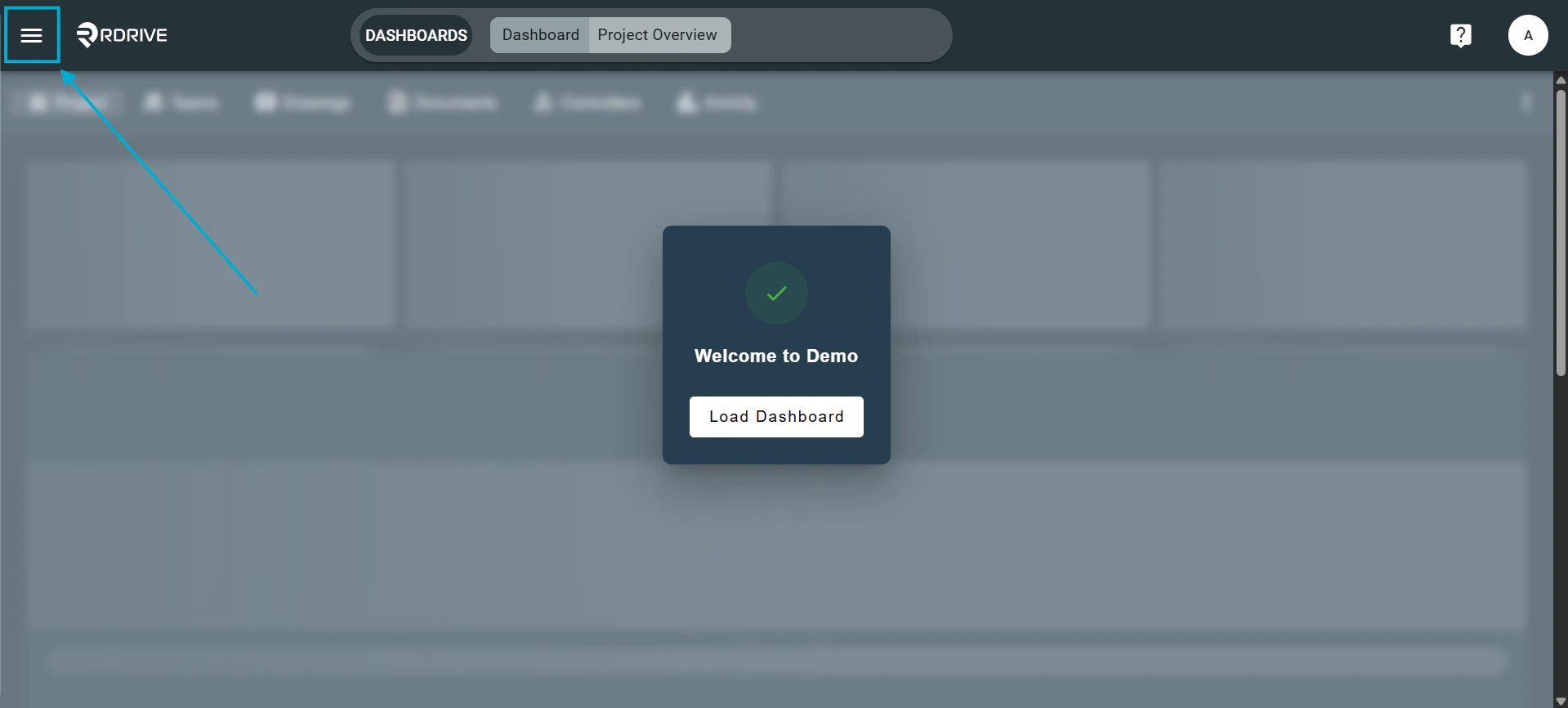
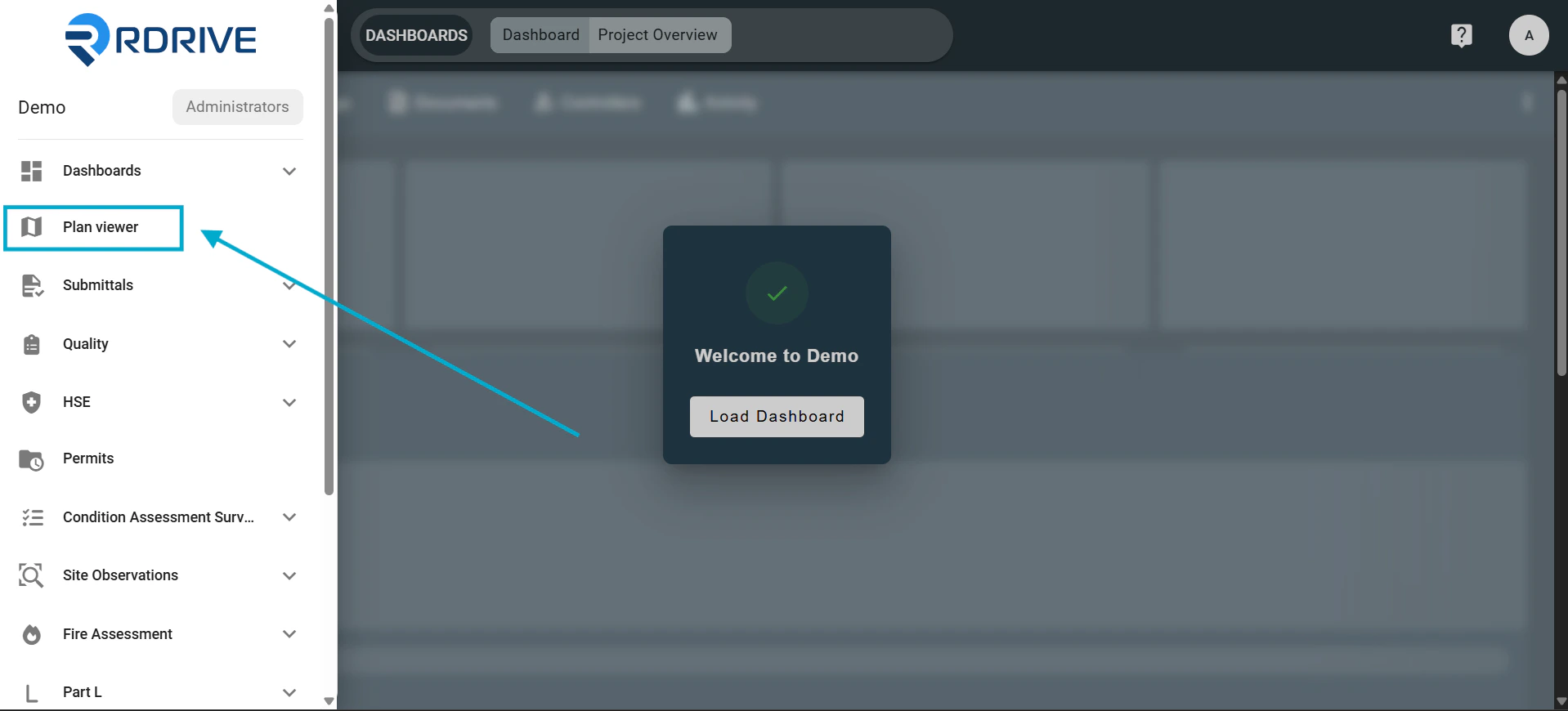
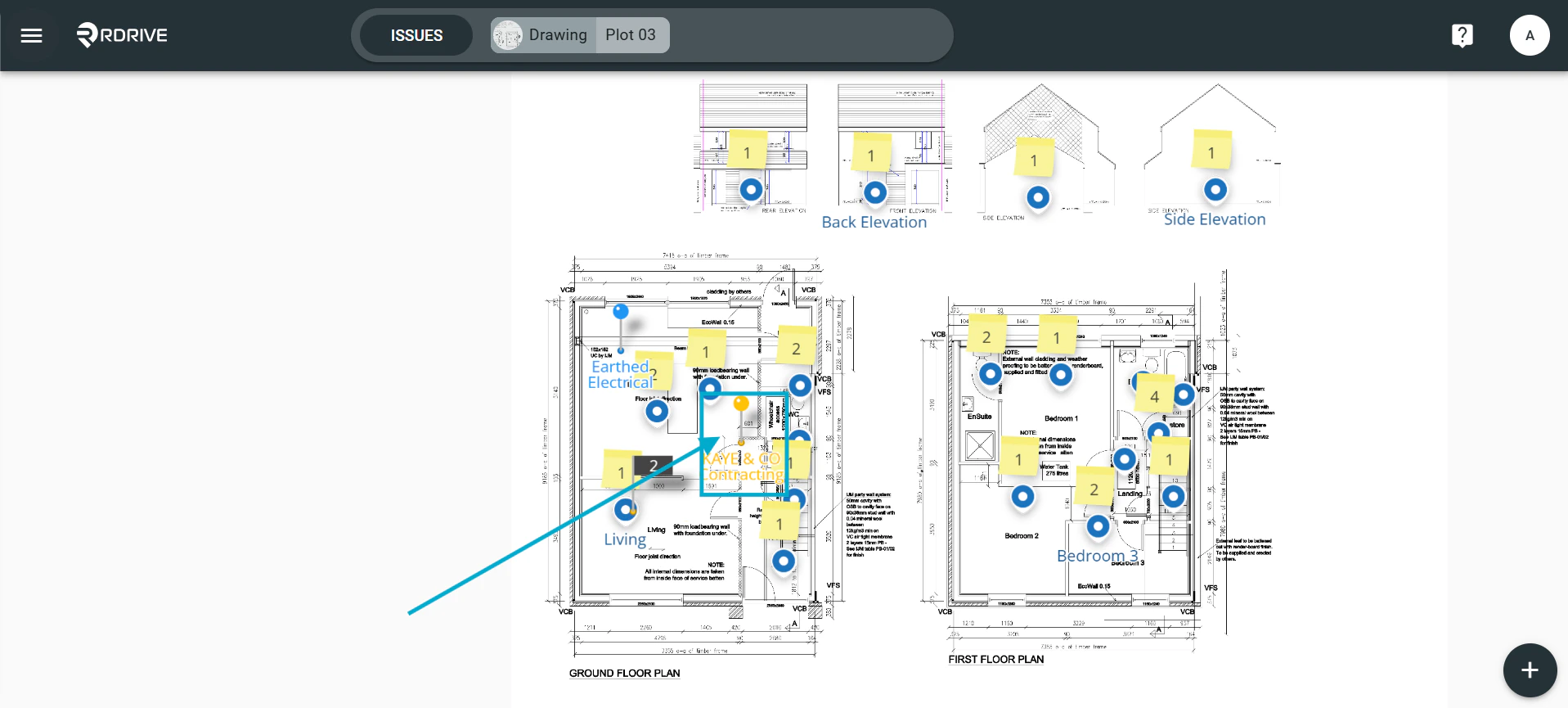
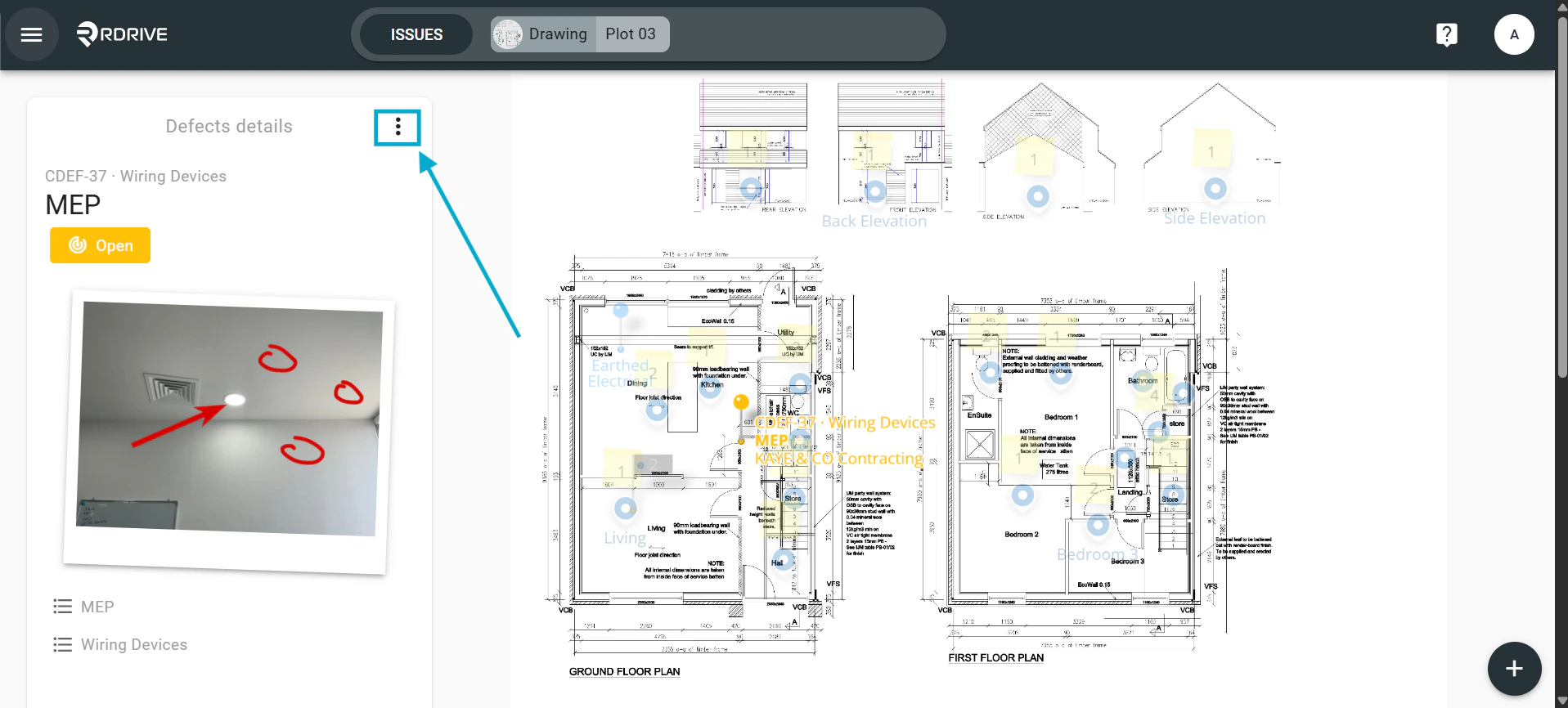
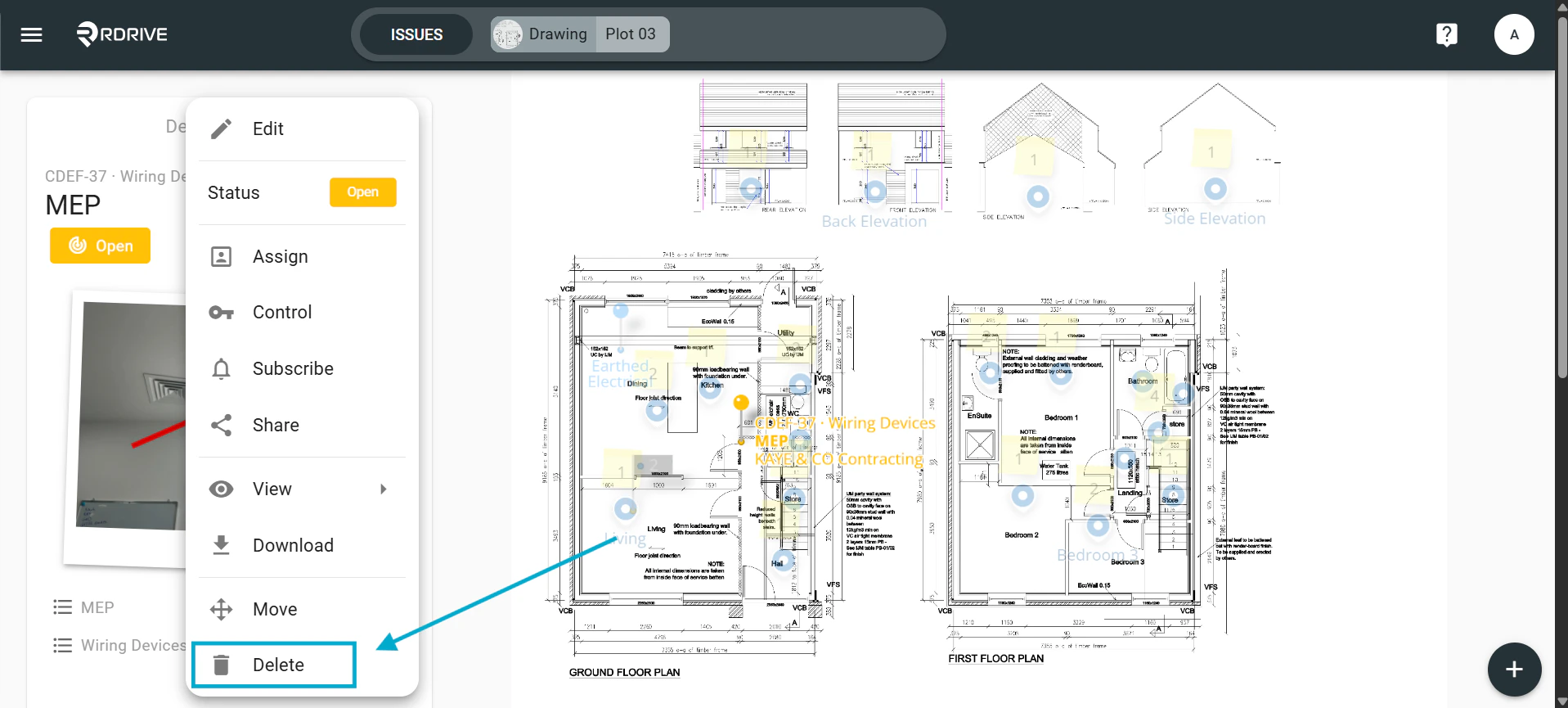
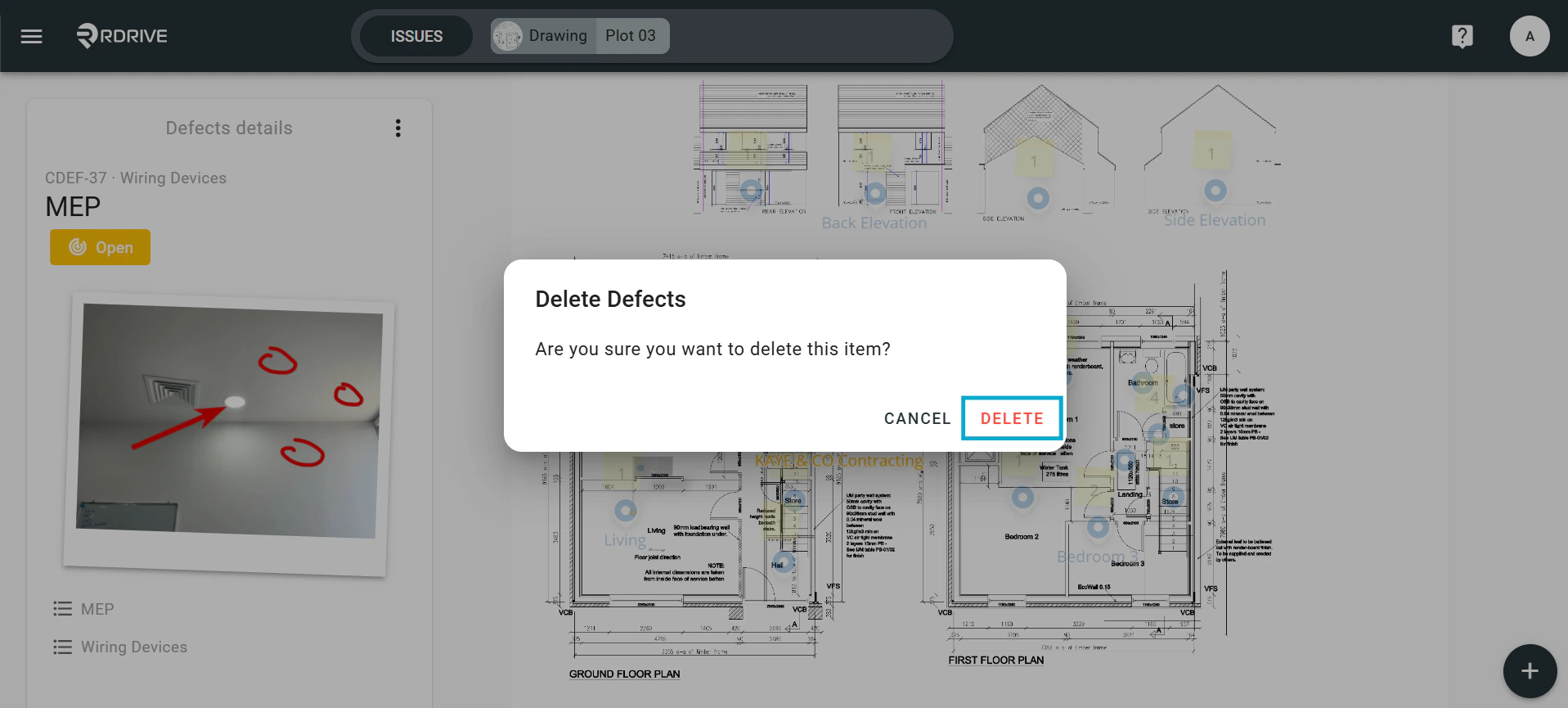
The ability to delete an issue/defect/record is dependent on the permissions which are set up by the project admin. Normally, only project administrators can delete an issue/defect/record.  ⚠️ Beware!: Once you have deleted the item, you will not be able to undo it.  Via Issue Finder Simply press the Menu icon ≡ in the top left corner of your screen to unfold the Menu and gain access to the Issue page by selecting the category and subcategory as shown below. How to delete an issue/defect/record How to delete an issue/defect/record Select the relevant issue/defect/record from the list on the left-hand side of your screen. Select the issue then click the Menu icon button on the right-hand side of your screen to expand the menu. How to delete an issue/defect/record Select Delete, this will then bring up the confirmation window, this prevents data being deleted by accident. How to delete an issue/defect/record You will then need to confirm you wish to delete this item by clicking “Delete” again. How to delete an issue/defect/record Via Plan Viewer Press the Menu icon ≡ in the top left corner of your screen to unfold the Menu and access the Plan viewer. Then navigate to the required drawing. How to delete an issue/defect/record How to delete an issue/defect/record Click on the issue/defect/record pin to select this.  How to delete an issue/defect/record The item details will then display on the left-hand side of your screen.  Now press the Menu button as shown below to expand the item menu. How to delete an issue/defect/record When the menu has expanded, Select “Delete”, this will then bring up the confirmation window, this prevents data being deleted by accident. How to delete an issue/defect/record You will then need to confirm you wish to delete this item by clicking “Delete” again. How to delete an issue/defect/record