
What is the Workflow for Standard Issue Profiles (Defects/Issues/Snags)

What is the Workflow for Standard Issue Profiles (Defects/Issues/Snags)

Issue Types 

You may have many items types in RDrive, Customised and Standard Items.  This guide will help you understand more about standard Issue Profiles, let’s take a closer look.
Issues/defects/records are plotted directly on your drawings for Teams with access to easily locate and identify them.

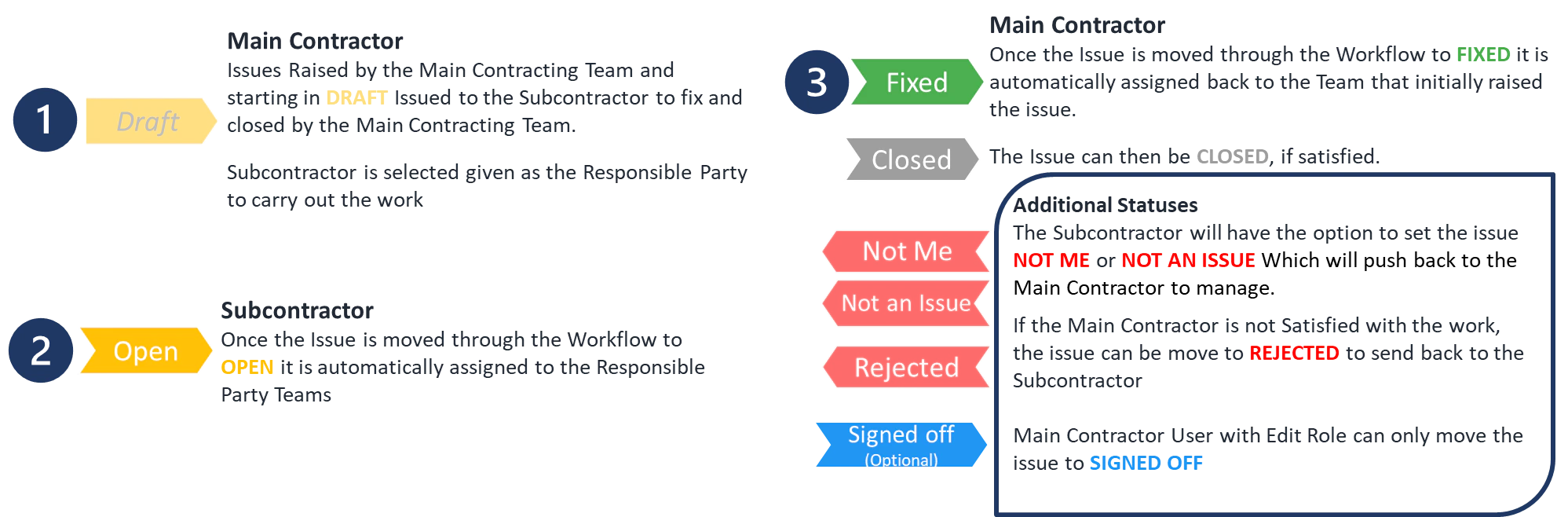
Main Contractor Defect Client Snag What is the Workflow for Standard Issue Profiles (Defects/Issues/Snags) Raised by the Main Contractor Team (Build Team) and are Assigned to the Responsible Subcontractor to fix, then Quality checked and Closed by the Main Contractor. What is the Workflow for Standard Issue Profiles (Defects/Issues/Snags) Raised by the Client Team (Customer Facing Team) Passed to the Main Contractor Team to Assign to the Responsible Subcontractor to update. The Item is then quality checked by the Main Contractor before handing back to the Client for final Close
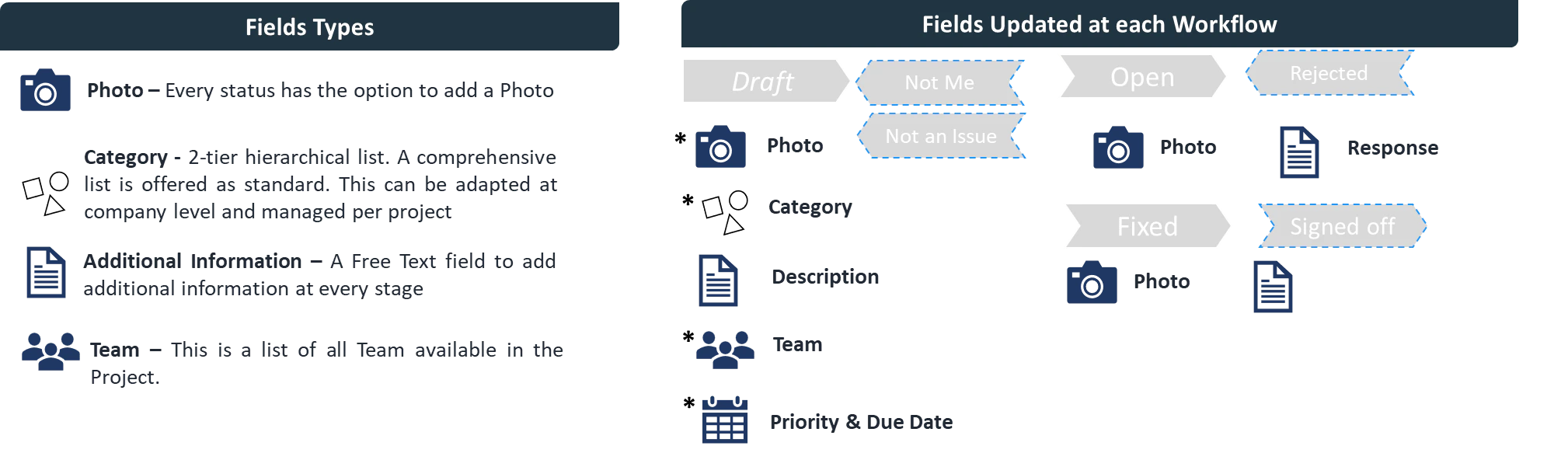
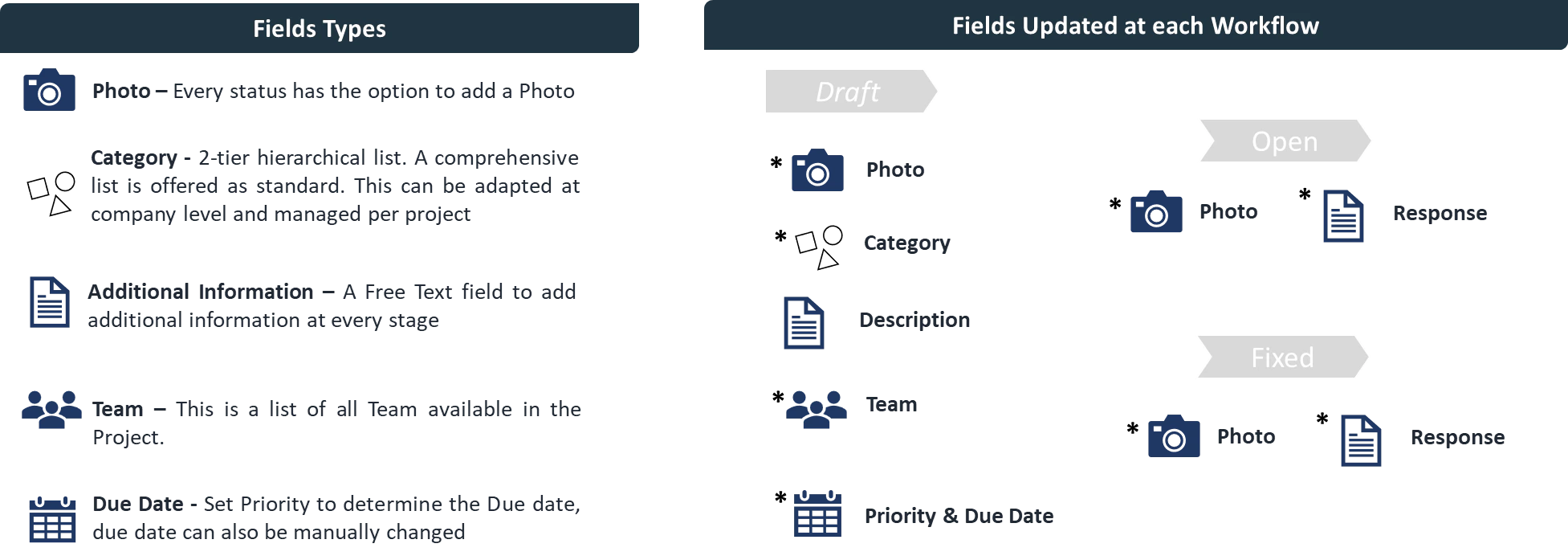
Workflow and field behaviour Main Contractor Defect What is the Workflow for Standard Issue Profiles (Defects/Issues/Snags) What is the Workflow for Standard Issue Profiles (Defects/Issues/Snags) What is the Workflow for Standard Issue Profiles (Defects/Issues/Snags) Client Snag What is the Workflow for Standard Issue Profiles (Defects/Issues/Snags) What is the Workflow for Standard Issue Profiles (Defects/Issues/Snags) What is the Workflow for Standard Issue Profiles (Defects/Issues/Snags)