


Overview
This guide explains how to export process forms as PDFs, including any linked documents or issues.- Purpose: To assist users in exporting process forms with their associated documents and item(s) as a single PDF.
- Who It’s For: General users
Prerequisites: Access to the system’s process forms
TABLE OF CONTENTS
Step-by-Step Instructions
✅ Step 1: Access the Export Options
- Navigate to the desired process form or select multiple forms for batch exporting.
-
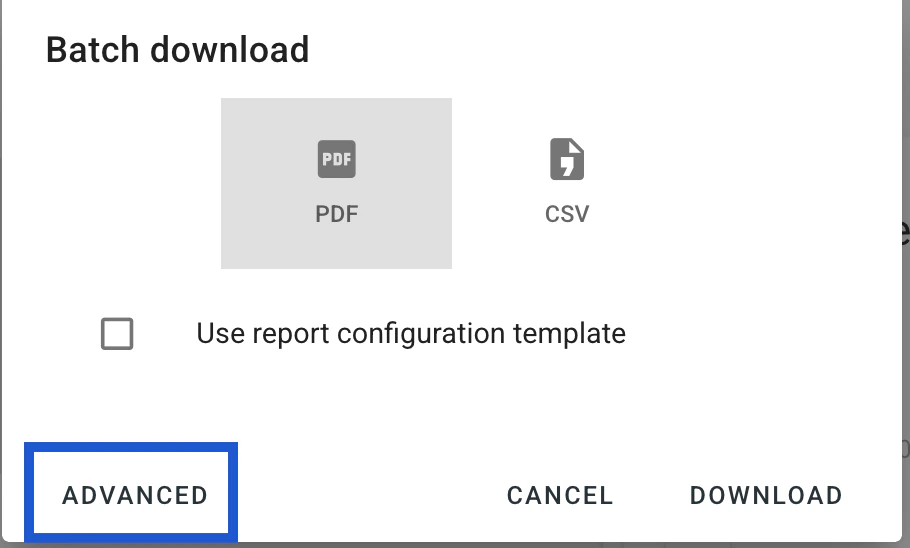
Click on the Advanced button at the bottom left of the window to reveal additional export settings.
✅ Step 2: Configure Export Preferences
-
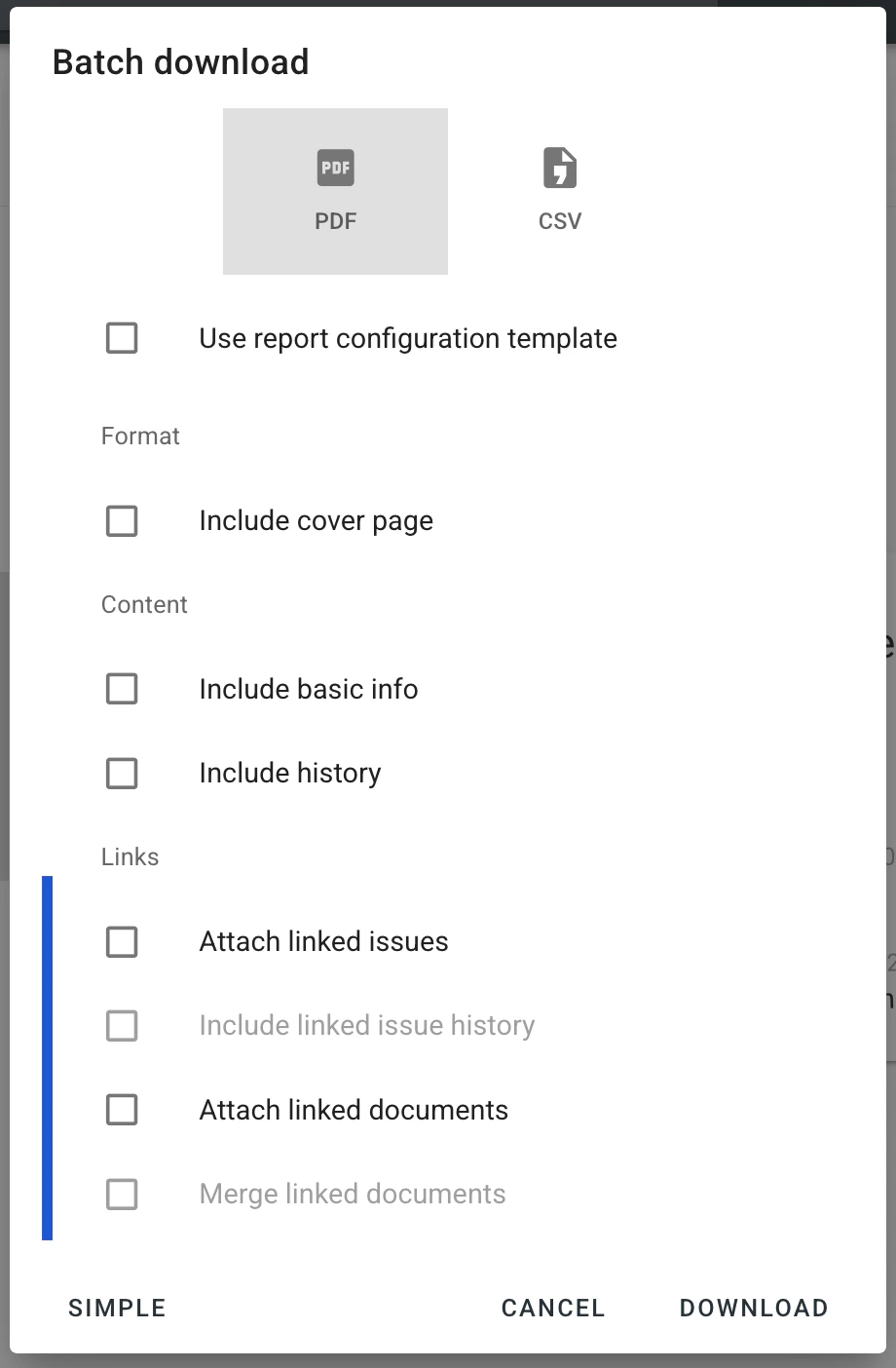
In the Download Process menu, you’ll find several options:
- Attach documents: Includes linked documents with the exported form.
- Merge documents: If linked documents are in PDF format, merges them with the form into a single PDF.
- Attach issues: Includes linked issues, merging their records with the form into one PDF.
- Include issue history: Includes linked issues along with their history records; the download will be in ZIP format.
-
Select the desired checkboxes based on your export requirements.\
✅ Step 3: Execute the Export
- After configuring your preferences, proceed with the export by confirming or clicking the DOWNLOAD button.
- The system will generate the PDF (or ZIP file if including non-PDF linked documents) with the selected options.
FAQs & Troubleshooting
❓ Why are linked documents not appearing in the exported PDF? ✔️ Ensure that the Attach documents option is selected before initiating the export. ❓ Can I merge non-PDF documents with the process form into a single PDF? ✔️ No, only linked documents in PDF format can be merged using the Merge documents option. ❓ Why is the export resulting in a ZIP file instead of a PDF? ✔️ If the linked document is not a PDF file type, the system exports the form and its linked non-PDF document in a ZIP file.To learn more about download forms, click here: Can I export the entire process as a PDF? Download a CSV export file for processes. For further assistance, refer to the system’s knowledge base or contact support.