
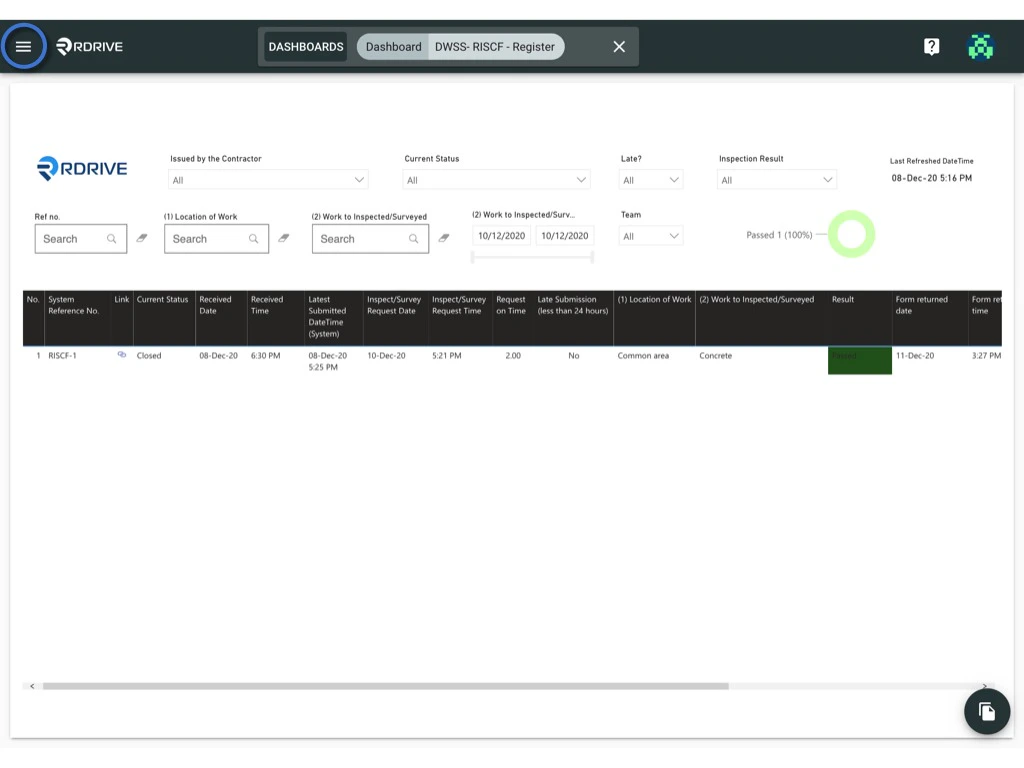
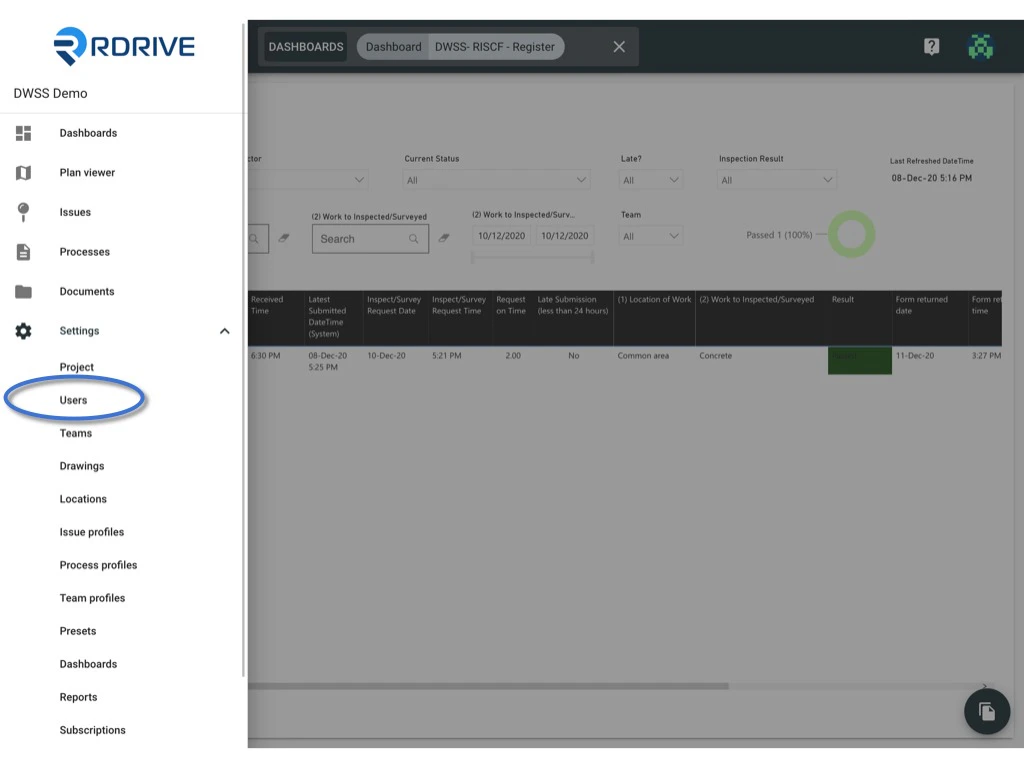
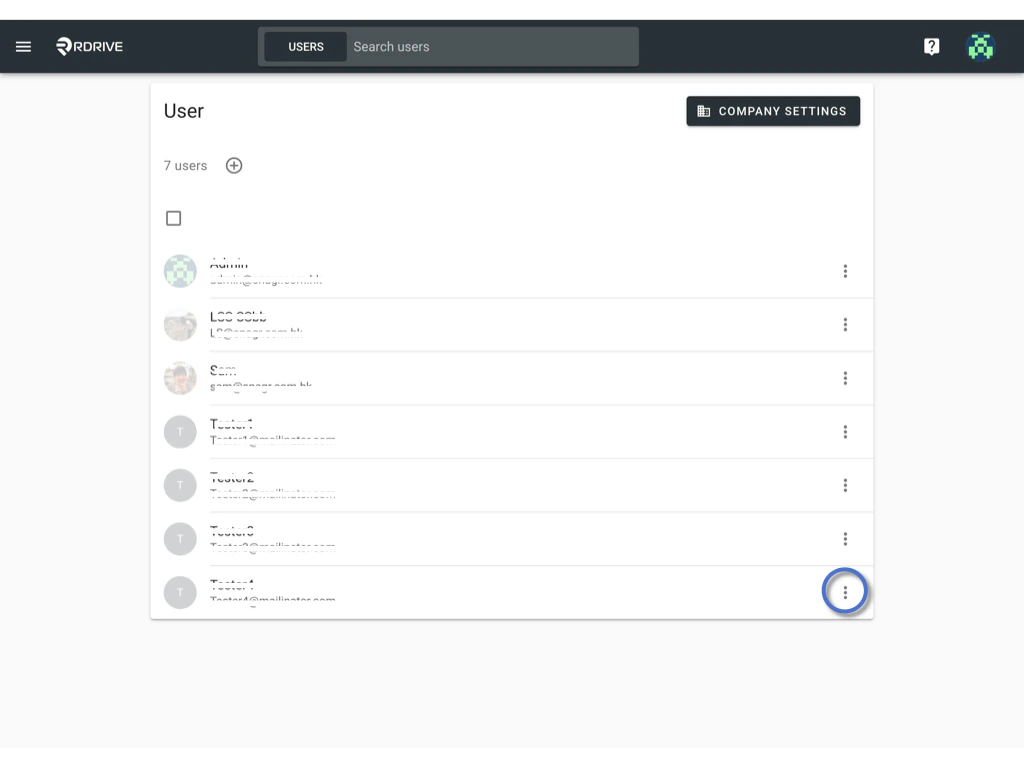
 From here you are able to reset the password.
Please check the Reset password box and enter the new password twice.
From here you are able to reset the password.
Please check the Reset password box and enter the new password twice.
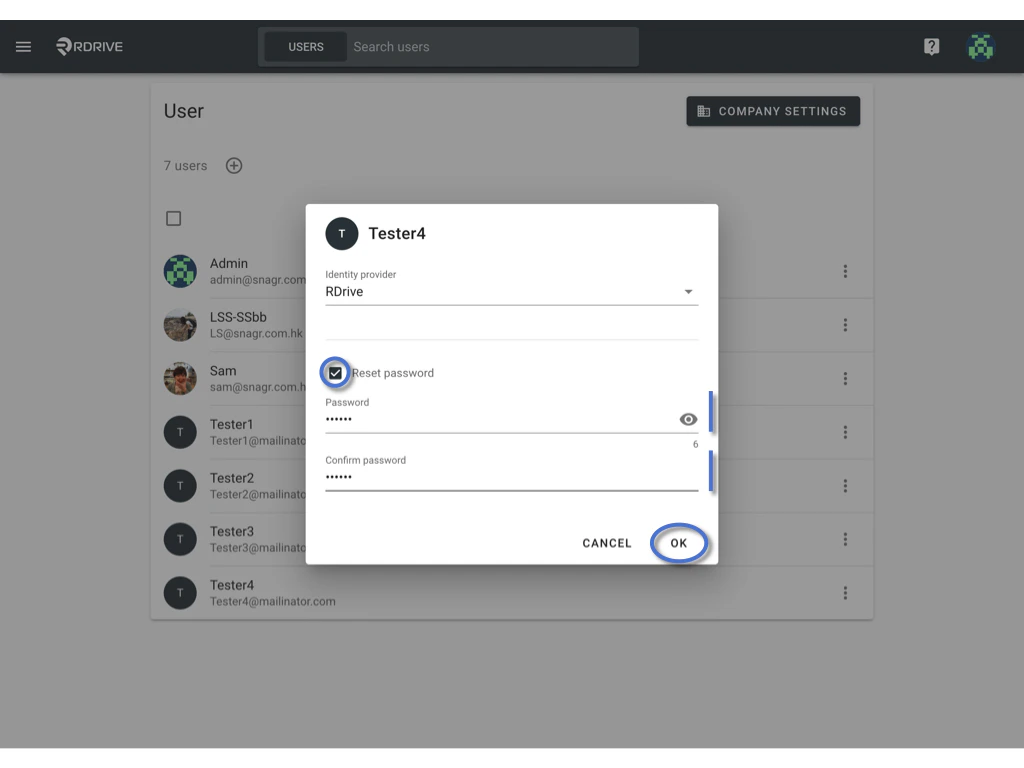
Only the company admin can reset the password for all users.
From here you are able to reset the password.
Please check the Reset password box and enter the new password twice.