

Overview
How to search for data effectively within RDrive using the browser/website- Purpose: How to use the universal search bar in RDrive and defining OR AND conditions
- Who It’s For: General users
Prerequisites: Able to read items
AND / **OR** to give you specific data instantly.
Universal Search
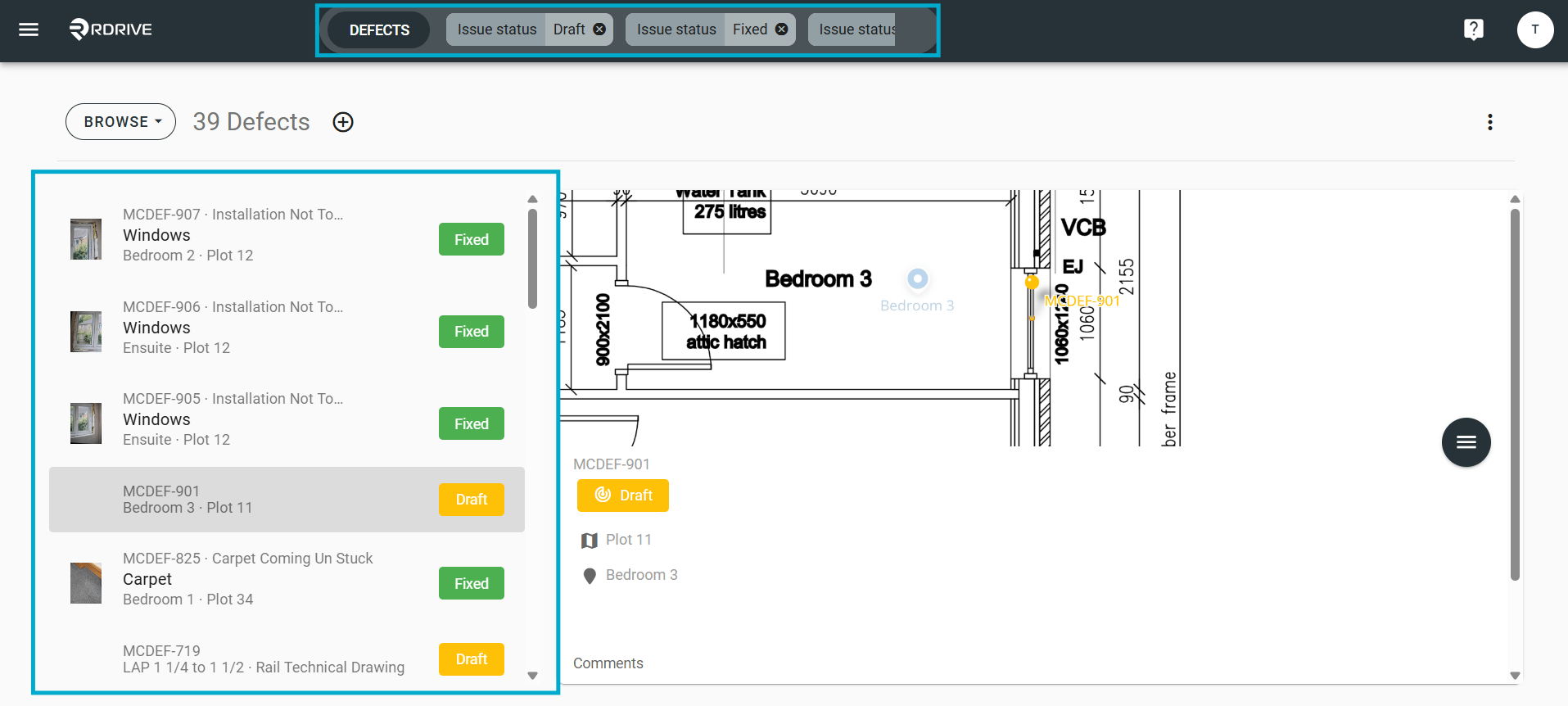
To refine search results, multiple criteria, and conditions can be added.Adding OR Conditions
When employing the same criteria with different conditions in Universal Search, the results are amalgamated using the OR logic. For example:
- Status:
{Status title}; Status:{Status title}; Status:{Status title}
Adding AND Conditions
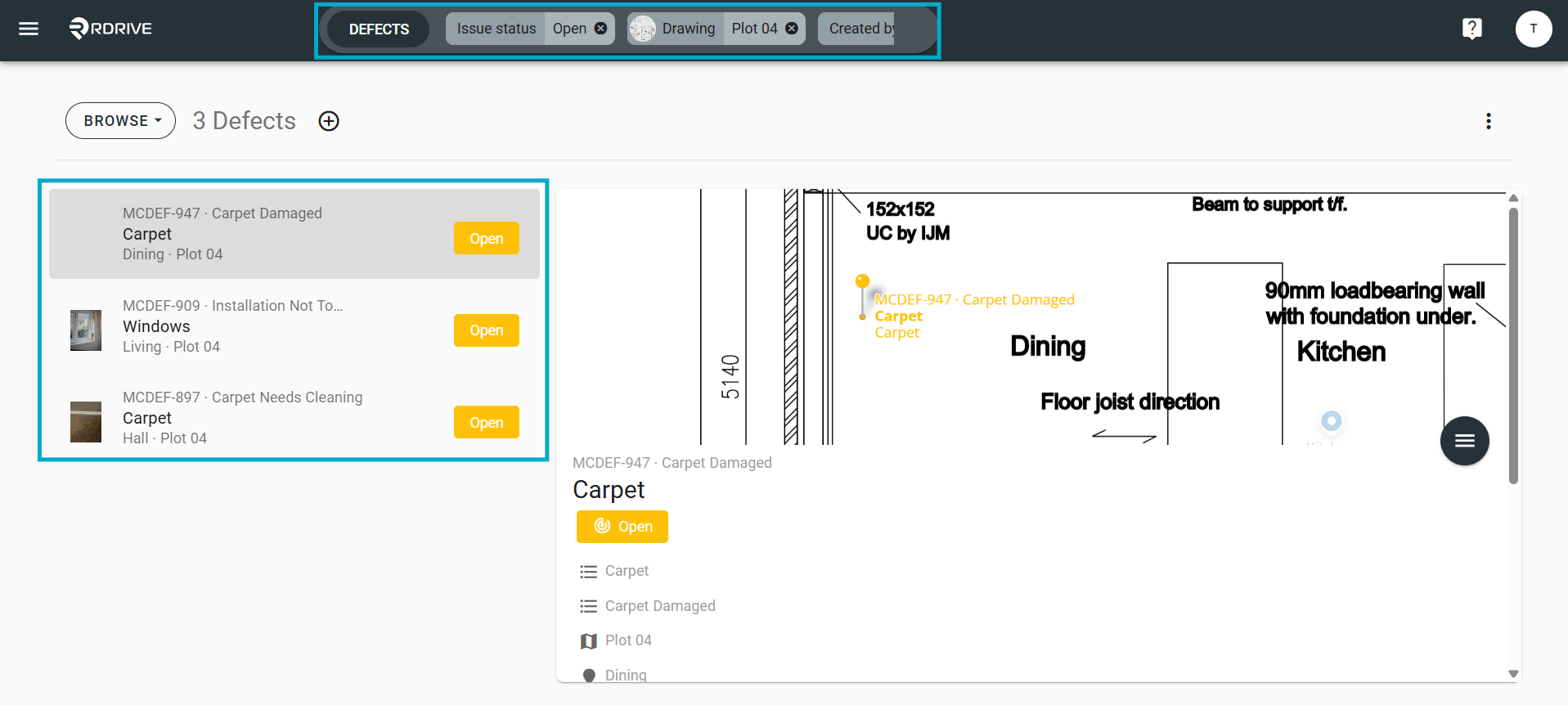
Utilizing different criteria with any conditions in Universal Search invokes the AND logic, returning results that meet all specified criteria. For example:
- Drawing:
{Drawing title}; Status:{Status title}; Created by user:{User name}
Exception - Created date Created date has a sub-condition of ‘to’ and ‘from.’ It returns results within the date range (AND) by applying the same criteria with different date conditions.