
Overview
how to update issues on the RDrive App- Purpose: How to update existing issues in RDrive
- Who It’s For: General users
Prerequisites: Able to read item, able to edit item, able to change status
To Edit an issue
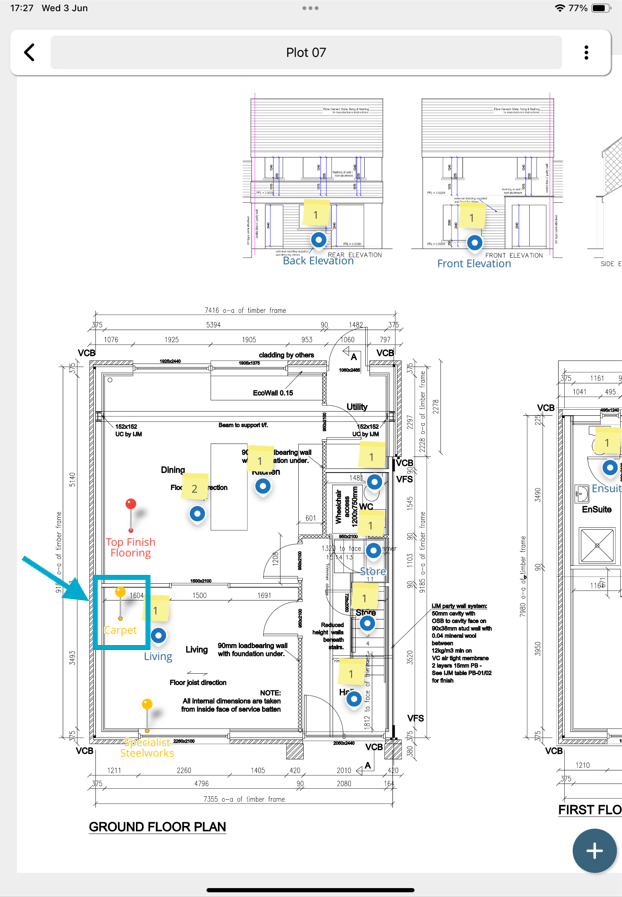
Open the issue/record details from the Plan Viewer or Finder. Select the issue you wish to make changes to.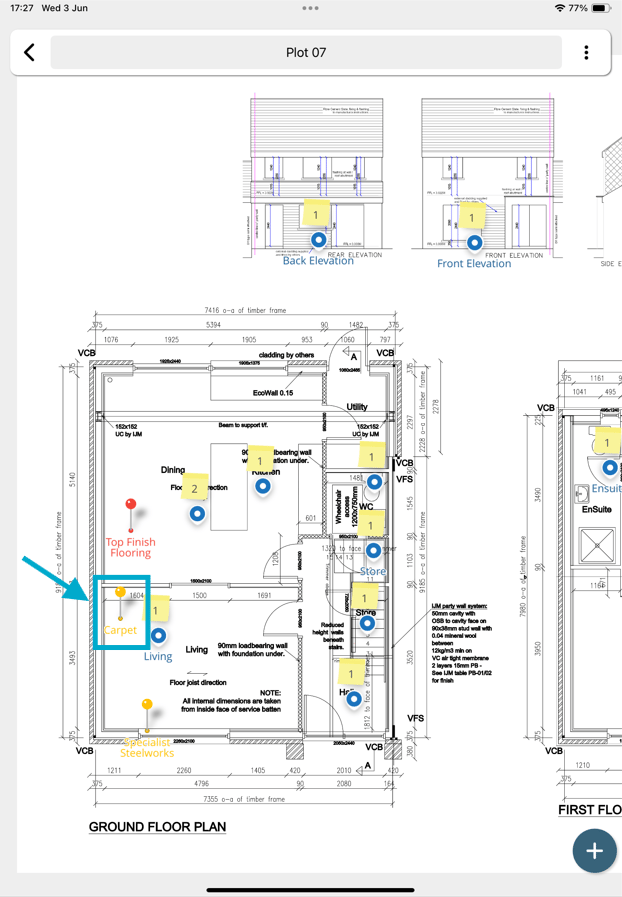
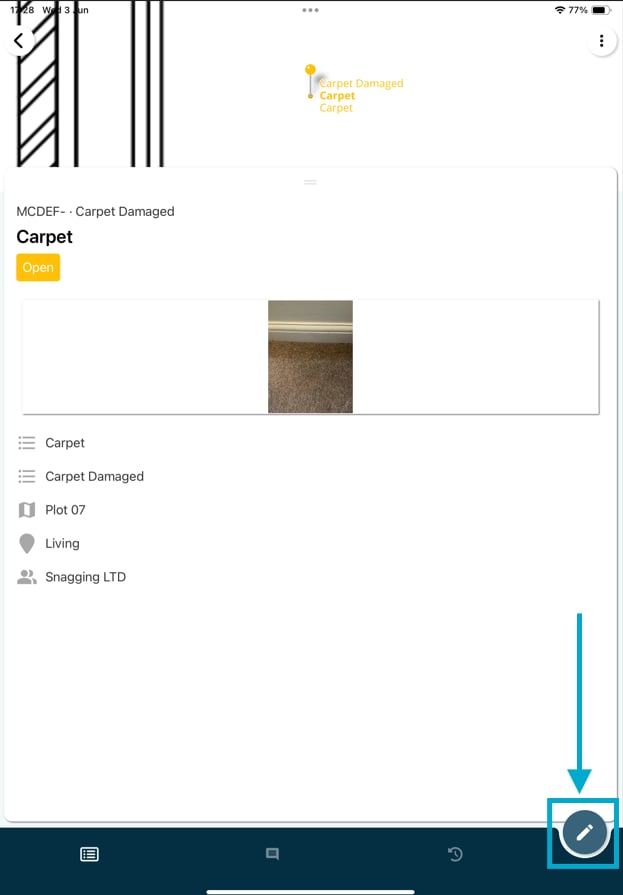
Click on the Edit icon to make changes.
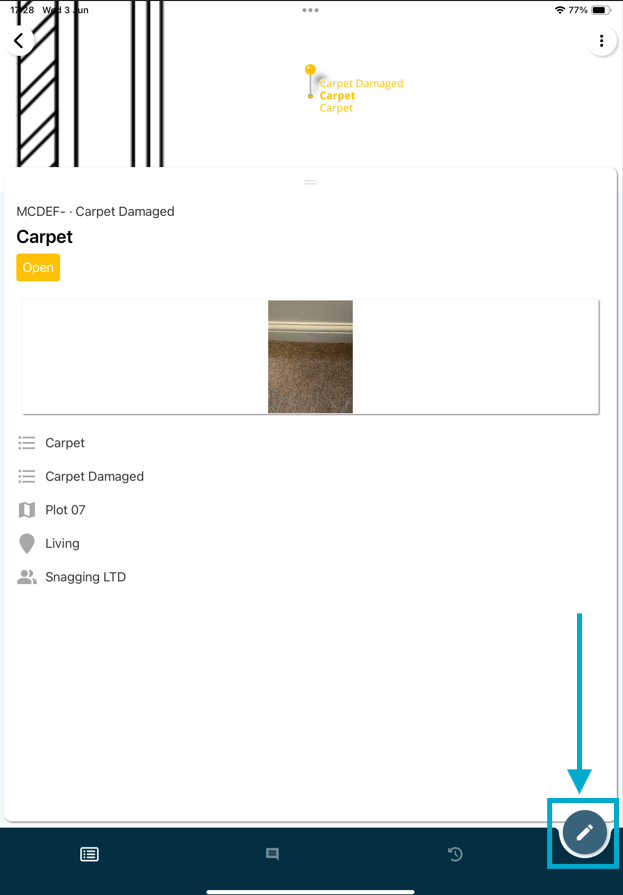
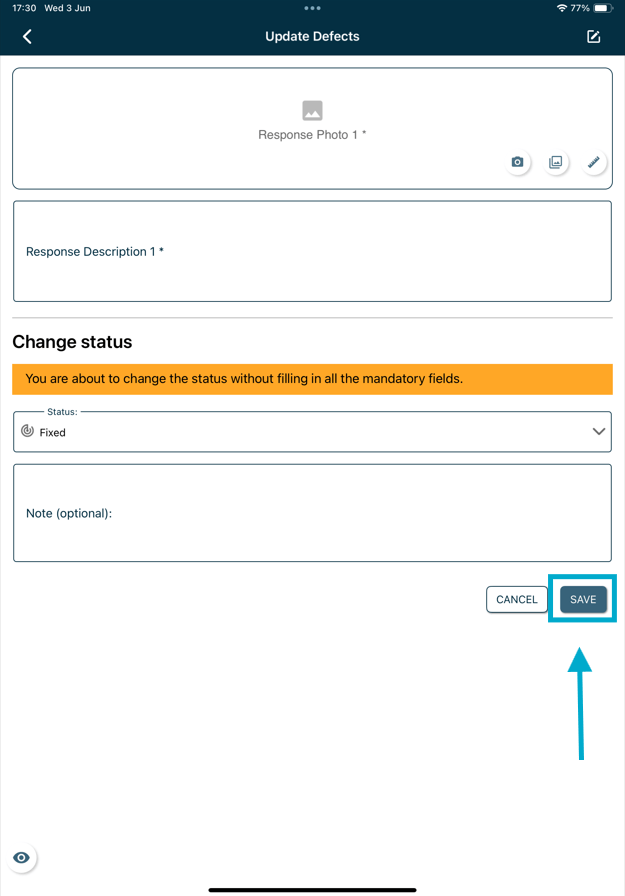
Make your required changes then scroll down and click “Save” to confirm any modifications.
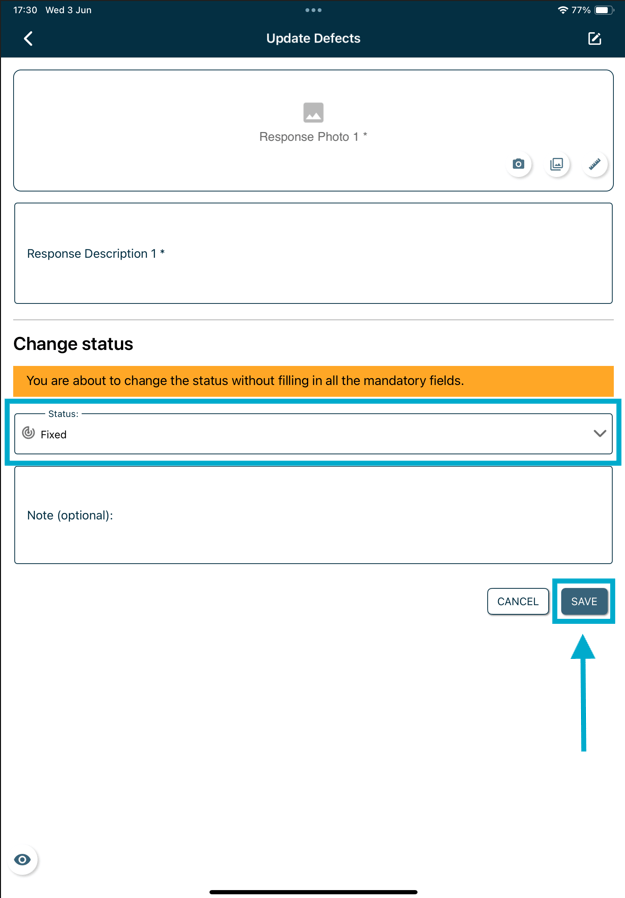
To Change Status Open the issue/record details from the Plan Viewer or Finder.
Click on the Edit icon to make changes.
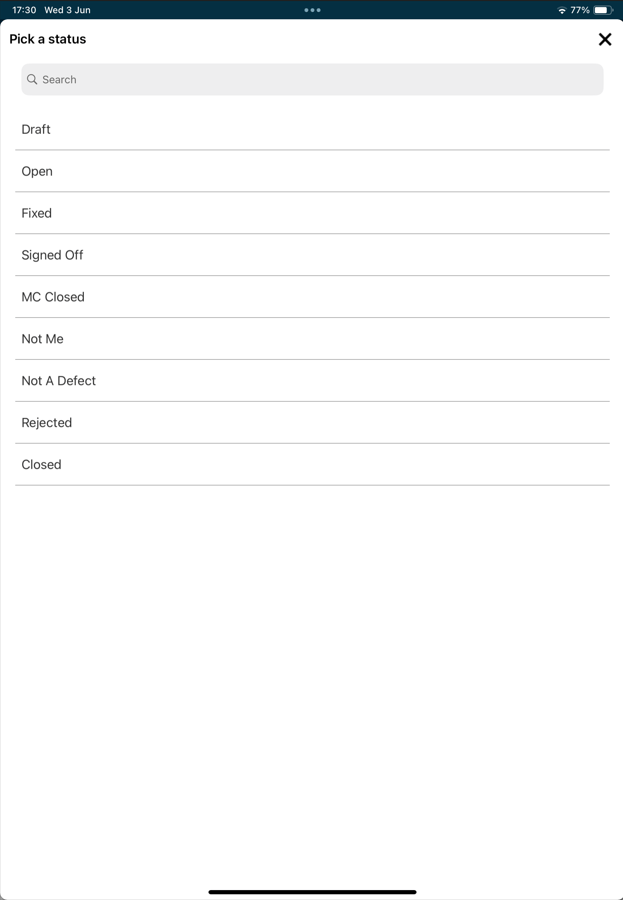
Select the status needed from the list.
⚠️ After completing your onsite work, don’t forget to synchronize. This action ensures data backup and updates for your project team.
FAQs & Troubleshooting
Q: Can I update an issue after it has been created?A: Yes. Open the issue within the app and edit the relevant fields, such as status, description, priority, due date, or assigned user, depending on your permissions. Q: Why can’t I edit an issue?
A: You may not have the required permissions, or the issue may be in a status that restricts further changes. Contact your project administrator if you believe you should have access. Q: Can I update an issue while working offline?
A: Yes. Changes made offline will be stored on your device and uploaded the next time you sync the app with an internet connection.