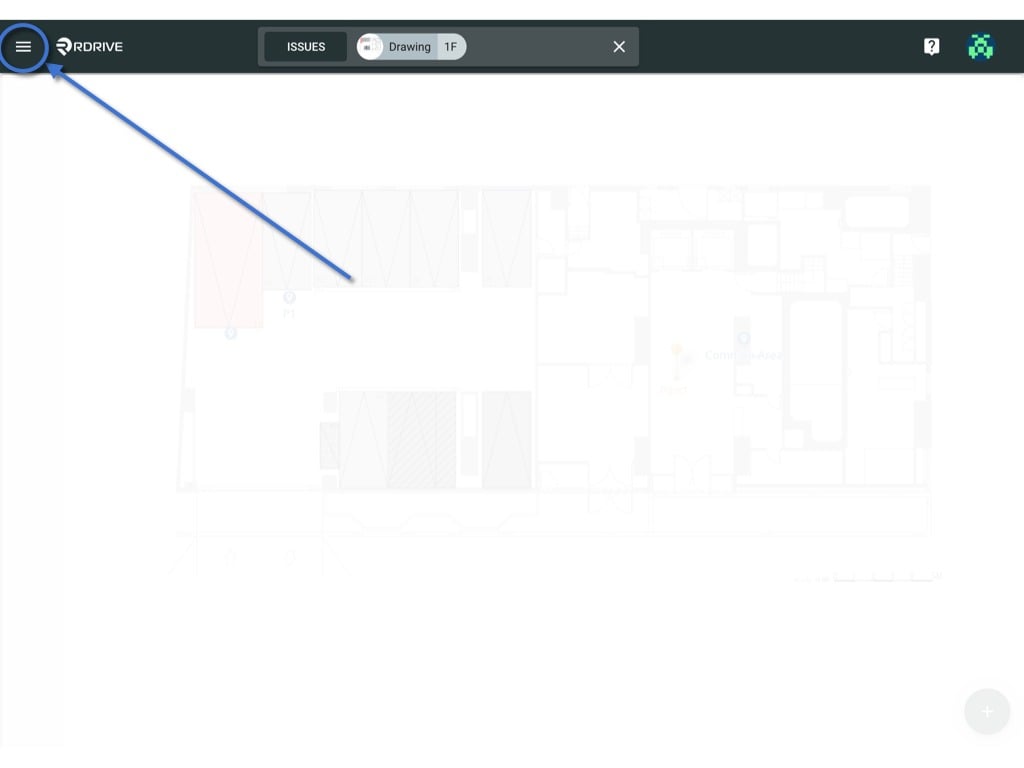
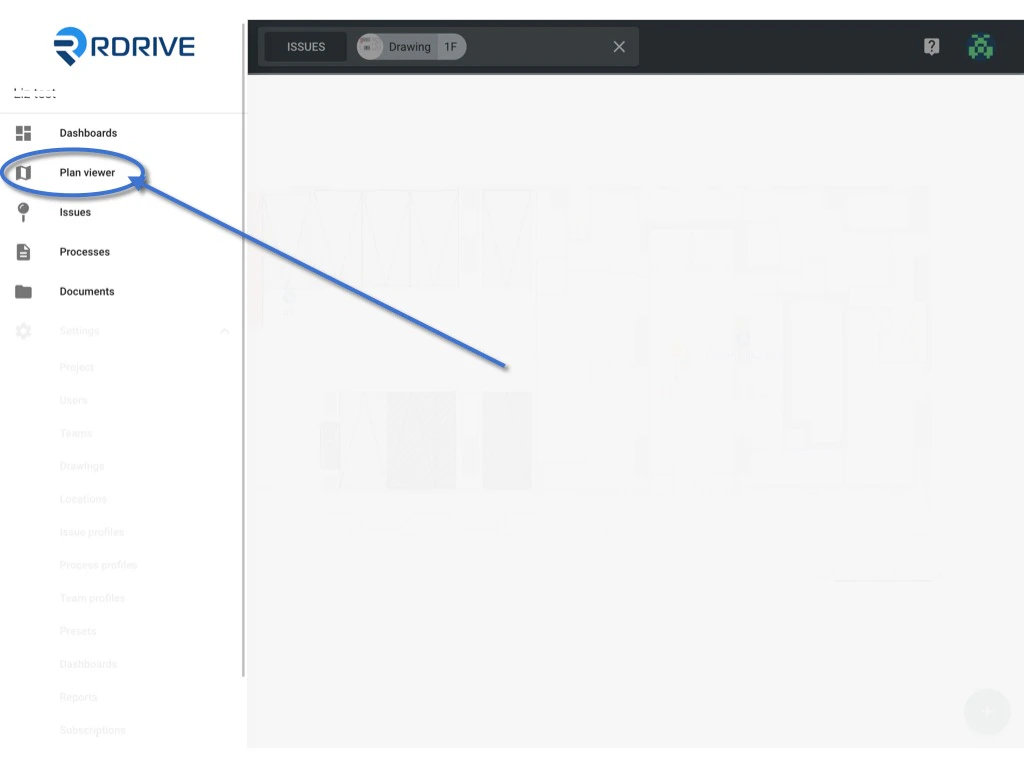
via Plan viewer - You will able to see the menu icon on the top left corner, please click it to unfold the Menu, access the Plan viewer, and select the correct drawing.
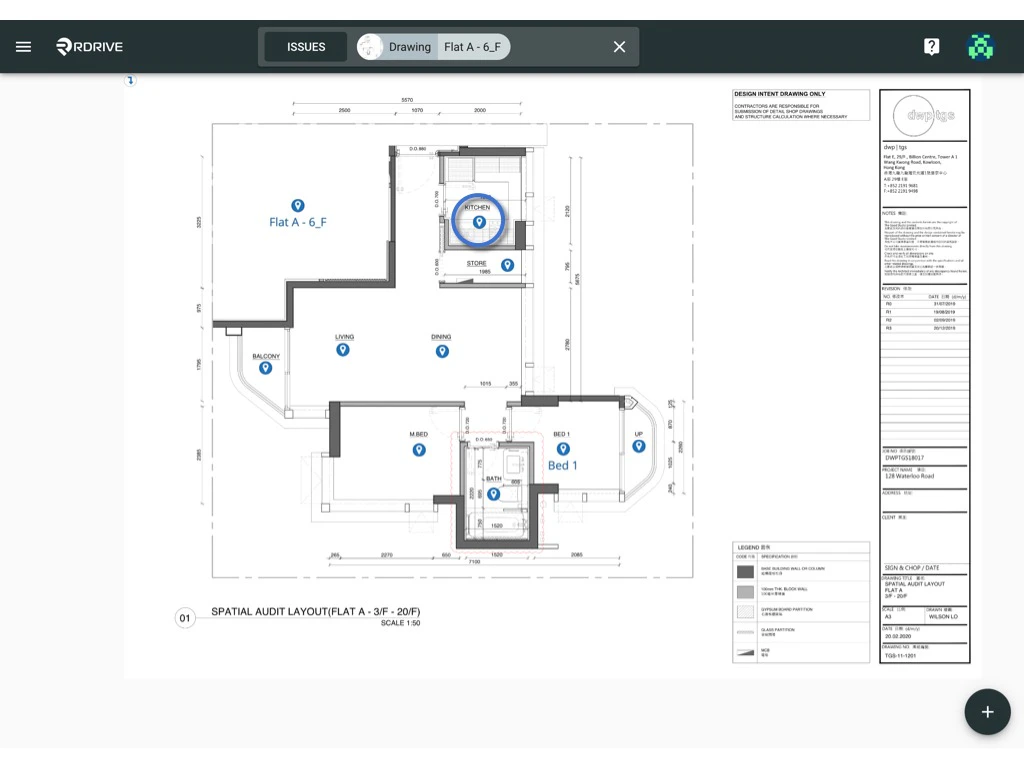
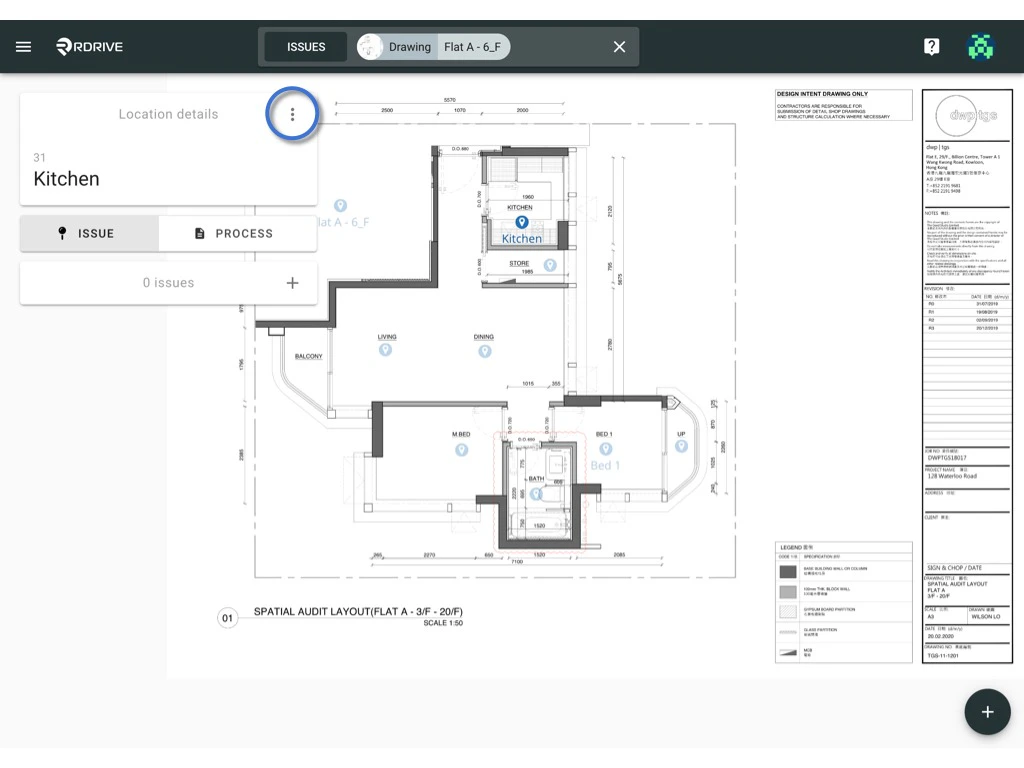
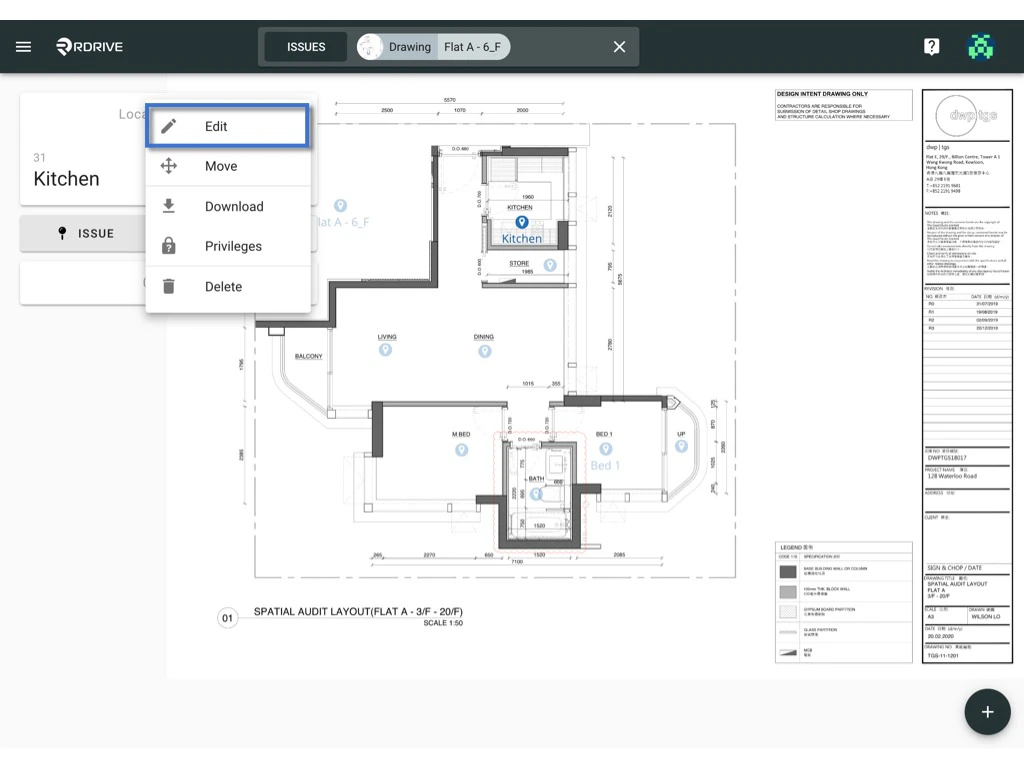
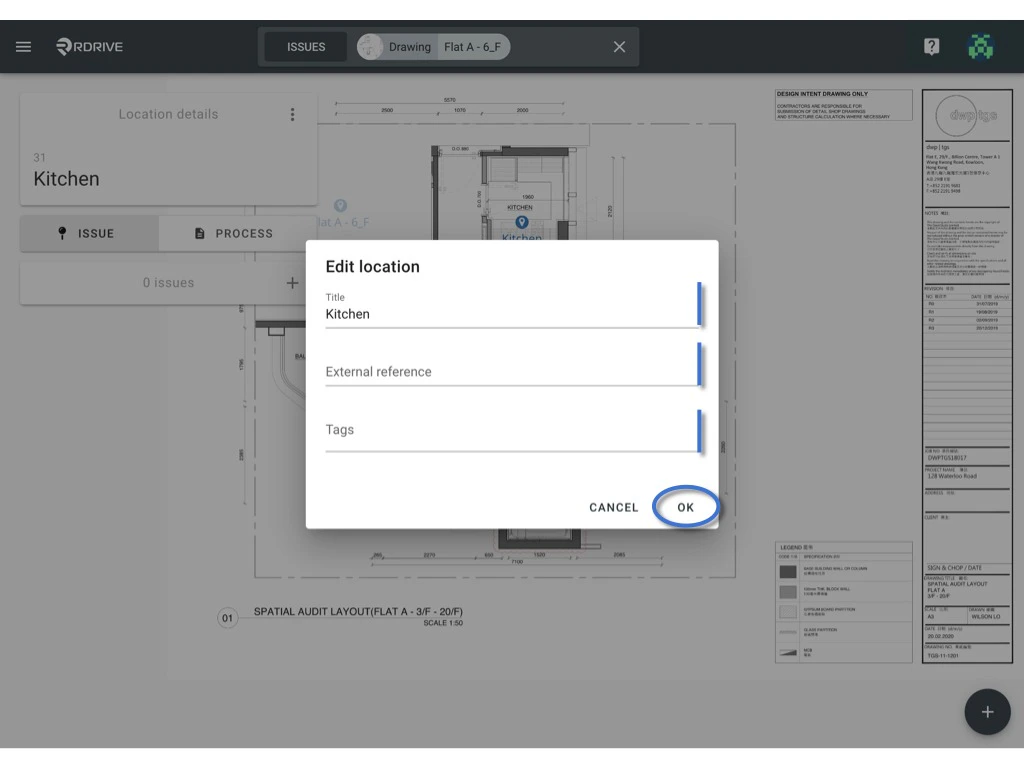
Select Edit to edit the location title, ext ref & tag.
OK to confirm.
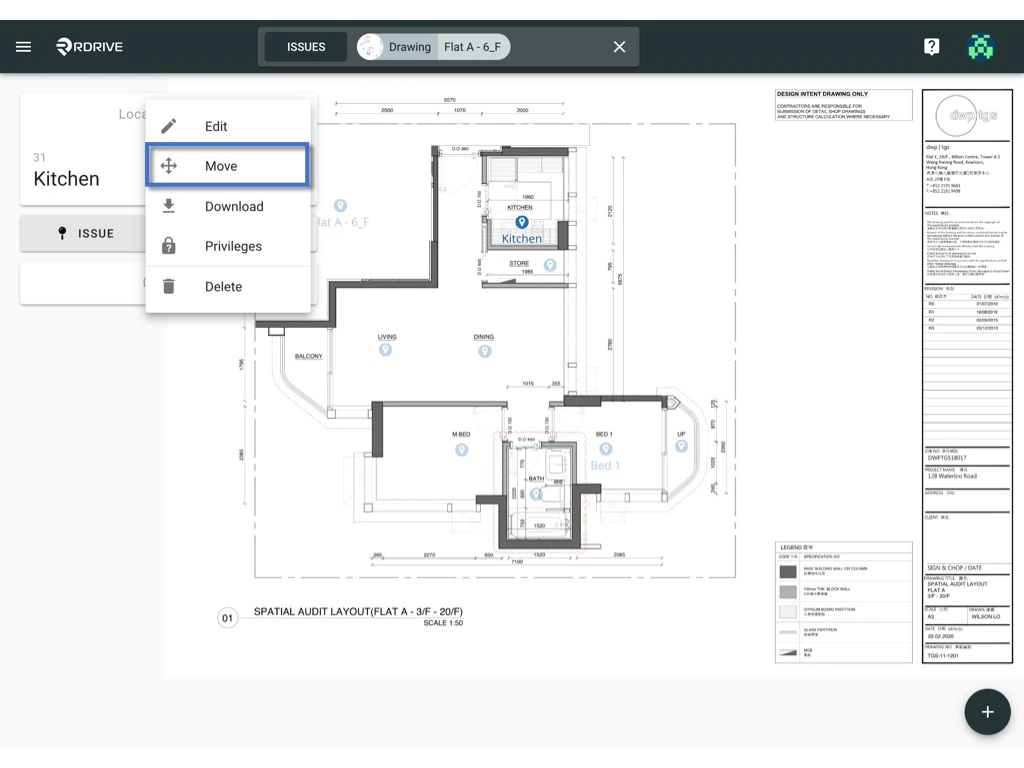
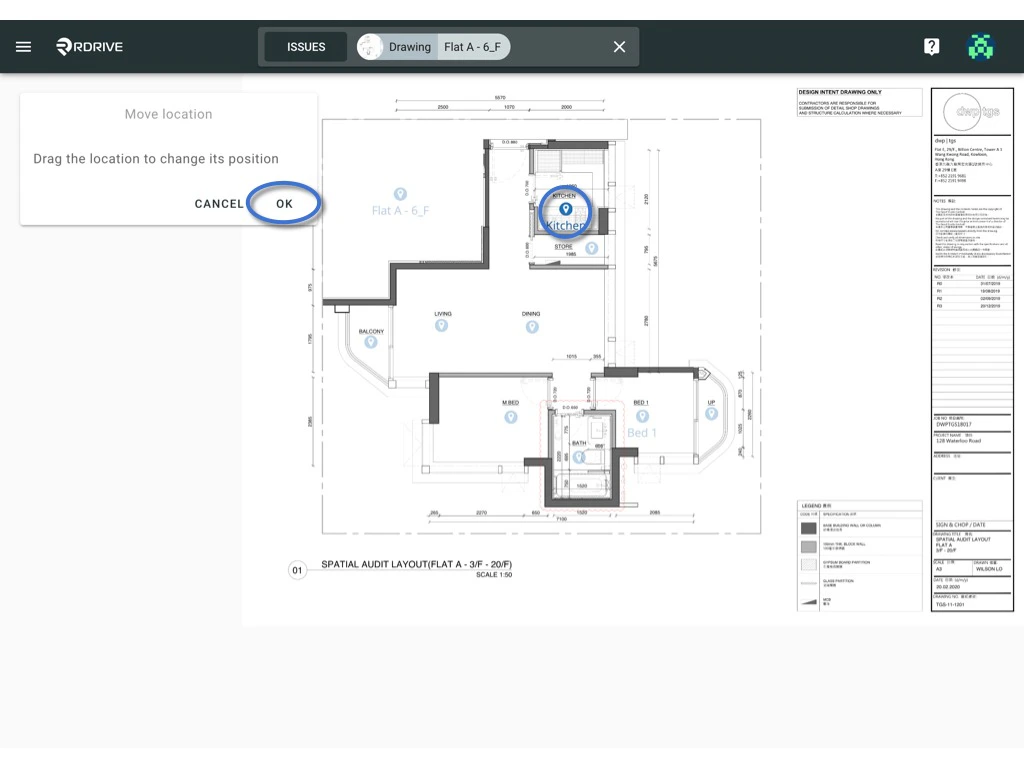
Select Move and drag the position on the drawing.
OK to confirm.
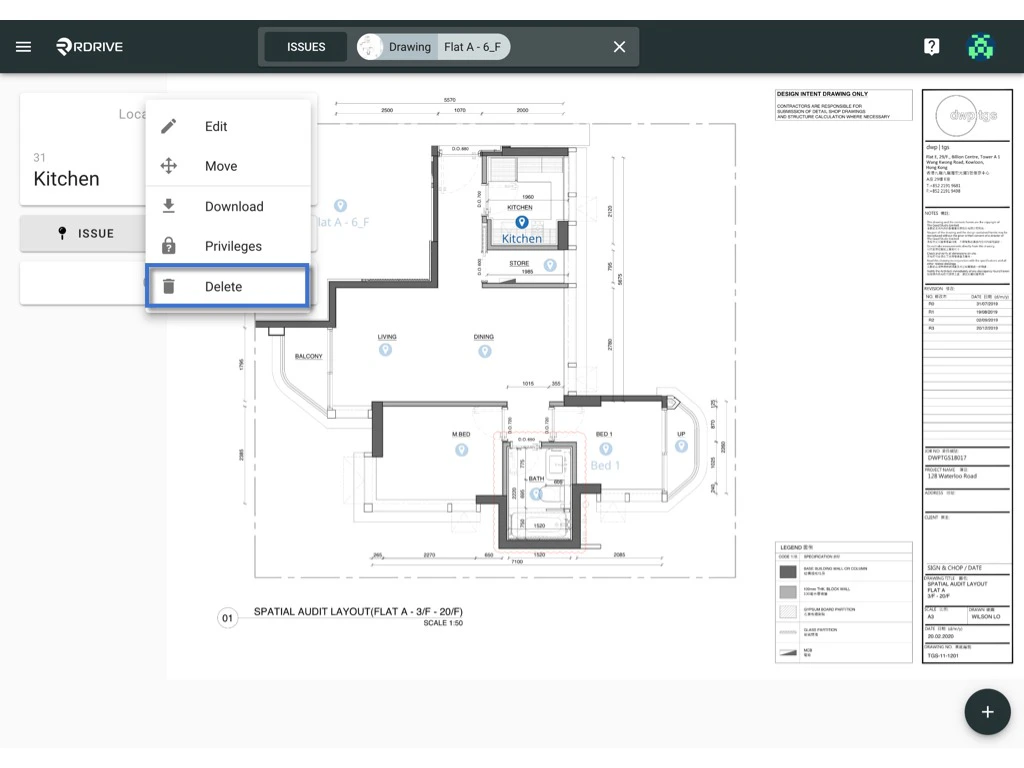
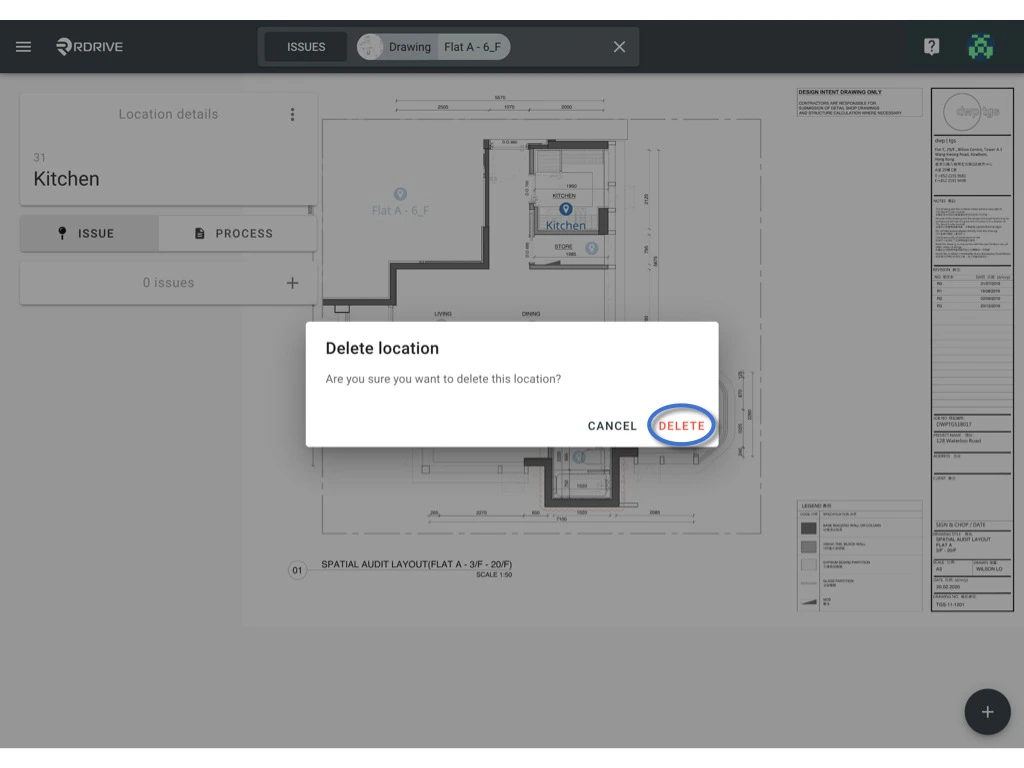
Select Delete to delete location pin.
DELETE to confirm.
⚠️ Beware!:
You can only delete the location pin with no record attached.
Once you have deleted the item, you will not be able to undo it.
via Location page -
You will able to see the menu icon on the top left corner, please click it to unfold the menu, access the Settings > Locations.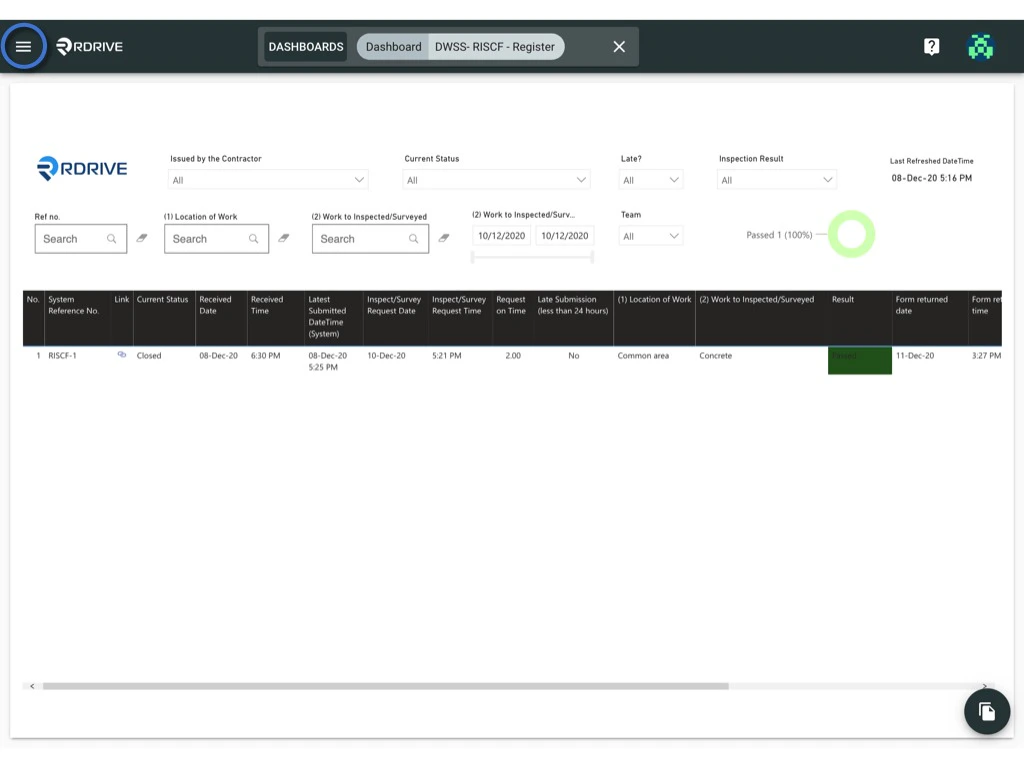
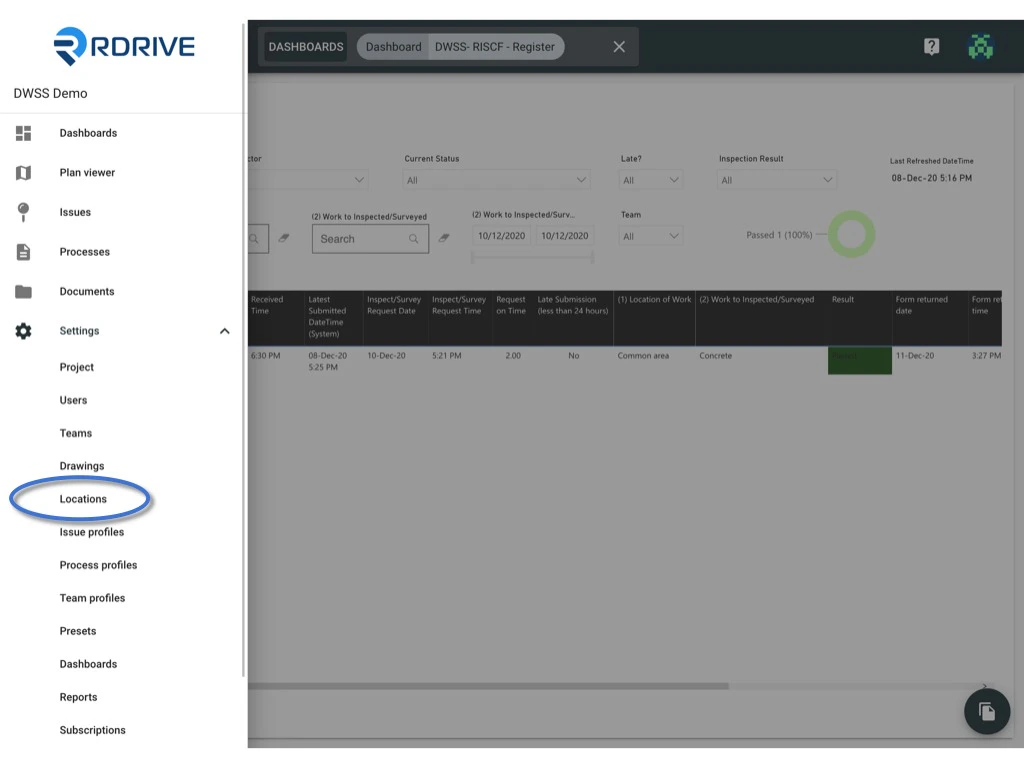
Click the ≡ button to expand the menu.
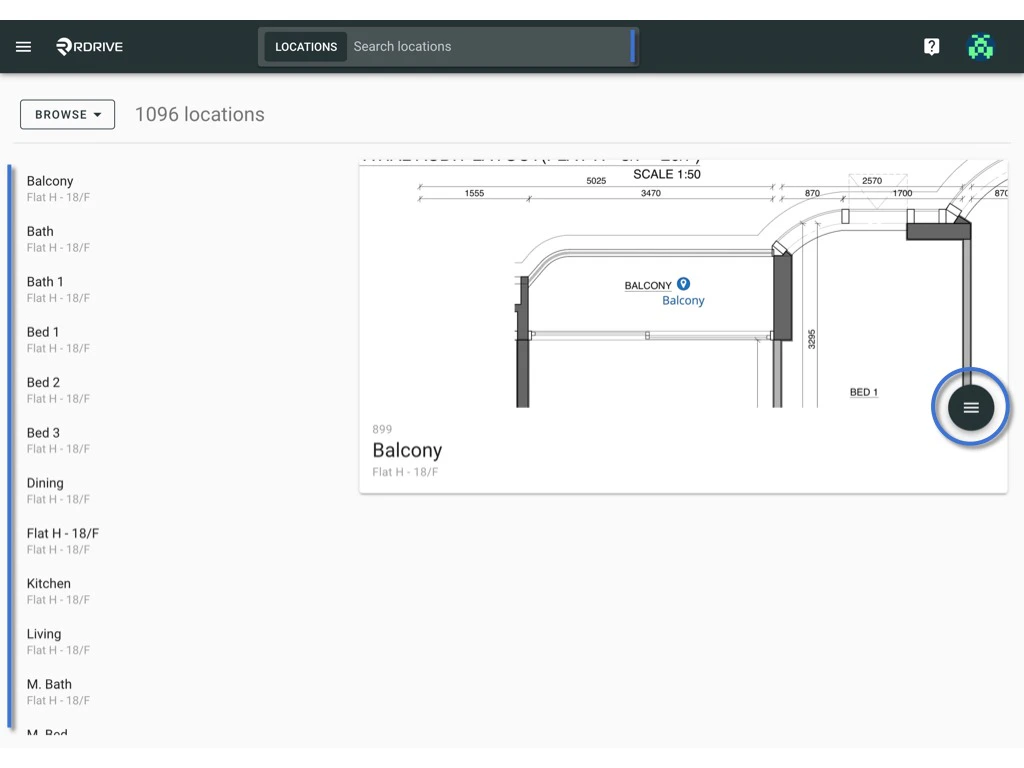
Select Edit to edit the location title, ext ref & tag.
OK to confirm.
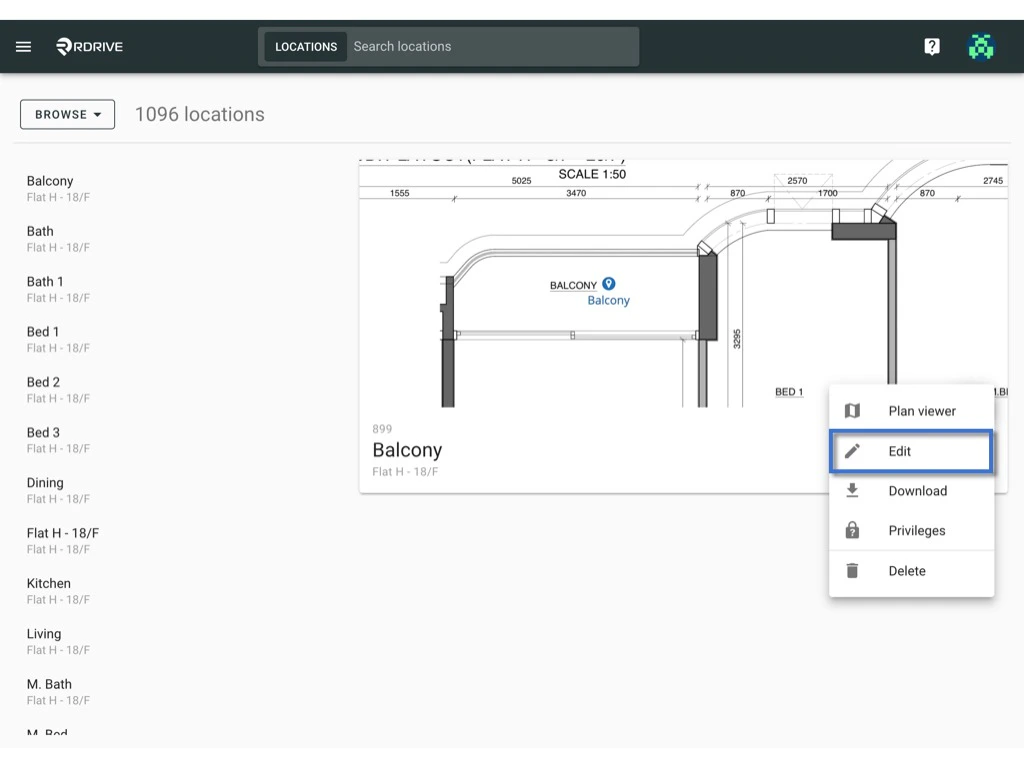
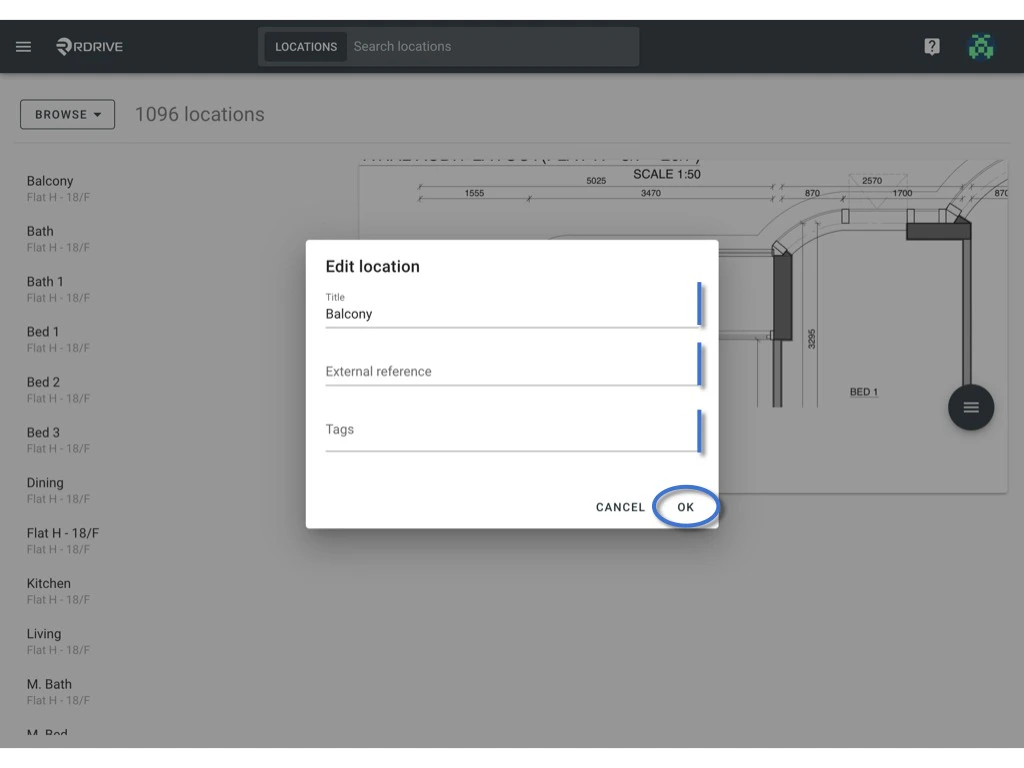
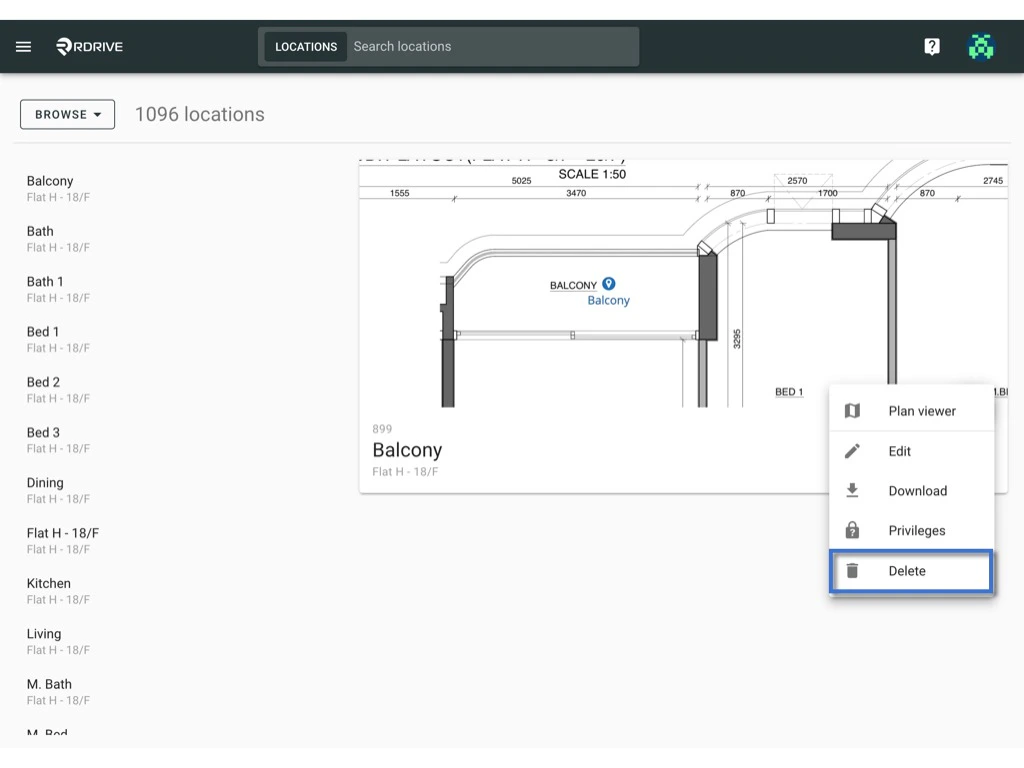
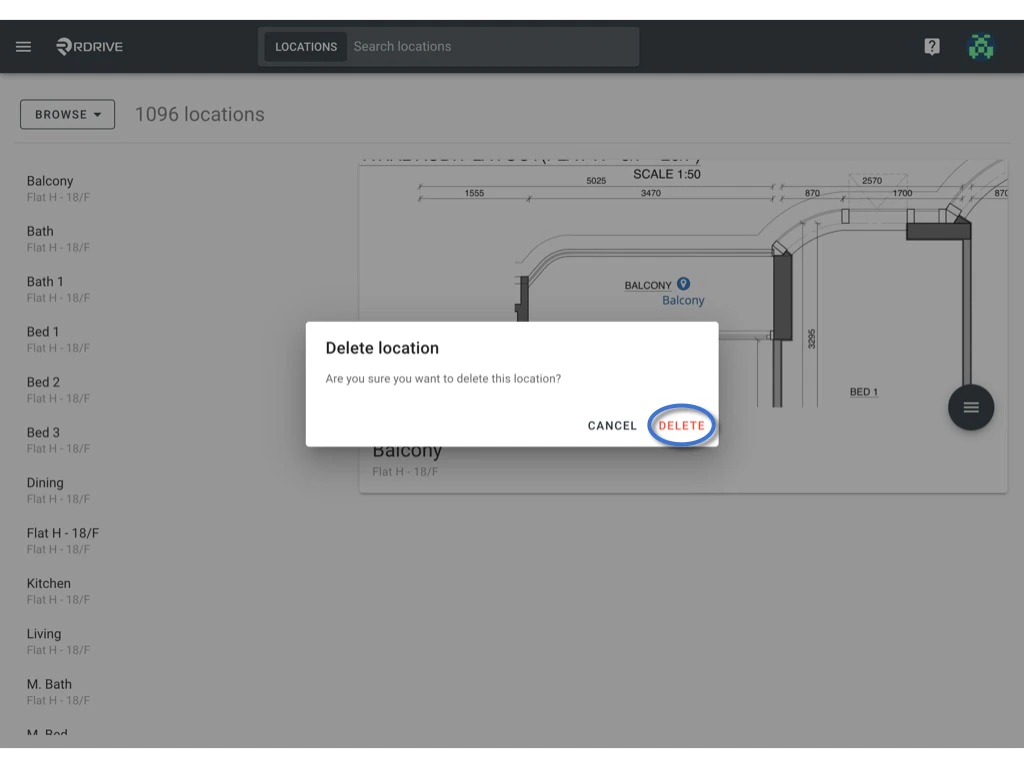
Select Delete to delete location pin.
DELETE to confirm.
⚠️ Beware!:
You can only delete the location pin with no record attached.
Once you have deleted the item, you will not be able to undo it.
Batch edit
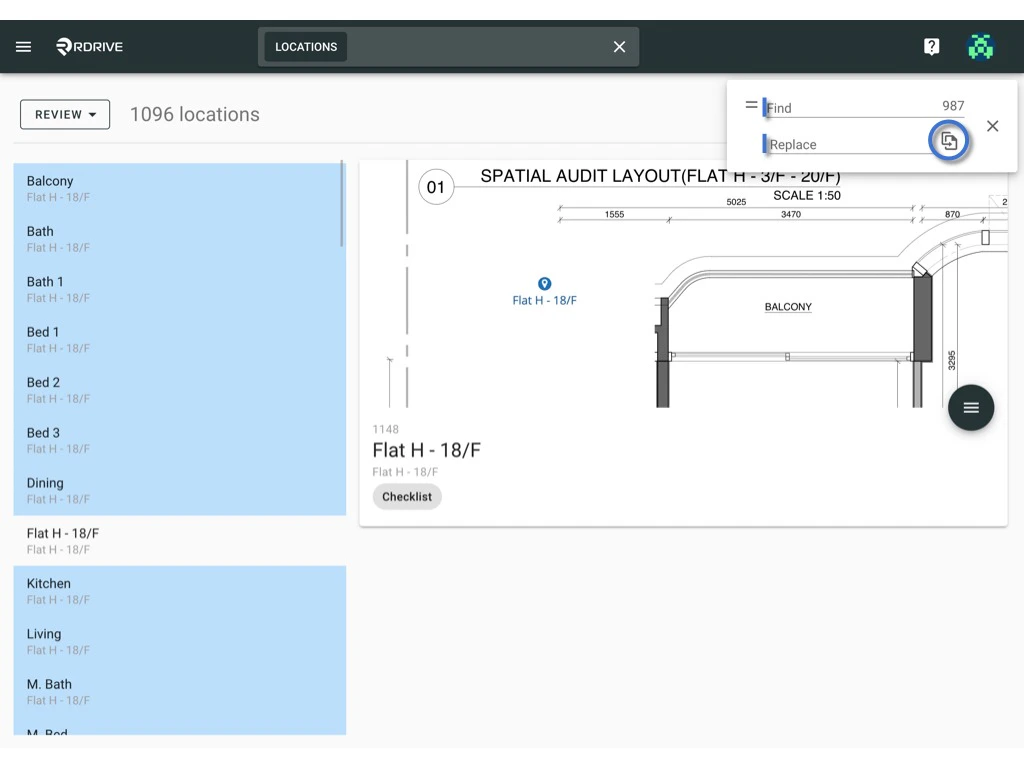
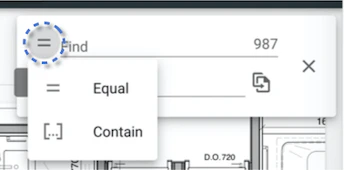
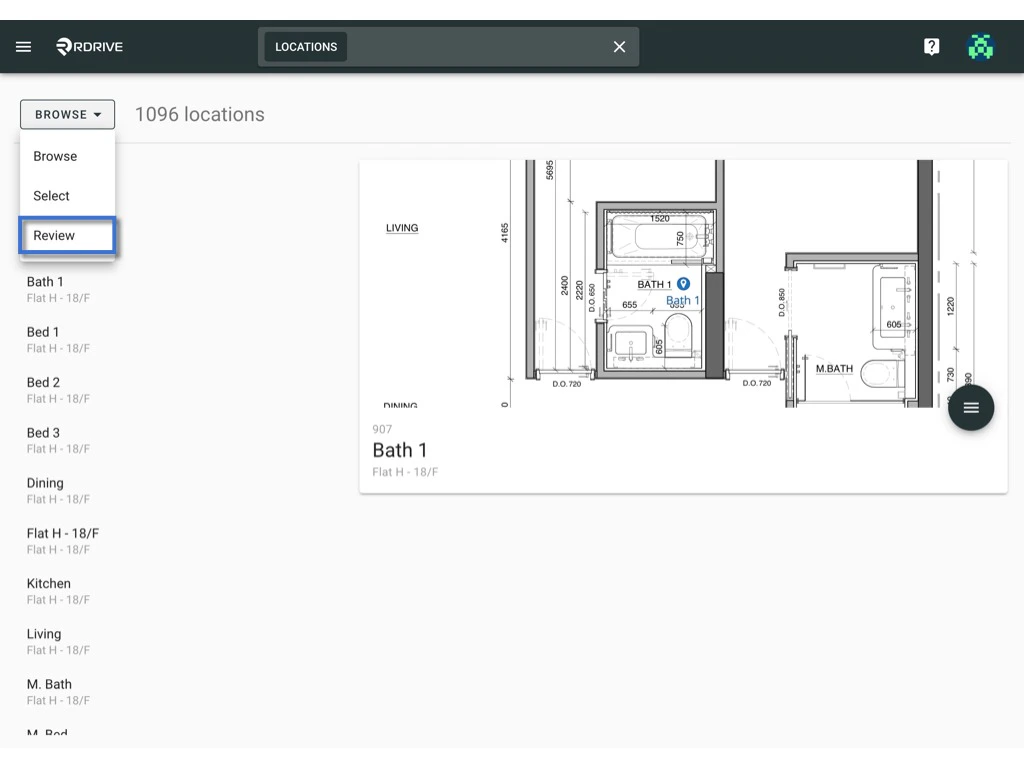
You could batch edit the location title or location tag by find and replace from the location page.Let me show you how :) Switch mode from “Browse” to “Review”.
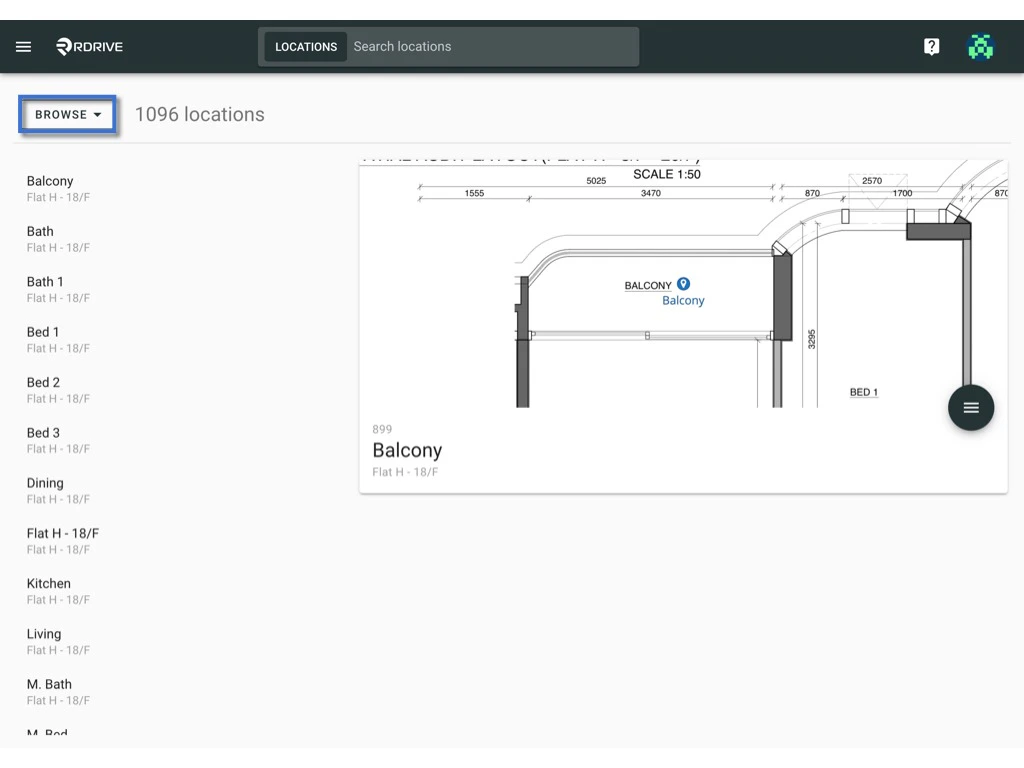
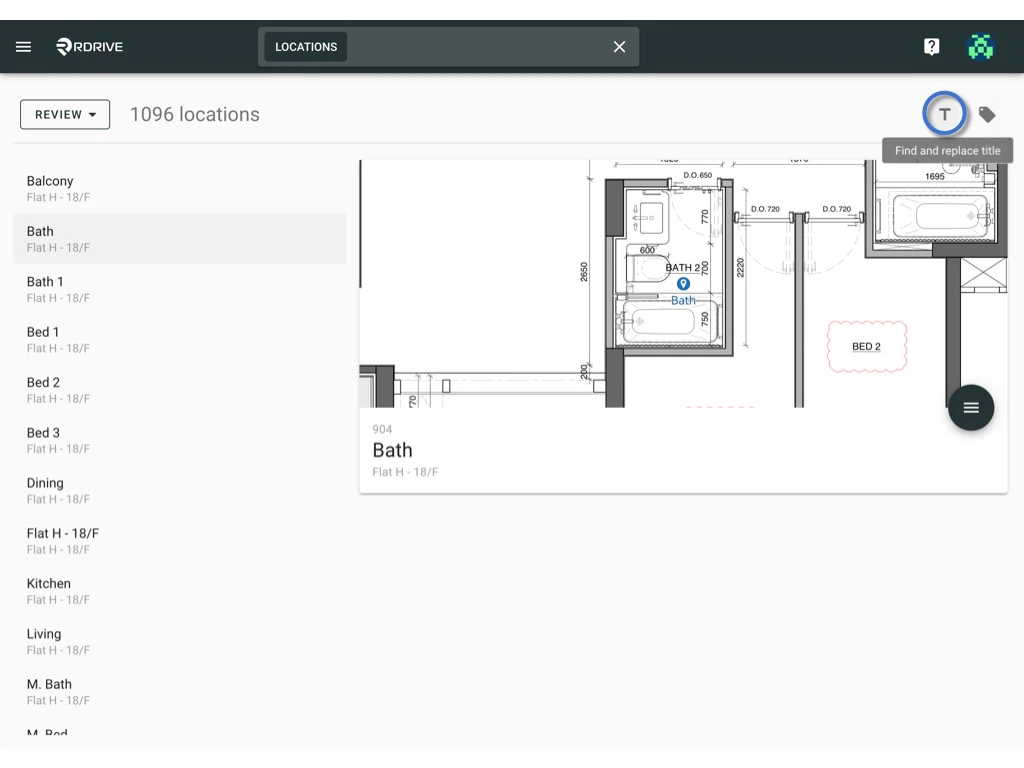
You could find and replace the location title with the first button on the top right corner as below.
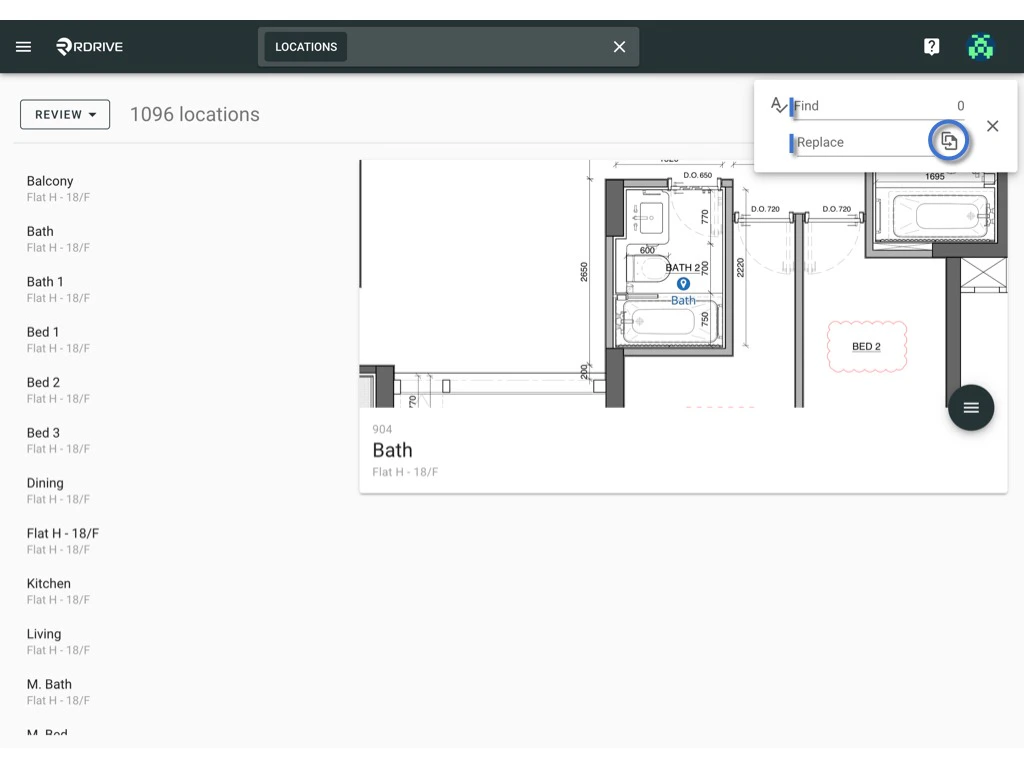
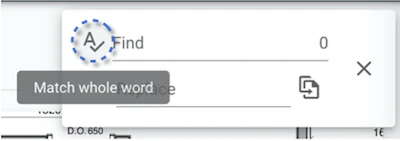
You could find and replace the location tag with the second button on the top right corner as below.