Yeah! You finish filling in relevant part(s) on a form. What’s next?
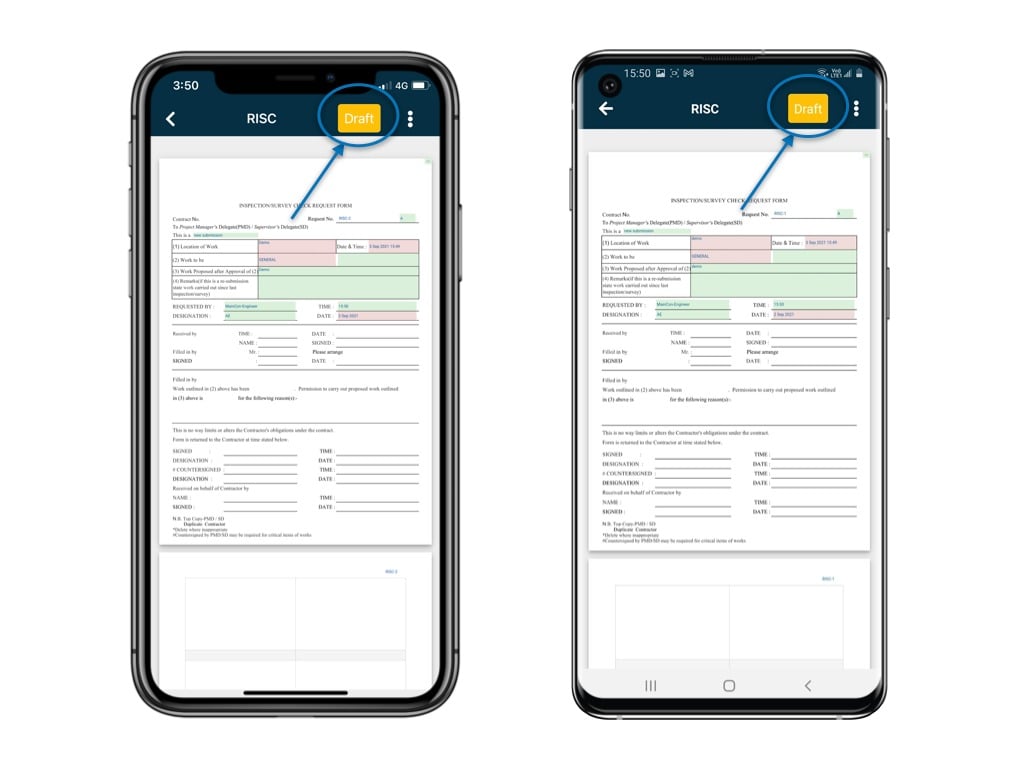
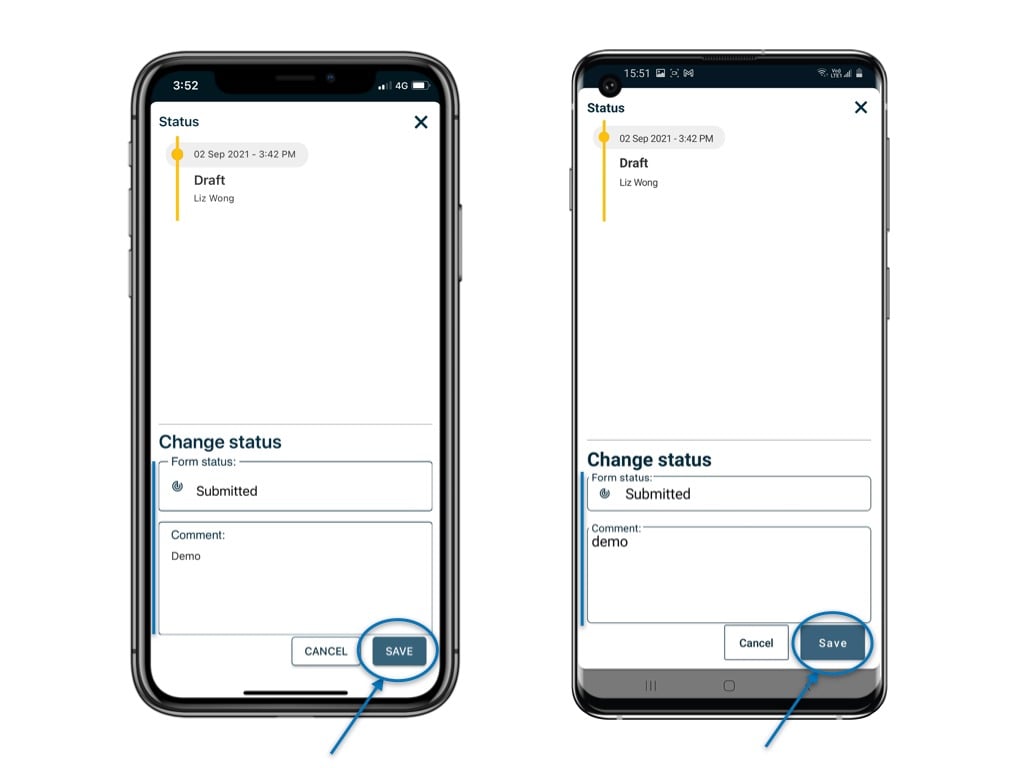
Yeah! You finish filling in relevant part(s) on a form. What’s next?It is time to know how to change the form status so that the next party can continue working on it!How to update the status of a form on RDrive app? Let’s take a look!On the form viewer, click on the status box at the top right cornerSelect the status, enter a comment if need, and hit “Save”.It’s done!
⚠️ After completing your onsite work, don’t forget to synchronize. This action ensures data backup and updates for your project team.