
Prefill Functionality
The Prefill feature allows you to enter data before adding a new record. The entered data will remain editable, making it easier to input and adjust information as needed.How to Set Up Prefill
To set up the Prefill feature in your project, follow these steps:- Access the project via the website.
-
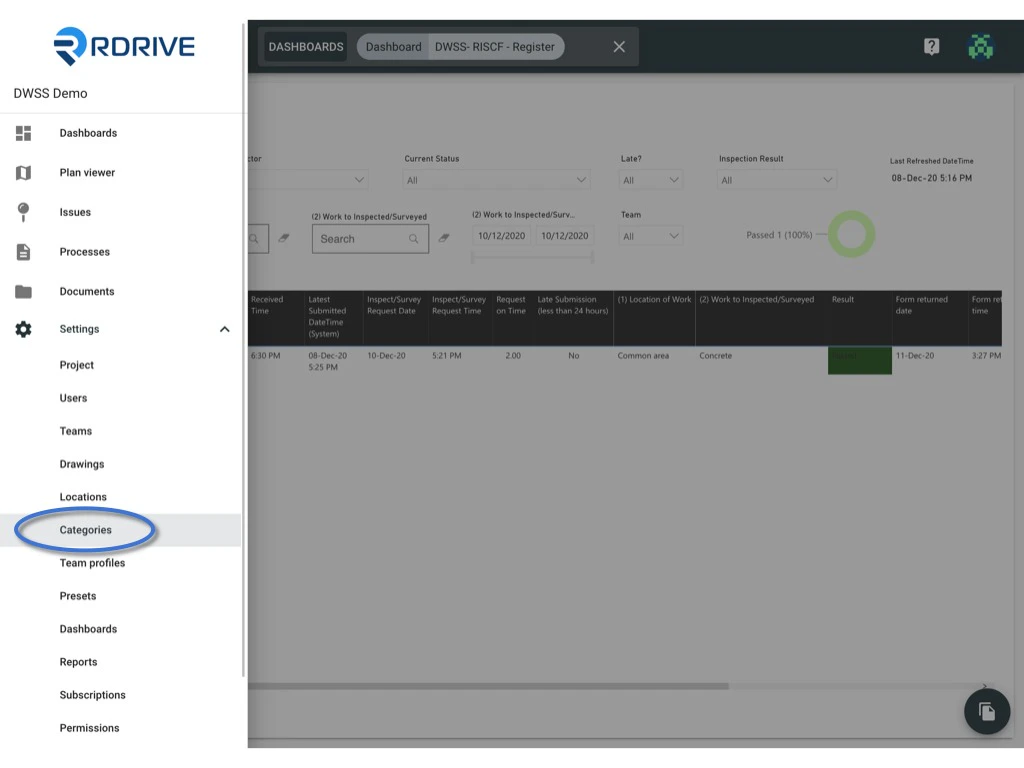
Click the ≡ menu icon at the top left corner to open the menu.

-
Navigate to Settings > Categories and select the appropriate category and subcategory.

-
Select the desired profile and click the ≡ button to expand the menu.

-
Choose Prefill and enter the necessary data into the template as prefill values.

-
Click OK to confirm and save your data.

Looking to manage Form? Click here to learn how.