
Project admin/users with edit Preset permission can make changes on top of the preset list that are set on the company level or reset values to default to fit the project needs specifically.
Click the ≡ menu icon on the top left corner to unfold the Menu, get entry to the Setting > Presets page.
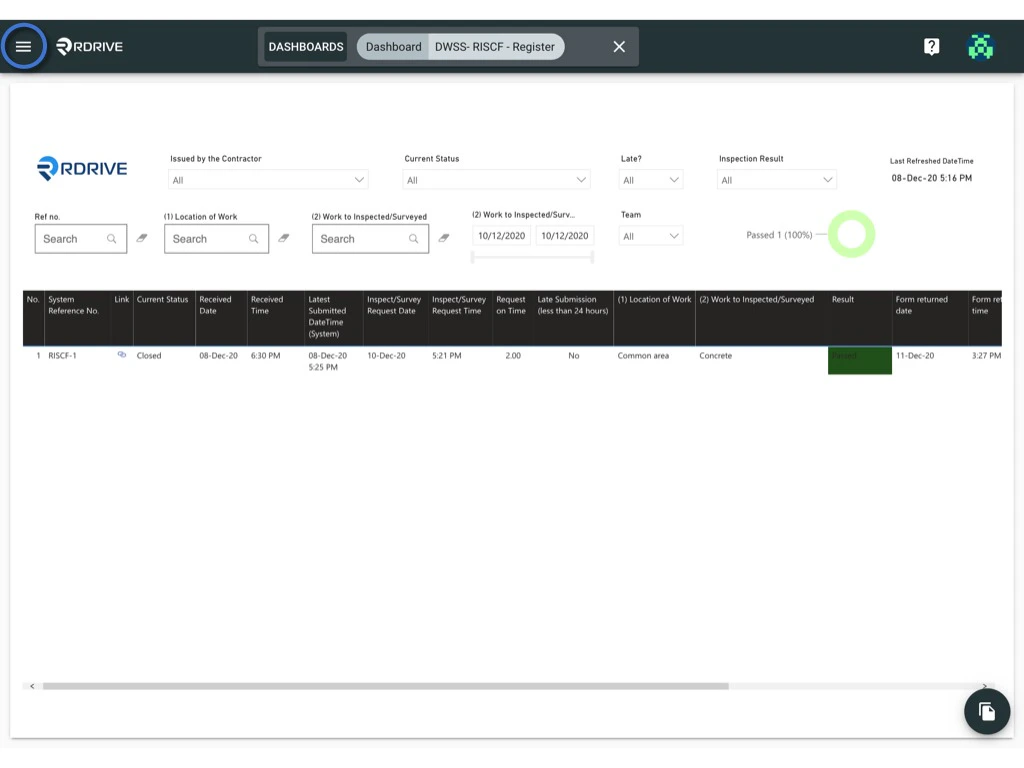
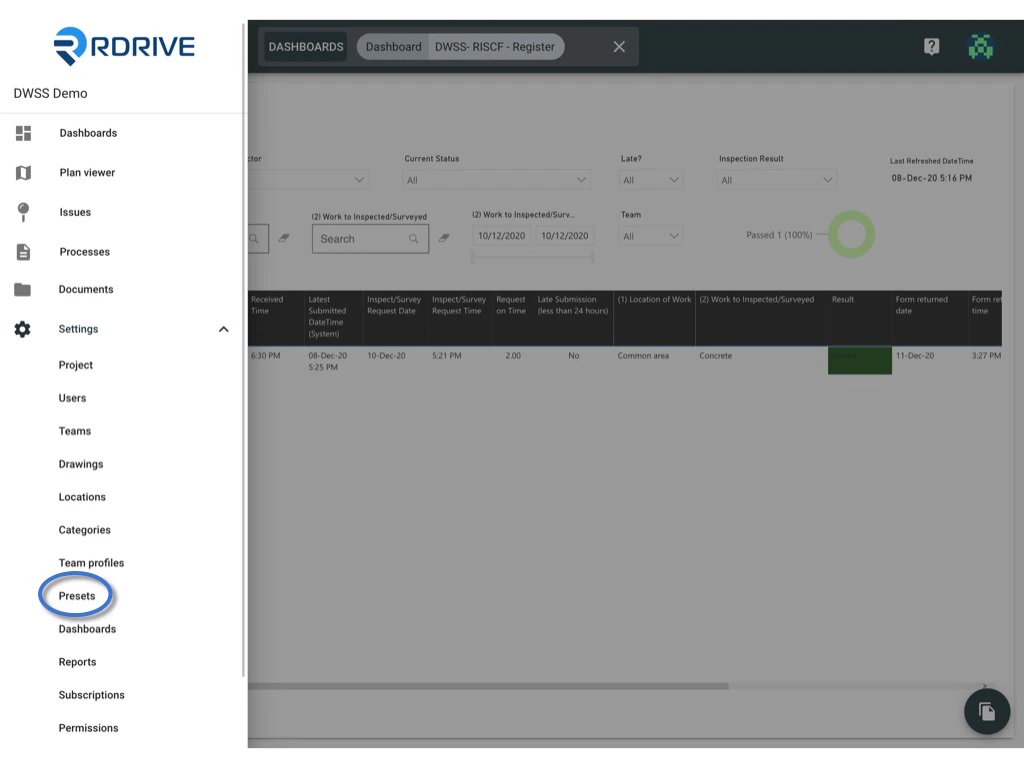
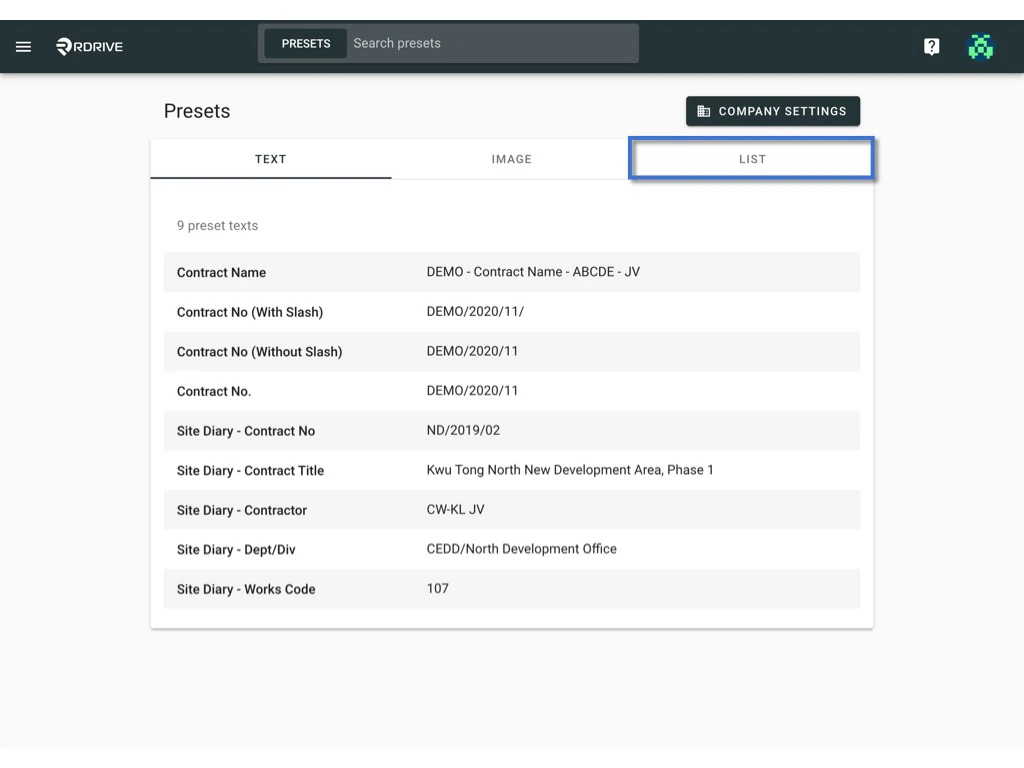
Make changes on top of the preset list
To make the change, you may1️⃣ edit on the website directly; or
2️⃣ edit by reuploading the template (single / multiple).
1️⃣ To edit on the website directly.
Select the list that you would like to edit.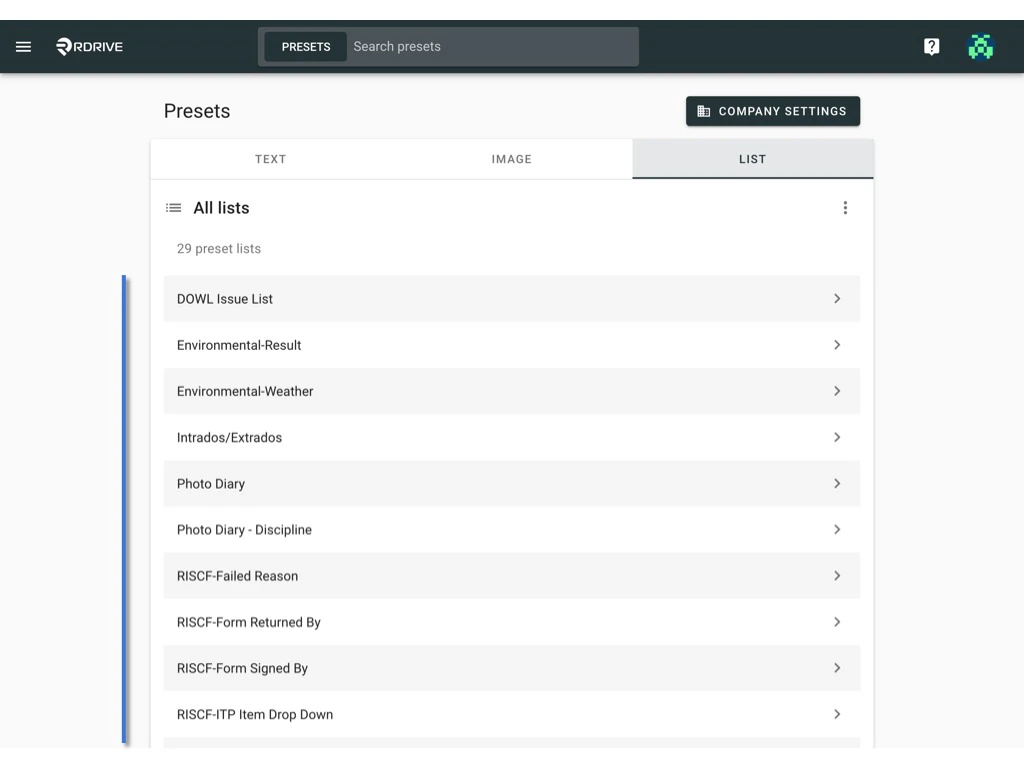
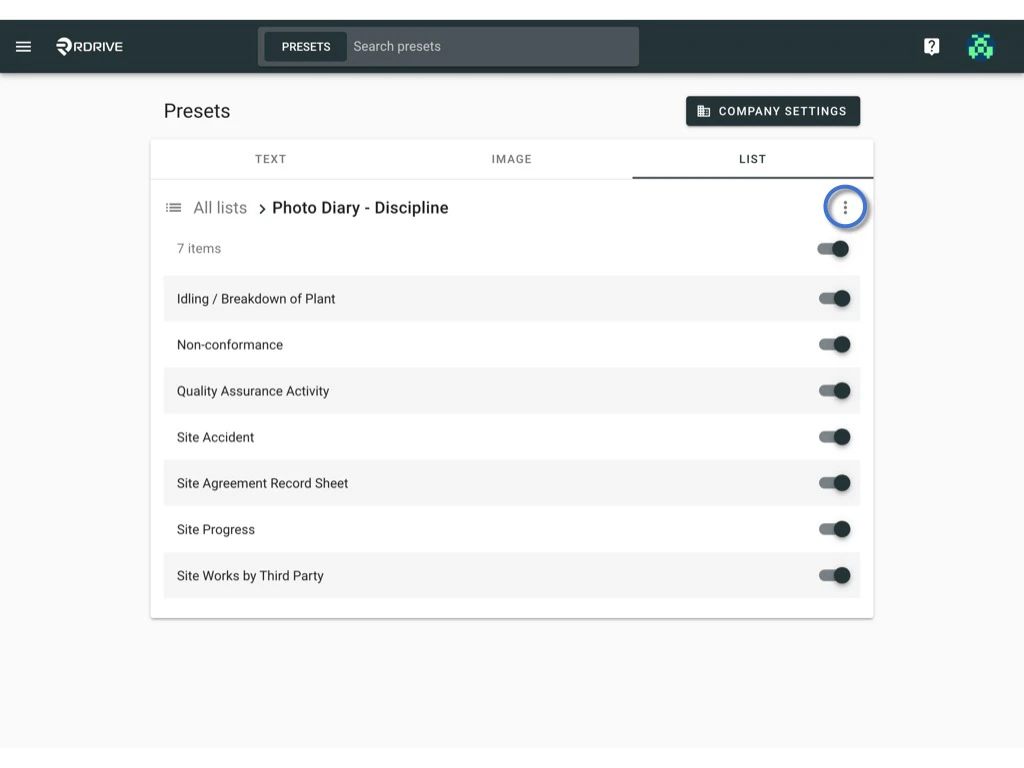
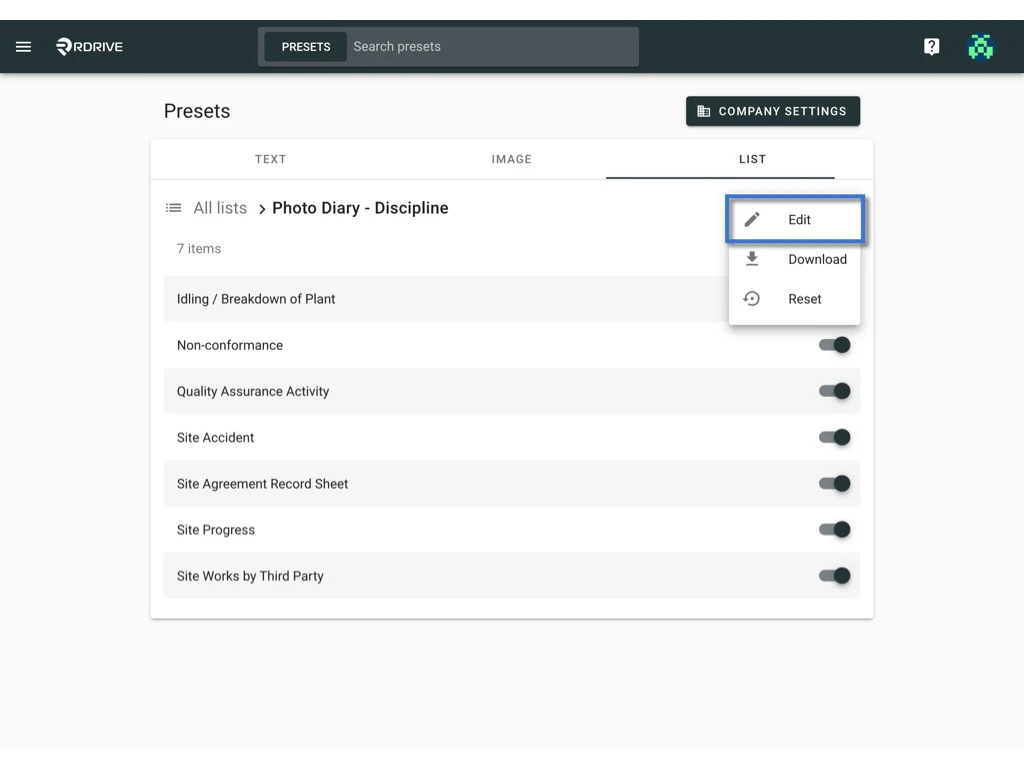
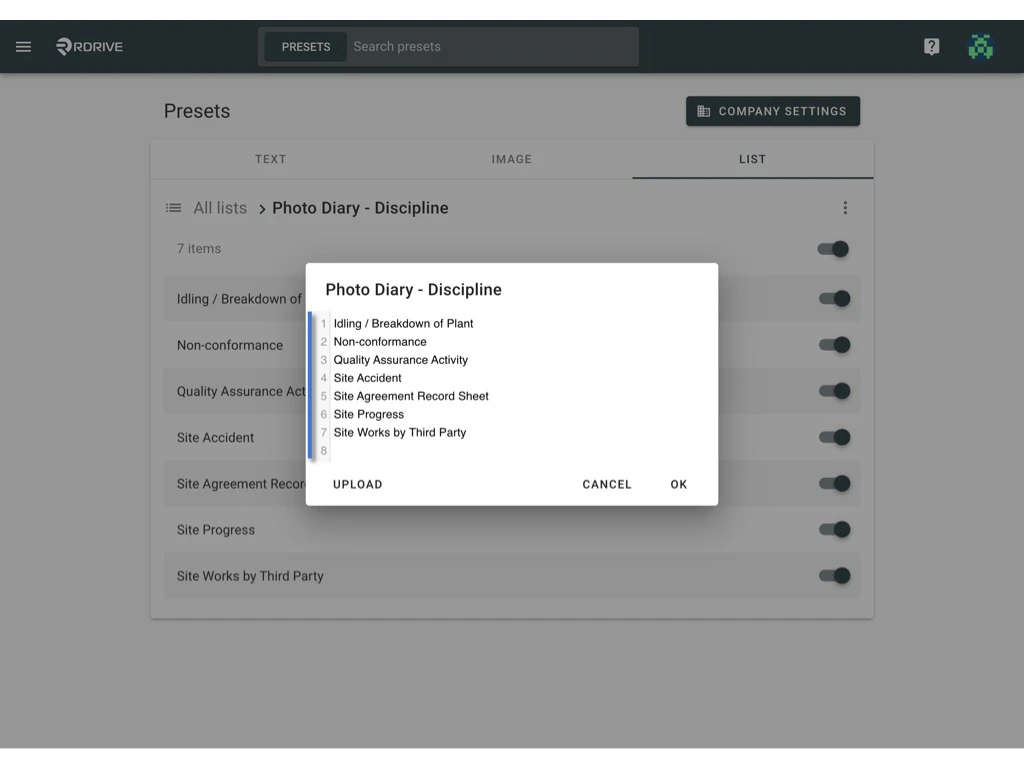
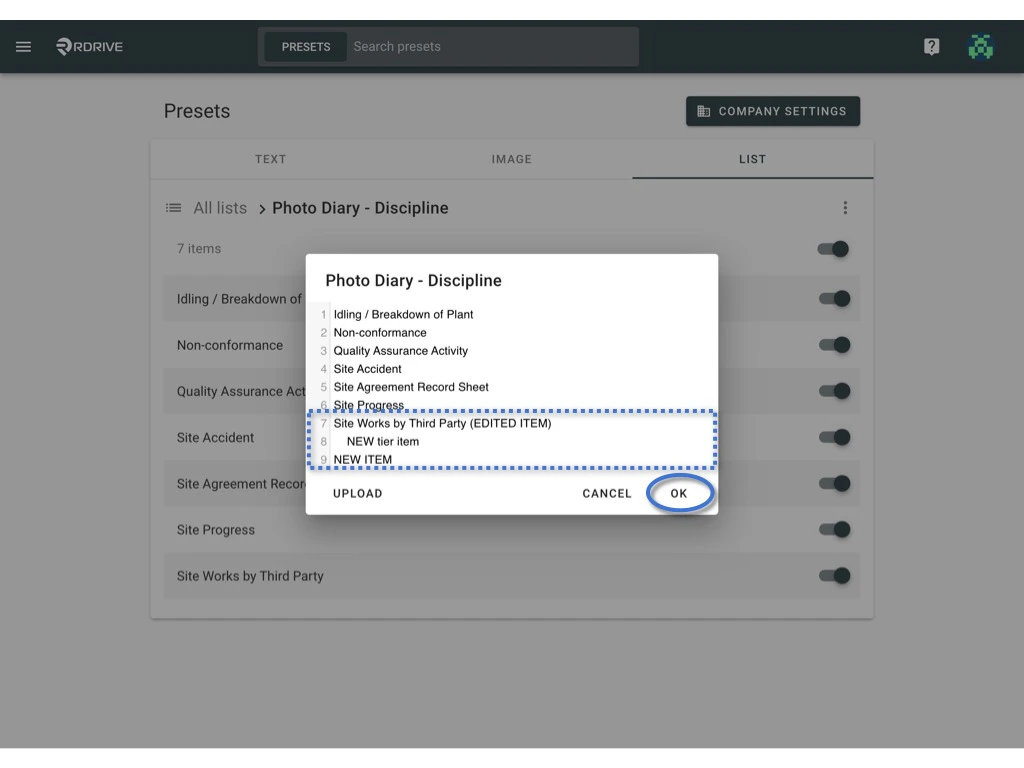
New Line with same align = Item of that tier;
New Line with Tab ↹ = Item of next tier.
2️⃣﹒1️⃣ To edit by reuploading the template. (single)
Download to edit, [Upload](#%E2%AC%86-Upload).
Select the list that you would like to edit.
⬇ Download
Click the ⋮ button on the right-hand side of the list title > Downloadto download the list in Excel format.
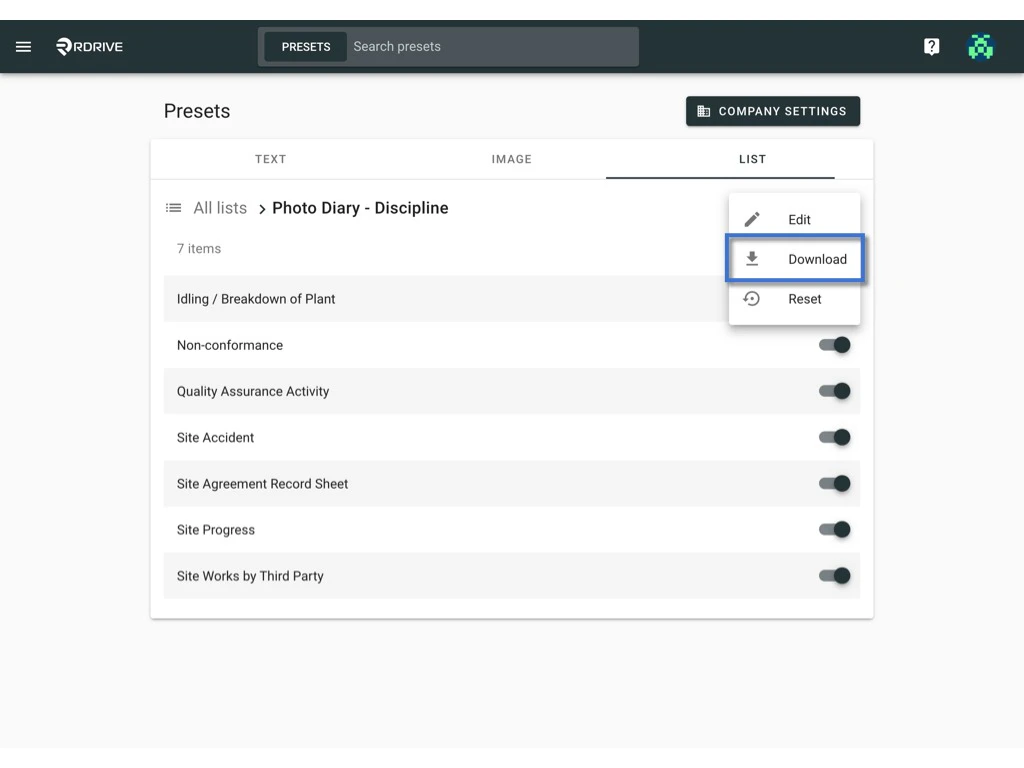
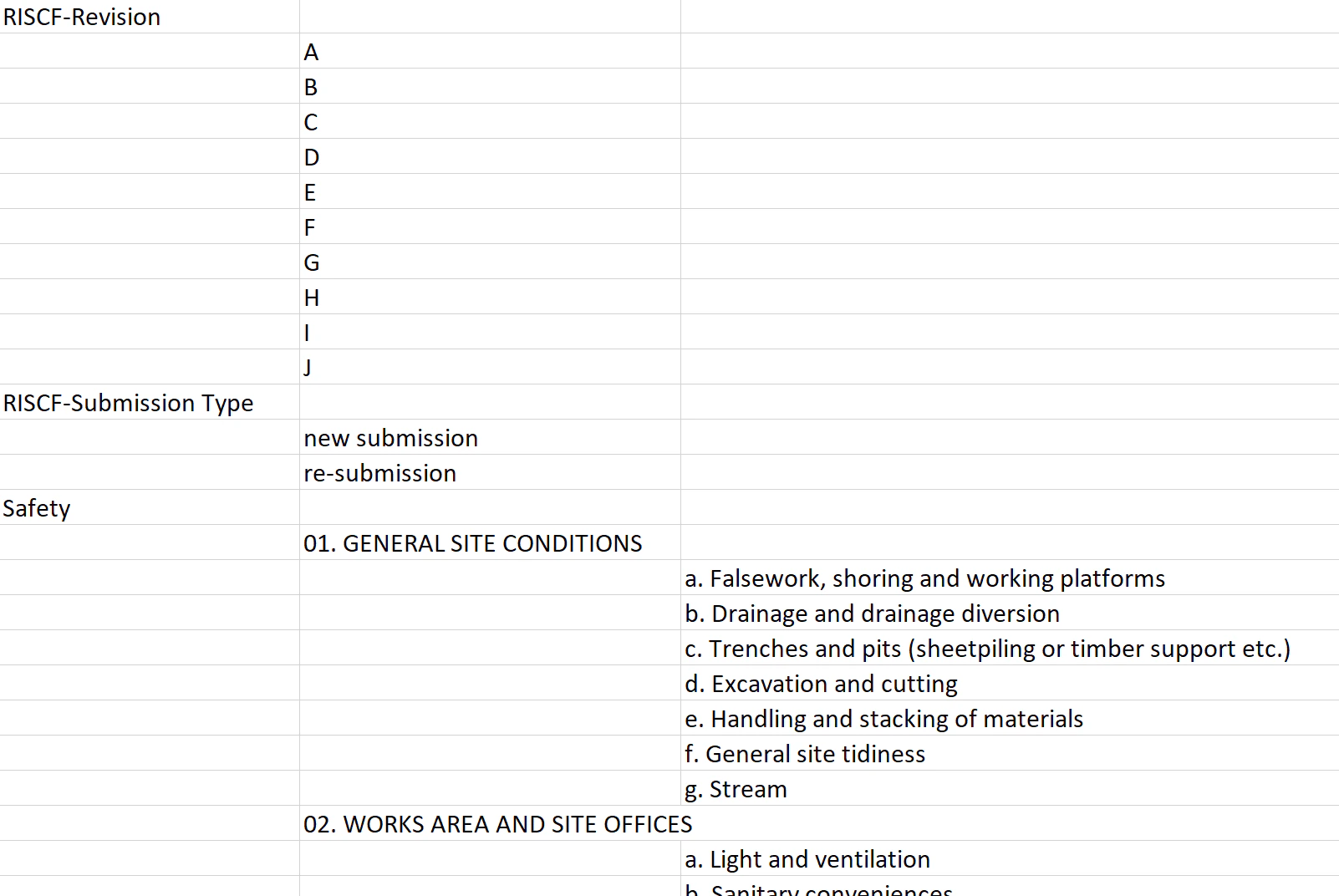
Columns B,C,D,E and etc. are the list items in the custom list. Edit/update the excel, save it to upload.
⬆ Upload
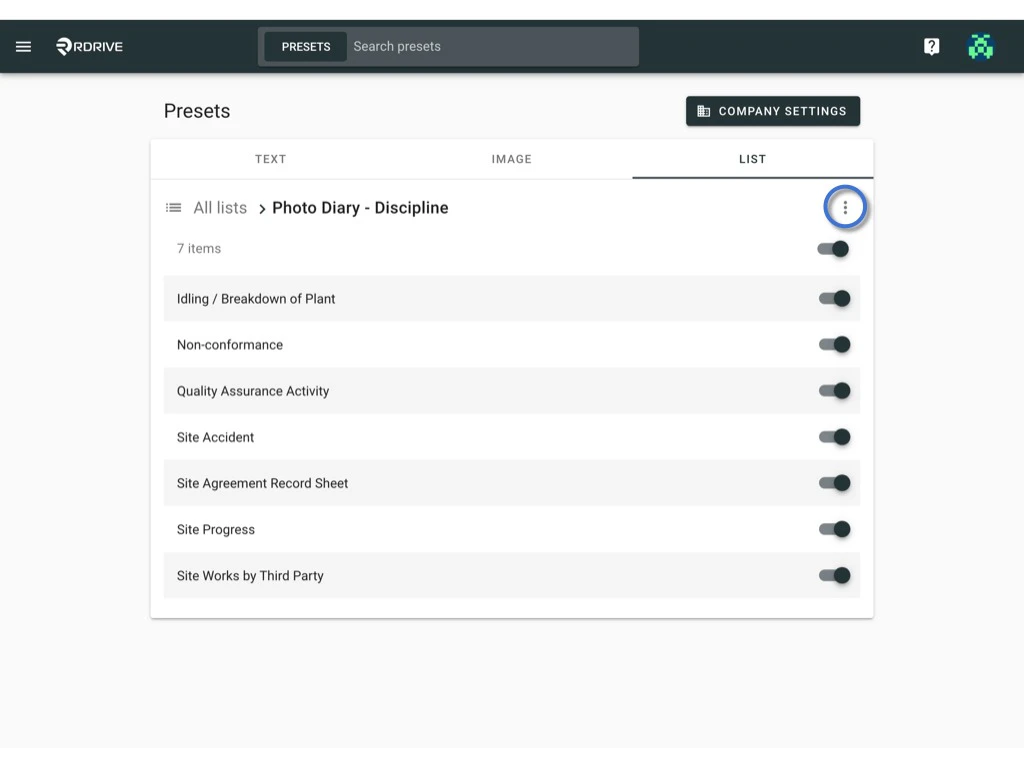
Click the ⋮ button on the right-hand side of the list title > Edit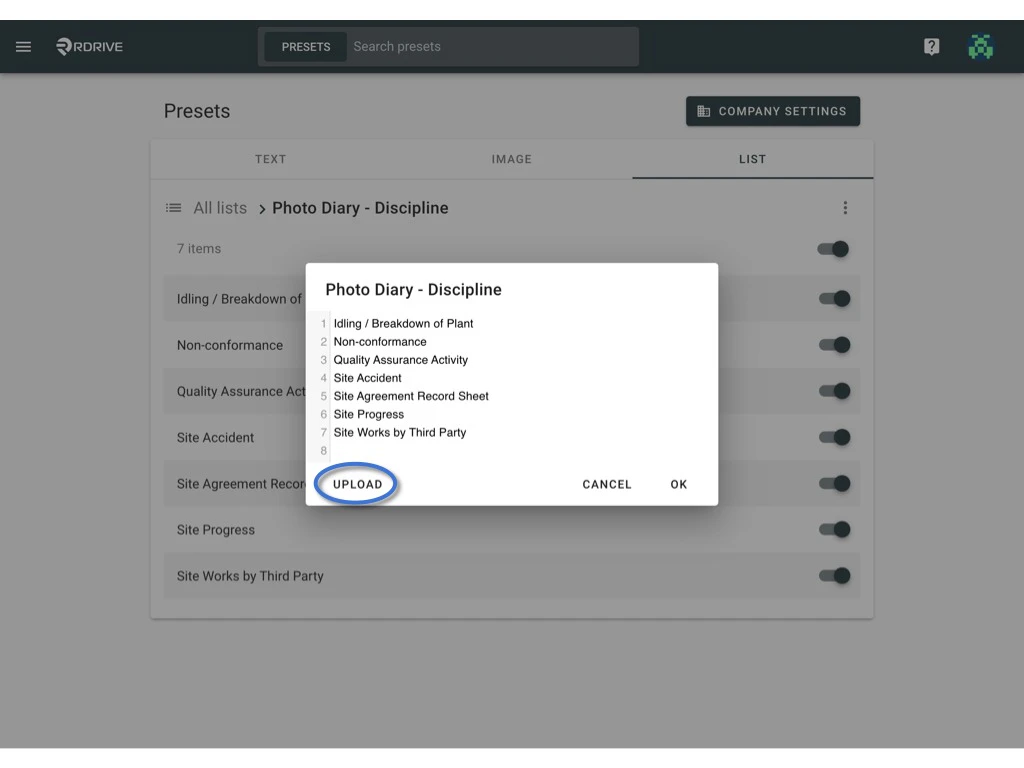
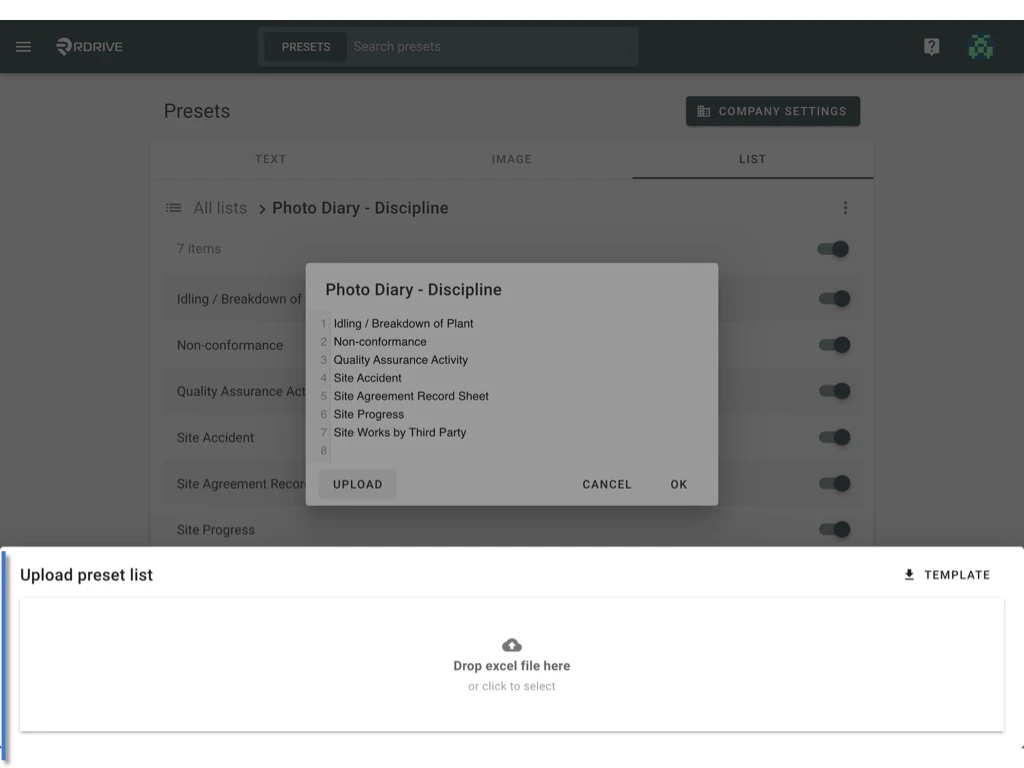
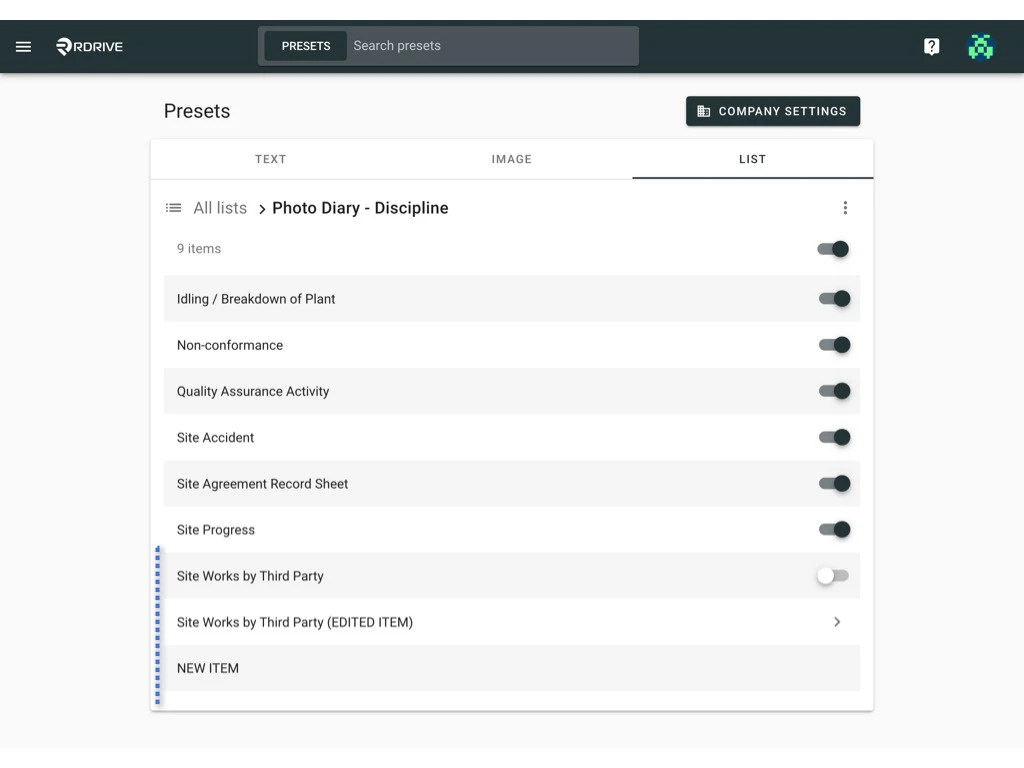
2️⃣﹒2️⃣ To edit by reuploading the template. (multiple)
Download to edit, [Upload](#%E2%AC%86-Upload-2).
⬇ Download
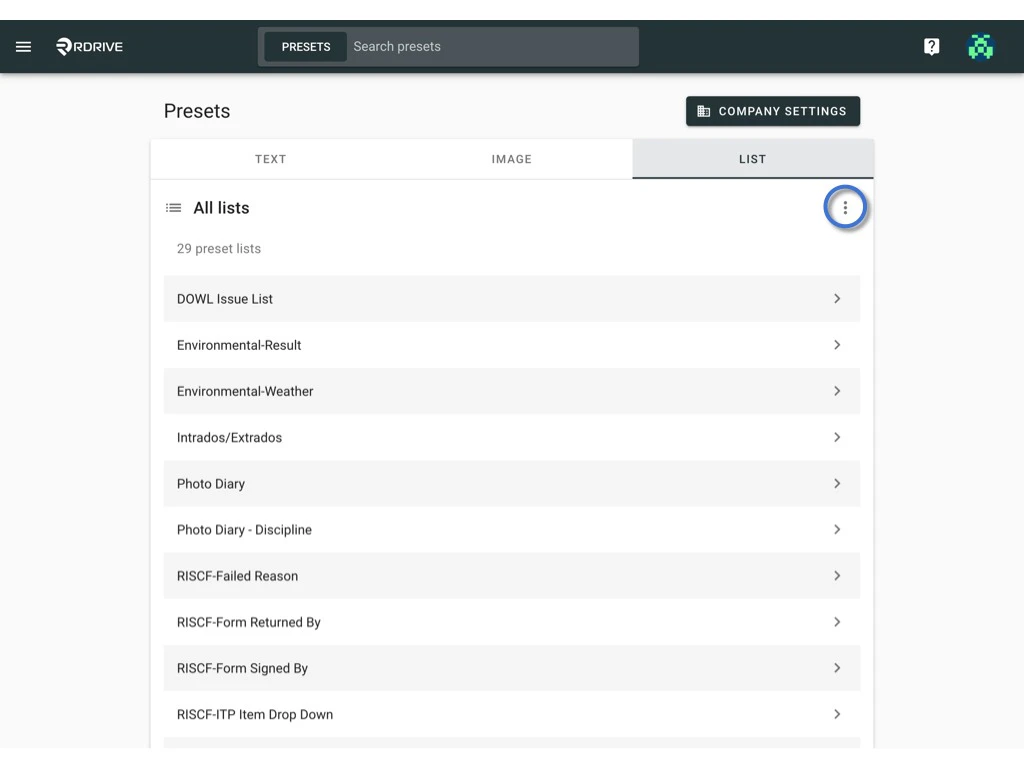
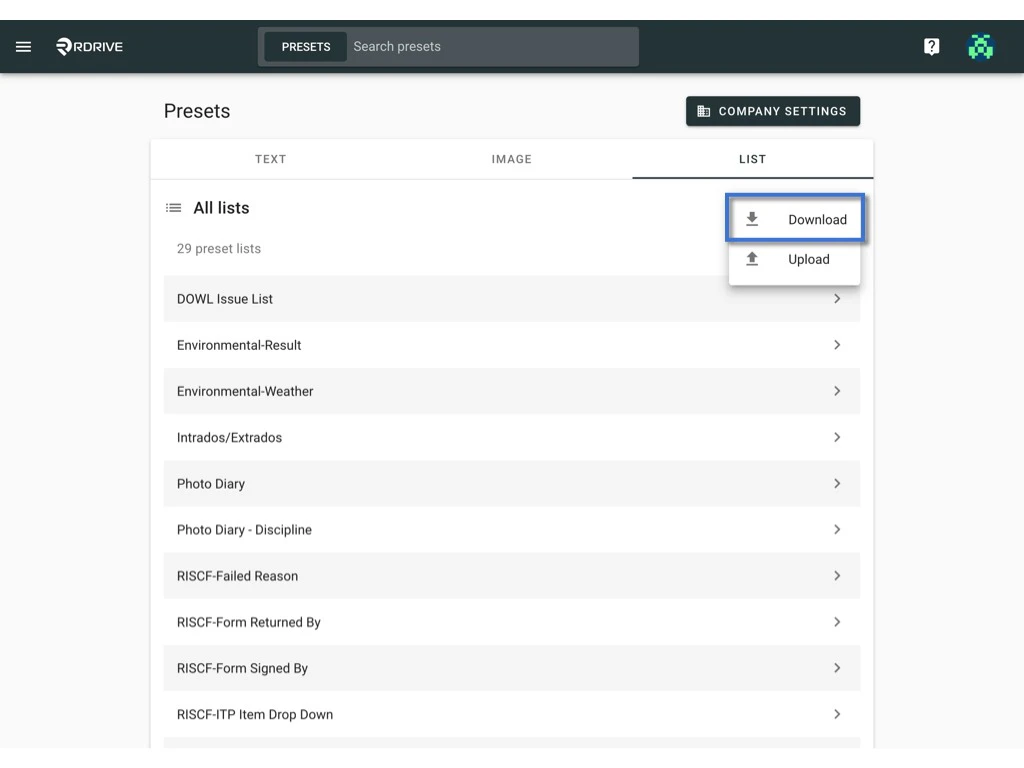
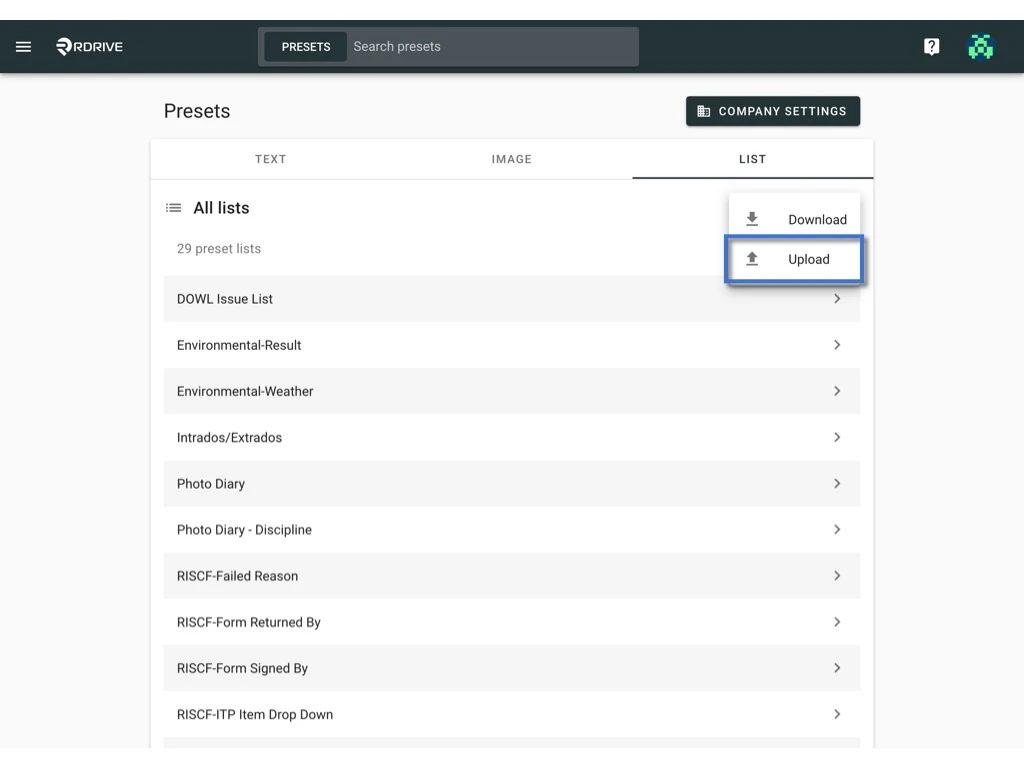
Click the ⋮ button on the right-hand side of All lists > Downloadto download all lists in Excel format.
Columns B,C,D,E and etc. are the list items in the custom list.
⬆ Upload
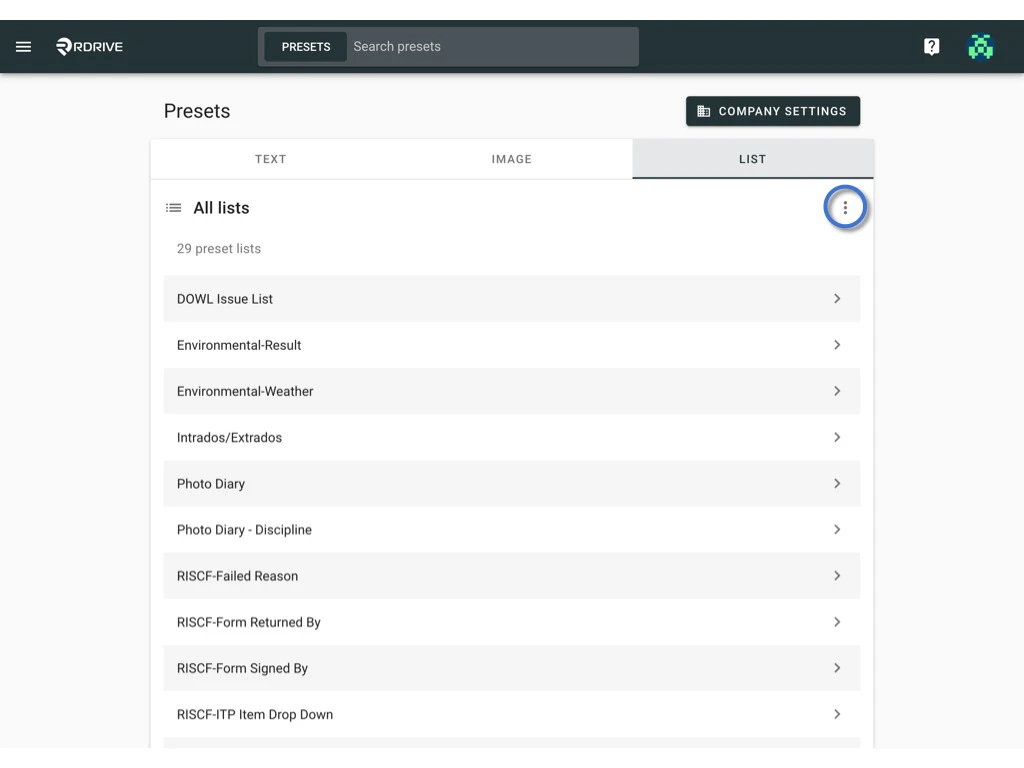
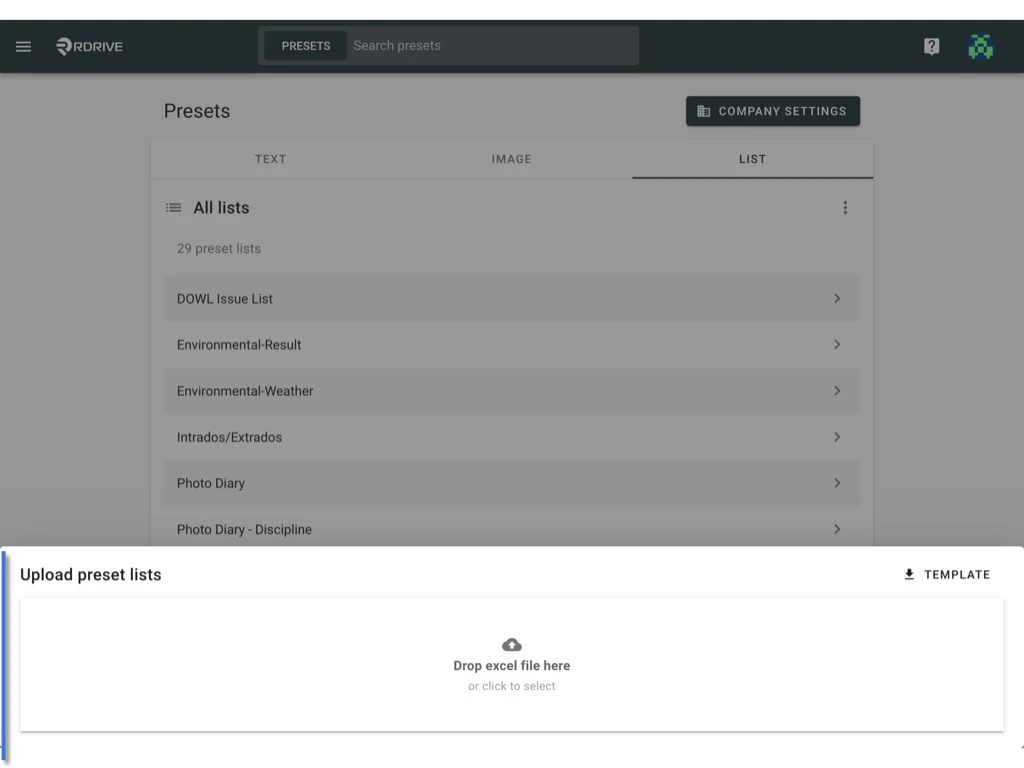
Click the ⋮ button on the right-hand side of All lists > UPLOAD.Drop or select the save excel template to upload the file to the system.
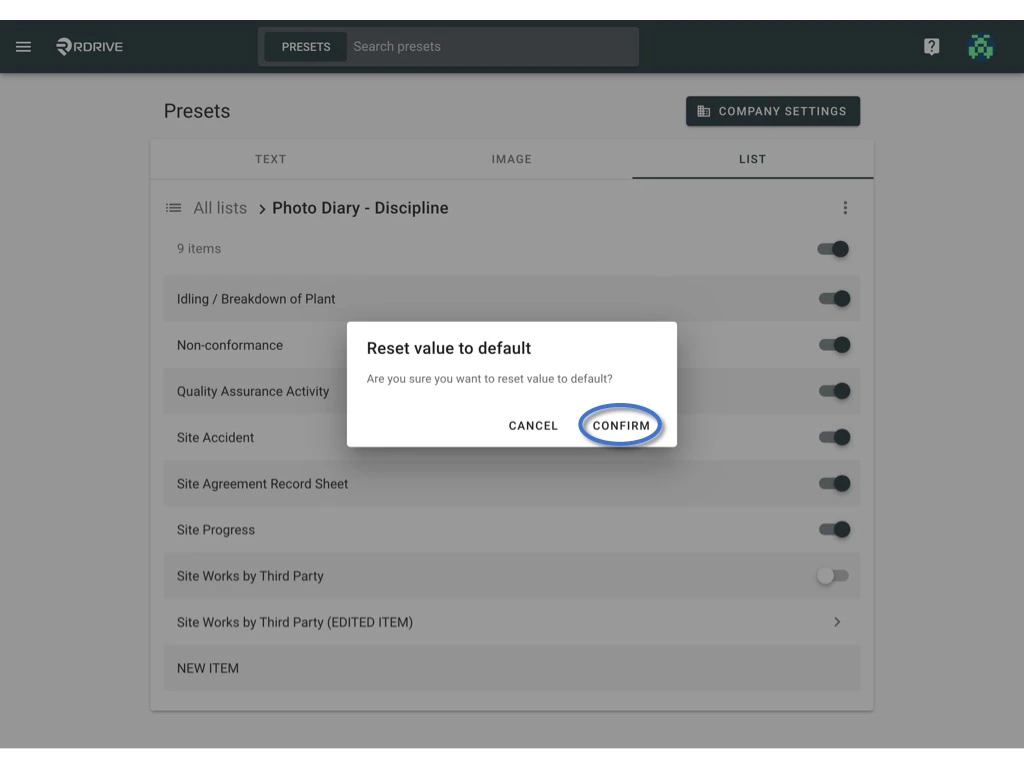
Reset to the default value
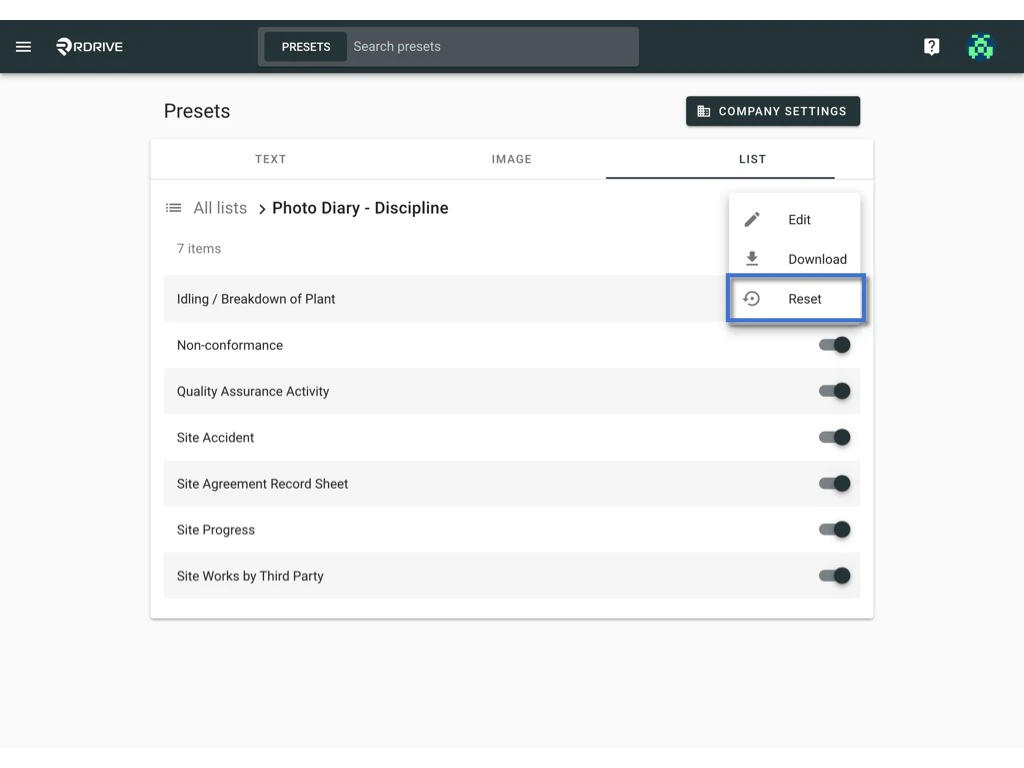
?Can I reset the preset list to the company level setting?Yes, you can.
Simply click RESET from the ⋮ button at the right-hand side of the list title.
The additional information you may want to know
Disable Unwanted list itemsYou can disable the items that are not applicable to the project.
Simply switch on and off to enable and disable the item or whole tier. (ON)


